
Chapter 1 Computer Networks and the Internet A

- Slides: 36
Chapter 1 Computer Networks and the Internet A note on the use of these ppt slides: We’re making these slides freely available to all (faculty, students, readers). They’re in powerpoint form so you can add, modify, and delete slides (including this one) and slide content to suit your needs. They obviously represent a lot of work on our part. In return for use, we only ask the following: q If you use these slides (e. g. , in a class) in substantially unaltered form, that you mention their source (after all, we’d like people to use our book!) q If you post any slides in substantially unaltered form on a www site, that you note that they are adapted from (or perhaps identical to) our slides, and note our copyright of this material. q This slide show has been modified by Merrie Bergmann 1/26/03 Thanks and enjoy! JFK/KWR All material copyright 1996 -2002 J. F Kurose and K. W. Ross, All Rights Reserved Computer Networking: A Top Down Approach Featuring the Internet, 2 nd edition. Jim Kurose, Keith Ross Addison-Wesley, July 2002. Introduction 1
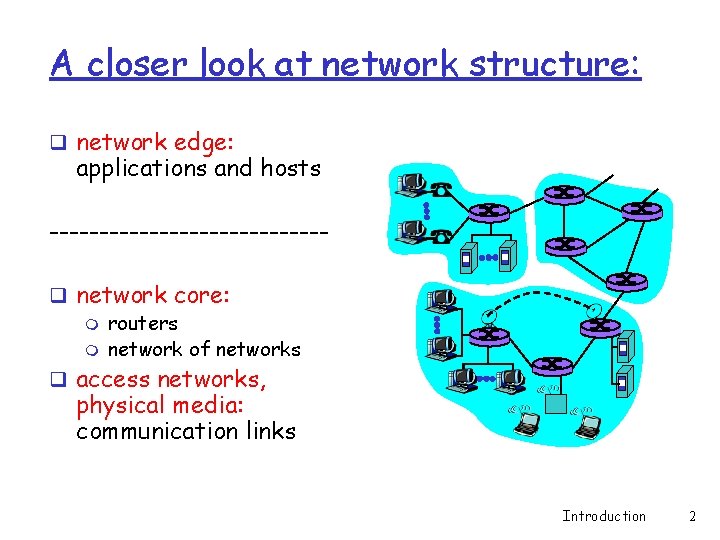
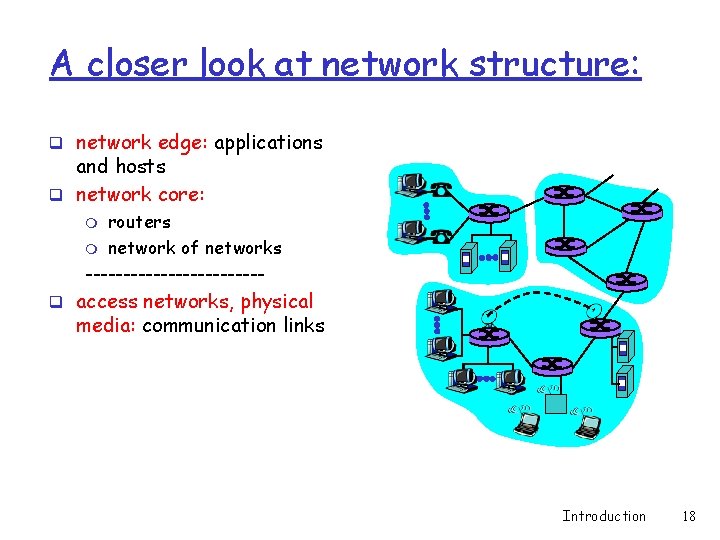
A closer look at network structure: q network edge: applications and hosts --------------q network core: m routers m network of networks q access networks, physical media: communication links Introduction 2
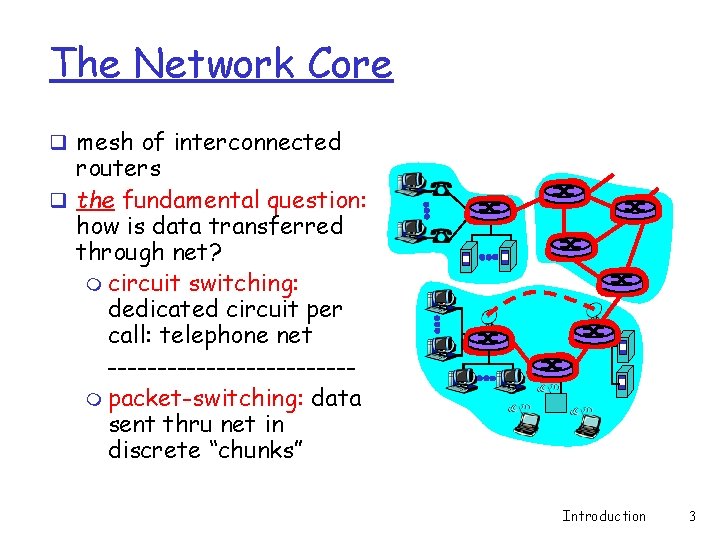
The Network Core q mesh of interconnected routers q the fundamental question: how is data transferred through net? m circuit switching: dedicated circuit per call: telephone net ------------m packet-switching: data sent thru net in discrete “chunks” Introduction 3
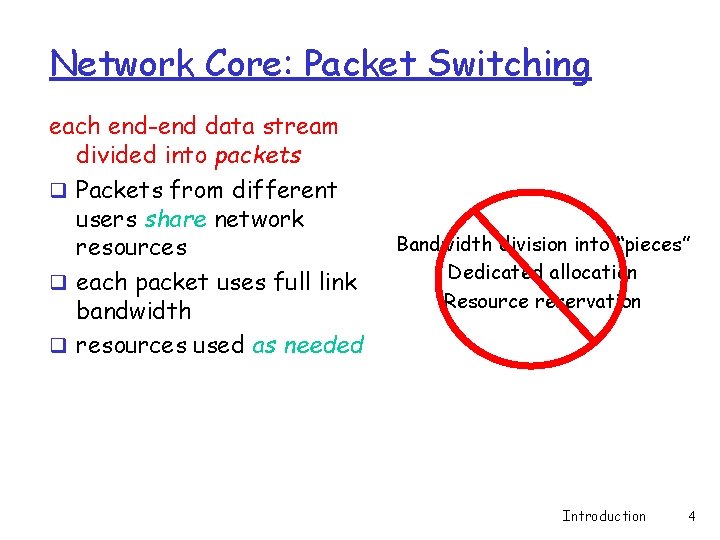
Network Core: Packet Switching each end-end data stream divided into packets q Packets from different users share network resources q each packet uses full link bandwidth q resources used as needed Bandwidth division into “pieces” Dedicated allocation Resource reservation Introduction 4
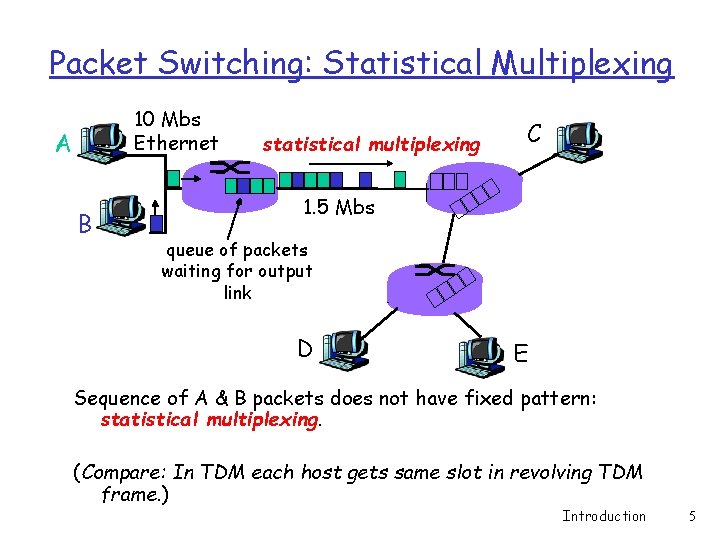
Packet Switching: Statistical Multiplexing 10 Mbs Ethernet A B statistical multiplexing C 1. 5 Mbs queue of packets waiting for output link D E Sequence of A & B packets does not have fixed pattern: statistical multiplexing. (Compare: In TDM each host gets same slot in revolving TDM frame. ) Introduction 5
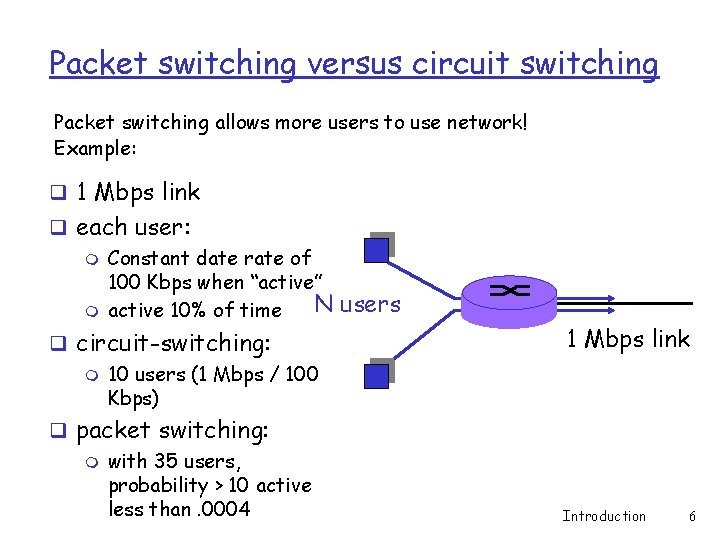
Packet switching versus circuit switching Packet switching allows more users to use network! Example: q 1 Mbps link q each user: m Constant date rate of 100 Kbps when “active” N users m active 10% of time q circuit-switching: m 10 users (1 Mbps / 100 Kbps) q packet switching: m with 35 users, probability > 10 active less than. 0004 1 Mbps link Introduction 6
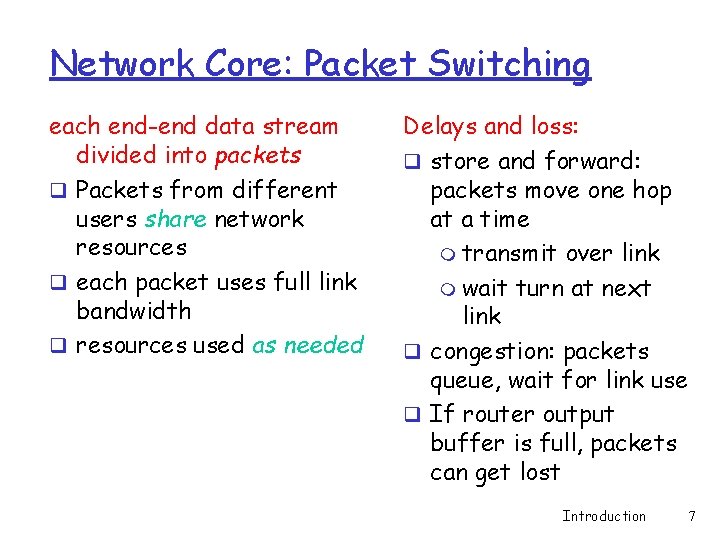
Network Core: Packet Switching each end-end data stream divided into packets q Packets from different users share network resources q each packet uses full link bandwidth q resources used as needed Delays and loss: q store and forward: packets move one hop at a time m transmit over link m wait turn at next link q congestion: packets queue, wait for link use q If router output buffer is full, packets can get lost Introduction 7
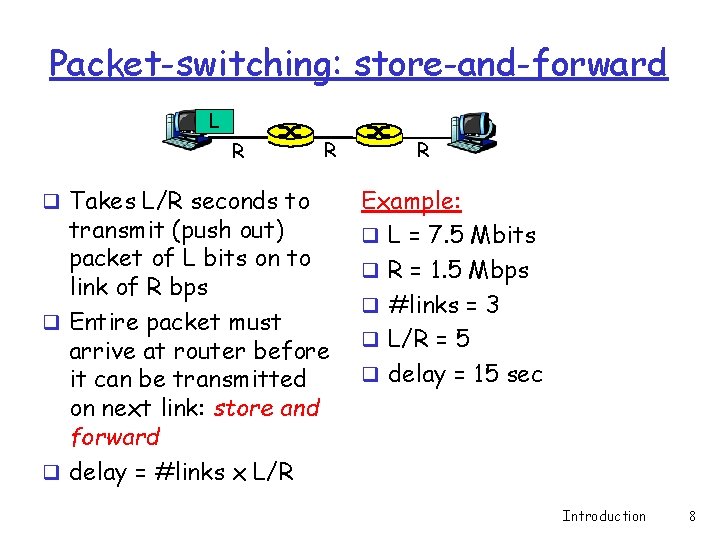
Packet-switching: store-and-forward L R q Takes L/R seconds to R transmit (push out) packet of L bits on to link of R bps q Entire packet must arrive at router before it can be transmitted on next link: store and forward q delay = #links x L/R R Example: q L = 7. 5 Mbits q R = 1. 5 Mbps q #links = 3 q L/R = 5 q delay = 15 sec Introduction 8
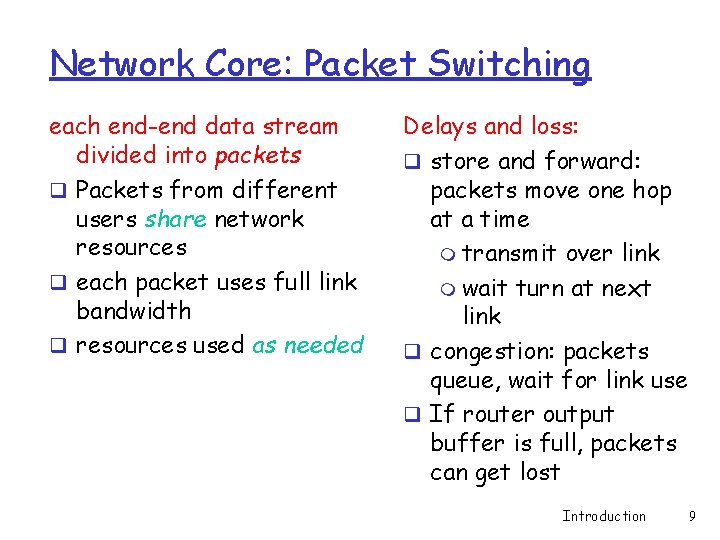
Network Core: Packet Switching each end-end data stream divided into packets q Packets from different users share network resources q each packet uses full link bandwidth q resources used as needed Delays and loss: q store and forward: packets move one hop at a time m transmit over link m wait turn at next link q congestion: packets queue, wait for link use q If router output buffer is full, packets can get lost Introduction 9
Packet switching versus circuit switching Is packet switching a “slam dunk winner? ” q Great for bursty data m resource sharing m simpler, no call setup q Excessive congestion: packet delay and loss m protocols needed for reliable data transfer, congestion control q Unsolved problem (chapter 6): How to provide circuit-like behavior? m bandwidth guarantees needed for audio/video apps q Qu: Is packet-switching appropriate for telephone networks? Introduction 10
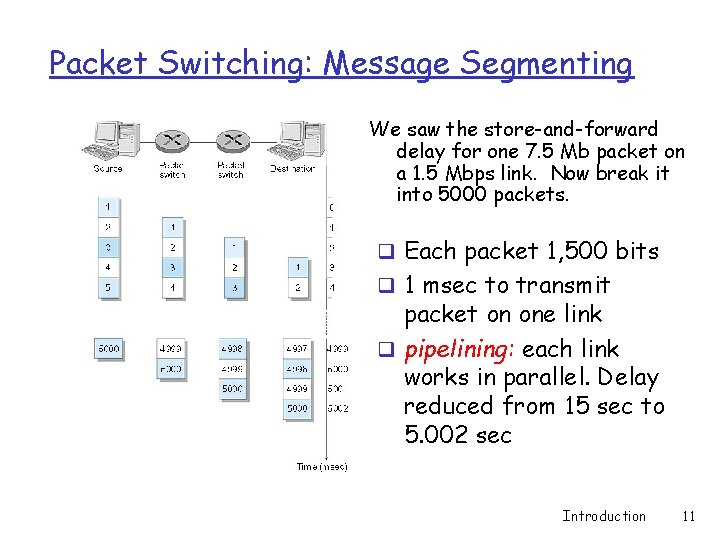
Packet Switching: Message Segmenting We saw the store-and-forward delay for one 7. 5 Mb packet on a 1. 5 Mbps link. Now break it into 5000 packets. q Each packet 1, 500 bits q 1 msec to transmit packet on one link q pipelining: each link works in parallel. Delay reduced from 15 sec to 5. 002 sec Introduction 11
Advantages of message segmentation over message switching q Pipelining reduces time delay q Errors in transmission: need to discard and retransmit a much smaller chunk of data q However, more packet overhead: control information must be repeated in 5, 000 packets rather than appear once, in a single message q Demonstration applet: http: //www. aw. com/kurose-ross Introduction 12
Packet-switched networks: packet forwarding q Goal: move packets through routers from source to destination m we’ll study several path selection (i. e. routing)algorithms (chapter 4) q virtual circuit network (e. g. ATM ): m each packet carries tag (virtual circuit ID), tag determines next hop m fixed path determined at call setup time, remains fixed thru call m routers maintain state information for ongoing connections q datagram network (e. g. the Internet): m destination address in packet determines next hop m routes may change during session Introduction 13
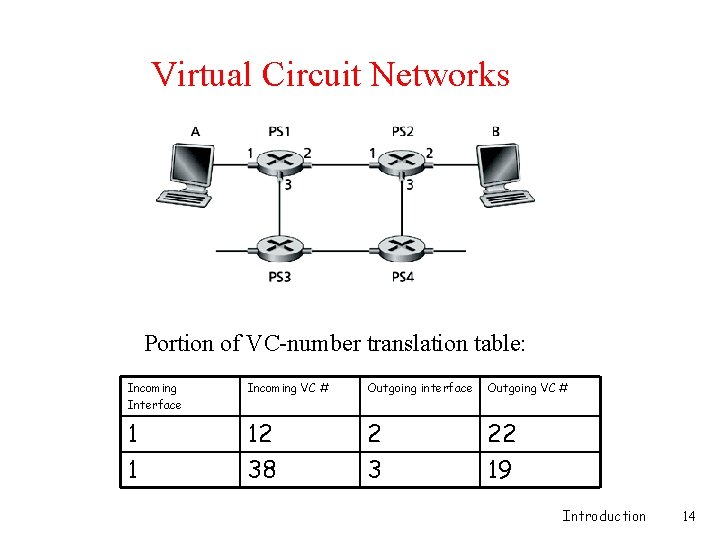
Virtual Circuit Networks Portion of VC-number translation table: Incoming Interface Incoming VC # Outgoing interface Outgoing VC # 1 1 12 38 2 3 22 19 Introduction 14
Packet-switched networks: forwarding q Goal: move packets through routers from source to destination m we’ll study several path selection (i. e. routing)algorithms (chapter 4) q virtual circuit network (e. g. ATM ): m each packet carries tag (virtual circuit ID), tag determines next hop m fixed path determined at call setup time, remains fixed thru call m routers maintain state information for ongoing connections q datagram network (e. g. the Internet): m destination address in packet determines next hop m routes may change during session Introduction 15
Datagram Networks q Destination address has a heirarchical structure, like postal addresses q Packet switches (routers) examine a portion of the address to determine which next switch to sent the packet to q Like the postal system, or you and I travelling to visit a friend in a distant city q No connection-state information needed in the switches q Demo: http: //www. traceroute. org/ Introduction 16
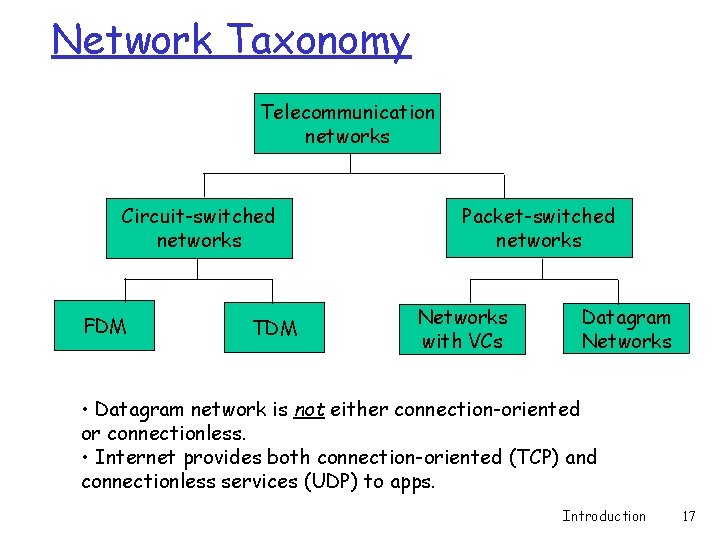
Network Taxonomy Telecommunication networks Circuit-switched networks FDM TDM Packet-switched networks Networks with VCs Datagram Networks • Datagram network is not either connection-oriented or connectionless. • Internet provides both connection-oriented (TCP) and connectionless services (UDP) to apps. Introduction 17
A closer look at network structure: q network edge: applications and hosts q network core: routers m network of networks ------------m q access networks, physical media: communication links Introduction 18
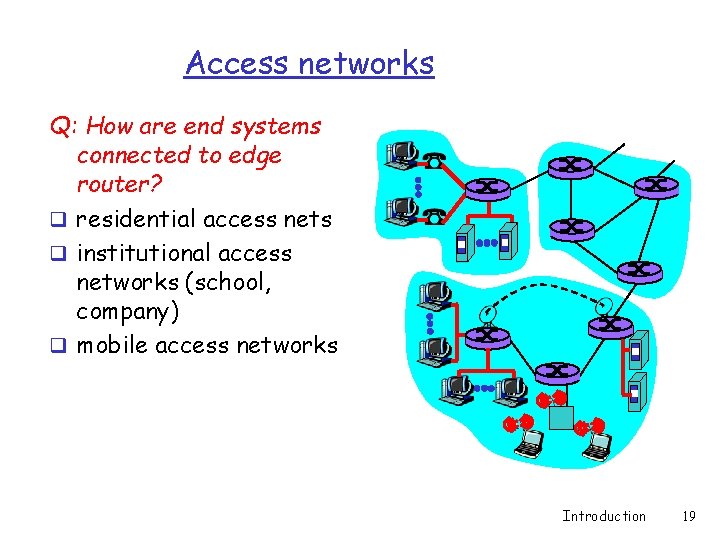
Access networks Q: How are end systems connected to edge router? q residential access nets q institutional access networks (school, company) q mobile access networks Introduction 19
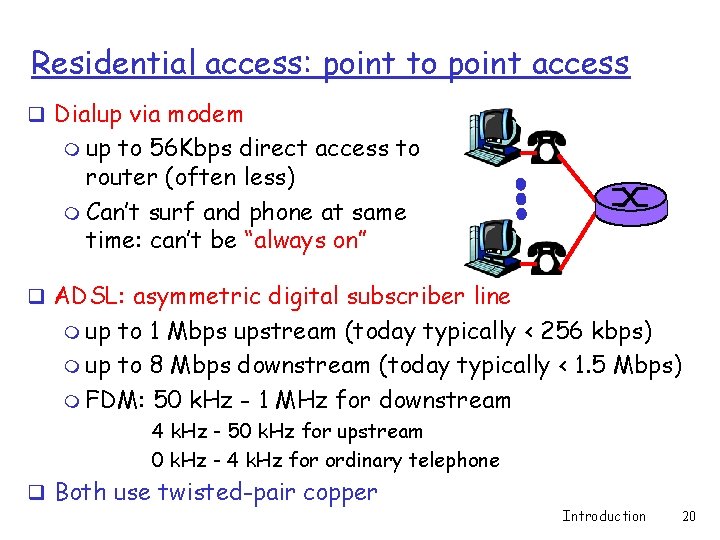
Residential access: point to point access q Dialup via modem m up to 56 Kbps direct access to router (often less) m Can’t surf and phone at same time: can’t be “always on” q ADSL: asymmetric digital subscriber line m up to 1 Mbps upstream (today typically < 256 kbps) m up to 8 Mbps downstream (today typically < 1. 5 Mbps) m FDM: 50 k. Hz - 1 MHz for downstream 4 k. Hz - 50 k. Hz for upstream 0 k. Hz - 4 k. Hz for ordinary telephone q Both use twisted-pair copper Introduction 20
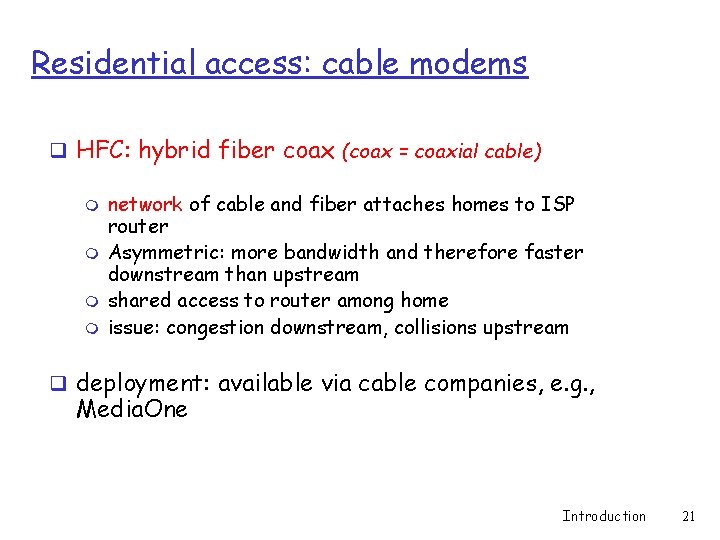
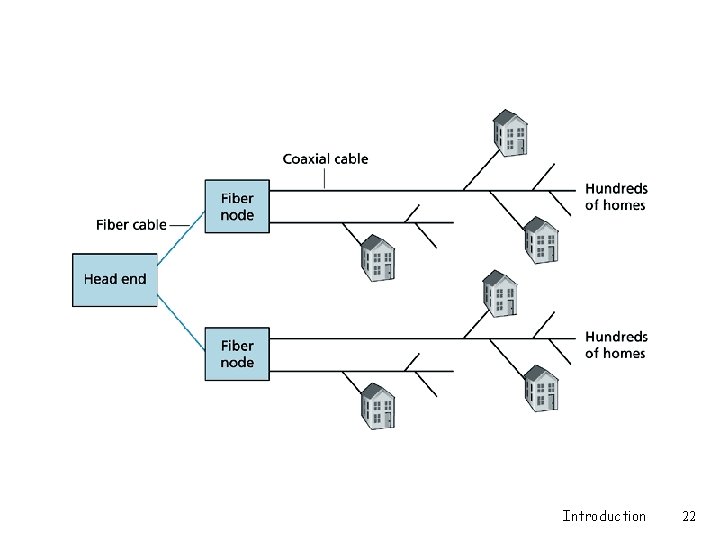
Residential access: cable modems q HFC: hybrid fiber coax (coax = coaxial cable) m m network of cable and fiber attaches homes to ISP router Asymmetric: more bandwidth and therefore faster downstream than upstream shared access to router among home issue: congestion downstream, collisions upstream q deployment: available via cable companies, e. g. , Media. One Introduction 21
Introduction 22
DSL and HFC q Both are always on, as compared to dial-up modem connections q Do not tie up the telephone line q DSL and HFC both have higher transmission rates than dial-up connections DSL v. HFC q. DSL is point-to-point between home and ISP: dedicated bandwidth q. HFC: with “reasonable dimensions” gives higher bandwidth Introduction 23
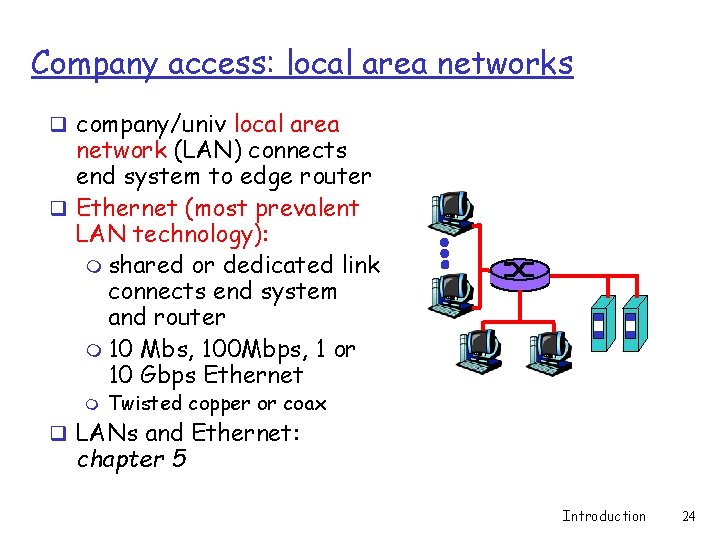
Company access: local area networks q company/univ local area network (LAN) connects end system to edge router q Ethernet (most prevalent LAN technology): m shared or dedicated link connects end system and router m 10 Mbs, 100 Mbps, 1 or 10 Gbps Ethernet m Twisted copper or coax q LANs and Ethernet: chapter 5 Introduction 24
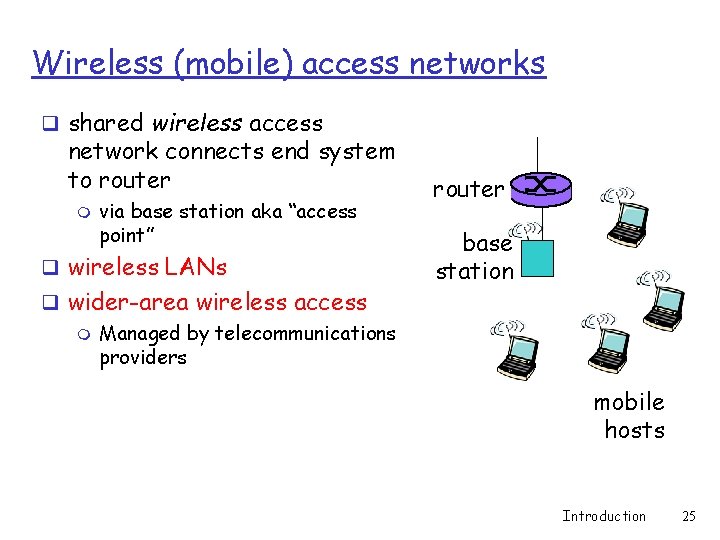
Wireless (mobile) access networks q shared wireless access network connects end system to router m via base station aka “access point” q wireless LANs q wider-area wireless access m Managed by telecommunications providers router base station mobile hosts Introduction 25
Physical Media q physical link: what lies between transmitter & receiver q guided media: m signals propagate in solid media: copper, fiber, coax q unguided media: m signals propagate freely, e. g. , radio signals Twisted Pair (TP) q two insulated copper wires m m m Category 3 – voicegrade twisted pair: traditional phone wires, 10 Mbps Ethernet Category 5 TP – more twists and Teflon™ insulation: 100 Mbps Ethernet Used by almost all new Ethernet installations Introduction 26
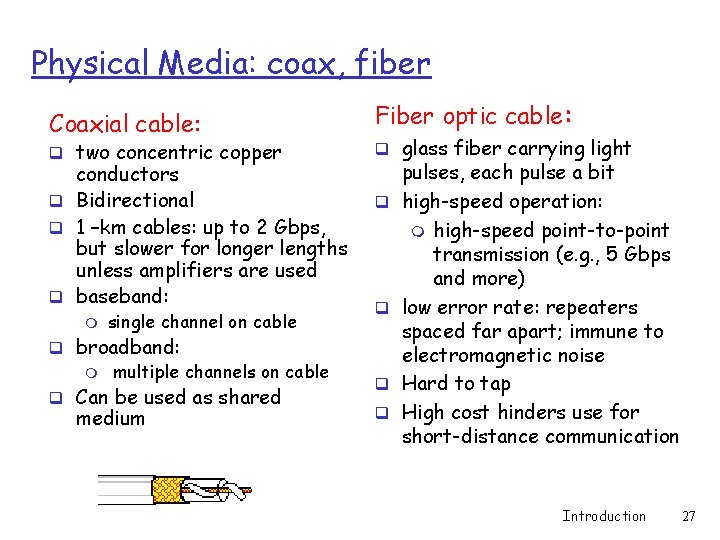
Physical Media: coax, fiber Coaxial cable: q two concentric copper conductors q Bidirectional q 1 –km cables: up to 2 Gbps, but slower for longer lengths unless amplifiers are used q baseband: m single channel on cable q broadband: m multiple channels on cable q Can be used as shared medium Fiber optic cable: q glass fiber carrying light q q pulses, each pulse a bit high-speed operation: m high-speed point-to-point transmission (e. g. , 5 Gbps and more) low error rate: repeaters spaced far apart; immune to electromagnetic noise Hard to tap High cost hinders use for short-distance communication Introduction 27
Physical media: radio links q signal carried in electromagnetic spectrum q no physical “wire” q bidirectional q propagation environment effects: m m Radio link types: q Terrestrial q Satellite m Bandwidths in the Gbps range obstruction by objects interference Introduction 28
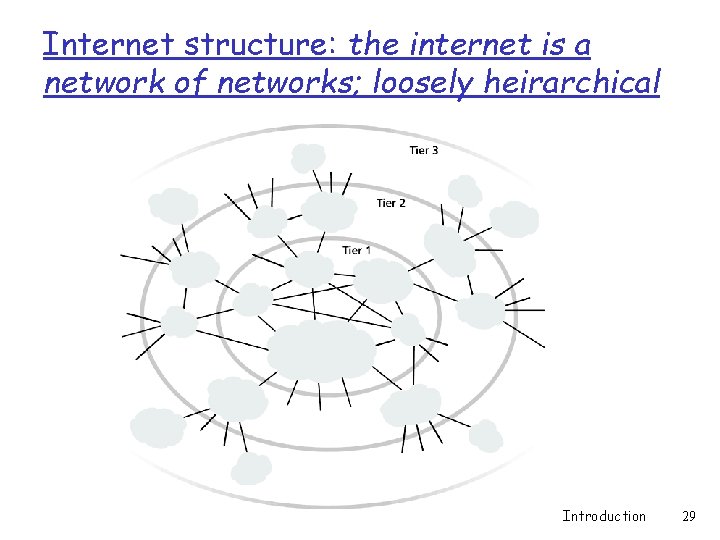
Internet structure: the internet is a network of networks; loosely heirarchical Introduction 29
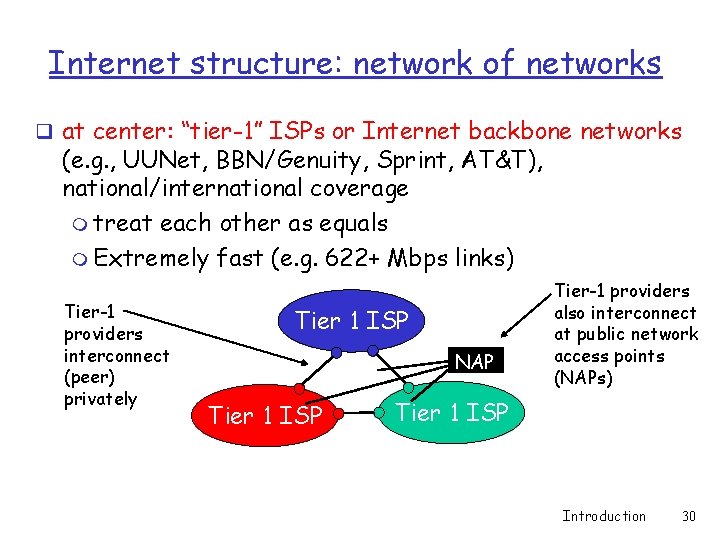
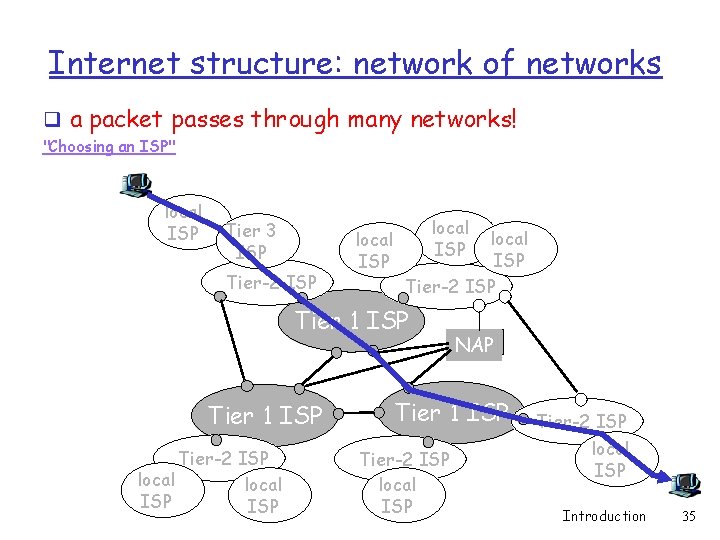
Internet structure: network of networks q at center: “tier-1” ISPs or Internet backbone networks (e. g. , UUNet, BBN/Genuity, Sprint, AT&T), national/international coverage m treat each other as equals m Extremely fast (e. g. 622+ Mbps links) Tier-1 providers interconnect (peer) privately Tier 1 ISP NAP Tier 1 ISP Tier-1 providers also interconnect at public network access points (NAPs) Tier 1 ISP Introduction 30
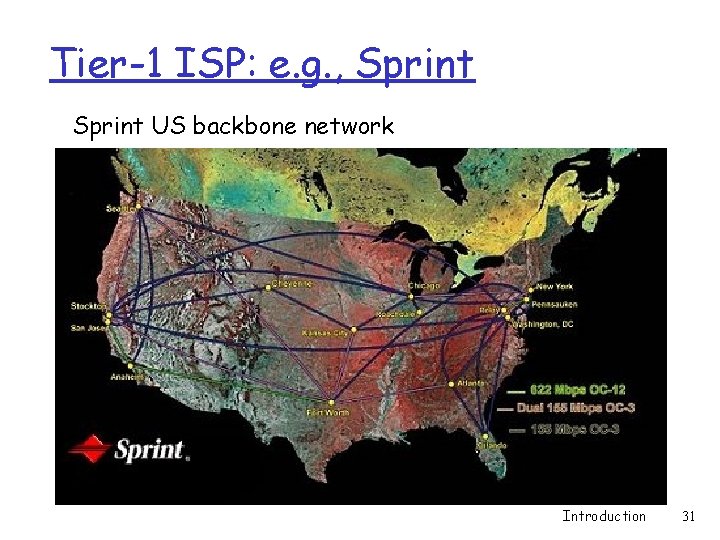
Tier-1 ISP: e. g. , Sprint US backbone network Introduction 31
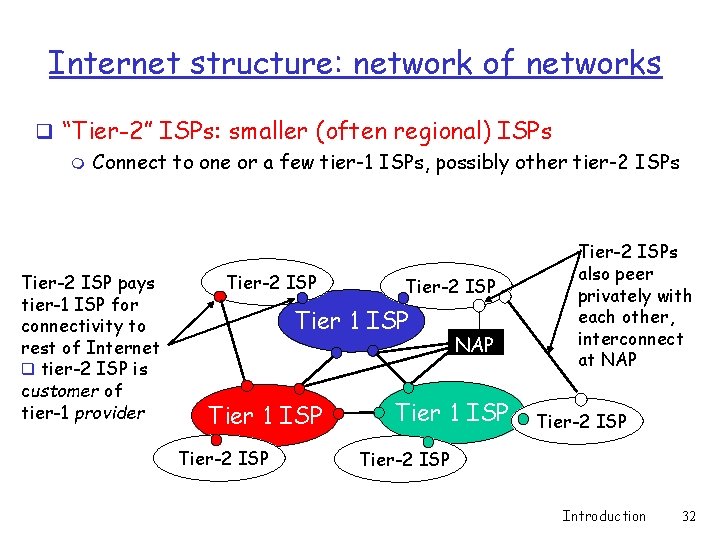
Internet structure: network of networks q “Tier-2” ISPs: smaller (often regional) ISPs m Connect to one or a few tier-1 ISPs, possibly other tier-2 ISPs Tier-2 ISP pays tier-1 ISP for connectivity to rest of Internet q tier-2 ISP is customer of tier-1 provider Tier-2 ISP Tier 1 ISP Tier-2 ISP NAP Tier 1 ISP Tier-2 ISPs also peer privately with each other, interconnect at NAP Tier-2 ISP Introduction 32
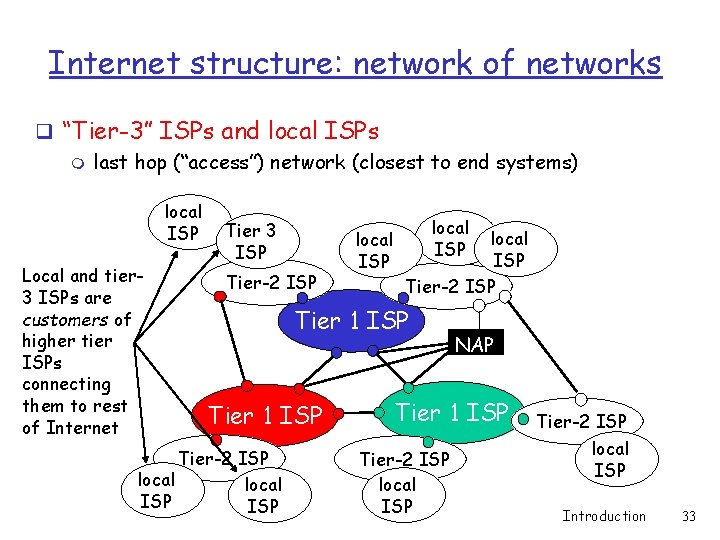
Internet structure: network of networks q “Tier-3” ISPs and local ISPs m last hop (“access”) network (closest to end systems) local ISP Local and tier 3 ISPs are customers of higher tier ISPs connecting them to rest of Internet Tier 3 ISP Tier-2 ISP local ISP Tier-2 ISP Tier 1 ISP Tier-2 ISP local ISP NAP Tier 1 ISP Tier-2 ISP local ISP Introduction 33
ISP terminology q Peers: two ISPs that are directly connected with each other q. Point of Presence (POP): point within an ISP network at which it connects to other ISPs q. NAP (network access point): connects ISPs but is owned by a third party Introduction 34
Internet structure: network of networks q a packet passes through many networks! "Choosing an ISP" local ISP Tier 3 ISP Tier-2 ISP local ISP Tier-2 ISP Tier 1 ISP Tier-2 ISP local ISP NAP Tier 1 ISP Tier-2 ISP local ISP Introduction 35
Seniors, take note! “… anyone of us can become an access ISP as soon as we have an internet connection. All we need to do is purchase the necessary equipment (for example, router and modem pool) to allow other users to connect to us. ” (Kurose-Ross, p. 41) Introduction 36