
Challenges of Mobile and Wireless Computing CS 515
Challenges of Mobile and Wireless Computing CS 515 Mobile and Wireless Networking İbrahim Körpeoğlu Computer Engineering Department Bilkent University, Ankara CS 515 Ibrahim Korpeoglu 1
Homework 2 n Read and digest the following papers n n n CS 515 H. Forman, J. Zahorjan, The Challenges of Mobile Computing, IEEE Computer, V 27, N 4, (April 1994), pp. 38 -47. T. La Porta et al. , Challenges for Nomadic Computing: Mobility Management and Wireless Communication, ACM/Baltzer Journal of Mobile Networking and Applications, Vol. 1, No. 1, 1996. M. Satyanarayan, Fundamental Challenges in Mobile Computing, M. Satyanarayan, Fifteen ACM Symposium on Principles of Distributed Computing, 1996. İbrahim Körpeoğlu 2
Challenges of Mobile Computing and Networking n n Challenges of Wireless/Mobile Network Design Challenges of Mobile System and Application Design q CS 515 We will look to the problems more from Computer Science point of view İbrahim Körpeoğlu 3
Enabling Developments for Mobile Computing n Two factors that enabled mobile and ubiquitous computing (also called nomadic computing) n Advances in wireless communication systems (both voice and data) and networks § § § n Advance in computer technology and development of portable computers and devices q q CS 515 Flexible communication Less dependence on location for network access You are not limited with length of cable Wide use of laptop computers Introduction of Palmtop and hand-help computers İbrahim Körpeoğlu 4
Factors challenging Mobile Computing n Wireless Communication n Mobility n n Implications of using wireless communication for mobile computing The differences between wireless and wired media Consequences of mobility on mobile application and system design Portability n CS 515 Pressures that portability places in the design of mobile end-systems İbrahim Körpeoğlu 5
Wireless Communication n n Wireless network access is flexible and less location dependent Wireless communication is much more difficult to achieve than wired communication q Wireless signals are affected by surrounding environment q q q CS 515 Blocking of the signals (walls etc. ) Interference from other signal sources Reflections and fading İbrahim Körpeoğlu 6
Wireless Communication n Wireless connections are of lower quality n n Lower bandwidths (bit-rates) Higher error-rates and burst errors More disconnections These factors increase the communication latency due to n n CS 515 Losses and retransmissions Retransmission timeout delays Error control protocol processing Short disconnections İbrahim Körpeoğlu 7
Wireless Communication n Wireless connections can be lost due to n Mobility that results out of coverage area roaming § n High interference at some locations § n Other devices around that use the same frequency band High load on some cells § CS 515 Radio signal strengths drops with increasing distance between a wireless transmitter and receiver Lots of users who want to talk and access the network at the same time İbrahim Körpeoğlu 8
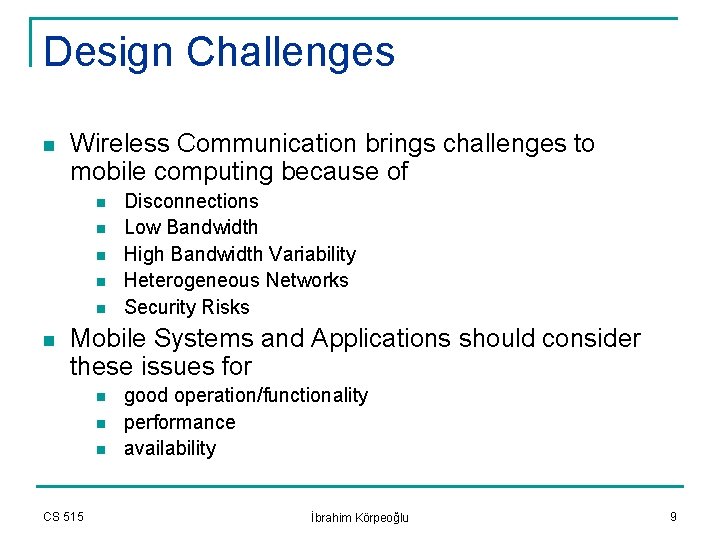
Design Challenges n Wireless Communication brings challenges to mobile computing because of n n n Disconnections Low Bandwidth High Bandwidth Variability Heterogeneous Networks Security Risks Mobile Systems and Applications should consider these issues for n n n CS 515 good operation/functionality performance availability İbrahim Körpeoğlu 9
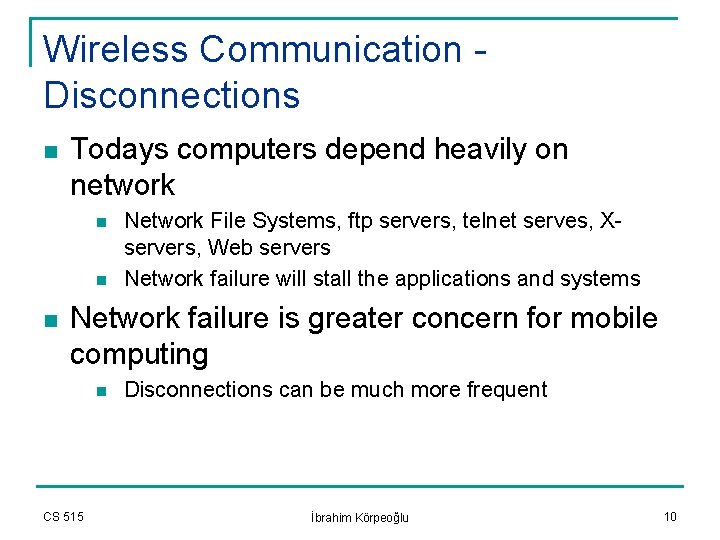
Wireless Communication Disconnections n Todays computers depend heavily on network n n n Network File Systems, ftp servers, telnet serves, Xservers, Web servers Network failure will stall the applications and systems Network failure is greater concern for mobile computing n CS 515 Disconnections can be much more frequent İbrahim Körpeoğlu 10
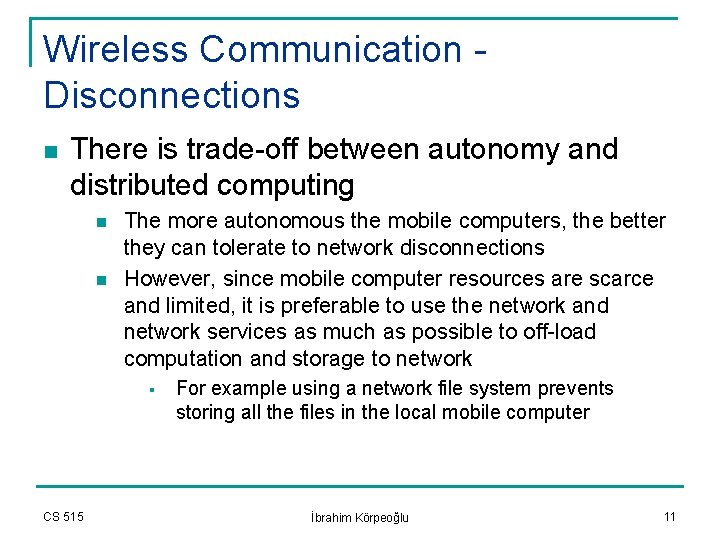
Wireless Communication Disconnections n There is trade-off between autonomy and distributed computing n n The more autonomous the mobile computers, the better they can tolerate to network disconnections However, since mobile computer resources are scarce and limited, it is preferable to use the network and network services as much as possible to off-load computation and storage to network § CS 515 For example using a network file system prevents storing all the files in the local mobile computer İbrahim Körpeoğlu 11
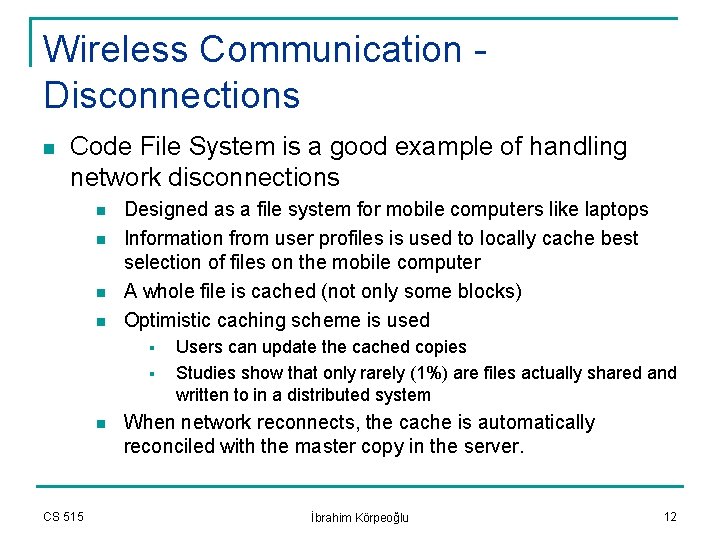
Wireless Communication Disconnections n Code File System is a good example of handling network disconnections n n Designed as a file system for mobile computers like laptops Information from user profiles is used to locally cache best selection of files on the mobile computer A whole file is cached (not only some blocks) Optimistic caching scheme is used § § n CS 515 Users can update the cached copies Studies show that only rarely (1%) are files actually shared and written to in a distributed system When network reconnects, the cache is automatically reconciled with the master copy in the server. İbrahim Körpeoğlu 12
Wireless Communication Disconnections n n Hoarding: Periodically a good set of files are copied from the master repository at the server to the mobile computer cache. The mobile users make their updates on the files q n All events are logged into a log file. When network reconnects, the log file is used to merge the updates and to make the caches consistent. CS 515 İbrahim Körpeoğlu 13
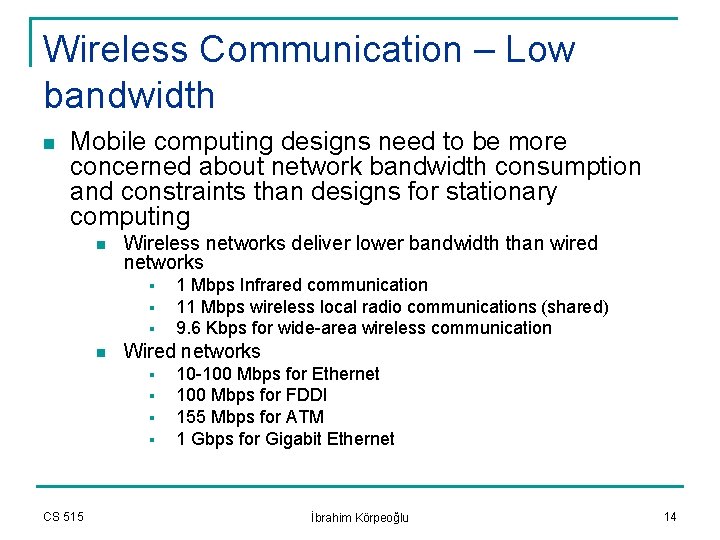
Wireless Communication – Low bandwidth n Mobile computing designs need to be more concerned about network bandwidth consumption and constraints than designs for stationary computing n Wireless networks deliver lower bandwidth than wired networks § § § n Wired networks § § CS 515 1 Mbps Infrared communication 11 Mbps wireless local radio communications (shared) 9. 6 Kbps for wide-area wireless communication 10 -100 Mbps for Ethernet 100 Mbps for FDDI 155 Mbps for ATM 1 Gbps for Gigabit Ethernet İbrahim Körpeoğlu 14
Wireless Communication – Low bandwidth n To increase the system’s effective bandwidth per user n 1) Use small cells with many base-stations OR n n 2) Use different frequencies with overlapping cells Weiser defined the capacity of wireless network as § q There is a hardware tradeoff between bandwidth and coverage area q CS 515 Bandwidth provided per cubic meter Transmitters covering a smaller area achieve higher bandwidths İbrahim Körpeoğlu 15
Wireless Communication – Low bandwidth n Some software techniques to cope with low bandwidths n n Compress data that is to be transmitted Log the data, and use bulk transfers q n n n Bulk transfers are more efficient than many individual transfers in terms of bandwidth usage Lazy-write back of local caches of mobile computers may also reduce the network bandwidth demand Pre-fetching allows transferring the data ahead of need and thereby reduces the peek loads at time of many demands Scheduling packets on the wireless channels is also important. § CS 515 Priority should be given to packets that belong time-critical applications İbrahim Körpeoğlu 16
Wireless Communication – High bandwidth variability n High Bandwidth Variability n n n Mobile computers face much more variability in effective bandwidth than stationary computers Bandwidth can shift 1 to 4 orders of magnitude between wired and wireless communication A mobile application can cope with this bandwidth variability in 3 ways q q q CS 515 Assuming availability of high bandwidth connections and operating only on wired networks Assuming low bandwidth connections and not taking advantage of wired access and high bandwidths Adapting to the currently available bandwidth: providing the user with a variable level of quality and detail İbrahim Körpeoğlu 17
Wireless Communication – Heterogeneous Networks n Stationary computers access the network over the same link for a long time q n No change in link characteristics: bandwidth, delay, lossrate Mobile computers encounters heterogeneous network connections q q CS 515 Using different base stations § Some have better quality and less number of users Using different wireless technologies § Indoor: infrared link; Outdoor: wide-area radio link § Cities: cellular network; Rural areas: satellite network İbrahim Körpeoğlu 18
Wireless Communication – Security Risks n n It is much easier to connect to a wireless link than to connect to a wired link Two kind of security concerns n Access control to wireless network q n You may not want other un-authorized people to access your wireless local area network at the company § Use security protocols such as 802. 1 x that requires authentication of users to the Wireless LAN before they can transmit packets Prevent others to sniff and read the data packets that are sent over a wireless link § § CS 515 Use encryption for data transmitted Shared keys are used (manual or automatic key management) İbrahim Körpeoğlu 19
Mobility n n Mobility is ability to change locations while connected to the network This make the information more volatile n A mobile computer may change the server that it is using when it moves to a new location § n The server could be for example a print server or a DNS server, etc. Main problems introduced by mobility n n n CS 515 Address migration Location Dependent Information Migrating locality İbrahim Körpeoğlu 20
Mobility – Address Migration n In networks designed for static stations (Internet for example), an address has two functions n n n It is used as the identity of the station It is also related with location of the station, hence is used for routing the packets to the station For supporting mobile hosts, the two functions need be separated n n We need a name for the mobile station that is independent of the current location of the mobile station We also need an address for the mobile station that shows the current location where it resides § § CS 515 Adress_of_mobile = f (current_location_of_mobile) Hence the address changes when mobile station changes location İbrahim Körpeoğlu 21
Mobility – Address Migration n n In order to communicate with a mobile computers, one needs to find it current location (address) Some methods to find the most recent address of a mobile computer are: n n CS 515 Selective broadcast Central services Home bases Forwarding pointers İbrahim Körpeoğlu 22
Mobility – Address Migration n Selective Broadcast n A message is sent to all cells in the networks q n n n Asking mobile computer to reply with its current address Too expensive for frequent use and queries Selectively directing the query to region or set of cells where the mobile is expected to be in Central Services n n n CS 515 The current address of each mobile computer is stored and maintained in a logically centralized database Each time mobile changes address, it updates the database with the new address The logically centralized database could be actually implemented using various common techniques: distribution, replication, and caching to improve both performance and availability İbrahim Körpeoğlu 23
Mobility – Address Migration n Home Bases n n n A limited case of central service A single server at the home location of a mobile computer knows and maintains the current location of the mobile The location queries, or packets are first directed to this server at the home location Home location could be for example, the subnet indicated by the permanent IP address of a mobile computer Forwarding Pointers n n CS 515 A pointer (the new current address) is kept at every location that mobile computers traverses. Chain of pointers could be too long No aging and removal (forgetting) mechanisms Requires an agent or entity at the old location to forward the packets to the new location İbrahim Körpeoğlu 24
Mobility – Location Dependent Information n For classical stationary computers, the information that depends on the location is configured statically and usually manually q The information include n n The IP addresses of the primary and secondary local DNS servers Available printers The time zone Mobile computers need to access also more location -dependent information n n CS 515 Information about each room when you visit a museum Information about the current town/area when you travel with your car İbrahim Körpeoğlu 25
Mobility – Location Dependent Information n Privacy Concerns n The location information of a mobile user should not be revealed to everybody § n The location information can be revealed in a controlled manner in some useful applications § § § CS 515 A burglar should not know the whereabouts of a homeowner The location information of colleagues Routing telephone calls to the current location of a mobile user Tailoring the content of electronic bulletin boards depending on the mobile users that are roaming in the vicinity İbrahim Körpeoğlu 26
Mobility – Migrating Locality n When the mobile moves, the distance between the mobile and services changes n The physical distance is different then the network distance § n Change in network distance may mean longer paths § § § n With a small change in physical location, network administrative domains could be crossed (from Bilkent Network to METU Network) Longer latency Greater risk of disconnection More consumption of overall network capacity To avoid these, server connections may be dynamically transferred to servers that are closer CS 515 İbrahim Körpeoğlu 27
Portability n Portability means that you can carry a computer or device n n A mobile unit is not always portable n n It is designed so that it is feasible and practical to carry it with you A car is mobile but not portable (you can not carry it with you) A portable unit does not have to always mobile n n n CS 515 You can use your laptop always at home You can use your laptop at home or at school You can use your laptop at home, at school, and also while your are traveling at the campus ring bus or city bus. İbrahim Körpeoğlu 28
Portability n Desktop computers are not intended to be carried n n Therefore their design is more liberal in their use of space, form-factor, power, cabling, and heat dissipation The design of a hand-held computer should strive for the following features: n n n n CS 515 Small size Light-weight Durable (against dropping, hitting, etc) Water-resistant Long battery life-time Efficient in terms of screen use Have easy to use input devices İbrahim Körpeoğlu 29
Portability n Portability Constraints Include q Low power consumption q q CS 515 You would not want to carry a battery that is bigger than your computer! Increased risk of data loss Small user-interfaces Limited on-board storage İbrahim Körpeoğlu 30

Portability – Low power n n n Batteries are the largest source of weigth in a potable computer Minimizing power consumption can improve portability by reducign battery weight and lengthening the life of a charge Power consumption in a circuity n P ~ CV 2 F q q CS 515 P: power C: capacitance V: voltage (5 V, 3 V, etc. ) F: clock speed İbrahim Körpeoğlu 31
Portability – Low power n Power can be saved by design q q q Reduce capacitance by greater levels of VLSI integration Reduce voltage by redesigning chips that operate at lower voltages Reduce clock frequency n n CS 515 Trade-off between computational speed and power savings Design processor that do more work per clock cycle. İbrahim Körpeoğlu 32
Portability – Low power n Power can be saved by operation q Use power management software n n That powers down individual components when they are idle (disks, LCD screens for example) Applications can conserve power by reducing their appetite for computation, communication and memory § n Trading talking for listening § CS 515 Perform periodic operations more infrequently Transmission consumes more power than receiption in a communication device (10 times in cellular phones) İbrahim Körpeoğlu 33
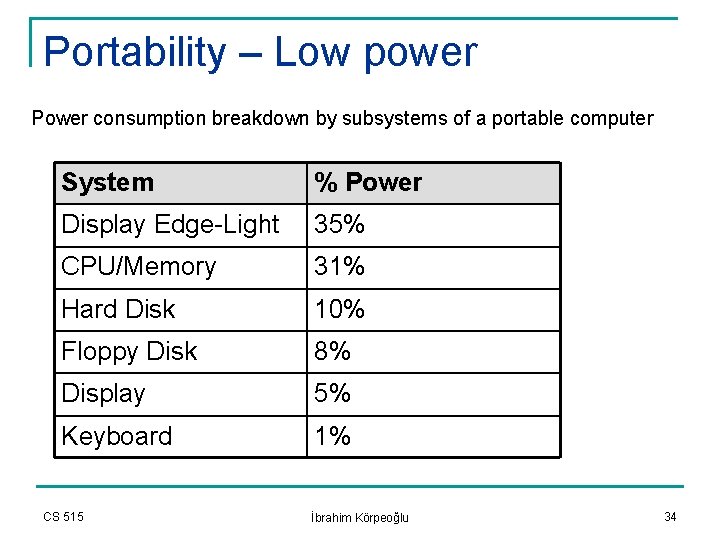
Portability – Low power Power consumption breakdown by subsystems of a portable computer System % Power Display Edge-Light 35% CPU/Memory 31% Hard Disk 10% Floppy Disk 8% Display 5% Keyboard 1% CS 515 İbrahim Körpeoğlu 34
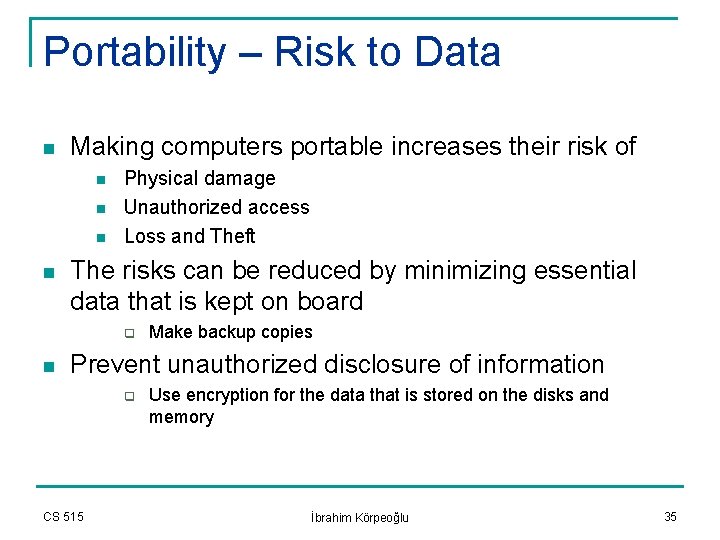
Portability – Risk to Data n Making computers portable increases their risk of n n Physical damage Unauthorized access Loss and Theft The risks can be reduced by minimizing essential data that is kept on board q n Make backup copies Prevent unauthorized disclosure of information q CS 515 Use encryption for the data that is stored on the disks and memory İbrahim Körpeoğlu 35
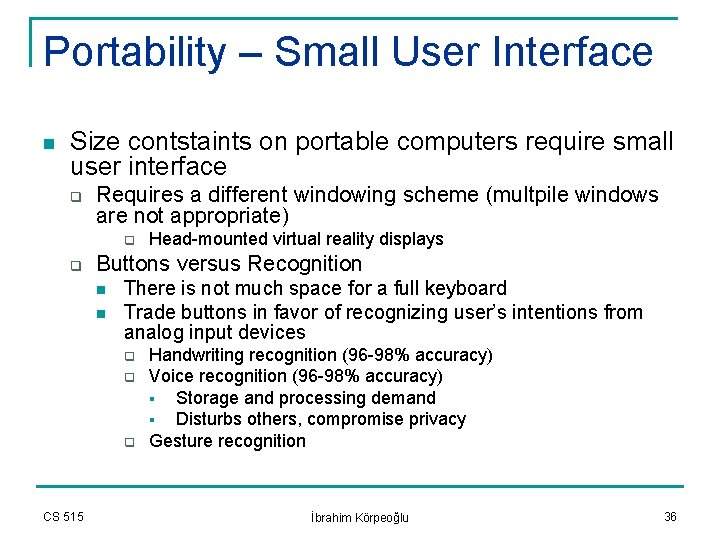
Portability – Small User Interface n Size contstaints on portable computers require small user interface q Requires a different windowing scheme (multpile windows are not appropriate) q q Buttons versus Recognition n n There is not much space for a full keyboard Trade buttons in favor of recognizing user’s intentions from analog input devices q q q CS 515 Head-mounted virtual reality displays Handwriting recognition (96 -98% accuracy) Voice recognition (96 -98% accuracy) § Storage and processing demand § Disturbs others, compromise privacy Gesture recognition İbrahim Körpeoğlu 36
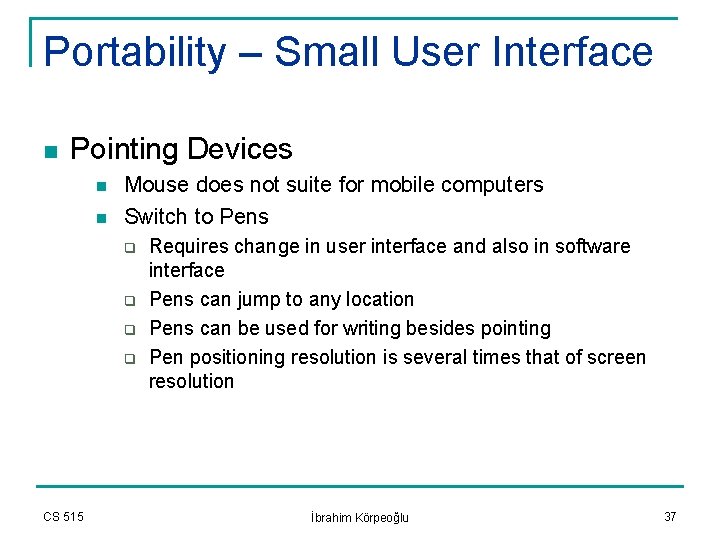
Portability – Small User Interface n Pointing Devices n n Mouse does not suite for mobile computers Switch to Pens q q CS 515 Requires change in user interface and also in software interface Pens can jump to any location Pens can be used for writing besides pointing Pen positioning resolution is several times that of screen resolution İbrahim Körpeoğlu 37
Small Storage Capacity n Storage capacity is limited because of physical size and power requirements n Portable devices do not use disks q q n They consume too much power They can not endure to the un-nice treartment that most portable computers face Coping with limited storage n n n Copressing file systems Accessing remote storage over the network Sharing code libraries Compressing virtual memory pages Using interpreted languages instead of translated (compiled) languages § § CS 515 We don’t need object code in this case Object code is many times larger than the source code İbrahim Körpeoğlu 38
Summary q Wireless communication brings challenging network conditions n q q n Slow and sometime disconnected communication Mobility causes greater dynamicisim of information Portability results limited resources to be available on board Mobile computing designers should consider these issues in designing mobile systems, applications and networks that are comparable with the traditional stationary computing and communication in terms of operation, performance, and availability CS 515 İbrahim Körpeoğlu 39
General Techniques to face Challenges CS 515 Ibrahim Korpeoglu 40
Techniques to face Challenges n Three general techniques that have been applied in various systems for supporting mobile/nomadic computing q Asymmetric design of protocols and applications n q Use of Network based proxies n q To overcome the limitations of mobile devcices To perform computing and communication functions on behalf of mobile users Use of intelligent caching and prefetching techniques q CS 515 To imrove performance and availability İbrahim Körpeoğlu 41
Outline n First discuss these general techniques q q q Network bases proxies Judicious acquisition and caching of Information Asymmetric Protocols and Applications n n The solutions are not limited to these techniques Then we will describe example systems that make use of these techniques CS 515 İbrahim Körpeoğlu 42
General Solution Techniques – Network Based Proxies n Many mobile systems make use of intelligent agents that reside inside the wired network and perform various functions on behalf of mobile users n n n CS 515 Cellular systems use intelligent switches and databases that store user profiles to perform functions on behalf of these users Intelligent agents, called also proxies, can be used to process control information (take part in connection establishment/termination for the user) Proxies are also used to manipulate user information that is being exchanged between the mobile device and a networkbased server. İbrahim Körpeoğlu 43
General Solution Techniques – Network Based Proxies n General Benefits of Network-based Proxies n n n CS 515 Proxies may execute complex functions relieving processing limited mobile devices. Proxies may be used the reduce the amount of communication required with the mobile device thus reducing the amount of air interface bandwidth consumed. Proxies may account for mobile devices that are in disconnected state. Proxies may shield network-based applications from the mobility of their clients. Proxies may shield applications from the heterogeneity of mobile devices. İbrahim Körpeoğlu 44
Example Functions of Proxies Format Translation n The information sent from servers to mobile devices is reformatted q n A postscript file could be converted to an ascii text file at the proxy if the mobile device display can only support text q CS 515 In this way: 1. The translation overhead (processing + storage) is relieved from mobile device to the server 2. The bandwidth demand on the wireless link between mobile device and proxy is reduced. 3. The web server need not to be modified to support different kind of mobile devices (the proxy handles them) İbrahim Körpeoğlu 45
Example Functions of Proxies n Control Functions q Circuit-oriented communication requires connection establishment (signaling) before data/voice is transmitted. n Signaling functions: q q CS 515 Negotiation application and network capabilities Allocating resources Signaling involves a lot of message exchanges Proxies may help in signaling and reduce the signaling messages that the mobile device has to send and receive İbrahim Körpeoğlu 46
Example Functions of Proxies n Filter/Modify Application Information n CS 515 The images in a web page may be filtered out at the proxy if the mobile device can only support text output The frame quality of a video stream can be reduced so that it is transferred with a lower bandwidth demand over the wireless link The video streams can be trans-coded into different compression schemes in order to adapt the bandwidth the video requires to the available bandwidth on the wireless communication channel. İbrahim Körpeoğlu 47
Example Functions of Proxies n Account for mobile devices q Proxies can also account for disconnected or powered-off mobile devices n n CS 515 The SMS messages that are sent to cellular phone subscriber can be stored in the network for later retrievel if the subscriber can not be reached (either because of powering-off the mobile unit or because of out-of-range traveling). This overcomes problems associated with limited coverage to support reliable communication. İbrahim Körpeoğlu 48
Example Functions of Proxies n Hiding Mobility q q q The proxies can be used to hide the mobility of the users from the correspondents (other users or servers). Proxy knows how to reach the mobile user Disadvantage is that all information should be intervened and processed at the proxy q CS 515 This could degrade the performance İbrahim Körpeoğlu 49
Example Functions of Proxies n Hiding Heterogeneity q q CS 515 Proxies perform conversion functions depending on the capabilities of the mobile devices, the standards they conform, etc. This way the correspondent application need not to be aware of the different characteristics of the mobile end-devices İbrahim Körpeoğlu 50
General Solution Techniques – Pre-fetching and Caching of Information n These techniques are used in mobile computing for: n n CS 515 Limiting the communication caused by mobility Improving performance and availability of services İbrahim Körpeoğlu 51
Example of Pre-fetching and Caching n Location information n The information about the current location of a mobile device could be cached at a server q q n Frequency of location updates q q CS 515 This limits the amount of control traffic required in the network to locate a mobile device § Reduce signaling overhead Accurate caching of location information reduces also the time taken to locate a mobile device § Reduce delay If too frequent, control messages will occupy the network and will be significant portion of the total traffic If not frequent enough, the data cached could be stale and performance may degrade İbrahim Körpeoğlu 52
Example of Pre-fetching and Caching n Pre-fetching q The mobile unit can pre-fetch items (files, etc) at low-load network conditions q q CS 515 The pre-fetching is done in the background for non-real time applications Prevent the network overload when a lot of requests on the data items are close in the time. İbrahim Körpeoğlu 53
General Solution Techniques – Asymmetric Protocols and Applications n Asymmetric protocol and application design helps to overcome the inherent imbalances of: q q CS 515 Processing power between the mobile wireless end devices and network-based processors Uplink and downlink bandwidth available due to transmission power available from wireless mobile devices İbrahim Körpeoğlu 54
Asymmetric Protocols and Applications n n Lower layer protocols can be developed that place higher processing and memory requirements on fixed servers New applications can be developed for mobile environment n CS 515 The applications will take into account the asymmetric nature of wireless communication links and also processing elements. İbrahim Körpeoğlu 55
General Solution Techniques System Examples CS 515 Ibrahim Korpeoglu 56
n Application of Techniques q q q CS 515 On Error Control at the Data-Link Layer On Routing at the Network Layer On Some Applications İbrahim Körpeoğlu 57
Error Control n Wireless link experience much higher error rates compared to wired links, because of q q Wireless Channels characteristics such as fading, attenuation, interference, etc. Mobility n n n A user moving out of range of a base station or moving into a crowded area Data can be lost during handoff Errors incurred on the wireless link have dramatic effects on the performance of reliable transport protocols. CS 515 İbrahim Körpeoğlu 58
Error Control n Effect of errors on TCP q TCP assumes packet losses are due to congestion which usually takes a long period of time n n q q CS 515 Hence it triggers congestion recovery procedures when packet losses occurs This slows down TCP dramatically and takes quite a lot time to speedup again However, on a wireless link packet losses are due link errors which take a short period of time There is a need to know if the packet losses are due to congestion or due to link error to react appropriately İbrahim Körpeoğlu 59
Error Control n Two approaches to recover from wireless link errors n Use reliable link layer protocols q q n Let the TCP recover from packet losses to due link error q q CS 515 More complex link layer May interact with TCP reliability, timers, etc. Simpler link layer TCP source may need to distinguish packet losses due to congestion and due to link layer errors İbrahim Körpeoğlu 60
Error Control – Link layer solutions n There are methods to alleviate the packet losses on a wireless link due to high error rate q Use of FEC (Forward Error Correction) Schemes q q q Use of ARQ (Automatic Repeat Request) Schemes q q CS 515 Increases the packet length with redundant bits to correct the bit errors on the link No retransmissions Does not affect the original packet length Retransmits the packets that are lost Need feedback from the receiver if the packet(s) received successfully or not Need retransmission timers to detect losses if the receiver does not send negative acknowledgements İbrahim Körpeoğlu 61
Error Control – Use of Asymmetry n n n AIRMAIL protocol designed at Lucent/Bell Labs, Holmdel, New Jersey. A link layer protocol designed to work over wireless links Two key ideas: q q n Provides reliable delivery over wireless link so that the TCP like protocols are not affected by high link error rates Support mobility so that reliable delivery is ensured without a large performance degradation during handoffs. Provides reliable delivery using a combination of ARQ and FEC techniques. n CS 515 FEC technique adapts to the raw bit error rate that is experienced over the wireless link İbrahim Körpeoğlu 62
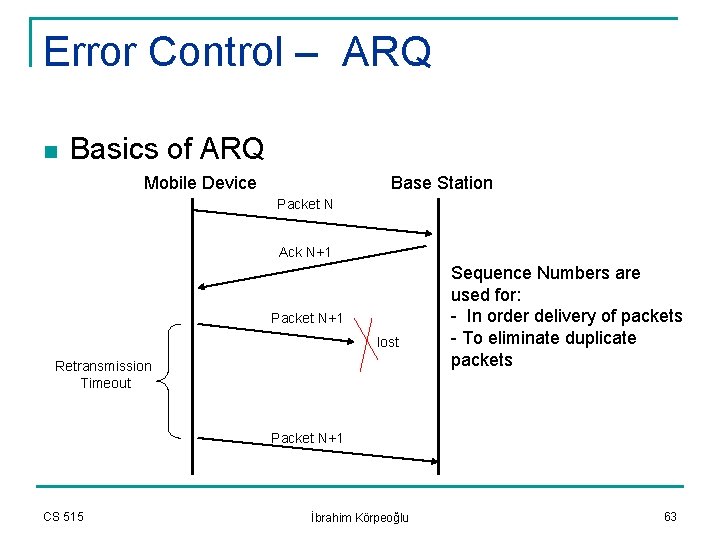
Error Control – ARQ n Basics of ARQ Mobile Device Base Station Packet N Ack N+1 Packet N+1 lost Retransmission Timeout Sequence Numbers are used for: - In order delivery of packets - To eliminate duplicate packets Packet N+1 CS 515 İbrahim Körpeoğlu 63
Error Control – Asymmetric ARQ n AIRMAIL uses Asymmetric ARQ q q q CS 515 Place majority of processing complexity at the protocol entity based inside the wired network at the base-station Place no-timers on the mobile device Reduce the processing required due to acknowledgments at the mobile device İbrahim Körpeoğlu 64
Error Control – AIRMAIL Asymmetric ARQ n Communication from base station to mobile q Base station maintains retransmission timers n Mobile device generates block acknowledgements unless specifically requested by the base station q q n No timer required at the mobile Number of ACKs generated is limited Communication from mobile to base station q When mobile transmits packets, it maintains a table where it stores the time at which each packet is transmitted q Base station periodically transmits the status of its receiver to the mobile. q The mobile checks the receive time of status message against the transmission times stored in the packet records and determines if the packet has not received an ACK in more than one round-trip-time (RTT). If so, these packets are retransmitted. q CS 515 This way, mobile has no timers and it receives ACKs periodically. İbrahim Körpeoğlu 65
Error Control – AIRMAIL n AIRMAIL advantages q Compiled software size n n Base station: 150 Kbytes Mobile unit: 100 Kbytes q q Processing time to transmit 200 Kbytes of data n n Base station: 0. 7 seconds Mobile unit: 0. 23 seconds q CS 515 2/3 code reduction 1/3 reduction in processing time İbrahim Körpeoğlu 66
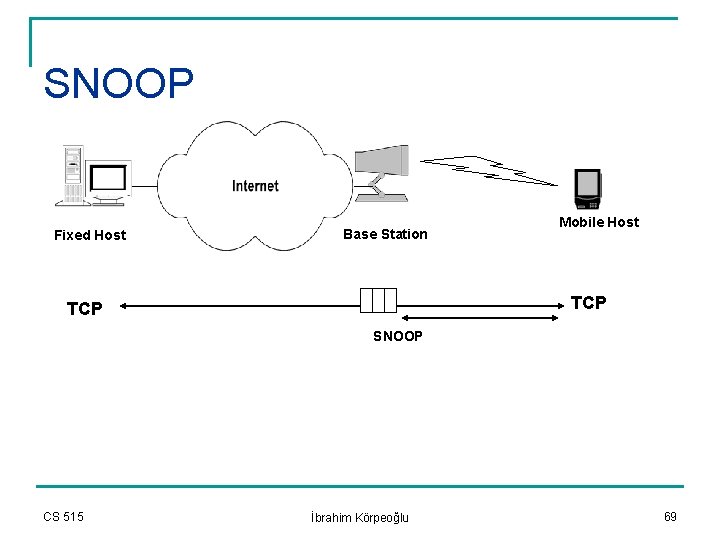
Error Control: Use of Proxies n n n Proxies can also be used at base station to overcome errors on the wireless link SNOOP protocol designed at UC, Berkeley is an example that improves the performance of TCP over wireless links SNOOP acts as a proxy that is located on a base station over the path of the TCP connection between a mobile device and a correspondent host (fixed host). CS 515 İbrahim Körpeoğlu 67
SNOOP n n SNOOP monitors every TCP segment that is sent to and received from a mobile host. It shields the TCP at the fixed host from experiencing the effect of data loss on the wireless link CS 515 İbrahim Körpeoğlu 68
SNOOP Fixed Host Base Station Mobile Host TCP SNOOP CS 515 İbrahim Körpeoğlu 69
SNOOP Operation n From Fixed Host to Mobile q SNOOP intercepts and monitors at the Base Station every TCP segment that is sent from Fixed Host to the Mobile Host q Each segment is stored in a Cache. q SNOOP also monitors all the ACKs that are sent from the Mobile Host to the Fixed Host q When a normal ACK is received at SNOOP, it removes all segments up-to that ACK number and sends an ACK back to the fixed host q When a duplicate ACK is received at SNOOP (indication of packet loss), SNOOP retransmit the segment from its cache. q The duplicate ACK is not sent back to the fixed host q CS 515 Fixed host does not trigger congestion control procedures İbrahim Körpeoğlu 70
SNOOP Operation n From Mobile Host to Fixed Host n n n SNOOP also monitors all TCP segments that are sent from mobile host to the fixed host. If it detects that segments are lost on the wireless link, it generates negative acknowledgments to the mobile host and recovery starts at the mobile host. For BER of 2 x 10 -6 on wireless channel n CS 515 SNOOP provides around 67% improvement in throughput over not using SNOOP. İbrahim Körpeoğlu 71
Routing n n In static Internet and telephone network, the enddevice address designates its location and also its identity. For mobile network, this is no longer valid. Identity and address needs to be seperated n n n Identity remains fixed wherever the mobile moves Address changes depending on the current location of the mobile One problem is how to locate the mobile and how to route the packets (or circuits) to it. n CS 515 Caching of location information and use of proxies can help with this. İbrahim Körpeoğlu 72
Routing and Caching n n Caching of location information is used in varying degrees in telecommunication, PCS, and packet networks Cellular Telecom Network use of caches n n n CS 515 A connection is established before voice/data is transmitted A mobile device need to be located in order to route the connection request to it and then establish the connection Cellular Networks use two-tier location database structure for location discovery procedures İbrahim Körpeoğlu 73
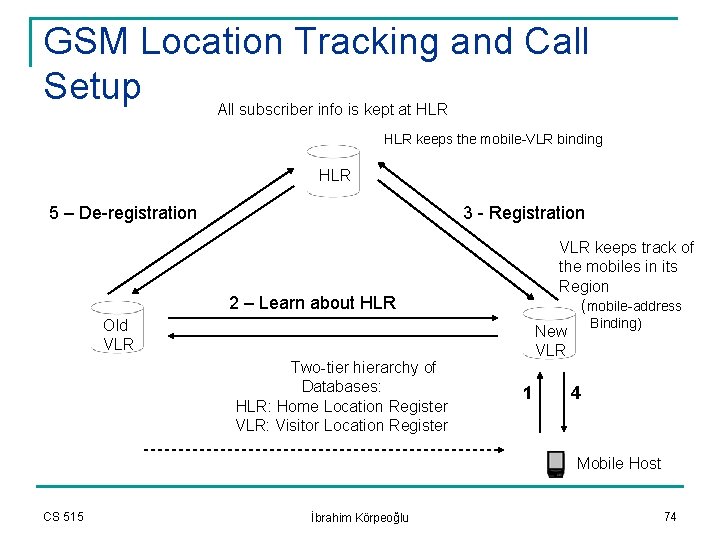
GSM Location Tracking and Call Setup All subscriber info is kept at HLR keeps the mobile-VLR binding HLR 5 – De-registration 3 - Registration VLR keeps track of the mobiles in its Region (mobile-address 2 – Learn about HLR Old VLR Two-tier hierarchy of Databases: HLR: Home Location Register VLR: Visitor Location Register Binding) New VLR 1 4 Mobile Host CS 515 İbrahim Körpeoğlu 74
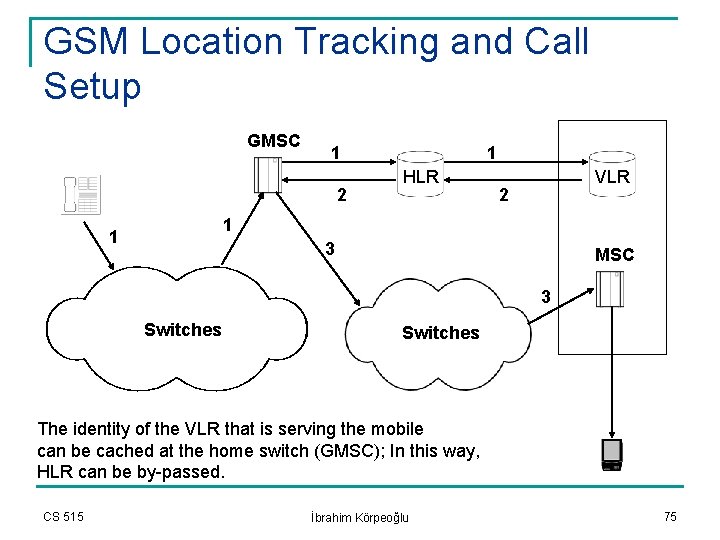
GSM Location Tracking and Call Setup GMSC 1 2 1 HLR VLR 2 1 1 3 MSC 3 Switches The identity of the VLR that is serving the mobile can be cached at the home switch (GMSC); In this way, HLR can be by-passed. CS 515 İbrahim Körpeoğlu 75
GSM Location Tracking and Call Setup n n n Location information of mobile devices is stored in VLRs. A VLR serves a well-defined region. Although it does have to be always true, we can say that generally there is one VLR per MSC serving a well-defined area. HLR keeps all the subscriber information and also the current VLR identity that is serving the mobile device HLR queries the VLR to find out the routable address of the mobile device. CS 515 İbrahim Körpeoğlu 76
Routing in Packet Networks – Mobile IP n n n The location information of a mobile device is cached at a home server, called home agent. When a mobile moves into a foreign location, it registers with a foreign agent. The foreign agent then registers the mobile device with the home agent n CS 515 Thereby, home agent knows which foreign agent serves the mobile device at current time. İbrahim Körpeoğlu 77
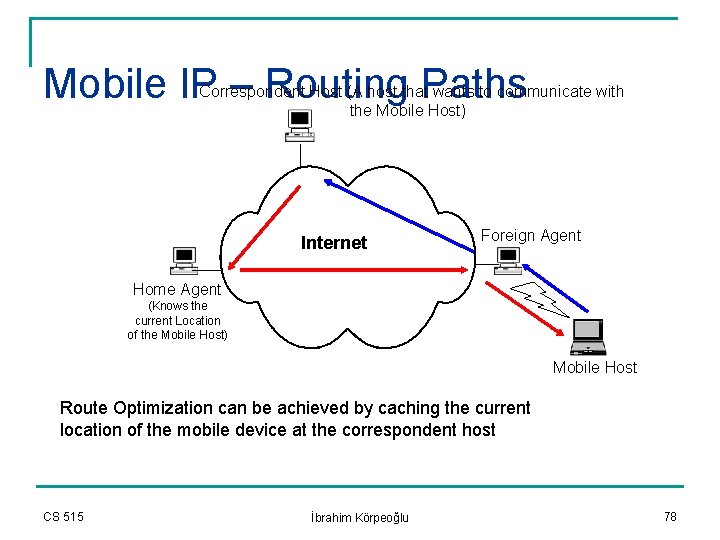
Mobile IP – Routing Paths Correspondent Host (A host that wants to communicate with the Mobile Host) Internet Foreign Agent Home Agent (Knows the current Location of the Mobile Host) Mobile Host Route Optimization can be achieved by caching the current location of the mobile device at the correspondent host CS 515 İbrahim Körpeoğlu 78
Applications n Use of Solution Techniques on the following areas: q q q CS 515 File Systems Multimedia Networking Web Browsing İbrahim Körpeoğlu 79
Caching: File Systems n Coda is an example file system, which uses caching for: n Supporting disconnected mode of operation over a network file system designed for nomadic computers q n n n Increases system availability Increasing the performance of the file system We described Coda briefly on earlier slides A web browsing application (W 4) uses pre-fetching and caching n n n A mobile PDA is mated with a proxy in the network Proxy caches the pages and sends them to PDA upon request Subsequent pages are pre-fetched and cached at the PDA q CS 515 Cached access from PDA is around 1 sec, proxy access is around 2 -3 sec. İbrahim Körpeoğlu 80
Summary n Characteristics of Nomadic Computing environment is described n n n How does it affect the mobile system and application design General Solution Techniques to face the challenges of mobile computing is described Some example systems that use these techniques are introduced. CS 515 İbrahim Körpeoğlu 81
- Slides: 81