
Challenges of Managing Large Networks n n Network
- Slides: 31
Challenges of Managing Large Networks n n Network critical to running of business Complexity of network – requiring automated management tools u u n Large number of devices, increased probability of device failure Likelihood of devices from different manufacturers Physical distribution of network assets – requiring management of assets across the network itself
OSI Key Areas of Network Management n Fault Management u n Correcting a work-stopping fault and resuming normal service with the minimum of delay Steps: u u Determine location of fault Isolate rest of network from failure Reconfigure network to operate efficiently without failed components Rectify fault, reconnect components, reconfigure network again
OSI Key Areas of Network Management n Accounting Management u n Charging cost of providing network to departments or cost centres based on usage statistics Reasons u u u User(s) may overburden network at expense of other users User(s) making inefficient use of network can be targetted by network manager to change procedures are improve performance Network manager can plan for network growth if user activity is known
OSI Key Areas of Network Management n Configuration and Name Management u n Deciding how a device is to be used, choosing appropriate software and settings for the device Concerned with u u Initialising a network Gracefully shutting down all or part of a network Maintaining, adding, updating relationships between components Status of components during network operation
OSI Key Areas of Network Management n Performance Management u n Identifying deteriorating response or throughput of the network and introducing additional equipment / transmission-capacity to alleviate the problem Performance issues u u u What is the level of capacity utilisation? Is there excessive traffic? Has throughput reduced unacceptably? Are there bottlenecks? Is response time increasing?
OSI Key Areas of Network Management n Security Management Monitoring and controlling access to computer networks u Concerned with generation, distributing and storing encryption keys, passwords and other access control information u Requires use of security logs and audit records u
Sub-area of Configuration and Name Management n Layer Management Most of the protocols associated with the TCP/IP suite have associated operational parameters, e. g. IP’s TTL parameter and TCP’s retransmission timer u As a network expands, such parameters may need to be changed while the network is still operational u
Network Management Techniques n Connection Monitoring u u n Ping a number of critical IP addresses at intervals Inefficient, and not very informative, should only be used if no alternative Traffic Monitoring u u Analyse traffic on a network and generate reports MS Network Monitor / Fluke Network Analyzer Works on a single segment at a time More sophisticated tools use SNMP/CIMP to remotely monitor other segments
SNMP (Simple Network Management Protocol) n Released by US Department of Defense and TCP/IP developers in 1988 n Most widely used and well-known in network software management tools n Uses a technique called MIB collection to retrieve network information - i. e polls each device on a network in sequence, asking for status, records that information centrally n Devices on the network don’t need to be smart enough to report problems as they occur n SNMP’s polling contributes significantly to network traffic
CMIP (Common Management Information Protocol) n Developed by the ISO, pre-dating SNMP n Not implemented as much as SNMP, especially since SNMP became a part of TCP/IP n Uses a technique called MIB reporting to gather network information - the central monitoring station waits for devices to report their current status to it n May be useful if keeping non-essential network traffic to a minimum is critical
TMN (Telecommunications Management Network) n Developed by ITU-T n Specifies management architectures for telecommunications networks (e. g. ISDN, B-ISDN, ATM) n Provides a richer framework of architectural concepts than SNMPv 3 n Underlying protocols may be provided by SNMP or CMIP
Network Monitors / Network Analysers n A network monitor uses SNMP or CMIP to keep track of statistical information about a network n A network analyser does the same but provides a more sophisticated level of service - for example some network analysers can not only detect and identify problems, they can fix them as well n A network analyser may be dedicated hardware, but can just be a specialised software package that runs on a typical PC using a typical network card
Network Troubleshooting Problems will happen on networks n Approach the problem logically and methodically n Two useful approaches to network troubleshooting: n The Process of Elimination u Divide and Conquer u
Network Troubleshooting S/W Tools Ping – network layer connectivity n Traceroute – identifying network layer point of failure n Telnet – application layer connectivity n Netstat – protocol statistics / TCP/IP connections n ARP – show / change ARP cache n IPConfig – show IP / MAC settings n
Simple Network Management Protocol Application-layer protocol n Facilitates the exchange of management information between network devices n Part of the TCP/IP protocol suite. n
SNMP Basic Components n Network Management System (NMS) u u u n Executes applications that monitor and control managed devices May be a dedicated device Could have more than one NMS on a network Managed elements u u u Devices: switch, router, workstation, printer… Software Elements: protocol… Collect and store management-related information
SNMP Basic Components… n Agents u u u Network management software that resides in a managed device Has local knowledge of management information Translates the information into SNMP form Communicates with Network Management System Master Agent t u Parses and formats protocol messages Subagent t t Models objects of interest within a subsystem Interfaces to the subsystem for monitoring and management operations
SNMP Standards n SNMPv 1 original standard defined by RFCs 1155, 1157, 1212 and 1213 u n SNMPv 2 core defined by RFCs 2578 -2580, 2819; 1907, 2572 u u n Widely used Not widely adopted due to serious disagreements about security framework Fragmented into v 2 c, v 2 p and v 2 u SNMPv 3 current standard defined by RFCs 3411 -3418 u u Standardised as of 2004 Implementations often support v 1, v 2 c and v 3
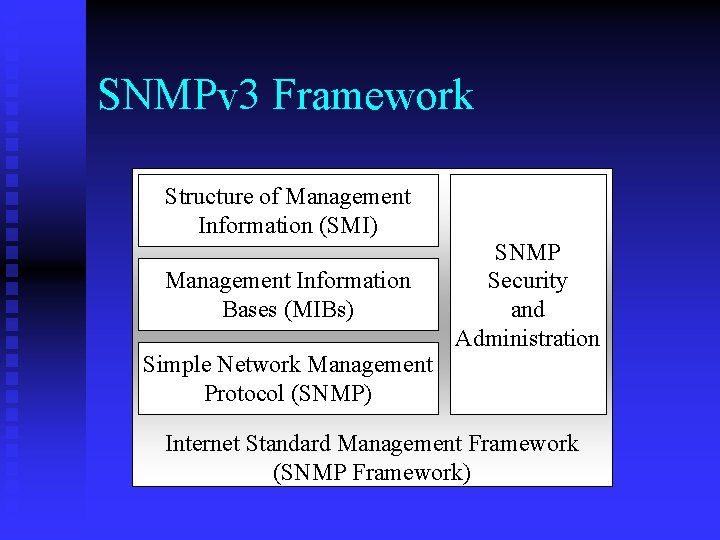
SNMPv 3 Framework Structure of Management Information (SMI) Management Information Bases (MIBs) Simple Network Management Protocol (SNMP) SNMP Security and Administration Internet Standard Management Framework (SNMP Framework)
SNMP SMI defines rules for describing management information using ASN. 1 n SMI specifies: n ASN. 1 data types u SMI-specific data types u MIB table u Information modules (added in SNMPv 2) u
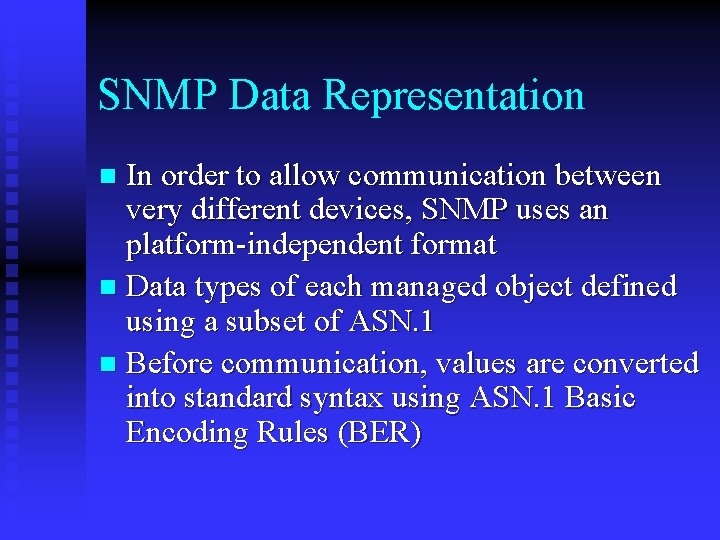
SNMP Data Representation In order to allow communication between very different devices, SNMP uses an platform-independent format n Data types of each managed object defined using a subset of ASN. 1 n Before communication, values are converted into standard syntax using ASN. 1 Basic Encoding Rules (BER) n
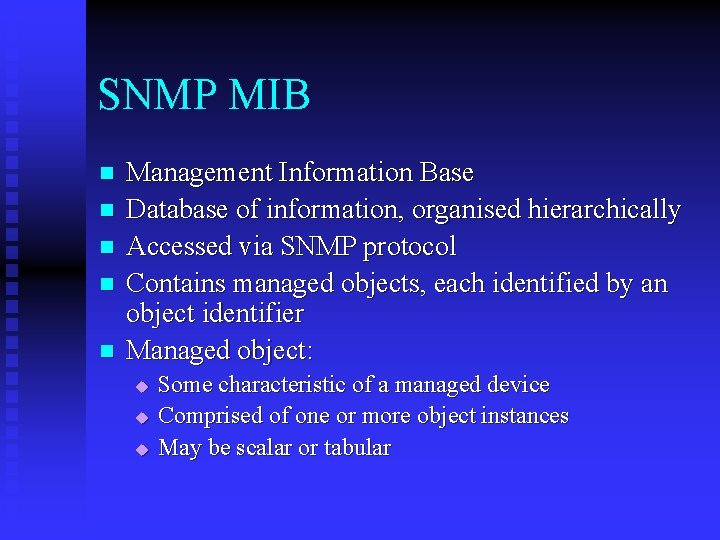
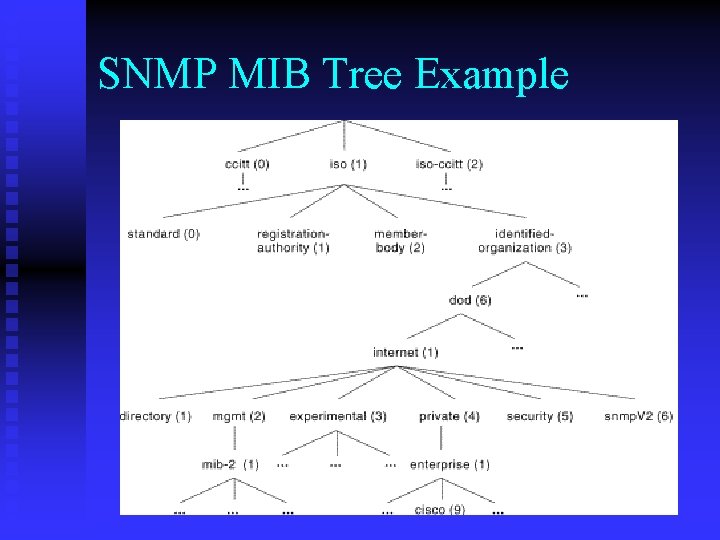
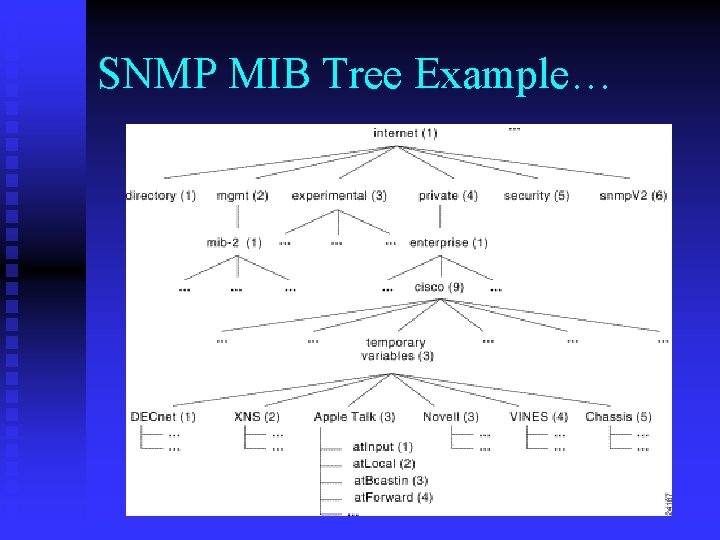
SNMP MIB n n n Management Information Base Database of information, organised hierarchically Accessed via SNMP protocol Contains managed objects, each identified by an object identifier Managed object: u u u Some characteristic of a managed device Comprised of one or more object instances May be scalar or tabular
SNMP MIB Tree Example
SNMP MIB Tree Example…
SNMP Security n SNMPv 1 lacks authentication capabilities u n SNMPv 2 security fragmented into: u u u n A password (community string) is required between NMS and agent, but this is not encrypted for transmission v 2 p – party-based security v 2 u – user-based security v 2 c – back to community strings SNMPv 3 allows a number of different security methods to be incorporated into its architecture, including: u u user-based security as defined in SNMPv 2 u a new view-based access control model
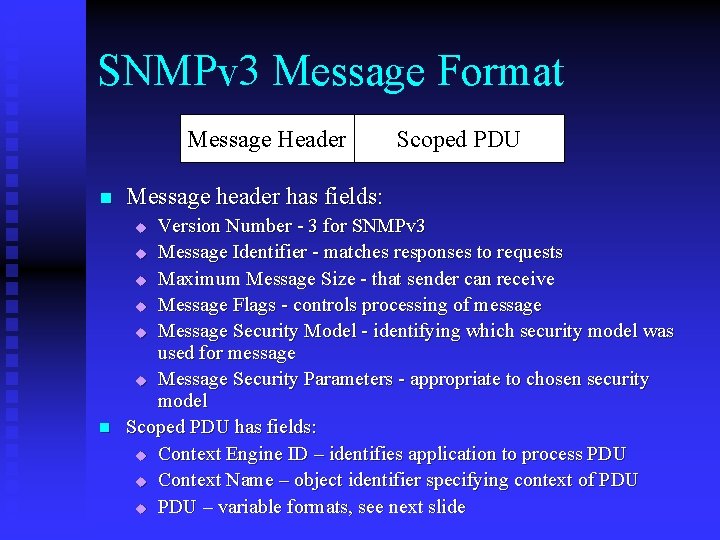
SNMPv 3 Message Format Message Header n Message header has fields: Version Number - 3 for SNMPv 3 u Message Identifier - matches responses to requests u Maximum Message Size - that sender can receive u Message Flags - controls processing of message u Message Security Model - identifying which security model was used for message u Message Security Parameters - appropriate to chosen security model Scoped PDU has fields: u Context Engine ID – identifies application to process PDU u Context Name – object identifier specifying context of PDU u PDU – variable formats, see next slide u n Scoped PDU
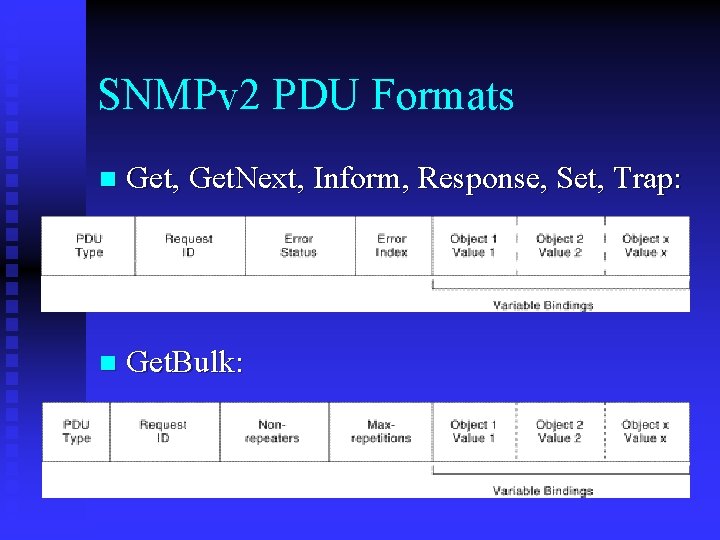
SNMPv 2 PDU Formats n Get, Get. Next, Inform, Response, Set, Trap: n Get. Bulk:
SNMP Protocol Operations n n n Get – Retrieve the value of a scalar SNMP variable Get. Next – Retrieve the next value in a tabular SNMP variable Set – Change the value of an SNMP variable Trap – Used by agent to report an event to an NMS Get. Bulk (added in SNMPv 2) – Retrieve whole table in one operation Inform (added in SNMPv 2 – Used by one NMS to report an event to another NMS
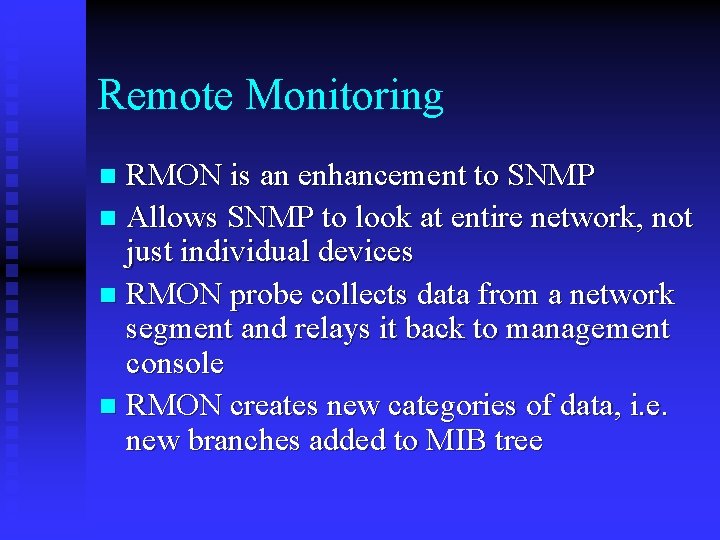
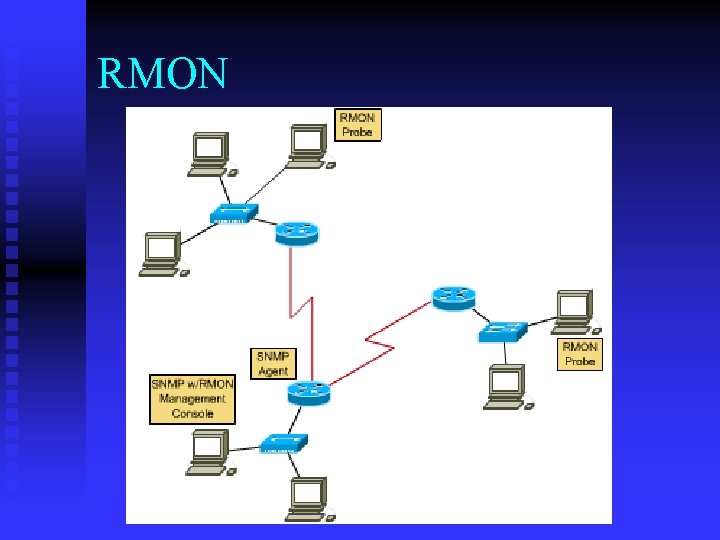
Remote Monitoring RMON is an enhancement to SNMP n Allows SNMP to look at entire network, not just individual devices n RMON probe collects data from a network segment and relays it back to management console n RMON creates new categories of data, i. e. new branches added to MIB tree n
RMON
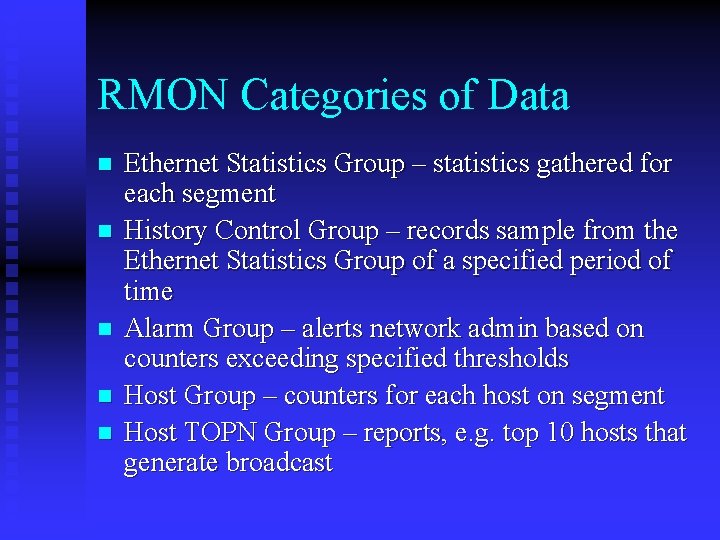
RMON Categories of Data n n n Ethernet Statistics Group – statistics gathered for each segment History Control Group – records sample from the Ethernet Statistics Group of a specified period of time Alarm Group – alerts network admin based on counters exceeding specified thresholds Host Group – counters for each host on segment Host TOPN Group – reports, e. g. top 10 hosts that generate broadcast