
Chair of Software Engineering Prof Dr Bertrand Meyer
Chair of Software Engineering Prof. Dr. Bertrand Meyer March 2007 – June 2007 Exercise session week 2 Introduction to CGI and Eiffel. Web Marco Piccioni
CGI Some things that you may have heard about Common Gateway Interface: Ø It is an old technology Ø It is a slow technology Ø It has some security issues Introduction to CGI and Eiffel. Web 2
CGI: some history Ø Yes, CGI is a pretty old technology Ø Arose from discussions on a mailing list in 1993 Ø Rob Mc. Cool drafted the initial specification and provided a reference implementation in the NCSA HTTPd web server Ø It allowed the creation of the first dynamic web site Ø HTTPd was discontinued in 1998, but its code lived for a while in the Apache project Ø Apache now runs approximately two-thirds of the internet web servers Introduction to CGI and Eiffel. Web 3
CGI: is it really slow? Ø It can be slow, mainly because: Ø It spawns a new process on the server at each request Ø As a consequence, it limits resource reuse techniques, like reusing db connections, in-memory caching, etc. Ø This problem is relevant with interpreted languages, and has been addressed in two ways: Ø Storing compiled versions of the scripts on the server at first invocation Ø Embedding the interpreter directly into the web server so that it can be executed without creating a new process Ø The problem is irrelevant with compiled languages Introduction to CGI and Eiffel. Web 4
CGI and security Ø CGI scripts that you deploy may (un)intentionally leak information that can help hackers break in Ø It is safer to keep CGI scripts in one directory (typically cgi-bin), setting permissions so that only the administrator can install them Ø Scripts sources kept in a server directory might be read, understood and modified by a hacker Ø Again, this problem is much less relevant with compiled languages, because in the cgi-bin directory you have just a binary file Introduction to CGI and Eiffel. Web 5
CGI: who is using it? Ø Anyone who is not using Java or. NET, more or less Ø As an example, you may pick a Wiki, or Hotmail Ø It is supported by many programming languages: Ø Interpreted ØAny Unix shell , Apple. Script ØPerl, PHP, Python, Ruby Ø Compiled ØFortran, Pascal, RPG, TCL, Visual Basic ØC, C++, Eiffel Introduction to CGI and Eiffel. Web 6

CGI Basics Ø The Common Gateway Interface (CGI) is a standard protocol for interfacing external application software with an information server, commonly a web server Ø This allows the server to pass requests from a client web browser to the external application Ø The web server can then return the output from the application to the web browser. Introduction to CGI and Eiffel. Web 7
How CGI works Ø Taking the Web server's point of view, certain locations (e. g. http: //www. sample. com/cgi-bin/sample. cgi) are defined to be served by a CGI program. Ø Whenever a request to a matching URL is received, the corresponding program is called, with any data that the client sent as input. Ø Output from the program is collected by the Web server, augmented with appropriate headers, and sent back to the client. Introduction to CGI and Eiffel. Web 8
A first look to the classes we will need Ø Here are the most important Eiffel. Web library classes that we will need to build the application: Ø CGI_INTERFACE Ø CGI_ENVIRONMENT Ø CGI_FORMS Ø HTML_PAGE Ø CGI_RESPONSE_HEADER Introduction to CGI and Eiffel. Web 9
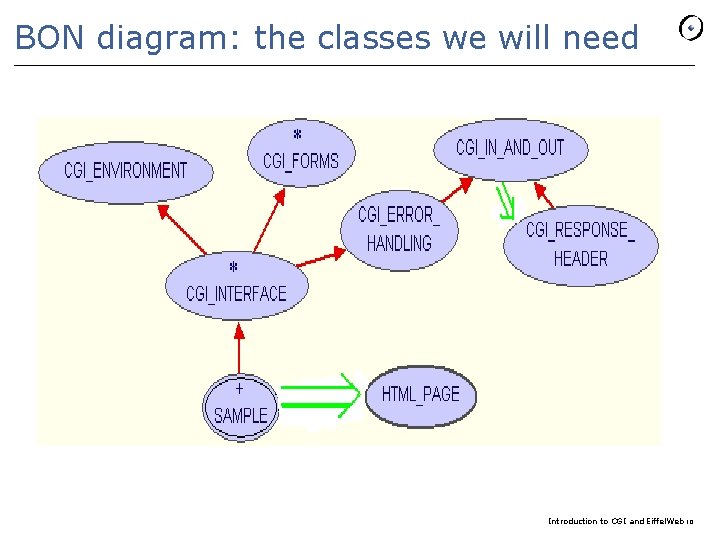
BON diagram: the classes we will need Introduction to CGI and Eiffel. Web 10
Eiffel. Web: Accessing input values Ø The browser sends a stream containing the data relative to the user entry and selection that will be available at the application start. Ø Eiffel. Web stores each data element and its associated name within a hash table, the feature form_data of class CGI_INTERFACE. Introduction to CGI and Eiffel. Web 11
Class CGI_FORMS Ø You can access values of input data from your code with the interface defined in class CGI_FORMS Ø It allows you to: Ø Retrieve text entries (text fields, passwords, text areas) Ø Know whether a button was pressed or not Ø… Introduction to CGI and Eiffel. Web 12
Class CGI_ENVIRONMENT Ø Much of the information needed by CGI applications is made available via environment variables Ø In class CGI_ENVIRONMENT you can find some useful piece of information about: Ø Request method (GET, POST, etc) Ø Query string (parameters after “? ” In URLs) Ø HTTP content length and type Ø Cookies (to manage sessions) Ø… Introduction to CGI and Eiffel. Web 13
Building responses: HTML_PAGE Ø The response has to contain an HTTP header in order to be understood by the browser. Ø Responses may include an HTML page, a re-direction or an error notification Ø You can use class HTML_PAGE to build an HTML page. Introduction to CGI and Eiffel. Web 14
Sending responses to the browser Ø You may then send the header followed by your text using the features send_to_browser of class CGI_RESPONSE_HEADER: response_header. generate_text_header response_header. send_to_browser response_header. Output. put_string (page. out) Introduction to CGI and Eiffel. Web 15
What you will need Ø Eiffel. Studio 5. 7: for Mac, Linux, or Windows users with a Microsoft C compiler (e. g. with Microsoft Visual. Studio installed) Ø https: //www 2. eiffel. com/download Ø Eiffel. Studio 6. 0 beta: for Windows users that do not have a Windows compiler installed; the second link is for getting a free Microsoft C compiler (comes with SDK) Ø http: //eiffelsoftware. origo. ethz. ch/downloads/builds/ Ø http: //eiffelsoftware. origo. ethz. ch/index. php/Installing_Micros oft_C_compiler Ø A nice Apache web server / My. SQL distribution: Ø www. apachefriends. org/en/xampp. html Ø ODBC My. SQL drivers Ø http: //dev. mysql. com/downloads/connector/odbc/3. 51. html Introduction to CGI and Eiffel. Web 16
Compiling the example Ø Launch Eiffel. Studio. Ø Click Add project Ø Browse to $ISE_EIFFELexampleswebbasic. Ø $ISE_EIFFEL is the Eiffel. Studio installation dir Ø Choose web. ecf Ø Choose the location where the project will be compiled, by default the same directory containing the configuration file. Ø Compile using the option Project/Finalize…/ and answer “Yes” to the following question (C compilation & linking) Ø Also choose to keep assertions in the following window Ø Pick the binary in dir $ISE_EIFFELexampleswebEIFGENswebF_code Introduction to CGI and Eiffel. Web 17
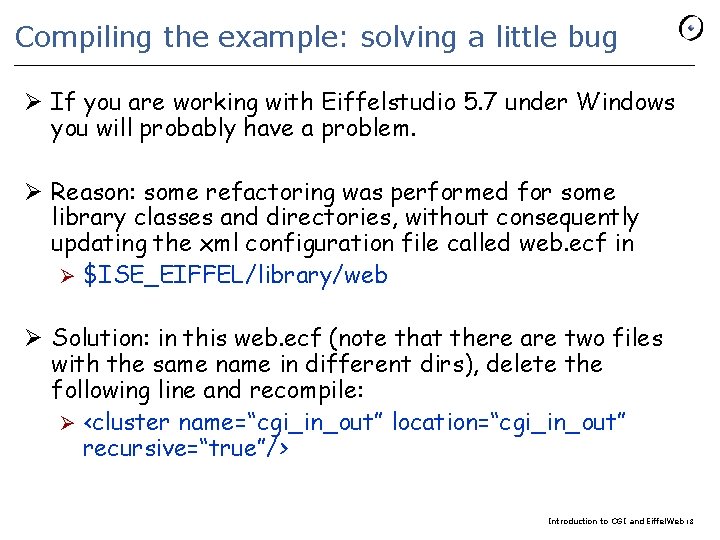
Compiling the example: solving a little bug Ø If you are working with Eiffelstudio 5. 7 under Windows you will probably have a problem. Ø Reason: some refactoring was performed for some library classes and directories, without consequently updating the xml configuration file called web. ecf in Ø $ISE_EIFFEL/library/web Ø Solution: in this web. ecf (note that there are two files with the same name in different dirs), delete the following line and recompile: Ø <cluster name=“cgi_in_out” location=“cgi_in_out” recursive=“true”/> Introduction to CGI and Eiffel. Web 18
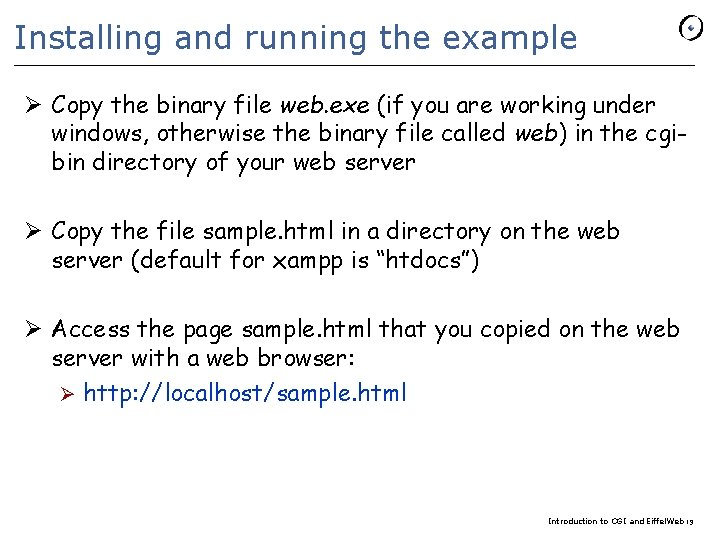
Installing and running the example Ø Copy the binary file web. exe (if you are working under windows, otherwise the binary file called web) in the cgibin directory of your web server Ø Copy the file sample. html in a directory on the web server (default for xampp is “htdocs”) Ø Access the page sample. html that you copied on the web server with a web browser: Ø http: //localhost/sample. html Introduction to CGI and Eiffel. Web 19
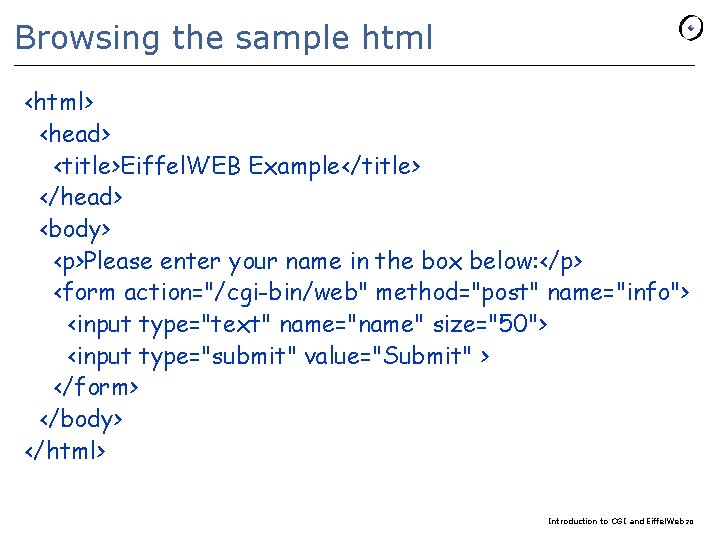
Browsing the sample html <html> <head> <title>Eiffel. WEB Example</title> </head> <body> <p>Please enter your name in the box below: </p> <form action="/cgi-bin/web" method="post" name="info"> <input type="text" name="name" size="50"> <input type="submit" value="Submit" > </form> </body> </html> Introduction to CGI and Eiffel. Web 20
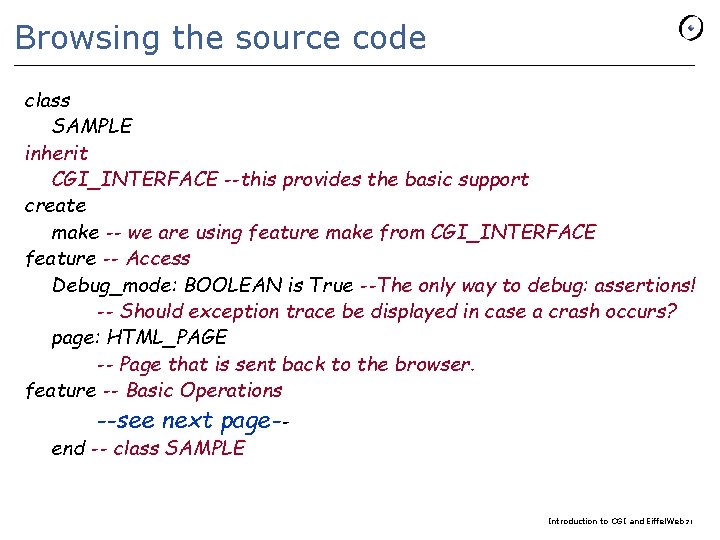
Browsing the source code class SAMPLE inherit CGI_INTERFACE --this provides the basic support create make -- we are using feature make from CGI_INTERFACE feature -- Access Debug_mode: BOOLEAN is True --The only way to debug: assertions! -- Should exception trace be displayed in case a crash occurs? page: HTML_PAGE -- Page that is sent back to the browser. feature -- Basic Operations --see next page-- end -- class SAMPLE Introduction to CGI and Eiffel. Web 21
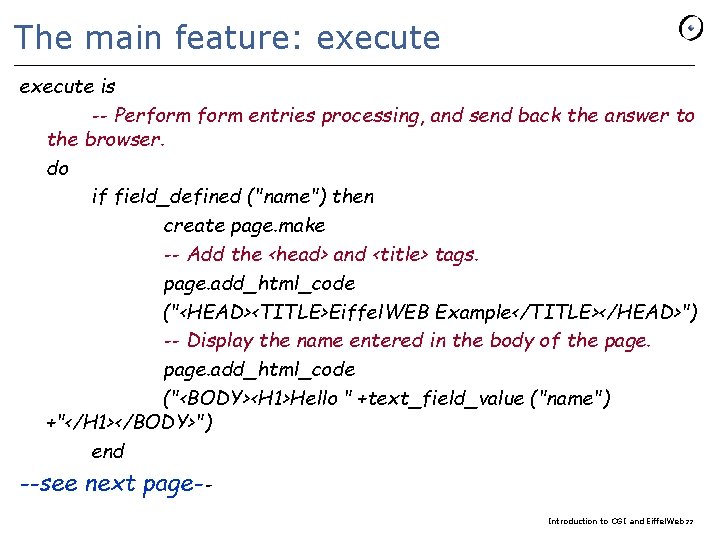
The main feature: execute is -- Perform entries processing, and send back the answer to the browser. do if field_defined ("name") then create page. make -- Add the <head> and <title> tags. page. add_html_code ("<HEAD><TITLE>Eiffel. WEB Example</TITLE></HEAD>") -- Display the name entered in the body of the page. add_html_code ("<BODY><H 1>Hello " +text_field_value ("name") +"</H 1></BODY>") end --see next page-Introduction to CGI and Eiffel. Web 22
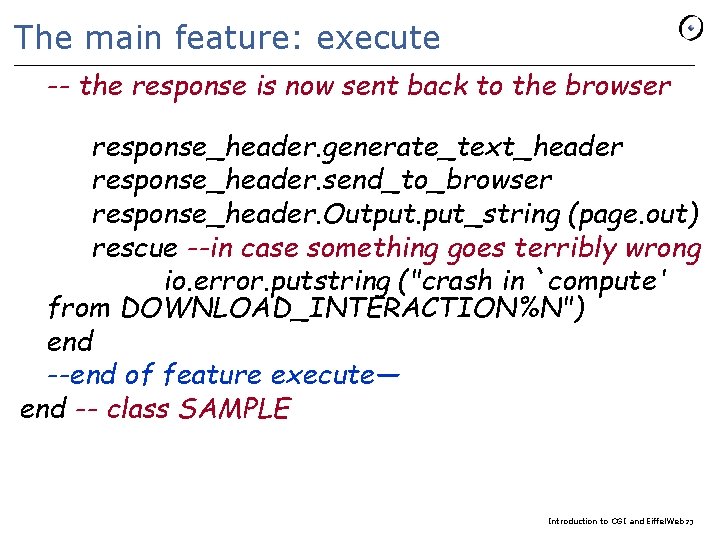
The main feature: execute -- the response is now sent back to the browser response_header. generate_text_header response_header. send_to_browser response_header. Output. put_string (page. out) rescue --in case something goes terribly wrong io. error. putstring ("crash in `compute' from DOWNLOAD_INTERACTION%N") end --end of feature execute— end -- class SAMPLE Introduction to CGI and Eiffel. Web 23
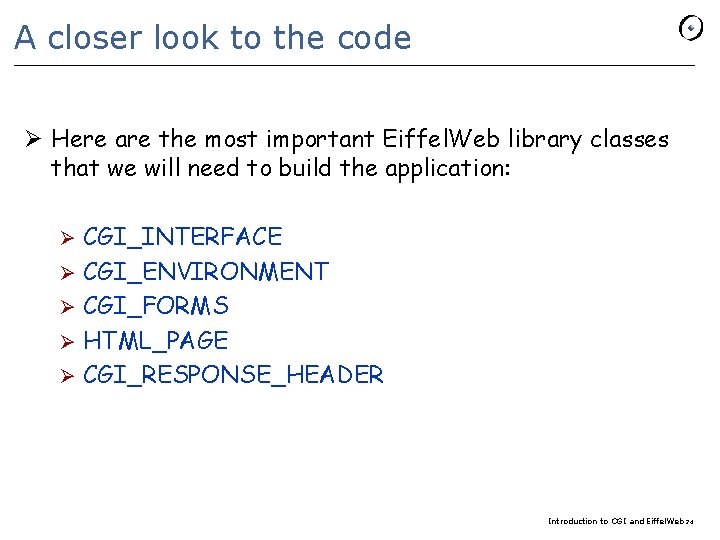
A closer look to the code Ø Here are the most important Eiffel. Web library classes that we will need to build the application: CGI_INTERFACE Ø CGI_ENVIRONMENT Ø CGI_FORMS Ø HTML_PAGE Ø CGI_RESPONSE_HEADER Ø Introduction to CGI and Eiffel. Web 24
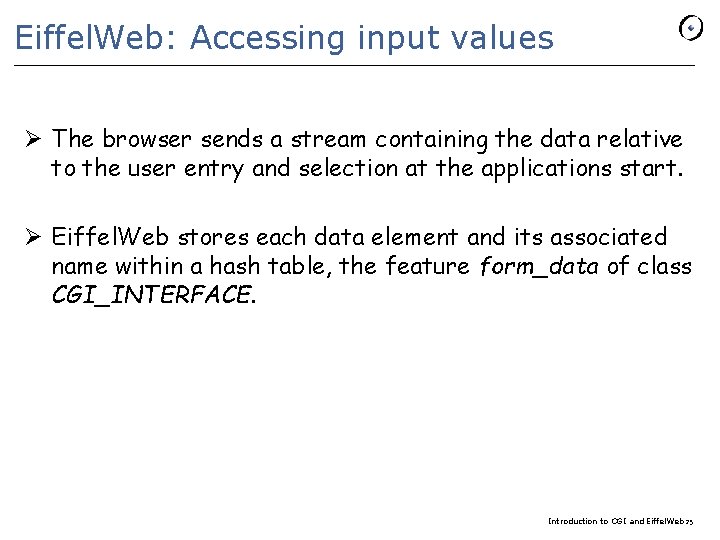
Eiffel. Web: Accessing input values Ø The browser sends a stream containing the data relative to the user entry and selection at the applications start. Ø Eiffel. Web stores each data element and its associated name within a hash table, the feature form_data of class CGI_INTERFACE. Introduction to CGI and Eiffel. Web 25
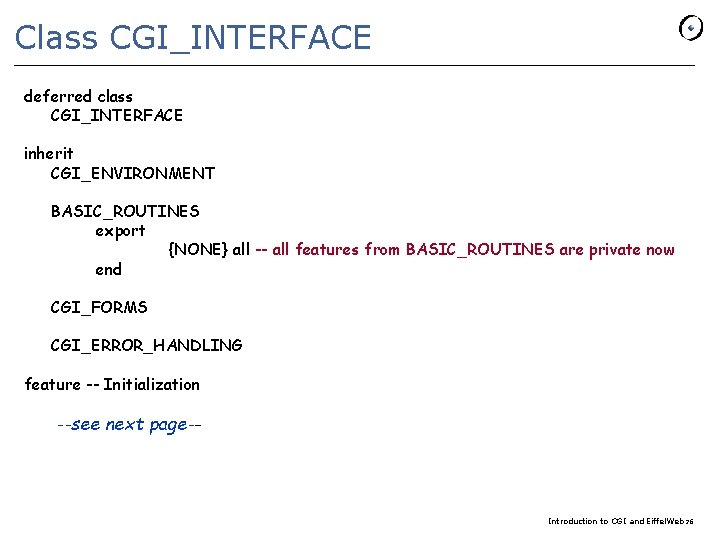
Class CGI_INTERFACE deferred class CGI_INTERFACE inherit CGI_ENVIRONMENT BASIC_ROUTINES export {NONE} all -- all features from BASIC_ROUTINES are private now end CGI_FORMS CGI_ERROR_HANDLING feature -- Initialization --see next page-- Introduction to CGI and Eiffel. Web 26
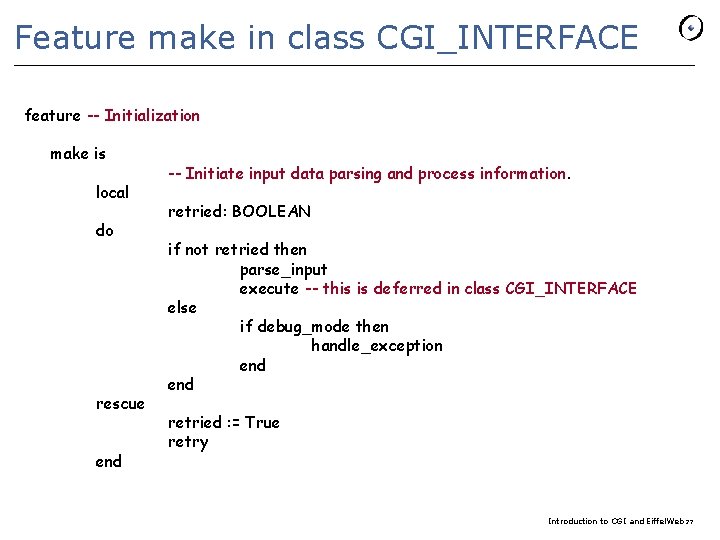
Feature make in class CGI_INTERFACE feature -- Initialization make is local do rescue end -- Initiate input data parsing and process information. retried: BOOLEAN if not retried then parse_input execute -- this is deferred in class CGI_INTERFACE else if debug_mode then handle_exception end retried : = True retry Introduction to CGI and Eiffel. Web 27
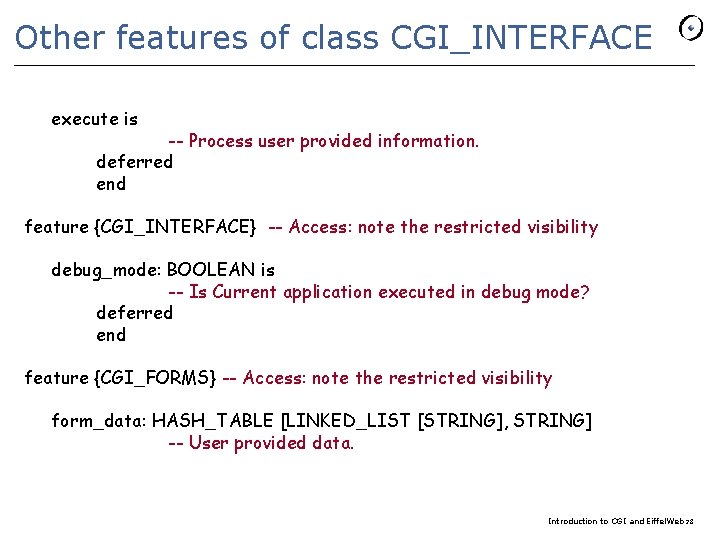
Other features of class CGI_INTERFACE execute is -- Process user provided information. deferred end feature {CGI_INTERFACE} -- Access: note the restricted visibility debug_mode: BOOLEAN is -- Is Current application executed in debug mode? deferred end feature {CGI_FORMS} -- Access: note the restricted visibility form_data: HASH_TABLE [LINKED_LIST [STRING], STRING] -- User provided data. Introduction to CGI and Eiffel. Web 28
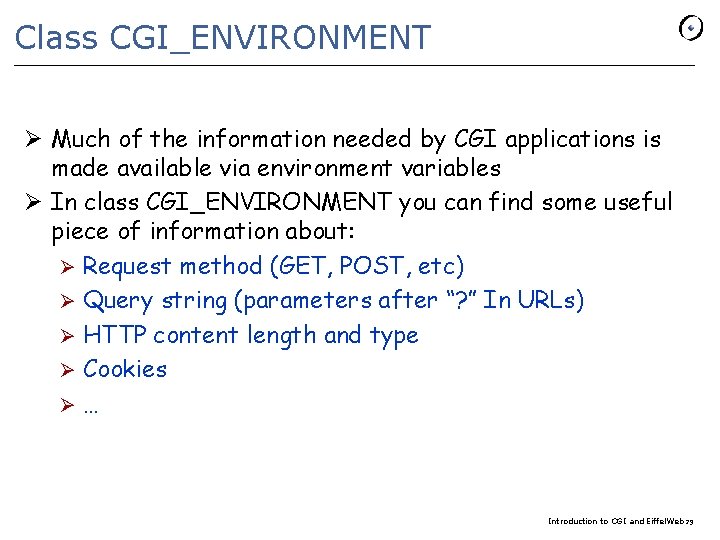
Class CGI_ENVIRONMENT Ø Much of the information needed by CGI applications is made available via environment variables Ø In class CGI_ENVIRONMENT you can find some useful piece of information about: Ø Request method (GET, POST, etc) Ø Query string (parameters after “? ” In URLs) Ø HTTP content length and type Ø Cookies Ø… Introduction to CGI and Eiffel. Web 29
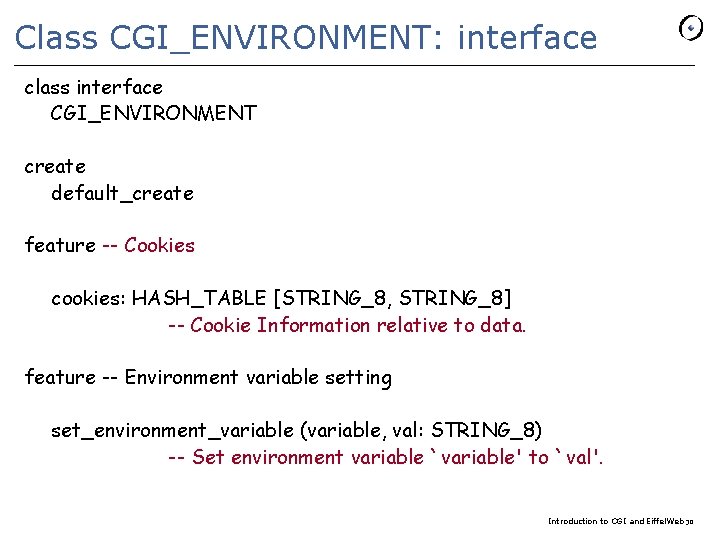
Class CGI_ENVIRONMENT: interface class interface CGI_ENVIRONMENT create default_create feature -- Cookies cookies: HASH_TABLE [STRING_8, STRING_8] -- Cookie Information relative to data. feature -- Environment variable setting set_environment_variable (variable, val: STRING_8) -- Set environment variable `variable' to `val'. Introduction to CGI and Eiffel. Web 30
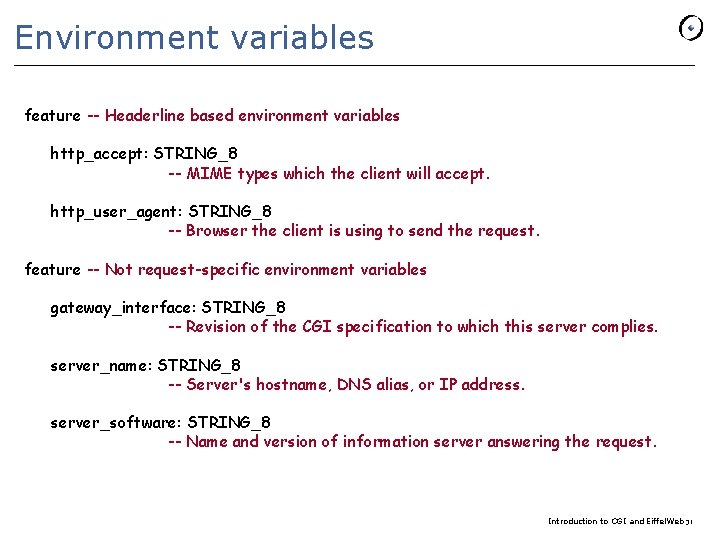
Environment variables feature -- Headerline based environment variables http_accept: STRING_8 -- MIME types which the client will accept. http_user_agent: STRING_8 -- Browser the client is using to send the request. feature -- Not request-specific environment variables gateway_interface: STRING_8 -- Revision of the CGI specification to which this server complies. server_name: STRING_8 -- Server's hostname, DNS alias, or IP address. server_software: STRING_8 -- Name and version of information server answering the request. Introduction to CGI and Eiffel. Web 31
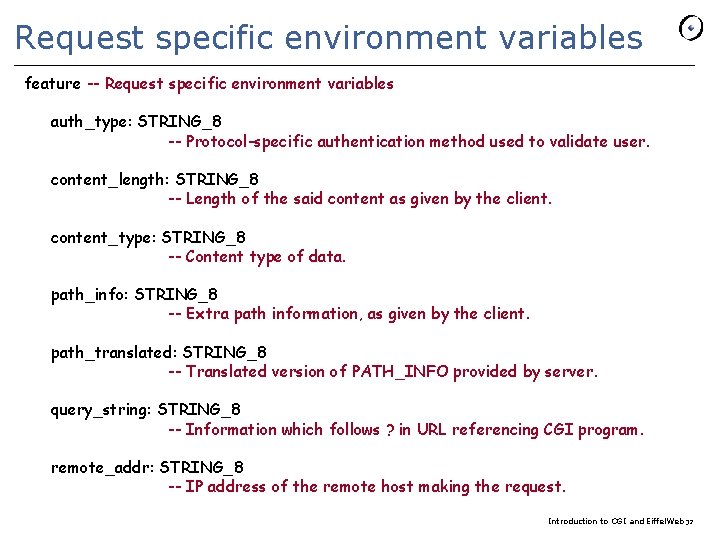
Request specific environment variables feature -- Request specific environment variables auth_type: STRING_8 -- Protocol-specific authentication method used to validate user. content_length: STRING_8 -- Length of the said content as given by the client. content_type: STRING_8 -- Content type of data. path_info: STRING_8 -- Extra path information, as given by the client. path_translated: STRING_8 -- Translated version of PATH_INFO provided by server. query_string: STRING_8 -- Information which follows ? in URL referencing CGI program. remote_addr: STRING_8 -- IP address of the remote host making the request. Introduction to CGI and Eiffel. Web 32
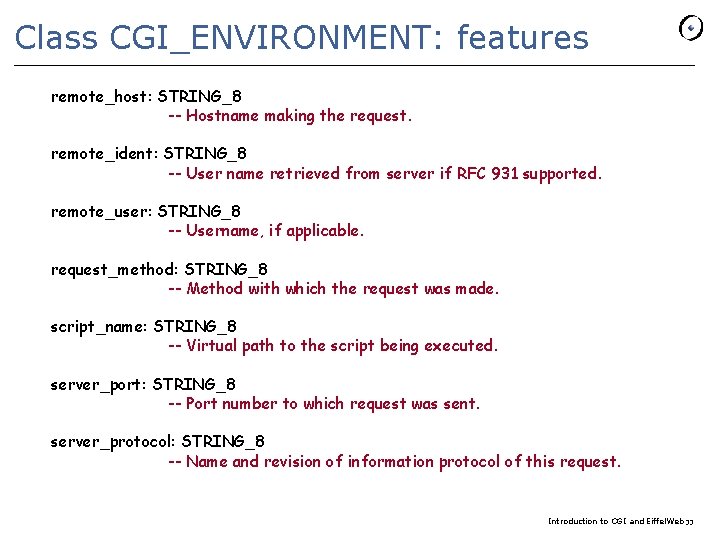
Class CGI_ENVIRONMENT: features remote_host: STRING_8 -- Hostname making the request. remote_ident: STRING_8 -- User name retrieved from server if RFC 931 supported. remote_user: STRING_8 -- Username, if applicable. request_method: STRING_8 -- Method with which the request was made. script_name: STRING_8 -- Virtual path to the script being executed. server_port: STRING_8 -- Port number to which request was sent. server_protocol: STRING_8 -- Name and revision of information protocol of this request. Introduction to CGI and Eiffel. Web 33
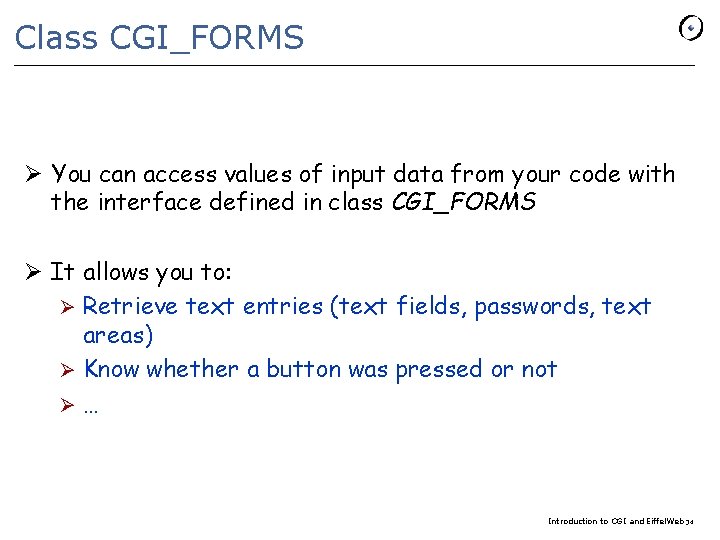
Class CGI_FORMS Ø You can access values of input data from your code with the interface defined in class CGI_FORMS Ø It allows you to: Ø Retrieve text entries (text fields, passwords, text areas) Ø Know whether a button was pressed or not Ø… Introduction to CGI and Eiffel. Web 34
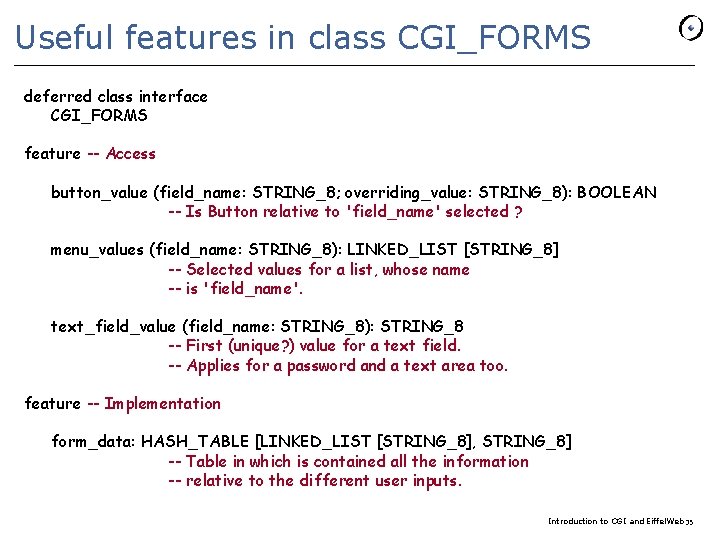
Useful features in class CGI_FORMS deferred class interface CGI_FORMS feature -- Access button_value (field_name: STRING_8; overriding_value: STRING_8): BOOLEAN -- Is Button relative to 'field_name' selected ? menu_values (field_name: STRING_8): LINKED_LIST [STRING_8] -- Selected values for a list, whose name -- is 'field_name'. text_field_value (field_name: STRING_8): STRING_8 -- First (unique? ) value for a text field. -- Applies for a password and a text area too. feature -- Implementation form_data: HASH_TABLE [LINKED_LIST [STRING_8], STRING_8] -- Table in which is contained all the information -- relative to the different user inputs. Introduction to CGI and Eiffel. Web 35
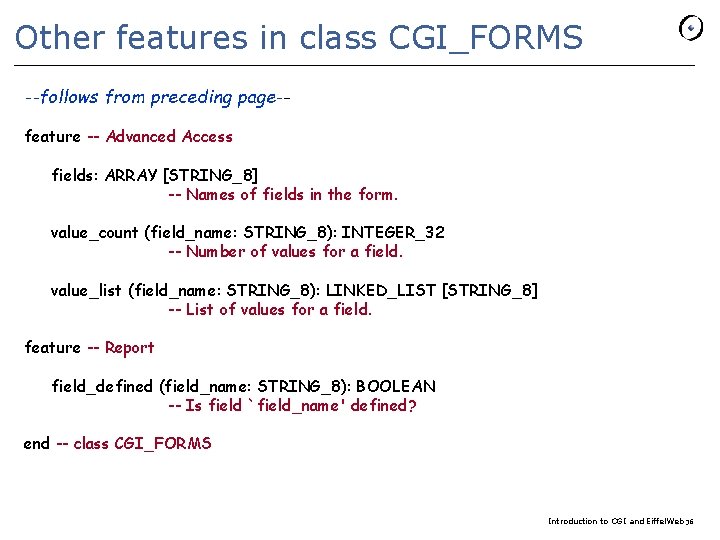
Other features in class CGI_FORMS --follows from preceding page-feature -- Advanced Access fields: ARRAY [STRING_8] -- Names of fields in the form. value_count (field_name: STRING_8): INTEGER_32 -- Number of values for a field. value_list (field_name: STRING_8): LINKED_LIST [STRING_8] -- List of values for a field. feature -- Report field_defined (field_name: STRING_8): BOOLEAN -- Is field `field_name' defined? end -- class CGI_FORMS Introduction to CGI and Eiffel. Web 36
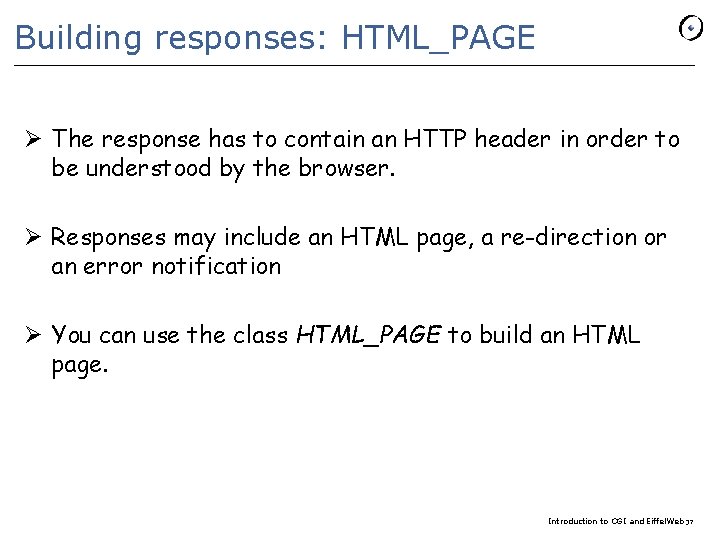
Building responses: HTML_PAGE Ø The response has to contain an HTTP header in order to be understood by the browser. Ø Responses may include an HTML page, a re-direction or an error notification Ø You can use the class HTML_PAGE to build an HTML page. Introduction to CGI and Eiffel. Web 37
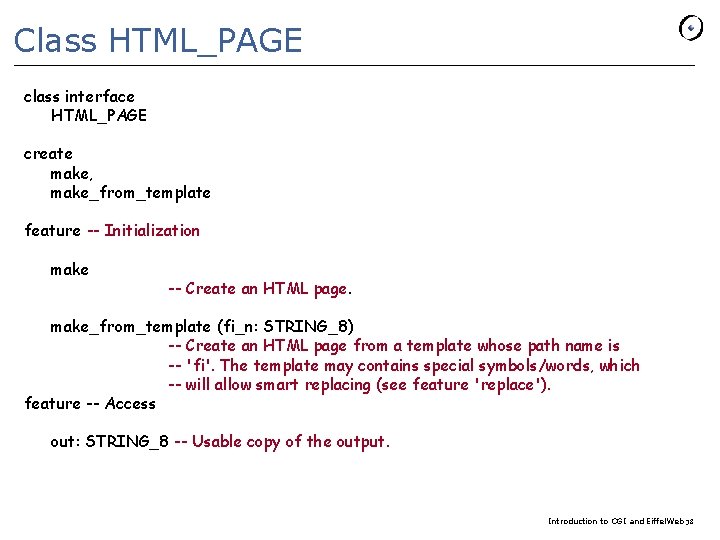
Class HTML_PAGE class interface HTML_PAGE create make, make_from_template feature -- Initialization make -- Create an HTML page. make_from_template (fi_n: STRING_8) -- Create an HTML page from a template whose path name is -- 'fi'. The template may contains special symbols/words, which -- will allow smart replacing (see feature 'replace'). feature -- Access out: STRING_8 -- Usable copy of the output. Introduction to CGI and Eiffel. Web 38
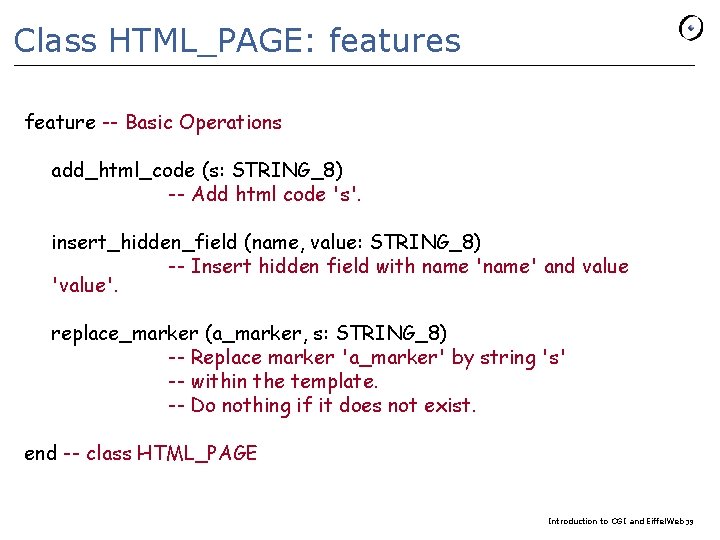
Class HTML_PAGE: features feature -- Basic Operations add_html_code (s: STRING_8) -- Add html code 's'. insert_hidden_field (name, value: STRING_8) -- Insert hidden field with name 'name' and value 'value'. replace_marker (a_marker, s: STRING_8) -- Replace marker 'a_marker' by string 's' -- within the template. -- Do nothing if it does not exist. end -- class HTML_PAGE Introduction to CGI and Eiffel. Web 39
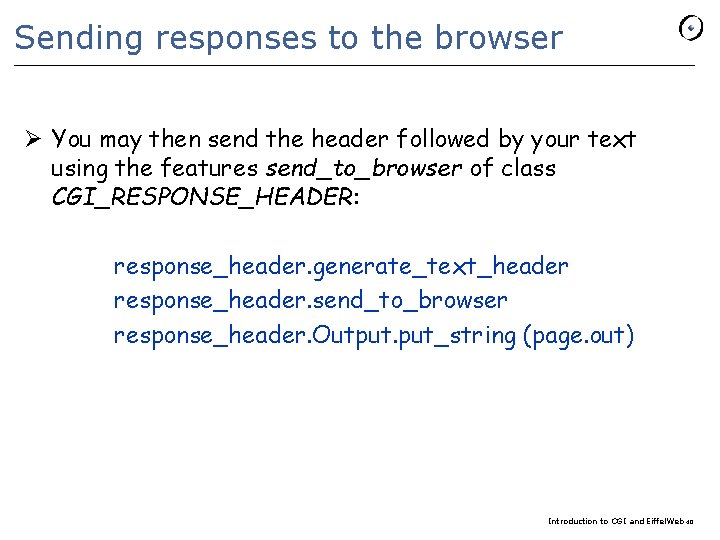
Sending responses to the browser Ø You may then send the header followed by your text using the features send_to_browser of class CGI_RESPONSE_HEADER: response_header. generate_text_header response_header. send_to_browser response_header. Output. put_string (page. out) Introduction to CGI and Eiffel. Web 40
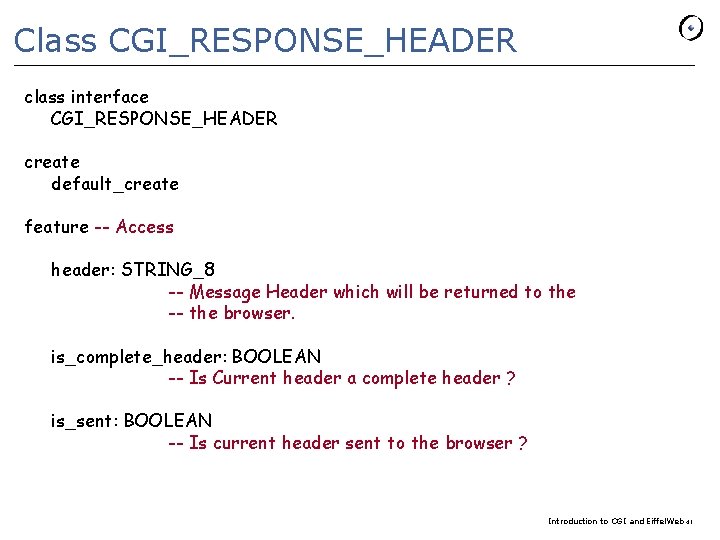
Class CGI_RESPONSE_HEADER class interface CGI_RESPONSE_HEADER create default_create feature -- Access header: STRING_8 -- Message Header which will be returned to the -- the browser. is_complete_header: BOOLEAN -- Is Current header a complete header ? is_sent: BOOLEAN -- Is current header sent to the browser ? Introduction to CGI and Eiffel. Web 41
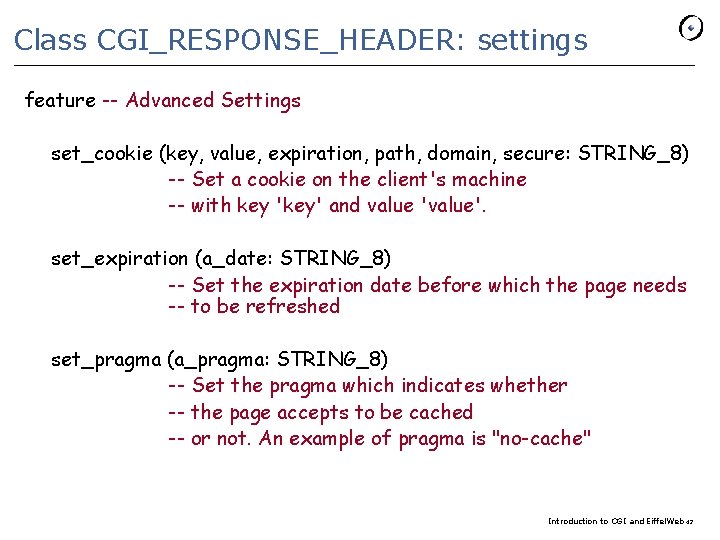
Class CGI_RESPONSE_HEADER: settings feature -- Advanced Settings set_cookie (key, value, expiration, path, domain, secure: STRING_8) -- Set a cookie on the client's machine -- with key 'key' and value 'value'. set_expiration (a_date: STRING_8) -- Set the expiration date before which the page needs -- to be refreshed set_pragma (a_pragma: STRING_8) -- Set the pragma which indicates whether -- the page accepts to be cached -- or not. An example of pragma is "no-cache" Introduction to CGI and Eiffel. Web 42
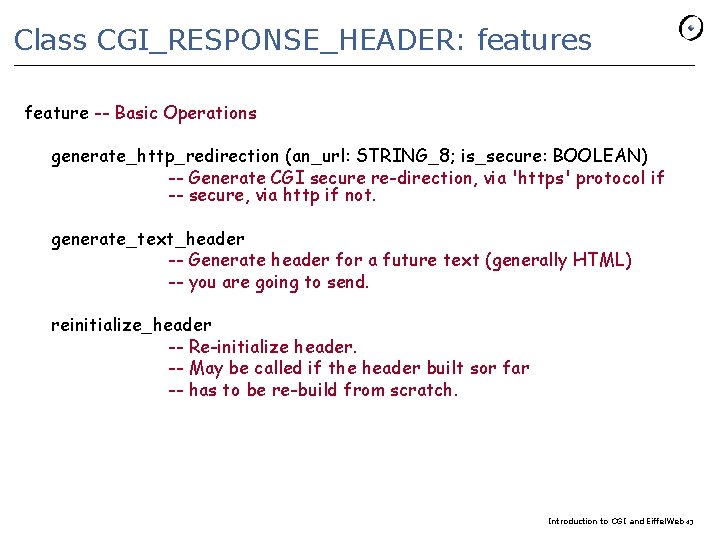
Class CGI_RESPONSE_HEADER: features feature -- Basic Operations generate_http_redirection (an_url: STRING_8; is_secure: BOOLEAN) -- Generate CGI secure re-direction, via 'https' protocol if -- secure, via http if not. generate_text_header -- Generate header for a future text (generally HTML) -- you are going to send. reinitialize_header -- Re-initialize header. -- May be called if the header built sor far -- has to be re-build from scratch. Introduction to CGI and Eiffel. Web 43
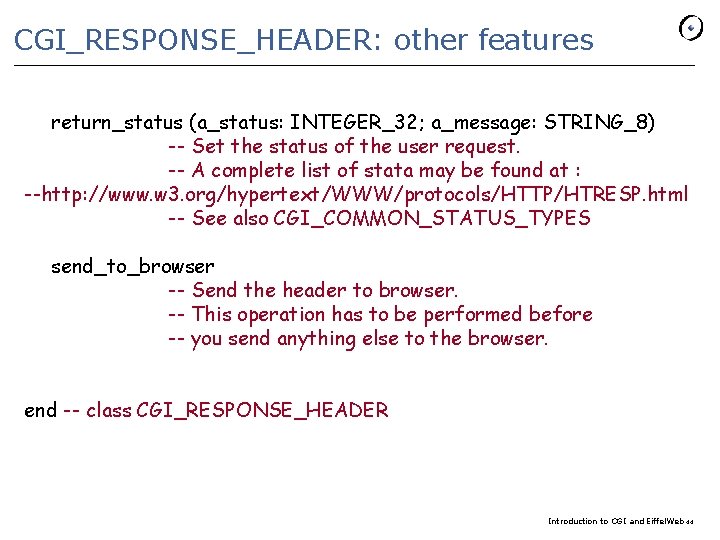
CGI_RESPONSE_HEADER: other features return_status (a_status: INTEGER_32; a_message: STRING_8) -- Set the status of the user request. -- A complete list of stata may be found at : --http: //www. w 3. org/hypertext/WWW/protocols/HTTP/HTRESP. html -- See also CGI_COMMON_STATUS_TYPES send_to_browser -- Send the header to browser. -- This operation has to be performed before -- you send anything else to the browser. end -- class CGI_RESPONSE_HEADER Introduction to CGI and Eiffel. Web 44
End exercise session week 2 Introduction to CGI and Eiffel. Web 45
- Slides: 45