
Chair of Software Engineering Einfhrung in die Programmierung
- Slides: 56
Chair of Software Engineering Einführung in die Programmierung Introduction to Programming Prof. Dr. Bertrand Meyer Exercise Session 2
Organizational Ø Assignments Ø One assignment per week Ø Will be put online on Monday, due on Tuesday the next week Ø Testat Ø You have to hand in n - 1 out of n assignments • Must include the last one • Show serious effort Ø You have to hand in two mock exams Ø Military service or illness -> contact assistant Ø Group mailing list Ø Is everybody subscribed? 2
Today Ø Give you the intuition behind object-oriented (OO) programming Ø Teach you about formatting your code Ø Distinguishing between Ø commands and queries Ø feature declaration and feature call Ø Understanding feature call chains Ø Getting to know the basics of Eiffel. Studio 3
Classes and objects Classes are pieces of software code. Several classes make up a program. Objects are instances of classes. Classes define operations applicable to their instances. Ø Example: A class STUDENT can define operations applicable to all its instances, such as subscribing to a course, registering for an exam, etc. This means that all class STUDENT’s instances (such as the students Bob, Mike, Steve, etc. ) will be able to subscribe themselves to a course, to register for an exam, etc. Ø Only operations defined in a class can be applied to its instances. Ø Ø 4
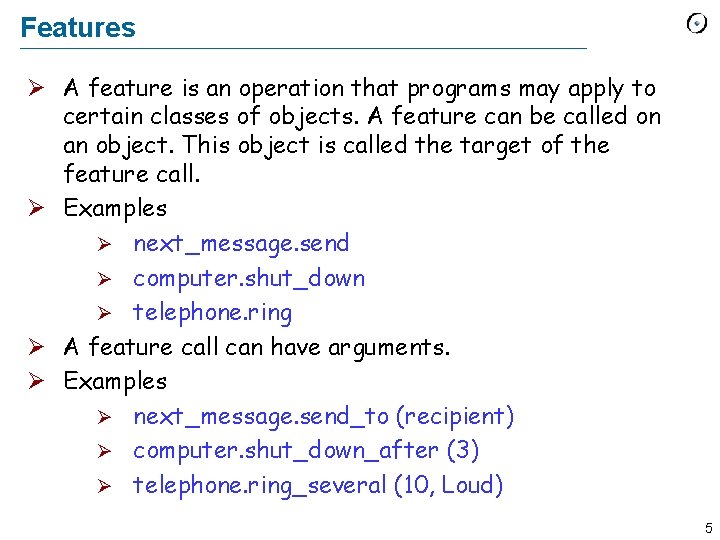
Features Ø A feature is an operation that programs may apply to certain classes of objects. A feature can be called on an object. This object is called the target of the feature call. Ø Examples Ø next_message. send Ø computer. shut_down Ø telephone. ring Ø A feature call can have arguments. Ø Examples Ø next_message. send_to (recipient) Ø computer. shut_down_after (3) Ø telephone. ring_several (10, Loud) 5
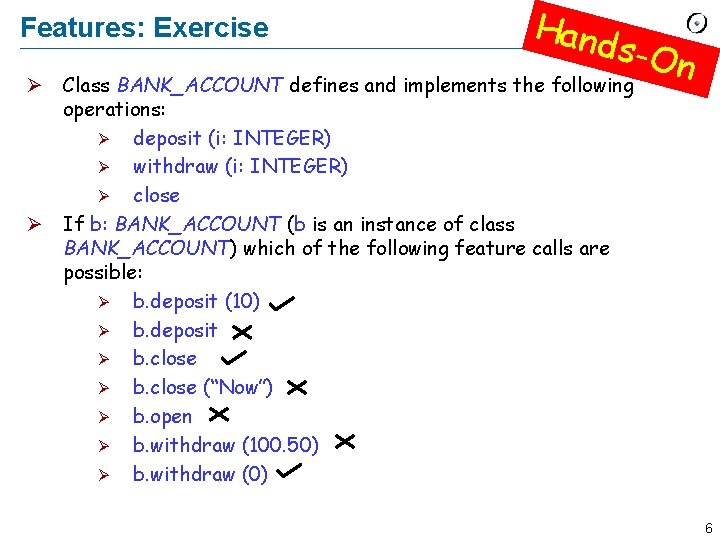
Features: Exercise Hand s-On Ø Class BANK_ACCOUNT defines and implements the following operations: Ø deposit (i: INTEGER) Ø withdraw (i: INTEGER) Ø close Ø If b: BANK_ACCOUNT (b is an instance of class BANK_ACCOUNT) which of the following feature calls are possible: Ø b. deposit (10) Ø b. deposit Ø b. close (“Now”) Ø b. open Ø b. withdraw (100. 50) Ø b. withdraw (0) 6
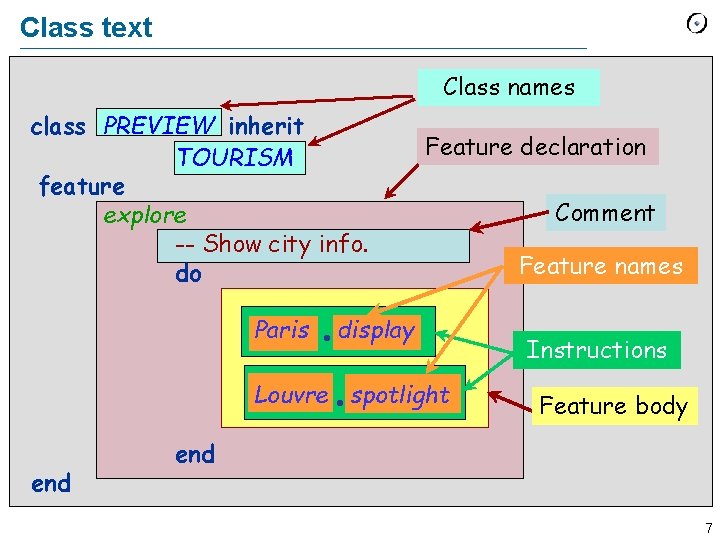
Class text Class names class PREVIEW inherit TOURISM feature explore -- Show city info. do Paris Feature declaration display Louvre spotlight end Comment Feature names Instructions Feature body end 7
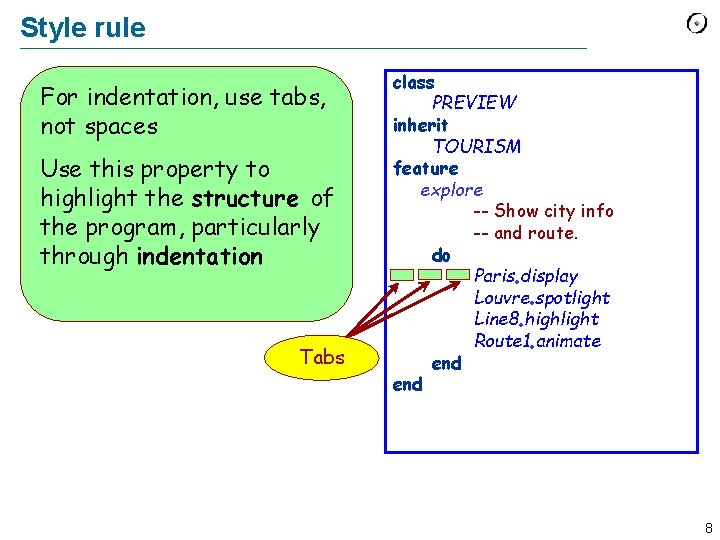
Style rule For indentation, use tabs, not spaces Use this property to highlight the structure of the program, particularly through indentation Tabs class PREVIEW inherit TOURISM feature explore -- Show city info -- and route. do Paris display Louvre spotlight Line 8 highlight Route 1 animate end 8
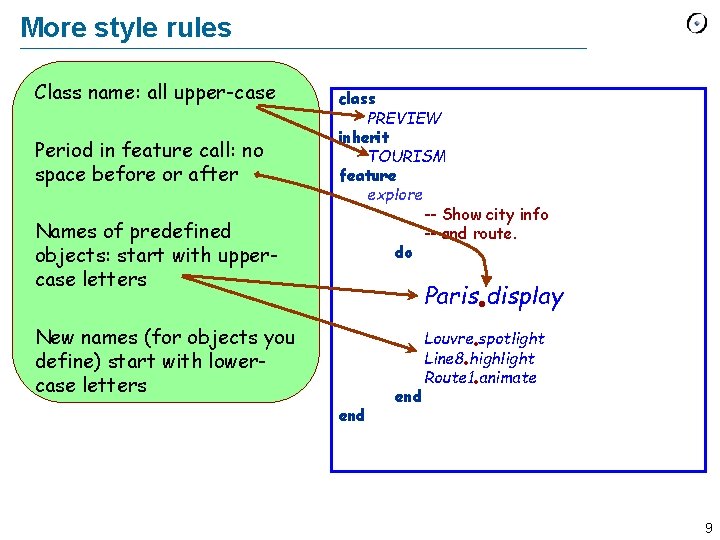
More style rules Class name: all upper-case Period in feature call: no space before or after Names of predefined objects: start with uppercase letters class PREVIEW inherit TOURISM feature explore -- Show city info -- and route. do Paris display New names (for objects you define) start with lowercase letters end Louvre spotlight Line 8 highlight Route 1 animate 9
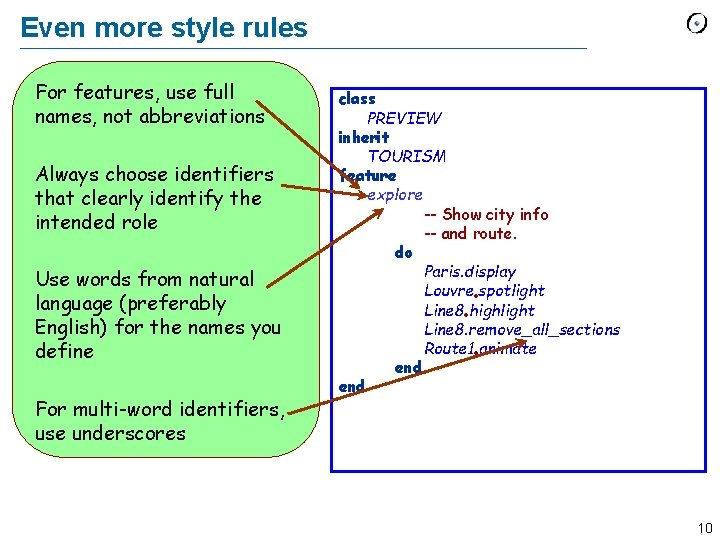
Even more style rules For features, use full names, not abbreviations Always choose identifiers that clearly identify the intended role Use words from natural language (preferably English) for the names you define For multi-word identifiers, use underscores class PREVIEW inherit TOURISM feature explore -- Show city info -- and route. do Paris. display Louvre spotlight Line 8 highlight Line 8. remove_all_sections Route 1 animate end 10
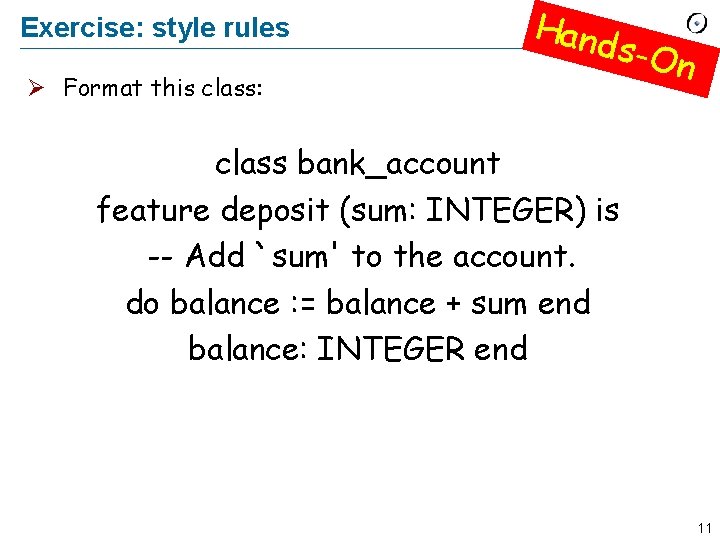
Exercise: style rules Ø Format this class: Hand s-On class bank_account feature deposit (sum: INTEGER) is -- Add `sum' to the account. do balance : = balance + sum end balance: INTEGER end 11
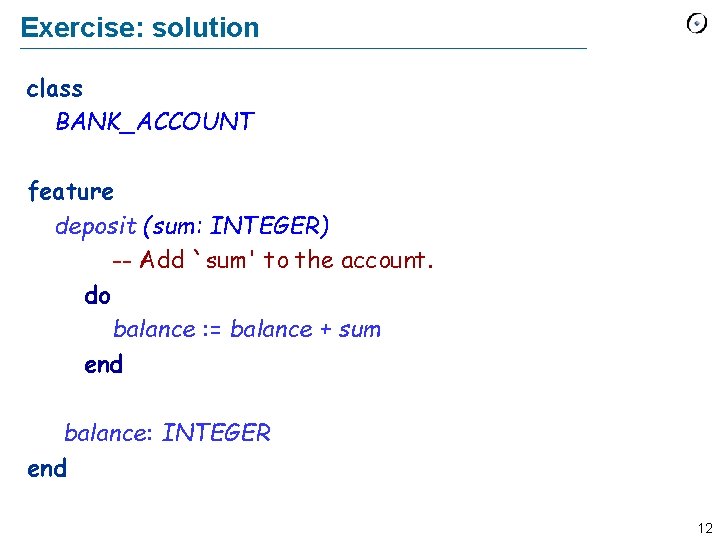
Exercise: solution class BANK_ACCOUNT feature deposit (sum: INTEGER) -- Add `sum' to the account. do balance : = balance + sum end balance: INTEGER end 12
Commands and queries Ø A feature can be a: Ø Command: a feature that may modify an object Ø Query: a feature that accesses an object 13
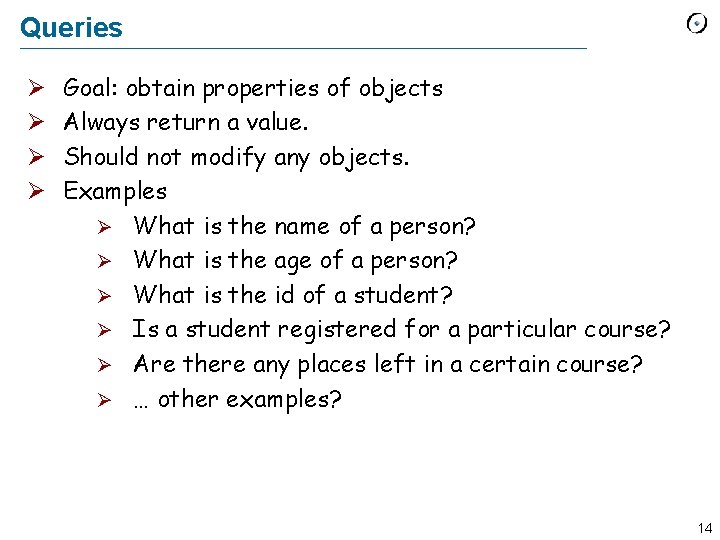
Queries Ø Ø Goal: obtain properties of objects Always return a value. Should not modify any objects. Examples Ø What is the name of a person? Ø What is the age of a person? Ø What is the id of a student? Ø Is a student registered for a particular course? Ø Are there any places left in a certain course? Ø … other examples? 14
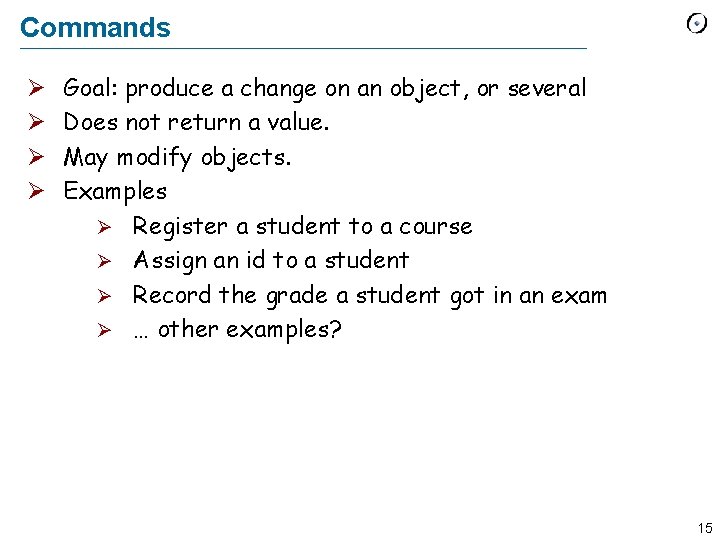
Commands Ø Ø Goal: produce a change on an object, or several Does not return a value. May modify objects. Examples Ø Register a student to a course Ø Assign an id to a student Ø Record the grade a student got in an exam Ø … other examples? 15
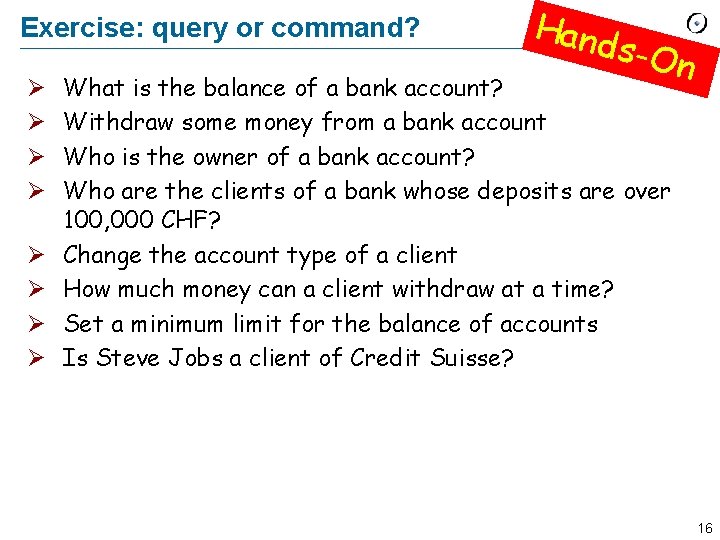
Exercise: query or command? Ø Ø Ø Ø Hand s-On What is the balance of a bank account? Withdraw some money from a bank account Who is the owner of a bank account? Who are the clients of a bank whose deposits are over 100, 000 CHF? Change the account type of a client How much money can a client withdraw at a time? Set a minimum limit for the balance of accounts Is Steve Jobs a client of Credit Suisse? 16
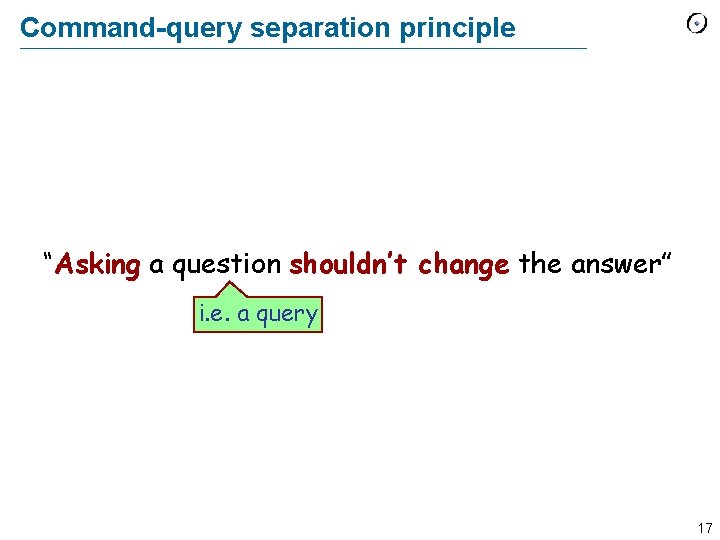
Command-query separation principle “Asking a question shouldn’t change the answer” i. e. a query 17
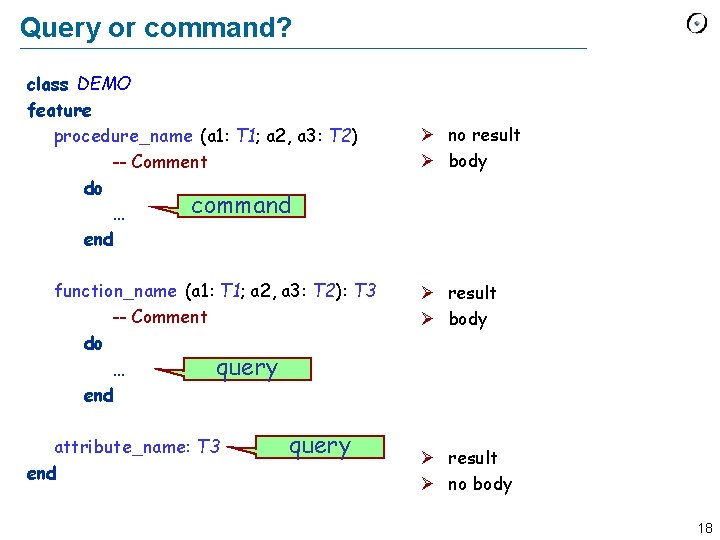
Query or command? class DEMO feature procedure_name (a 1: T 1; a 2, a 3: T 2) -- Comment do command … end function_name (a 1: T 1; a 2, a 3: T 2): T 3 -- Comment do … query end attribute_name: T 3 end query Ø no result Ø body Ø result Ø no body 18
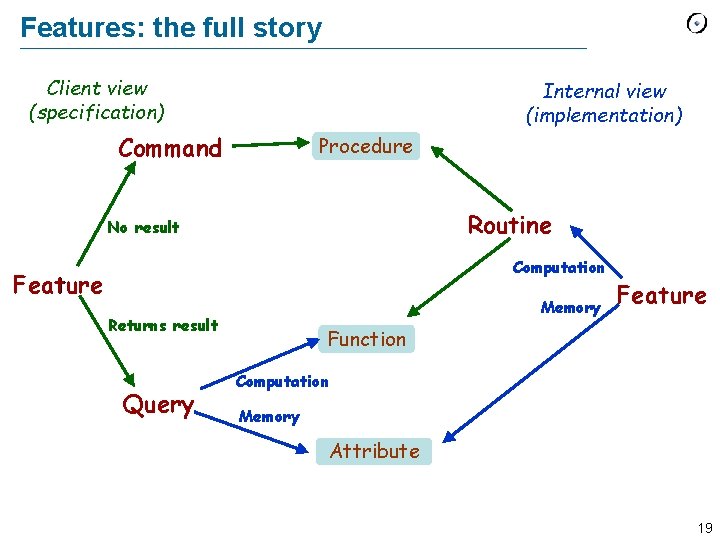
Features: the full story Client view (specification) Internal view (implementation) Command Procedure Routine No result Computation Feature Memory Returns result Query Feature Function Computation Memory Attribute 19
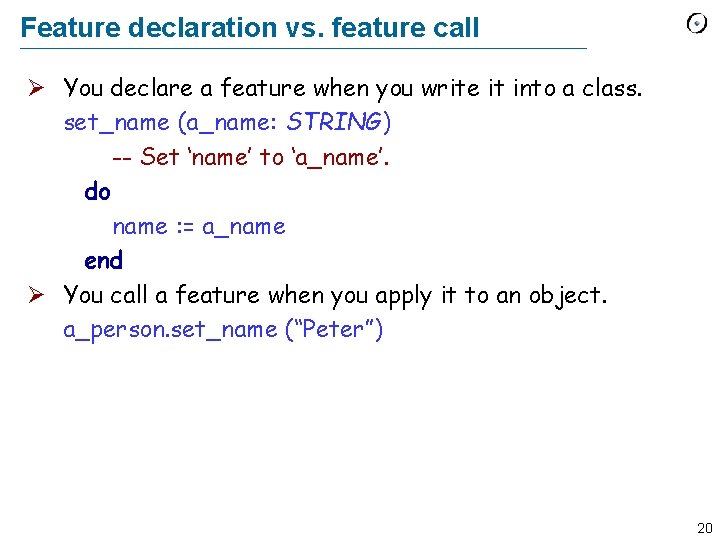
Feature declaration vs. feature call Ø You declare a feature when you write it into a class. set_name (a_name: STRING) -- Set ‘name’ to ‘a_name’. do name : = a_name end Ø You call a feature when you apply it to an object. a_person. set_name (“Peter”) 20
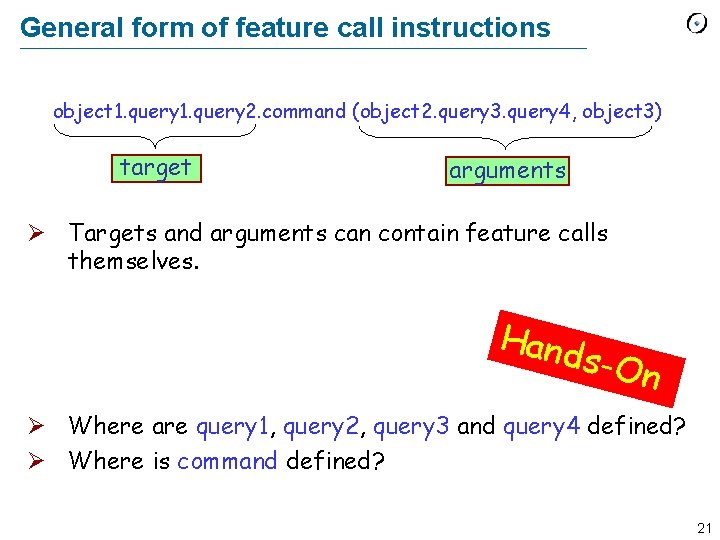
General form of feature call instructions object 1. query 2. command (object 2. query 3. query 4, object 3) target arguments Ø Targets and arguments can contain feature calls themselves. Hand s-On Ø Where are query 1, query 2, query 3 and query 4 defined? Ø Where is command defined? 21
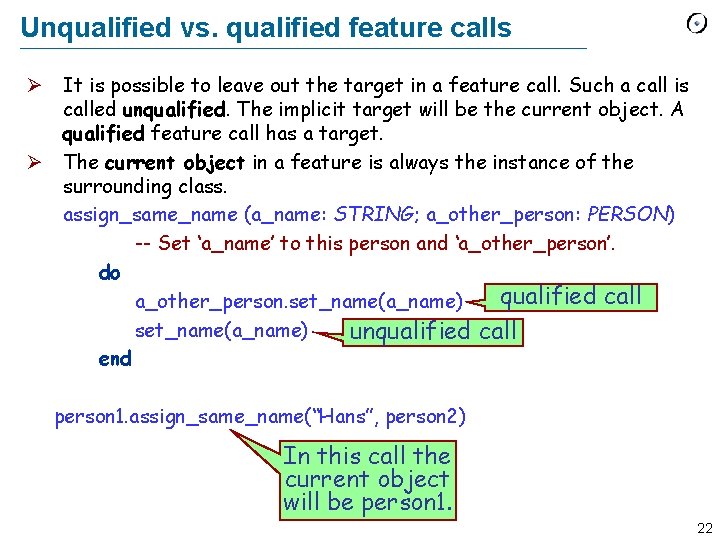
Unqualified vs. qualified feature calls Ø It is possible to leave out the target in a feature call. Such a call is called unqualified. The implicit target will be the current object. A qualified feature call has a target. Ø The current object in a feature is always the instance of the surrounding class. assign_same_name (a_name: STRING; a_other_person: PERSON) -- Set ‘a_name’ to this person and ‘a_other_person’. do qualified call a_other_person. set_name(a_name) unqualified call end person 1. assign_same_name(“Hans”, person 2) In this call the current object will be person 1. 22
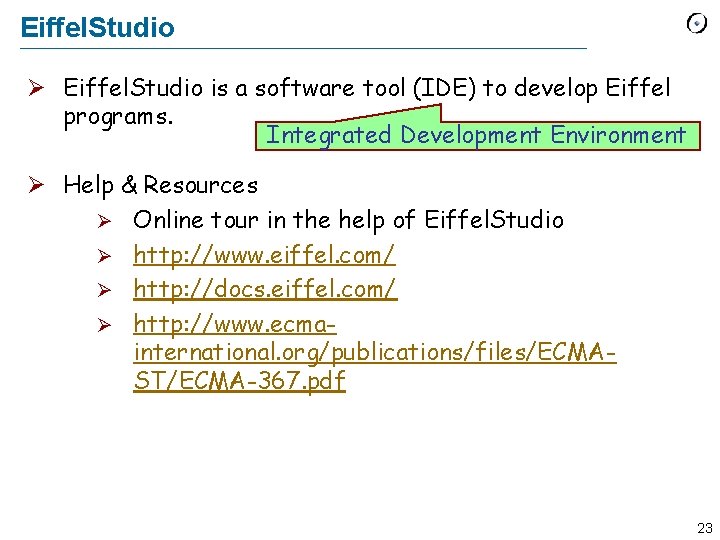
Eiffel. Studio Ø Eiffel. Studio is a software tool (IDE) to develop Eiffel programs. Integrated Development Environment Ø Help & Resources Ø Online tour in the help of Eiffel. Studio Ø http: //www. eiffel. com/ Ø http: //docs. eiffel. com/ Ø http: //www. ecmainternational. org/publications/files/ECMAST/ECMA-367. pdf 23
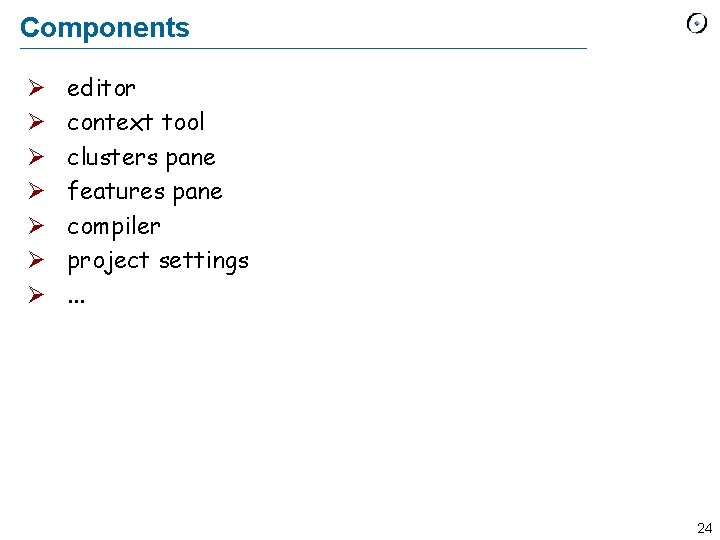
Components Ø Ø Ø Ø editor context tool clusters pane features pane compiler project settings. . . 24
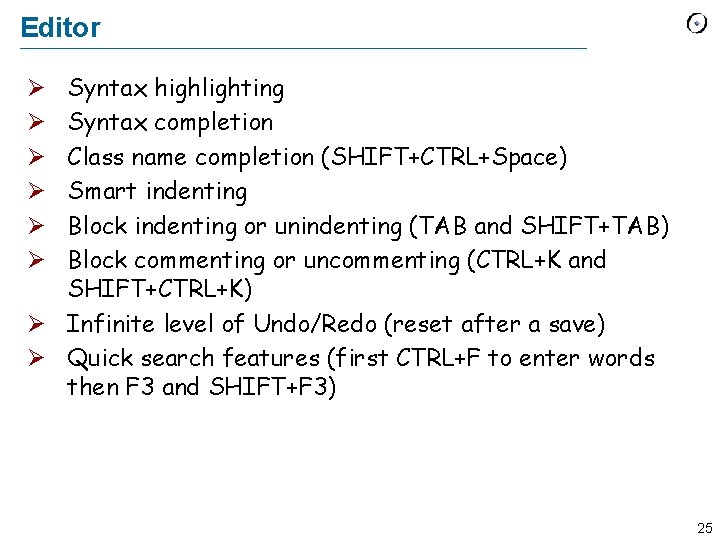
Editor Syntax highlighting Syntax completion Class name completion (SHIFT+CTRL+Space) Smart indenting Block indenting or unindenting (TAB and SHIFT+TAB) Block commenting or uncommenting (CTRL+K and SHIFT+CTRL+K) Ø Infinite level of Undo/Redo (reset after a save) Ø Quick search features (first CTRL+F to enter words then F 3 and SHIFT+F 3) Ø Ø Ø 25
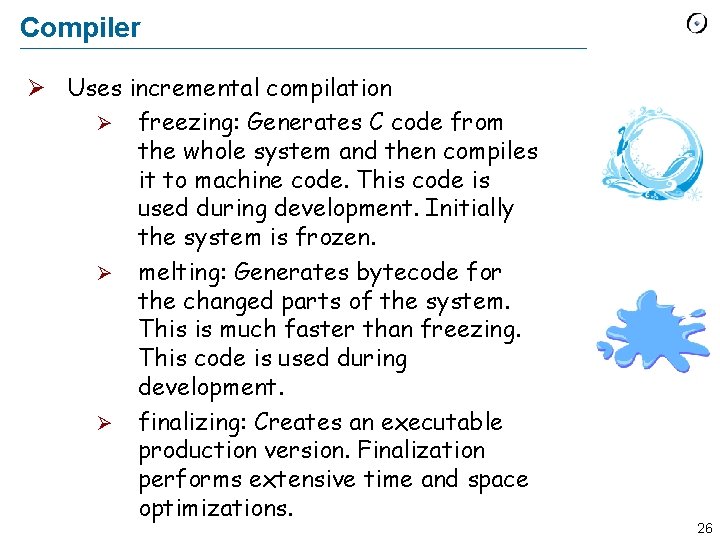
Compiler Ø Uses incremental compilation Ø freezing: Generates C code from the whole system and then compiles it to machine code. This code is used during development. Initially the system is frozen. Ø melting: Generates bytecode for the changed parts of the system. This is much faster than freezing. This code is used during development. Ø finalizing: Creates an executable production version. Finalization performs extensive time and space optimizations. 26
Debugger: setup Ø The system must be melted/frozen (finalized systems cannot be debugged). Ø Set / delete breakpoints Ø An efficient way of adding breakpoints consists in dropping a feature in the context tool. Ø Click in the margin to enable/disable single breakpoints. Ø Use the toolbar debug buttons to enable or disable all breakpoints globally. 27
Debugger: run Ø Run the program by clicking on the Run button. Ø Pause by clicking on the Pause button or wait for a triggered breakpoint. Ø Analyze the program: Ø Use the call stack pane to browse through the call stack. Ø Use the object tool to inspect the current object, the locals and arguments. Ø Run the program or step over / into the next statement. Ø Stop the running program by clicking on the Stop button. 28
Advanced Material The following slides contain advanced material and are optional. 29
Outline ØSyntax comparison: Eiffel vs Java ØNaming in Eiffel ØFeature comments: Less is better (sometimes. . . ) 30
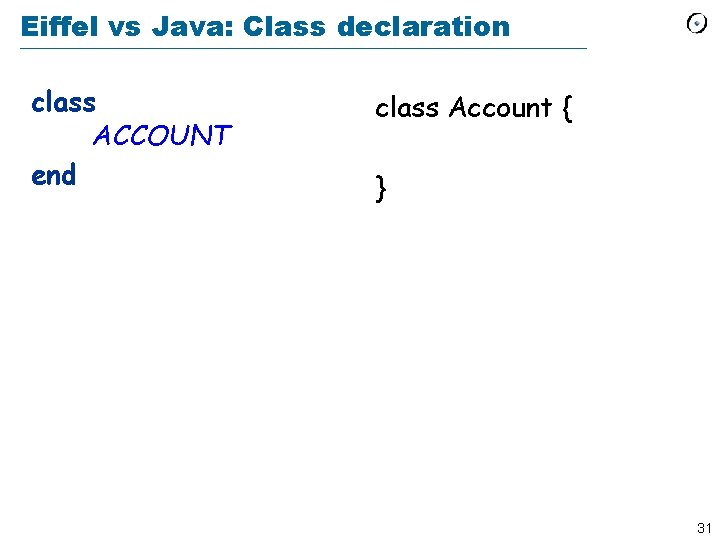
Eiffel vs Java: Class declaration class ACCOUNT end class Account { } 31
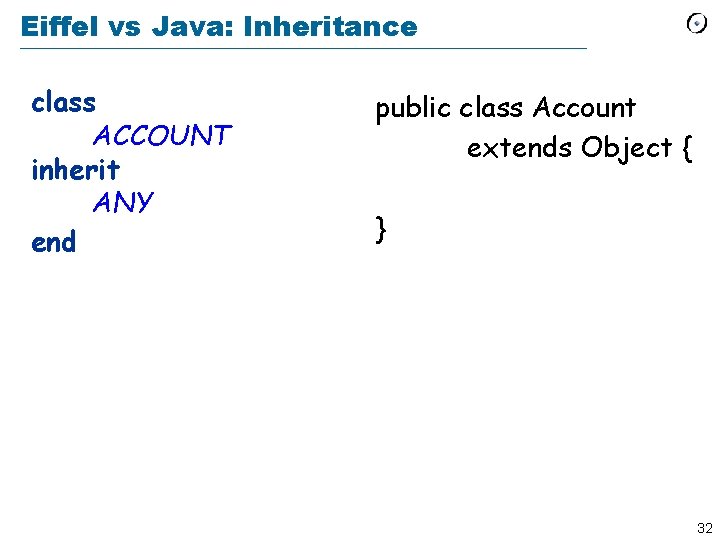
Eiffel vs Java: Inheritance class ACCOUNT inherit ANY end public class Account extends Object { } 32
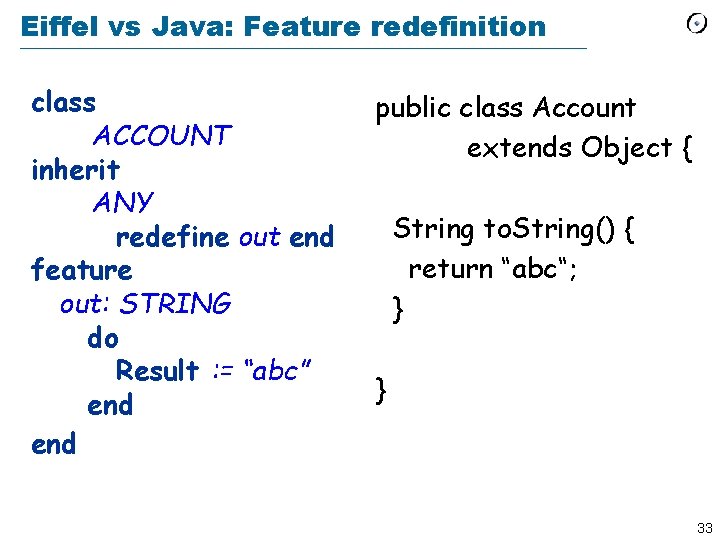
Eiffel vs Java: Feature redefinition class ACCOUNT inherit ANY redefine out end feature out: STRING do Result : = “abc” end public class Account extends Object { String to. String() { return “abc“; } } 33
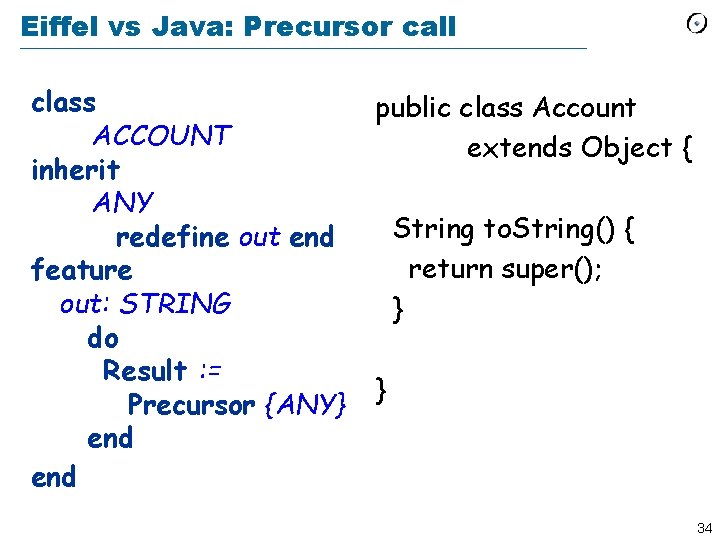
Eiffel vs Java: Precursor call class ACCOUNT inherit ANY redefine out end feature out: STRING do Result : = Precursor {ANY} end public class Account extends Object { String to. String() { return super(); } } 34
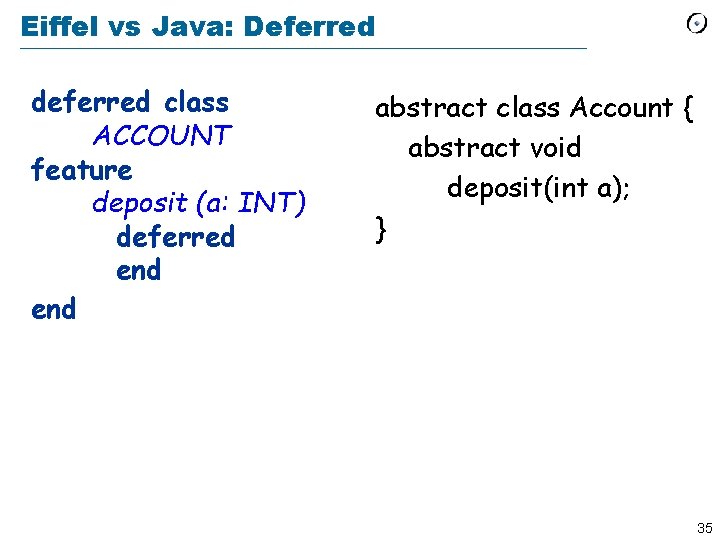
Eiffel vs Java: Deferred deferred class ACCOUNT feature deposit (a: INT) deferred end abstract class Account { abstract void deposit(int a); } 35
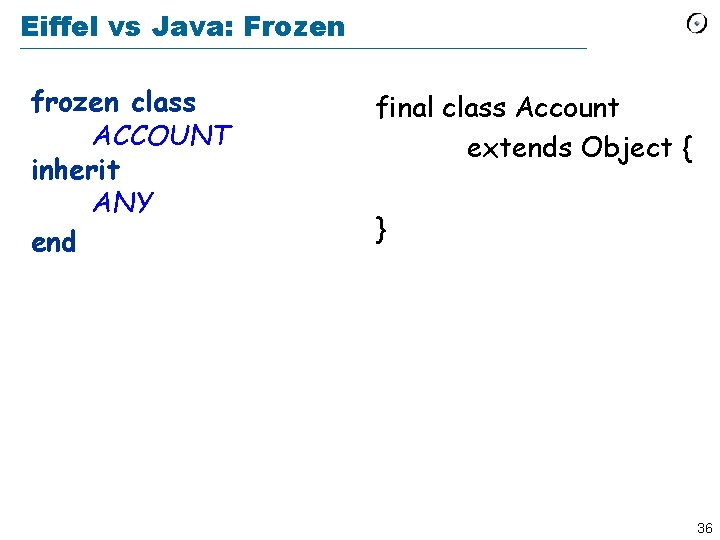
Eiffel vs Java: Frozen frozen class ACCOUNT inherit ANY end final class Account extends Object { } 36
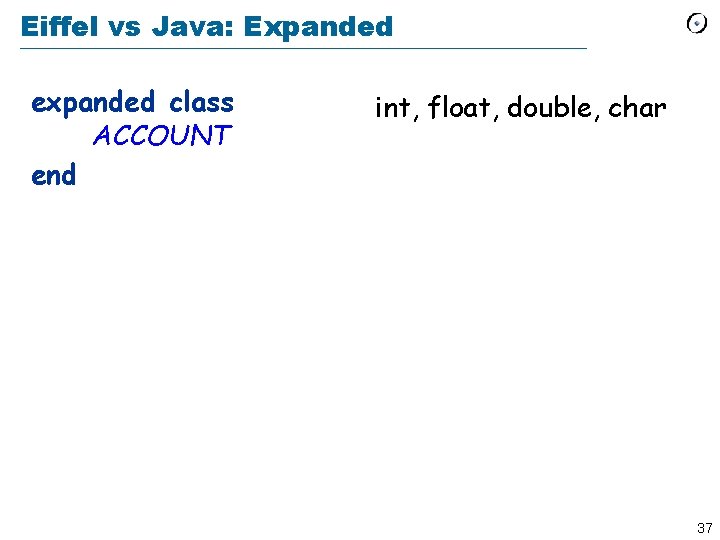
Eiffel vs Java: Expanded expanded class ACCOUNT end int, float, double, char 37
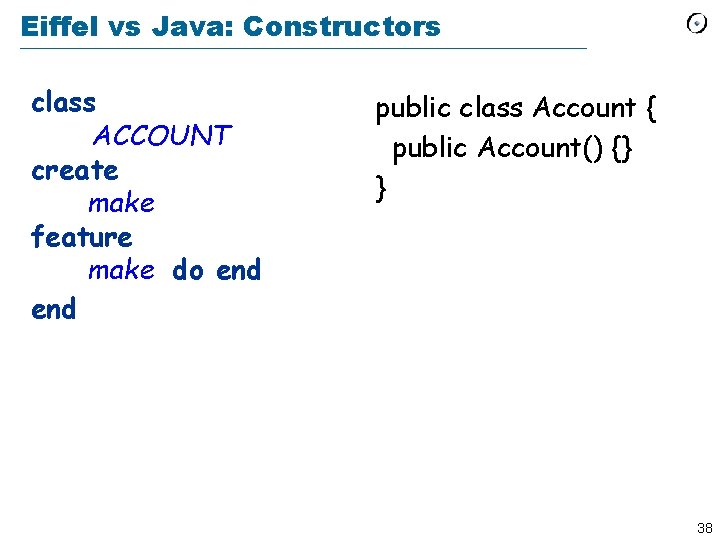
Eiffel vs Java: Constructors class ACCOUNT create make feature make do end public class Account { public Account() {} } 38
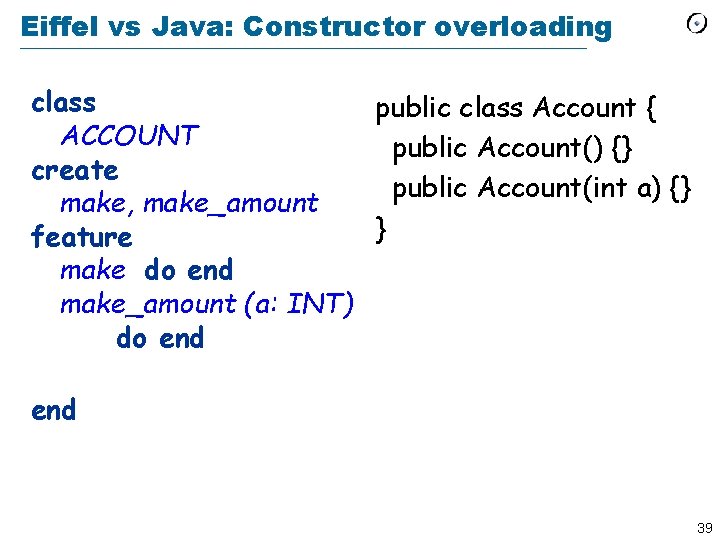
Eiffel vs Java: Constructor overloading class public class Account { ACCOUNT public Account() {} create public Account(int a) {} make, make_amount } feature make do end make_amount (a: INT) do end 39
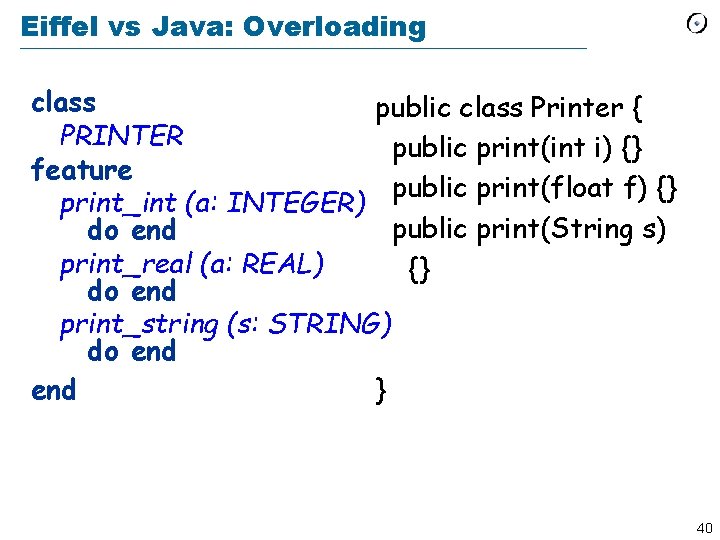
Eiffel vs Java: Overloading class public class Printer { PRINTER public print(int i) {} feature public print(float f) {} print_int (a: INTEGER) public print(String s) do end print_real (a: REAL) {} do end print_string (s: STRING) do end } end 40
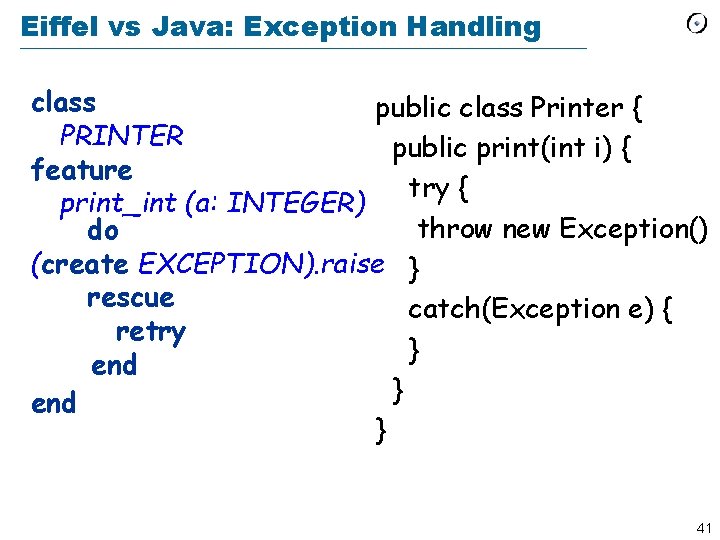
Eiffel vs Java: Exception Handling class public class Printer { PRINTER public print(int i) { feature try { print_int (a: INTEGER) throw new Exception() do (create EXCEPTION). raise } rescue catch(Exception e) { retry } end } 41
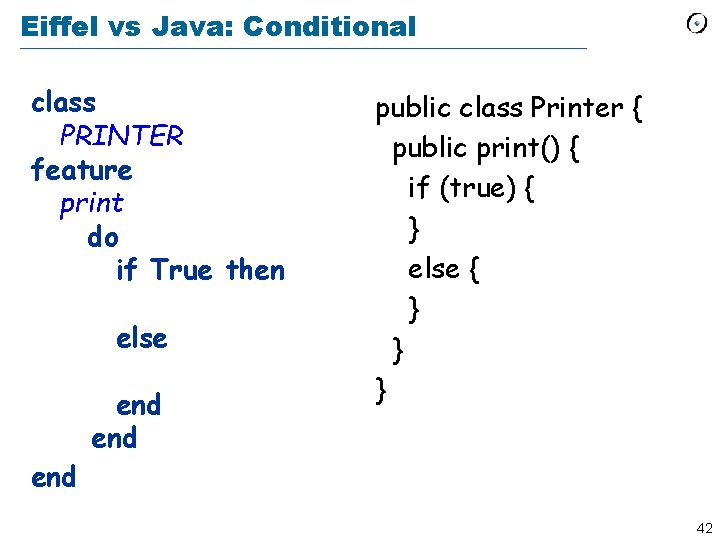
Eiffel vs Java: Conditional class PRINTER feature print do if True then else end end public class Printer { public print() { if (true) { } else { } } } 42
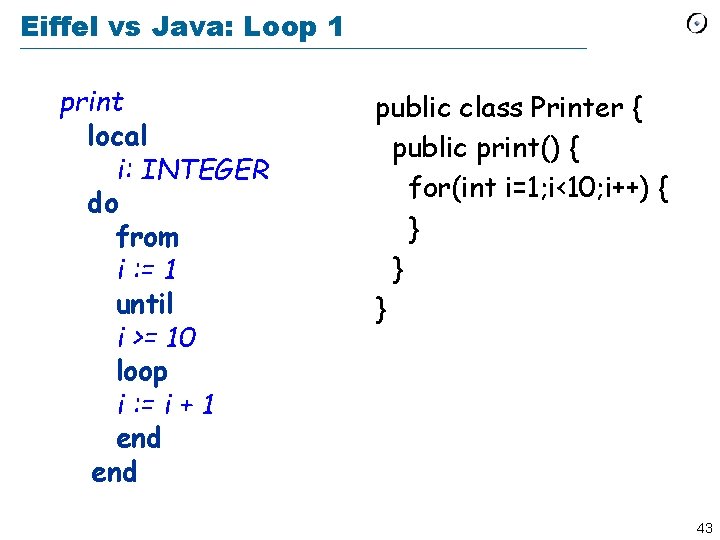
Eiffel vs Java: Loop 1 print local i: INTEGER do from i : = 1 until i >= 10 loop i : = i + 1 end public class Printer { public print() { for(int i=1; i<10; i++) { } } } 43
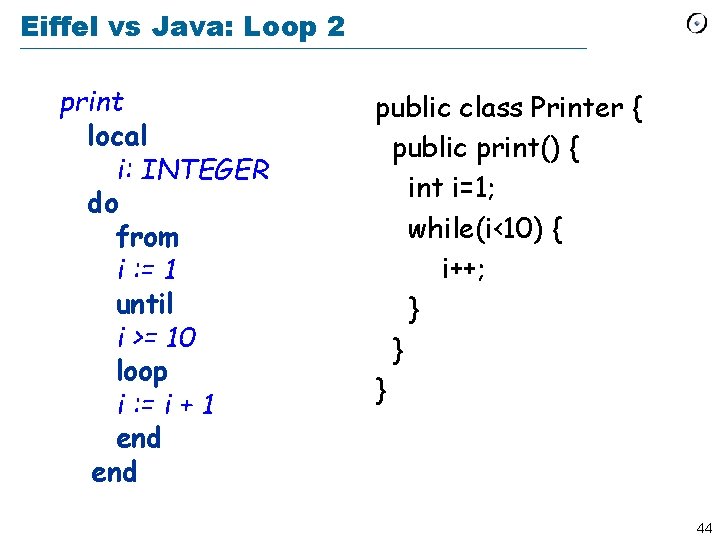
Eiffel vs Java: Loop 2 print local i: INTEGER do from i : = 1 until i >= 10 loop i : = i + 1 end public class Printer { public print() { int i=1; while(i<10) { i++; } } } 44
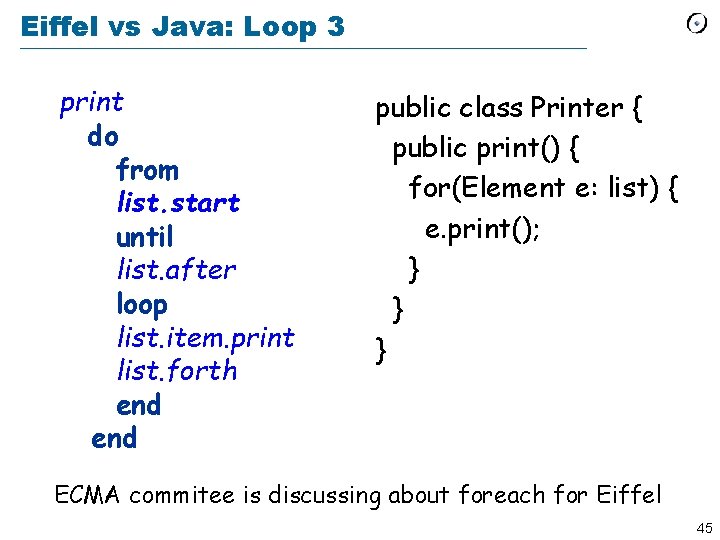
Eiffel vs Java: Loop 3 print do from list. start until list. after loop list. item. print list. forth end public class Printer { public print() { for(Element e: list) { e. print(); } } } ECMA commitee is discussing about foreach for Eiffel 45
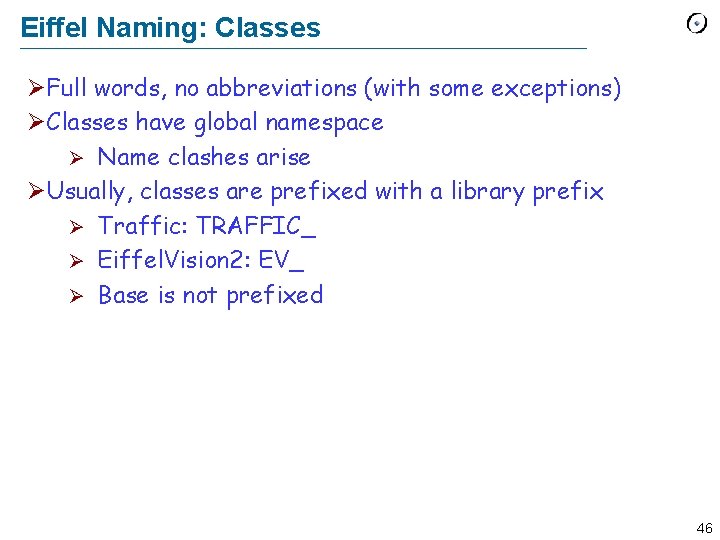
Eiffel Naming: Classes ØFull words, no abbreviations (with some exceptions) ØClasses have global namespace Ø Name clashes arise ØUsually, classes are prefixed with a library prefix Ø Traffic: TRAFFIC_ Ø Eiffel. Vision 2: EV_ Ø Base is not prefixed 46
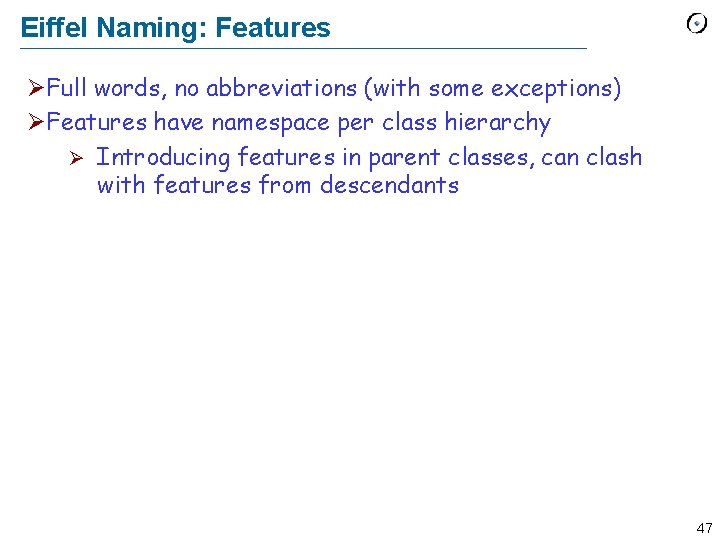
Eiffel Naming: Features ØFull words, no abbreviations (with some exceptions) ØFeatures have namespace per class hierarchy Ø Introducing features in parent classes, can clash with features from descendants 47
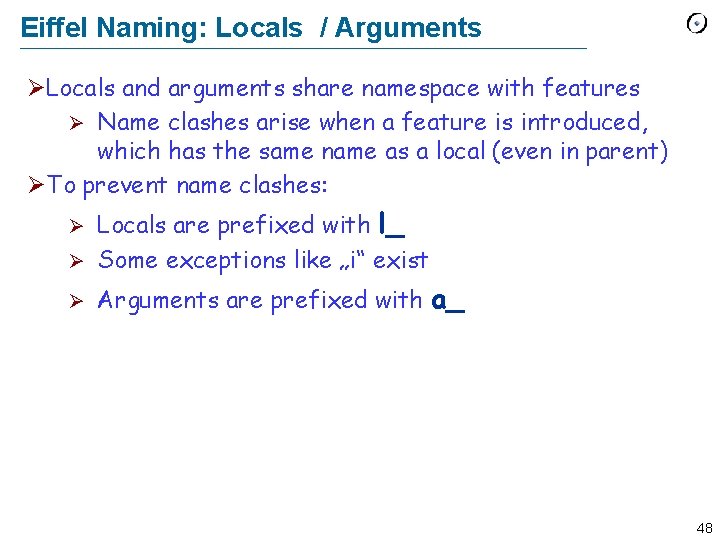
Eiffel Naming: Locals / Arguments ØLocals and arguments share namespace with features Ø Name clashes arise when a feature is introduced, which has the same name as a local (even in parent) ØTo prevent name clashes: Locals are prefixed with l_ Ø Some exceptions like „i“ exist Ø Ø Arguments are prefixed with a_ 48
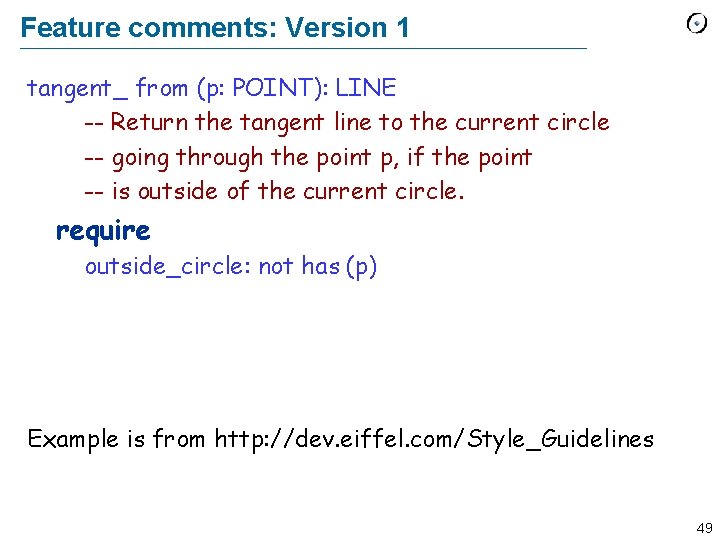
Feature comments: Version 1 tangent_ from (p: POINT): LINE -- Return the tangent line to the current circle -- going through the point p, if the point -- is outside of the current circle. require outside_circle: not has (p) Example is from http: //dev. eiffel. com/Style_Guidelines 49
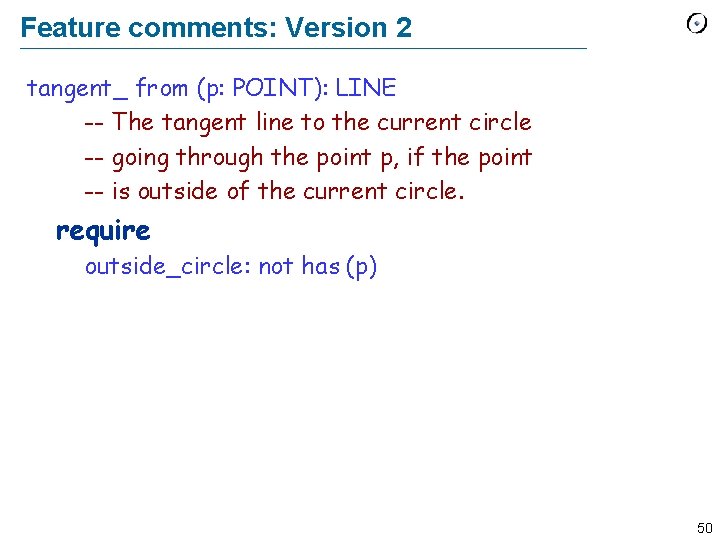
Feature comments: Version 2 tangent_ from (p: POINT): LINE -- The tangent line to the current circle -- going through the point p, if the point -- is outside of the current circle. require outside_circle: not has (p) 50
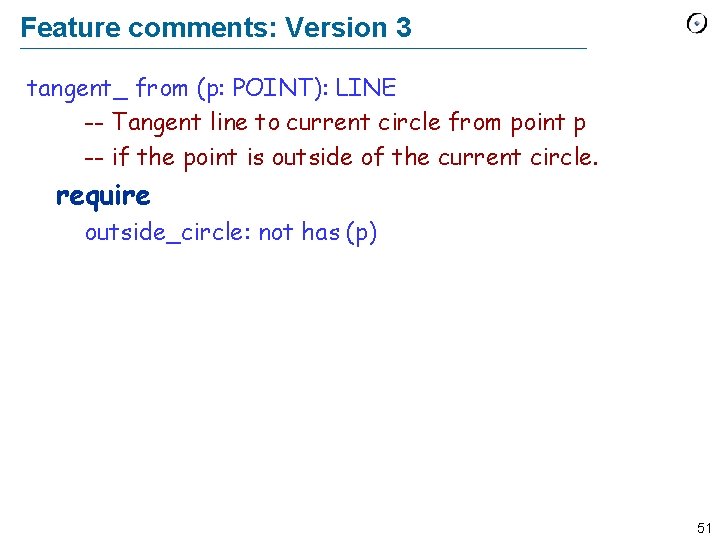
Feature comments: Version 3 tangent_ from (p: POINT): LINE -- Tangent line to current circle from point p -- if the point is outside of the current circle. require outside_circle: not has (p) 51
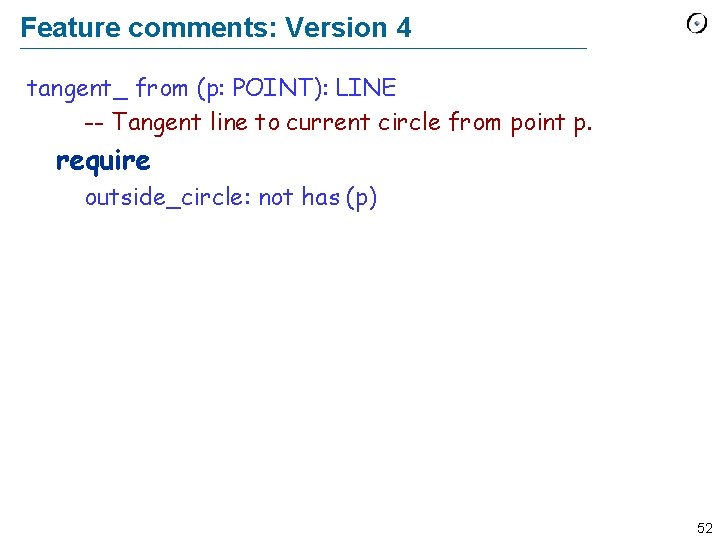
Feature comments: Version 4 tangent_ from (p: POINT): LINE -- Tangent line to current circle from point p. require outside_circle: not has (p) 52
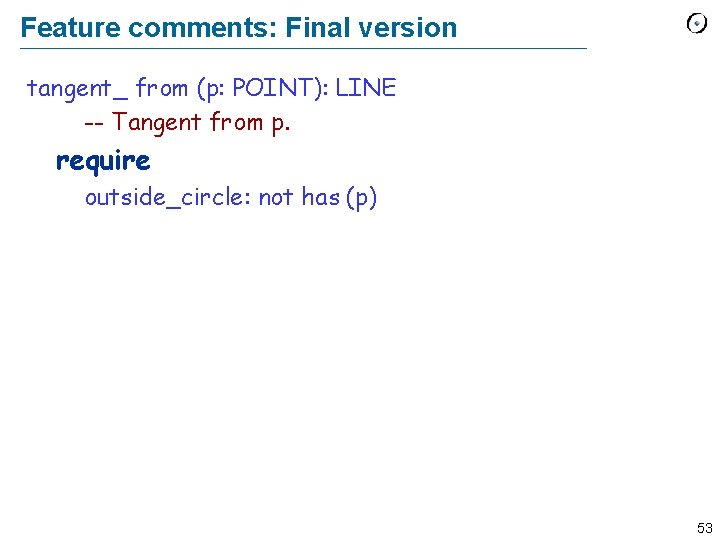
Feature comments: Final version tangent_ from (p: POINT): LINE -- Tangent from p. require outside_circle: not has (p) 53
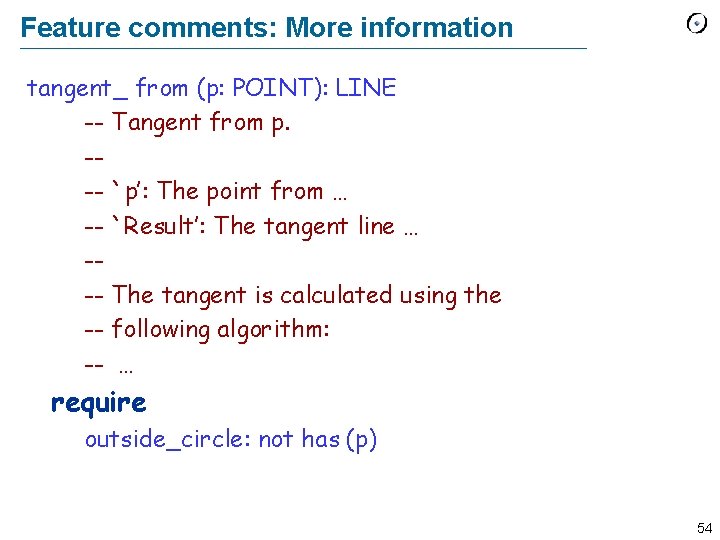
Feature comments: More information tangent_ from (p: POINT): LINE -- Tangent from p. --- `p’: The point from … -- `Result’: The tangent line … --- The tangent is calculated using the -- following algorithm: -- … require outside_circle: not has (p) 54
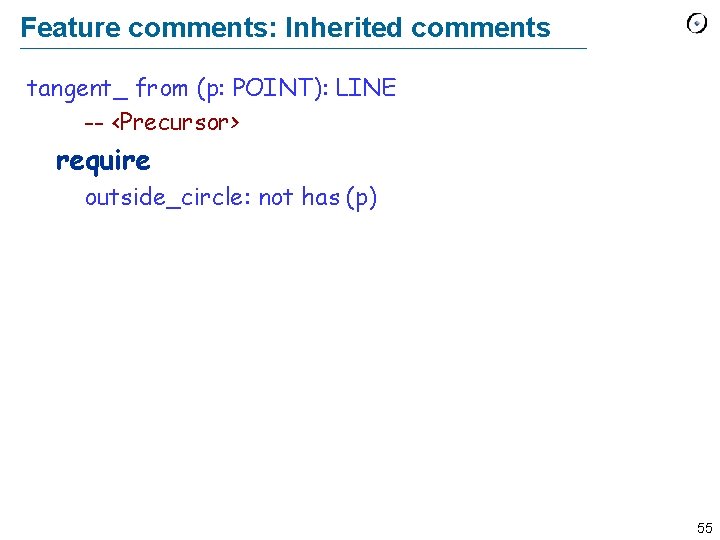
Feature comments: Inherited comments tangent_ from (p: POINT): LINE -- <Precursor> require outside_circle: not has (p) 55
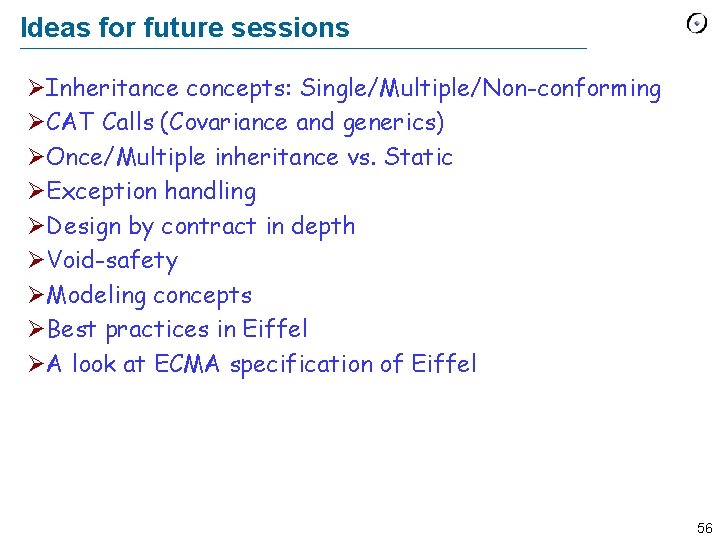
Ideas for future sessions ØInheritance concepts: Single/Multiple/Non-conforming ØCAT Calls (Covariance and generics) ØOnce/Multiple inheritance vs. Static ØException handling ØDesign by contract in depth ØVoid-safety ØModeling concepts ØBest practices in Eiffel ØA look at ECMA specification of Eiffel 56