
Cg and Hardware Accelerated Shading Cem Cebenoyan Overview
Cg and Hardware Accelerated Shading Cem Cebenoyan
Overview Cg Overview Where we are in hardware today Physical Simulation on GPU Geforce. FX / Cg Demos Advanced hair and skin rendering in “Dawn” Adaptive subdivision surfaces and ambient occlusion shading in “Ogre” Procedural shading in “Time Machine” Depth of field and post-processing effects in “Toys” OIT NVIDIA CONFIDENTIAL
What is Cg? A high level language for controlling parts of the graphics pipeline of modern GPUs Today, this includes the vertex transformation and fragment processing units of the pipeline Very C-like Only simpler Native support for vectors, matrices, dot-products, reflection vectors, etc. Similar in scope to Renderman But notably different to handle the way hardware accelerators work NVIDIA CONFIDENTIAL

Cg Pipeline Overview Graphics Program Written in Cg “C” for Graphics Compiled & Optimized Low Level, Graphics “Assembly Code” NVIDIA CONFIDENTIAL

Graphics Data Flow Application NVIDIA CONFIDENTIAL Vertex Program Fragment Program Cg Program // // Diffuse lighting // float d = dot (normalize(frag. N), normalize(frag. L)); if (d < 0) d = 0; c = d * f 4 tex 2 D( t, frag. uv ) * diffuse; … Framebuffer
Graphics Hardware Today Fully programmable vertex processing Full IEEE 32 -bit floating point processing Native support for mul, dp 3, dp 4, rsq, pow, sin, cos. . . Full support for branching, looping, subroutines Fully programmable pixel processing IEEE 32 -bit, 16 -bit (s 10 e 5) math supported Same native math ops as vertex, plus texture fetch, and derivative instructions No branching, but >1000 instruction limit Floating point textures / frame buffers No blending / filtering yet ~500 mhz core clock NVIDIA CONFIDENTIAL
Physical Simulation Simple cellular automata-like simulations are possible on NV 20 class hardware (e. g. Game of Life, Greg James’ water simulation, Mark Harris’ CML work) Use textures to represent physical quantities (e. g. displacement, velocity, force) on a regular grid Multiple texture lookups allow access to neighbouring values Pixel shader calculates new values, renders results back to texture Each rendering pass draws a single quad, calculating next time step in simulation NVIDIA CONFIDENTIAL
Physical Simulation Problem: 8 bit precision on NV 20 is not enough, causes drifting, stability problems Float precision on NV 30 allows GPU physics to match CPU accuracy New fragment programming model (longer programs, flexible dependent texture reads) allows much more interesting simulations NVIDIA CONFIDENTIAL
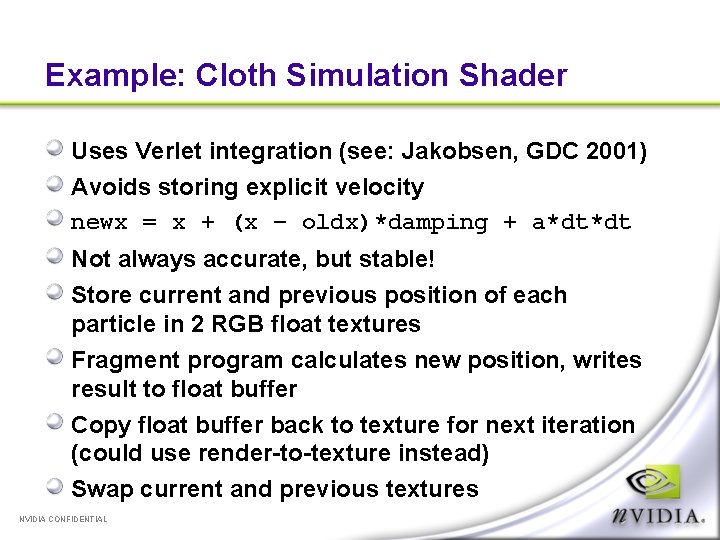
Example: Cloth Simulation Shader Uses Verlet integration (see: Jakobsen, GDC 2001) Avoids storing explicit velocity newx = x + (x – oldx)*damping + a*dt*dt Not always accurate, but stable! Store current and previous position of each particle in 2 RGB float textures Fragment program calculates new position, writes result to float buffer Copy float buffer back to texture for next iteration (could use render-to-texture instead) Swap current and previous textures NVIDIA CONFIDENTIAL
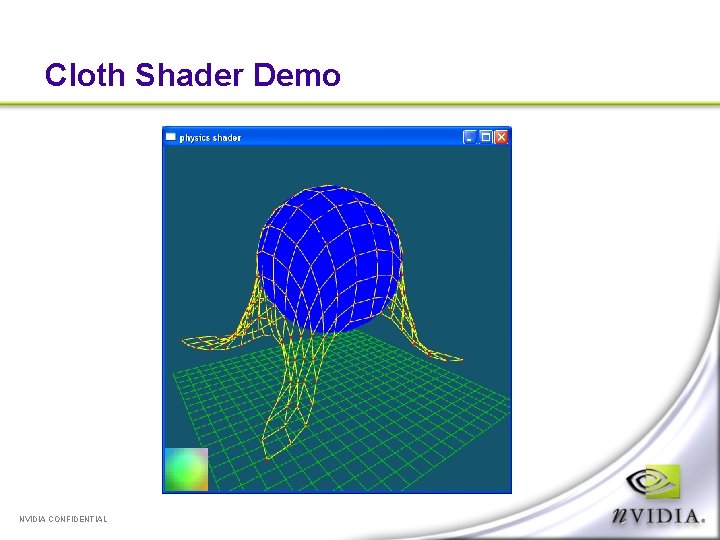
Cloth Shader Demo NVIDIA CONFIDENTIAL
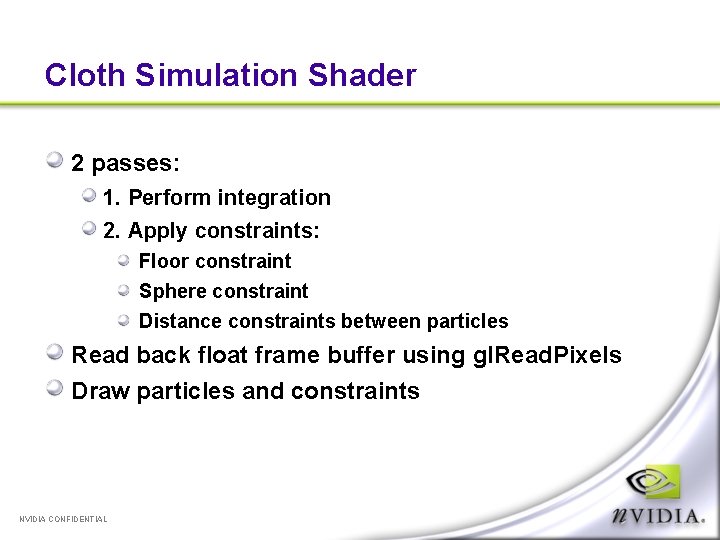
Cloth Simulation Shader 2 passes: 1. Perform integration 2. Apply constraints: Floor constraint Sphere constraint Distance constraints between particles Read back float frame buffer using gl. Read. Pixels Draw particles and constraints NVIDIA CONFIDENTIAL
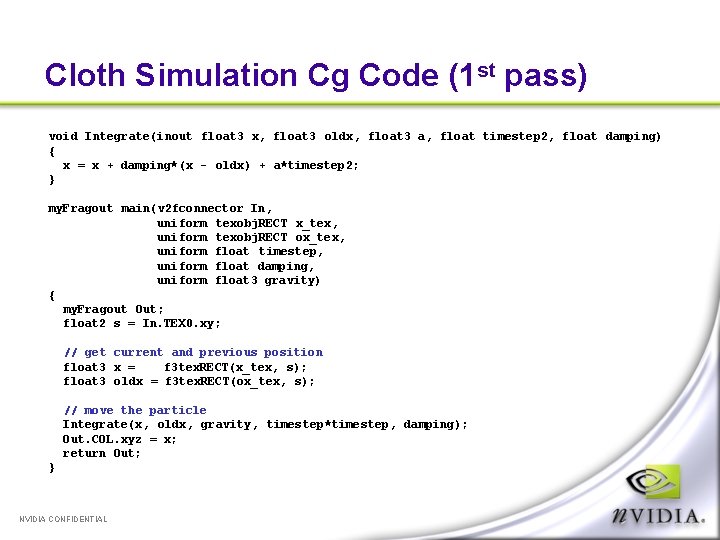
Cloth Simulation Cg Code (1 st pass) void Integrate(inout float 3 x, float 3 oldx, float 3 a, float timestep 2, float damping) { x = x + damping*(x - oldx) + a*timestep 2; } my. Fragout main(v 2 fconnector In, uniform texobj. RECT x_tex, uniform texobj. RECT ox_tex, uniform float timestep, uniform float damping, uniform float 3 gravity) { my. Fragout Out; float 2 s = In. TEX 0. xy; // get current and previous position float 3 x = f 3 tex. RECT(x_tex, s); float 3 oldx = f 3 tex. RECT(ox_tex, s); // move the particle Integrate(x, oldx, gravity, timestep*timestep, damping); Out. COL. xyz = x; return Out; } NVIDIA CONFIDENTIAL
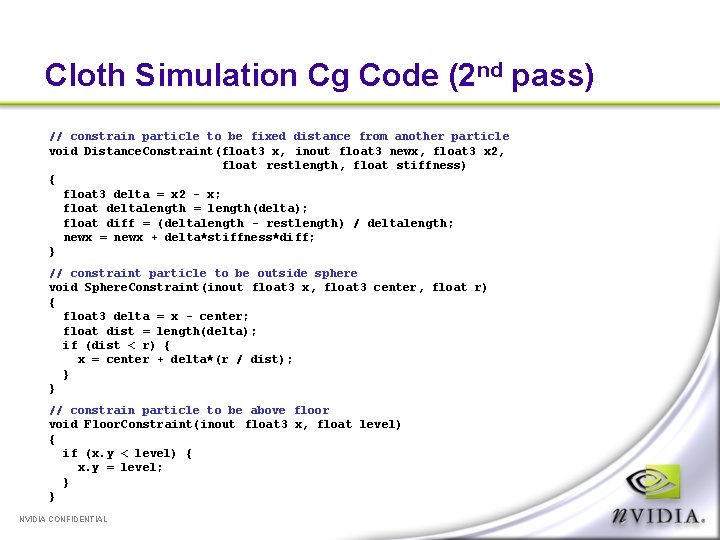
Cloth Simulation Cg Code (2 nd pass) // constrain particle to be fixed distance from another particle void Distance. Constraint(float 3 x, inout float 3 newx, float 3 x 2, float restlength, float stiffness) { float 3 delta = x 2 - x; float deltalength = length(delta); float diff = (deltalength - restlength) / deltalength; newx = newx + delta*stiffness*diff; } // constraint particle to be outside sphere void Sphere. Constraint(inout float 3 x, float 3 center, float r) { float 3 delta = x - center; float dist = length(delta); if (dist < r) { x = center + delta*(r / dist); } } // constrain particle to be above floor void Floor. Constraint(inout float 3 x, float level) { if (x. y < level) { x. y = level; } } NVIDIA CONFIDENTIAL
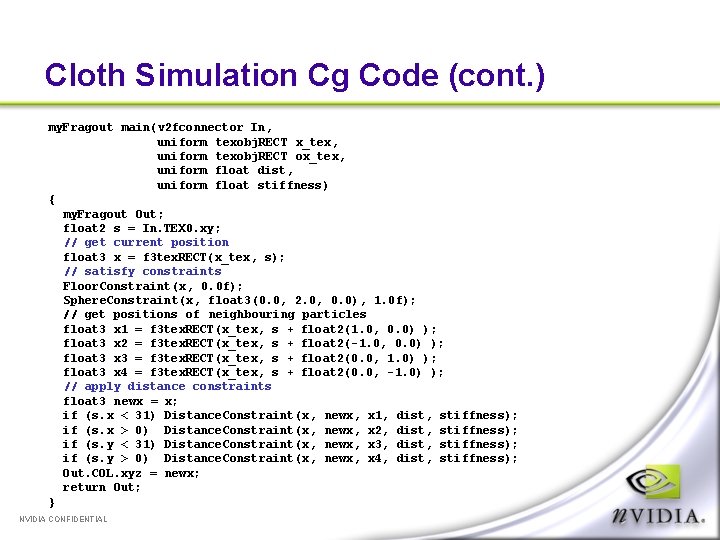
Cloth Simulation Cg Code (cont. ) my. Fragout main(v 2 fconnector In, uniform texobj. RECT x_tex, uniform texobj. RECT ox_tex, uniform float dist, uniform float stiffness) { my. Fragout Out; float 2 s = In. TEX 0. xy; // get current position float 3 x = f 3 tex. RECT(x_tex, s); // satisfy constraints Floor. Constraint(x, 0. 0 f); Sphere. Constraint(x, float 3(0. 0, 2. 0, 0. 0), 1. 0 f); // get positions of neighbouring particles float 3 x 1 = f 3 tex. RECT(x_tex, s + float 2(1. 0, 0. 0) ); float 3 x 2 = f 3 tex. RECT(x_tex, s + float 2(-1. 0, 0. 0) ); float 3 x 3 = f 3 tex. RECT(x_tex, s + float 2(0. 0, 1. 0) ); float 3 x 4 = f 3 tex. RECT(x_tex, s + float 2(0. 0, -1. 0) ); // apply distance constraints float 3 newx = x; if (s. x < 31) Distance. Constraint(x, newx, x 1, dist, stiffness); if (s. x > 0) Distance. Constraint(x, newx, x 2, dist, stiffness); if (s. y < 31) Distance. Constraint(x, newx, x 3, dist, stiffness); if (s. y > 0) Distance. Constraint(x, newx, x 4, dist, stiffness); Out. COL. xyz = newx; return Out; } NVIDIA CONFIDENTIAL
Physical Simulation – Future Work Limitation - only one destination buffer, can only modify position of one particle at a time Could use pack instructions to store 2 vec 4 h (8 half floats) in 128 bit float buffer Could also use additional textures to encode particle masses, stiffness, constraints between arbitrary particles (rigid bodies) “float buffer to vertex array” extension offers possibility of directly interpreting results as geometry without any CPU intervention! Collision detection with meshes is hard NVIDIA CONFIDENTIAL
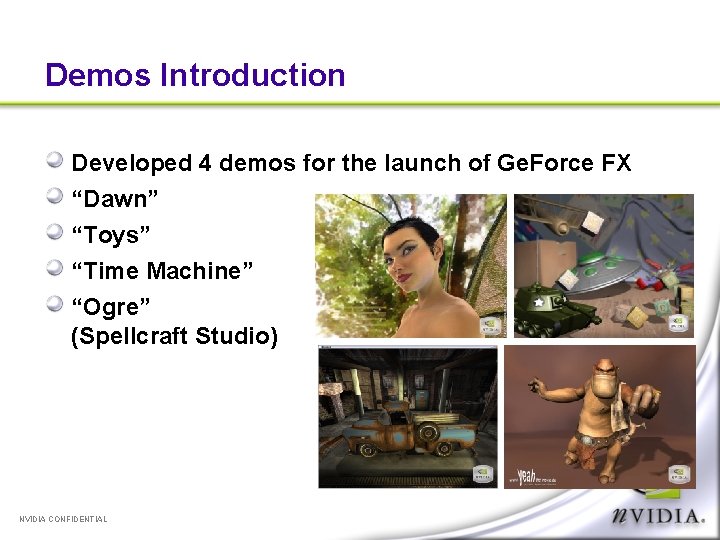
Demos Introduction Developed 4 demos for the launch of Ge. Force FX “Dawn” “Toys” “Time Machine” “Ogre” (Spellcraft Studio) NVIDIA CONFIDENTIAL
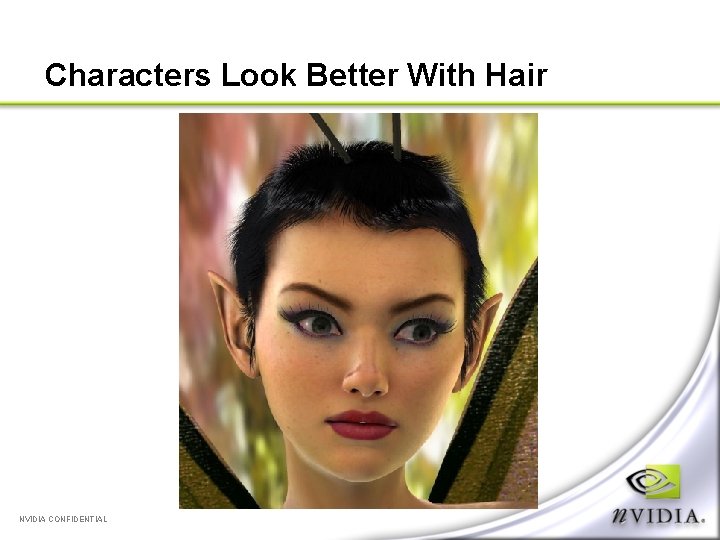
Characters Look Better With Hair NVIDIA CONFIDENTIAL
Rendering Hair Two options: 1) Volumetric (texture) 2) Geometric (lines) We have used volumetric approximations (shells and fins) in the past (e. g. Wolfman demo) Doesn’t work well for long hair We considered using textured ribbons (popular in Japanese video games). Alpha sorting is a pain. Performance of Ge. Force FX finally lets us render hair as geometry NVIDIA CONFIDENTIAL
Rendering Hair as Lines Each hair strand is rendered as a line strip (2 -20 vertices, depending on curvature) Problem: lines are a minimum of 1 pixel thick, regardless of distance from camera Not possible to change line width per vertex Can use camera-facing triangle strips, but these require twice the number of vertices, and have aliasing problems NVIDIA CONFIDENTIAL
Anti-Aliasing Two methods of anti-aliasing lines in Open. GL GL_LINE_SMOOTH High quality, but requires blending, sorting geometry GL_MULTISAMPLE Usually lower quality, but order independent We used multisample anti-aliasing with “alpha to coverage” mode By fading alpha to zero at the ends of hairs, coverage and apparent thickness decreases “SAMPLE_ALPHA_TO_COVERAGE_ARB” is part of the ARB_multisample extension NVIDIA CONFIDENTIAL
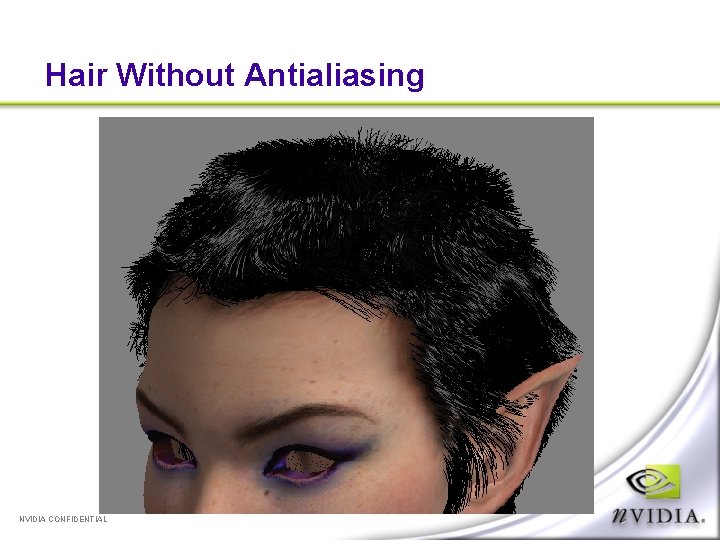
Hair Without Antialiasing NVIDIA CONFIDENTIAL
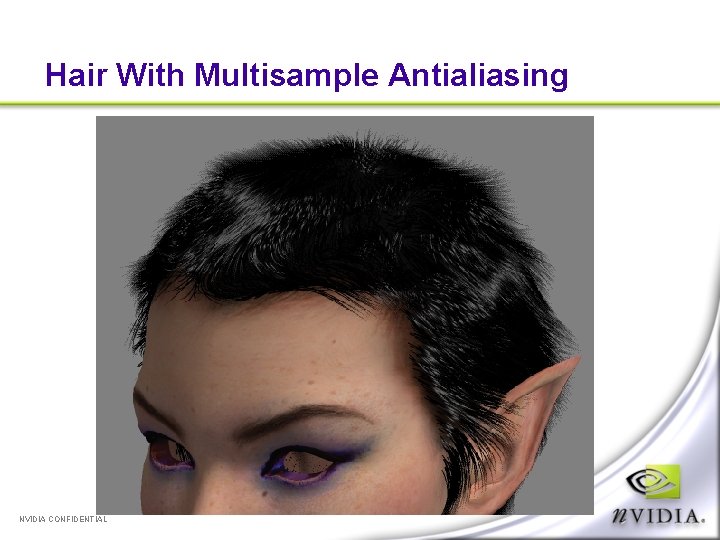
Hair With Multisample Antialiasing NVIDIA CONFIDENTIAL
Hair Shading Hair is lit with simple anisotropic shader (Heidrich and Seidel model) Low specular exponent, dim highlight looks best Black hair = no shadows! Self-shadowing hair is hard Deep shadow maps Opacity shadow maps Top of head is painted black to avoid skin showing through We also had a very short hair style, which helps NVIDIA CONFIDENTIAL
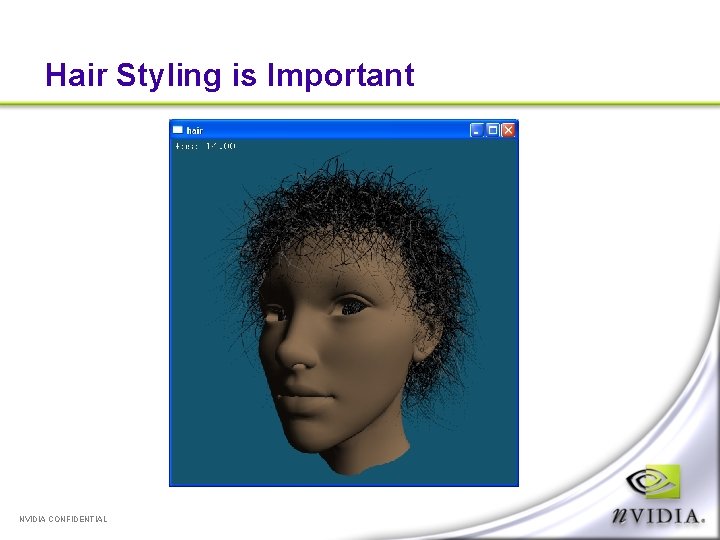
Hair Styling is Important NVIDIA CONFIDENTIAL
Hair Styling Difficult to position 50, 000 individual curves by hand Typical solution is to define a small number of control hairs, which are then interpolated across the surface to produce render hairs We developed a custom tool for hair styling Commercial hair applications have poor styling tools and are not designed for real time output NVIDIA CONFIDENTIAL
Hair Styling Scalp is defined as a polygon mesh Hairs are represented as cubic Bezier curves Controls hairs are defined for each vertex Render hairs are interpolated across triangles using barycentric coordinates Number of generated hairs is based on triangle area to maintain constant density Can add noise to interpolated hairs to add variation NVIDIA CONFIDENTIAL
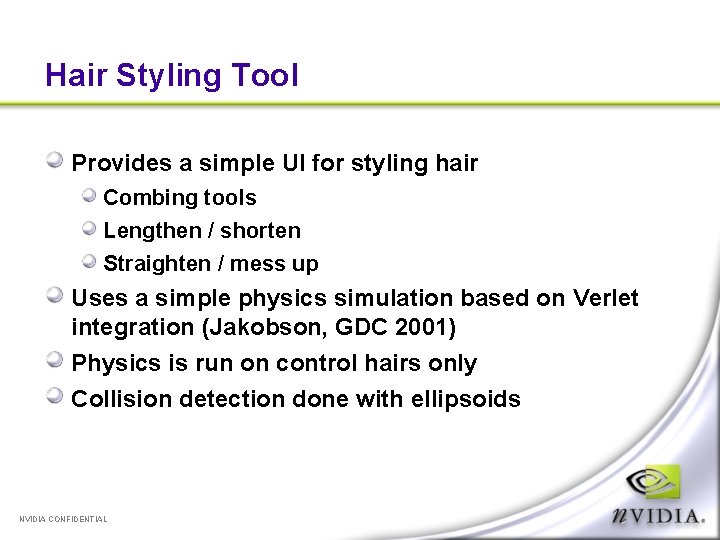
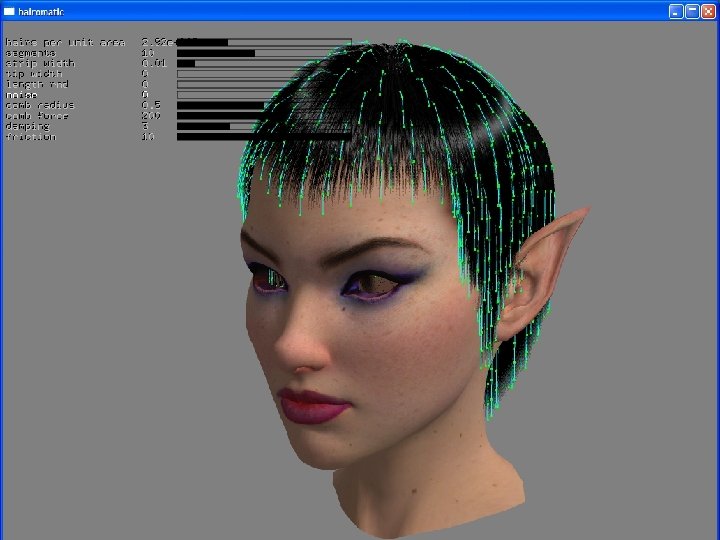
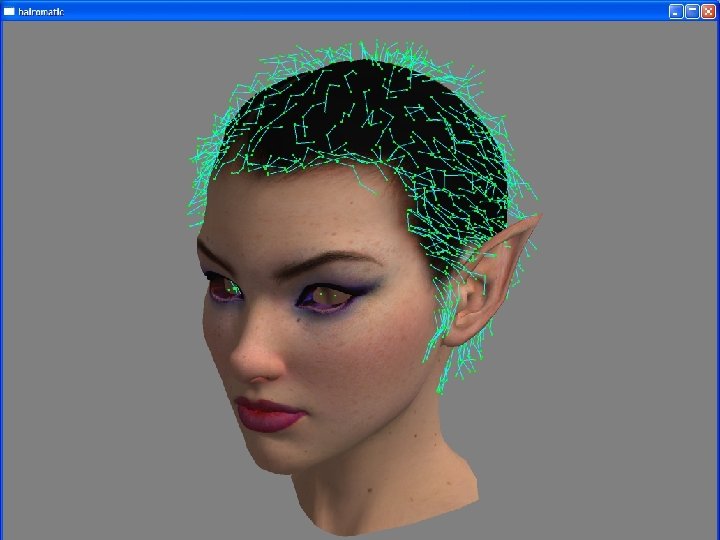
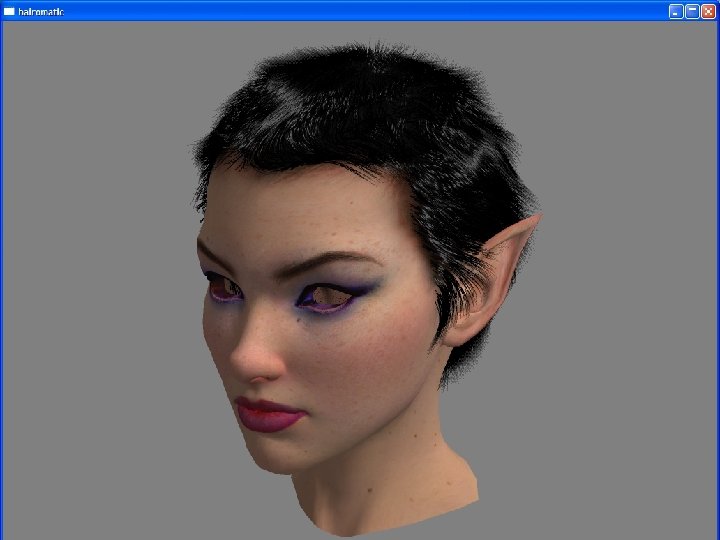
Hair Styling Tool Provides a simple UI for styling hair Combing tools Lengthen / shorten Straighten / mess up Uses a simple physics simulation based on Verlet integration (Jakobson, GDC 2001) Physics is run on control hairs only Collision detection done with ellipsoids NVIDIA CONFIDENTIAL
NVIDIA CONFIDENTIAL
NVIDIA CONFIDENTIAL
NVIDIA CONFIDENTIAL
Dawn Demo Show demo NVIDIA CONFIDENTIAL
NVIDIA CONFIDENTIAL
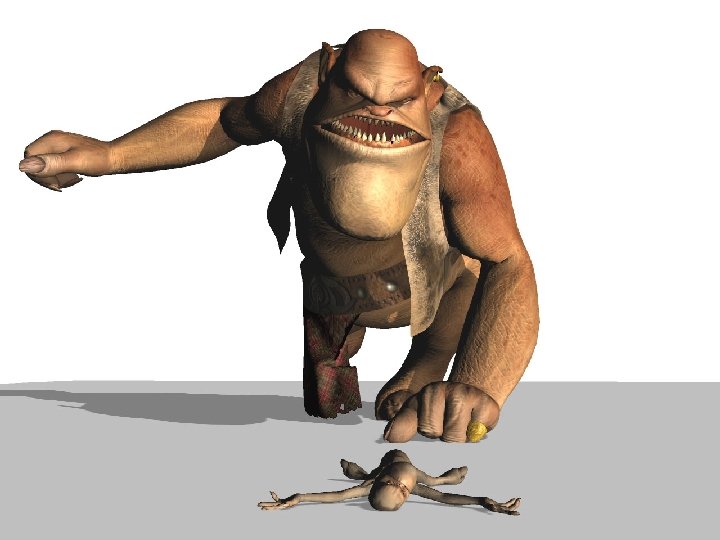
The Ogre Demo A real-time preview of Spellcraft Studio’s inproduction short movie “Yeah!” Created in 3 DStudio MAX Used Character Studio for animation, plus Stitch plug-in for cloth simulation Original movie was rendered in Brazil with global illumination Available at: www. yeahthemovie. de Our aim was to recreate the original as closely as possible, in real-time NVIDIA CONFIDENTIAL
What are Subdivision Surfaces? A curved surface defined as the limit of repeated subdivision steps on a polygonal model Subdivision rules create new vertices, edges, faces based on neighboring features We used the Catmull-Clark subdivision scheme (as used by Pixar) MAX, Maya, Softimage, Lightwave all support forms of subdivision surfaces NVIDIA CONFIDENTIAL
Realtime Adaptive Tessellation Brute force subdivision is expensive Generates lots of polygons where they aren’t needed Number of polygons increases exponentially with each subdivision Adaptive tessellation subdivides patches based on screen-space patch size test Guaranteed crack-free Generates normals and tangents on the fly Culls off-screen and back-facing patches CPU-based (uses SSE were possible) NVIDIA CONFIDENTIAL
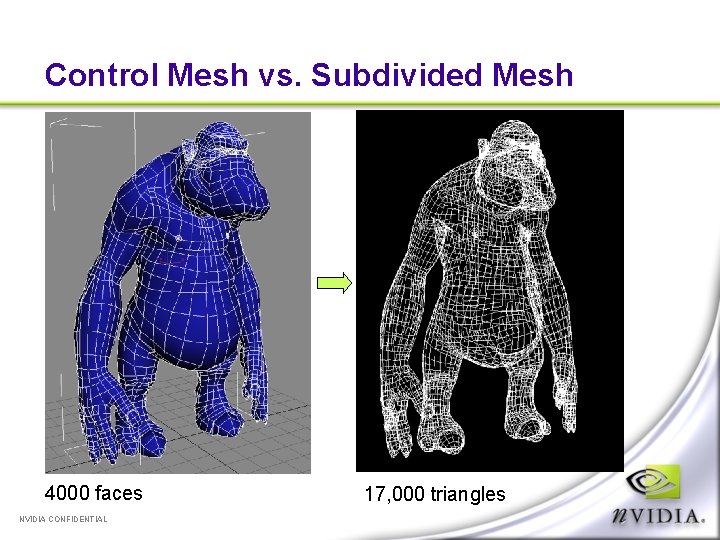
Control Mesh vs. Subdivided Mesh 4000 faces NVIDIA CONFIDENTIAL 17, 000 triangles
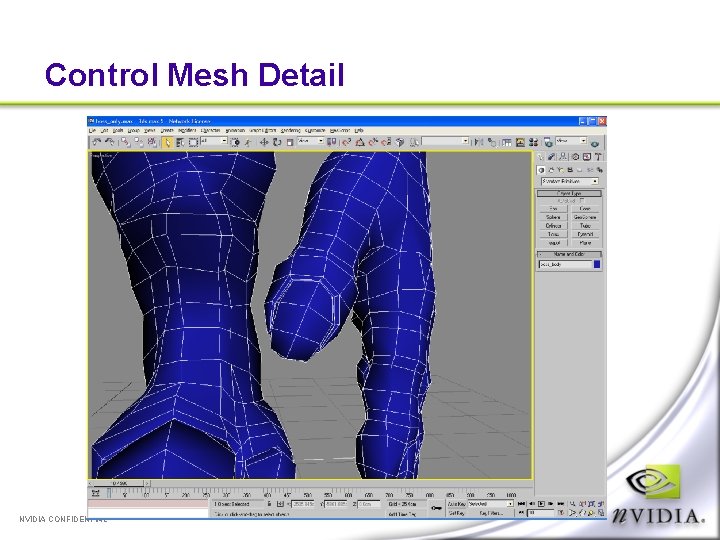
Control Mesh Detail NVIDIA CONFIDENTIAL
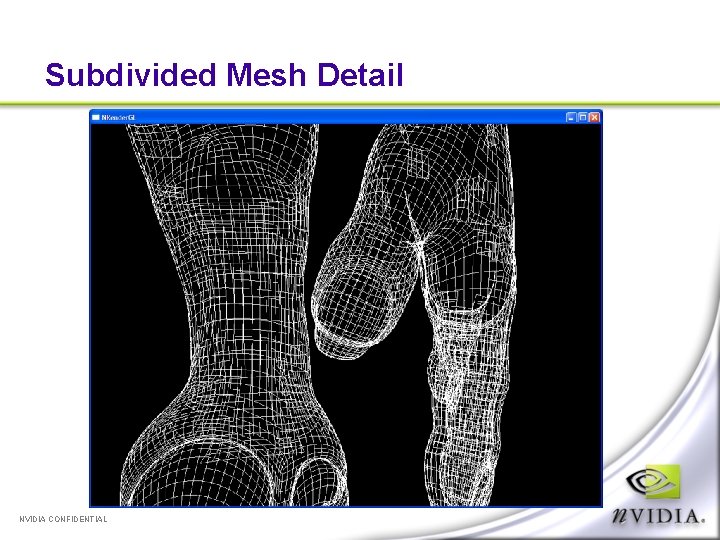
Subdivided Mesh Detail NVIDIA CONFIDENTIAL
Why Use Subdivision Surfaces? Content Characters were modeled with subdivision in mind (using 3 DSMax “Mesh. Smooth/NURMS” modifier) Scalability wanted demo to be scalable to lower-end hardware “Infinite” detail Can zoom in forever without seeing hard edges Animation compression Just store low-res control mesh for each frame May be accelerated on future GPUs NVIDIA CONFIDENTIAL
Disadvantages of Realtime Subdivision CPU intensive But we might as well use the CPU for something! View dependent Requires re-tessellation for shadow map passes Mesh topology changes from frame to frame Makes motion blur difficult NVIDIA CONFIDENTIAL
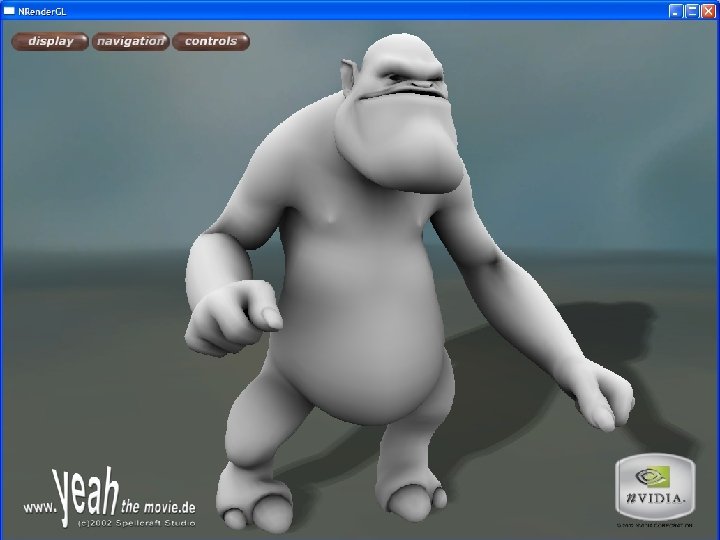
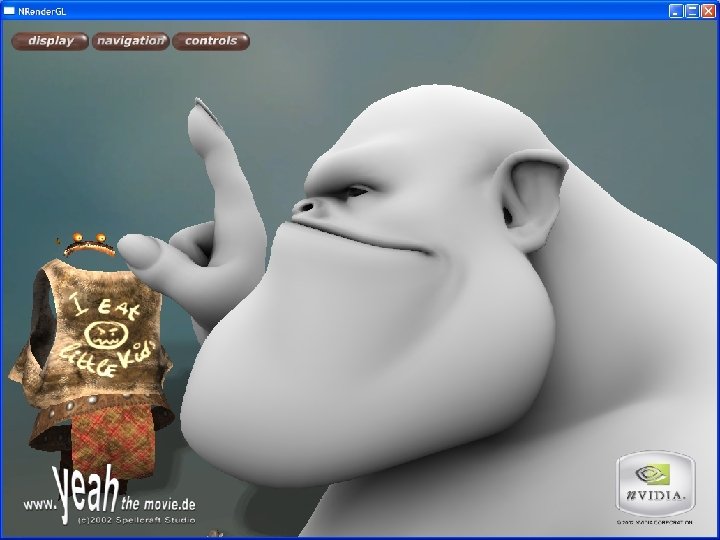
Ambient Occlusion Shading Helps simulate the global illumination “look” of the original movie Self occlusion is the degree to which an object shadows itself “How much of the sky can I see from this point? ” Simulates a large spherical light surrounding the scene Popular in production rendering – Pearl Harbor (ILM), Stuart Little 2 (Sony) NVIDIA CONFIDENTIAL
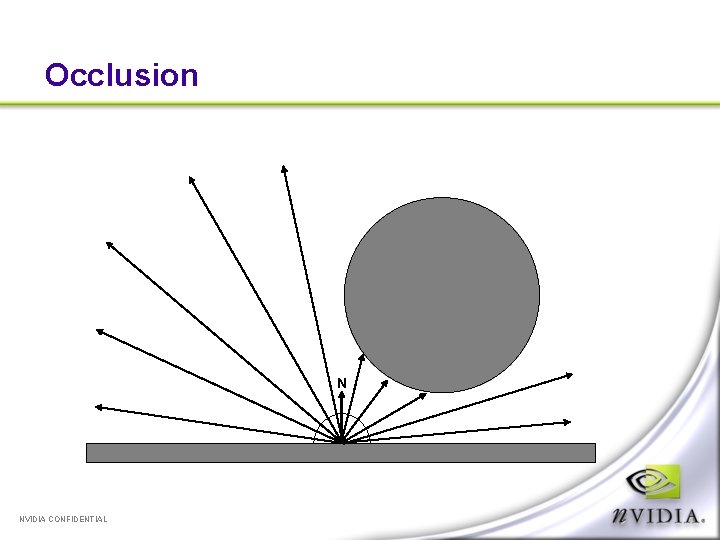
Occlusion N NVIDIA CONFIDENTIAL
How To Calculate Occlusion Shoot rays from surface in random directions over the hemisphere (centered around the normal) The percentage of rays that hit something is the occlusion amount Can also keep track of average of un-occluded directions – “bent normal” Some Renderman compliant renders (e. g. Entropy) have a built-in occlusion() function that will do this We can’t trace rays using graphics hardware (yet) So we pre-calculate it! NVIDIA CONFIDENTIAL
Occlusion Baking Tool Uses ray-tracing engine to calculate occlusion values for each vertex in control mesh We used 128 rays / vertex Stored as floating point scalar for each vertex and each frame of the animation Calculation took around 5 hours for 1000 frames Subdivision code interpolates occlusion values using cubic interpolation Used as ambient term in shader NVIDIA CONFIDENTIAL
NVIDIA CONFIDENTIAL
NVIDIA CONFIDENTIAL
Ogre Demo Show demo NVIDIA CONFIDENTIAL
Procedural Shading in Time Machine Goals for the Time Machine demo Overview of effects Metallic Paint Wood Chrome Techniques used Faux-BRDF reflection Reveal and d. Xd. T maps Normal and Du. Dv scaling Dynamic Bump mapping Performance Issues Summary NVIDIA CONFIDENTIAL
Why do Time Machine? GPUs are much more programmable Thanks to generalized dependent texturing, more active textures (16 on Ge. Force FX) and (for our purposes) unlimited blend operations, high-quality animation is possible per-pixel Ge. Force FX has >2 x performance of Ge. Force 4 Ti Executing lots of per-pixel operations isn’t just possible; it can be done in real time. Previous per-pixel animation was limited Animated textures PDE / CA effects (see Mark Harris’ talk at GDC) Goal : Full-scene per-pixel animation NVIDIA CONFIDENTIAL
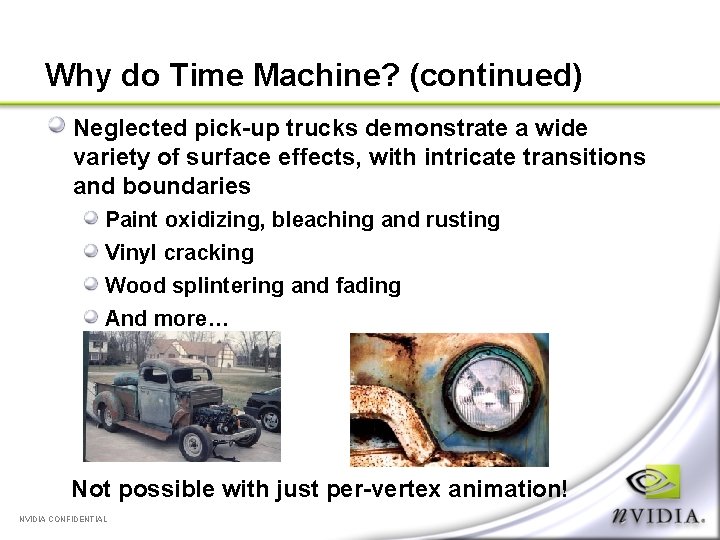
Why do Time Machine? (continued) Neglected pick-up trucks demonstrate a wide variety of surface effects, with intricate transitions and boundaries Paint oxidizing, bleaching and rusting Vinyl cracking Wood splintering and fading And more… Not possible with just per-vertex animation! NVIDIA CONFIDENTIAL
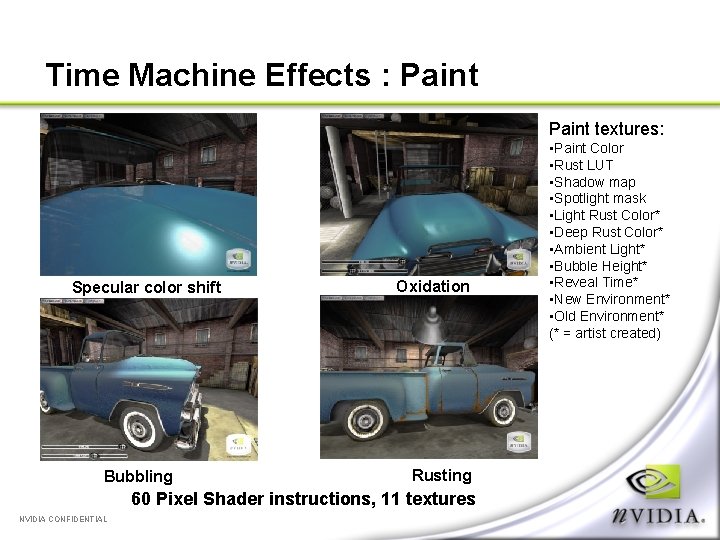
Time Machine Effects : Paint textures: Specular color shift Bubbling Oxidation Rusting 60 Pixel Shader instructions, 11 textures NVIDIA CONFIDENTIAL • Paint Color • Rust LUT • Shadow map • Spotlight mask • Light Rust Color* • Deep Rust Color* • Ambient Light* • Bubble Height* • Reveal Time* • New Environment* • Old Environment* (* = artist created)
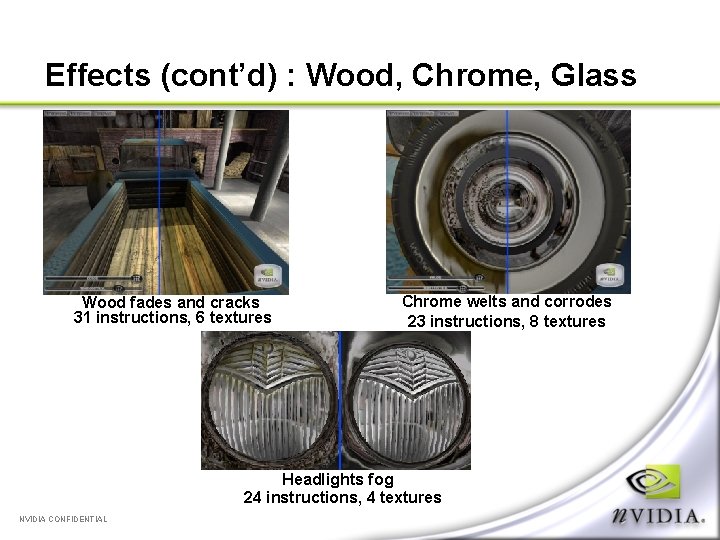
Effects (cont’d) : Wood, Chrome, Glass Wood fades and cracks 31 instructions, 6 textures Chrome welts and corrodes 23 instructions, 8 textures Headlights fog 24 instructions, 4 textures NVIDIA CONFIDENTIAL
Procedural or Not? Procedural shading normally replaces textures with functions of several variables. Time Machine uses textures liberally. The only parameter to our shaders is time. However, turning everything into math is expensive Time Machine’s solution Give artist direct control (textures) over final image, use functions to control transitions NVIDIA CONFIDENTIAL
Techniques : Faux-BRDF Reflection Many automotive paints exhibit a color-shift as a function of the light and viewer directions. This effect has been approximated with analytic BRDFs (Lafortune’s cosine lobes) And measured by Cornell University’s graphics lab BRDF factorization [Mc. Cool, Rusinkiewicz] is one method to use this data on graphics hardware Efficient representation with multiple 2 D textures Closely approximates the original BRDFs But not necessarily the most efficient method for automotive paint, and not artist-controllable. Reflection intensity is uninteresting (largely Blinn) Rotated/projected axes hard to visualize NVIDIA CONFIDENTIAL
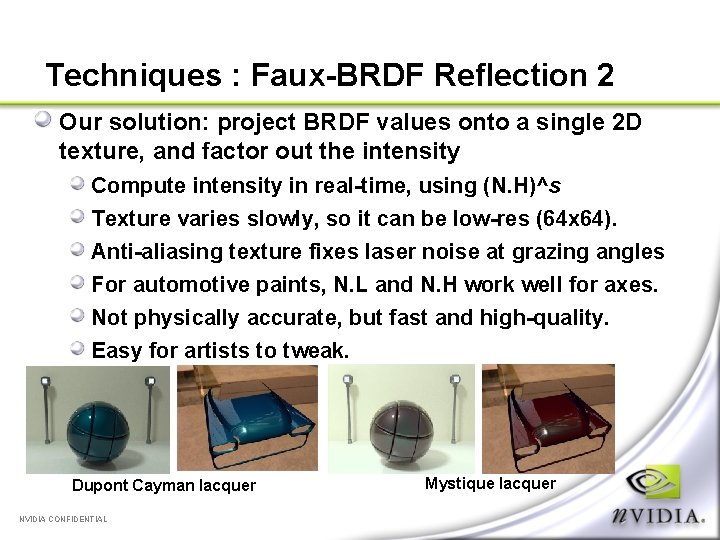
Techniques : Faux-BRDF Reflection 2 Our solution: project BRDF values onto a single 2 D texture, and factor out the intensity Compute intensity in real-time, using (N. H)^s Texture varies slowly, so it can be low-res (64 x 64). Anti-aliasing texture fixes laser noise at grazing angles For automotive paints, N. L and N. H work well for axes. Not physically accurate, but fast and high-quality. Easy for artists to tweak. Dupont Cayman lacquer NVIDIA CONFIDENTIAL Mystique lacquer
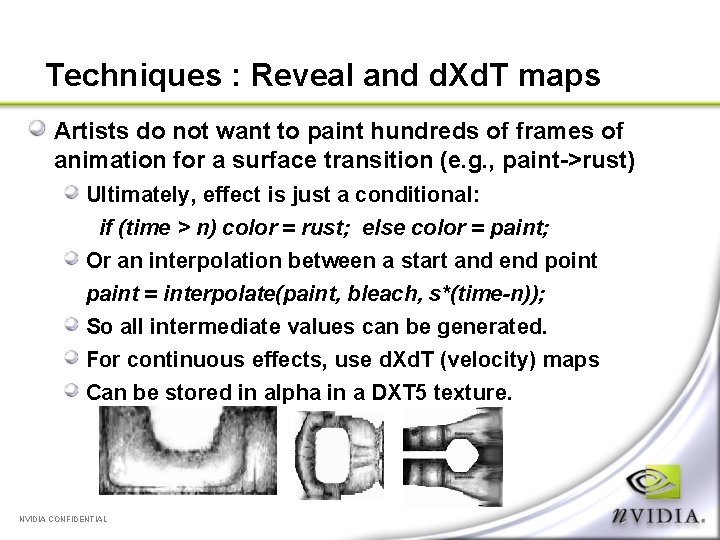
Techniques : Reveal and d. Xd. T maps Artists do not want to paint hundreds of frames of animation for a surface transition (e. g. , paint->rust) Ultimately, effect is just a conditional: if (time > n) color = rust; else color = paint; Or an interpolation between a start and end point paint = interpolate(paint, bleach, s*(time-n)); So all intermediate values can be generated. For continuous effects, use d. Xd. T (velocity) maps Can be stored in alpha in a DXT 5 texture. NVIDIA CONFIDENTIAL
Performance Concerns Executing large shaders is expensive. First rule of optimization: Keep inner loops tight Shaders are the inner loop, run >1 M times per frame. But graphics cards have many parallel units Vertex, fragment, and texture units Modern GPUs do a great job of hiding texture latency Bandwidth is unimportant in long shaders Time Machine runs at virtually the same framerate on a 500/500 Ge. Force. FX as it does on a 500/400 or 500/550 So not using textures is wasting performance! NVIDIA CONFIDENTIAL
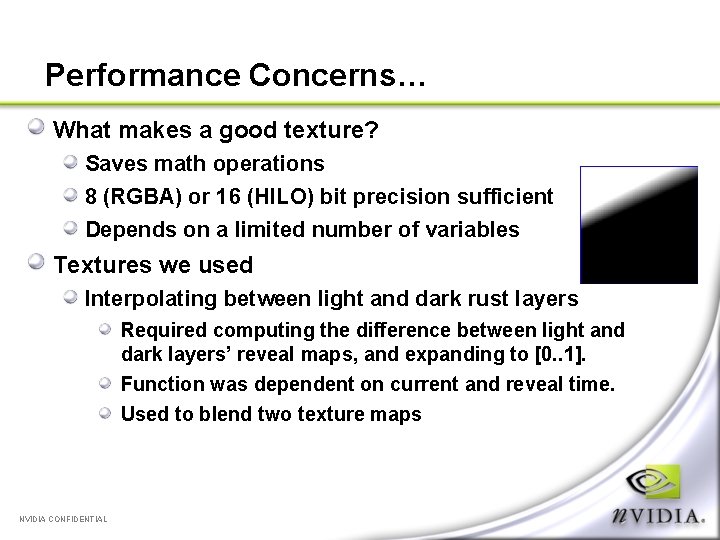
Performance Concerns… What makes a good texture? Saves math operations 8 (RGBA) or 16 (HILO) bit precision sufficient Depends on a limited number of variables Textures we used Interpolating between light and dark rust layers Required computing the difference between light and dark layers’ reveal maps, and expanding to [0. . 1]. Function was dependent on current and reveal time. Used to blend two texture maps NVIDIA CONFIDENTIAL
Performance Concerns… Textures Used, continued… Surround Maps Recomputing the normal requires knowing the heights of 4 texels (s-1, t), (s+1, t), (s, t+1) and (s, t-1) Each height is only 1 8 -bit component Instead of 4 dependent fetches, we can pack all into 1 S(s, t) = [ H(s-1, t), H(s+1, t), H(s, t-1), H(s, t+1) ] Saved 4 math ops and 3 texture fetches + shuffle logic NVIDIA CONFIDENTIAL
Time Machine demo Show demo NVIDIA CONFIDENTIAL
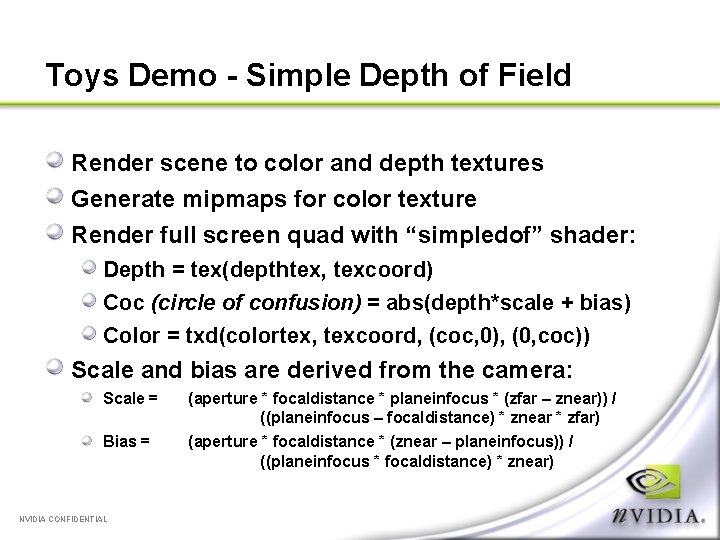
Toys Demo - Simple Depth of Field Render scene to color and depth textures Generate mipmaps for color texture Render full screen quad with “simpledof” shader: Depth = tex(depthtex, texcoord) Coc (circle of confusion) = abs(depth*scale + bias) Color = txd(colortex, texcoord, (coc, 0), (0, coc)) Scale and bias are derived from the camera: Scale = Bias = NVIDIA CONFIDENTIAL (aperture * focaldistance * planeinfocus * (zfar – znear)) / ((planeinfocus – focaldistance) * znear * zfar) (aperture * focaldistance * (znear – planeinfocus)) / ((planeinfocus * focaldistance) * znear)
Artifacts: Bilinear Interpolation/Magnification Bilinear artifacts in extreme back- and near-ground Solution: multiple jittered samples Even without jittering, a 4 or 5 sample rotated grid pattern brings smaller artifacts under control Larger artifacts need jittered samples, and more of them Then it’s just a tradeoff between noise from the jittering and bilinear interpolation artifacts (and of course the quality/performance tradeoff with number of samples) NVIDIA CONFIDENTIAL
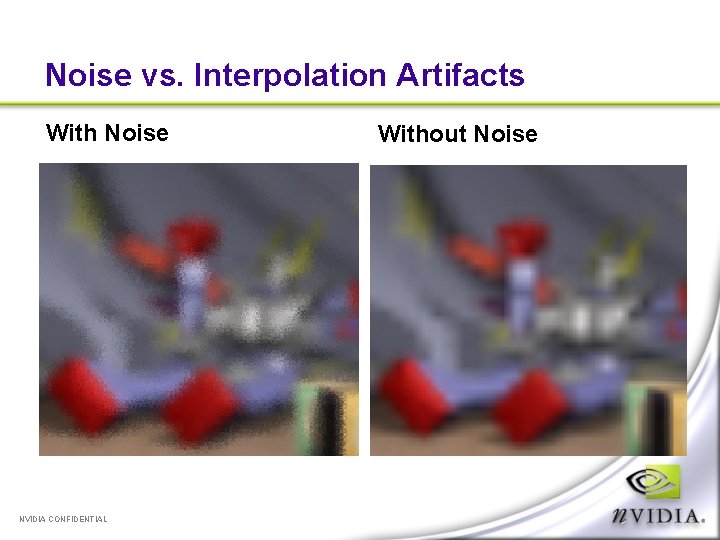
Noise vs. Interpolation Artifacts With Noise NVIDIA CONFIDENTIAL Without Noise
Artifacts: Depth Discontinuities Near-ground (blurry) pixels don’t properly blend out over top of mid-ground (sharp) pixels Easy solution: Cheat! Either don’t let objects get too far in front of the plane in focus, or blur everything a little more when they do – soft edges help hide this fairly well. NVIDIA CONFIDENTIAL
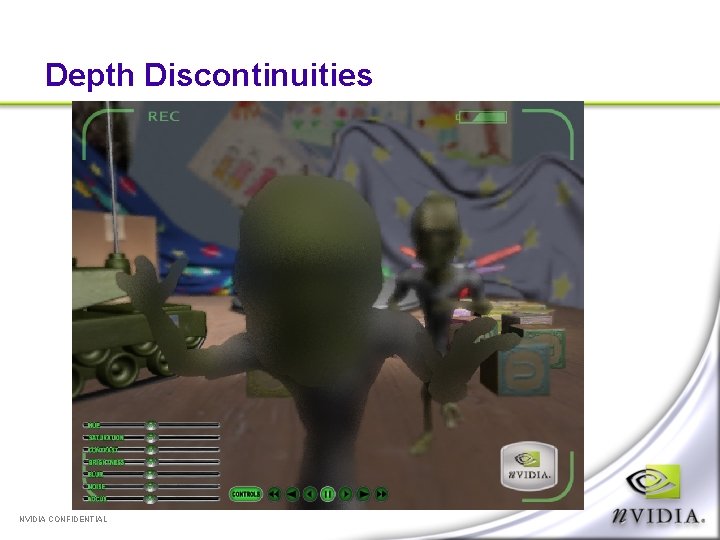
Depth Discontinuities NVIDIA CONFIDENTIAL
Fun With Color Matrices Since we’re already rendering to a full-screen texture, it’s easy to muck with the final image. Operations are just rotations / scales in RGB space Color (hue) shift Saturation Brightness Contrast These are all matrices, so compose them together, and apply them as 3 dot products in the shader NVIDIA CONFIDENTIAL
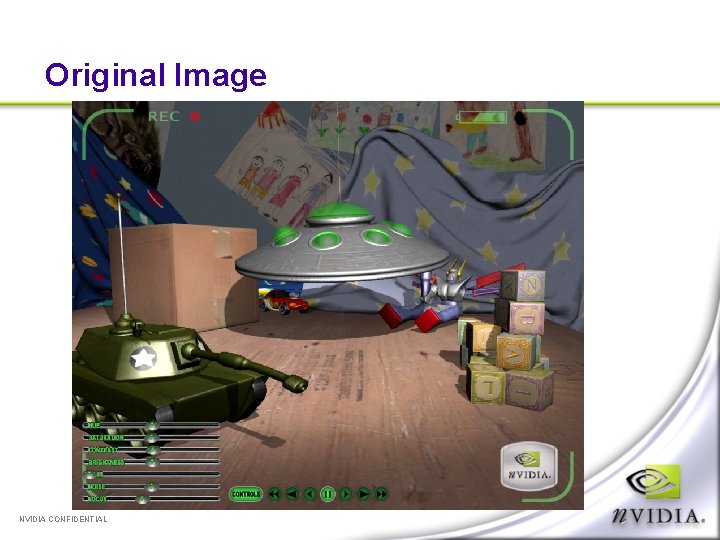
Original Image NVIDIA CONFIDENTIAL
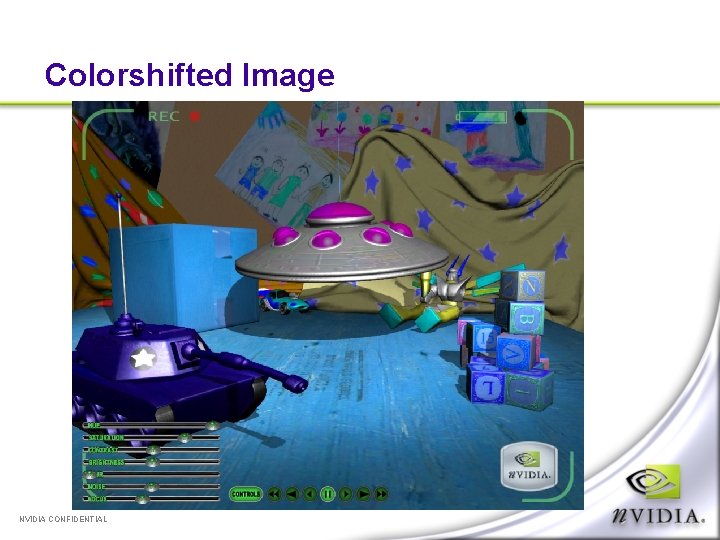
Colorshifted Image NVIDIA CONFIDENTIAL
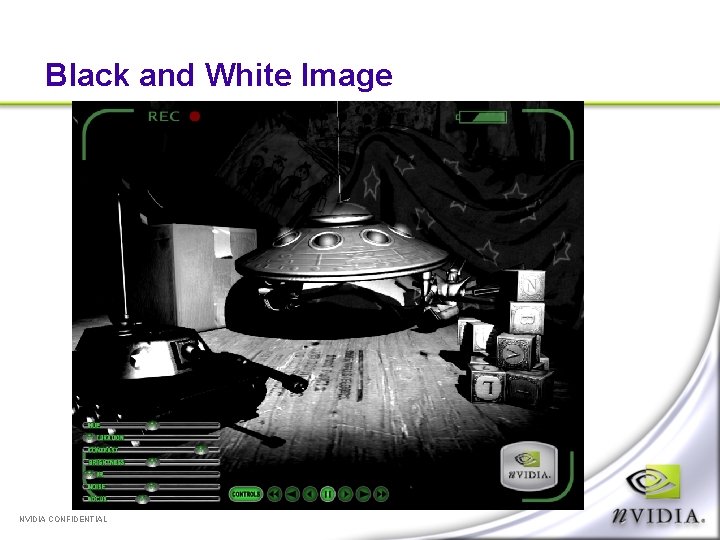
Black and White Image NVIDIA CONFIDENTIAL
Toys Demo Show demo NVIDIA CONFIDENTIAL
Order Independent Transparency Why is correct transparency hard? Depth peeling Two depth buffers Enter the shadow map Precision/invariance issues Depth replace texture shader Blending the layers Other applications NVIDIA CONFIDENTIAL
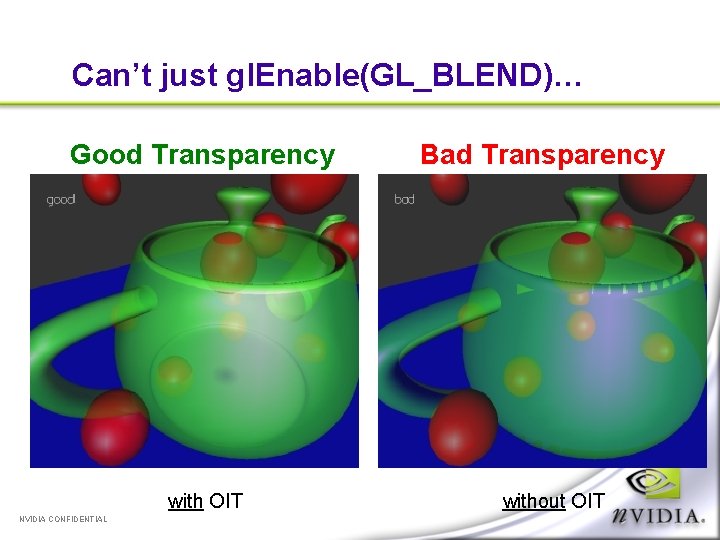
Can’t just gl. Enable(GL_BLEND)… Good Transparency with OIT NVIDIA CONFIDENTIAL Bad Transparency without OIT
Why is correct transparency hard? Most hardware does object-order rendering Correct transparency requires sorted traversal Have to render polygons in sorted order Not very convenient Polygons can’t intersect Lot of extra application work Especially difficult for dynamic scene databases NVIDIA CONFIDENTIAL
Depth Peeling The algorithm uses an “implicit sort” to extract multiple depth layers First pass render finds front-most fragment color/depth Each successive pass render finds (extracts) the fragment color/depth for the next-nearest fragment on a per pixel basis Use dual depth buffers to compare previous nearest fragment with current Second “depth buffer” used for comparison (read only) from texture [more on this later] NVIDIA CONFIDENTIAL
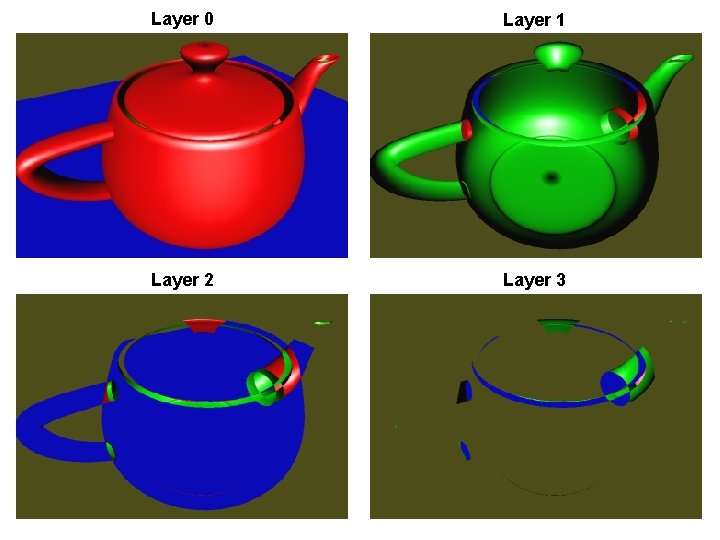
NVIDIA CONFIDENTIAL Layer 0 Layer 1 Layer 2 Layer 3
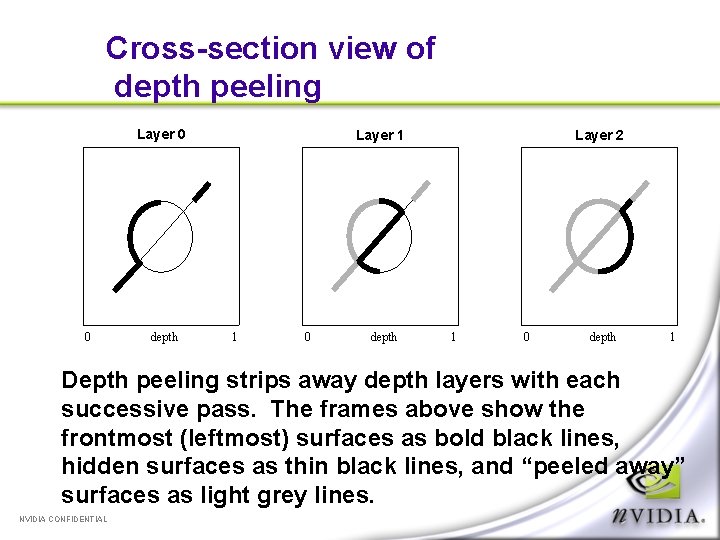
Cross-section view of depth peeling Layer 0 0 depth Layer 1 1 0 depth Layer 2 1 0 depth 1 Depth peeling strips away depth layers with each successive pass. The frames above show the frontmost (leftmost) surfaces as bold black lines, hidden surfaces as thin black lines, and “peeled away” surfaces as light grey lines. NVIDIA CONFIDENTIAL
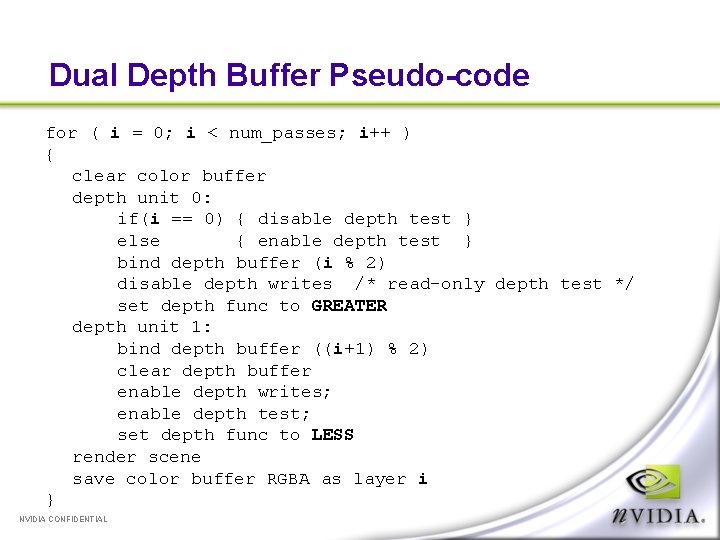
Dual Depth Buffer Pseudo-code for ( i = 0; i < num_passes; i++ ) { clear color buffer depth unit 0: if(i == 0) { disable depth test } else { enable depth test } bind depth buffer (i % 2) disable depth writes /* read-only depth test */ set depth func to GREATER depth unit 1: bind depth buffer ((i+1) % 2) clear depth buffer enable depth writes; enable depth test; set depth func to LESS render scene save color buffer RGBA as layer i } NVIDIA CONFIDENTIAL
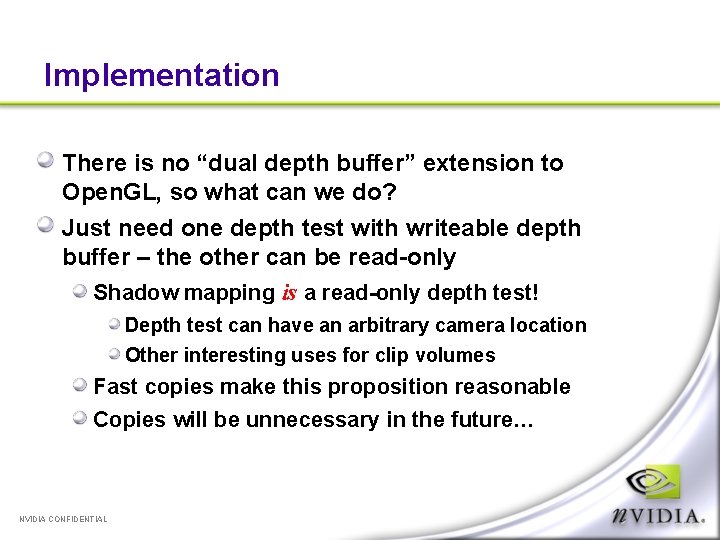
Implementation There is no “dual depth buffer” extension to Open. GL, so what can we do? Just need one depth test with writeable depth buffer – the other can be read-only Shadow mapping is a read-only depth test! Depth test can have an arbitrary camera location Other interesting uses for clip volumes Fast copies make this proposition reasonable Copies will be unnecessary in the future… NVIDIA CONFIDENTIAL
Precision / Invariance issues Using shadow mapping hardware introduces precision and invariance issues depth rasterization usually just needs to match output depth buffer precision, and requires no perspective correction Texture hardware requires perspective correction and projection at high precision Making things match would be difficult without the DEPTH_REPLACE texture shader Computes with texture hardware at texture precision Solves invariance problems at some extra expense Will be cheaper in the future… NVIDIA CONFIDENTIAL
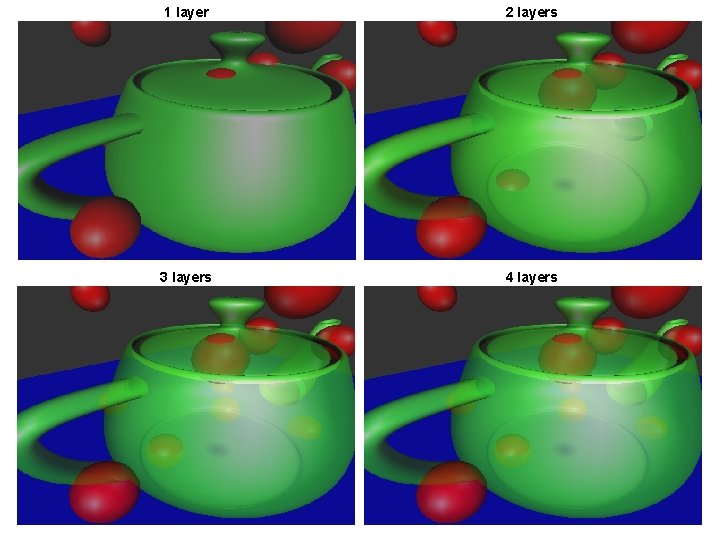
NVIDIA CONFIDENTIAL 1 layer 2 layers 3 layers 4 layers
Compositing Each time we peel, we capture the RGBA, then as a final step, we blend all the layers together from back to front Opaque fragments completely overwrite previous transparent ones NVIDIA CONFIDENTIAL
Conclusions Results are nice! Get correct transparency without invasive changes to internal data structures Can be “bolted on” to existing CAD/CAM apps Requires n scene traversals for n correctly sorted depths n = 4 is often quite satisfactory (see previous slide) Shadow maps are for more than shadows! NVIDIA CONFIDENTIAL
Questions? cem@nvidia. com http: //developer. nvidia. com/cg/ http: //www. cgshaders. org/ NVIDIA CONFIDENTIAL
- Slides: 83