
CFR 250590 Introduction to GIS Autumn 1999 Cartography
- Slides: 45
CFR 250/590 Introduction to GIS, Autumn 1999 Cartography Ü Introduction • GIS output is frequently a map • Map layouts are used for communication • What drives cartographic choices? • Maps are not “reality” • Maps are technical and artistic documents • How to Lie With Maps (Monmonier & De. Blij) © Phil Hurvitz, 1999 -2000 1
CFR 250/590 Introduction to GIS, Autumn 1999 Cartography Ü Overview • Map Layout documents • Map Layout frames • Graphical primitives • Creating map layouts • Printing/Capturing Layouts © Phil Hurvitz, 1999 -2000 2
CFR 250/590 Introduction to GIS, Autumn 1999 Cartography Ü Map Layout documents • A type of Arc. View document • Presentation-quality map editor • Composed of multiple elements • Most map elements (“frames”) are derived from other documents • Frames can be dynamically linked to frame source • Map layouts can be printed or saved as graphics © Phil Hurvitz, 1999 -2000 3
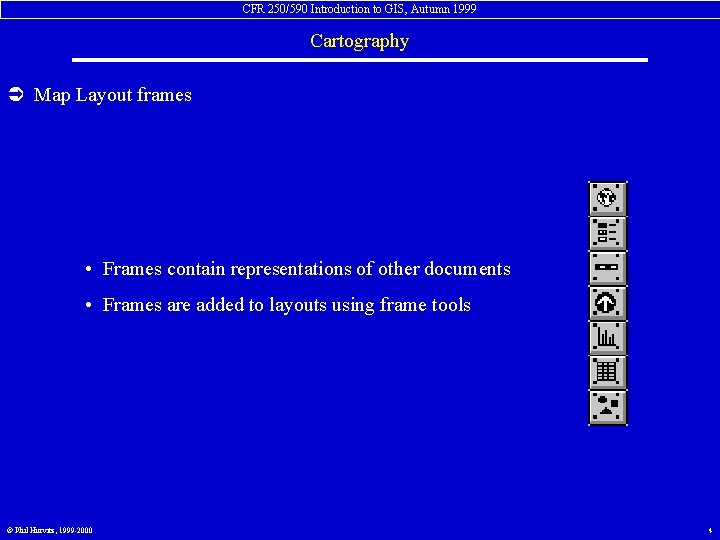
CFR 250/590 Introduction to GIS, Autumn 1999 Cartography Ü Map Layout frames • Frames contain representations of other documents • Frames are added to layouts using frame tools © Phil Hurvitz, 1999 -2000 4
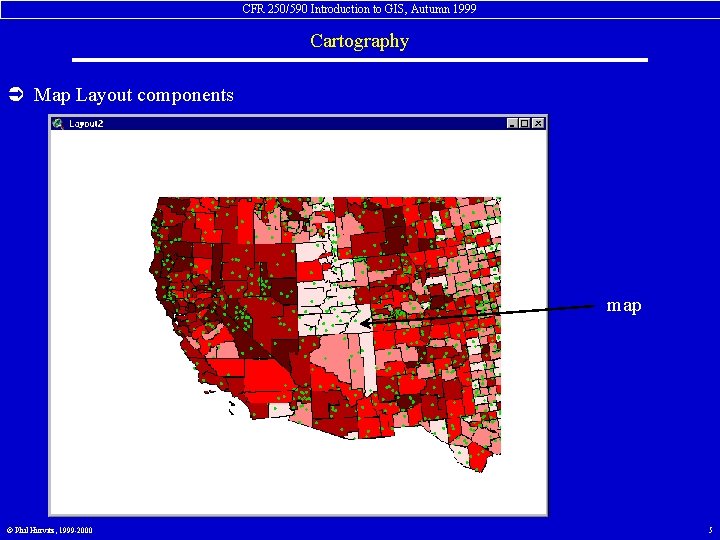
CFR 250/590 Introduction to GIS, Autumn 1999 Cartography Ü Map Layout components map © Phil Hurvitz, 1999 -2000 5
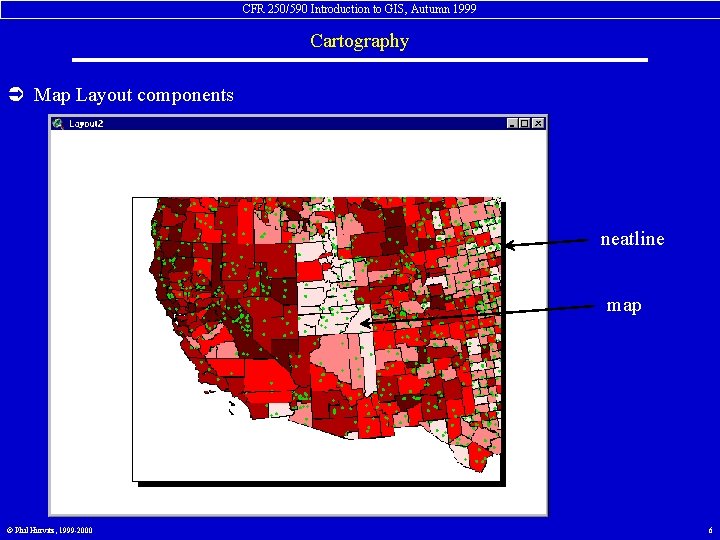
CFR 250/590 Introduction to GIS, Autumn 1999 Cartography Ü Map Layout components neatline map © Phil Hurvitz, 1999 -2000 6
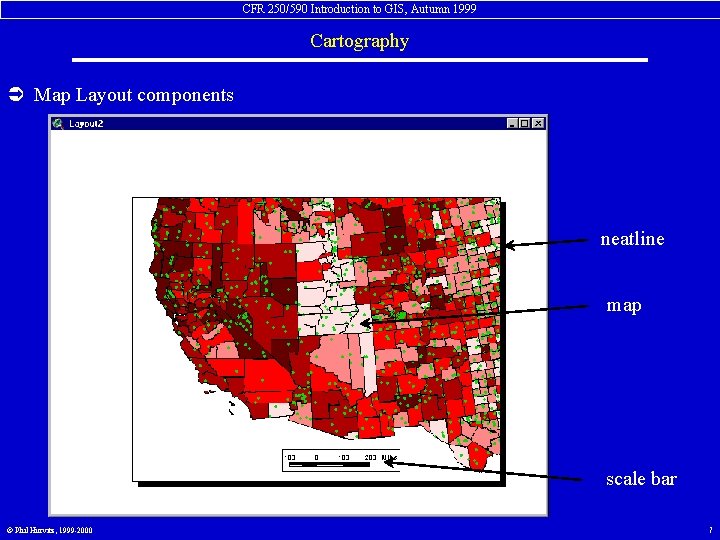
CFR 250/590 Introduction to GIS, Autumn 1999 Cartography Ü Map Layout components neatline map scale bar © Phil Hurvitz, 1999 -2000 7
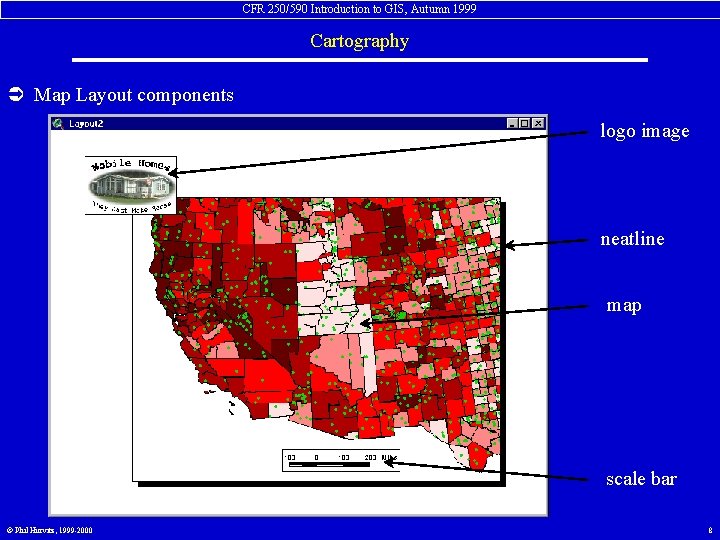
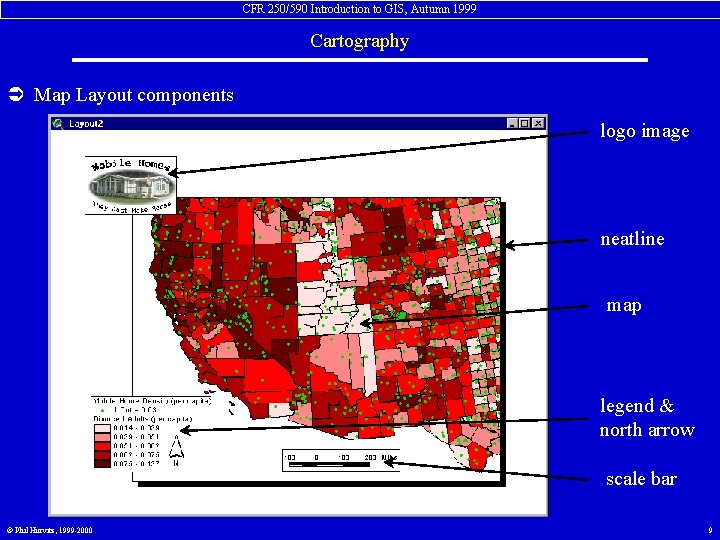
CFR 250/590 Introduction to GIS, Autumn 1999 Cartography Ü Map Layout components logo image neatline map scale bar © Phil Hurvitz, 1999 -2000 8
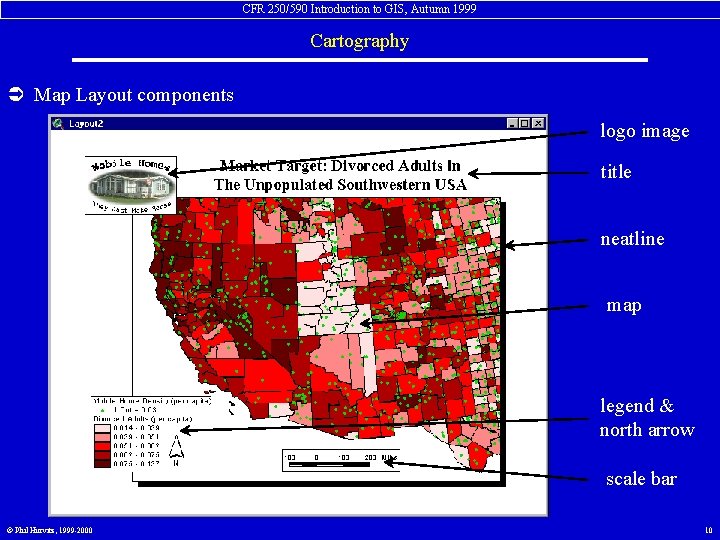
CFR 250/590 Introduction to GIS, Autumn 1999 Cartography Ü Map Layout components logo image neatline map legend & north arrow scale bar © Phil Hurvitz, 1999 -2000 9
CFR 250/590 Introduction to GIS, Autumn 1999 Cartography Ü Map Layout components logo image title neatline map legend & north arrow scale bar © Phil Hurvitz, 1999 -2000 10
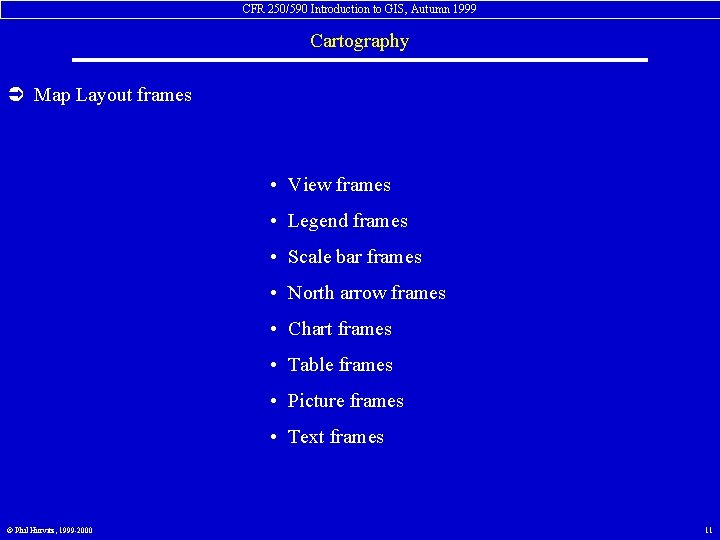
CFR 250/590 Introduction to GIS, Autumn 1999 Cartography Ü Map Layout frames • View frames • Legend frames • Scale bar frames • North arrow frames • Chart frames • Table frames • Picture frames • Text frames © Phil Hurvitz, 1999 -2000 11
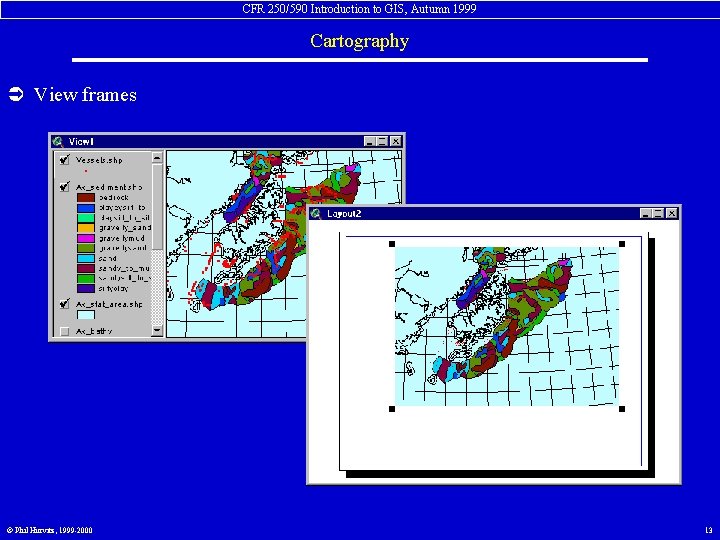
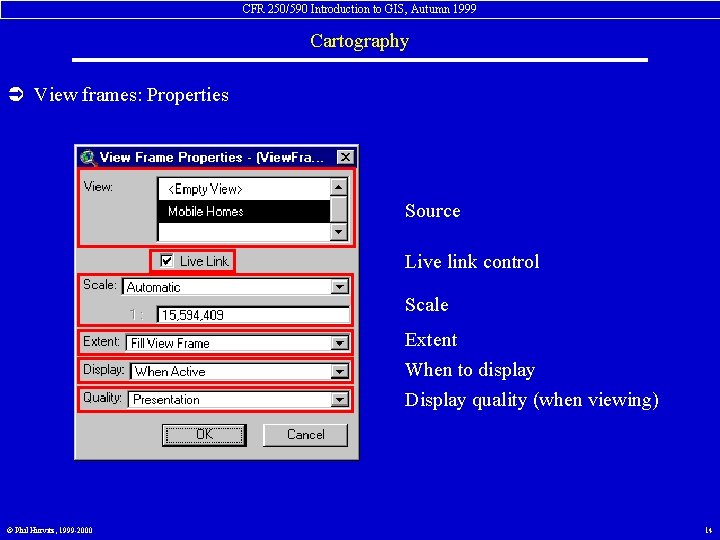
CFR 250/590 Introduction to GIS, Autumn 1999 Cartography Ü View frames view frame tool • View frames contain data displayed in the Map display of a view • View frames can be dynamically linked to views • Properties controlled with Property dialogue © Phil Hurvitz, 1999 -2000 12
CFR 250/590 Introduction to GIS, Autumn 1999 Cartography Ü View frames © Phil Hurvitz, 1999 -2000 13
CFR 250/590 Introduction to GIS, Autumn 1999 Cartography Ü View frames: Properties Source Live link control Scale Extent When to display Display quality (when viewing) © Phil Hurvitz, 1999 -2000 14
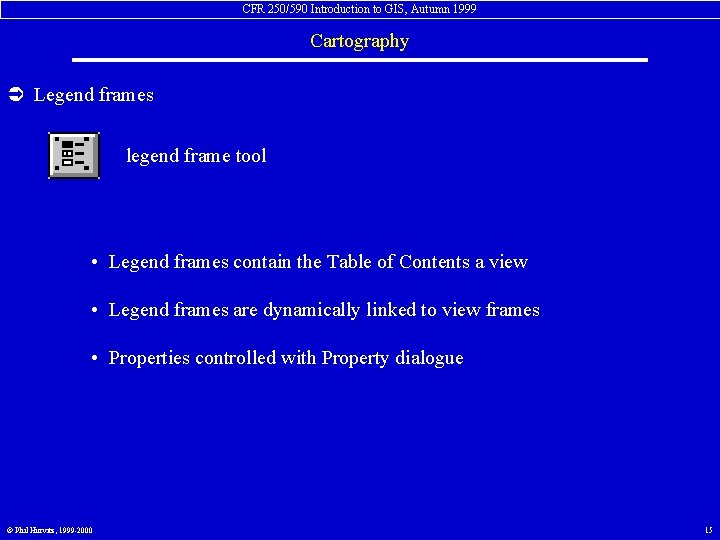
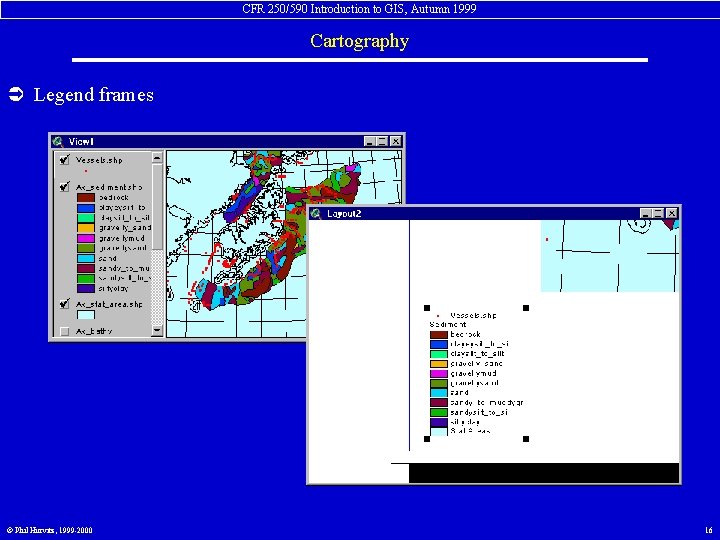
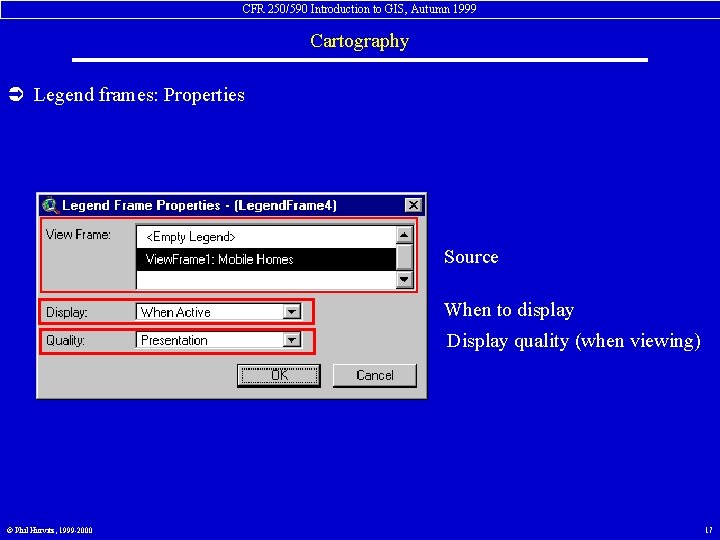
CFR 250/590 Introduction to GIS, Autumn 1999 Cartography Ü Legend frames legend frame tool • Legend frames contain the Table of Contents a view • Legend frames are dynamically linked to view frames • Properties controlled with Property dialogue © Phil Hurvitz, 1999 -2000 15
CFR 250/590 Introduction to GIS, Autumn 1999 Cartography Ü Legend frames © Phil Hurvitz, 1999 -2000 16
CFR 250/590 Introduction to GIS, Autumn 1999 Cartography Ü Legend frames: Properties Source When to display Display quality (when viewing) © Phil Hurvitz, 1999 -2000 17
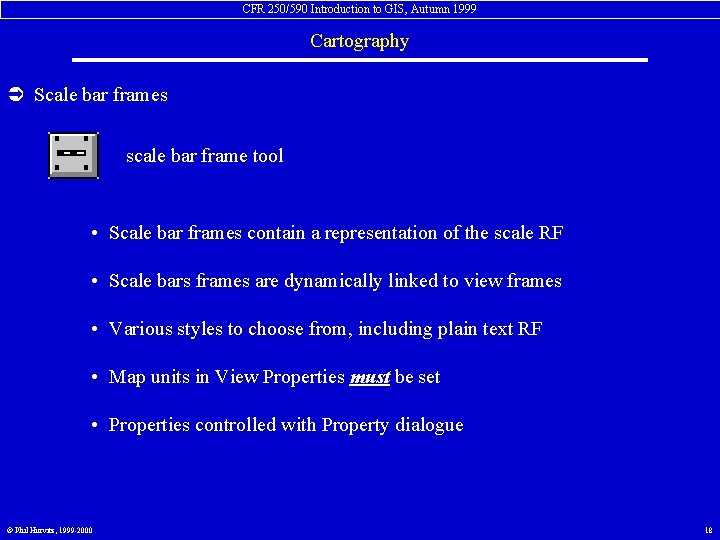
CFR 250/590 Introduction to GIS, Autumn 1999 Cartography Ü Scale bar frames scale bar frame tool • Scale bar frames contain a representation of the scale RF • Scale bars frames are dynamically linked to view frames • Various styles to choose from, including plain text RF • Map units in View Properties must be set • Properties controlled with Property dialogue © Phil Hurvitz, 1999 -2000 18
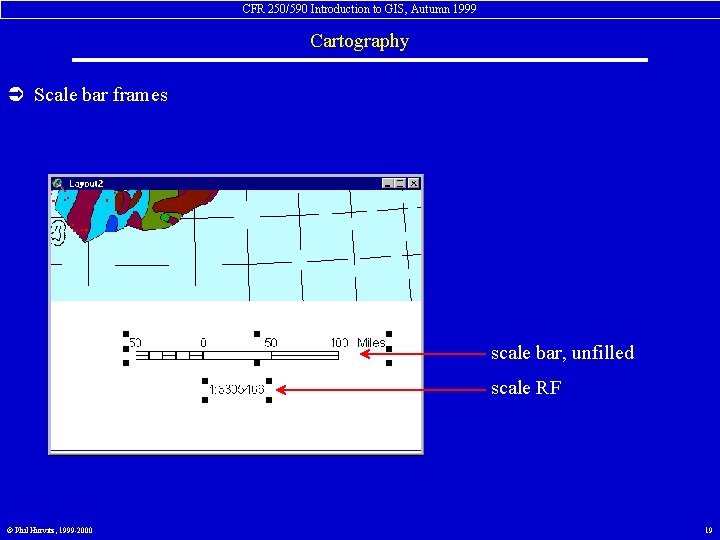
CFR 250/590 Introduction to GIS, Autumn 1999 Cartography Ü Scale bar frames scale bar, unfilled scale RF © Phil Hurvitz, 1999 -2000 19
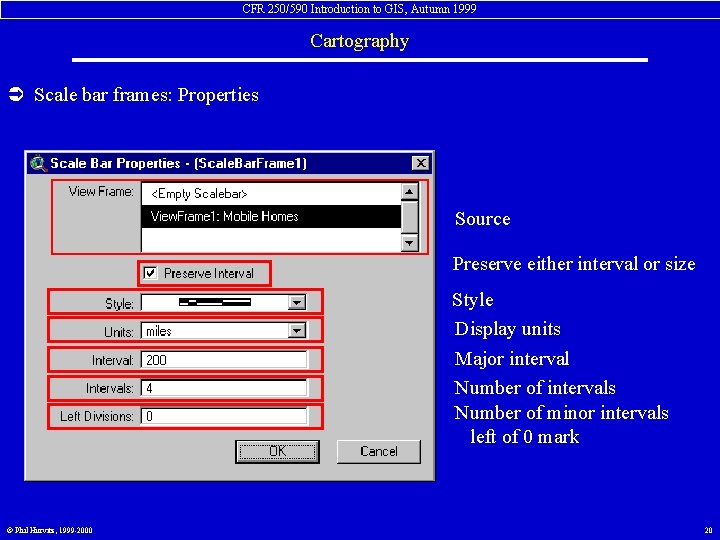
CFR 250/590 Introduction to GIS, Autumn 1999 Cartography Ü Scale bar frames: Properties Source Preserve either interval or size Style Display units Major interval Number of intervals Number of minor intervals left of 0 mark © Phil Hurvitz, 1999 -2000 20
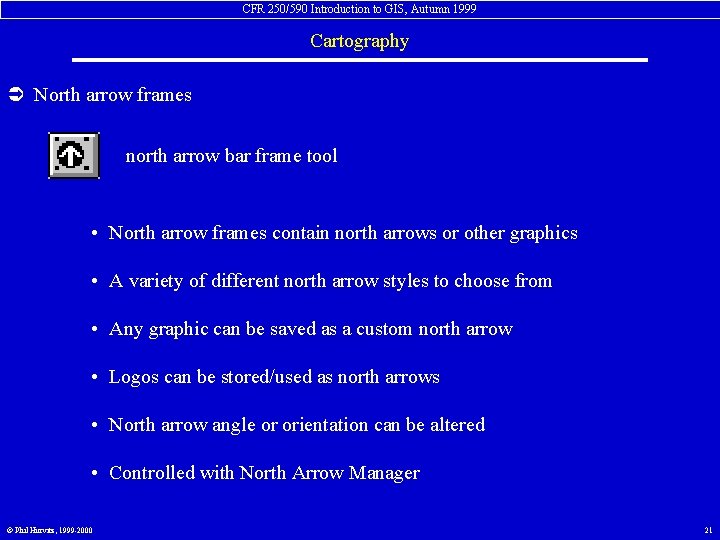
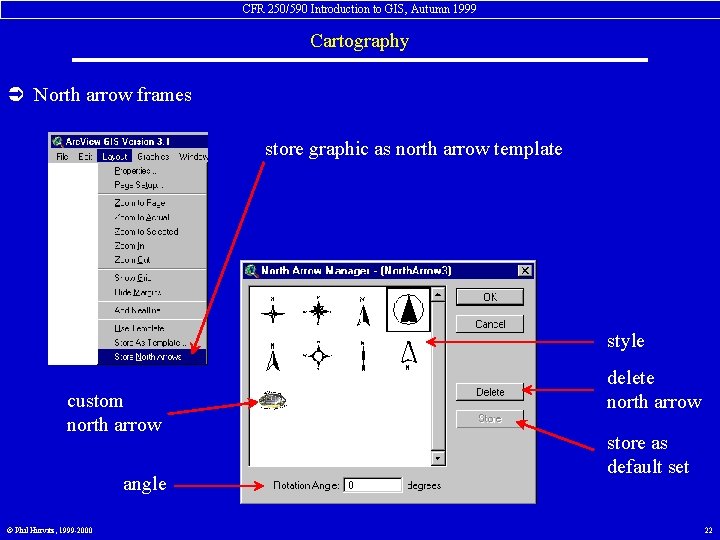
CFR 250/590 Introduction to GIS, Autumn 1999 Cartography Ü North arrow frames north arrow bar frame tool • North arrow frames contain north arrows or other graphics • A variety of different north arrow styles to choose from • Any graphic can be saved as a custom north arrow • Logos can be stored/used as north arrows • North arrow angle or orientation can be altered • Controlled with North Arrow Manager © Phil Hurvitz, 1999 -2000 21
CFR 250/590 Introduction to GIS, Autumn 1999 Cartography Ü North arrow frames store graphic as north arrow template style custom north arrow angle © Phil Hurvitz, 1999 -2000 delete north arrow store as default set 22
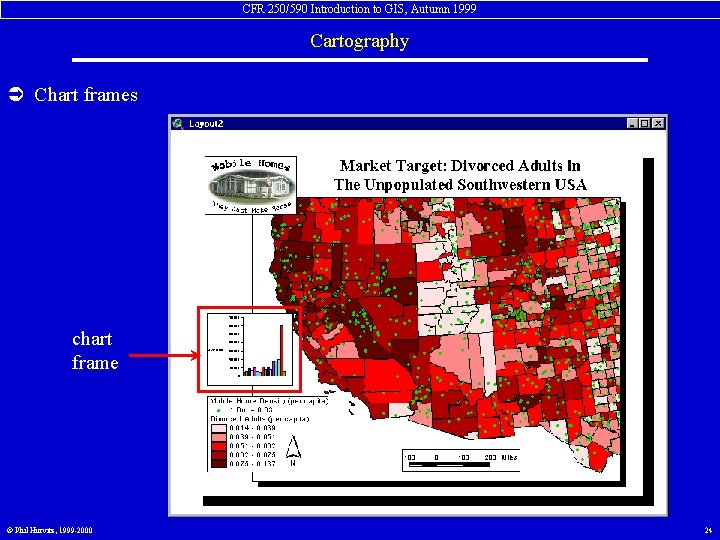
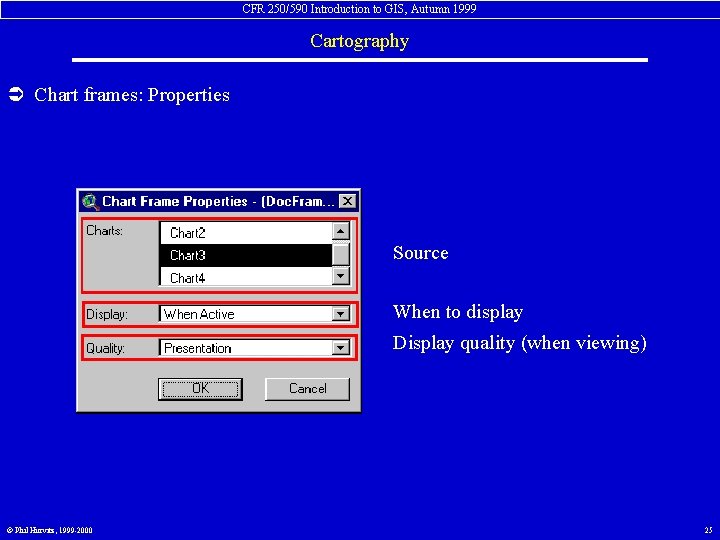
CFR 250/590 Introduction to GIS, Autumn 1999 Cartography Ü Chart frames chart frame tool • Chart frames contain charts • Charts frames can be dynamically linked to charts in project • Therefore, charts in layouts can be dynamically linked to views in projects • Controlled with Property dialogue © Phil Hurvitz, 1999 -2000 23
CFR 250/590 Introduction to GIS, Autumn 1999 Cartography Ü Chart frames chart frame © Phil Hurvitz, 1999 -2000 24
CFR 250/590 Introduction to GIS, Autumn 1999 Cartography Ü Chart frames: Properties Source When to display Display quality (when viewing) © Phil Hurvitz, 1999 -2000 25
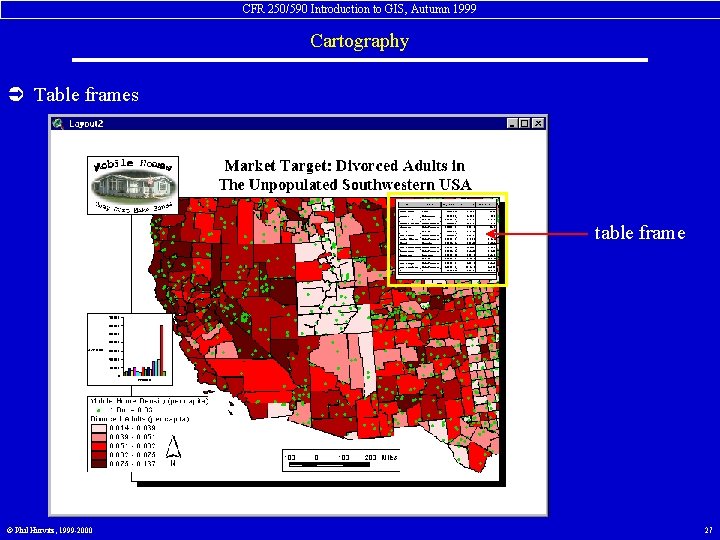
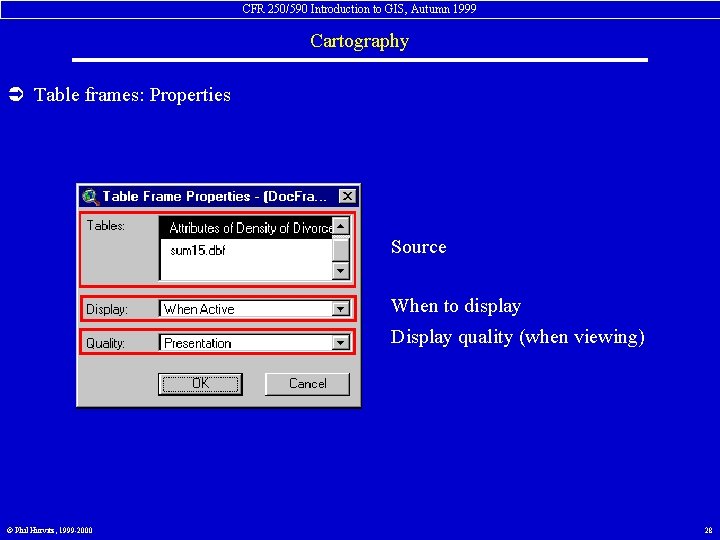
CFR 250/590 Introduction to GIS, Autumn 1999 Cartography Ü Table frames table frame tool • Table frames contain areas of charts • Only visible area of table document appears in table frame • Tables frames are dynamically linked to tables in project • Controlled with Property dialogue © Phil Hurvitz, 1999 -2000 26
CFR 250/590 Introduction to GIS, Autumn 1999 Cartography Ü Table frames table frame © Phil Hurvitz, 1999 -2000 27
CFR 250/590 Introduction to GIS, Autumn 1999 Cartography Ü Table frames: Properties Source When to display Display quality (when viewing) © Phil Hurvitz, 1999 -2000 28
CFR 250/590 Introduction to GIS, Autumn 1999 Cartography Ü Picture frames picture frame tool • Picture frames contain graphical images • Picture frames are not dynamically linked Band Interleaved by Line (*. bil) Band Interleaved by Pixel (*. bip) Band Sequential (*. bsq) Compu. Serve GIF (*. gif) Encapsulated Post. Script (*. eps) ERDAS GIS (*. gis) ERDAS LAN (*. lan) IMPELL Bitmap (*. rlc) © Phil Hurvitz, 1999 -2000 Mac. Paint (*. mcp) Nexpert Object Image (*. nbi) Postscript (*. ps) Sun Raster (*. rs) TIFF Bitmap (*. tif) Windows Bitmap (*. bmp) X-Bitmap (*. xbm) Windows Metafile (*. wmf) 29
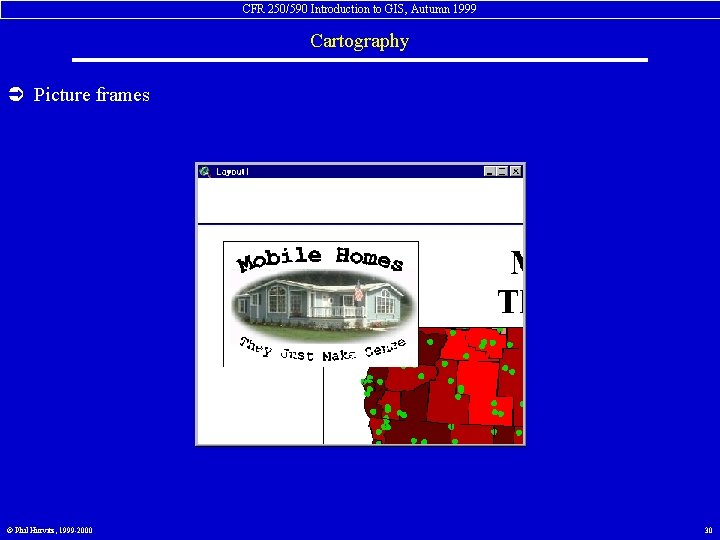
CFR 250/590 Introduction to GIS, Autumn 1999 Cartography Ü Picture frames © Phil Hurvitz, 1999 -2000 30
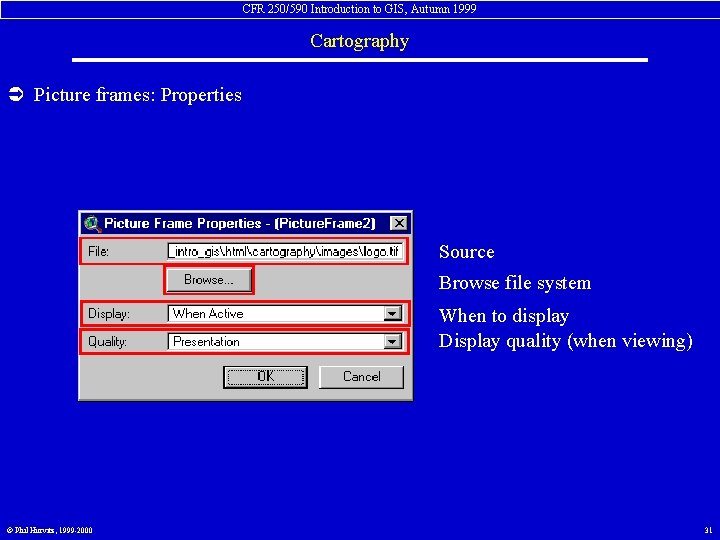
CFR 250/590 Introduction to GIS, Autumn 1999 Cartography Ü Picture frames: Properties Source Browse file system When to display Display quality (when viewing) © Phil Hurvitz, 1999 -2000 31
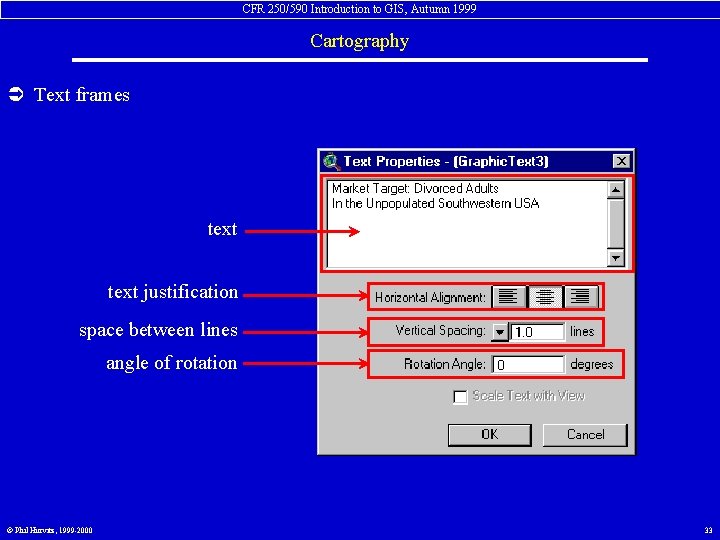
CFR 250/590 Introduction to GIS, Autumn 1999 Cartography Ü Text frames text frame tool • Text frames contain textual elements • Titles & other text can be added • Any True. Type font can be used • Font palette used to select font face & color • Text elements controlled with Properties dialogue © Phil Hurvitz, 1999 -2000 32
CFR 250/590 Introduction to GIS, Autumn 1999 Cartography Ü Text frames text justification space between lines angle of rotation © Phil Hurvitz, 1999 -2000 33
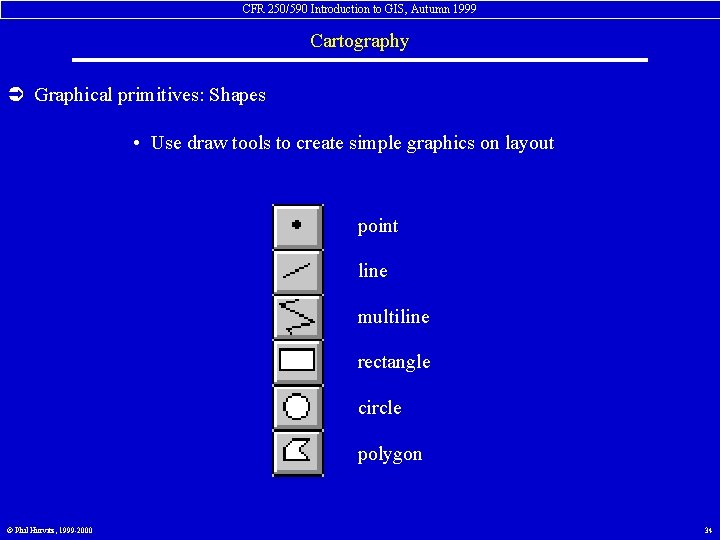
CFR 250/590 Introduction to GIS, Autumn 1999 Cartography Ü Graphical primitives: Shapes • Use draw tools to create simple graphics on layout point line multiline rectangle circle polygon © Phil Hurvitz, 1999 -2000 34
CFR 250/590 Introduction to GIS, Autumn 1999 Cartography Ü Creating map layouts • Layout grid • Live links • Adding & editing elements • Grouping elements • Front/back • Simplifying elements • Saving templates © Phil Hurvitz, 1999 -2000 35
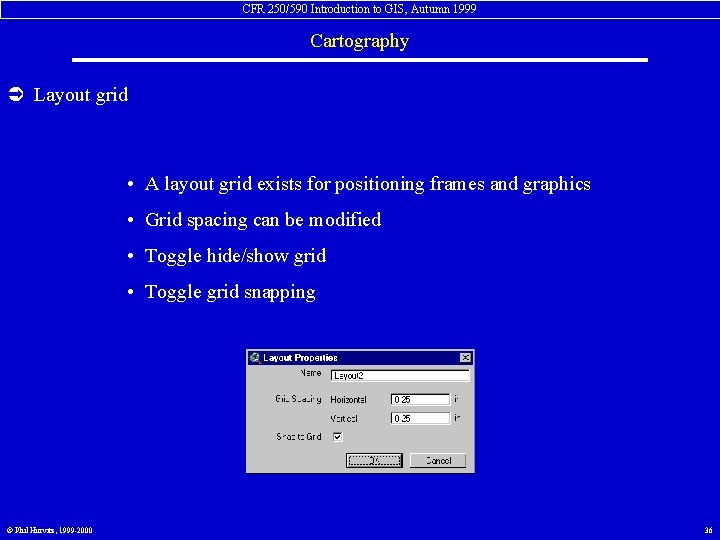
CFR 250/590 Introduction to GIS, Autumn 1999 Cartography Ü Layout grid • A layout grid exists for positioning frames and graphics • Grid spacing can be modified • Toggle hide/show grid • Toggle grid snapping © Phil Hurvitz, 1999 -2000 36
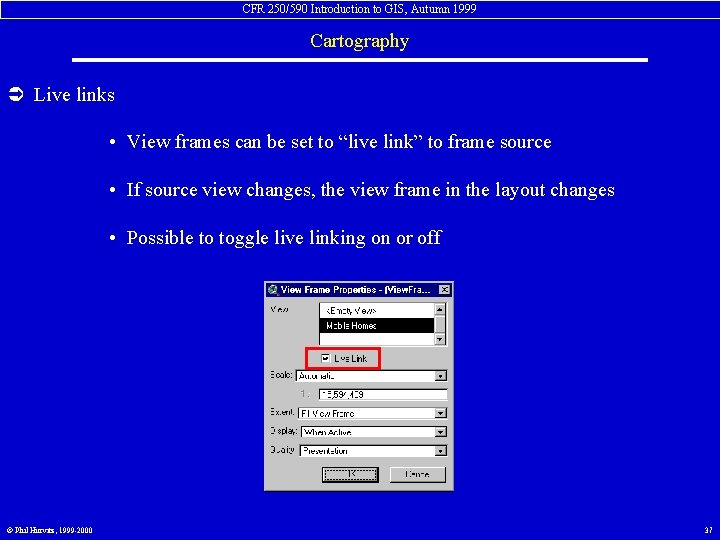
CFR 250/590 Introduction to GIS, Autumn 1999 Cartography Ü Live links • View frames can be set to “live link” to frame source • If source view changes, the view frame in the layout changes • Possible to toggle live linking on or off © Phil Hurvitz, 1999 -2000 37
CFR 250/590 Introduction to GIS, Autumn 1999 Cartography Ü Adding elements • All elements added with frame and draw tools • Select tool, drag rectangle, then alter properties • Elements that already exist can be modified (double-click) © Phil Hurvitz, 1999 -2000 38
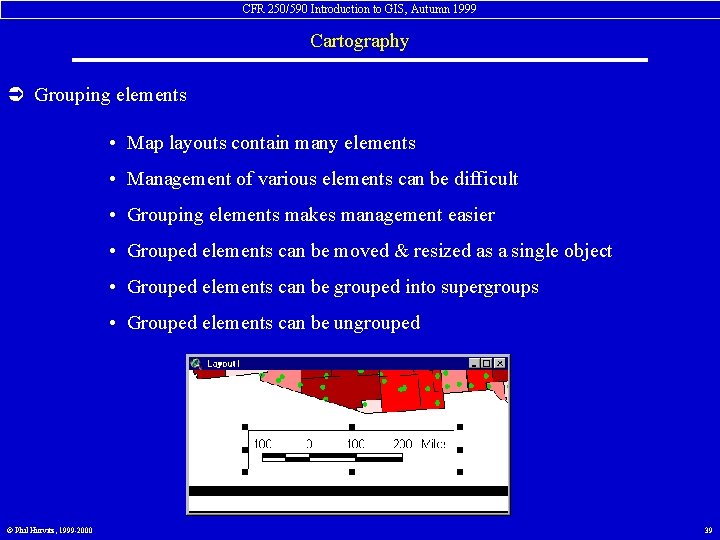
CFR 250/590 Introduction to GIS, Autumn 1999 Cartography Ü Grouping elements • Map layouts contain many elements • Management of various elements can be difficult • Grouping elements makes management easier • Grouped elements can be moved & resized as a single object • Grouped elements can be grouped into supergroups • Grouped elements can be ungrouped © Phil Hurvitz, 1999 -2000 39
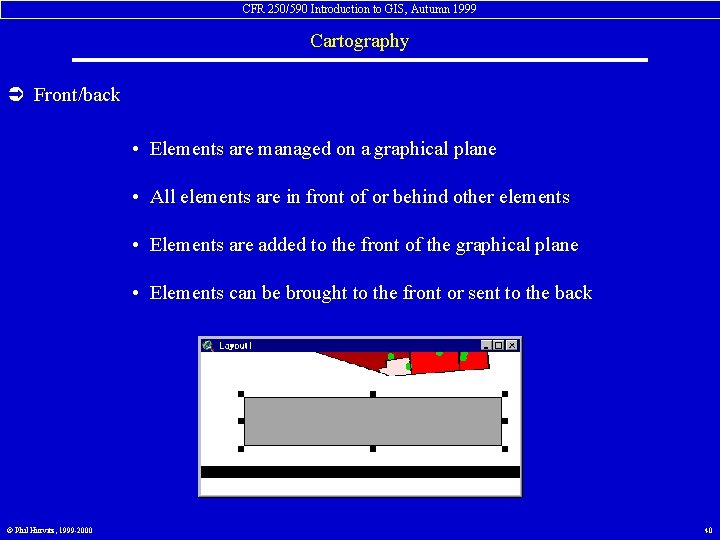
CFR 250/590 Introduction to GIS, Autumn 1999 Cartography Ü Front/back • Elements are managed on a graphical plane • All elements are in front of or behind other elements • Elements are added to the front of the graphical plane • Elements can be brought to the front or sent to the back © Phil Hurvitz, 1999 -2000 40
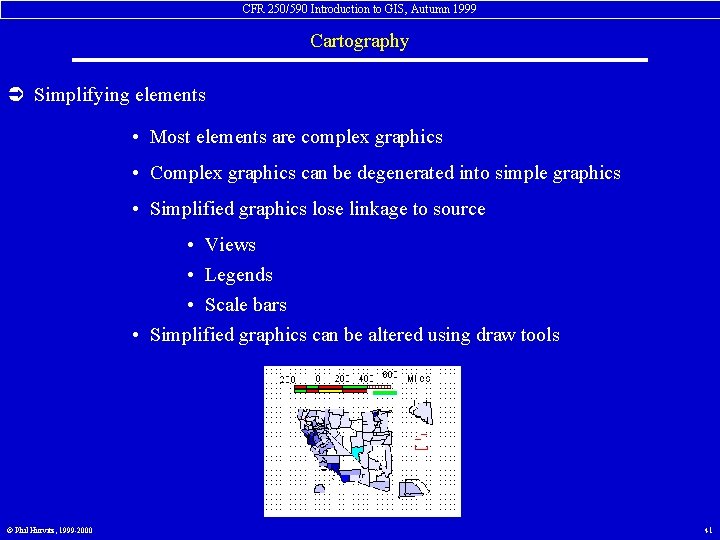
CFR 250/590 Introduction to GIS, Autumn 1999 Cartography Ü Simplifying elements • Most elements are complex graphics • Complex graphics can be degenerated into simple graphics • Simplified graphics lose linkage to source • Views • Legends • Scale bars • Simplified graphics can be altered using draw tools © Phil Hurvitz, 1999 -2000 41
CFR 250/590 Introduction to GIS, Autumn 1999 Cartography Ü Saving templates • Layout templates can be created for recreating similar maps • Useful for frequently used maps • Useful for reports: multiple maps with same basic layout • Stored layouts can be used over & over © Phil Hurvitz, 1999 -2000 42
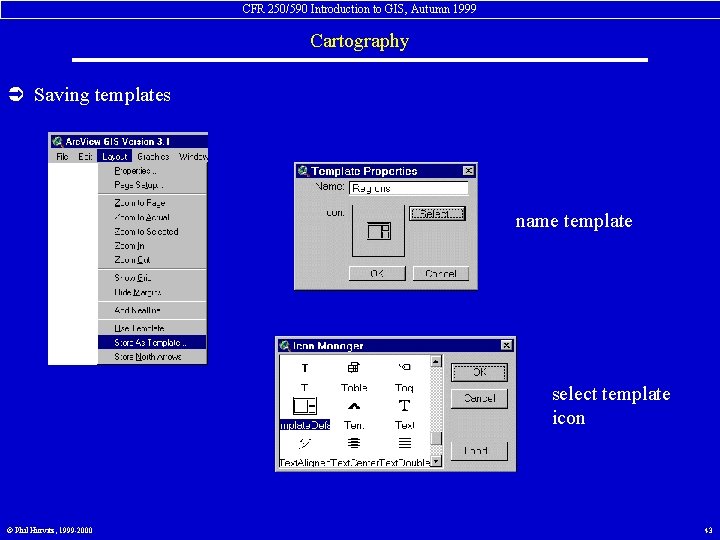
CFR 250/590 Introduction to GIS, Autumn 1999 Cartography Ü Saving templates name template select template icon © Phil Hurvitz, 1999 -2000 43
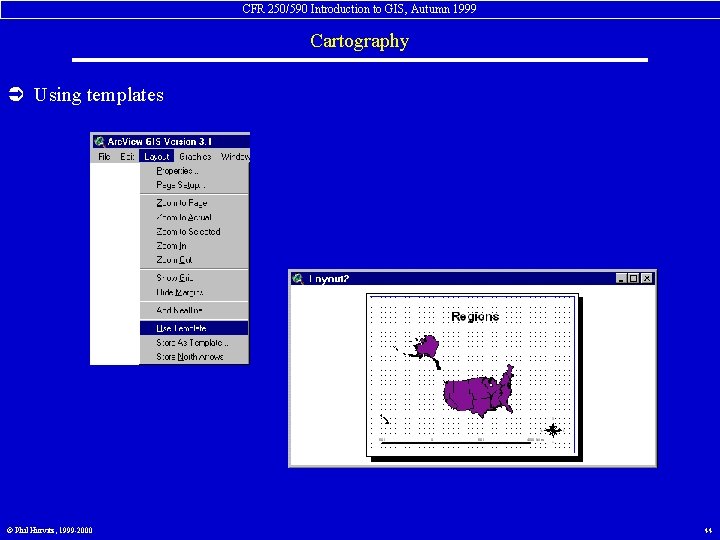
CFR 250/590 Introduction to GIS, Autumn 1999 Cartography Ü Using templates © Phil Hurvitz, 1999 -2000 44
CFR 250/590 Introduction to GIS, Autumn 1999 Cartography Ü Printing/Capturing Layouts • Layouts can be spooled to printers • Layouts can be printed to files for later printing • Layouts can be exported to graphics file for import to other applications • • • © Phil Hurvitz, 1999 -2000 Placeable Windows Metafile Windows Bitmap Encapsulated Post. Script - New Encapsulated Post. Script - Old Adobe Illustrator CGM Binary CGM Character CGM Clear Text JPEG 45