
CET 3510 Microcomputer Systems Tech Lecture 2 Professor
- Slides: 32
CET 3510 Microcomputer Systems Tech. Lecture 2 Professor: Dr. José M. Reyes Álamo
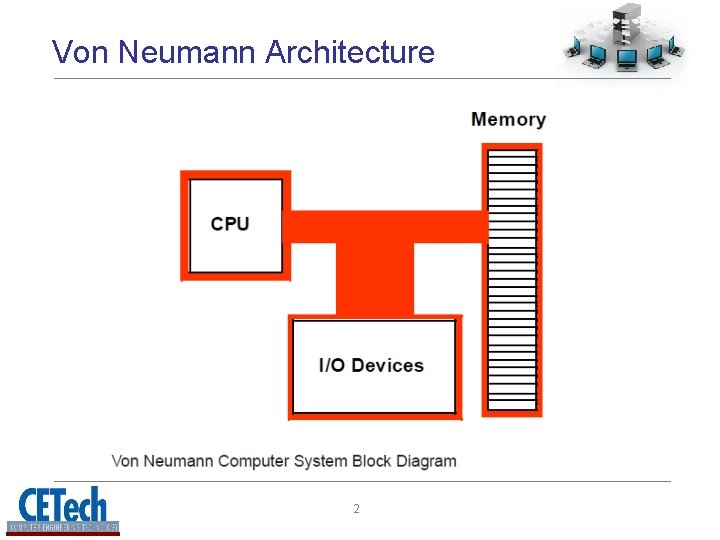
The Intel 80 x 86 CPU Family • Intel CPU family is generally classified as a Von Neumann Architecture Machine • Von Neumann computer systems contain three main building blocks 1. Central Processing Unit (CPU) 2. Memory 3. Input/Output Devices (I/O). • These three components are connected together using the system bus 1
Von Neumann Architecture 2
CPU • The most prominent items within the CPU are the registers • Intel CPU registers can be classified in four categories: 1. General purpose registers 2. Special purpose: application accessible registers 3. Segment registers 4. Special purpose: kernel mode registers • Registers are used for nearly every calculation, therefore they are very important 3
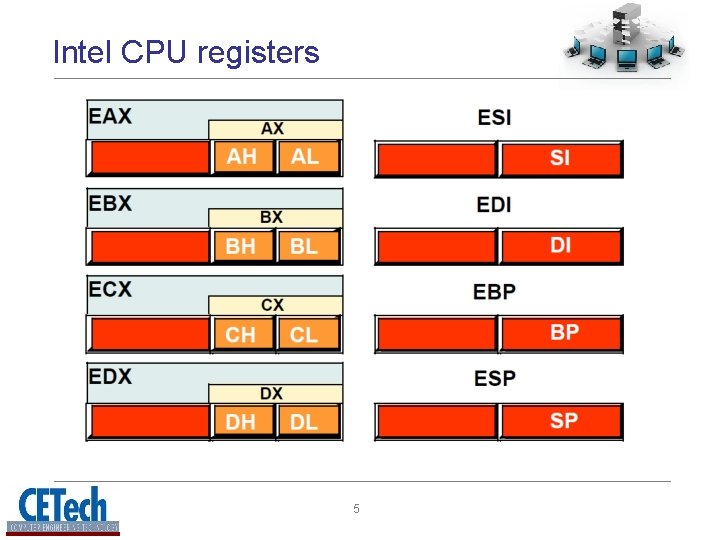
General purpose registers • 8 -bit registers: – AL, AH, BL, BH, CL, CH, DL, and DH • 16 -bit registers: – AX, BX, CX, DX, SI, DI, BP, and SP • 32 -bit registers: – EAX, EBX, ECX, EDX, ESI, EDI, EBP, and ESP – E stands for “Extended” • These are not 24 separate registers, they are overlaid – Careful is needed when modifying a register 4
Intel CPU registers 5
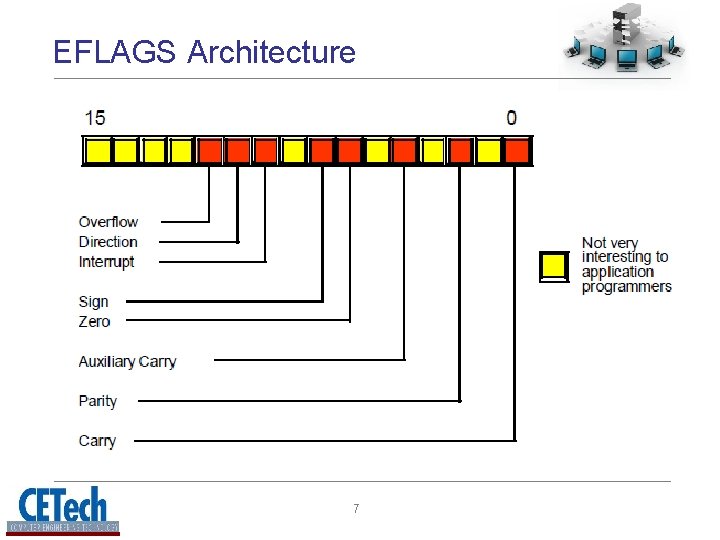
Special Purpose Register - EFLAGS • EFLAGS is a 32 -bit register that encapsulates several single-bit (Boolean) values • Most bits are reserved for kernel mode functions • Assembly programmers are especially interested in 8 of these bits: – Overflow – Direction – Interrupt disable – Sign – Zero – Auxiliary carry – Parity – Carry flags 6
EFLAGS Architecture 7
Special Purpose Register - EIP • EIP is a 32 -bit register know as the instruction pointer register • It contains the memory address of the next machine instruction to execute 8
The Memory Subsystem • A typical 80 x 86 processor addresses a maximum of 2 n different memory locations, where n is the number of bits on the address bus (theoretical bound) • Memory locations are addressed in bytes – 32 -bit: 4, 294, 967, 296 ≈ 4 GB – 64 -bit: 18, 446, 744, 073, 709, 551, 616 = 18 Exabytes (EB) … A LOT!!! 9
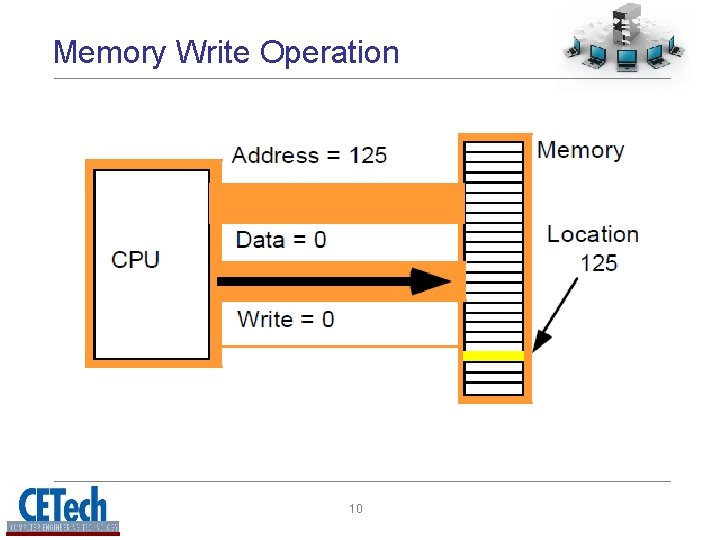
Memory Write Operation 10
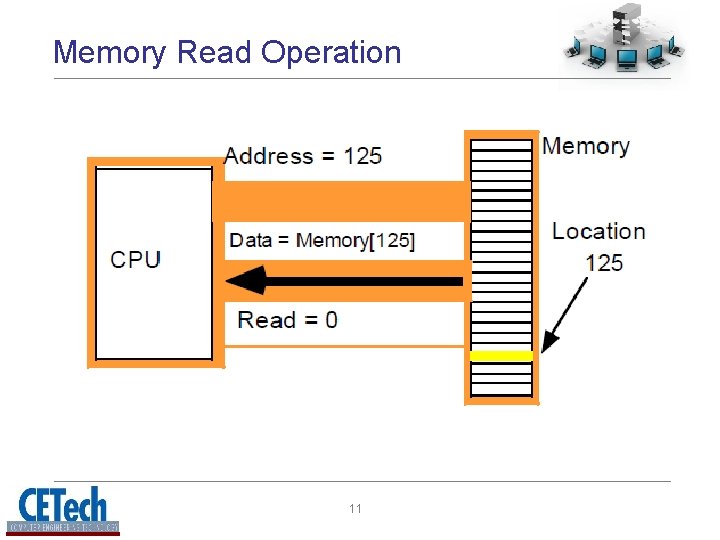
Memory Read Operation 11
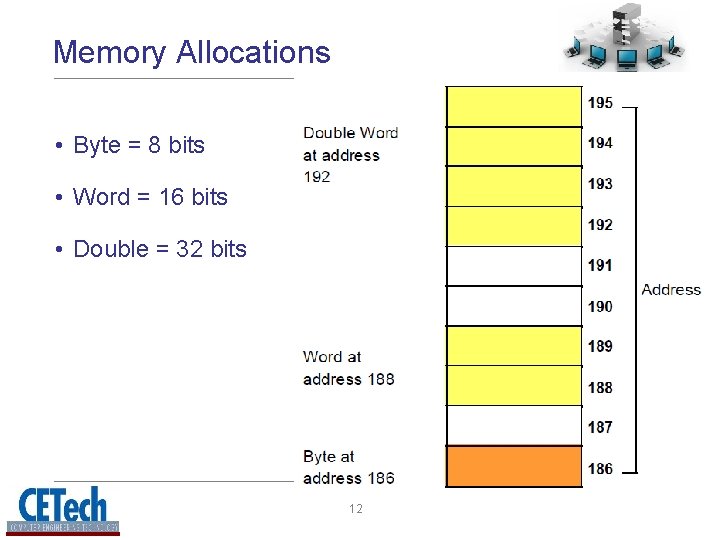
Memory Allocations • Byte = 8 bits • Word = 16 bits • Double = 32 bits 12
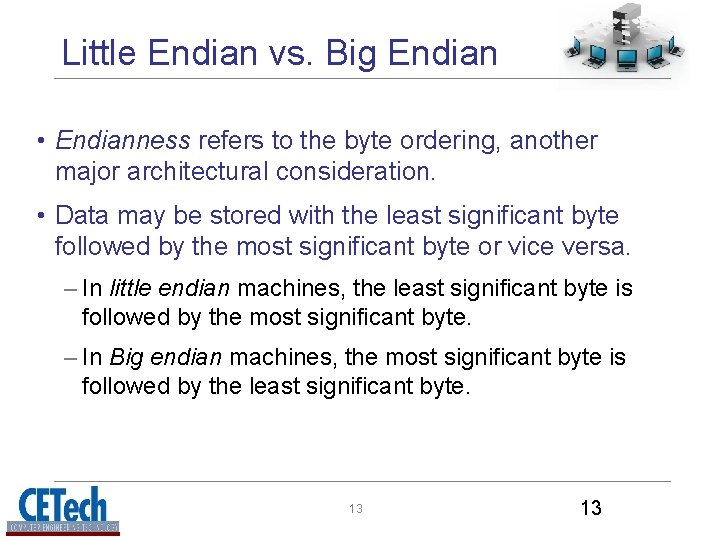
Little Endian vs. Big Endian • Endianness refers to the byte ordering, another major architectural consideration. • Data may be stored with the least significant byte followed by the most significant byte or vice versa. – In little endian machines, the least significant byte is followed by the most significant byte. – In Big endian machines, the most significant byte is followed by the least significant byte. 13 13
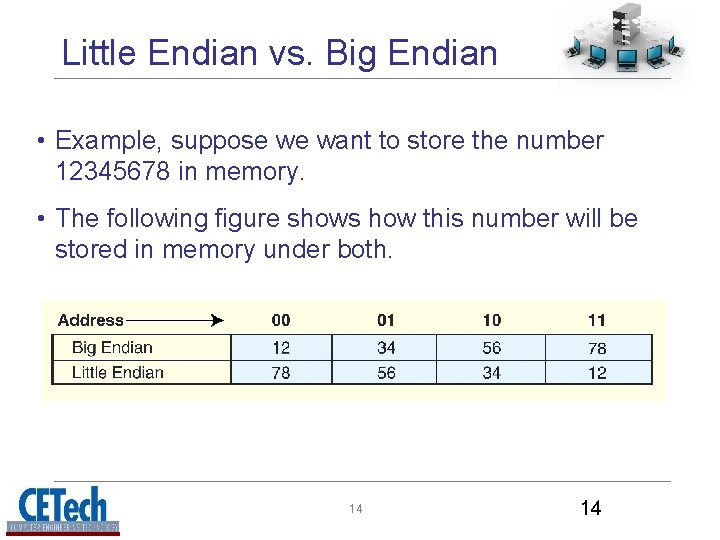
Little Endian vs. Big Endian • Example, suppose we want to store the number 12345678 in memory. • The following figure shows how this number will be stored in memory under both. 14 14
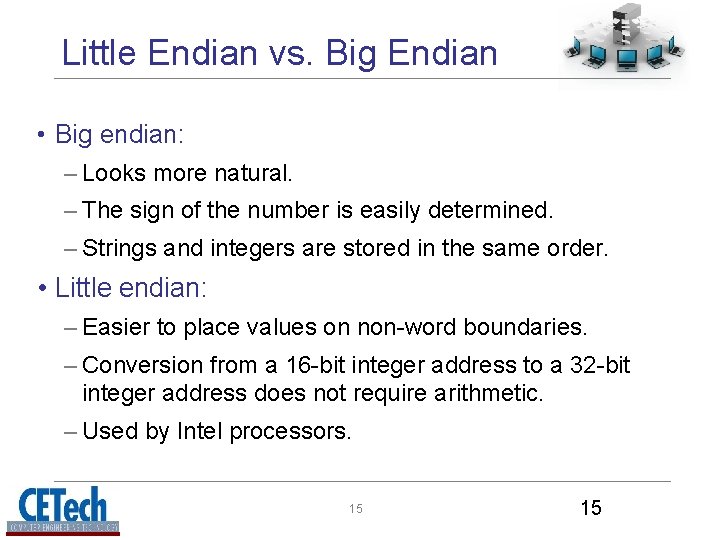
Little Endian vs. Big Endian • Big endian: – Looks more natural. – The sign of the number is easily determined. – Strings and integers are stored in the same order. • Little endian: – Easier to place values on non-word boundaries. – Conversion from a 16 -bit integer address to a 32 -bit integer address does not require arithmetic. – Used by Intel processors. 15 15
About Machine Instructions • Some CPUs have hundreds or thousands of instructions • Fortunately you will only need a few, including: – mov( source_operand, destination_operand ); – add( source_operand, destination_operand ); – sub( source_operand, destination_operand ); 16
Legal MOV Instruction Operands 17
HLA Syntax 18
HLA Syntax – Boolean Expressions 19
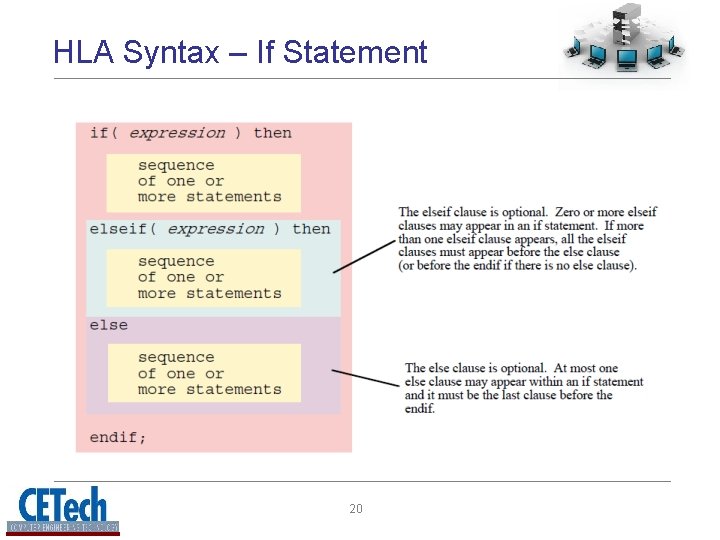
HLA Syntax – If Statement 20
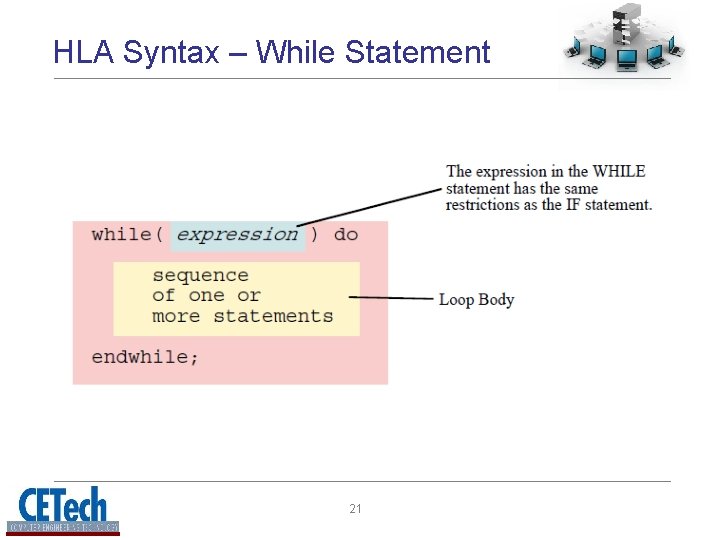
HLA Syntax – While Statement 21
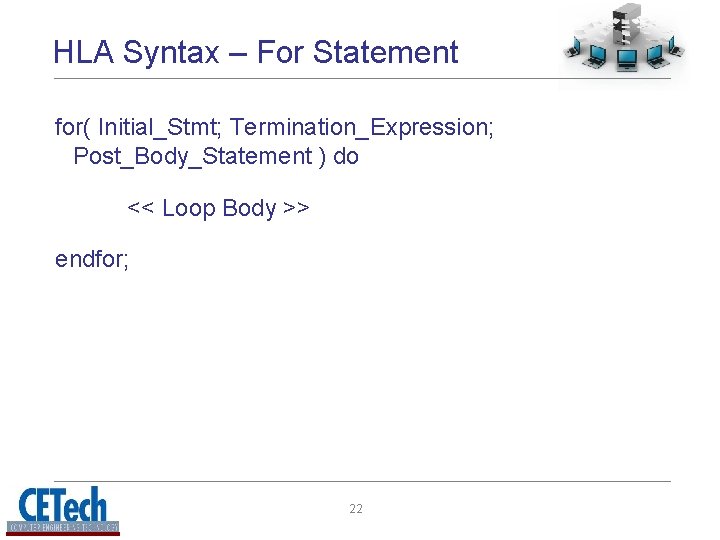
HLA Syntax – For Statement for( Initial_Stmt; Termination_Expression; Post_Body_Statement ) do << Loop Body >> endfor; 22
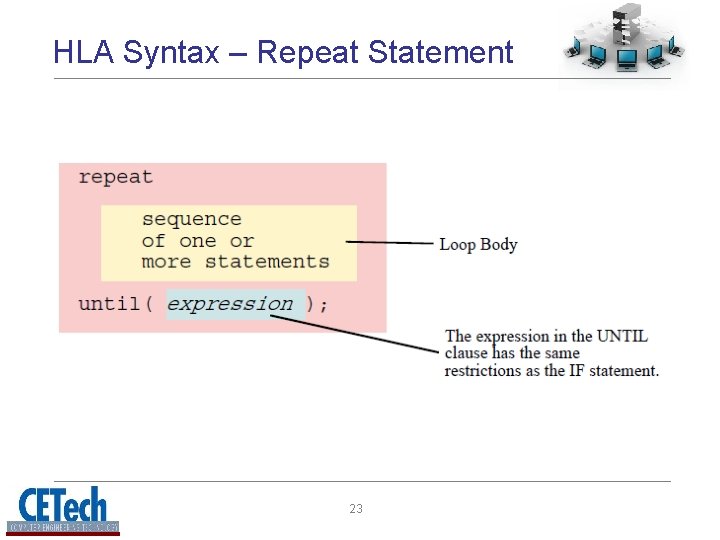
HLA Syntax – Repeat Statement 23
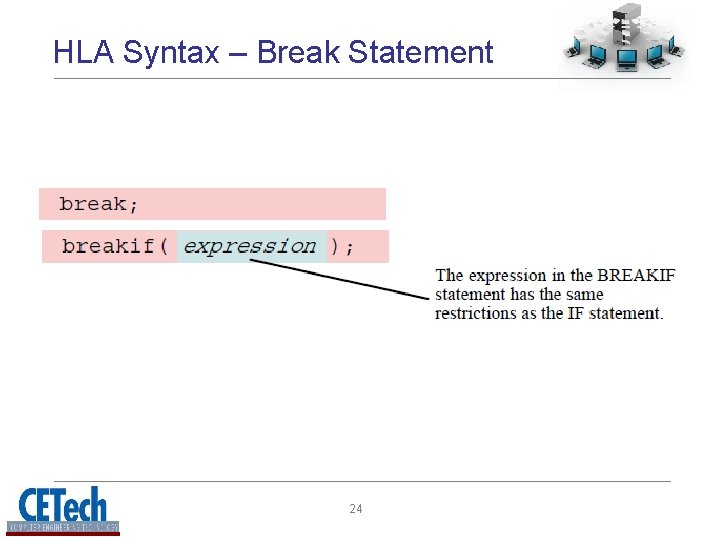
HLA Syntax – Break Statement 24
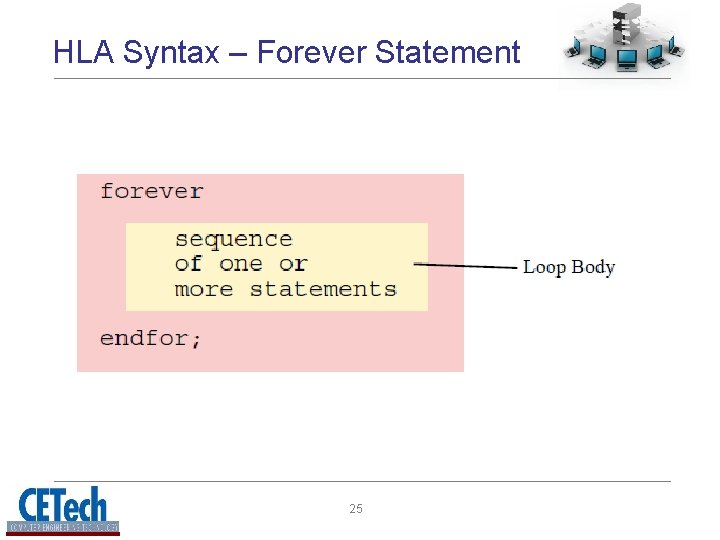
HLA Syntax – Forever Statement 25
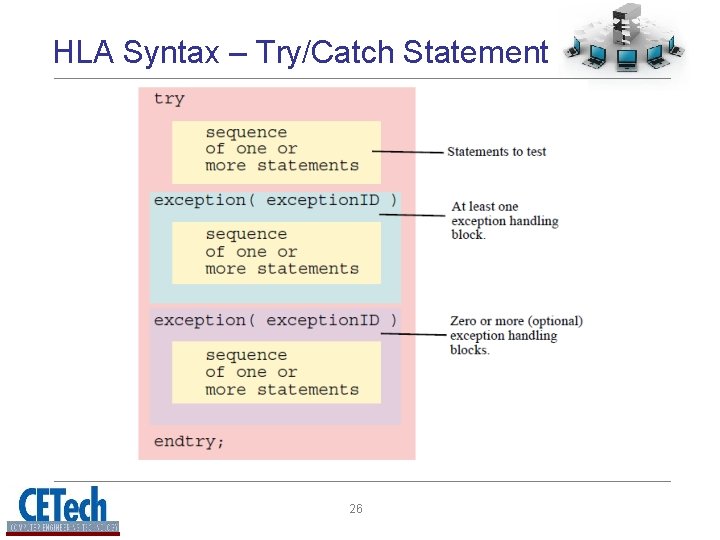
HLA Syntax – Try/Catch Statement 26
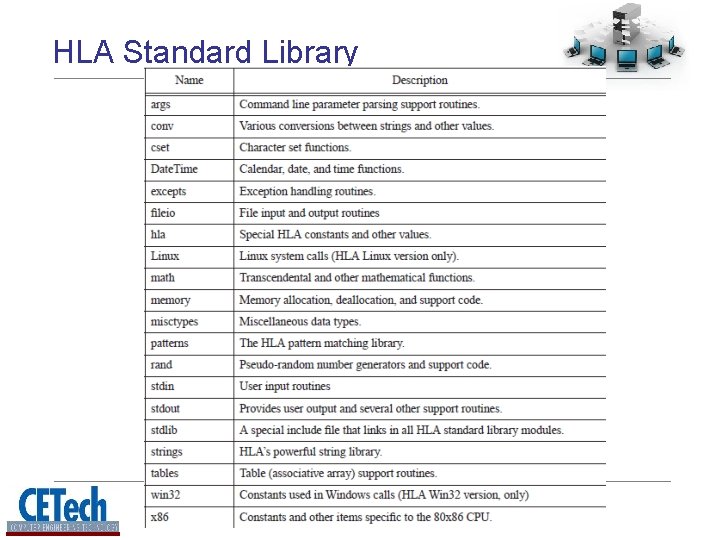
HLA Standard Library • Along with control structures HLA provides many commonly used modules as libraries • Technically these are not “assembly” language • The will allow you to concentrate in the most important aspect of assembly programming and ease the learning of “pure” assembly 27
HLA Standard Library 28
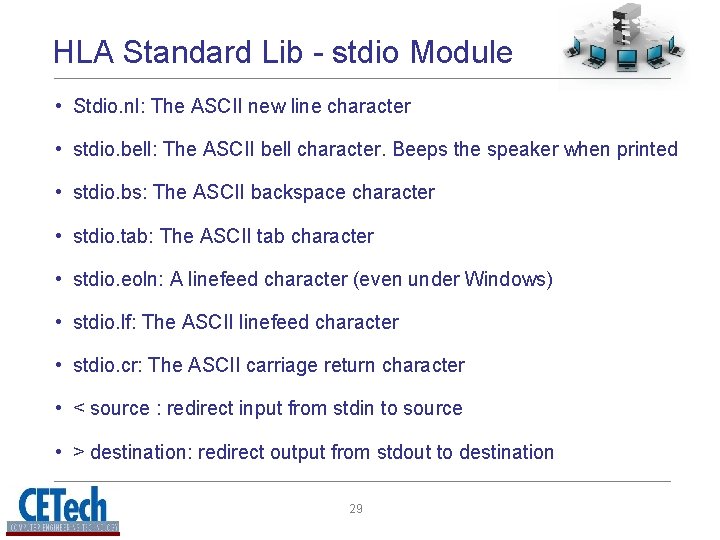
HLA Standard Lib - stdio Module • Stdio. nl: The ASCII new line character • stdio. bell: The ASCII bell character. Beeps the speaker when printed • stdio. bs: The ASCII backspace character • stdio. tab: The ASCII tab character • stdio. eoln: A linefeed character (even under Windows) • stdio. lf: The ASCII linefeed character • stdio. cr: The ASCII carriage return character • < source : redirect input from stdin to source • > destination: redirect output from stdout to destination 29
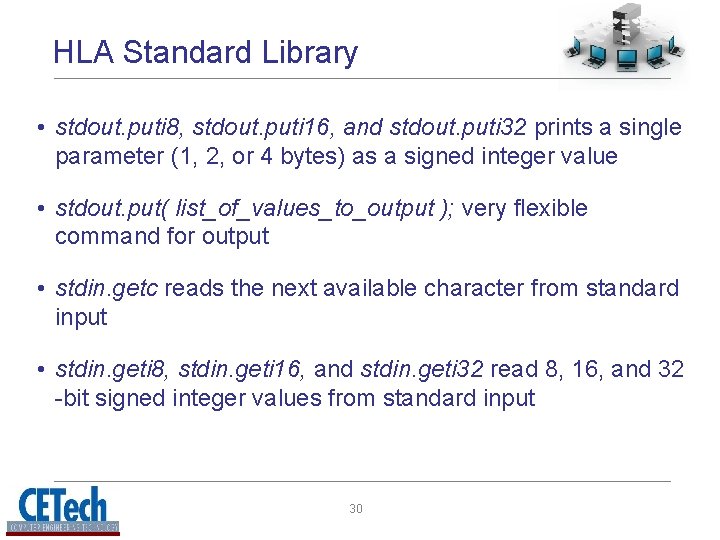
HLA Standard Library • stdout. puti 8, stdout. puti 16, and stdout. puti 32 prints a single parameter (1, 2, or 4 bytes) as a signed integer value • stdout. put( list_of_values_to_output ); very flexible command for output • stdin. getc reads the next available character from standard input • stdin. geti 8, stdin. geti 16, and stdin. geti 32 read 8, 16, and 32 -bit signed integer values from standard input 30
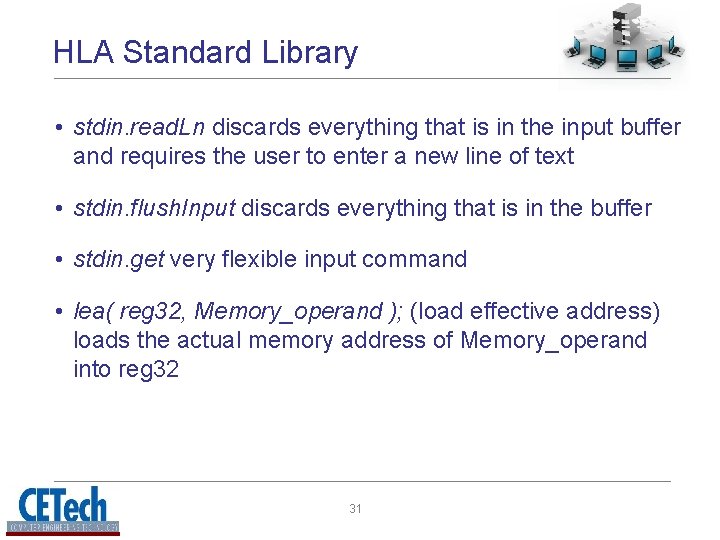
HLA Standard Library • stdin. read. Ln discards everything that is in the input buffer and requires the user to enter a new line of text • stdin. flush. Input discards everything that is in the buffer • stdin. get very flexible input command • lea( reg 32, Memory_operand ); (load effective address) loads the actual memory address of Memory_operand into reg 32 31