
Certified Transcript of Payroll Illinois Department of Labor
Certified Transcript of Payroll Illinois Department of Labor Contact dol. certifiedpayroll@illinois. gov. contact: 312 -793 -3600 (monitored 9: 00 am to 5: 00 pm Monday-Friday)
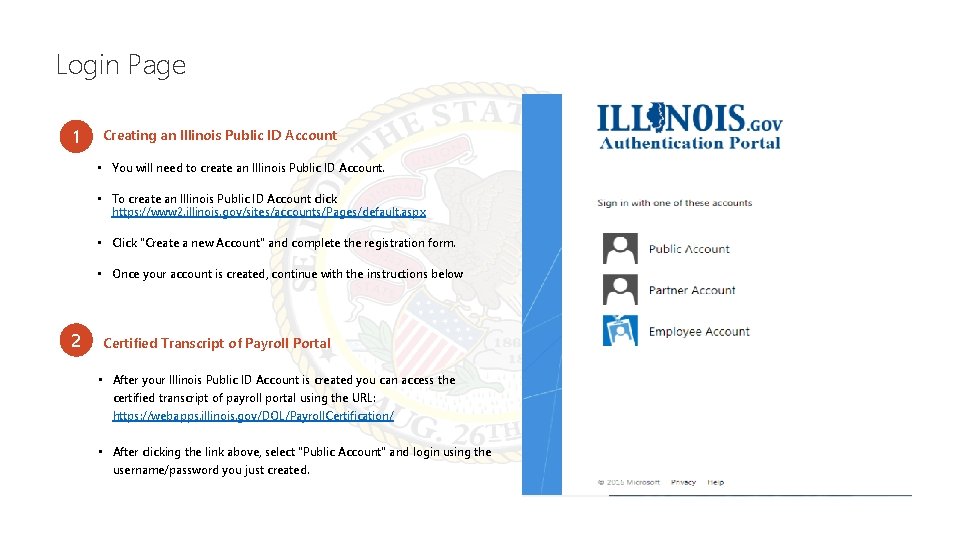
Login Page 1 Creating an Illinois Public ID Account • You will need to create an Illinois Public ID Account. • To create an Illinois Public ID Account click https: //www 2. illinois. gov/sites/accounts/Pages/default. aspx • Click "Create a new Account" and complete the registration form. • Once your account is created, continue with the instructions below 2 Certified Transcript of Payroll Portal • After your Illinois Public ID Account is created you can access the certified transcript of payroll portal using the URL: https: //webapps. illinois. gov/DOL/Payroll. Certification/ • After clicking the link above, select "Public Account" and login using the username/password you just created.
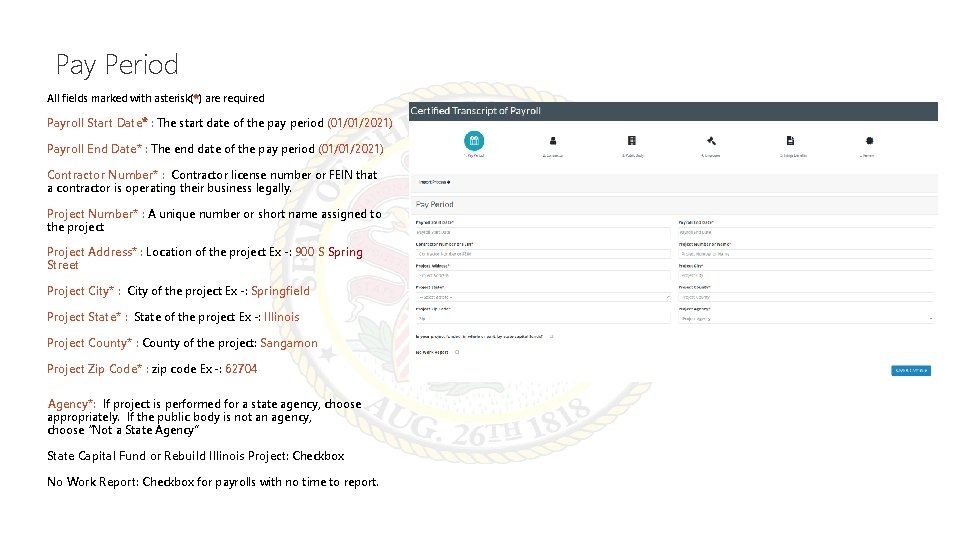
Pay Period All fields marked with asterisk(*) are required Payroll Start Date* : The start date of the pay period (01/01/2021) Payroll End Date* : The end date of the pay period (01/01/2021) Contractor Number* : Contractor license number or FEIN that a contractor is operating their business legally. Project Number* : A unique number or short name assigned to the project Project Address* : Location of the project Ex -: 900 S Spring Street Project City* : City of the project Ex -: Springfield Project State* : State of the project Ex -: Illinois Project County* : County of the project: Sangamon Project Zip Code* : zip code Ex -: 62704 Agency*: If project is performed for a state agency, choose appropriately. If the public body is not an agency, choose “Not a State Agency” State Capital Fund or Rebuild Illinois Project: Checkbox No Work Report: Checkbox for payrolls with no time to report.
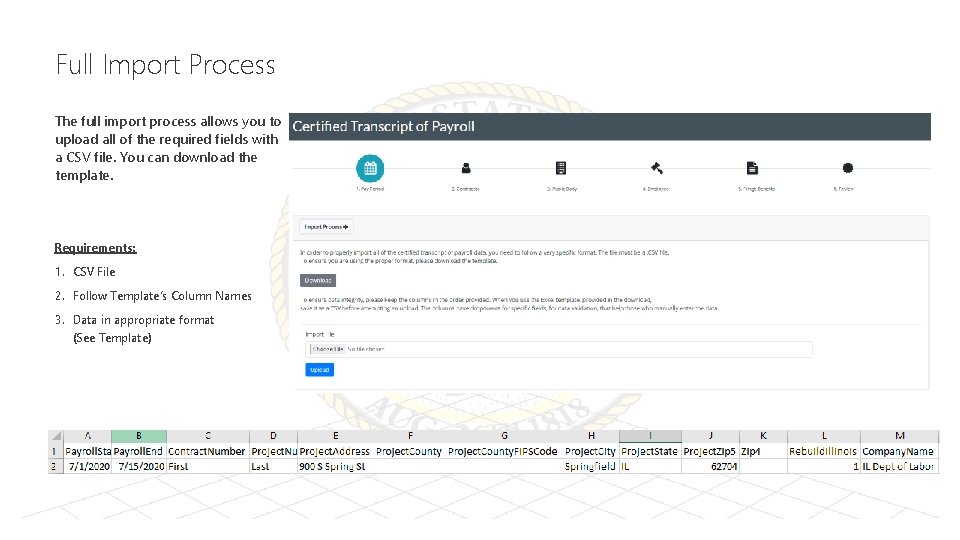
Full Import Process The full import process allows you to upload all of the required fields with a CSV file. You can download the template. Requirements: 1. CSV File 2. Follow Template’s Column Names 3. Data in appropriate format (See Template)
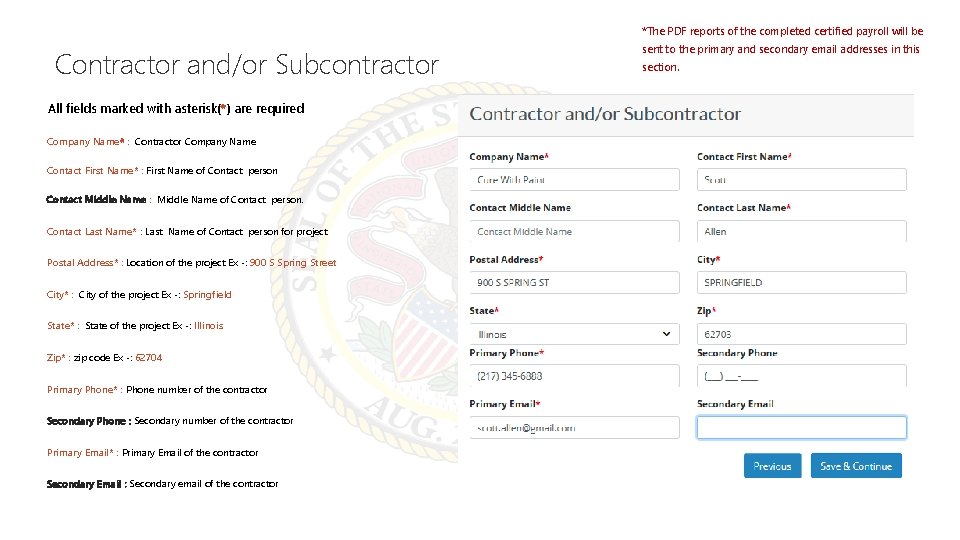
*The PDF reports of the completed certified payroll will be Contractor and/or Subcontractor All fields marked with asterisk(*) are required Company Name* : Contractor Company Name Contact First Name* : First Name of Contact person Contact Middle Name : Middle Name of Contact person. Contact Last Name* : Last Name of Contact person for project Postal Address* : Location of the project Ex -: 900 S Spring Street City* : City of the project Ex -: Springfield State* : State of the project Ex -: Illinois Zip* : zip code Ex -: 62704 Primary Phone* : Phone number of the contractor Secondary Phone : Secondary number of the contractor Primary Email* : Primary Email of the contractor Secondary Email : Secondary email of the contractor sent to the primary and secondary email addresses in this section.
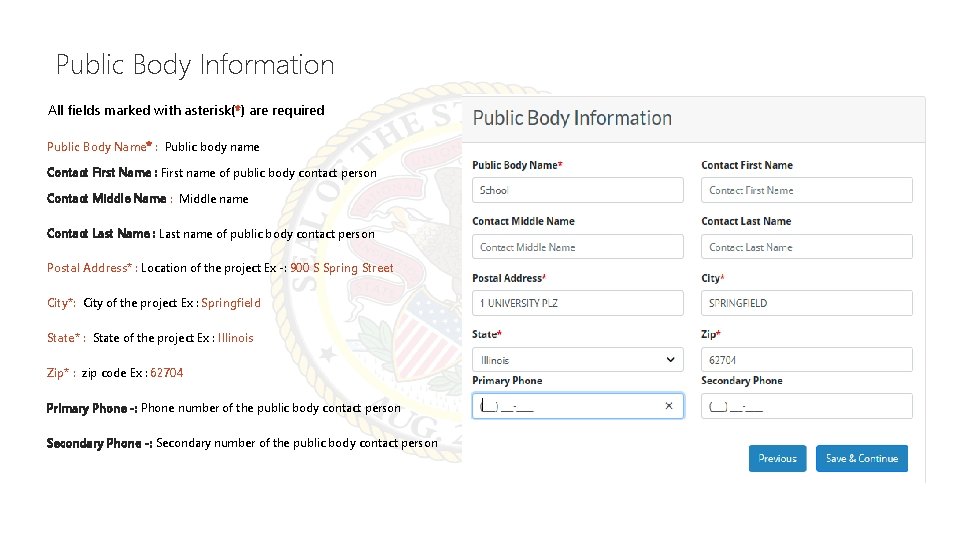
Public Body Information All fields marked with asterisk(*) are required Public Body Name* : Public body name Contact First Name : First name of public body contact person Contact Middle Name : Middle name Contact Last Name : Last name of public body contact person Postal Address* : Location of the project Ex -: 900 S Spring Street City*: City of the project Ex : Springfield State* : State of the project Ex : Illinois Zip* : zip code Ex : 62704 Primary Phone -: Phone number of the public body contact person Secondary Phone -: Secondary number of the public body contact person
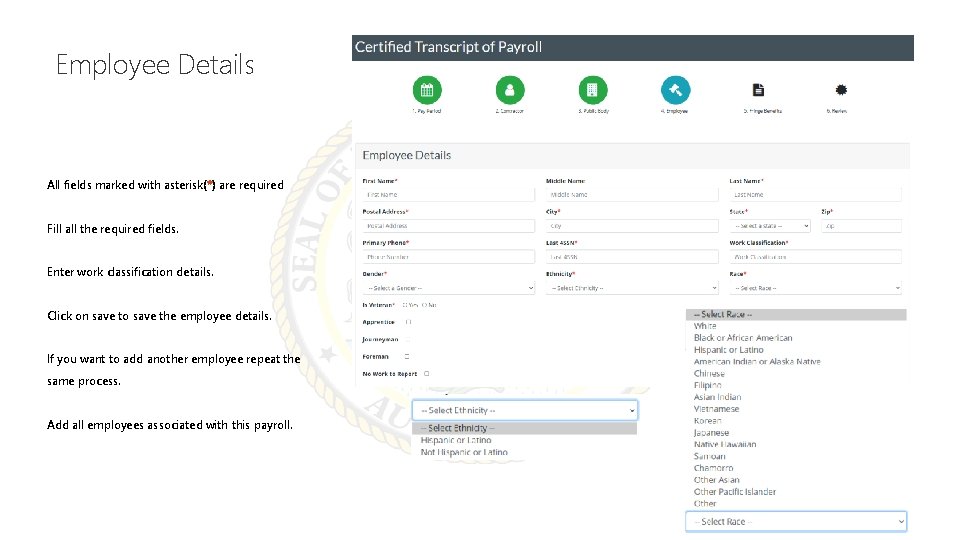
Employee Details All fields marked with asterisk(*) are required Fill all the required fields. Enter work classification details. Click on save to save the employee details. If you want to add another employee repeat the same process. Add all employees associated with this payroll.

Employee Details Continued…
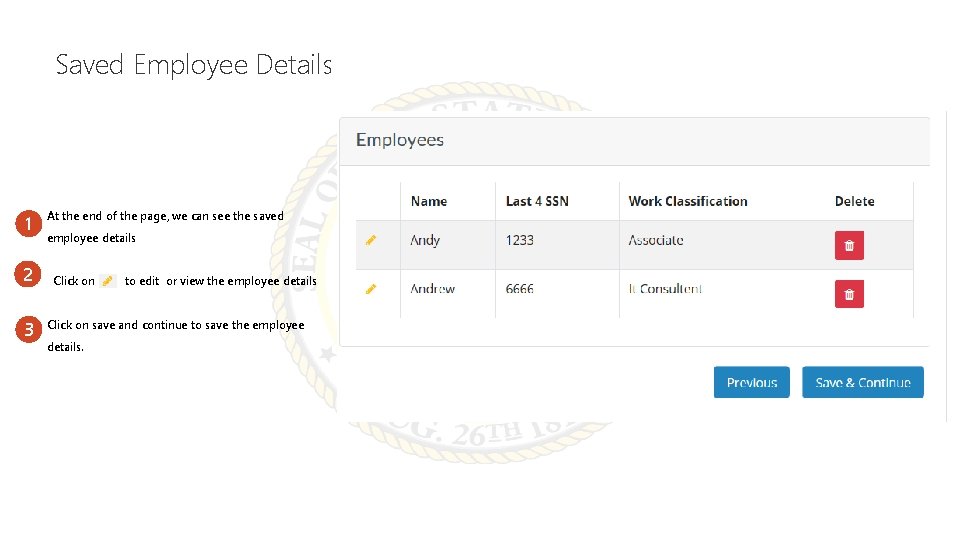
Saved Employee Details 1 2 3 At the end of the page, we can see the saved employee details Click on to edit or view the employee details Click on save and continue to save the employee details.
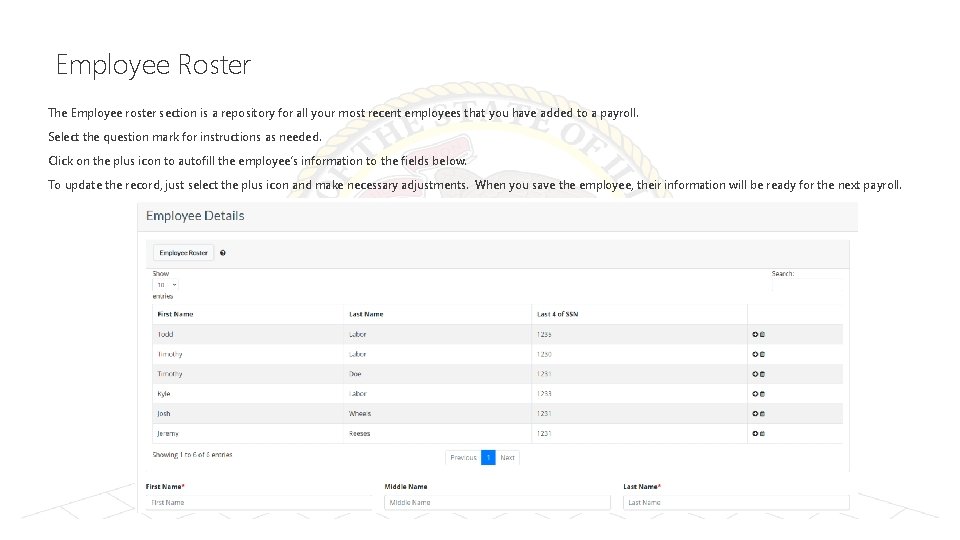
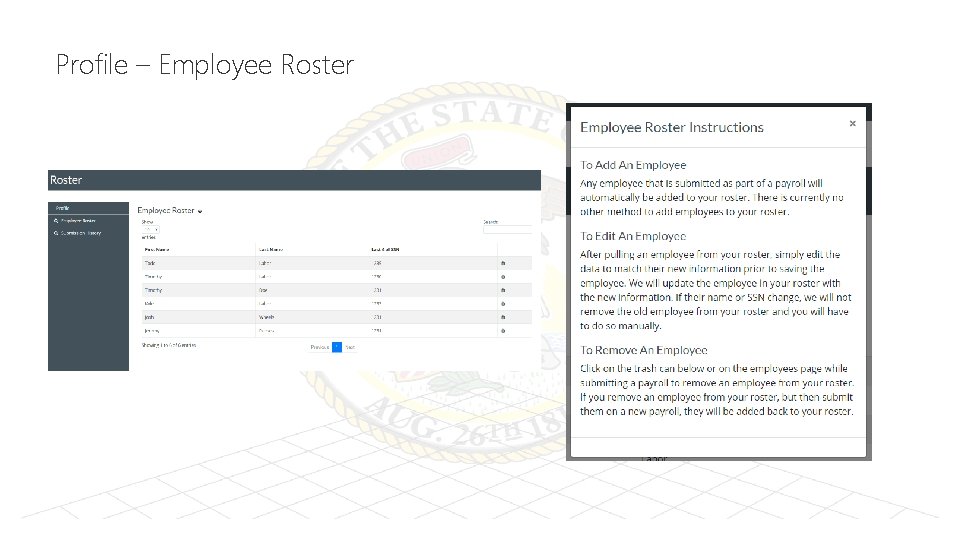
Employee Roster The Employee roster section is a repository for all your most recent employees that you have added to a payroll. Select the question mark for instructions as needed. Click on the plus icon to autofill the employee’s information to the fields below. To update the record, just select the plus icon and make necessary adjustments. When you save the employee, their information will be ready for the next payroll.
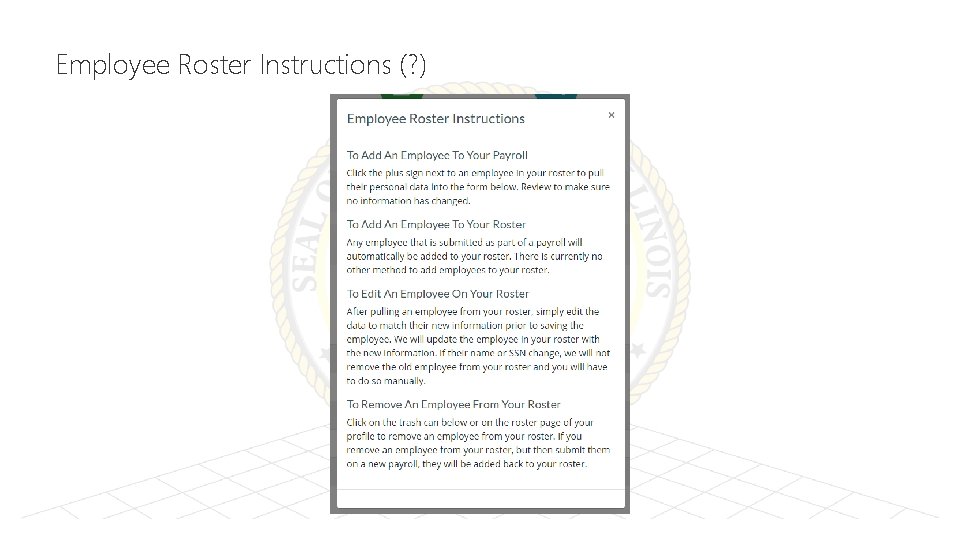
Employee Roster Instructions (? )
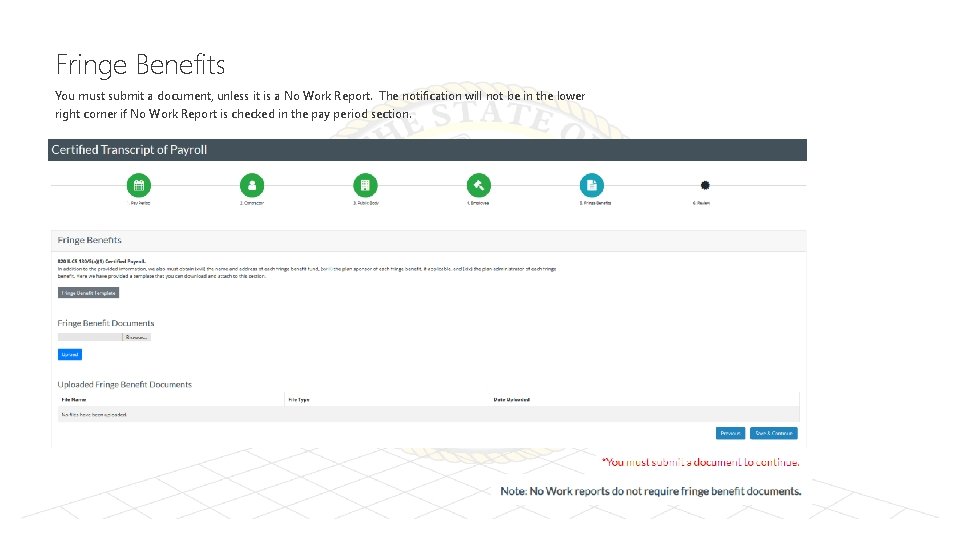
Fringe Benefits You must submit a document, unless it is a No Work Report. The notification will not be in the lower right corner if No Work Report is checked in the pay period section.
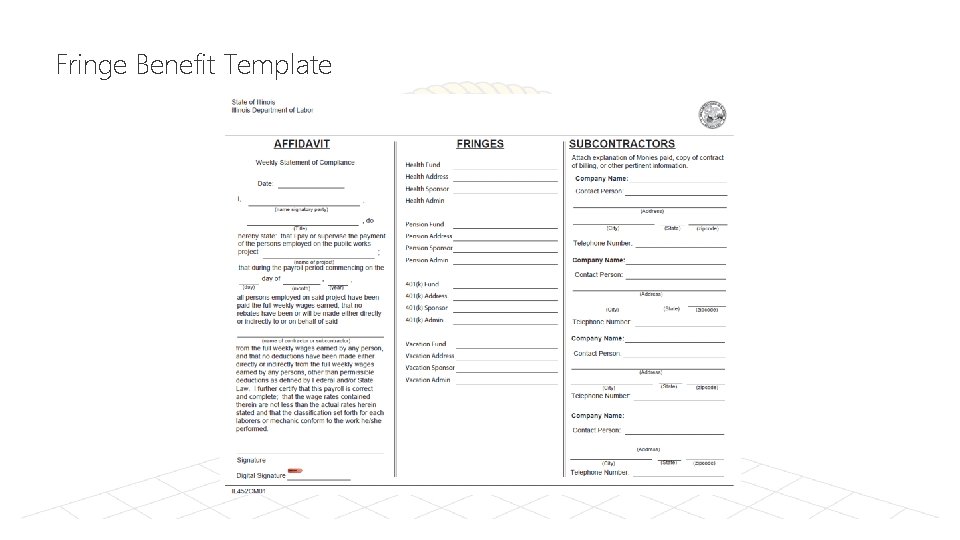
Fringe Benefit Template
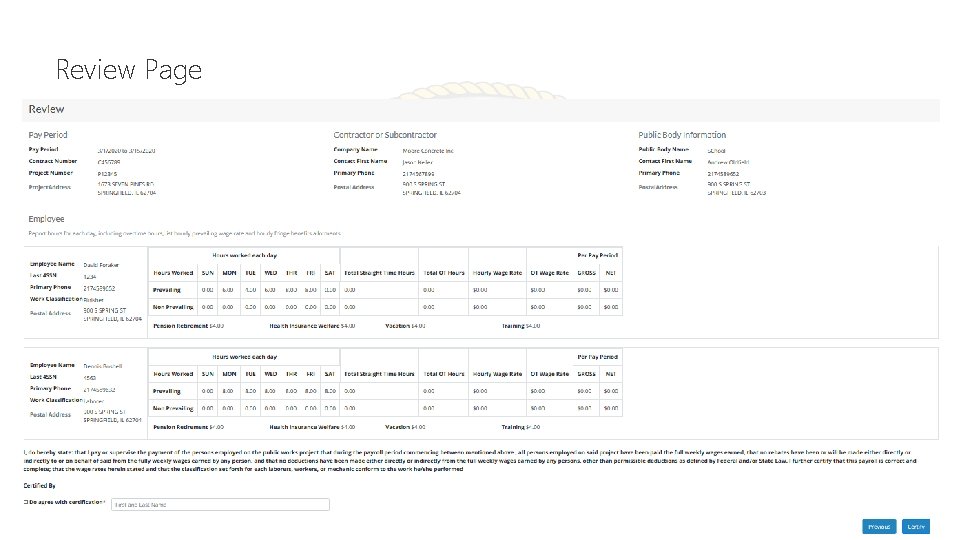
Review Page
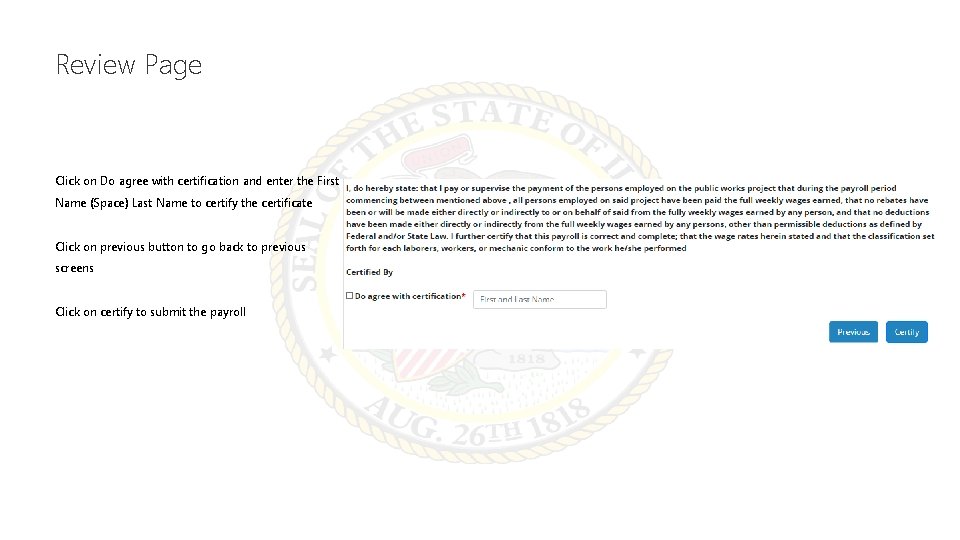
Review Page Click on Do agree with certification and enter the First Name (Space) Last Name to certify the certificate Click on previous button to go back to previous screens Click on certify to submit the payroll
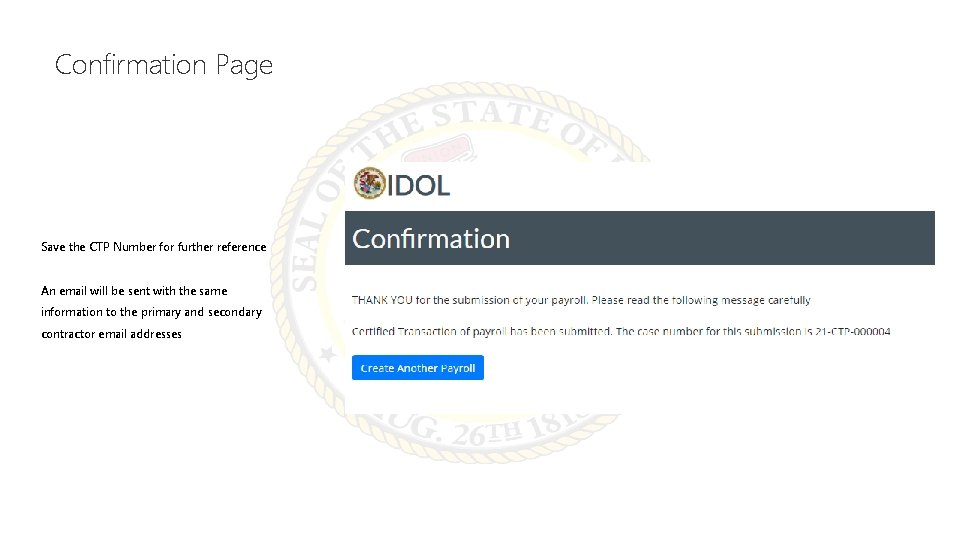
Confirmation Page Save the CTP Number for further reference An email will be sent with the same information to the primary and secondary contractor email addresses
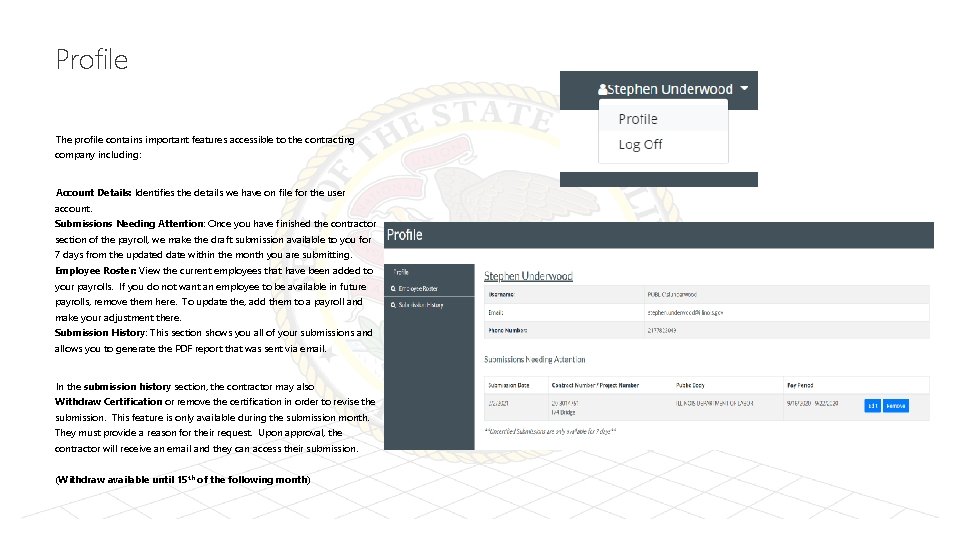
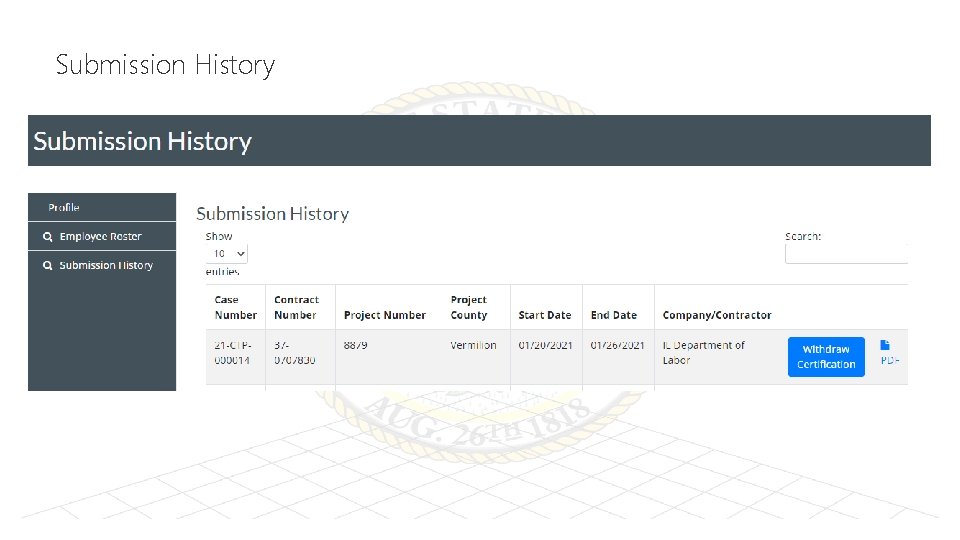
Profile The profile contains important features accessible to the contracting company including: Account Details: Identifies the details we have on file for the user account. Submissions Needing Attention: Once you have finished the contractor section of the payroll, we make the draft submission available to you for 7 days from the updated date within the month you are submitting. Employee Roster: View the current employees that have been added to your payrolls. If you do not want an employee to be available in future payrolls, remove them here. To update the, add them to a payroll and make your adjustment there. Submission History: This section shows you all of your submissions and allows you to generate the PDF report that was sent via email. In the submission history section, the contractor may also Withdraw Certification or remove the certification in order to revise the submission. This feature is only available during the submission month. They must provide a reason for their request. Upon approval, the contractor will receive an email and they can access their submission. (Withdraw available until 15 th of the following month)
Profile – Employee Roster
Submission History
Thank You dol. certifiedpayroll@illinois. gov. contact: 312 -793 -3600 (monitored 9: 00 am to 5: 00 pm Monday-Friday) Certified Transcript of Payroll - Conciliation and Mediation Division (illinois. gov) https: //www 2. illinois. gov/idol/Laws-Rules/CONMED/Pages/certifiedtranscriptofpayroll. aspx Contact
- Slides: 20