
Certified Transcript of Payroll Illinois Department of Labor
Certified Transcript of Payroll Illinois Department of Labor Contact dol. certifiedpayroll@illinois. gov. contact: 312 -793 -3600 (monitored 9: 00 am to 5: 00 pm Monday-Friday)
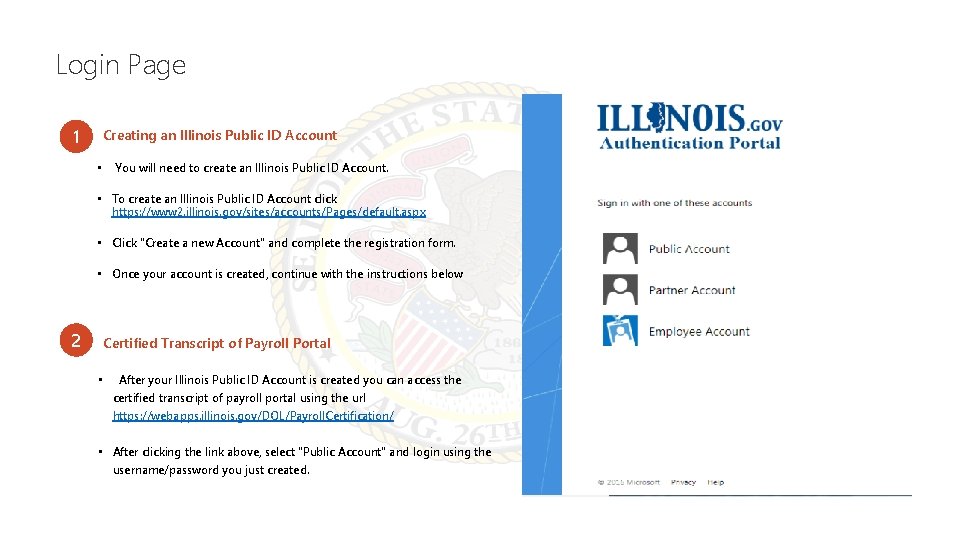
Login Page 1 Creating an Illinois Public ID Account • You will need to create an Illinois Public ID Account. • To create an Illinois Public ID Account click https: //www 2. illinois. gov/sites/accounts/Pages/default. aspx • Click "Create a new Account" and complete the registration form. • Once your account is created, continue with the instructions below 2 Certified Transcript of Payroll Portal • After your Illinois Public ID Account is created you can access the certified transcript of payroll portal using the url https: //webapps. illinois. gov/DOL/Payroll. Certification/ • After clicking the link above, select "Public Account" and login using the username/password you just created.
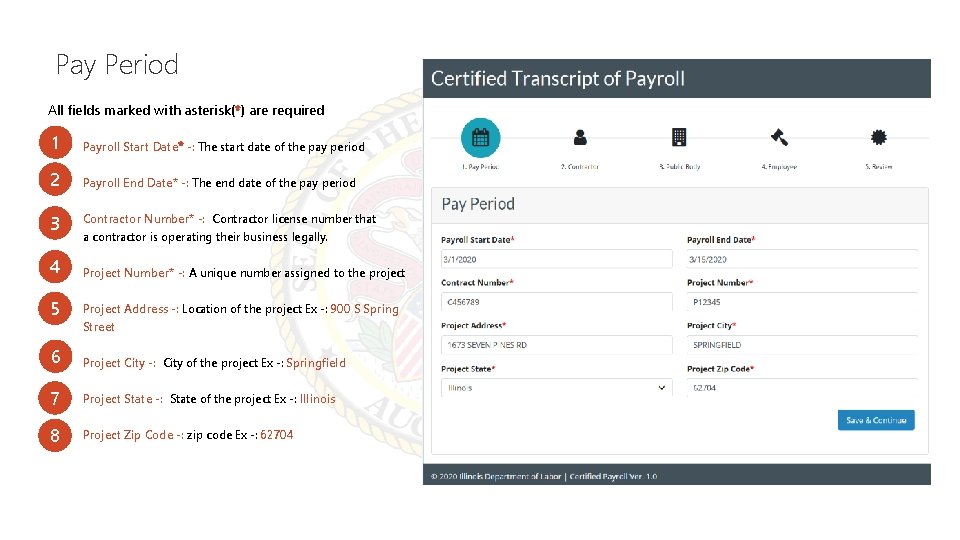
Pay Period All fields marked with asterisk(*) are required 1 Payroll Start Date* -: The start date of the pay period 2 Payroll End Date* -: The end date of the pay period 3 Contractor Number* -: Contractor license number that a contractor is operating their business legally. 4 Project Number* -: A unique number assigned to the project 5 Project Address -: Location of the project Ex -: 900 S Spring Street 6 Project City -: City of the project Ex -: Springfield 7 Project State -: State of the project Ex -: Illinois 8 Project Zip Code -: zip code Ex -: 62704
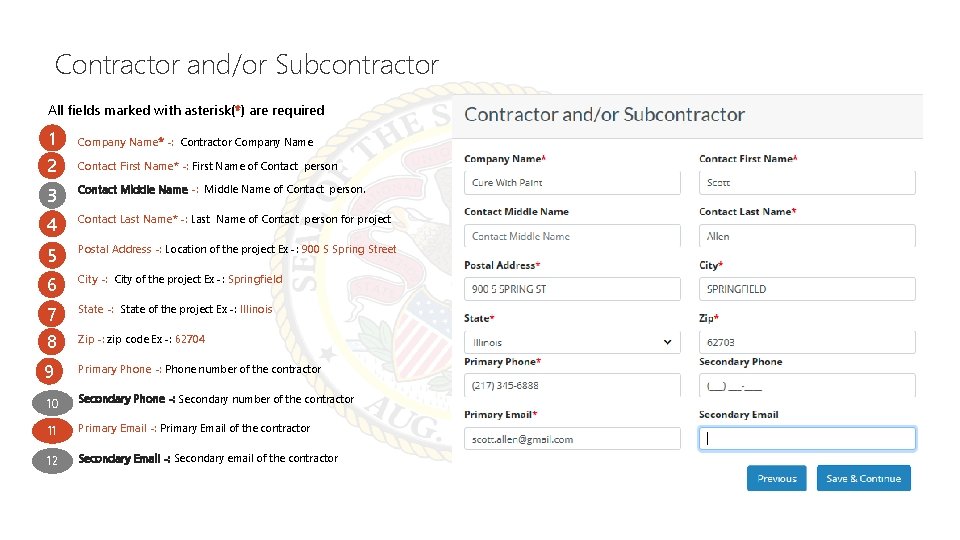
Contractor and/or Subcontractor All fields marked with asterisk(*) are required 1 Company Name* -: Contractor Company Name 2 Contact First Name* -: First Name of Contact person 3 Contact Middle Name -: Middle Name of Contact person. 4 Contact Last Name* -: Last Name of Contact person for project 5 Postal Address -: Location of the project Ex -: 900 S Spring Street 6 City -: City of the project Ex -: Springfield 7 State -: State of the project Ex -: Illinois 8 Zip -: zip code Ex -: 62704 9 Primary Phone -: Phone number of the contractor 10 Secondary Phone -: Secondary number of the contractor 11 Primary Email -: Primary Email of the contractor 12 Secondary Email -: Secondary email of the contractor
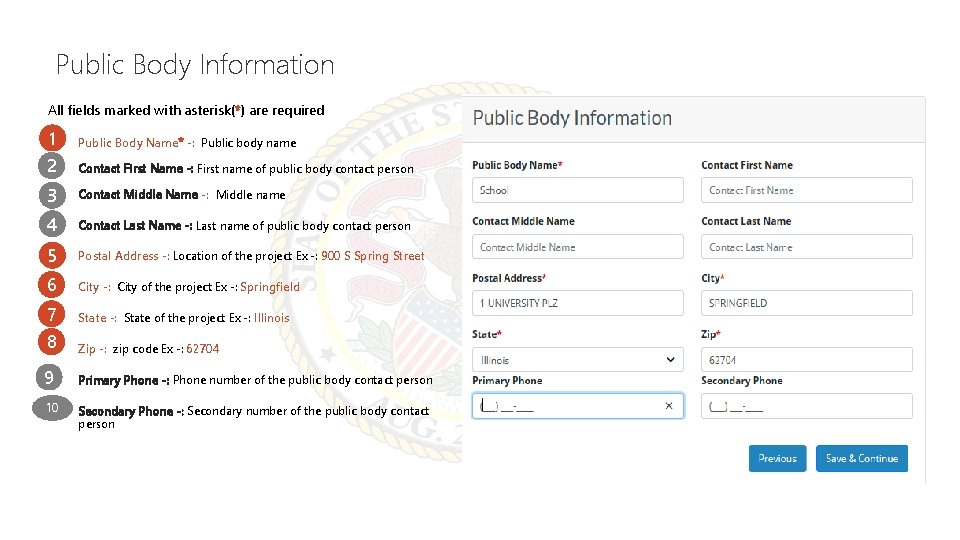
Public Body Information All fields marked with asterisk(*) are required 1 Public Body Name* -: Public body name 2 Contact First Name -: First name of public body contact person 3 Contact Middle Name -: Middle name 4 Contact Last Name -: Last name of public body contact person 5 Postal Address -: Location of the project Ex -: 900 S Spring Street 6 City -: City of the project Ex -: Springfield 7 State -: State of the project Ex -: Illinois 8 Zip -: zip code Ex -: 62704 9 Primary Phone -: Phone number of the public body contact person 10 Secondary Phone -: Secondary number of the public body contact person
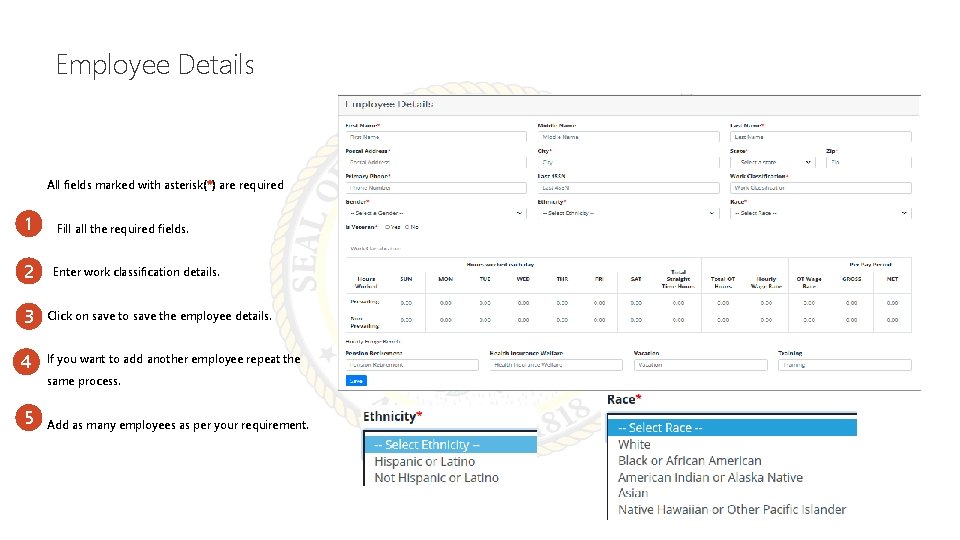
Employee Details All fields marked with asterisk(*) are required 1 Fill all the required fields. 2 Enter work classification details. 3 Click on save to save the employee details. 4 If you want to add another employee repeat the 5 same process. Add as many employees as per your requirement.
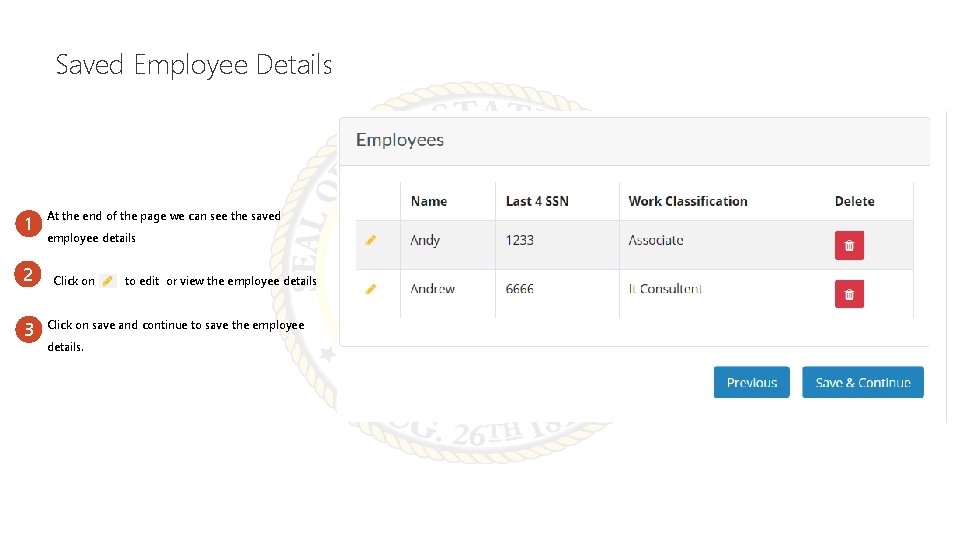
Saved Employee Details 1 2 3 At the end of the page we can see the saved employee details Click on to edit or view the employee details Click on save and continue to save the employee details.
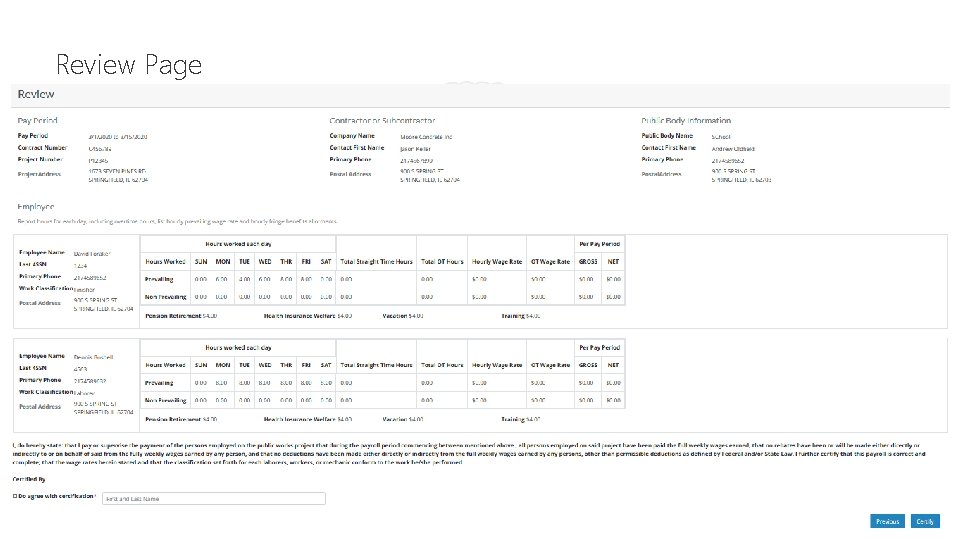
Review Page
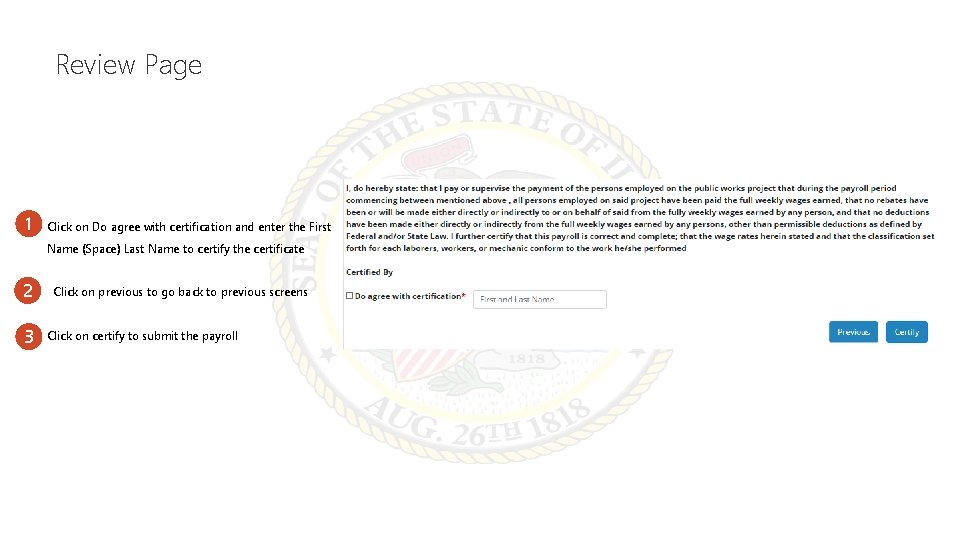
Review Page 1 Click on Do agree with certification and enter the First Name (Space) Last Name to certify the certificate 2 3 Click on previous to go back to previous screens Click on certify to submit the payroll
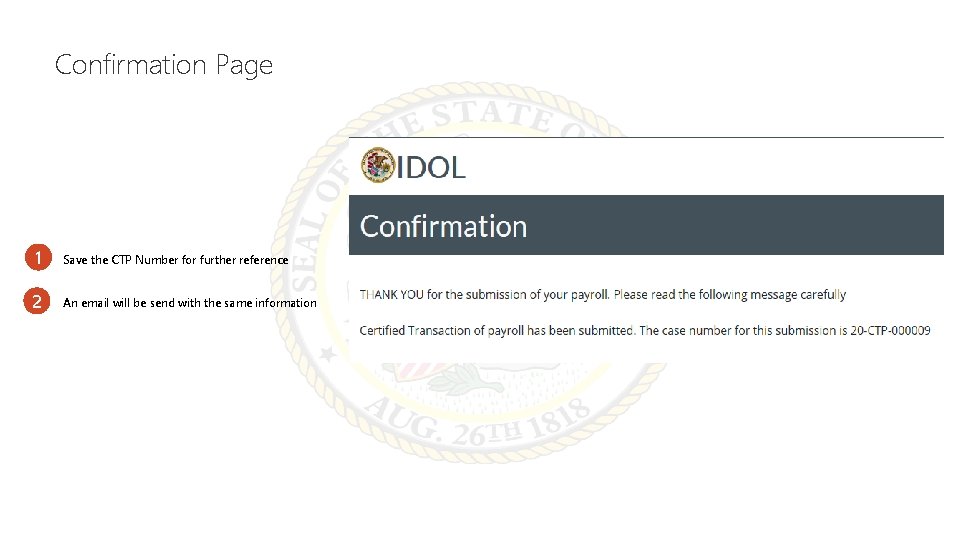
Confirmation Page 1 Save the CTP Number for further reference 2 An email will be send with the same information

Thank You
- Slides: 11