
CERN Go To Grid Overview Antonio Retico CERN
- Slides: 28
CERN Go. To. Grid – Overview Antonio Retico – CERN, GD/GIS INFN-Grid Workshop Bari, 25 -Oct-2004 Ian. Bird@cern. ch
Contents CERN • Introduction • Key Features • System Overview • Comments Antonio. Retico@cern. ch 2
Introduction CERN • Introduction – How did G 2 G come up? – What is G 2 G – What G 2 G is not – Who G 2 G is for – People working on G 2 G • Key Features • System Overview • Comments Antonio. Retico@cern. ch 3
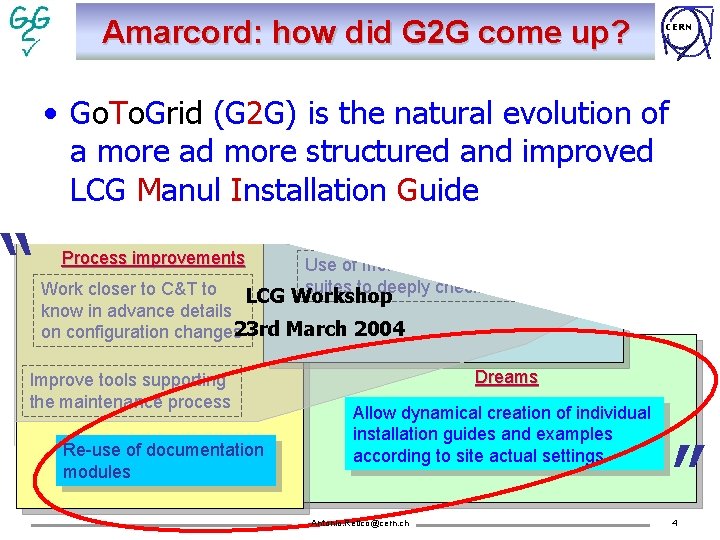
Amarcord: how did G 2 G come up? CERN • Go. To. Grid Immediate needs (G 2 G) is the natural evolution of Quality improvements a more ad more structured and improved Suitable set of guides for all LCG nodes Line-up our recipes to current LCG Manul Installation Guide quality standards of LCG “ Documentation Process improvements Use of more articulated test suites to deeply check configuration Work closer to C&T to LCG Workshop know in advance details on configuration changes 23 rd March 2004 Improve tools supporting the maintenance process Re-use of documentation modules Dreams Allow dynamical creation of individual installation guides and examples according to site actual settings Antonio. Retico@cern. ch ” 4
Introduction: What is G 2 G CERN • G 2 G is a web-based tool to support the generic installation and configuration of (LCG) grid middleware – The server runs at CERN – Relevant site-dependent configuration information is stored in a database – It provides added-value tools, configuration files and documentation to install a site manually (or by a third-party fabric management tool) Antonio. Retico@cern. ch 5
Introduction: What G 2 G is not CERN • G 2 G is not a fabric management tool – The required configuration parameters are a subset, mostly dealing with site topology and organization (e. g. names, supported VOs, used batch systems …) and not with sw integration (e. g. port numbers, timeouts, protocols. . . ) • G 2 G does not define a new metaconfiguration language – Post-installation changes and maintenance have to be manually done on the real configuration files • G 2 G does not handle application software from the Virtual Organizations Antonio. Retico@cern. ch 6
Introduction: Who G 2 G is for CERN • G 2 G features are thought to be useful to ALL sites … – First level assistance and hints (Grid Assistant) – Site profile editing tool • … to small sites … – Customized tools to make manual installation easier • … to large sites … – Documentation to configure fabric management tools • … and to us (support to sites) – Centralized repository to query for site configuration Antonio. Retico@cern. ch 7
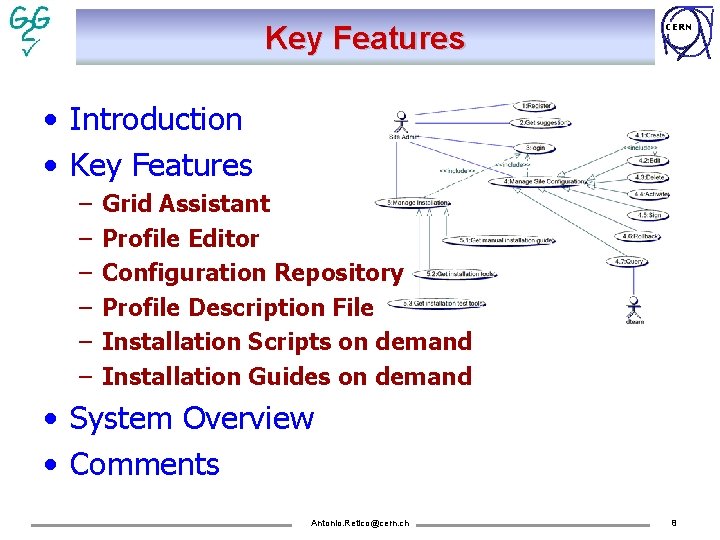
Key Features CERN • Introduction • Key Features – – – Grid Assistant Profile Editor Configuration Repository Profile Description File Installation Scripts on demand Installation Guides on demand • System Overview • Comments Antonio. Retico@cern. ch 8
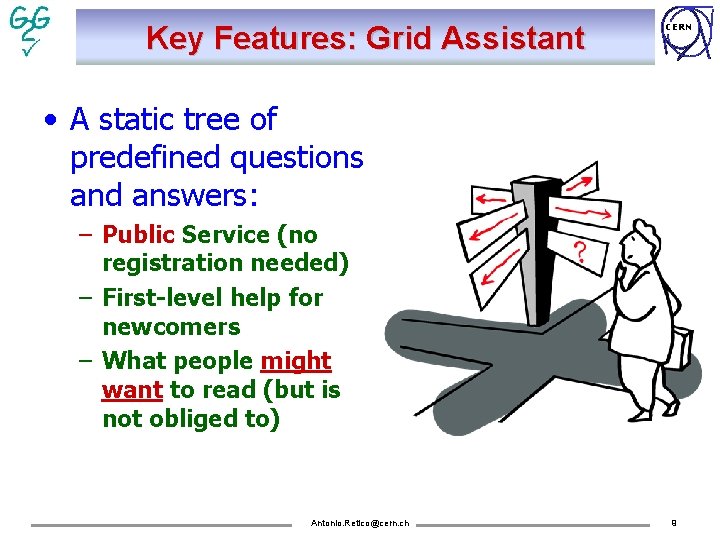
Key Features: Grid Assistant CERN • A static tree of predefined questions and answers: – Public Service (no registration needed) – First-level help for newcomers – What people might want to read (but is not obliged to) Antonio. Retico@cern. ch 9
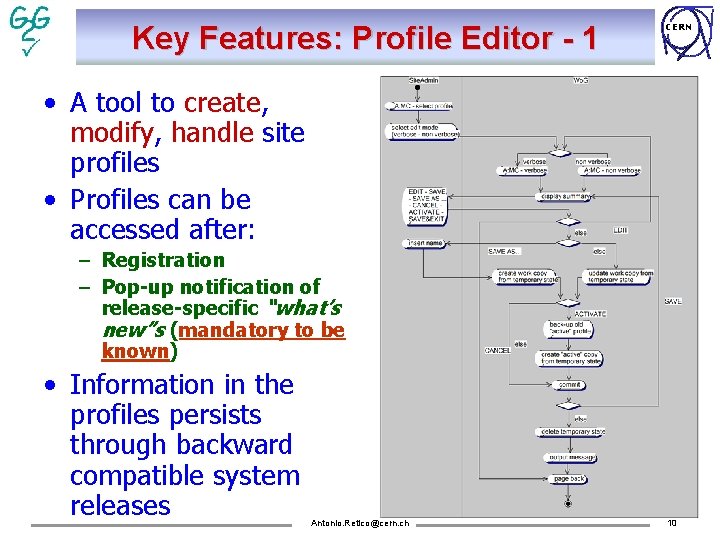
Key Features: Profile Editor - 1 CERN • A tool to create, modify, handle site profiles • Profiles can be accessed after: – Registration – Pop-up notification of release-specific “what’s new”s (mandatory to be known) • Information in the profiles persists through backward compatible system releases Antonio. Retico@cern. ch 10
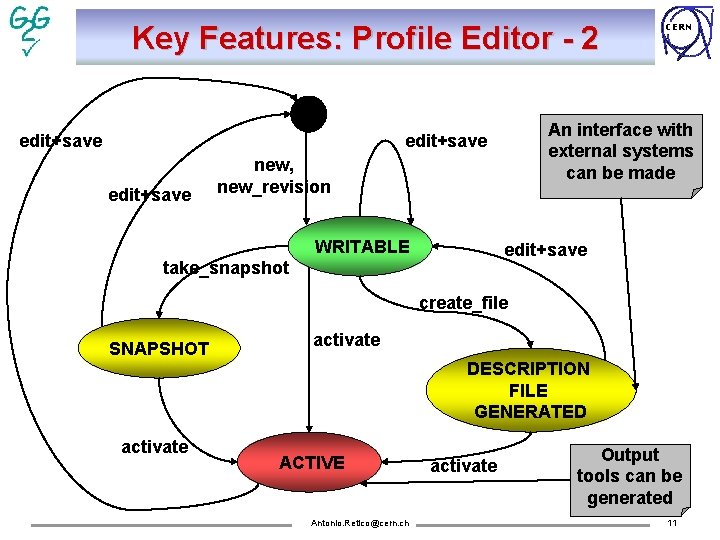
Key Features: Profile Editor - 2 edit+save An interface with external systems can be made edit+save new, new_revision WRITABLE CERN edit+save take_snapshot create_file SNAPSHOT activate DESCRIPTION FILE GENERATED activate ACTIVE Antonio. Retico@cern. ch activate Output tools can be generated 11
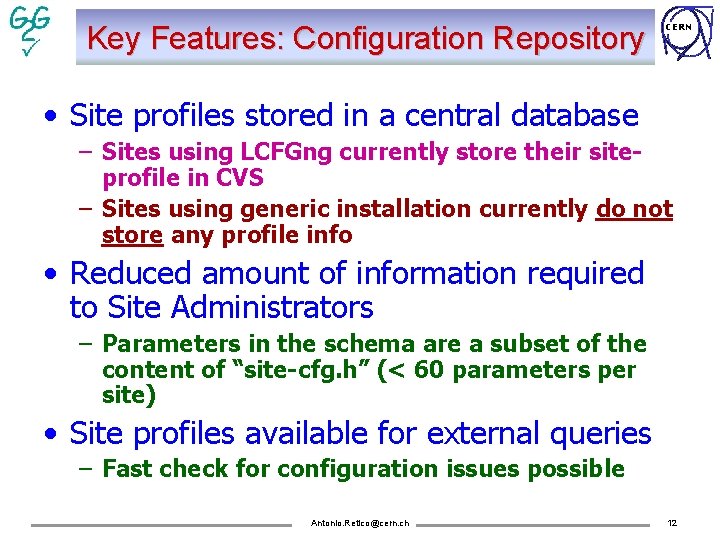
Key Features: Configuration Repository CERN • Site profiles stored in a central database – Sites using LCFGng currently store their siteprofile in CVS – Sites using generic installation currently do not store any profile info • Reduced amount of information required to Site Administrators – Parameters in the schema are a subset of the content of “site-cfg. h” (< 60 parameters per site) • Site profiles available for external queries – Fast check for configuration issues possible Antonio. Retico@cern. ch 12
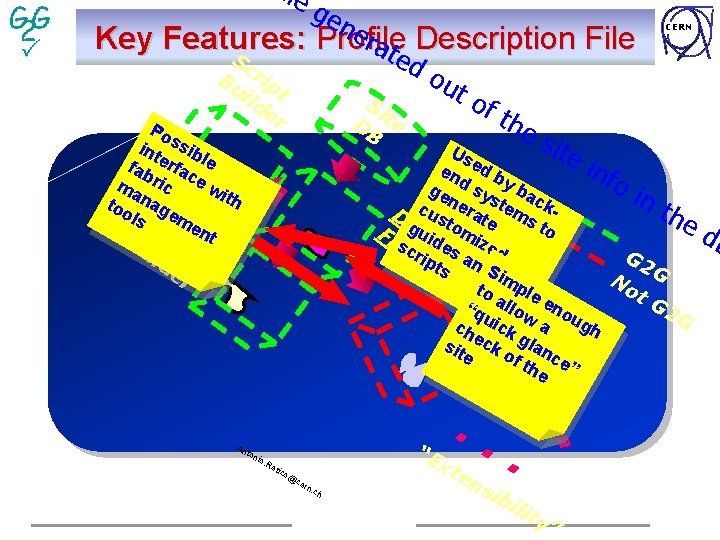
ile ge ne rat Description File Key Features : Profile S e c Bu rip ild t er Si DB te Po int ssib fab erfac le ma ric e w ith too nag ls. D em e B oc nt ui er io. Re “E n rty Pa ratio rd 3 - nfigu Co l o To ton of the s i Us te e inf en d b d y oi ge sy ba s n c nt De cus erate tems khe t o g t o s Fi ucid m. Pi lsec rei s zreod G 2 (ri. X ptsptaind fi S l G M on ime N p L) to ot le a e G 2 “q llow no u u G gh ch ick a sit eck glan of e the ce” ld An do ut CERN . . xt e tico @ ce rn. ch . ns ib ili ty ” db
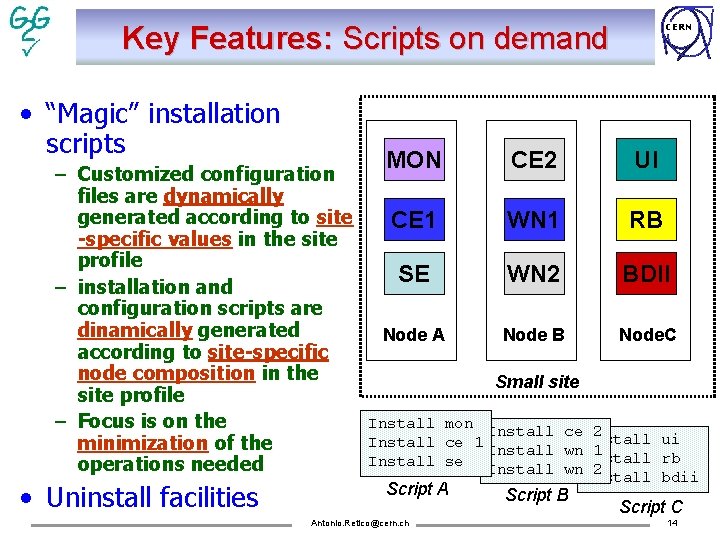
Key Features: Scripts on demand • “Magic” installation scripts – Customized configuration files are dynamically generated according to site -specific values in the site profile – installation and configuration scripts are dinamically generated according to site-specific node composition in the site profile – Focus is on the minimization of the operations needed • Uninstall facilities CERN MON CE 2 UI CE 1 WN 1 RB SE WN 2 BDII Node A Node B Node. C Small site Install mon Install ce 2 ui Install ce 1 Install wn Install 1 rb Install se Install wn Install 2 Install bdii Script A Antonio. Retico@cern. ch Script B Script C 14
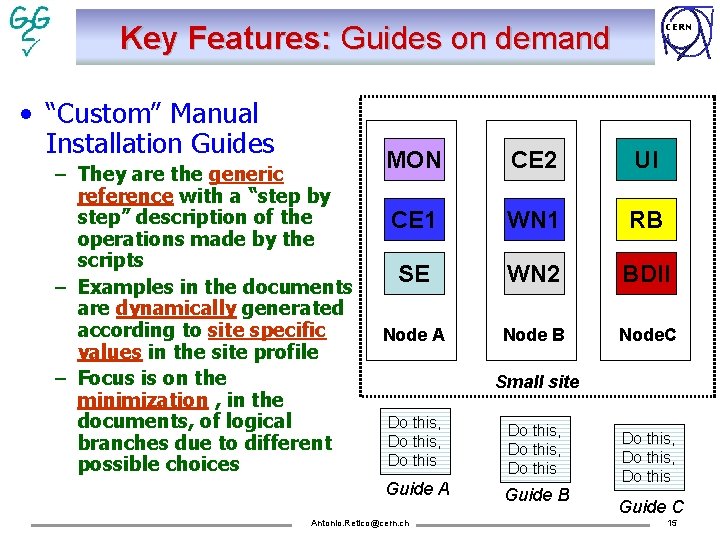
Key Features: Guides on demand • “Custom” Manual Installation Guides – They are the generic reference with a “step by step” description of the operations made by the scripts – Examples in the documents are dynamically generated according to site specific values in the site profile – Focus is on the minimization , in the documents, of logical branches due to different possible choices CERN MON CE 2 UI CE 1 WN 1 RB SE WN 2 BDII Node A Node B Node. C Small site Do this, Do this Guide A Guide B Antonio. Retico@cern. ch Do this, Do this Guide C 15
System Overview CERN • Introduction • Key Features • System Overview – A Possible User Scenario – Architecture – Current Status – Maintenance • Comments Antonio. Retico@cern. ch 16
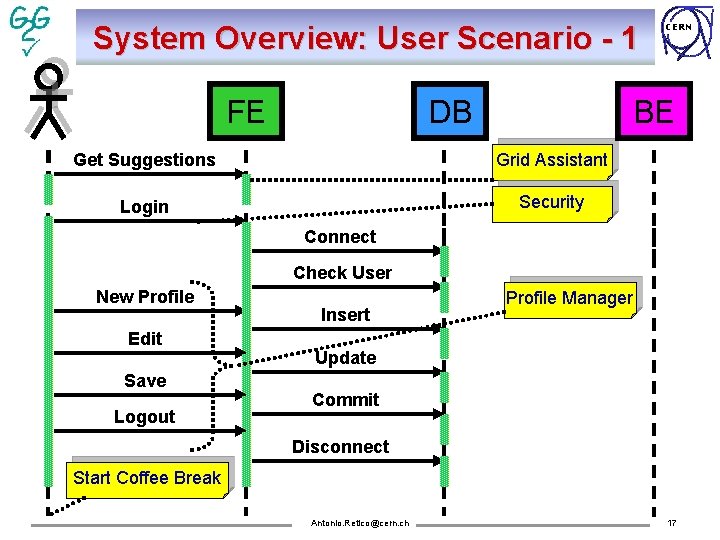
System Overview: User Scenario - 1 FE DB CERN BE Get Suggestions Grid Assistant Login Security Connect Check User New Profile Edit Save Logout Insert Profile Manager Update Commit Disconnect Start Coffee Break Antonio. Retico@cern. ch 17
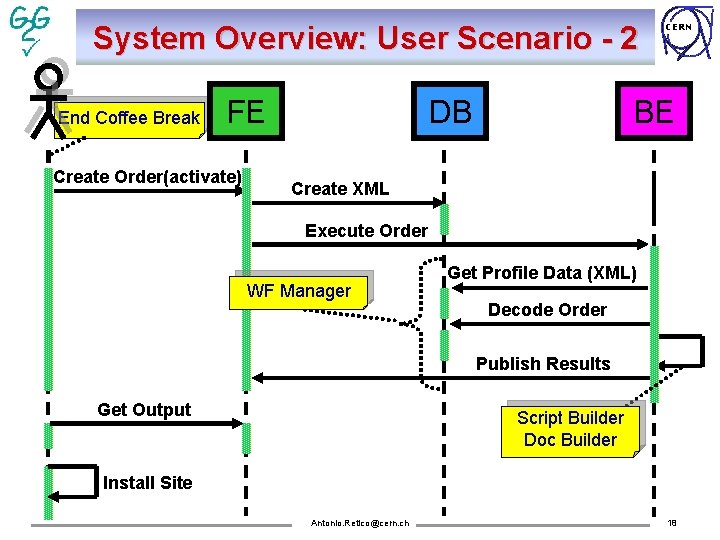
System Overview: User Scenario - 2 End Coffee Break FE Create Order(activate) DB CERN BE Create XML Execute Order WF Manager Get Profile Data (XML) Decode Order Publish Results Get Output Script Builder Doc Builder Install Site Antonio. Retico@cern. ch 18
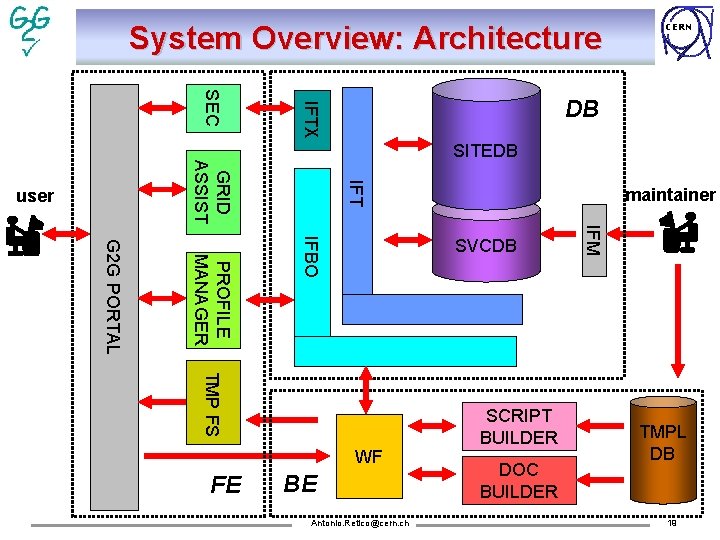
System Overview: Architecture DB IFTX SEC SITEDB IFT GRID ASSIST user maintainer TMP FS BE Antonio. Retico@cern. ch SCRIPT BUILDER DOC BUILDER IFM IFBO PROFILE MANAGER G 2 G PORTAL SVCDB WF FE CERN TMPL DB 19
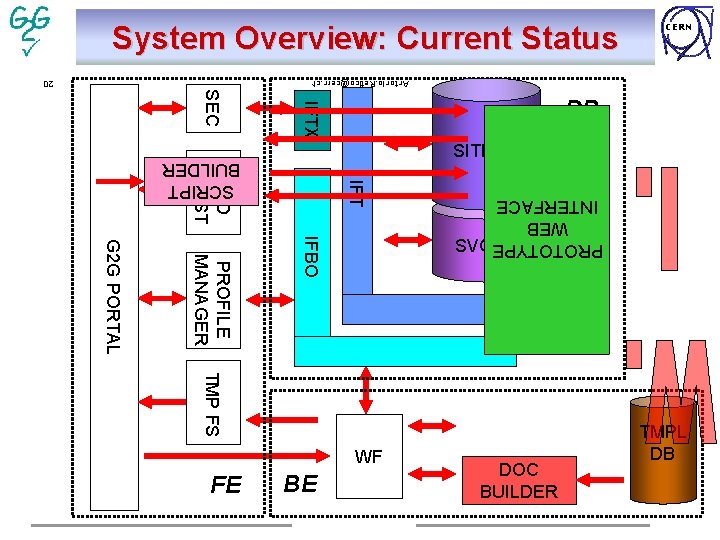
System Overview: Current Status Antonio. Retico@cern. ch IFTX GRID ASSIST SITEDB SCRIPT BUILDER IFT TMP FS BE DOC BUILDER IFM SVCDB IFBO PROFILE MANAGER G 2 G PORTAL PROTOTYPE WEB INTERFACE 20 SEC DB WF FE CERN TMPL DB
System Overview: Maintenance CERN • Maintenance Process – Get new release from C&T (hopefully not to be reverse-engineered from LCFGng) – Try the upgrade and the installation from scratch. – Update the SVCDB with possible new parameters or change attributes in existing ones – Update the TMPLDB (templates of configuration files, documentation modules, script-generator modules) according to configuration changes – Update rpm lists – If the system is not backward compatible with the previous release: • Update schema • Migrate existing profiles Antonio. Retico@cern. ch 21
System Overview: References and Links CERN G 2 G Documentation: http: //www. cern. ch/antonio. retico/g 2 g/doc/ Antonio. Retico@cern. ch 22
Comments • • CERN Introduction Key Features System Overview Comments – – Is Life Getting Easier? Deployment Collaboration Questions Antonio. Retico@cern. ch 23
Is Life Getting Easier? CERN • Site Administrator’s life – Clear entry point to supported solutions – Documentation to read reduced to the minimum – No particular skills needed • Our life – The effort of providing and supporting Grid configuration solutions is unchanged – A simpler document to use is harder to write (2 nd Principle of Thermodynamics). – Fair knowledge of the tool required for maintenance – The maintenance process of the documentation is more defined and rigid than the current one Antonio. Retico@cern. ch 24
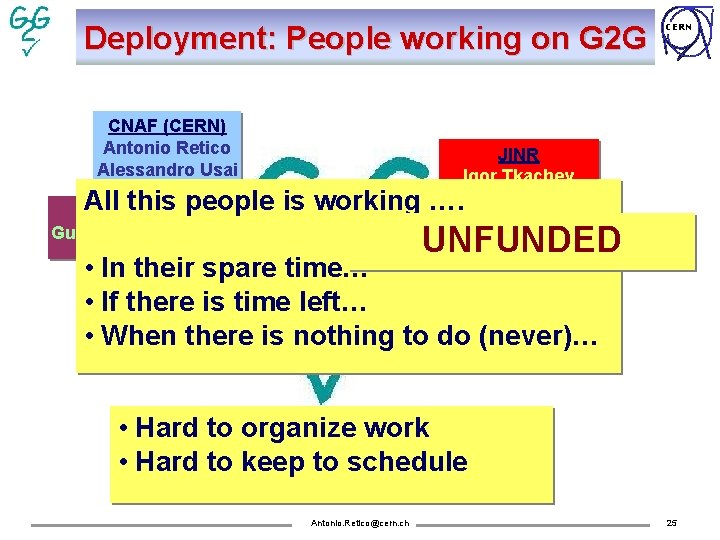
Deployment: People working on G 2 G CNAF (CERN) Antonio Retico Alessandro Usai CERN JINR Igor Tkachev All people is working …. MTEthis (CERN) UNFUNDED Guillermo Diez Andino • In. CERN their spare time… (EGEE) WEIZMANN ? Keeble • If Oliver there is time left… Itzhak Ben-Akiva Piotr Nyczyk • When there is nothing to do (never)… • Hard to organize work • Hard to keep to schedule Antonio. Retico@cern. ch 25
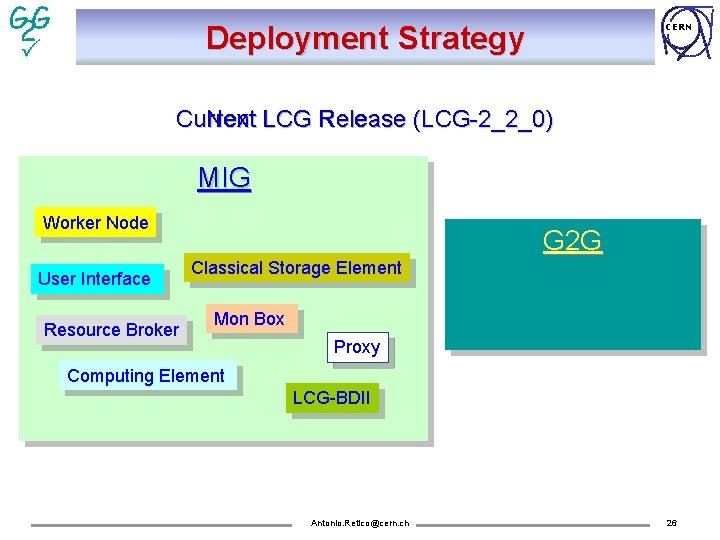
Deployment Strategy CERN Current Next LCG Release (LCG-2_2_0) MIG Worker Node User Interface Resource Broker G 2 G Classical Storage Element Mon Box Proxy Computing Element LCG-BDII Antonio. Retico@cern. ch 26
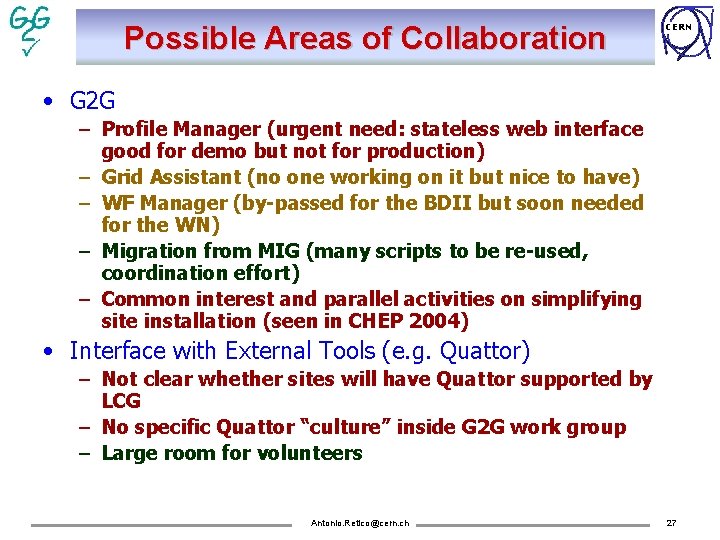
Possible Areas of Collaboration CERN • G 2 G – Profile Manager (urgent need: stateless web interface good for demo but not for production) – Grid Assistant (no one working on it but nice to have) – WF Manager (by-passed for the BDII but soon needed for the WN) – Migration from MIG (many scripts to be re-used, coordination effort) – Common interest and parallel activities on simplifying site installation (seen in CHEP 2004) • Interface with External Tools (e. g. Quattor) – Not clear whether sites will have Quattor supported by LCG – No specific Quattor “culture” inside G 2 G work group – Large room for volunteers Antonio. Retico@cern. ch 27
Questions? Antonio. Retico@cern. ch CERN 28