
Central Data Exchange Environmental Information Exchange Network Enhancements
- Slides: 31
Central Data Exchange Environmental Information Exchange Network Enhancements By David Fladung April 19, 2006
Agenda • CDX Overview • Open Source Utilization • Data Transformation (Mapper) • Business Process Execution Language (BPEL) • Rich User Interface (RUI) client • Geographic Data Interaction
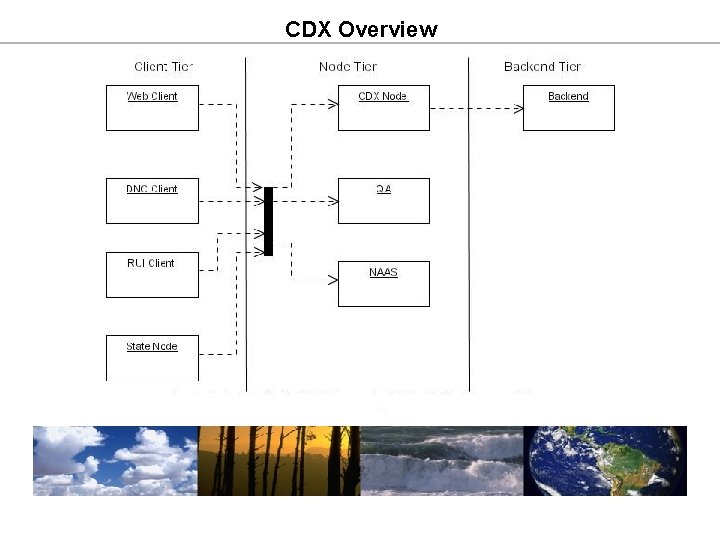
CDX Overview
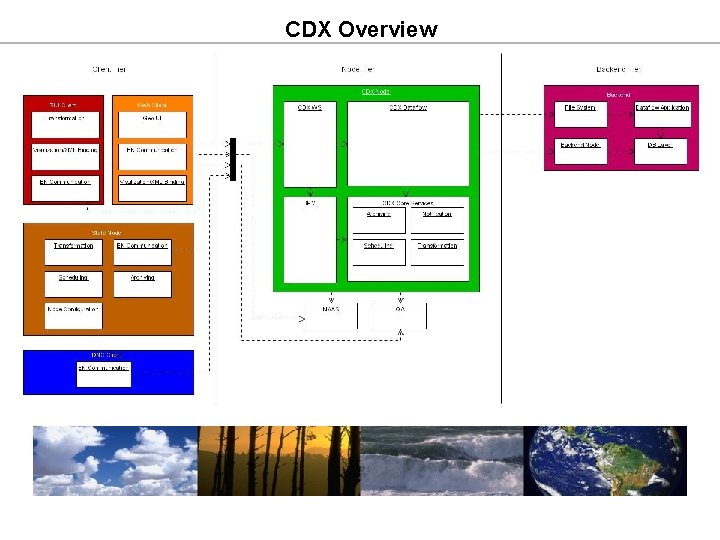
CDX Overview
Open Source Utilization • CDX utilizes about 50 open source products/frameworks • JBoss (Wind River Node application server) • Postgre. SQL (Wind River Node database) • Struts (Model View Controller [MVC]) • Hibernate (Object Relational Mapping [ORM]) • Axis (WS engine and libraries) • Maven (build and release management) • Aspect. J (quality of service) • St. AX (streaming parsing of large XML) • Velocity (templating/mapping) • Quartz (job scheduling) • Active. BPEL (business process management)
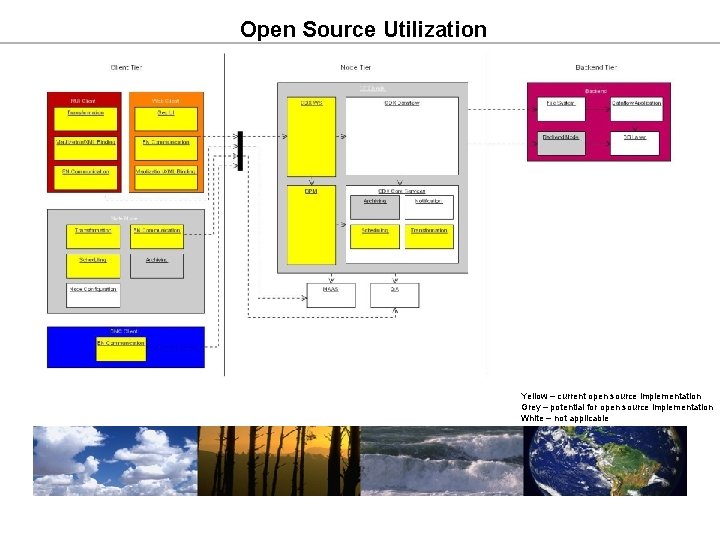
Open Source Utilization Yellow – current open source implementation Grey – potential for open source implementation White – not applicable
Open Source Utilization • Advantages • Low Total Cost of Ownership (TCO) • Rich user community • Adequate documentation • Proven performance • Promotes rapid development • Easy to integrate • Disadvantages • Potential that product may no longer be supported • Advanced support may require cost
Data Transformation • Convert from one data format to another • XML • Flat file (i. e. delimited) • Database • Handle large file sizes • Use streaming approach rather than in memory • Provide a robust and reusable interface • Standard configuration files • Standard APIs • Reusable across multiple tiers
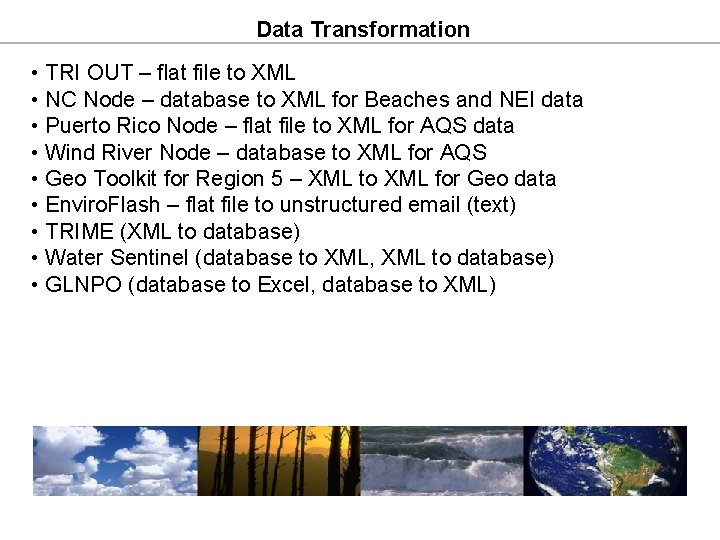
Data Transformation • TRI OUT – flat file to XML • NC Node – database to XML for Beaches and NEI data • Puerto Rico Node – flat file to XML for AQS data • Wind River Node – database to XML for AQS • Geo Toolkit for Region 5 – XML to XML for Geo data • Enviro. Flash – flat file to unstructured email (text) • TRIME (XML to database) • Water Sentinel (database to XML, XML to database) • GLNPO (database to Excel, database to XML)
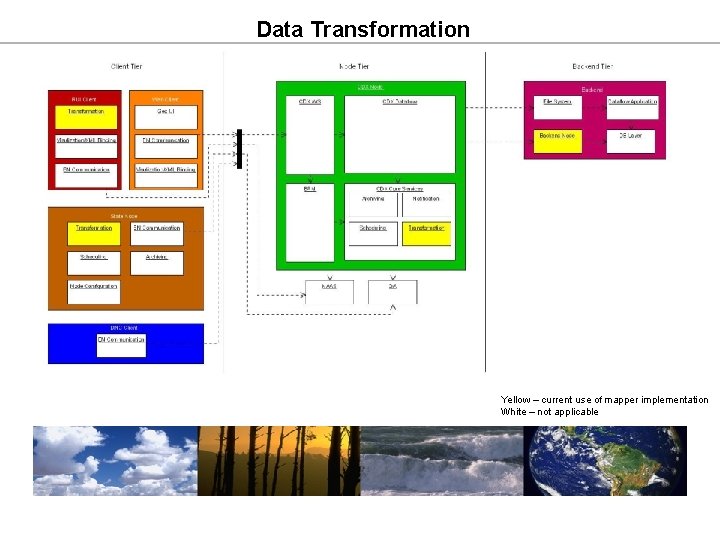
Data Transformation Yellow – current use of mapper implementation White – not applicable
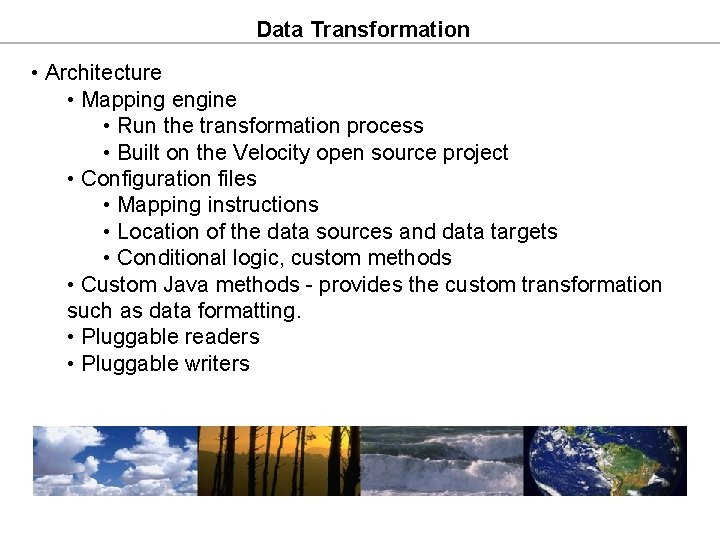
Data Transformation • Architecture • Mapping engine • Run the transformation process • Built on the Velocity open source project • Configuration files • Mapping instructions • Location of the data sources and data targets • Conditional logic, custom methods • Custom Java methods - provides the custom transformation such as data formatting. • Pluggable readers • Pluggable writers
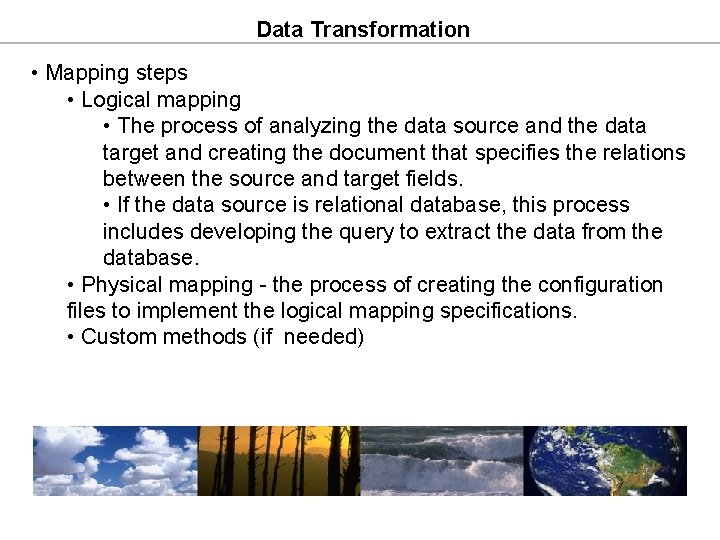
Data Transformation • Mapping steps • Logical mapping • The process of analyzing the data source and the data target and creating the document that specifies the relations between the source and target fields. • If the data source is relational database, this process includes developing the query to extract the data from the database. • Physical mapping - the process of creating the configuration files to implement the logical mapping specifications. • Custom methods (if needed)
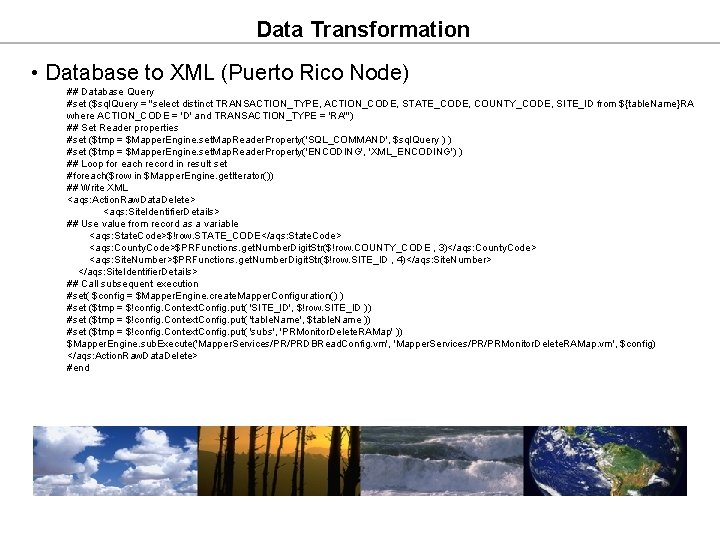
Data Transformation • Database to XML (Puerto Rico Node) ## Database Query #set ($sql. Query = "select distinct TRANSACTION_TYPE, ACTION_CODE, STATE_CODE, COUNTY_CODE, SITE_ID from ${table. Name}RA where ACTION_CODE = 'D' and TRANSACTION_TYPE = 'RA'") ## Set Reader properties #set ($tmp = $Mapper. Engine. set. Map. Reader. Property('SQL_COMMAND', $sql. Query ) ) #set ($tmp = $Mapper. Engine. set. Map. Reader. Property('ENCODING', 'XML_ENCODING') ) ## Loop for each record in result set #foreach($row in $Mapper. Engine. get. Iterator()) ## Write XML <aqs: Action. Raw. Data. Delete> <aqs: Site. Identifier. Details> ## Use value from record as a variable <aqs: State. Code>$!row. STATE_CODE</aqs: State. Code> <aqs: County. Code>$PRFunctions. get. Number. Digit. Str($!row. COUNTY_CODE , 3)</aqs: County. Code> <aqs: Site. Number>$PRFunctions. get. Number. Digit. Str($!row. SITE_ID , 4)</aqs: Site. Number> </aqs: Site. Identifier. Details> ## Call subsequent execution #set( $config = $Mapper. Engine. create. Mapper. Configuration() ) #set ($tmp = $!config. Context. Config. put( 'SITE_ID', $!row. SITE_ID )) #set ($tmp = $!config. Context. Config. put( 'table. Name', $table. Name )) #set ($tmp = $!config. Context. Config. put( 'subs', 'PRMonitor. Delete. RAMap' )) $Mapper. Engine. sub. Execute('Mapper. Services/PR/PRDBRead. Config. vm', 'Mapper. Services/PR/PRMonitor. Delete. RAMap. vm', $config) </aqs: Action. Raw. Data. Delete> #end
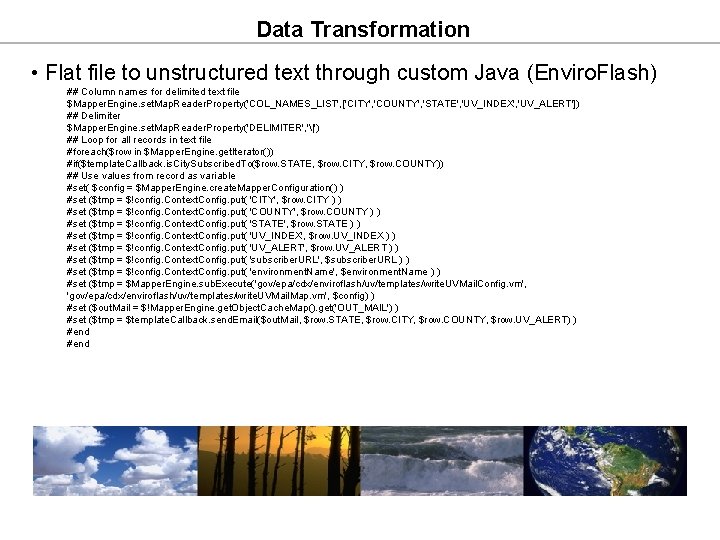
Data Transformation • Flat file to unstructured text through custom Java (Enviro. Flash) ## Column names for delimited text file $Mapper. Engine. set. Map. Reader. Property('COL_NAMES_LIST', ['CITY', 'COUNTY', 'STATE', 'UV_INDEX', 'UV_ALERT']) ## Delimiter $Mapper. Engine. set. Map. Reader. Property('DELIMITER', '|') ## Loop for all records in text file #foreach($row in $Mapper. Engine. get. Iterator()) #if($template. Callback. is. City. Subscribed. To($row. STATE, $row. CITY, $row. COUNTY)) ## Use values from record as variable #set( $config = $Mapper. Engine. create. Mapper. Configuration() ) #set ($tmp = $!config. Context. Config. put( 'CITY', $row. CITY ) ) #set ($tmp = $!config. Context. Config. put( 'COUNTY', $row. COUNTY ) ) #set ($tmp = $!config. Context. Config. put( 'STATE', $row. STATE ) ) #set ($tmp = $!config. Context. Config. put( 'UV_INDEX', $row. UV_INDEX ) ) #set ($tmp = $!config. Context. Config. put( 'UV_ALERT', $row. UV_ALERT ) ) #set ($tmp = $!config. Context. Config. put( 'subscriber. URL', $subscriber. URL ) ) #set ($tmp = $!config. Context. Config. put( 'environment. Name', $environment. Name ) ) #set ($tmp = $Mapper. Engine. sub. Execute('gov/epa/cdx/enviroflash/uv/templates/write. UVMail. Config. vm', 'gov/epa/cdx/enviroflash/uv/templates/write. UVMail. Map. vm', $config) ) #set ($out. Mail = $!Mapper. Engine. get. Object. Cache. Map(). get('OUT_MAIL') ) #set ($tmp = $template. Callback. send. Email($out. Mail, $row. STATE, $row. CITY, $row. COUNTY, $row. UV_ALERT) ) #end
Data Transformation • Advantages • Provides an ability to concentrate mapping logic within the configuration file and custom methods. • Provides ability to handle several data source types. • Provides an ability to decouple readers and writers. • Provides streaming capabilities to handle large size files (tested against 680 MB). • Provides an ability to use custom Java methods. • Does not require license fee. • Requires minimum coding. • Superior performance compared to commercial tools (XAware, BEA Liquid Data) - 30 times faster on large data sets. • Uses streaming approach for low memory overhead.
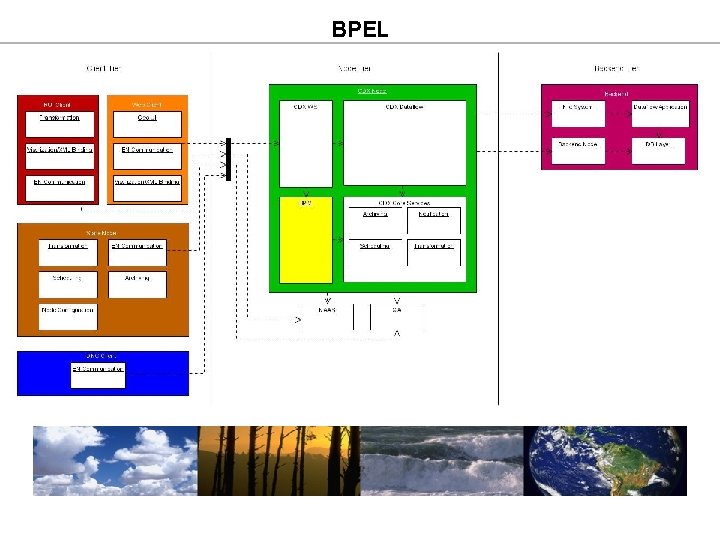
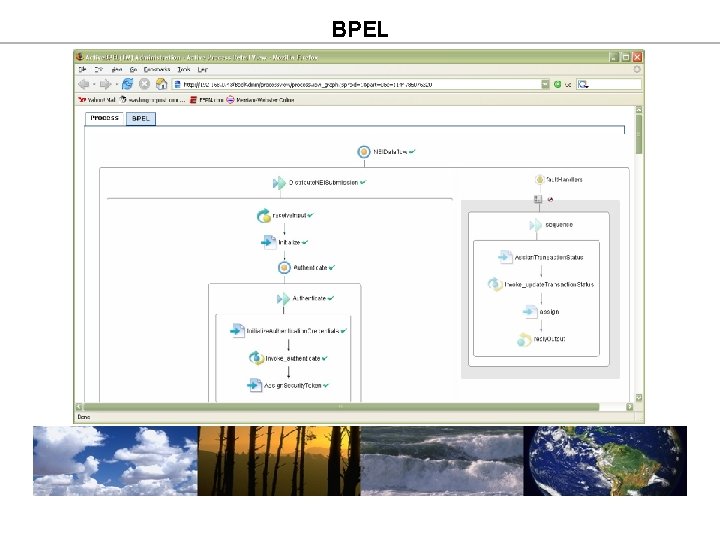
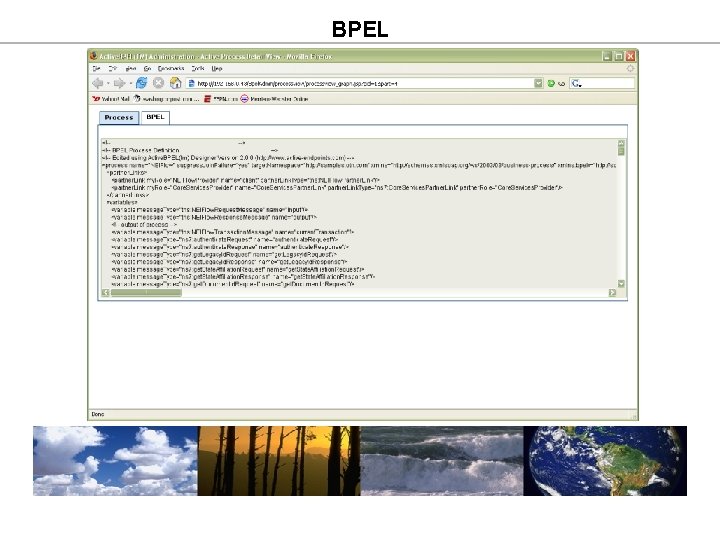
BPEL • BPEL is a standard for orchestrating Web Services. • XML based description of a business process • Contains references to supporting WSDL files • Portable between BPEL engines • BPEL allows for a formal specification of business processes. • BPEL meshes well with Service Oriented Architectures (SOA). • BPEL provides several useful constructs • Transaction context management • Synchronous and asynchronous web service invocation and response • Conditional branching • Parallel flow activities • Fault handling and exception invocation
BPEL
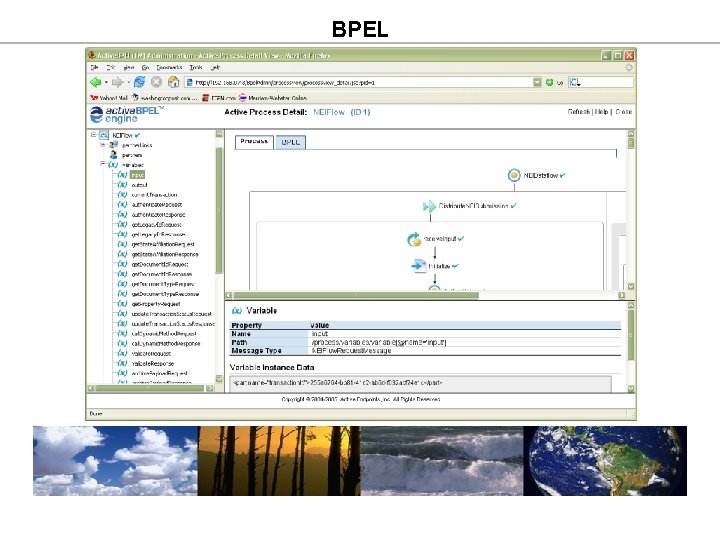
BPEL • BPEL within CDX • Motivations • Can it simplify the design of existing dataflows? • Can it reduce the cost of dataflow development? • Can it speed up the process of integrating CDX Web and Node applications? • Can it provide better visibility into existing flows? • Goals • Identify a target platform. • Demonstrate feasibility of deployment/integration. • Demonstrate ability to reuse existing CDX services. • Determine if BPEL allows for quick development of dataflow components.
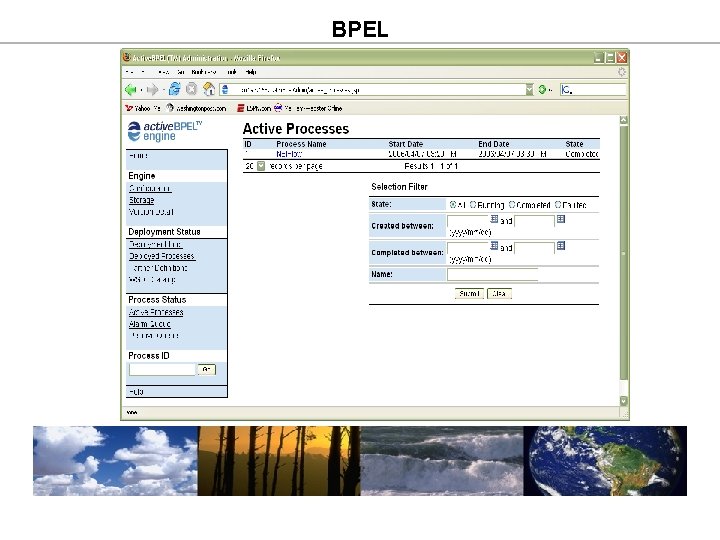
BPEL • Prototype specifics • Exposed generic CDX services (Java) as Web Services • XML validation • Retrieval of transaction/document metadata • Created a CDX Services project to host the web services • Model existing National Emissions Inventory (NEI) dataflow. • Enhance CDX infrastructure to support use of BPEL orchestration. • Configure a production-like environment to host the services. • Deploy Active. BPEL engine (deployed within Tomcat) • Set up persistence of processes (Oracle DMBS)
BPEL
BPEL
BPEL
BPEL
BPEL • Findings • BPEL prototype demonstrates feasibility in the EPA environment. • Appears that cost savings could be realized for future flows as the CDX service suite increases, however, it is not yet clear what the savings are. • Learning curve is not insignificant • Tools have not yet reached full maturity.
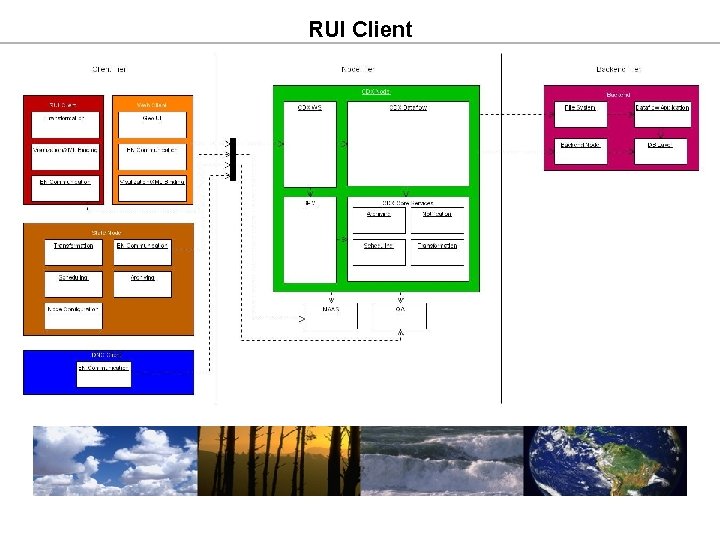
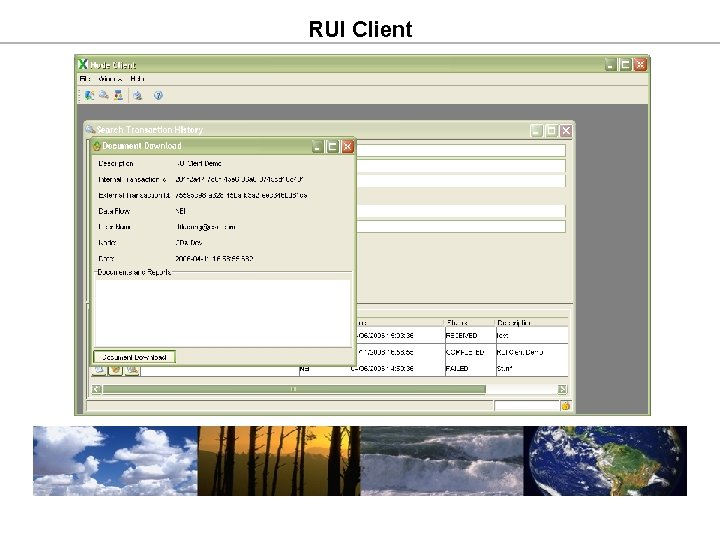
RUI Client • Guidelines • Provide more features/capabilities than a web application is capable of delivering. • Provide flexible configuration for interaction with multiple Nodes. • Support all existing Exchange Network Web Services and dataflows. • Provide pluggable transformation/visualization for multiple dataflows (Mapper, XML binding). • Use NAAS for authentication/authorization.
RUI Client
RUI Client
RUI Client
RUI Client
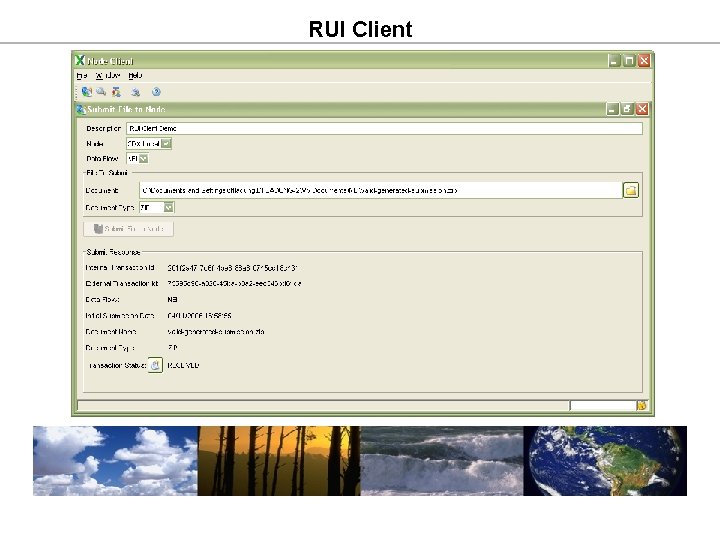
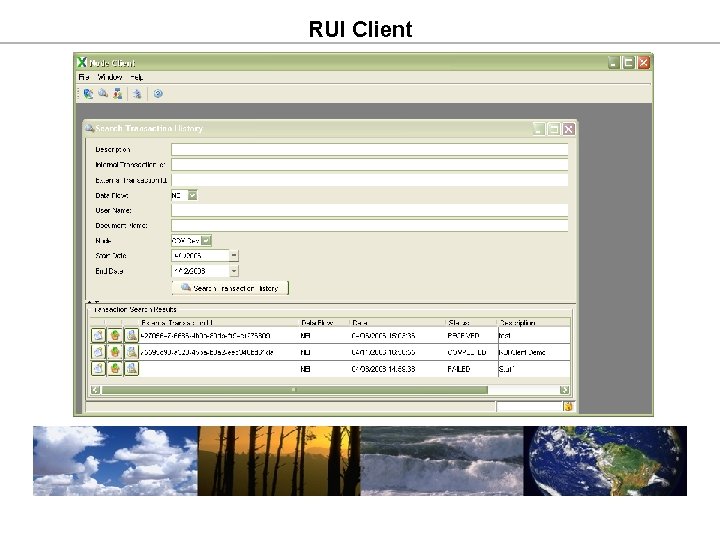
RUI Client • Current capabilities • Supports submit, download, and transaction history search • Supports configurable data transformation • Supports NAAS authentication/authorization • Future capabilities • Support query and data visualization • Add ability to sign/encrypt documents (CROMERR)
Geographic Data Interaction • Some dataflows have geographic data (e. g. FRS) • Provide the capability to visualize data • Provide the capability to update the data • API’s exist for addressing geographic data • Google Maps • ESRI products suite • CDX approach • Integrate Google Maps API into CDX web applications • Provide end to end solution for querying and updating data