
Center for Surveillance Epidemiology and Laboratory Services NMI
Center for Surveillance, Epidemiology, and Laboratory Services NMI e. SHARE: Walkthrough of the NMI Implementation Spreadsheet and Test Case Scenario Worksheet New Webinar Information: • Conference Number: 1 -877 -668 -4490 Participant Code: 799 765 273 • Web. Ex meeting: https: //cste. webex. com/cste/k 2/j. php? MTID=td 0 a 9 a 37 ae 49940 a 935 f 1 a 688 f 38 cc 40 d -Enter your name and email address -Enter the session password: nmi 1234 -Click "Join Now" NOTE: Session will be recorded and posted on the NNDSS e. SHARE website: https: //www. cdc. gov/nndss/trc/onboarding/eshare. html. March 21, 2017 Division of Health Informatics and Surveillance 1
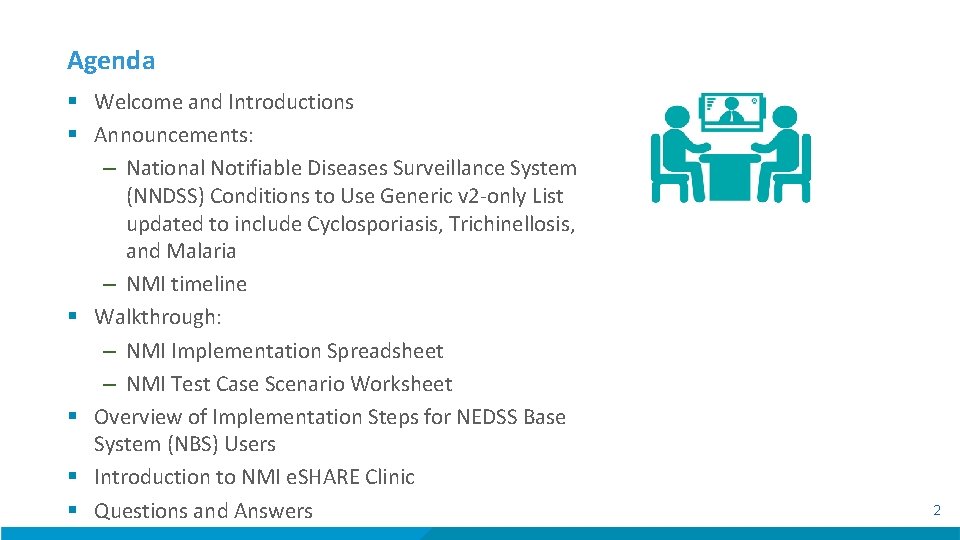
Agenda § Welcome and Introductions § Announcements: – National Notifiable Diseases Surveillance System (NNDSS) Conditions to Use Generic v 2 -only List updated to include Cyclosporiasis, Trichinellosis, and Malaria – NMI timeline § Walkthrough: – NMI Implementation Spreadsheet – NMI Test Case Scenario Worksheet § Overview of Implementation Steps for NEDSS Base System (NBS) Users § Introduction to NMI e. SHARE Clinic § Questions and Answers 2
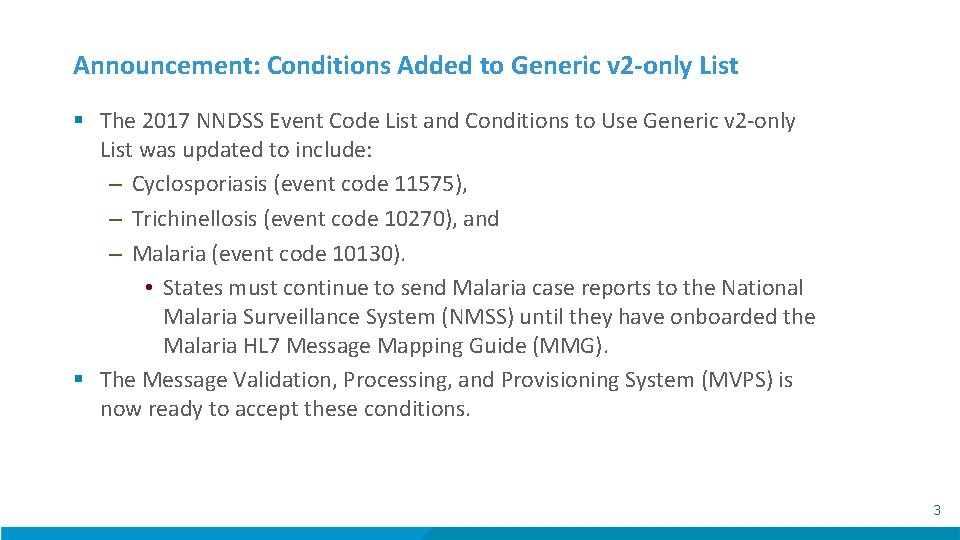
Announcement: Conditions Added to Generic v 2 -only List § The 2017 NNDSS Event Code List and Conditions to Use Generic v 2 -only List was updated to include: – Cyclosporiasis (event code 11575), – Trichinellosis (event code 10270), and – Malaria (event code 10130). • States must continue to send Malaria case reports to the National Malaria Surveillance System (NMSS) until they have onboarded the Malaria HL 7 Message Mapping Guide (MMG). § The Message Validation, Processing, and Provisioning System (MVPS) is now ready to accept these conditions. 3
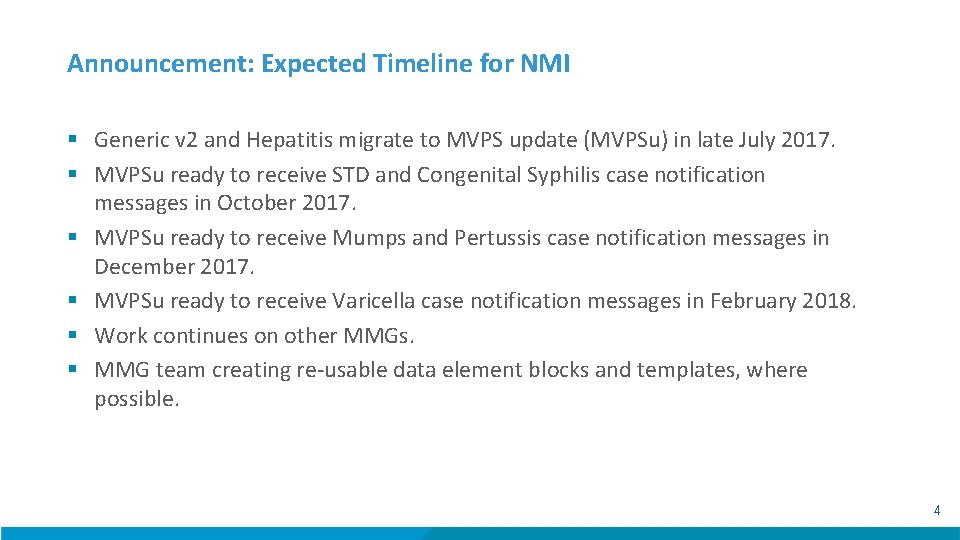
Announcement: Expected Timeline for NMI § Generic v 2 and Hepatitis migrate to MVPS update (MVPSu) in late July 2017. § MVPSu ready to receive STD and Congenital Syphilis case notification messages in October 2017. § MVPSu ready to receive Mumps and Pertussis case notification messages in December 2017. § MVPSu ready to receive Varicella case notification messages in February 2018. § Work continues on other MMGs. § MMG team creating re-usable data element blocks and templates, where possible. 4
Center for Surveillance, Epidemiology, and Laboratory Services Overview of the NMI Implementation Spreadsheet and Test Case Scenario Worksheet Susan Downer, MS Terminologist Association of Public Health Laboratories 5
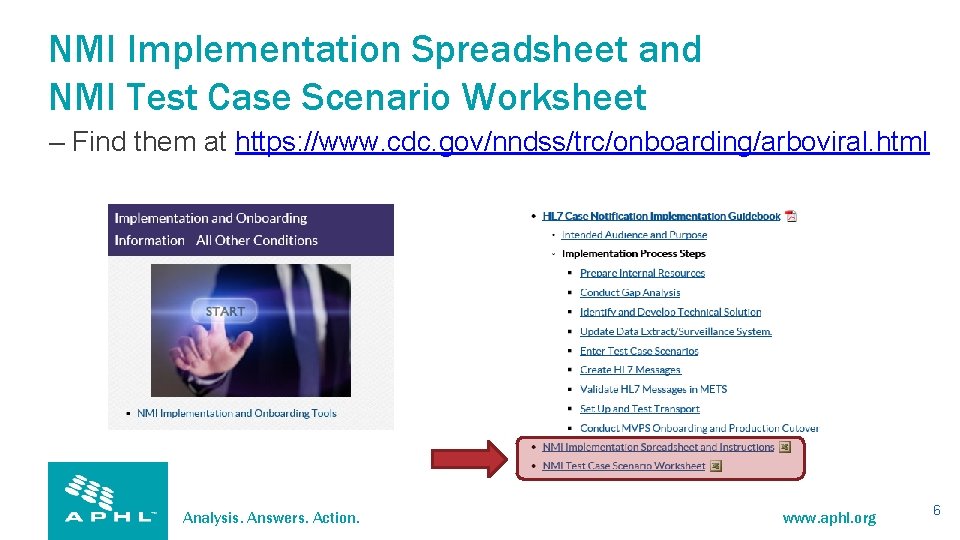
NMI Implementation Spreadsheet and NMI Test Case Scenario Worksheet – Find them at https: //www. cdc. gov/nndss/trc/onboarding/arboviral. html Analysis. Answers. Action. www. aphl. org 6

Arboviral Implementation Spreadsheet and Arboviral Test Case Scenario Worksheet – Find them at https: //www. cdc. gov/nndss/trc/onboarding/arboviral. html Analysis. Answers. Action. www. aphl. org 7
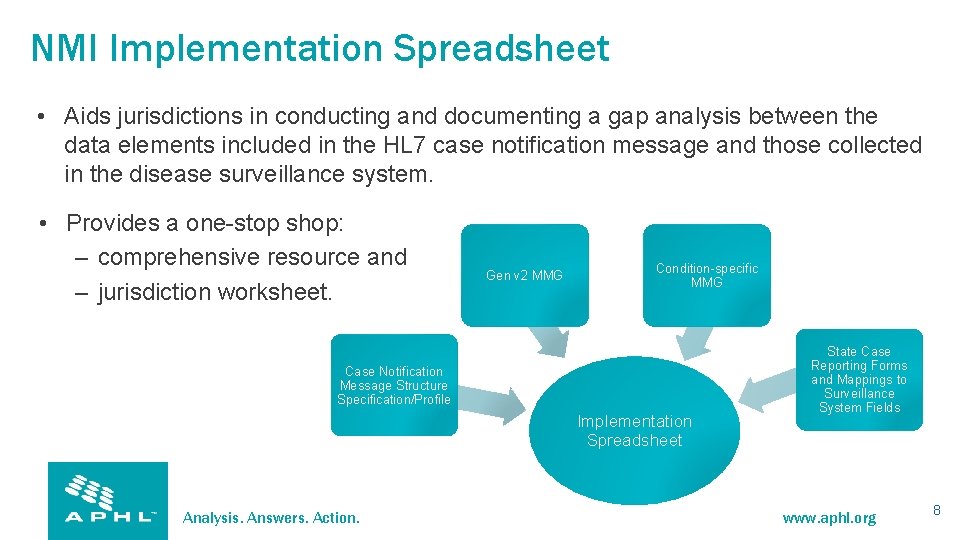
NMI Implementation Spreadsheet • Aids jurisdictions in conducting and documenting a gap analysis between the data elements included in the HL 7 case notification message and those collected in the disease surveillance system. • Provides a one-stop shop: – comprehensive resource and – jurisdiction worksheet. Gen v 2 MMG Condition-specific MMG Case Notification Message Structure Specification/Profile Implementation Spreadsheet Analysis. Answers. Action. State Case Reporting Forms and Mappings to Surveillance System Fields www. aphl. org 8
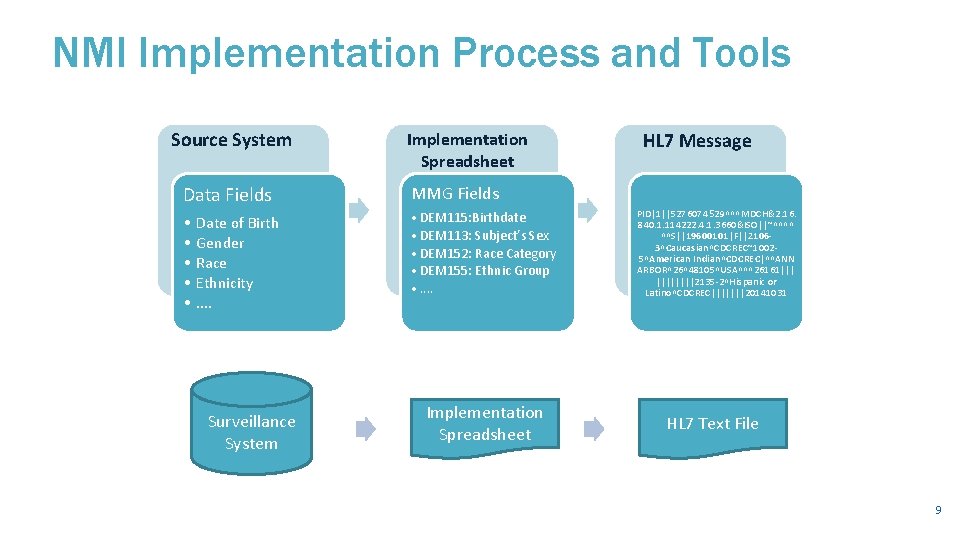
NMI Implementation Process and Tools Source System Implementation Spreadsheet Data Fields MMG Fields • • • DEM 115: Birthdate • DEM 113: Subject’s Sex • DEM 152: Race Category • DEM 155: Ethnic Group • . . Date of Birth Gender Race Ethnicity. . Surveillance System Implementation Spreadsheet HL 7 Message PID|1||5276074 529^^^MDCH&2. 16. 840. 1. 114222. 4. 1. 3660&ISO||~^^^^ ^^S||19600101|F||21063^Caucasian^CDCREC~10025^American Indian^CDCREC|^^ANN ARBOR^26^48105^USA^^^26161||| ||||2135 -2^Hispanic or Latino^CDCREC|||||||20141031 HL 7 Text File 9
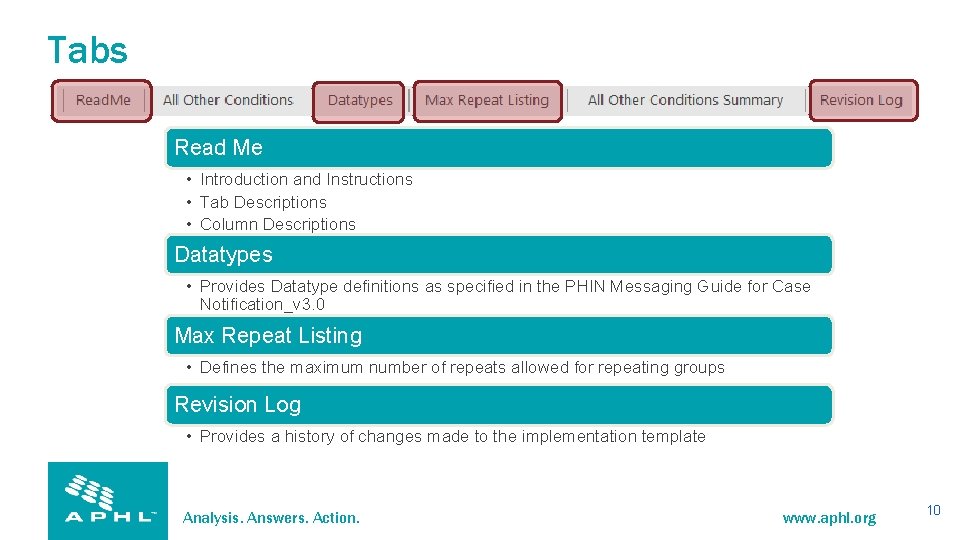
Tabs Read Me • Introduction and Instructions • Tab Descriptions • Column Descriptions Datatypes • Provides Datatype definitions as specified in the PHIN Messaging Guide for Case Notification_v 3. 0 Max Repeat Listing • Defines the maximum number of repeats allowed for repeating groups Revision Log • Provides a history of changes made to the implementation template Analysis. Answers. Action. www. aphl. org 10
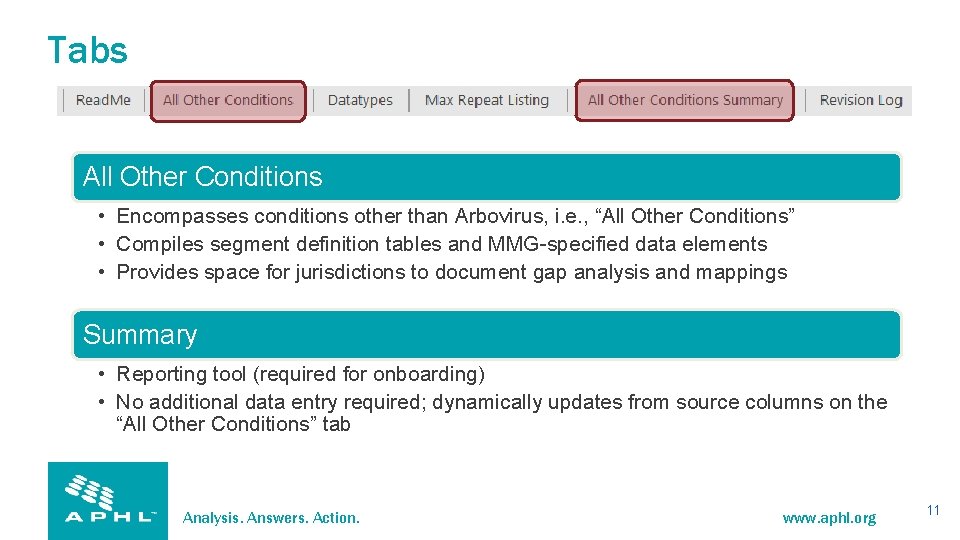
Tabs All Other Conditions • Encompasses conditions other than Arbovirus, i. e. , “All Other Conditions” • Compiles segment definition tables and MMG-specified data elements • Provides space for jurisdictions to document gap analysis and mappings Summary • Reporting tool (required for onboarding) • No additional data entry required; dynamically updates from source columns on the “All Other Conditions” tab Analysis. Answers. Action. www. aphl. org 11
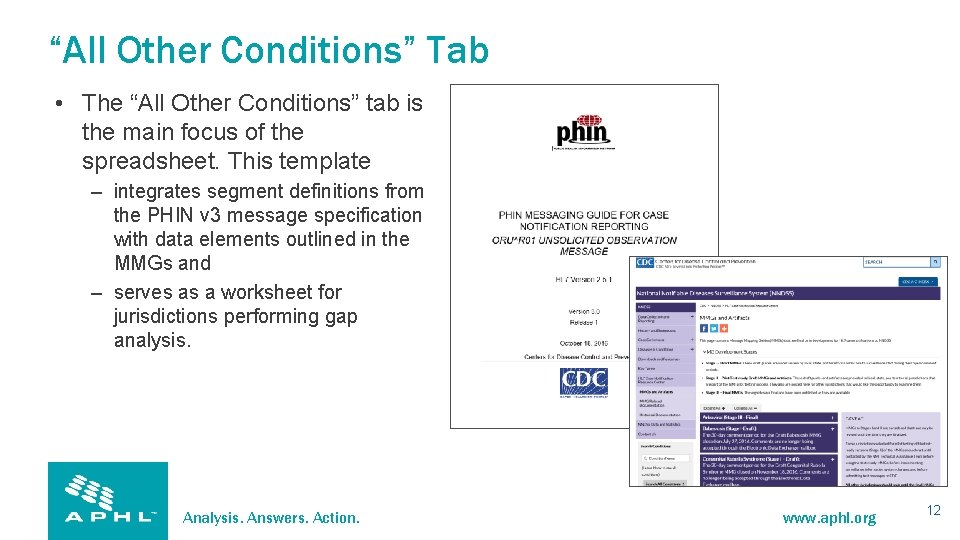
“All Other Conditions” Tab • The “All Other Conditions” tab is the main focus of the spreadsheet. This template – integrates segment definitions from the PHIN v 3 message specification with data elements outlined in the MMGs and – serves as a worksheet for jurisdictions performing gap analysis. Analysis. Answers. Action. www. aphl. org 12
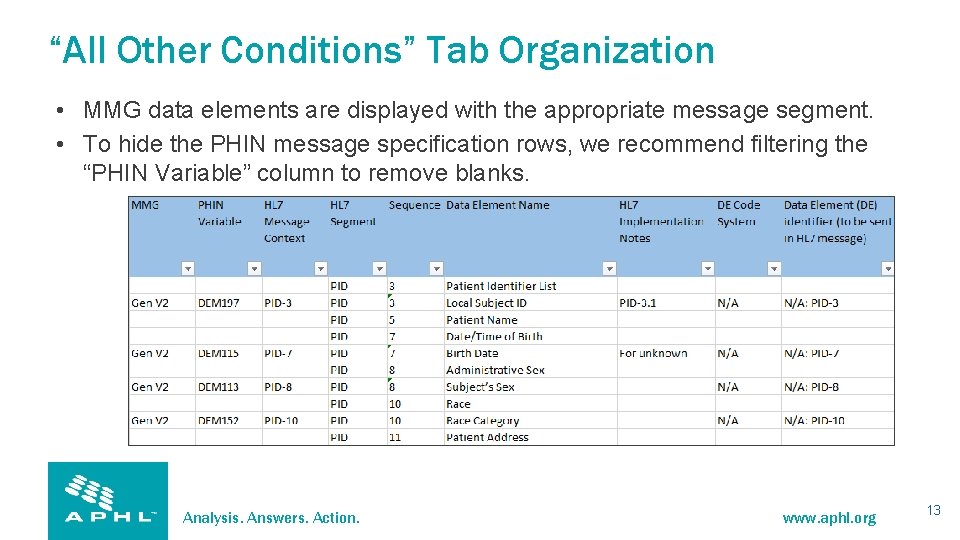
“All Other Conditions” Tab Organization • MMG data elements are displayed with the appropriate message segment. • To hide the PHIN message specification rows, we recommend filtering the “PHIN Variable” column to remove blanks. Analysis. Answers. Action. www. aphl. org 13
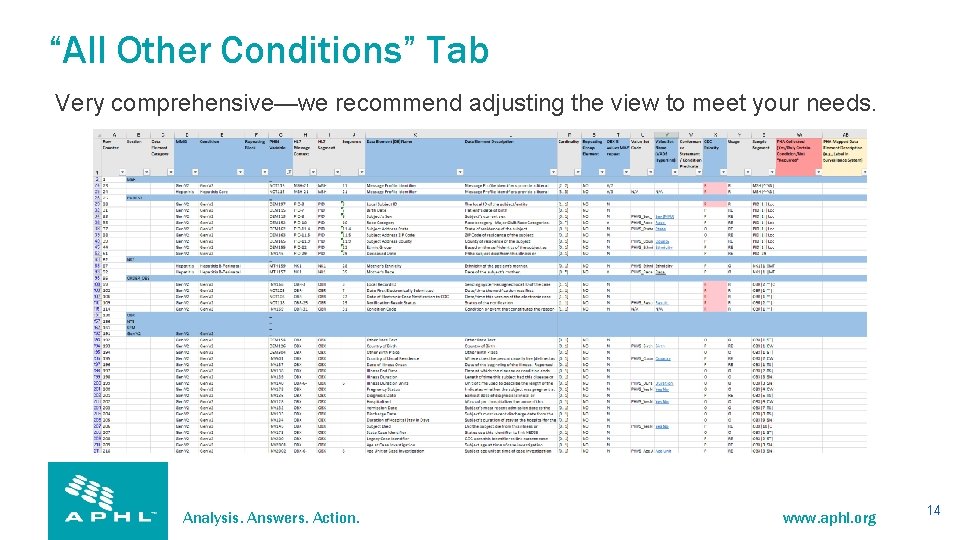
“All Other Conditions” Tab Very comprehensive—we recommend adjusting the view to meet your needs. Analysis. Answers. Action. www. aphl. org 14
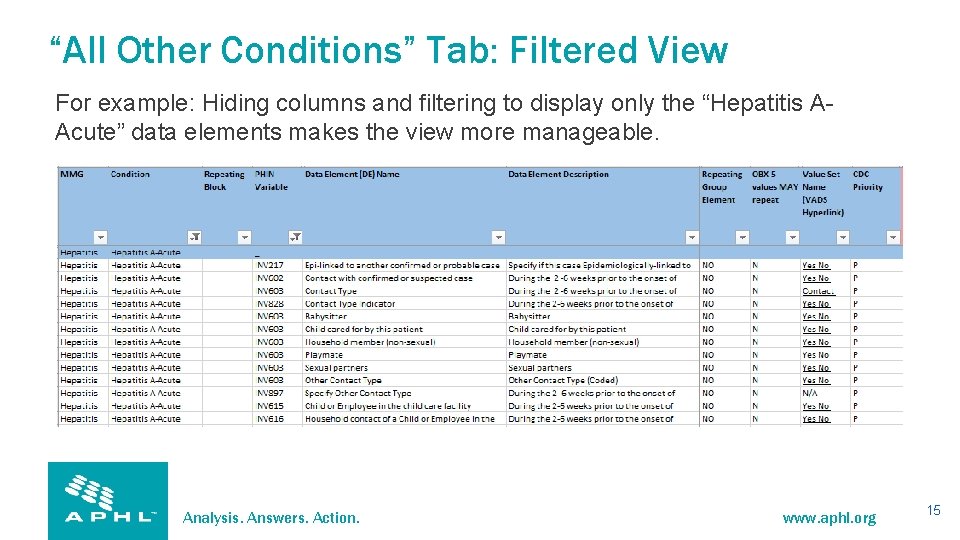
“All Other Conditions” Tab: Filtered View For example: Hiding columns and filtering to display only the “Hepatitis AAcute” data elements makes the view more manageable. Analysis. Answers. Action. www. aphl. org 15
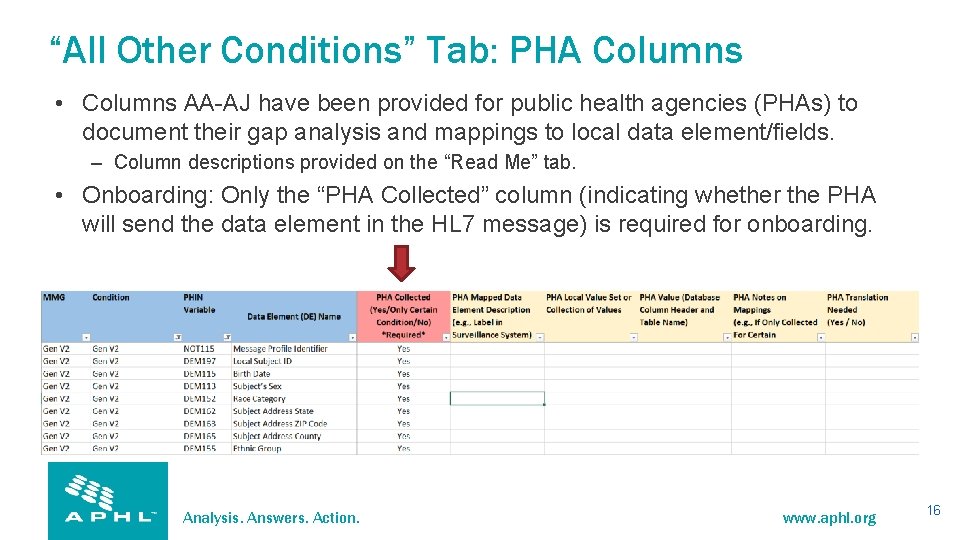
“All Other Conditions” Tab: PHA Columns • Columns AA-AJ have been provided for public health agencies (PHAs) to document their gap analysis and mappings to local data element/fields. – Column descriptions provided on the “Read Me” tab. • Onboarding: Only the “PHA Collected” column (indicating whether the PHA will send the data element in the HL 7 message) is required for onboarding. Analysis. Answers. Action. www. aphl. org 16
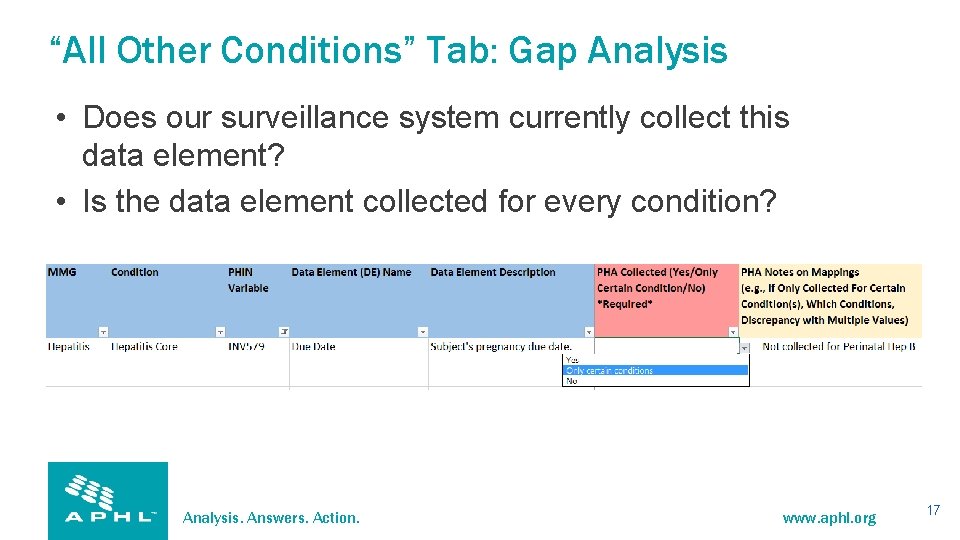
“All Other Conditions” Tab: Gap Analysis • Does our surveillance system currently collect this data element? • Is the data element collected for every condition? Analysis. Answers. Action. www. aphl. org 17
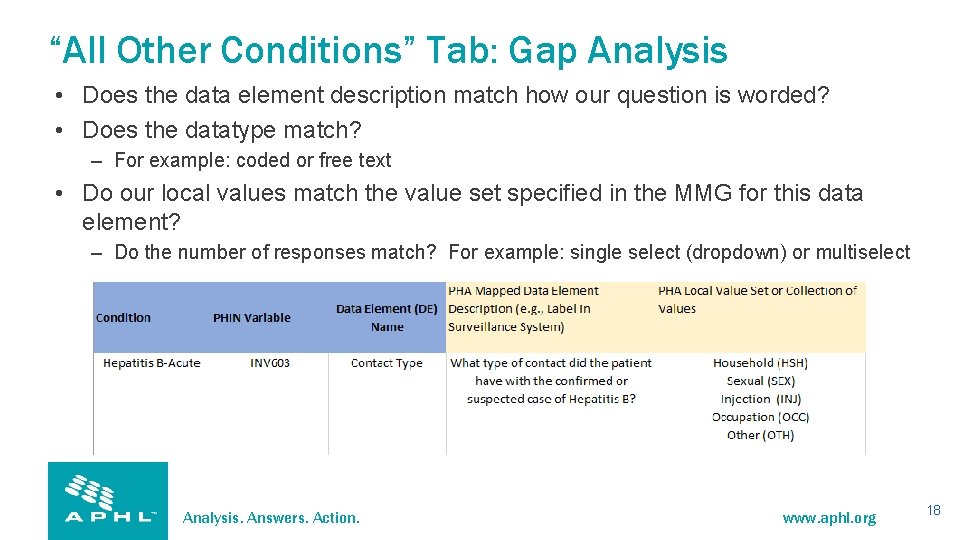
“All Other Conditions” Tab: Gap Analysis • Does the data element description match how our question is worded? • Does the datatype match? – For example: coded or free text • Do our local values match the value set specified in the MMG for this data element? – Do the number of responses match? For example: single select (dropdown) or multiselect Analysis. Answers. Action. www. aphl. org 18
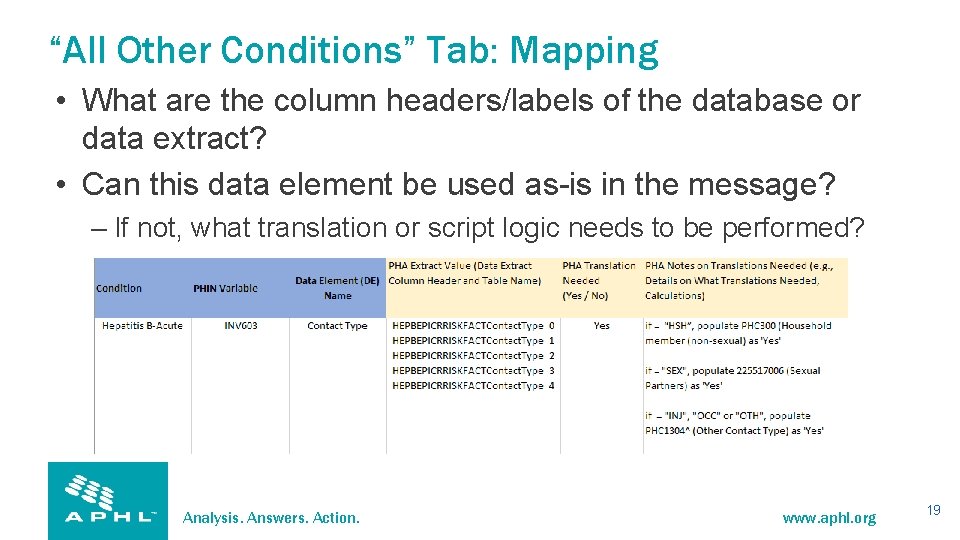
“All Other Conditions” Tab: Mapping • What are the column headers/labels of the database or data extract? • Can this data element be used as-is in the message? – If not, what translation or script logic needs to be performed? Analysis. Answers. Action. www. aphl. org 19
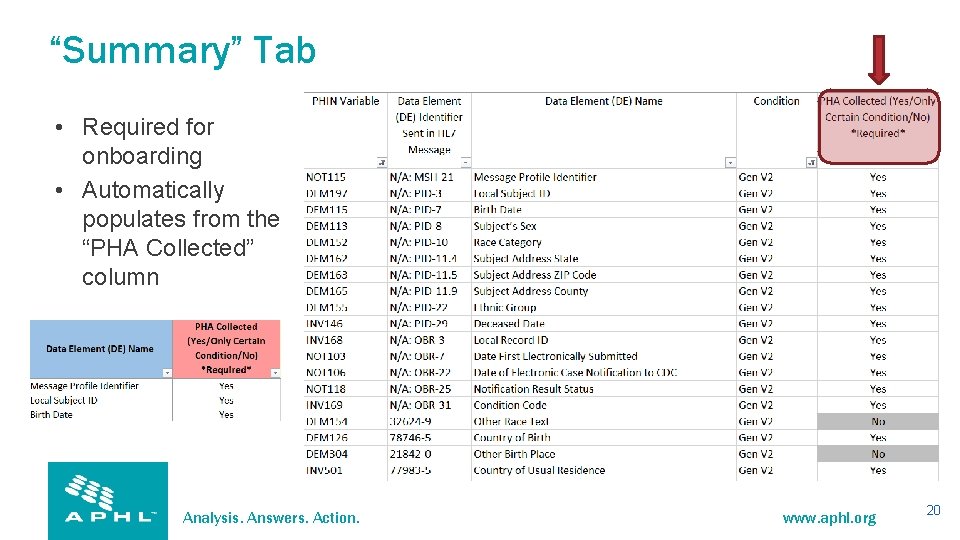
“Summary” Tab • Required for onboarding • Automatically populates from the “PHA Collected” column Analysis. Answers. Action. www. aphl. org 20
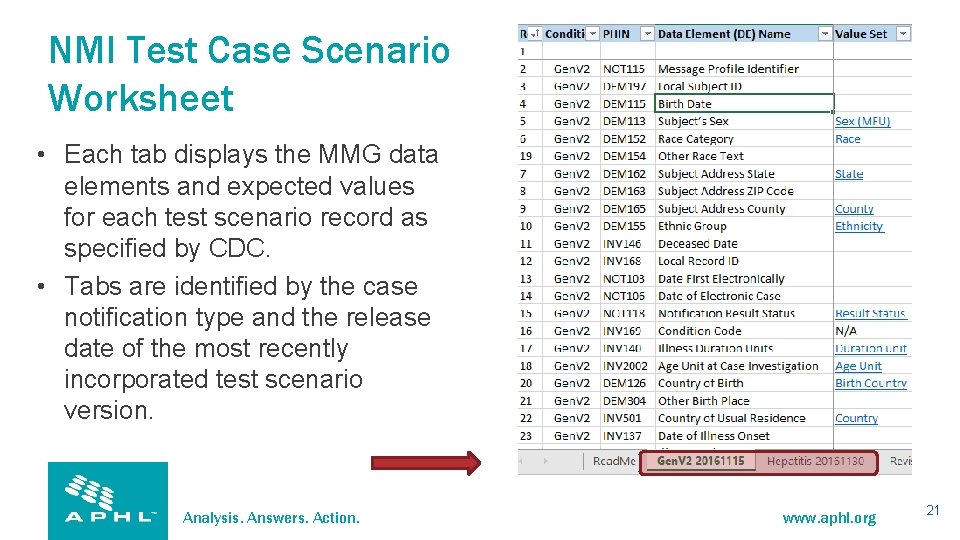
NMI Test Case Scenario Worksheet • Each tab displays the MMG data elements and expected values for each test scenario record as specified by CDC. • Tabs are identified by the case notification type and the release date of the most recently incorporated test scenario version. Analysis. Answers. Action. www. aphl. org 21
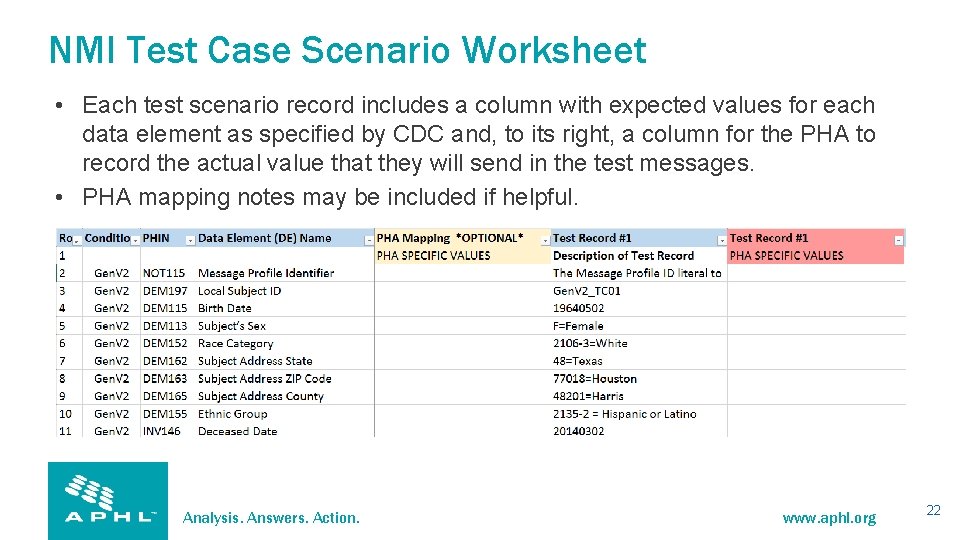
NMI Test Case Scenario Worksheet • Each test scenario record includes a column with expected values for each data element as specified by CDC and, to its right, a column for the PHA to record the actual value that they will send in the test messages. • PHA mapping notes may be included if helpful. Analysis. Answers. Action. www. aphl. org 22
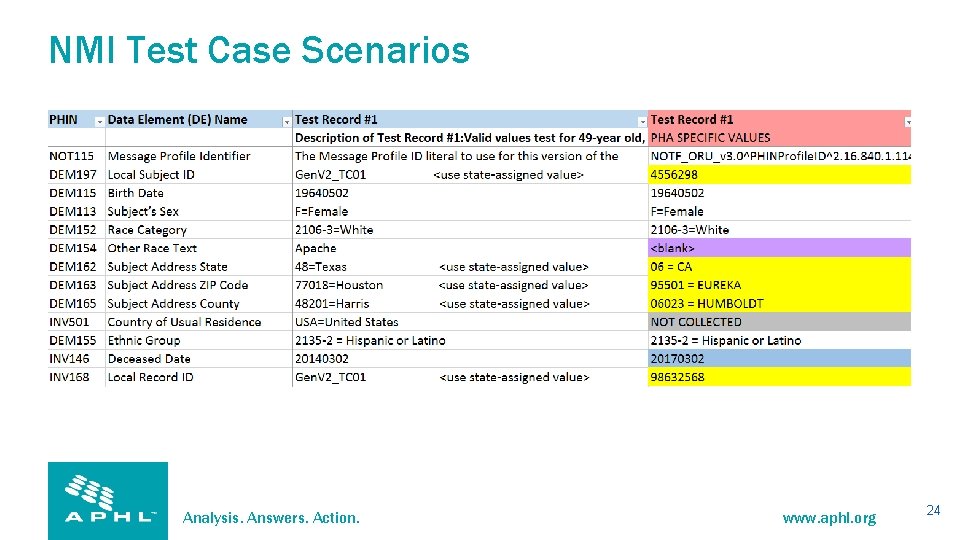
NMI Test Case Scenarios • When populating the “PHA-specific Values, ” be sure to indicate when a data element – is not collected; – is collected but will be left blank; or – will differ from the CDC-suggested value (e. g. , submitter state is Florida, but Texas is reflected in the test case scenario). • Verify that each data element to be sent (marked as “yes” in the PHA-collected column) is demonstrated (included) in at least one test message. Analysis. Answers. Action. www. aphl. org 23
NMI Test Case Scenarios Analysis. Answers. Action. www. aphl. org 24
Updates and Deletes • Scenarios have been included to test the PHA’s ability to send changes to existing cases: – updates and – deletes. Analysis. Answers. Action. www. aphl. org 25
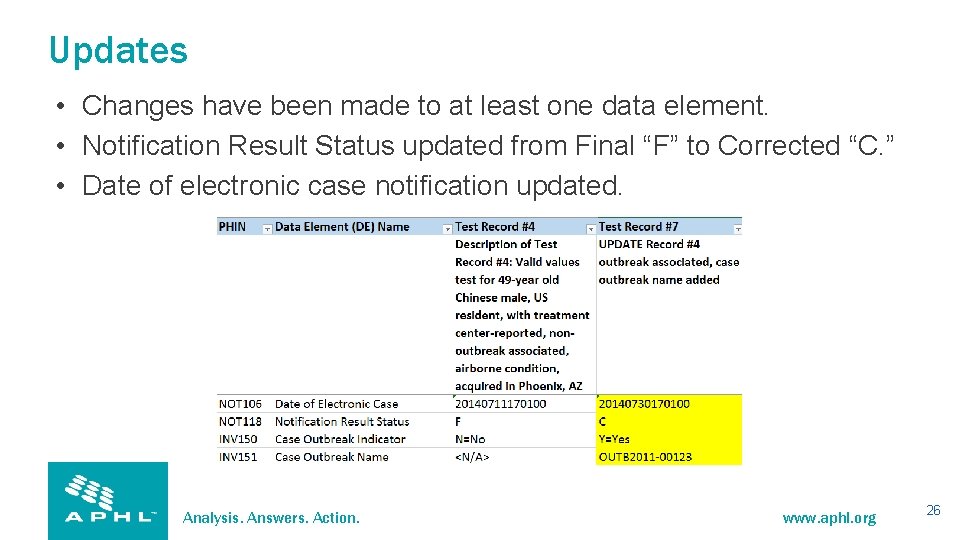
Updates • Changes have been made to at least one data element. • Notification Result Status updated from Final “F” to Corrected “C. ” • Date of electronic case notification updated. Analysis. Answers. Action. www. aphl. org 26
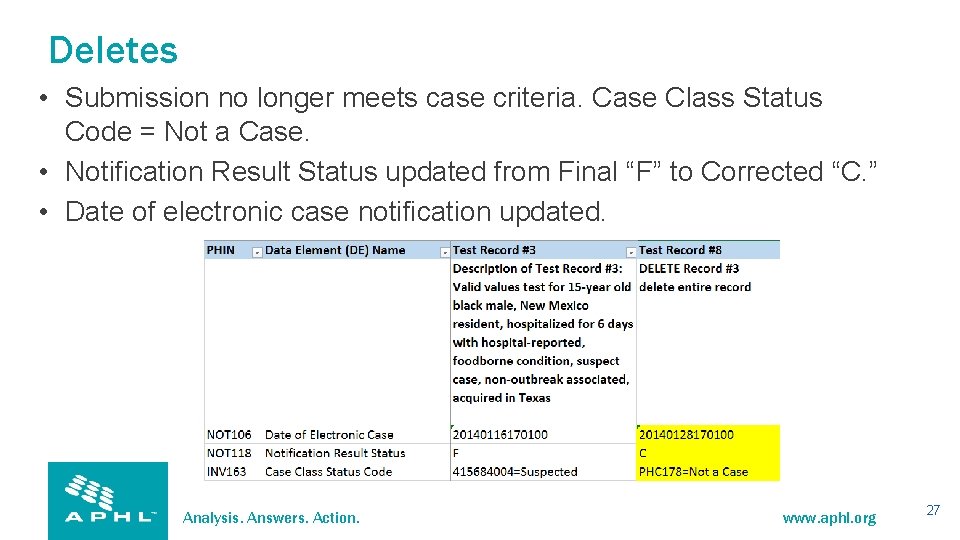
Deletes • Submission no longer meets case criteria. Case Class Status Code = Not a Case. • Notification Result Status updated from Final “F” to Corrected “C. ” • Date of electronic case notification updated. Analysis. Answers. Action. www. aphl. org 27
NMI Implementation Resources • NNDSS Resource Center https: //www. cdc. gov/nndss/trc/index. html – NNDSS Implementation Spreadsheet and Instructions • https: //ndc. services. cdc. gov/message-mapping-guides/ (Visit specific MMG to access) – NNDSS Test Case Scenario Worksheet • https: //ndc. services. cdc. gov/wp-content/uploads/2021/02/NMI_arboviral_test_case_scenario_worksheet_20200724. xlsx • Arboviral Implementation and Onboarding Information https: //www. cdc. gov/nndss/trc/onboarding/arboviral. html – Arboviral Implementation Spreadsheet • https: //ndc. services. cdc. gov/wp-content/uploads/2021/02/Arboviral_nmi_implementation_spreadsheet_andinstructions_20200724. xlsx – Arboviral Test Case Scenario Worksheet • https: //ndc. services. cdc. gov/wp-content/uploads/2021/02/NMI_arboviral_test_case_scenario_worksheet_20200724. xlsx Analysis. Answers. Action. www. aphl. org 28
Center for Surveillance, Epidemiology, and Laboratory Services Overview of NMI Implementation Steps for NBS Jennifer Ward, MS Epidemiologist/NBS Subject Matter Expert CSRA, Public Health Programs 29
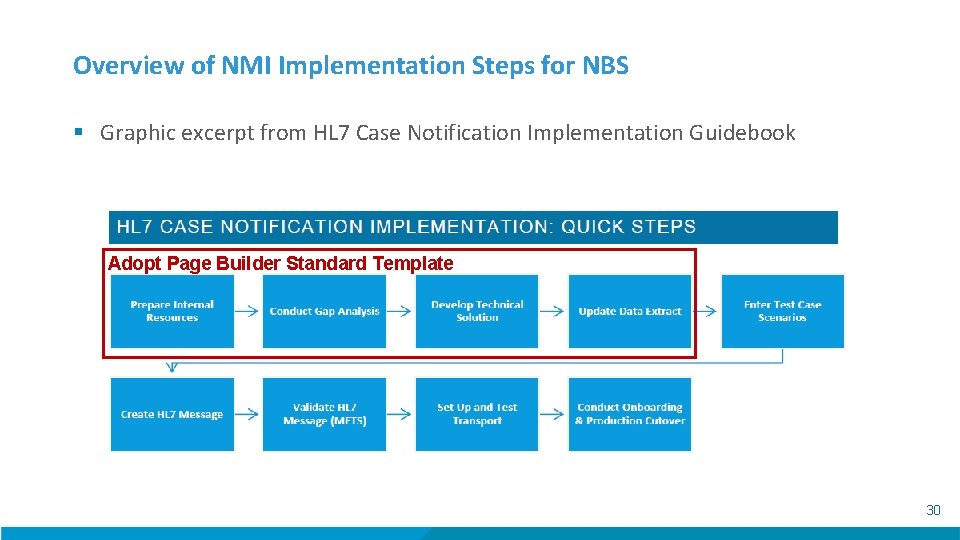
Overview of NMI Implementation Steps for NBS § Graphic excerpt from HL 7 Case Notification Implementation Guidebook Adopt Page Builder Standard Template 30
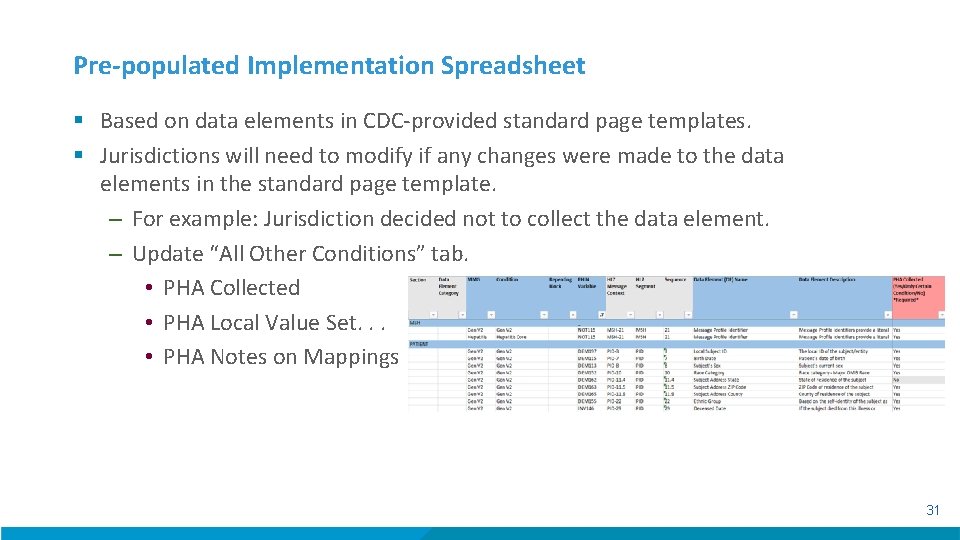
Pre-populated Implementation Spreadsheet § Based on data elements in CDC-provided standard page templates. § Jurisdictions will need to modify if any changes were made to the data elements in the standard page template. – For example: Jurisdiction decided not to collect the data element. – Update “All Other Conditions” tab. • PHA Collected • PHA Local Value Set. . . • PHA Notes on Mappings 31
Test Scenarios § Same test scenarios provided to all jurisdictions by NMI. § Re-ordered to flow with order of data entry based on standard Page Builder templates. 32
Additional Onboarding Resources for NBS § Documentation available on NBSCentral: – https: //nbscentral. sramanaged. com/redmine/documents/197 § NBS NMI Onboarding FAQs § Pre-populated Implementation Spreadsheet § NBS Onboarding Configuration Checklist 33
Center for Surveillance, Epidemiology, and Laboratory Services Introduction to NMI e. SHARE Clinic Michele Hoover, MS NMI State Implementation and Technical Assistance Lead Division of Health Informatics and Surveillance Center for Surveillance, Epidemiology, and Laboratory Services Centers for Disease Control and Prevention 34
Center for Surveillance, Epidemiology, and Laboratory Services Questions and Answers 35
Additional Questions? Email EDX@cdc. gov Subscribe to monthly NMI Notes news updates at https: //www. cdc. gov/nndss/trc/news/index. html! Access the NNDSS Technical Resource Center at https: //www. cdc. gov/nndss/trc/index. html! For more information, contact CDC 1 -800 -CDC-INFO (232 -4636) TTY: 1 -888 -232 -6348 www. cdc. gov The findings and conclusions in this report are those of the authors and do not necessarily represent the official position of the Centers for Disease Control and Prevention. 36 36
- Slides: 36