
CENG 440 Introduction to Databases Lectures 5 UML
CENG 440 – Introduction to Databases Lectures 5 UML – Visio 1
Object-Oriented DBMS’s • Standards group: ODMG = Object Data Management Group. • ODL = Object Description Language, like CREATE TABLE part of SQL. • OQL = Object Query Language, tries to imitate SQL in an OO framework. • UML: unified modeling language 2
UML • UML is designed to model software, but has been adapted as a database modeling language. • Midway between E/R and ODL. • No multiway relationships as in E/R. • But allows attributes on binary relationships, which ODL doesn’t. • Has a graphical notation, unlike ODL. 3
Classes • Sets of objects, with attributes (state ) and methods (behavior ). • Attributes have types. • PK indicates an attribute in the primary key (optional) of the object. • Methods have declarations: arguments (if any) and return type. 4

Example: Cars Class Name Car PK Name: string Mark: string Methods Attributes set. Name(n) set. Mark(a) get. Name() : string get. MMark() : string 5

Associations • Binary relationships between classes. • Represented by named lines (no diamonds as in E/R). • Multiplicity at each end. • m. . n means between m and n of these associate with one on the other end. • * = “infinity”; e. g. 1. . * means “at least one. ” 6
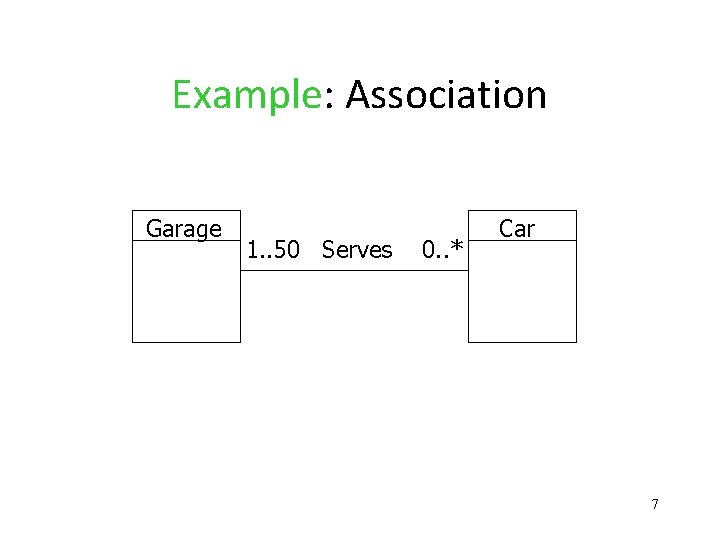
Example: Association Garage 1. . 50 Serves 0. . * Car 7
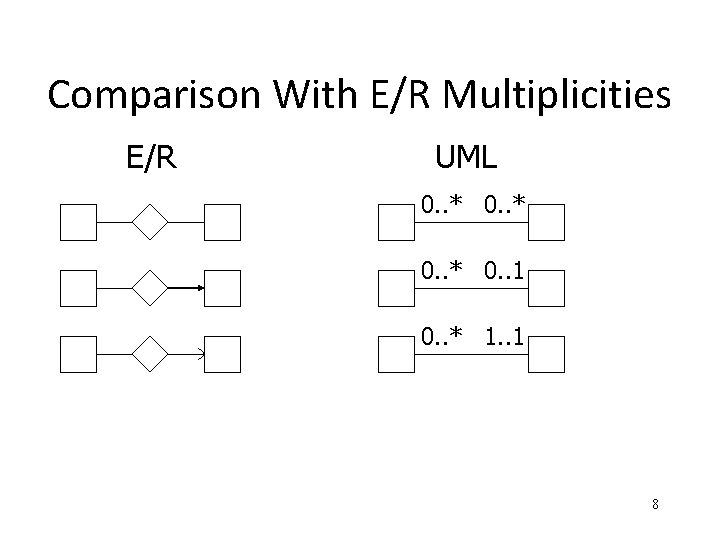
Comparison With E/R Multiplicities E/R UML 0. . * 0. . 1 0. . * 1. . 1 8
Association Classes • Attributes on associations are permitted. • Called an association class. • Analogous to attributes on relationships in E/R. 9
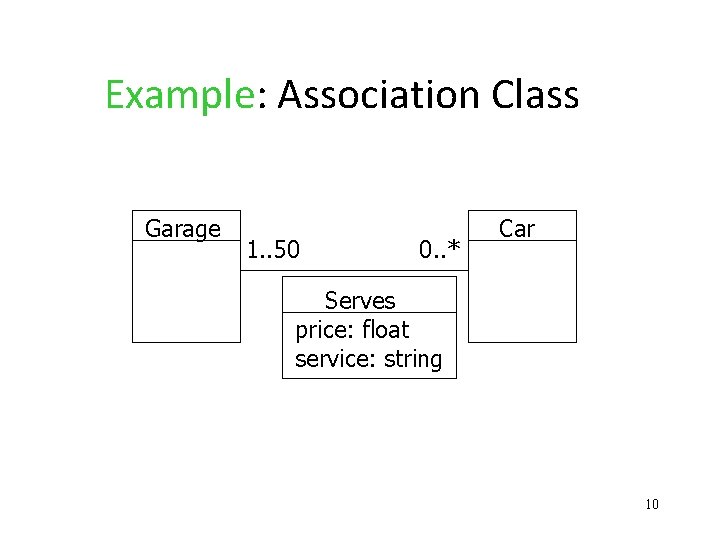
Example: Association Class Garage 1. . 50 0. . * Car Serves price: float service: string 10
Subclasses • Like E/R, but subclass points to superclass with a line ending in a triangle. • The subclasses of a class can be: • Complete (every object is in at least one subclass) or partial. • Disjoint (object in at most one subclass) or overlapping. 11
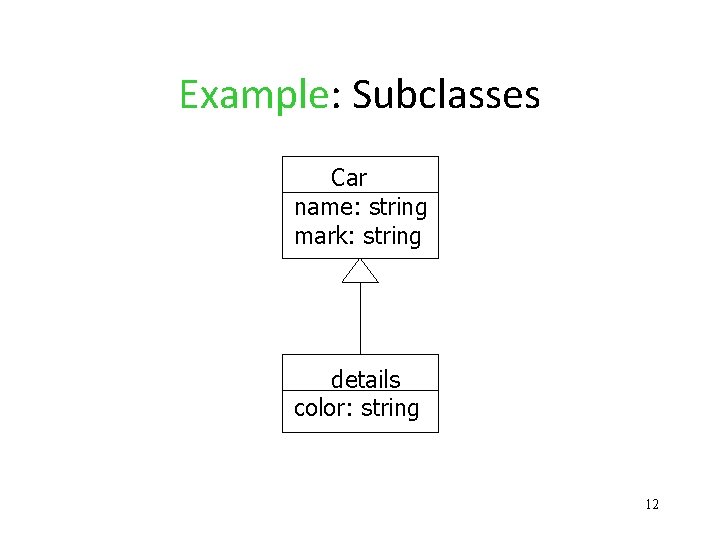
Example: Subclasses Car name: string mark: string details color: string 12
Conversion to Relations • We can use any of the three strategies outlined for E/R to convert a class and its subclasses to relations. 1. E/R-style: each subclass’ relation stores only its own attributes, plus key. 2. OO-style: relations store attributes of subclass and all superclasses. 3. Nulls: One relation, with NULL’s as needed. 13
Aggregations • Relationships with implication that the objects on one side are “owned by” or are part of objects on the other side. • Represented by a diamond at the end of the connecting line, at the “owner” side. • Implication that in a relational schema, owned objects are part of owner tuples. 14
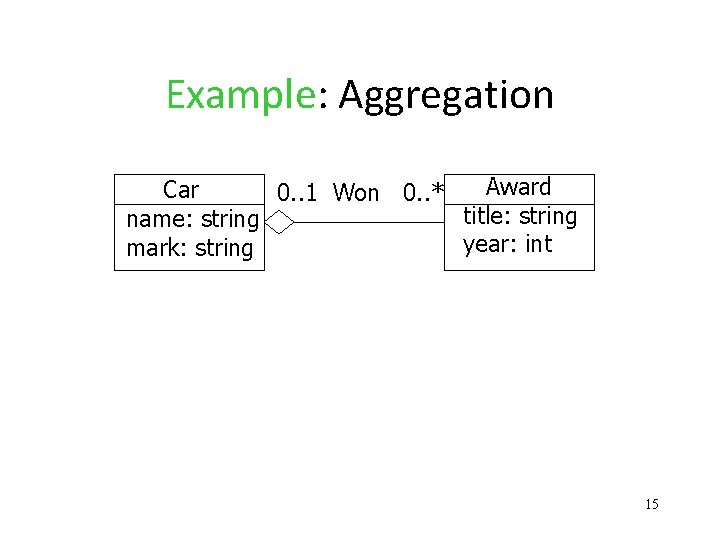
Example: Aggregation Award Car 0. . 1 Won 0. . * title: string name: string year: int mark: string 15
Compositions • Like aggregations, but with the implication that every object is definitely owned by one object on the other side. • Represented by solid diamond at owner. • Often used for subobjects or structured attributes. 16
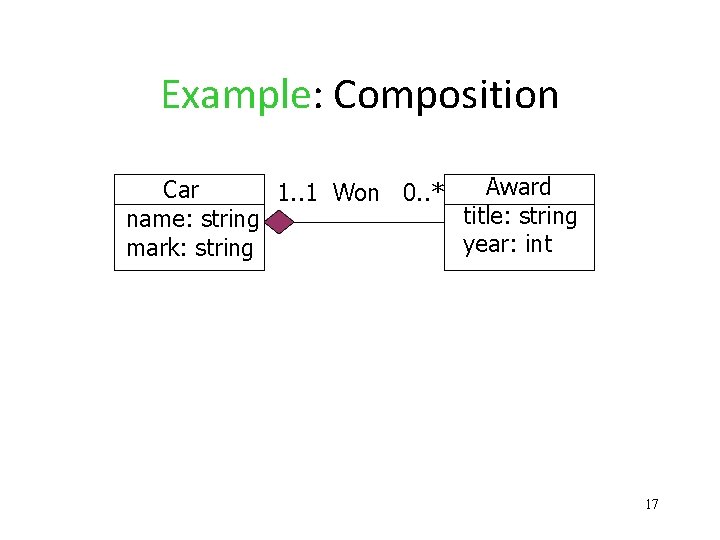
Example: Composition Award Car 1. . 1 Won 0. . * title: string name: string year: int mark: string 17
Conversion to Relations • We could store the awards of a car with the car tuple. • Requires an object-relational or nestedrelation model for tables, since there is no limit to the number of awards a car can win. 18
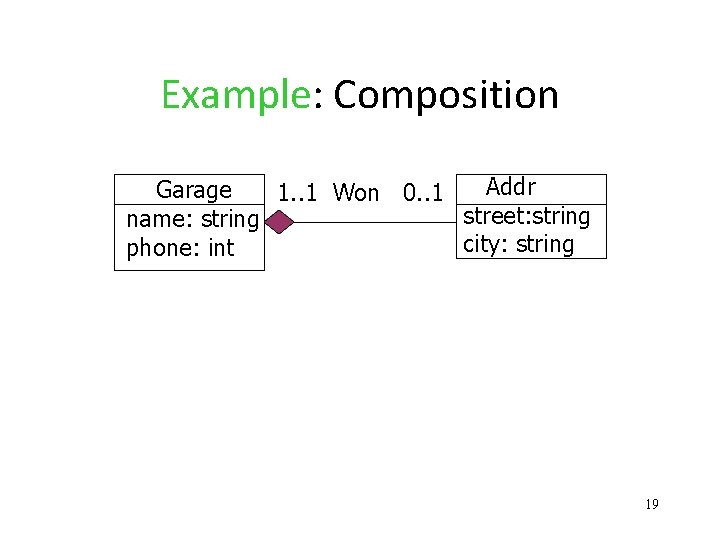
Example: Composition Addr Garage 1. . 1 Won 0. . 1 street: string name: string city: string phone: int 19
Conversion to Relations • Since a car has at most one address, it is quite feasible to add the street and city attributes of Addr to the Cars relation. • In object-relational databases, Addr can be one attribute of Cars, with structure. 20
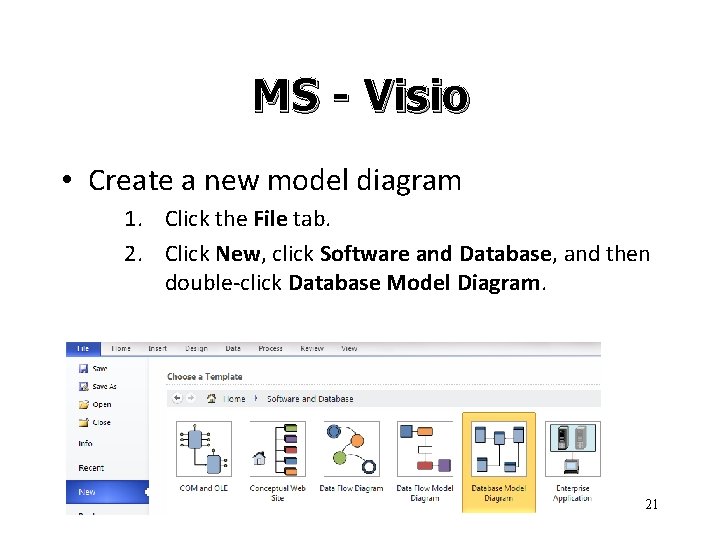
MS - Visio • Create a new model diagram 1. Click the File tab. 2. Click New, click Software and Database, and then double-click Database Model Diagram. 21
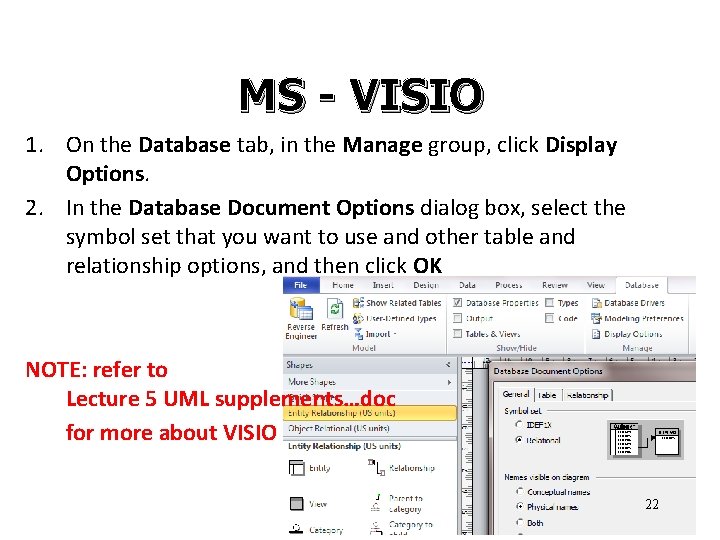
MS - VISIO 1. On the Database tab, in the Manage group, click Display Options. 2. In the Database Document Options dialog box, select the symbol set that you want to use and other table and relationship options, and then click OK NOTE: refer to Lecture 5 UML supplements…doc for more about VISIO 22
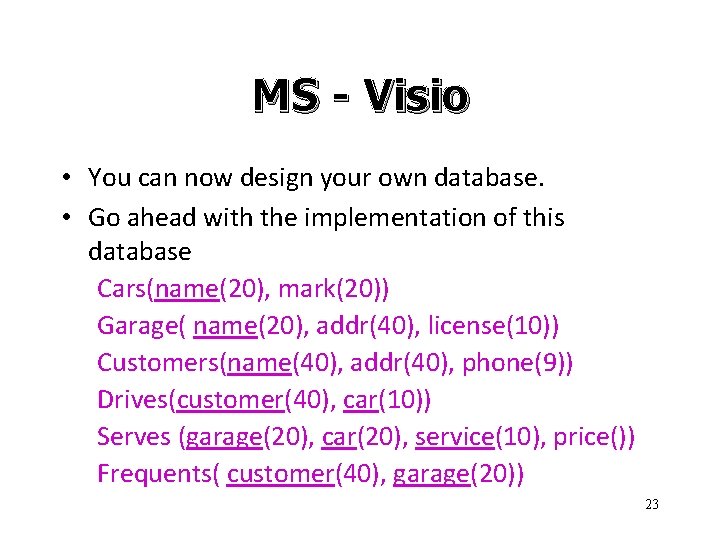
MS - Visio • You can now design your own database. • Go ahead with the implementation of this database Cars(name(20), mark(20)) Garage( name(20), addr(40), license(10)) Customers(name(40), addr(40), phone(9)) Drives(customer(40), car(10)) Serves (garage(20), car(20), service(10), price()) Frequents( customer(40), garage(20)) 23
- Slides: 23