
CENG 360 Operating systems and system programming Lecture
- Slides: 16
CENG 360 - Operating systems and system programming Lecture 13 Processes
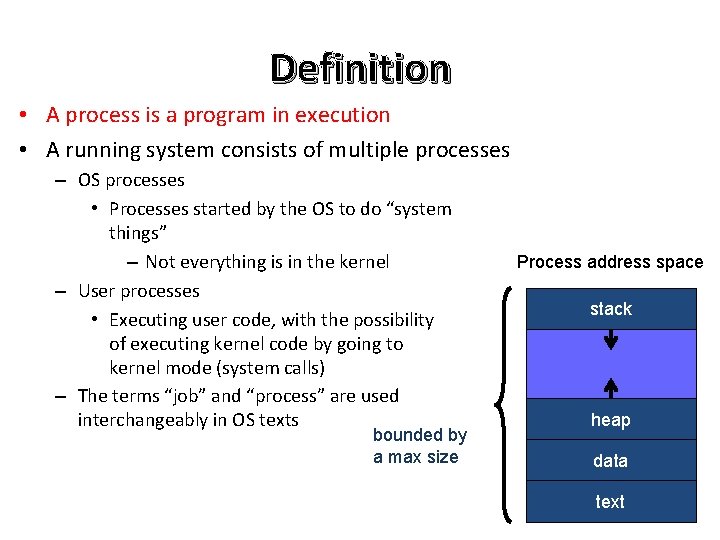
Definition • A process is a program in execution • A running system consists of multiple processes – OS processes • Processes started by the OS to do “system things” – Not everything is in the kernel – User processes • Executing user code, with the possibility of executing kernel code by going to kernel mode (system calls) – The terms “job” and “process” are used interchangeably in OS texts bounded by a max size Process address space stack heap data text
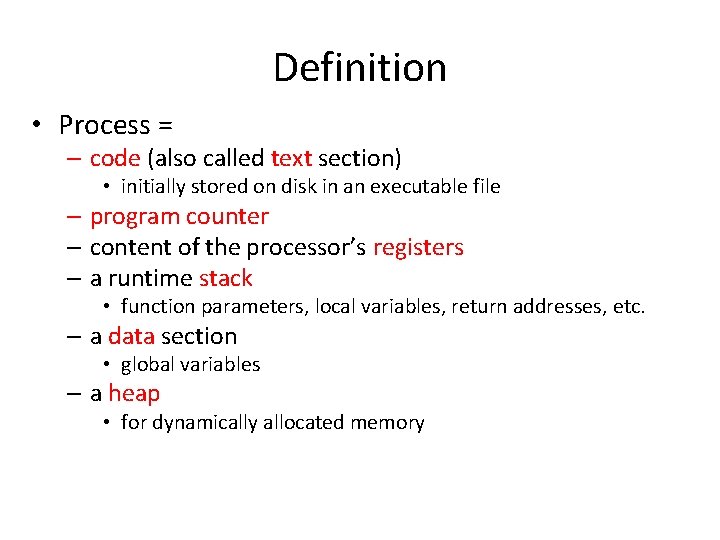
Definition • Process = – code (also called text section) • initially stored on disk in an executable file – program counter – content of the processor’s registers – a runtime stack • function parameters, local variables, return addresses, etc. – a data section • global variables – a heap • for dynamically allocated memory
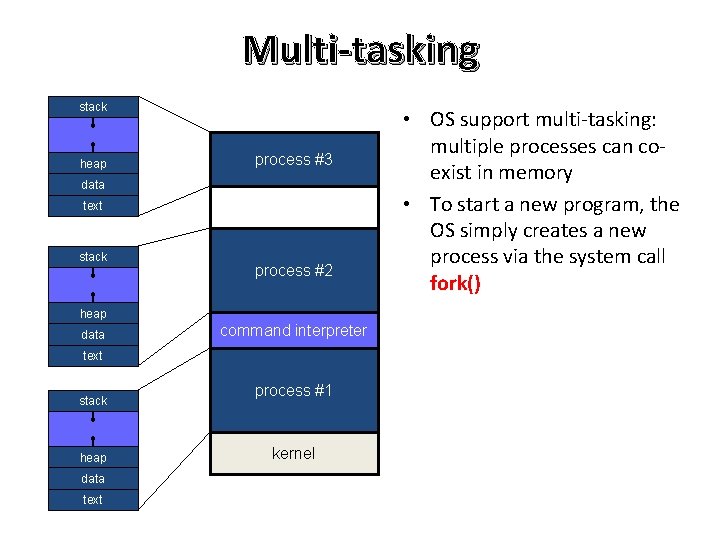
Multi-tasking stack heap process #3 data text stack free memory process #2 heap data command interpreter text stack heap data text process #1 kernel • OS support multi-tasking: multiple processes can coexist in memory • To start a new program, the OS simply creates a new process via the system call fork()
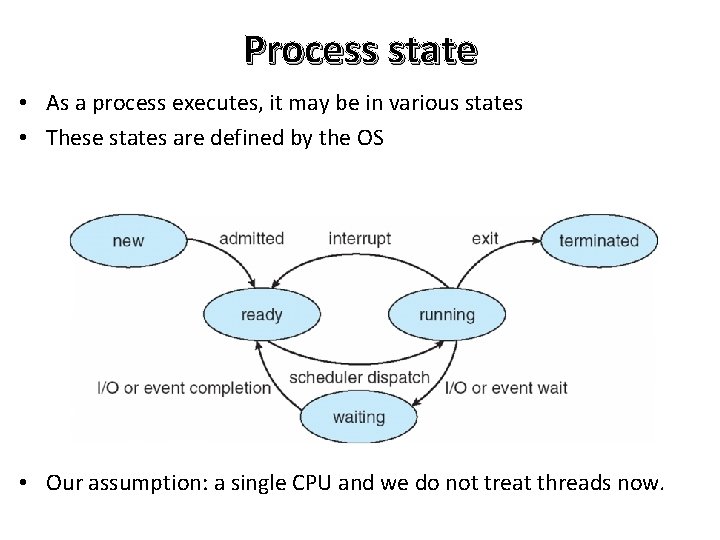
Process state • As a process executes, it may be in various states • These states are defined by the OS • Our assumption: a single CPU and we do not treat threads now.
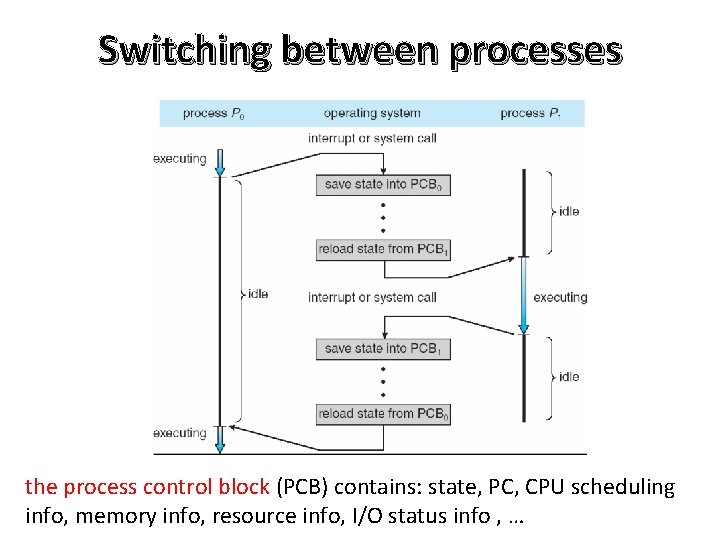
Switching between processes the process control block (PCB) contains: state, PC, CPU scheduling info, memory info, resource info, I/O status info , …
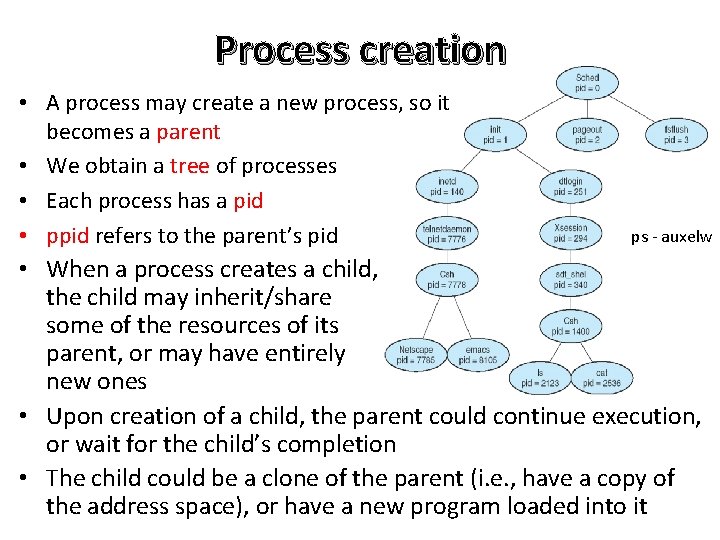
Process creation • A process may create a new process, so it becomes a parent • We obtain a tree of processes • Each process has a pid • ppid refers to the parent’s pid ps - auxelw • When a process creates a child, the child may inherit/share some of the resources of its parent, or may have entirely new ones • Upon creation of a child, the parent could continue execution, or wait for the child’s completion • The child could be a clone of the parent (i. e. , have a copy of the address space), or have a new program loaded into it
The fork() system call • fork() creates a new process • The child is a copy of the parent, but. . . – It has a different pid (and thus ppid) – Its resource utilization (so far) is set to 0 • fork() returns the child’s pid to the parent, and 0 to the child – Each process can find its own pid with the getpid() call, and its ppid with the getppid() call • Both processes continue execution after the call to fork()
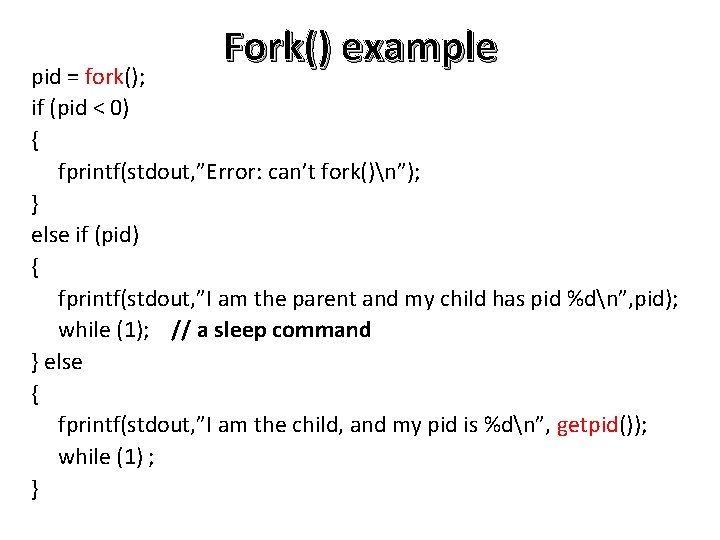
Fork() example pid = fork(); if (pid < 0) { fprintf(stdout, ”Error: can’t fork()n”); } else if (pid) { fprintf(stdout, ”I am the parent and my child has pid %dn”, pid); while (1); // a sleep command } else { fprintf(stdout, ”I am the child, and my pid is %dn”, getpid()); while (1) ; }
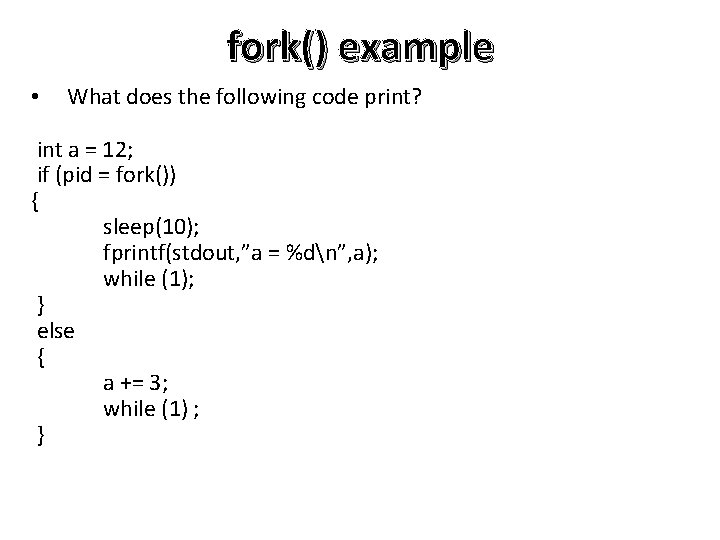
fork() example • What does the following code print? int a = 12; if (pid = fork()) { sleep(10); fprintf(stdout, ”a = %dn”, a); while (1); } else { a += 3; while (1) ; }
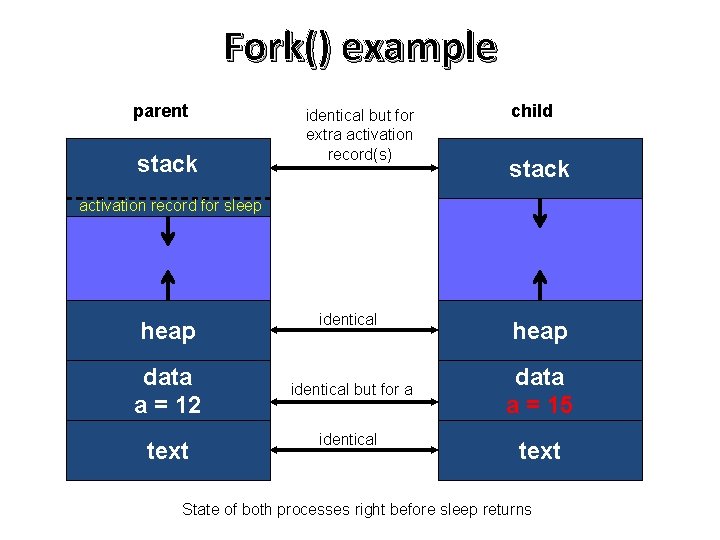
Fork() example parent stack identical but for extra activation record(s) child stack activation record for sleep heap data a = 12 text identical but for a identical heap data a = 15 text State of both processes right before sleep returns
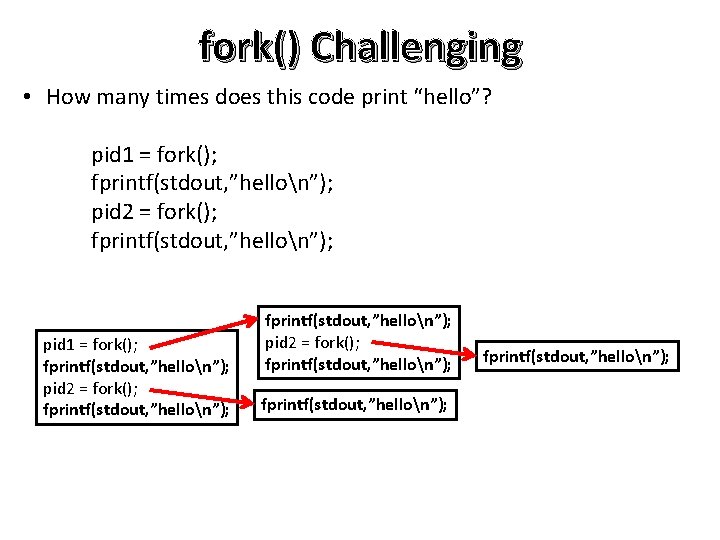
fork() Challenging • How many times does this code print “hello”? pid 1 = fork(); fprintf(stdout, ”hellon”); pid 2 = fork(); fprintf(stdout, ”hellon”); fprintf(stdout, ”hellon”);
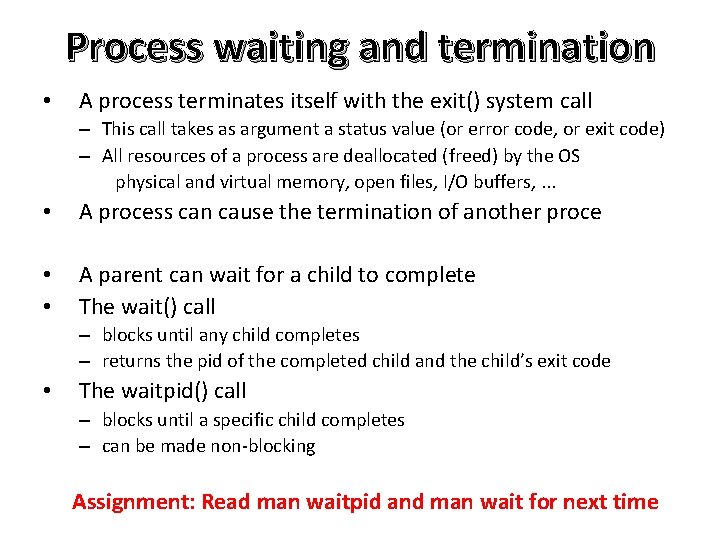
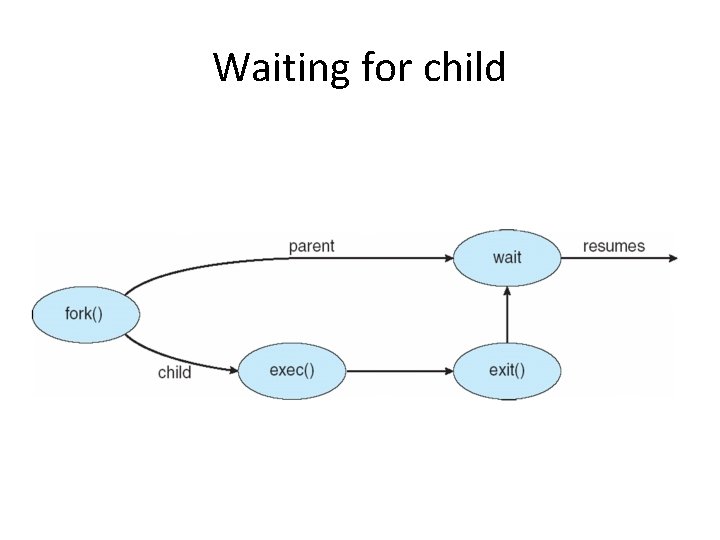
Process waiting and termination • A process terminates itself with the exit() system call – This call takes as argument a status value (or error code, or exit code) – All resources of a process are deallocated (freed) by the OS physical and virtual memory, open files, I/O buffers, . . . • A process can cause the termination of another proce • • A parent can wait for a child to complete The wait() call – blocks until any child completes – returns the pid of the completed child and the child’s exit code • The waitpid() call – blocks until a specific child completes – can be made non-blocking Assignment: Read man waitpid and man wait for next time
Waiting for child
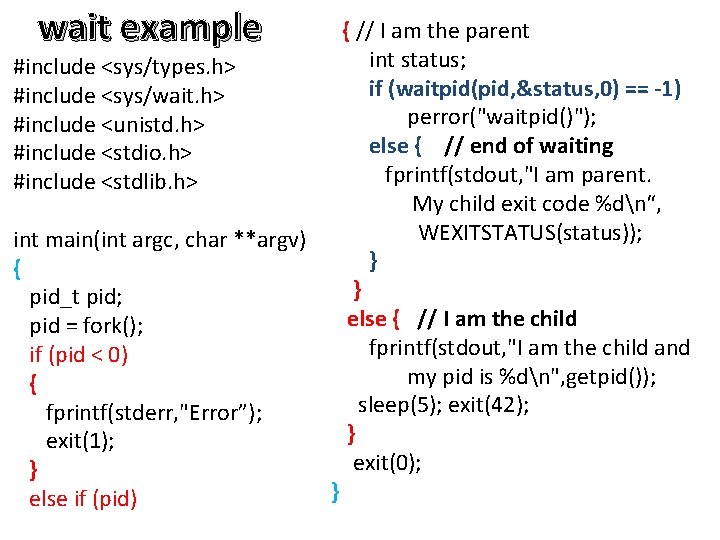
wait example #include <sys/types. h> #include <sys/wait. h> #include <unistd. h> #include <stdio. h> #include <stdlib. h> int main(int argc, char **argv) { pid_t pid; pid = fork(); if (pid < 0) { fprintf(stderr, "Error”); exit(1); } else if (pid) } { // I am the parent int status; if (waitpid(pid, &status, 0) == -1) perror("waitpid()"); else { // end of waiting fprintf(stdout, "I am parent. My child exit code %dn“, WEXITSTATUS(status)); } } else { // I am the child fprintf(stdout, "I am the child and my pid is %dn", getpid()); sleep(5); exit(42); } exit(0);
wait example #include <sys/types. h> #include <sys/wait. h> #include <unistd. h> #include <stdio. h> #include <stdlib. h> int main(int argc, char **argv) { pid_t pid; pid = fork(); if (pid < 0) { fprintf(stderr, "Error”); exit(1); } else if (pid) } { // I am the parent int status; if (waitpid(pid, &status, 0) == -1) perror("waitpid()"); else { // end of waiting fprintf(stdout, "I am parent. My child exit code %dn“, WEXITSTATUS(status)); } } else { // I am the child fprintf(stdout, "I am the child and my pid is %dn", getpid()); sleep(5); exit(42); } exit(0);