
CE 311 K Introduction to Computer Methods VB

CE 311 K Introduction to Computer Methods VB Controls and Events Daene C. Mc. Kinney
Introduction • • • Program Planning and Flowcharts Visual Basic Visual basic Interface VB Controls Creating a Project
Why Visual Basic? • #1 Reasons – Graphical User Interface (GUI) - easily constructed – More fun for students than other languages! • The “other” reasons – General purpose, machine-independent language – Powerful and flexible language – Popular (used by many programmers, it’s been around since …. well MS DOS. Yeah, Bill Gates wrote it!) – Portable (works on all PC’s) – Small language (few components) – Modular (easily maintainable)
VB Programs • Developing a VB Program – Design the GUI (buttons, text boxes, etc. ) – Determine the events that the controls (buttons, etc. ) will recognize – Write the procedures for those events What’s an EVENT? CLICK! • Running a VB Program What’s a PROCEDURE? – VB monitors the controls in the window for events – When it detects an event, execute procedure for that event – Return to monitoring RUN? Is this a race? • Sounds easy, but it can be frustrating!

Flowcharting • Flowchart This can save your &^%$ when you lose track of what you’re doing! – Graphic representation of the sequence of steps in a process • Flowchart Symbols – Start/Stop Start – Line no Decision – Input/Output – Processing – Decision yes Process Stop

Example: Stamp Problem Pseudocode Flowchart Program Purpose: Determine the proper number of stamps for a letter Start Read sheets Input – Read sheets Set stamps = sheets/5 Processing – Set the number of stamps to sheets/5 Round stamps up To next whole # Processing – Round the number of stamps up to the next whole number Display stamps End Output – Display the number of stamps
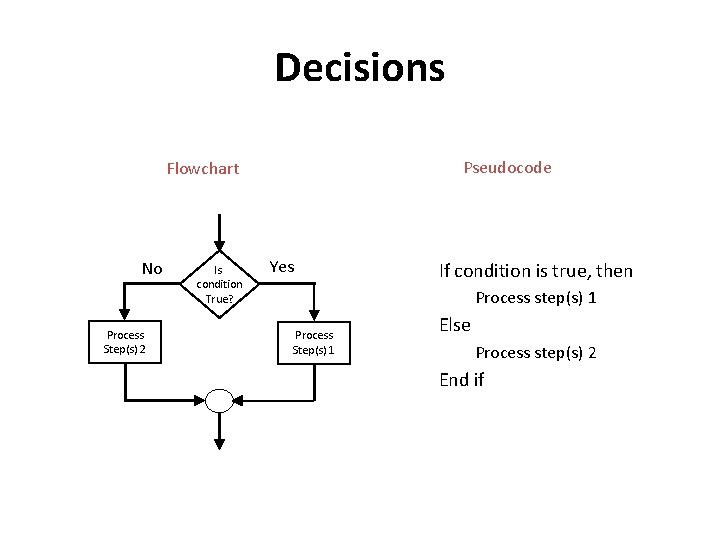
Decisions Pseudocode Flowchart No Process Step(s) 2 Is condition True? Yes If condition is true, then Process step(s) 1 Process Step(s) 1 Else Process step(s) 2 End if
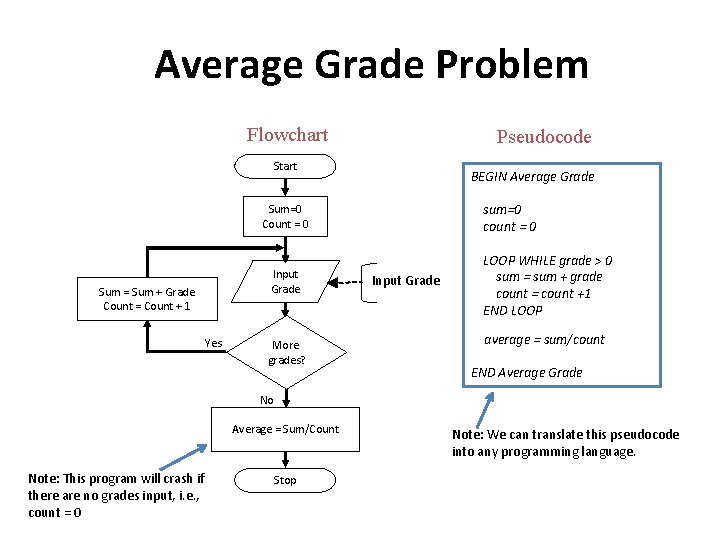
Average Grade Problem Flowchart Pseudocode Start BEGIN Average Grade sum=0 count = 0 Sum=0 Count = 0 Input Grade Sum = Sum + Grade Count = Count + 1 Yes More grades? Input Grade LOOP WHILE grade > 0 sum = sum + grade count = count +1 END LOOP average = sum/count END Average Grade No Average = Sum/Count Note: This program will crash if there are no grades input, i. e. , count = 0 Stop Note: We can translate this pseudocode into any programming language.

VB Interface New Project Button
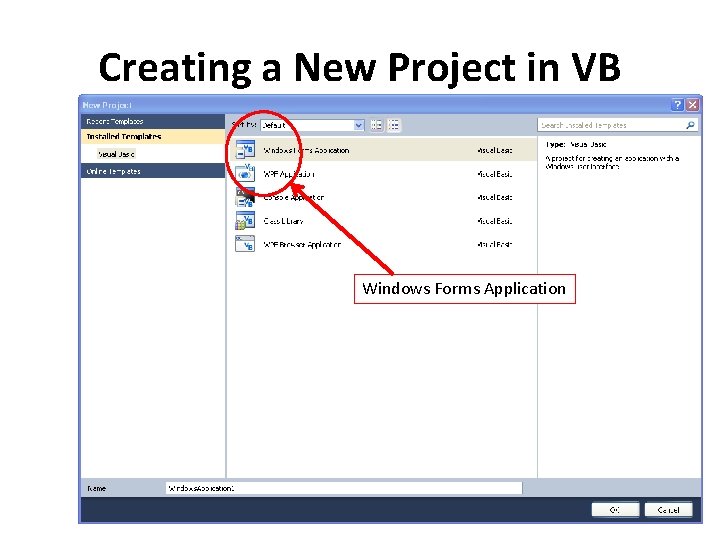
Creating a New Project in VB Windows Forms Application
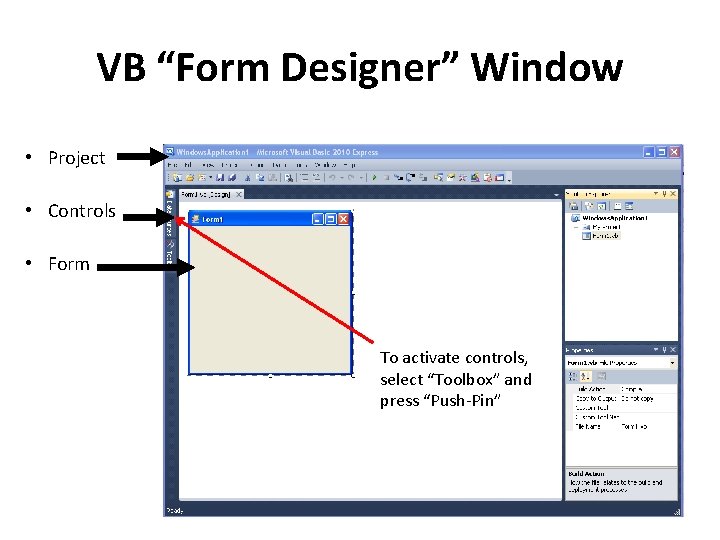
VB “Form Designer” Window • Project • Controls • Form To activate controls, select “Toolbox” and press “Push-Pin”
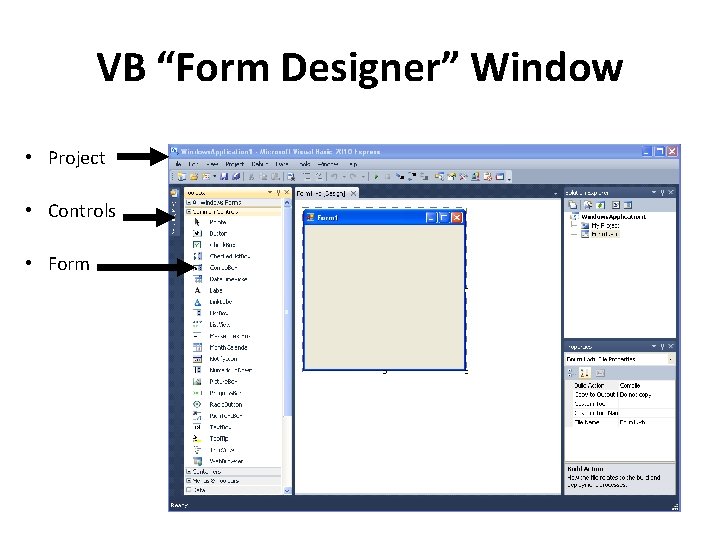
VB “Form Designer” Window • Project • Controls • Form
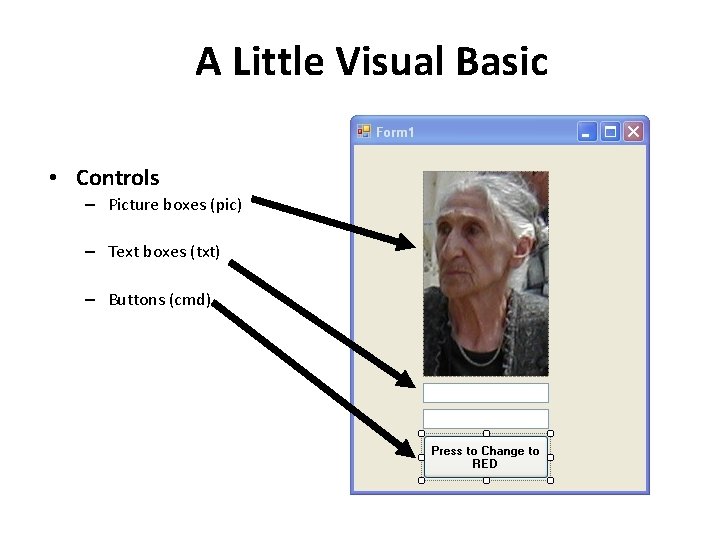
A Little Visual Basic • Controls – Picture boxes (pic) – Text boxes (txt) – Buttons (cmd)
Visual Basic Objects • Useful Objects – – – List Boxes Text Boxes Picture Boxes Labels Buttons l Useful Object Properties – – – – Name Caption Border style Visible Back Color Alignment Font
Visual Basic Events • When a VB program runs – A Form and some Controls appear on the screen • Nothing happens until user takes an action – Event • Most Events are associated with Controls – Objects • Programmer writes Code to respond to events – Procedures
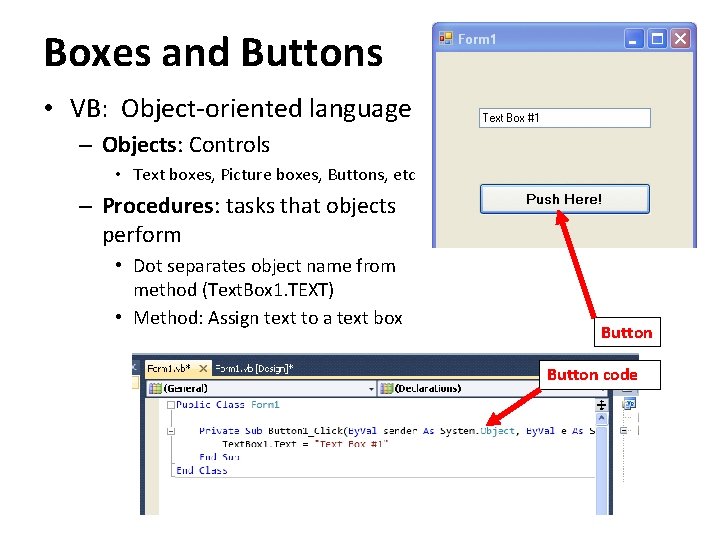
Boxes and Buttons • VB: Object-oriented language – Objects: Controls • Text boxes, Picture boxes, Buttons, etc – Procedures: tasks that objects perform • Dot separates object name from method (Text. Box 1. TEXT) • Method: Assign text to a text box Button code
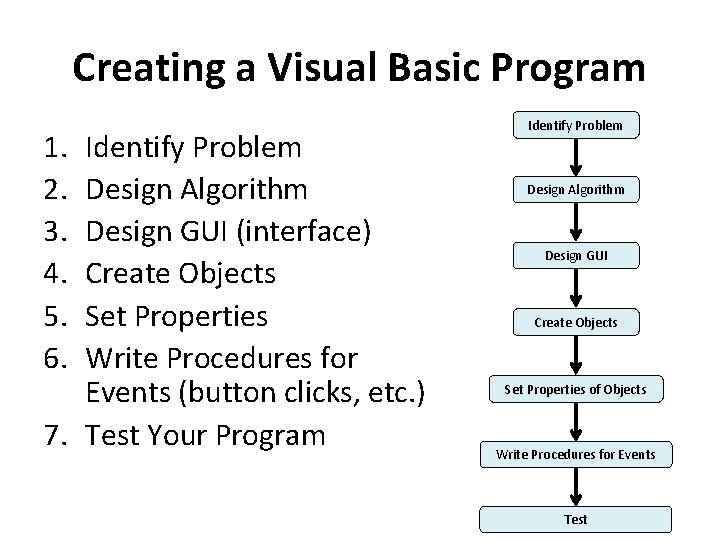
Creating a Visual Basic Program 1. 2. 3. 4. 5. 6. Identify Problem Design Algorithm Design GUI (interface) Create Objects Set Properties Write Procedures for Events (button clicks, etc. ) 7. Test Your Program Identify Problem Design Algorithm Design GUI Create Objects Set Properties of Objects Write Procedures for Events Test
Homeworks • Install – VB-2008 • Do • from the MS website or the CD at back of the book – Homework problems in VB • Learn – How to create VB projects and solve problems • Make – Screenshots and paste them into Word docs • Use – Your computer
Summary • • • Program Planning and Flowcharts Visual Basic Visual basic Interface VB Controls Creating a Project
- Slides: 19