
CCNP 3 Chapter 3 Implementing Spanning Tree Overview

- Slides: 27
CCNP 3: Chapter 3 Implementing Spanning Tree
Overview • Basics of implementing STP • Election of Root Bridge and Backup • Enhancing STP • RSTP • MSTP • Ether. Channels
Basics of implementing STP Describing Transparent Bridges • The basic functionality of a switch is identical to that of the transparent bridge. • It must not modify the frames that are forwarded. • It learns addresses by “listening” on a port for the source address of a device. • It must forward all broadcasts out of all ports, except for the port that initially received the broadcast. • If a destination address is unknown to the bridge, it forwards the frame out of all ports, except for the port that initially received the frame. This is called unicast flooding.
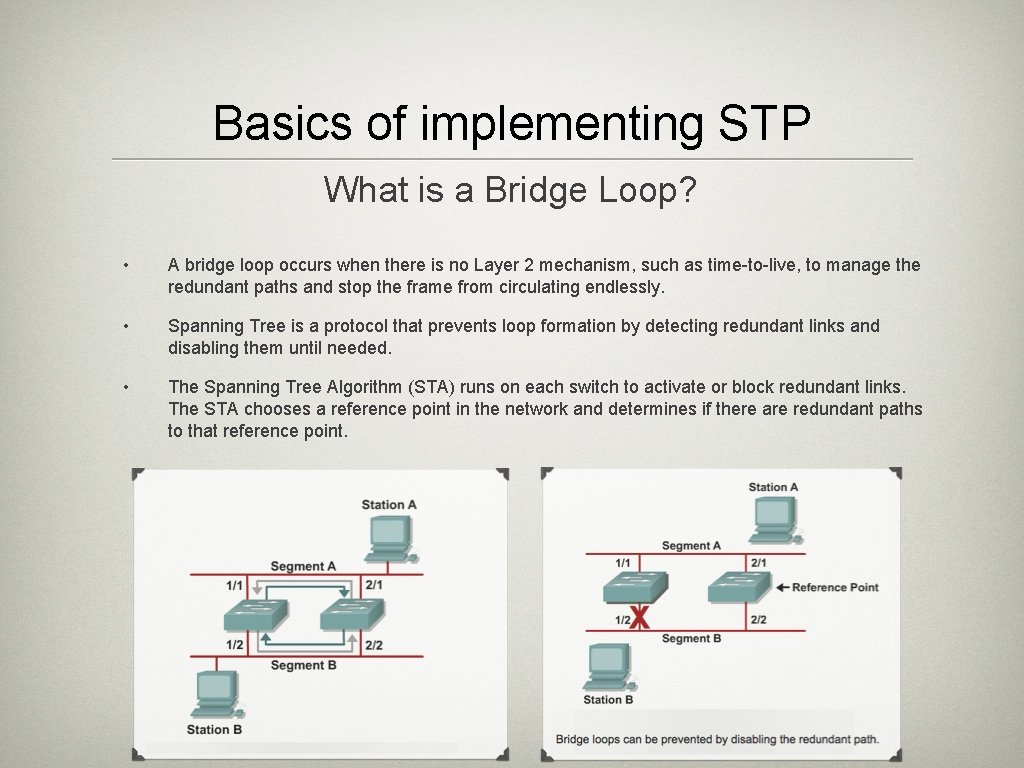
Basics of implementing STP What is a Bridge Loop? • A bridge loop occurs when there is no Layer 2 mechanism, such as time-to-live, to manage the redundant paths and stop the frame from circulating endlessly. • Spanning Tree is a protocol that prevents loop formation by detecting redundant links and disabling them until needed. • The Spanning Tree Algorithm (STA) runs on each switch to activate or block redundant links. The STA chooses a reference point in the network and determines if there are redundant paths to that reference point.
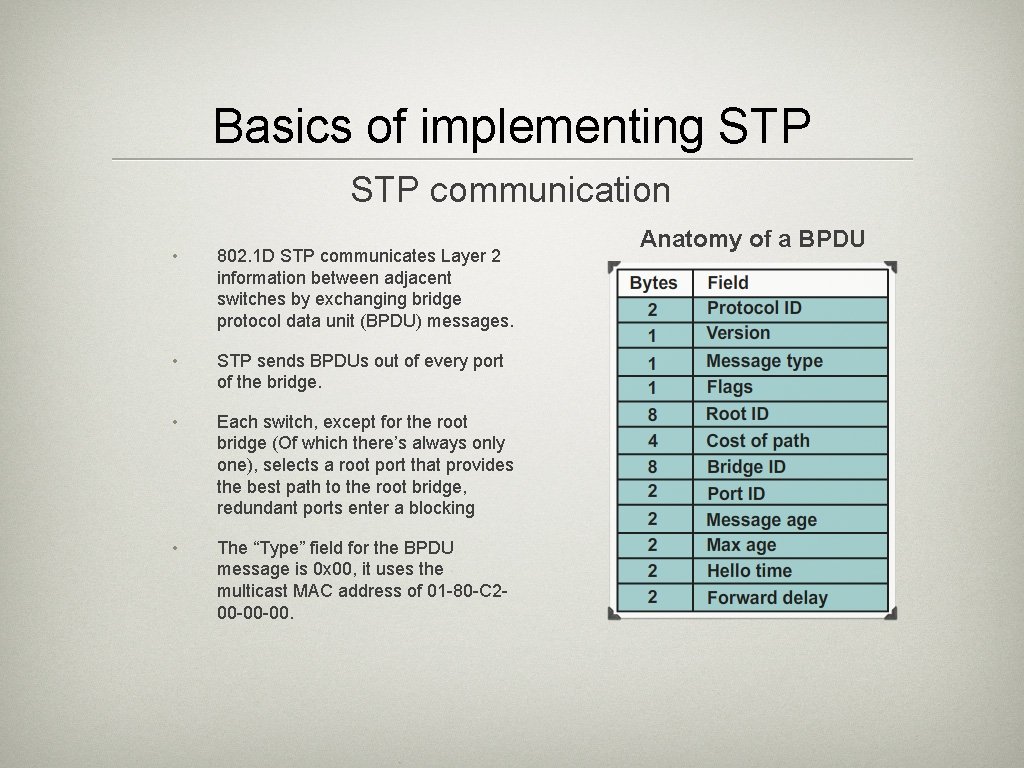
Basics of implementing STP communication • 802. 1 D STP communicates Layer 2 information between adjacent switches by exchanging bridge protocol data unit (BPDU) messages. • STP sends BPDUs out of every port of the bridge. • Each switch, except for the root bridge (Of which there’s always only one), selects a root port that provides the best path to the root bridge, redundant ports enter a blocking • The “Type” field for the BPDU message is 0 x 00, it uses the multicast MAC address of 01 -80 -C 200 -00 -00. Anatomy of a BPDU
Election of Root Bridge and Backup General Overview • The STP topology is converged after a root bridge has been selected, and each bridge has selected its root port, designated bridge, and the participating ports. • Path calculation through the network is based on the root bridge which serves as reference point for the topology. • One root is elected for each VLAN. • The root maintains the topology and propagtes timers.
Election of Root Bridge and Backup Selecting the Root Bridge • The bridge is selected using the bridge ID (BID), which consists of a 2 byte Priority field plus a 6 -byte MAC address. • Lower BID values are preferred. • The Priority field value helps determine which bridge is going to be the root and can be manually altered. • When the default Priority field is the same for all bridges, selecting the root bridge is based on the lowest MAC address. • When a switch first boots and begins sending BPDUs, it has no knowledge of a root ID, so it populates the Root ID field of outbound BPDUs with its own BID. • Spanning tree operation requires that each switch have a unique BID.
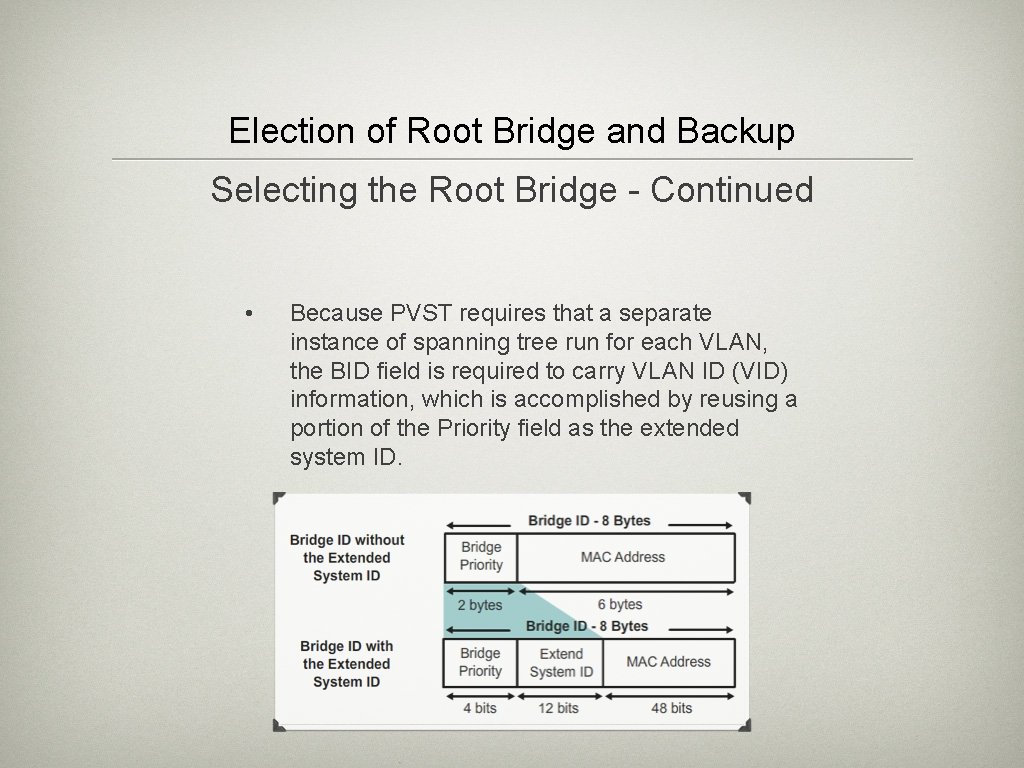
Election of Root Bridge and Backup Selecting the Root Bridge - Continued • Because PVST requires that a separate instance of spanning tree run for each VLAN, the BID field is required to carry VLAN ID (VID) information, which is accomplished by reusing a portion of the Priority field as the extended system ID.
Election of Root Bridge and Backup Port States • Each Layer 2 port on a switch running STP is running in one of the following 5 states: • Blocking (Determined by Max Age Timer) • Listening (Determined by Fwd Delay Timer) • Learning (Determined by Fwd Delay Timer) • Forwarding (Participates in networking) • Disabled (Port is administratively down)
Election of Root Bridge and Backup STP Timers • Hello timer: Determines how often root bridge sends configuration BPDUs. The default is 2 seconds. • Maximum Age (Max Age): Tells the bridge how long to keep ports in the blocking state before listening. The default is 20 seconds. • Forward Delay (Fwd Delay): Determines how long to stay in the listening state before going to the learning state, and how long to stay in the learning state before forwarding. The default is 15 seconds.
Election of Root Bridge and Backup Configuring PVST • If no priority has been configured, every switch will have the same default priority of 32768. Assuming all other switches are at default priority, the spanning-tree vlan “vlan-id” root primary command sets a value of 24576. • Assuming all other switches are at default priority, the spanning-tree vlan “vlan-id” root secondary command sets a value of 28672. • By default STP is enabled and need no configuration. CAUTION: Spanning tree commands take effect immediately, so network traffic is disrupted while the reconfiguration occurs.
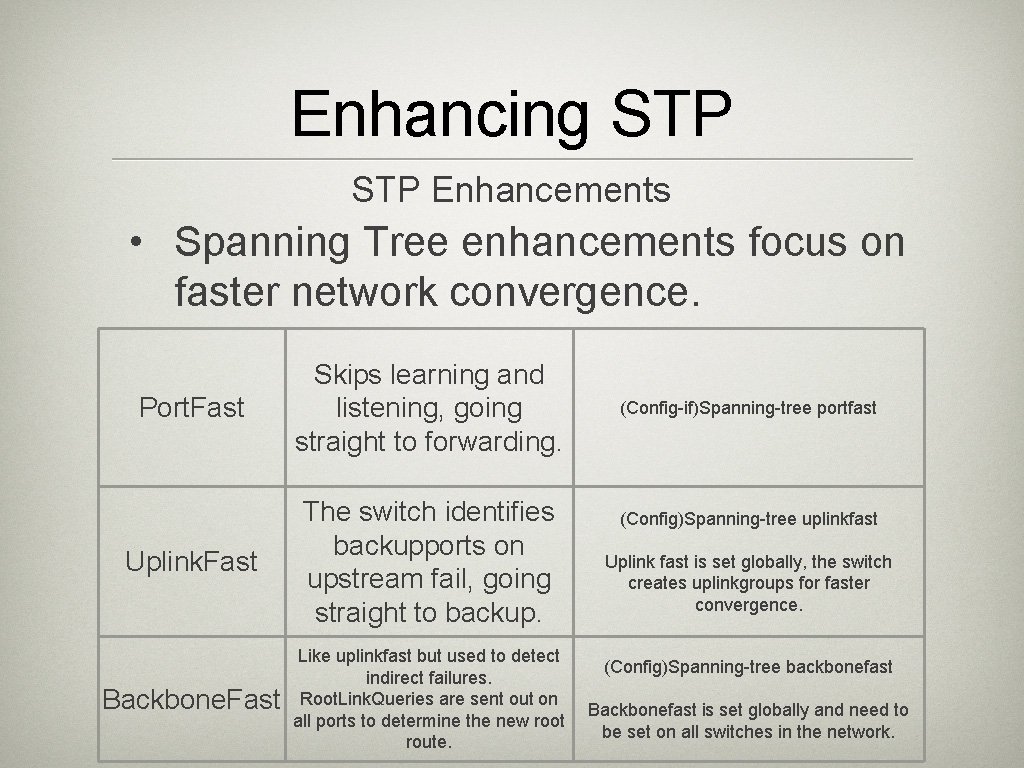
Enhancing STP Enhancements • Spanning Tree enhancements focus on faster network convergence. Port. Fast Skips learning and listening, going straight to forwarding. Uplink. Fast The switch identifies backupports on upstream fail, going straight to backup. Backbone. Fast Like uplinkfast but used to detect indirect failures. Root. Link. Queries are sent out on all ports to determine the new root route. (Config-if)Spanning-tree portfast (Config)Spanning-tree uplinkfast Uplink fast is set globally, the switch creates uplinkgroups for faster convergence. (Config)Spanning-tree backbonefast Backbonefast is set globally and need to be set on all switches in the network.
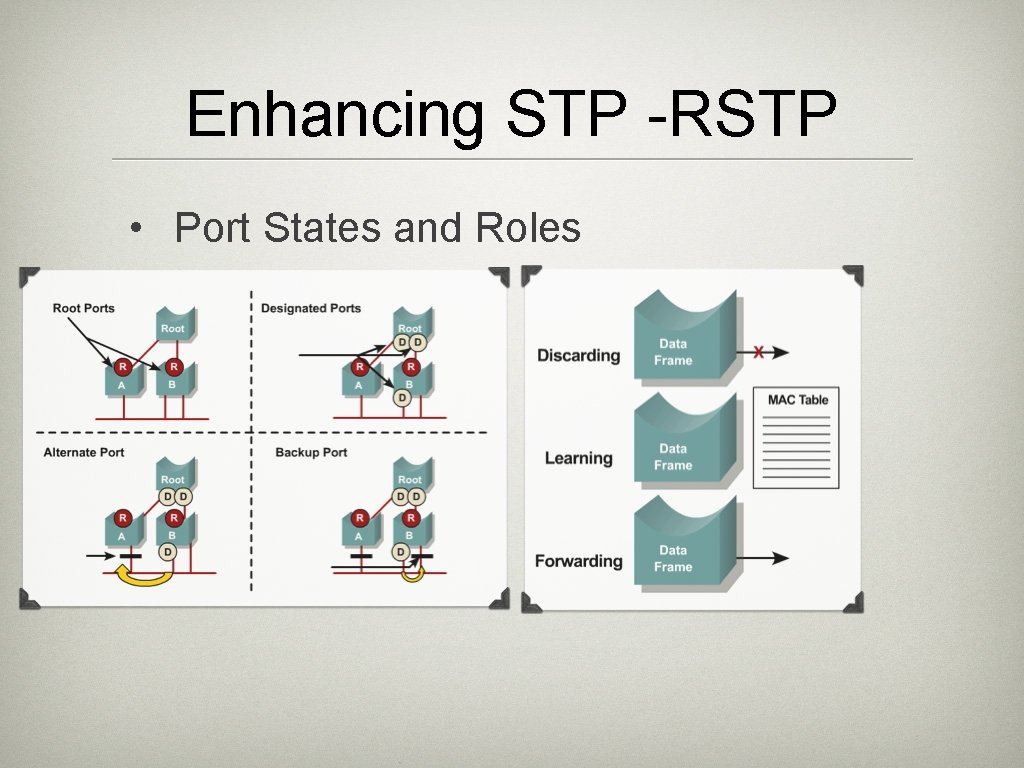
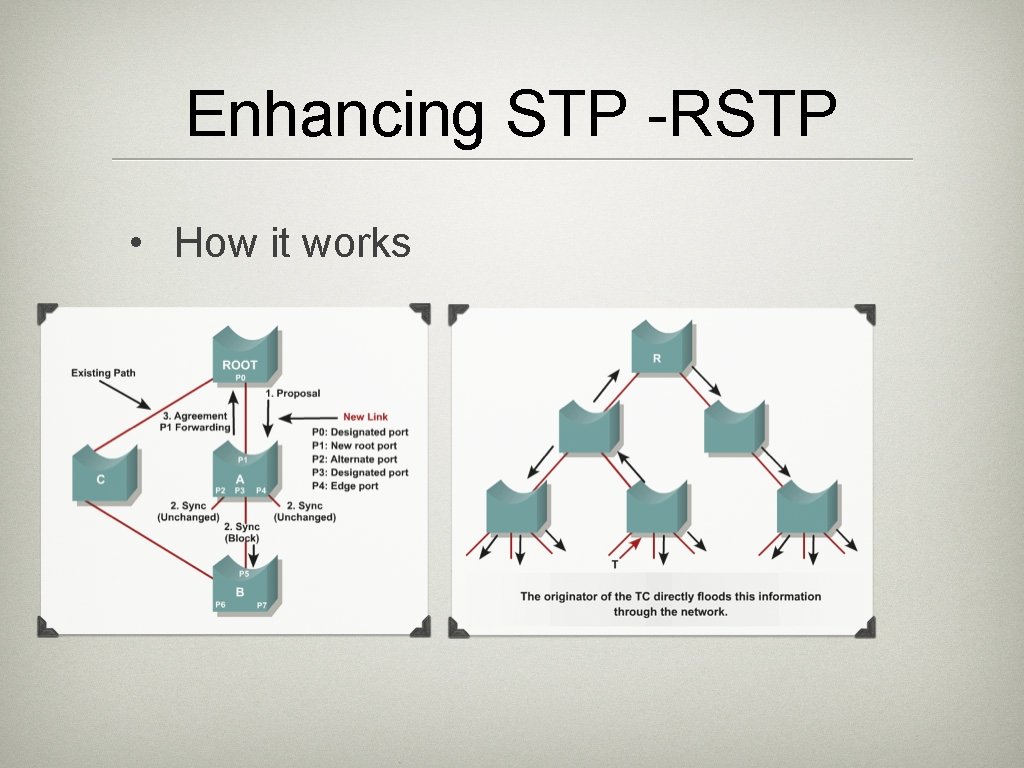
Enhancing STP -RSTP • RSTP works much like RTP, the main differences are: • RSTP is proactive and doesn’t just “forget” blocked ports • RSTP cust downtime during convergence by up to 50 seconds • RSTP is. . . Well. . Rapid. . .
Enhancing STP -RSTP • Port States and Roles
Enhancing STP -RSTP • How it works
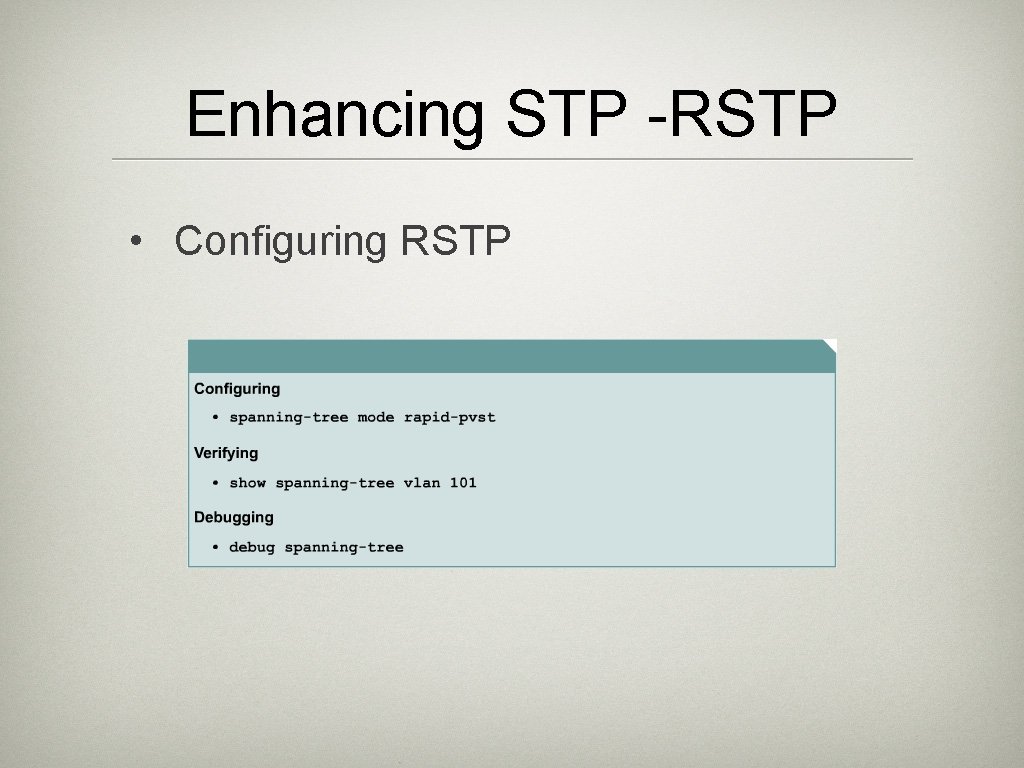
Enhancing STP -RSTP • Configuring RSTP
Enhancing STP -MSTP • MSTP differs from other spanning tree implementations in that it combines some, but not necessarily all, VLANs into logical spanning tree instances.
Enhancing STP -MSTP
Enhancing STP -MSTP • Configuring MSTP
Ether. Channels • Ether. Channels are just that ; )
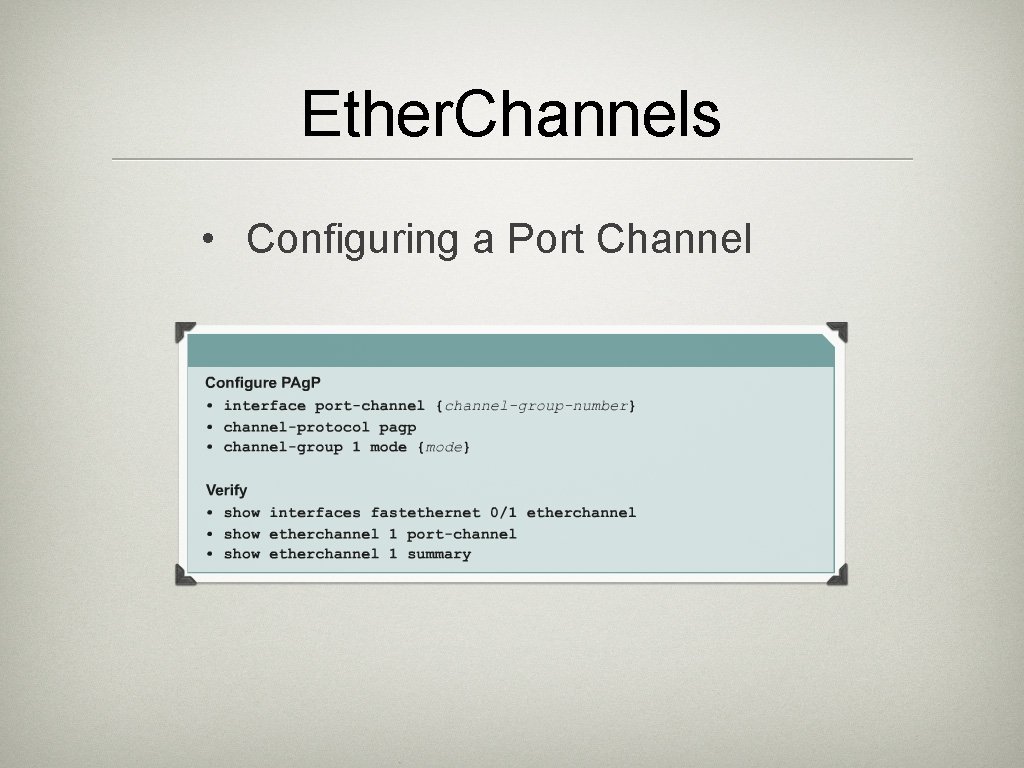
Ether. Channels • To configure Ether. Channels you need to both • Make ports ready for Ether. Channels • Configure the Port Channel
Ether. Channels • Configuring a Port Channel
Ether. Channels • Configuring ports for Ether. Channel
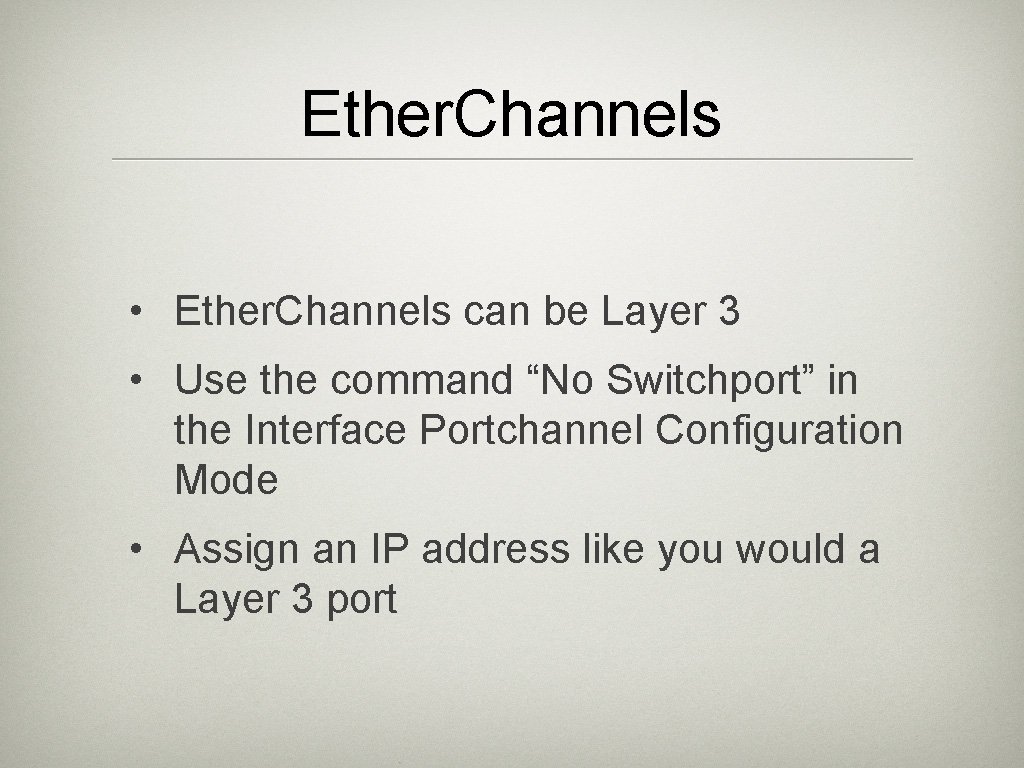
Ether. Channels • Ether. Channels can be Layer 3 • Use the command “No Switchport” in the Interface Portchannel Configuration Mode • Assign an IP address like you would a Layer 3 port
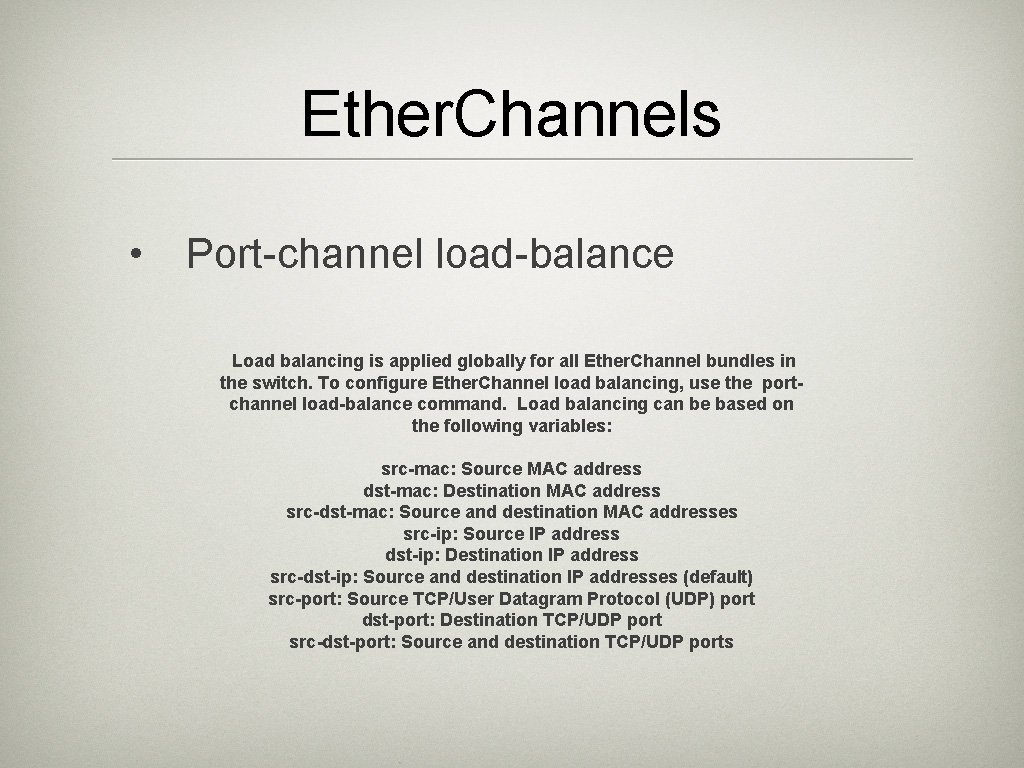
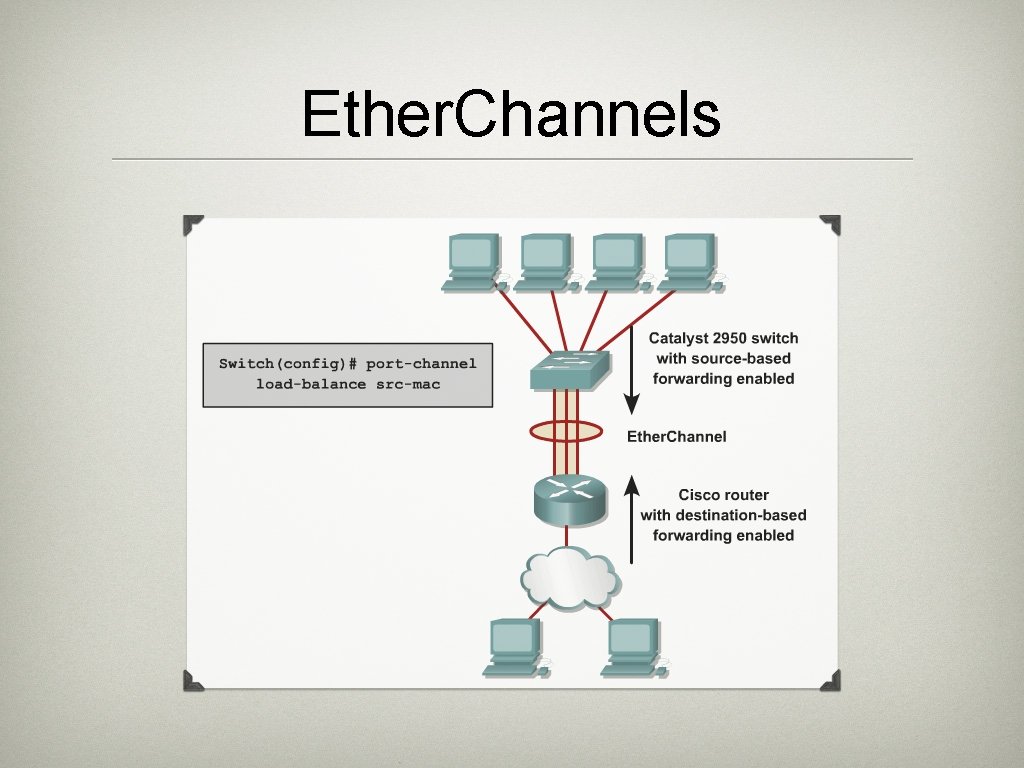
Ether. Channels • Port-channel load-balance Load balancing is applied globally for all Ether. Channel bundles in the switch. To configure Ether. Channel load balancing, use the portchannel load-balance command. Load balancing can be based on the following variables: src-mac: Source MAC address dst-mac: Destination MAC address src-dst-mac: Source and destination MAC addresses src-ip: Source IP address dst-ip: Destination IP address src-dst-ip: Source and destination IP addresses (default) src-port: Source TCP/User Datagram Protocol (UDP) port dst-port: Destination TCP/UDP port src-dst-port: Source and destination TCP/UDP ports
Ether. Channels
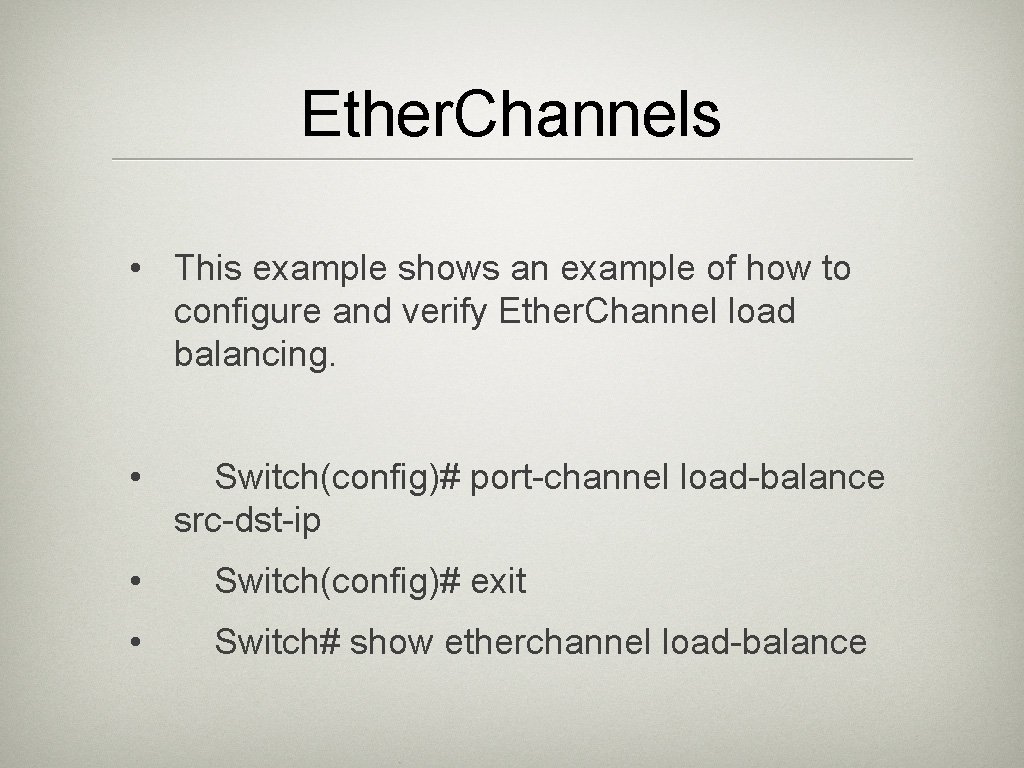
Ether. Channels • This example shows an example of how to configure and verify Ether. Channel load balancing. • Switch(config)# port-channel load-balance src-dst-ip • Switch(config)# exit • Switch# show etherchannel load-balance