
CCNA Guide to Cisco Networking Fundamentals Fourth Edition
- Slides: 18
CCNA Guide to Cisco Networking Fundamentals Fourth Edition Chapter 11 PPP and HDLC
Objectives • • Describe PPP encapsulation Configure PPP encapsulation and its options Describe and enable PPP multilink Understand Frame Relay standards and equipment CCNA Guide to Cisco Networking Fundamentals, Fourth Edition 2
Objectives (continued) • Describe the role of virtual circuits and performance parameters in Frame Relay • Understand the Frame Relay topologies • Understand the difference between multipoint and point-to-point configurations • Configure and monitor Frame Relay CCNA Guide to Cisco Networking Fundamentals, Fourth Edition 3
PPP • PPP – Internet standard protocol defined in RFCs 2153 and 1661 – Provide point-to-point, router-to-router, host-to-router, and host-to-host connections – Considered a peer technology based on its point-topoint physical configuration – Commonly used over dial-up or leased lines to provide connections into IP networks • Serial Line Internet Protocol (SLIP) was the predecessor to PPP CCNA Guide to Cisco Networking Fundamentals, Fourth Edition 4
PPP (continued) • PPP can be used over several different physical interfaces, including the following: – Asynchronous serial – ISDN synchronous serial – High-Speed Serial Interface (HSSI) CCNA Guide to Cisco Networking Fundamentals, Fourth Edition 5
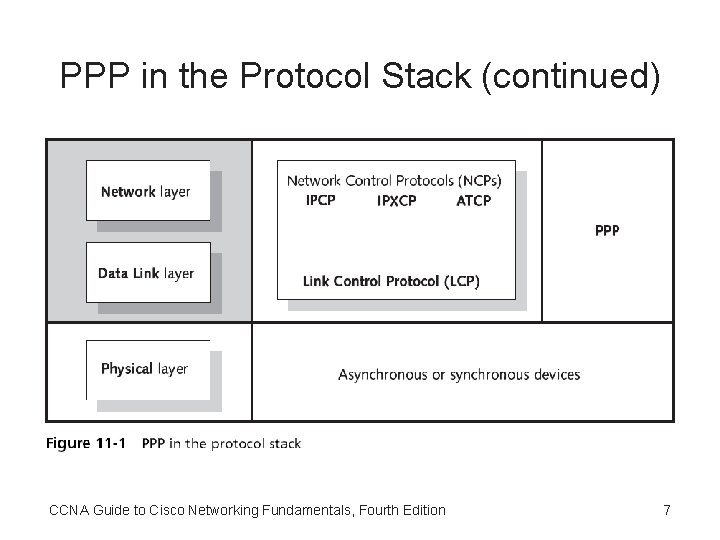
PPP in the Protocol Stack • You can use PPP over both asynchronous and synchronous connections – At the Physical layer of the OSI reference model • Link Control Protocol (LCP) – Used at the Data Link layer to establish, configure, and test the connection • Network Control Protocols (NCPs) – Allow the simultaneous use of multiple Network layer protocols and are required for each protocol that uses PPP CCNA Guide to Cisco Networking Fundamentals, Fourth Edition 6
PPP in the Protocol Stack (continued) CCNA Guide to Cisco Networking Fundamentals, Fourth Edition 7
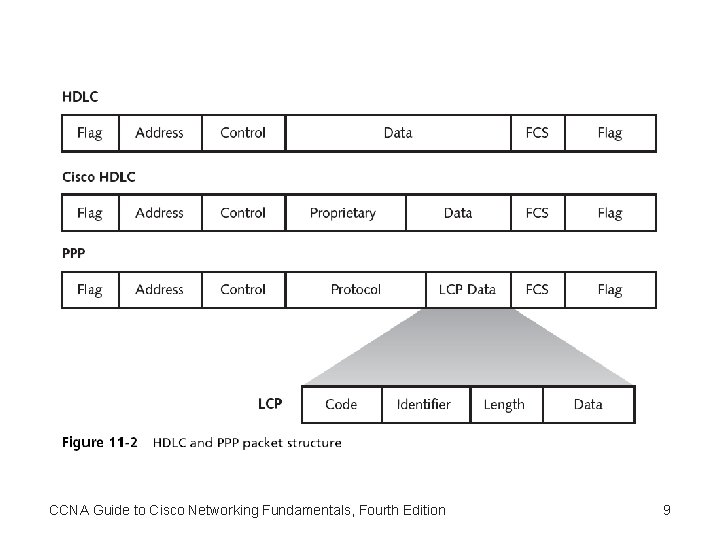
Frame Format • PPP is based on the High-Level Data Link Control (HDLC) protocol • The difference between PPP frames and HDLC frames is that PPP frames contain protocol and Link Control Protocol (LCP) fields • LCP – Described in RFCs 1548, 1570, 1661, 2153, and 2484 – Describes PPP organization and methodology, including basic LCP extensions CCNA Guide to Cisco Networking Fundamentals, Fourth Edition 8
CCNA Guide to Cisco Networking Fundamentals, Fourth Edition 9
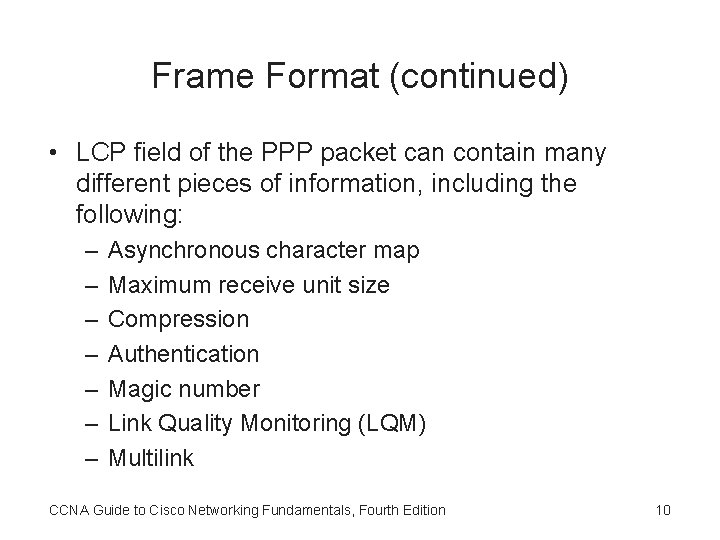
Frame Format (continued) • LCP field of the PPP packet can contain many different pieces of information, including the following: – – – – Asynchronous character map Maximum receive unit size Compression Authentication Magic number Link Quality Monitoring (LQM) Multilink CCNA Guide to Cisco Networking Fundamentals, Fourth Edition 10
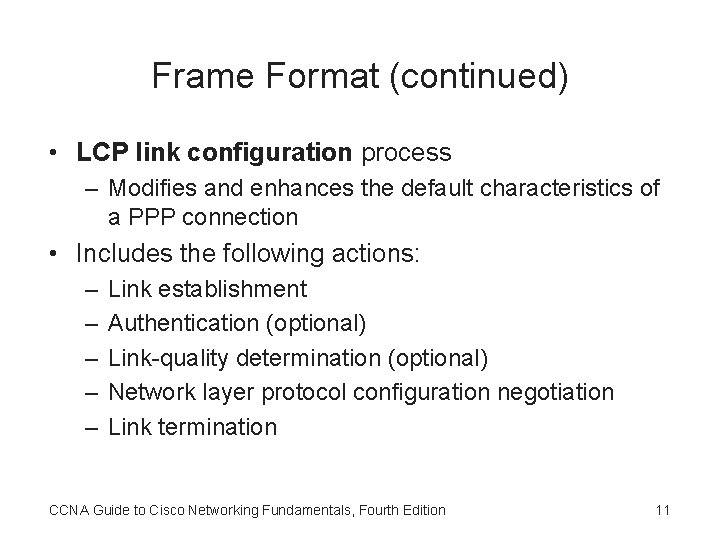
Frame Format (continued) • LCP link configuration process – Modifies and enhances the default characteristics of a PPP connection • Includes the following actions: – – – Link establishment Authentication (optional) Link-quality determination (optional) Network layer protocol configuration negotiation Link termination CCNA Guide to Cisco Networking Fundamentals, Fourth Edition 11
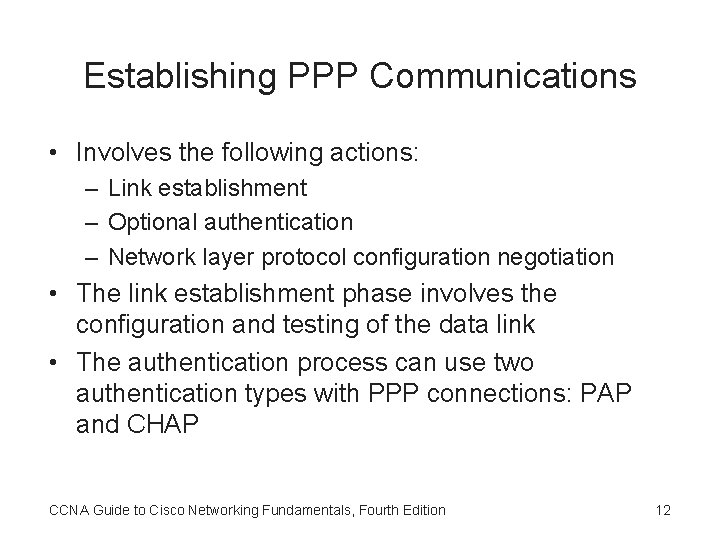
Establishing PPP Communications • Involves the following actions: – Link establishment – Optional authentication – Network layer protocol configuration negotiation • The link establishment phase involves the configuration and testing of the data link • The authentication process can use two authentication types with PPP connections: PAP and CHAP CCNA Guide to Cisco Networking Fundamentals, Fourth Edition 12
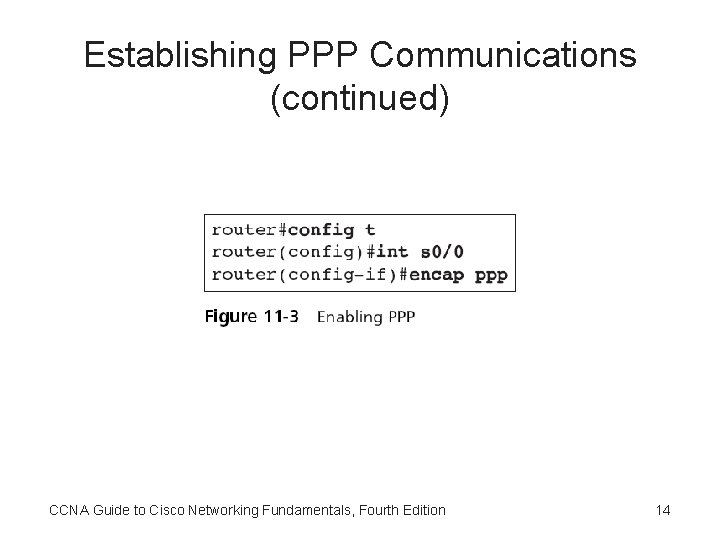
Establishing PPP Communications (continued) • PPP is an encapsulation type for serial interface communications – To configure a PPP connection, you must access the interface configuration mode for the specific interface you want to configure • After LCP has finished negotiating the configuration parameters – Network layer protocols can be configured individually by the appropriate NCP CCNA Guide to Cisco Networking Fundamentals, Fourth Edition 13
Establishing PPP Communications (continued) CCNA Guide to Cisco Networking Fundamentals, Fourth Edition 14
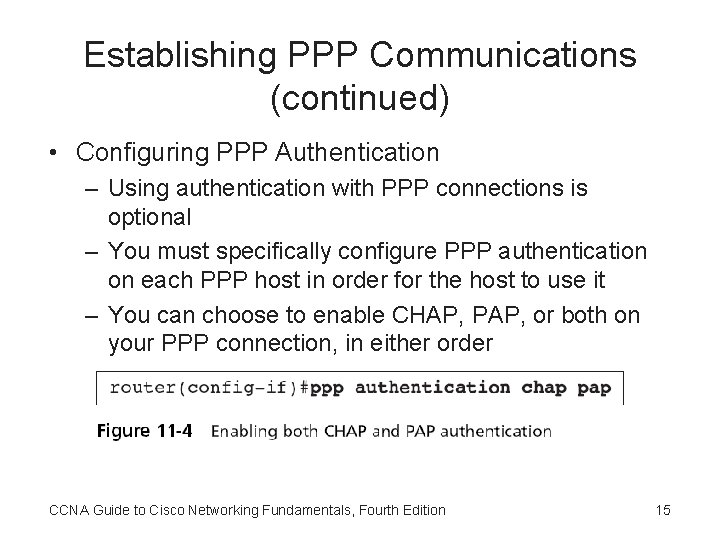
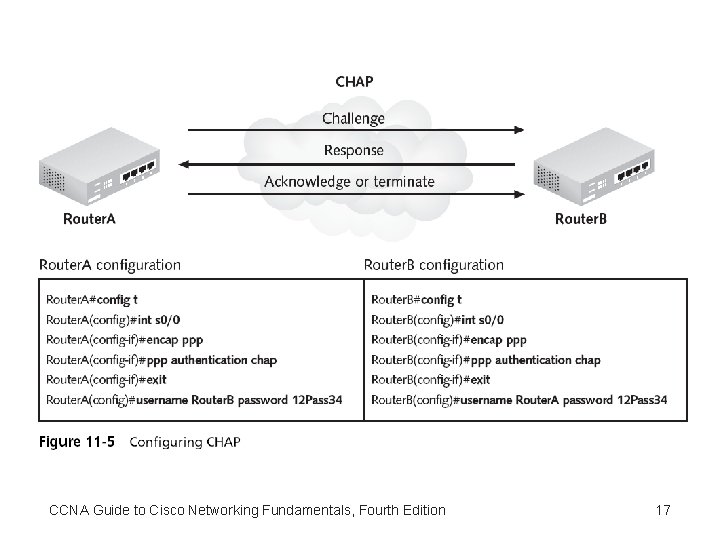
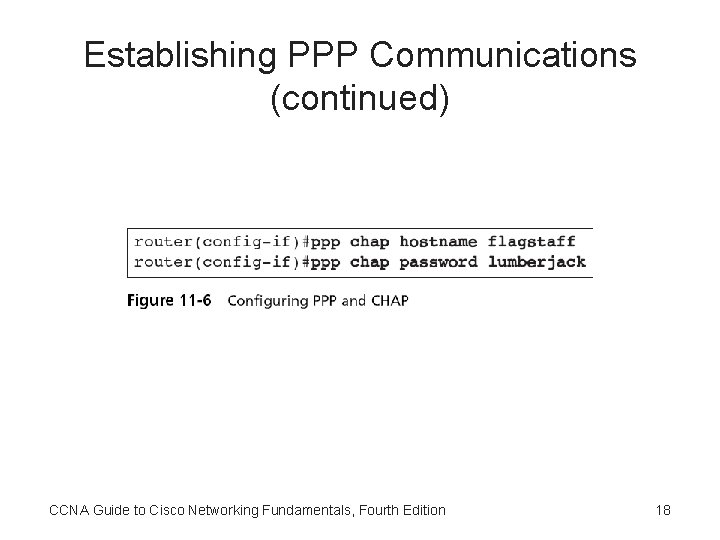
Establishing PPP Communications (continued) • Configuring PPP Authentication – Using authentication with PPP connections is optional – You must specifically configure PPP authentication on each PPP host in order for the host to use it – You can choose to enable CHAP, PAP, or both on your PPP connection, in either order CCNA Guide to Cisco Networking Fundamentals, Fourth Edition 15
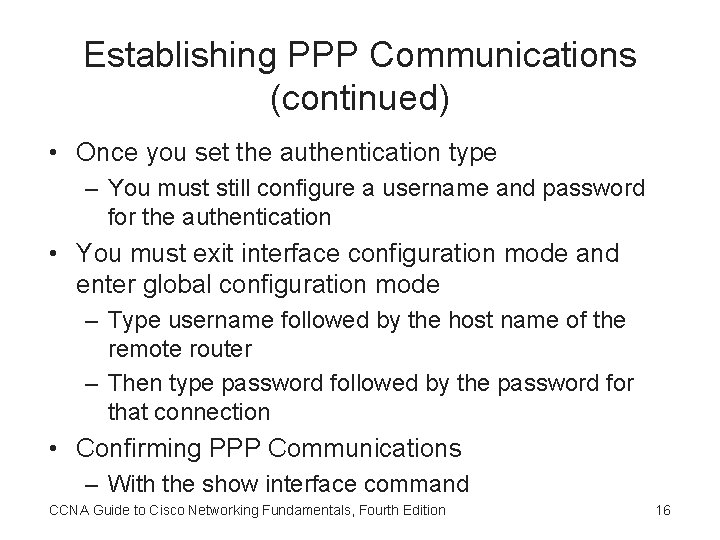
Establishing PPP Communications (continued) • Once you set the authentication type – You must still configure a username and password for the authentication • You must exit interface configuration mode and enter global configuration mode – Type username followed by the host name of the remote router – Then type password followed by the password for that connection • Confirming PPP Communications – With the show interface command CCNA Guide to Cisco Networking Fundamentals, Fourth Edition 16
CCNA Guide to Cisco Networking Fundamentals, Fourth Edition 17
Establishing PPP Communications (continued) CCNA Guide to Cisco Networking Fundamentals, Fourth Edition 18