
CCNA 4 v 3 1 Module 1 1
- Slides: 27
CCNA 4 v 3. 1 Module 1 1
CCNA 4 v 3. 0 Module 1 Scaling IP Addresses 2
Purpose of This Power. Point • This Power. Point primarily consists of the Target Indicators (TIs) of this module in CCNA version 3. 0. • It was created to give instructors a Power. Point to take and modify as their own. • This Power. Point is: NOT a study guide for the module final assessment. NOT a study guide for the CCNA certification exam. • Please report any mistakes you find in this Power. Point by using the Academy Connection Help link. 3
To Locate Instructional Resource Materials on Academy Connection: • Go to the Community FTP Center to locate materials created by the instructor community • Go to the Tools section • Go to the Alpha Preview section • Go to the Community link under Resources • See the resources available on the Class home page for classes you are offering • Search http: //www. cisco. com • Contact your parent academy! 4
Objectives • Scaling networks with Network Address Translation and Port Address Translation • Dynamic Host Configuration Protocol 5
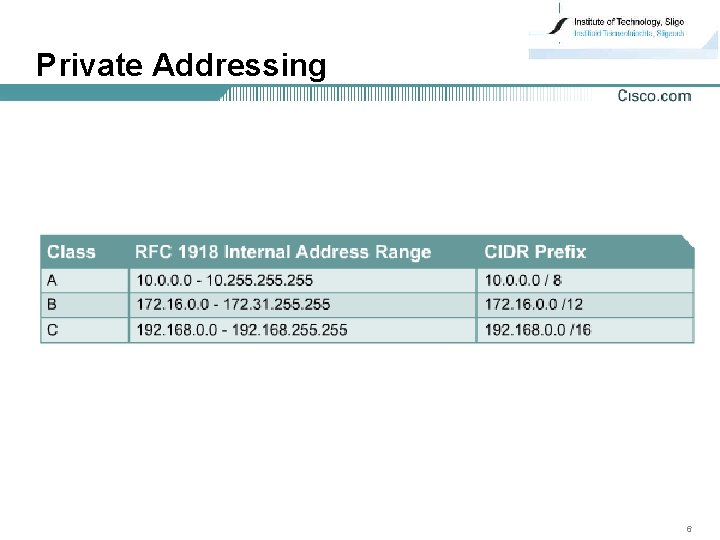
Private Addressing 6
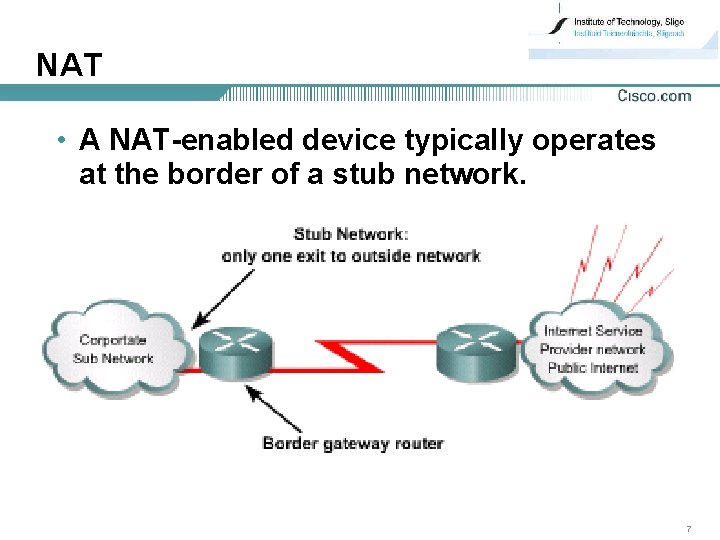
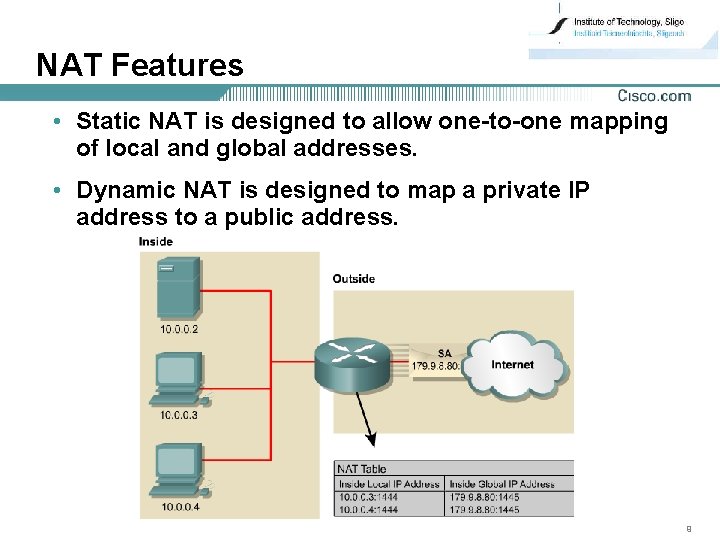
NAT • A NAT-enabled device typically operates at the border of a stub network. 7
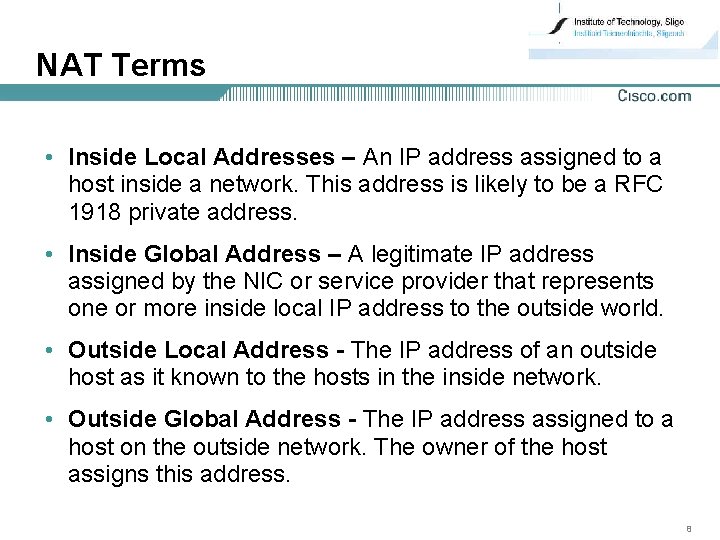
NAT Terms • Inside Local Addresses – An IP address assigned to a host inside a network. This address is likely to be a RFC 1918 private address. • Inside Global Address – A legitimate IP address assigned by the NIC or service provider that represents one or more inside local IP address to the outside world. • Outside Local Address - The IP address of an outside host as it known to the hosts in the inside network. • Outside Global Address - The IP address assigned to a host on the outside network. The owner of the host assigns this address. 8
NAT Features • Static NAT is designed to allow one-to-one mapping of local and global addresses. • Dynamic NAT is designed to map a private IP address to a public address. 9
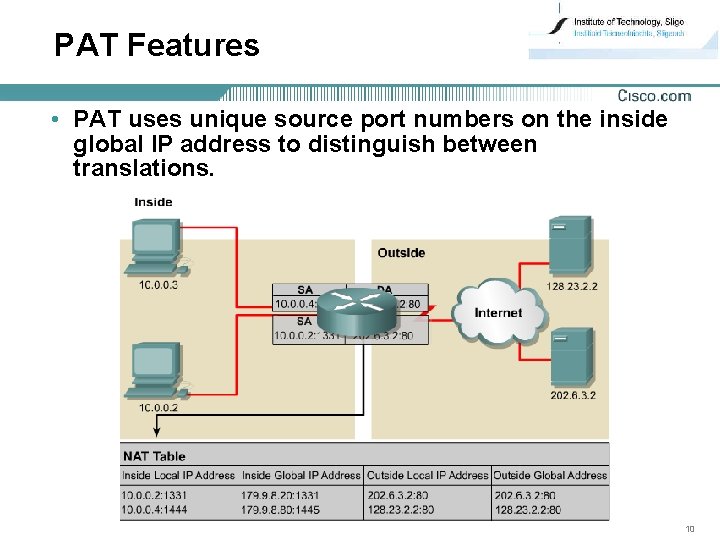
PAT Features • PAT uses unique source port numbers on the inside global IP address to distinguish between translations. 10
NAT Benefits • Eliminates re-assigning each host a new IP address when changing to a new ISP • Eliminates the need to re-address all hosts that require external access, saving time and money • Conserves addresses through application port-level multiplexing • Protects network security 11
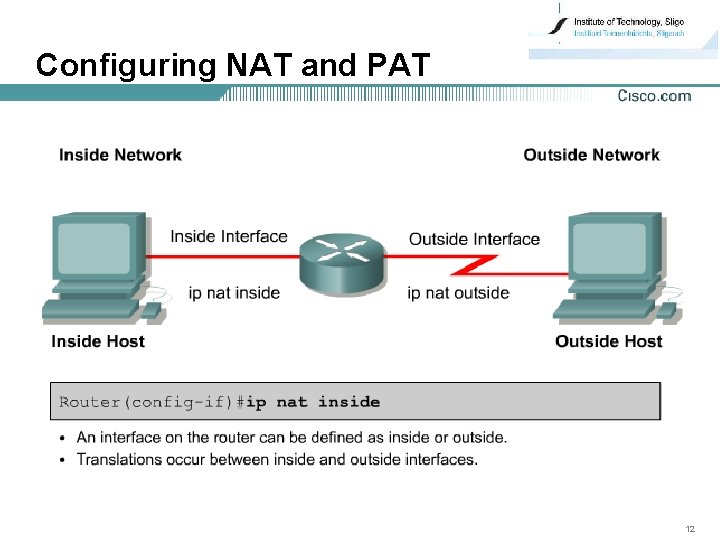
Configuring NAT and PAT 12
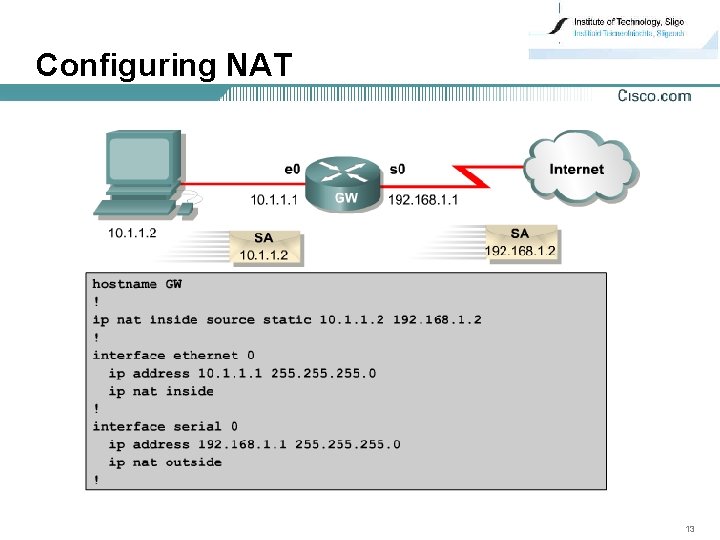
Configuring NAT 13
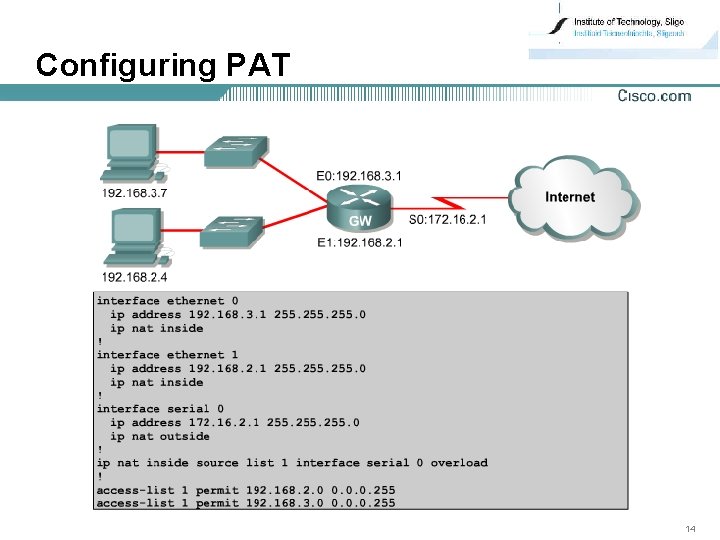
Configuring PAT 14
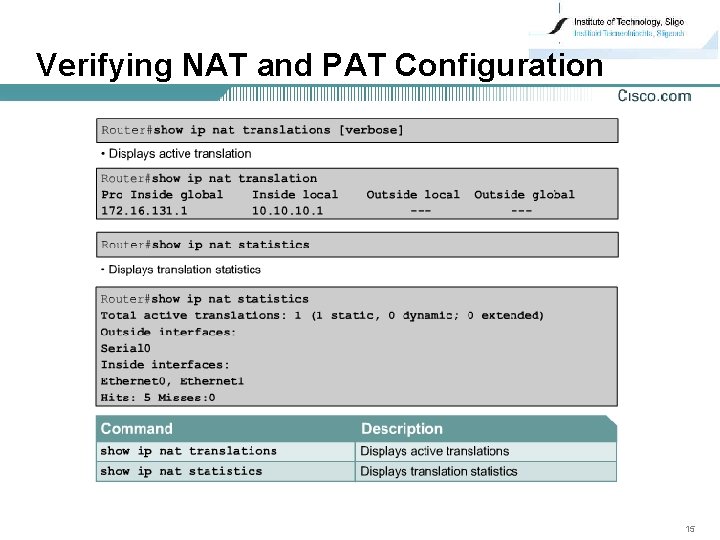
Verifying NAT and PAT Configuration 15
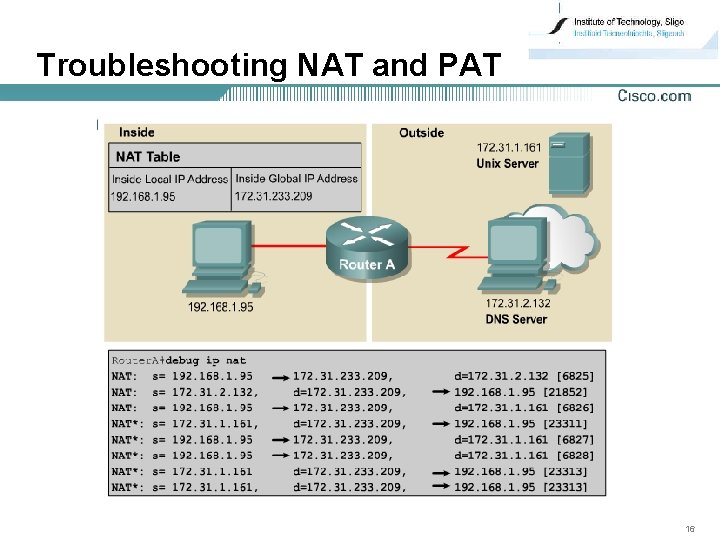
Troubleshooting NAT and PAT 16
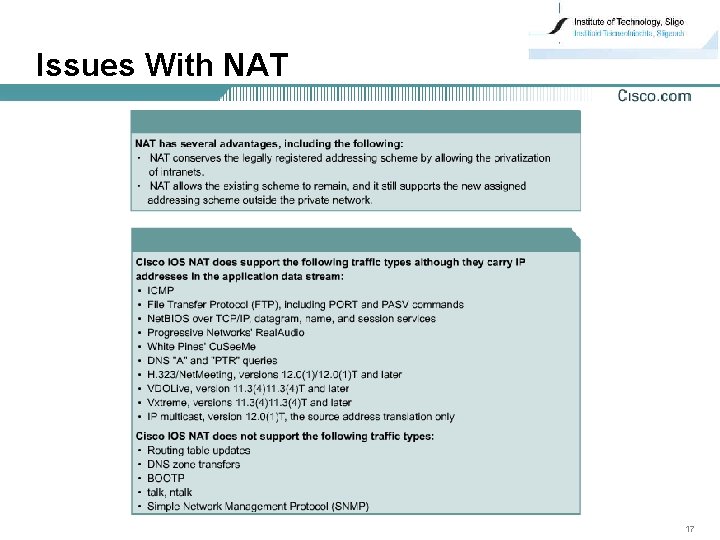
Issues With NAT 17
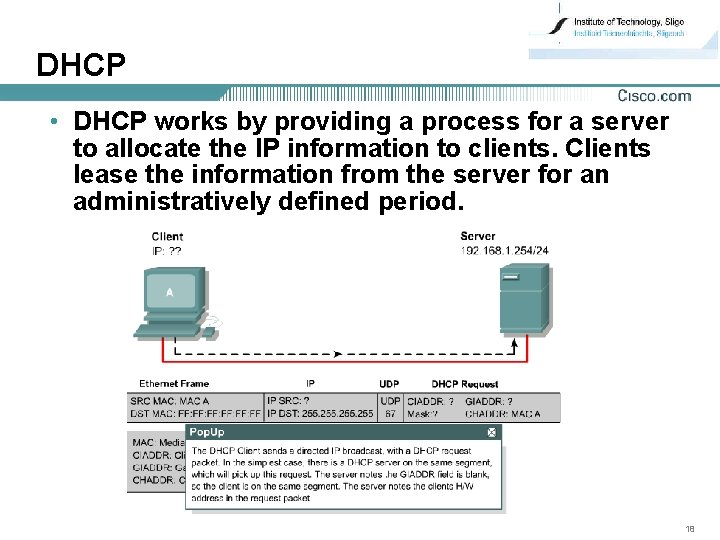
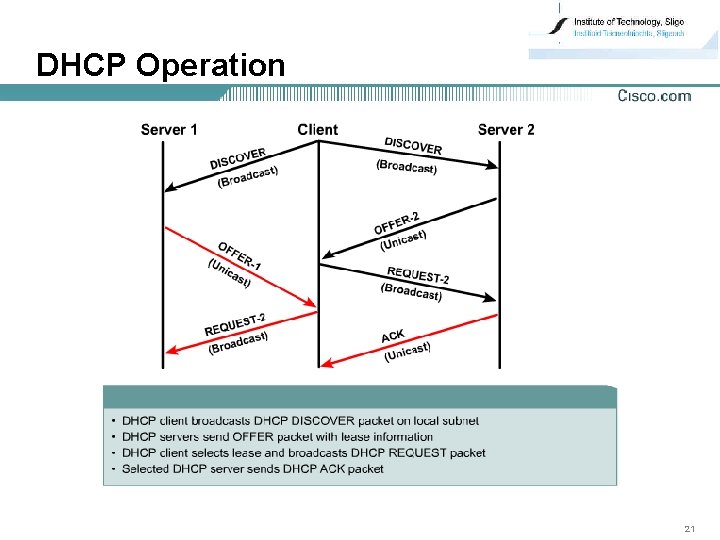
DHCP • DHCP works by providing a process for a server to allocate the IP information to clients. Clients lease the information from the server for an administratively defined period. 18
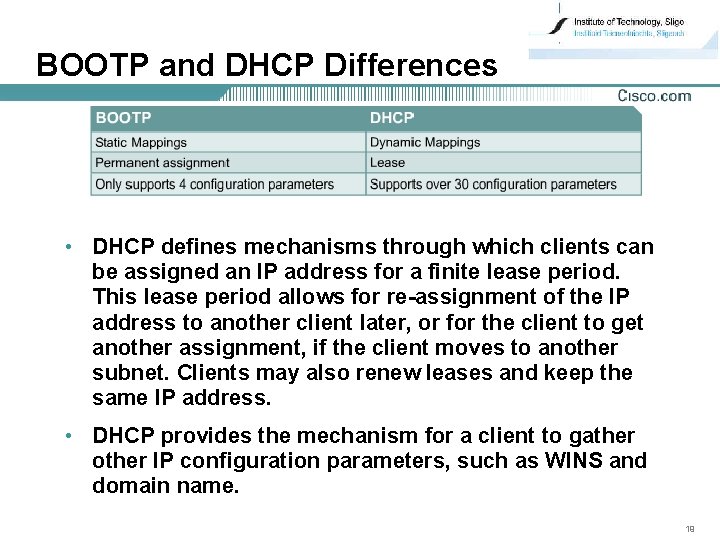
BOOTP and DHCP Differences • DHCP defines mechanisms through which clients can be assigned an IP address for a finite lease period. This lease period allows for re-assignment of the IP address to another client later, or for the client to get another assignment, if the client moves to another subnet. Clients may also renew leases and keep the same IP address. • DHCP provides the mechanism for a client to gather other IP configuration parameters, such as WINS and domain name. 19
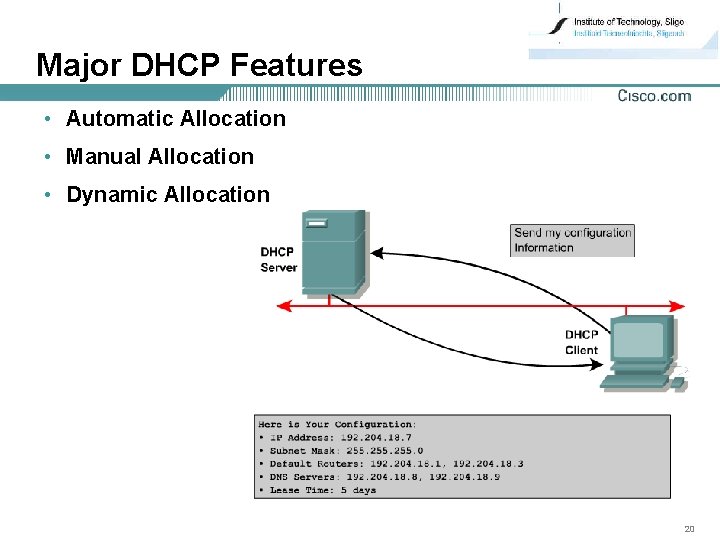
Major DHCP Features • Automatic Allocation • Manual Allocation • Dynamic Allocation 20
DHCP Operation 21
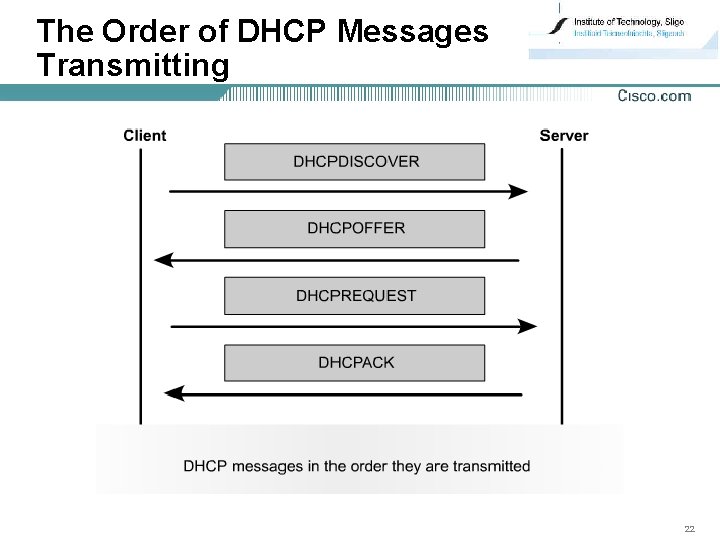
The Order of DHCP Messages Transmitting 22
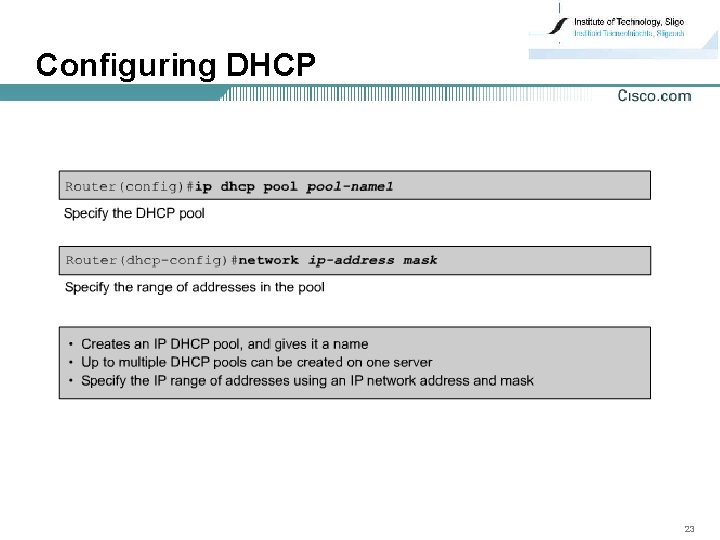
Configuring DHCP 23
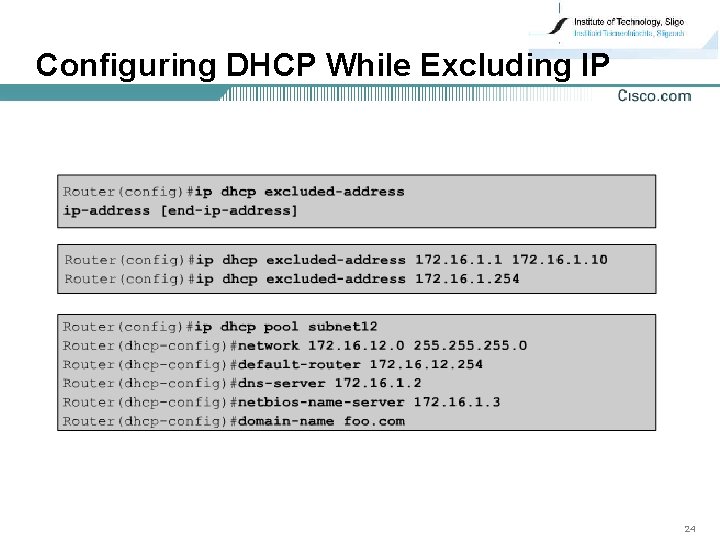
Configuring DHCP While Excluding IP 24
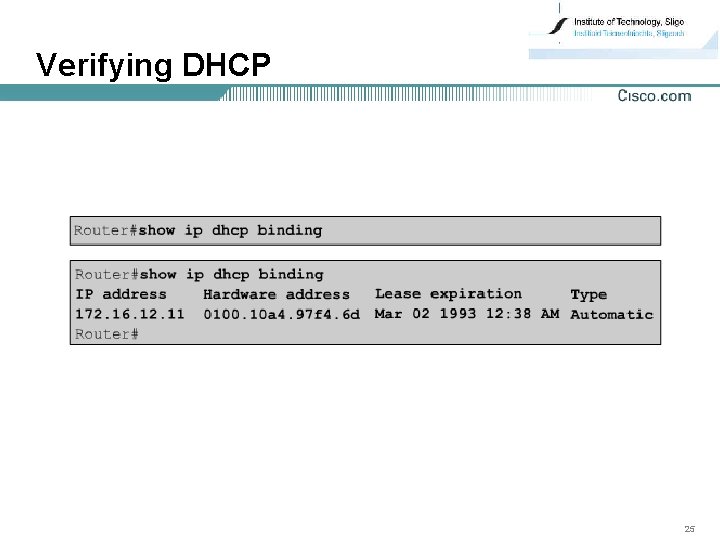
Verifying DHCP 25
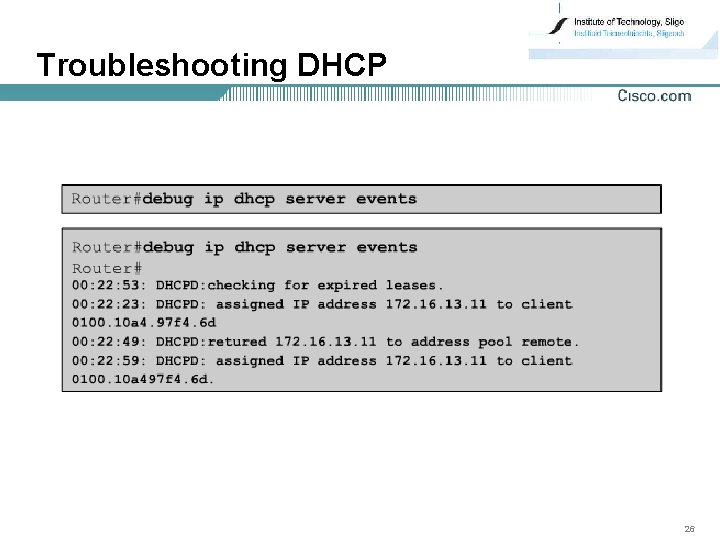
Troubleshooting DHCP 26
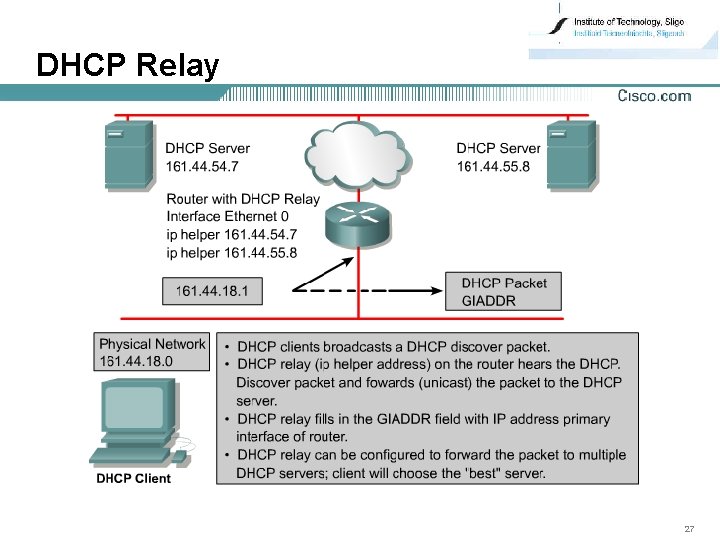
DHCP Relay 27