
CCNA 200 301 Volume I Chapter 35 Implementing
- Slides: 33
CCNA 200 -301, Volume I Chapter 35 Implementing IPv 6 Routing
Objectives • Connected and Local IPv 6 Routes • Static IPv 6 Routes • The Neighbor Discovery Protocol
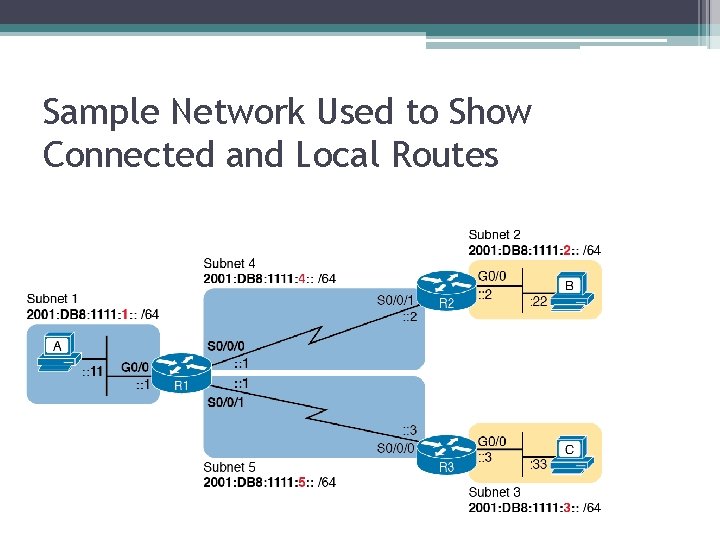
Sample Network Used to Show Connected and Local Routes
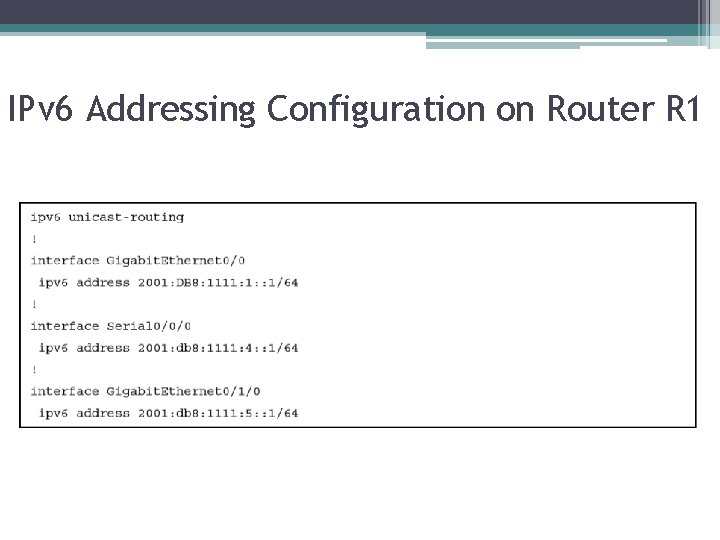
IPv 6 Addressing Configuration on Router R 1
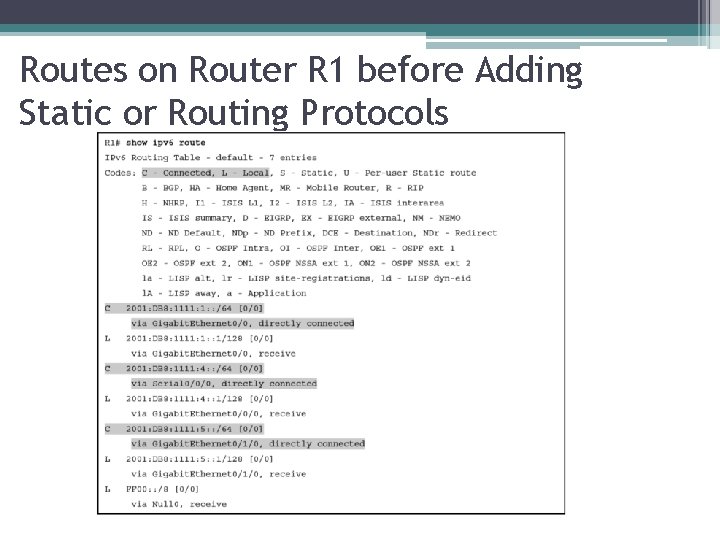
Routes on Router R 1 before Adding Static or Routing Protocols
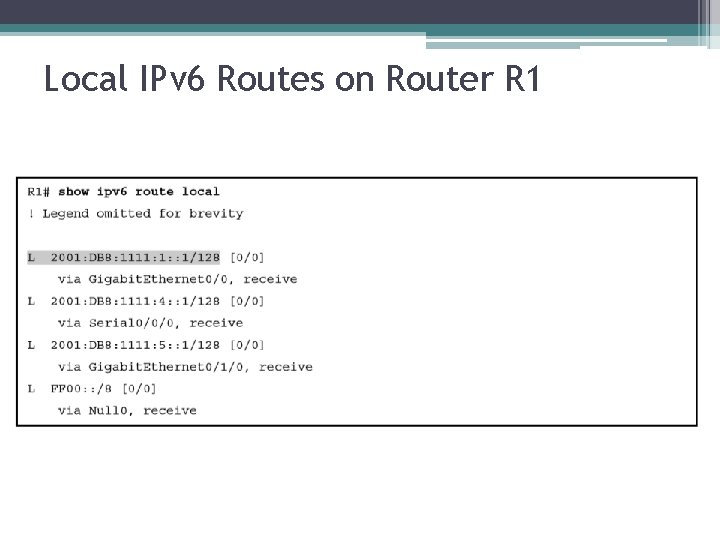
Local IPv 6 Routes on Router R 1
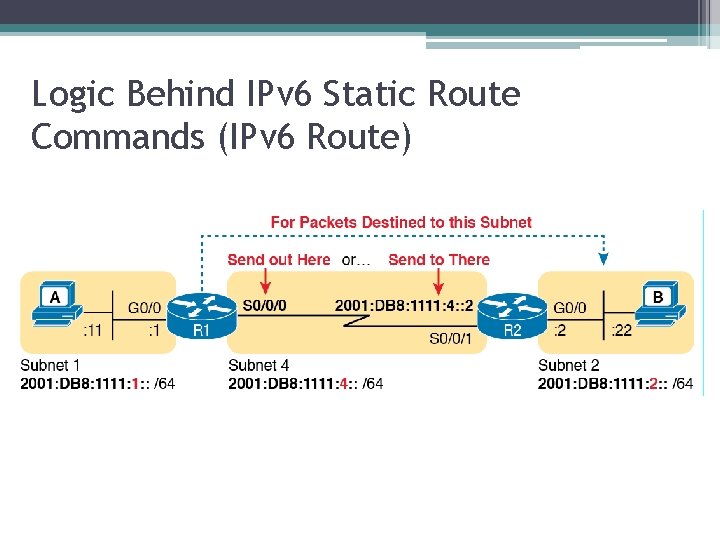
Logic Behind IPv 6 Static Route Commands (IPv 6 Route)
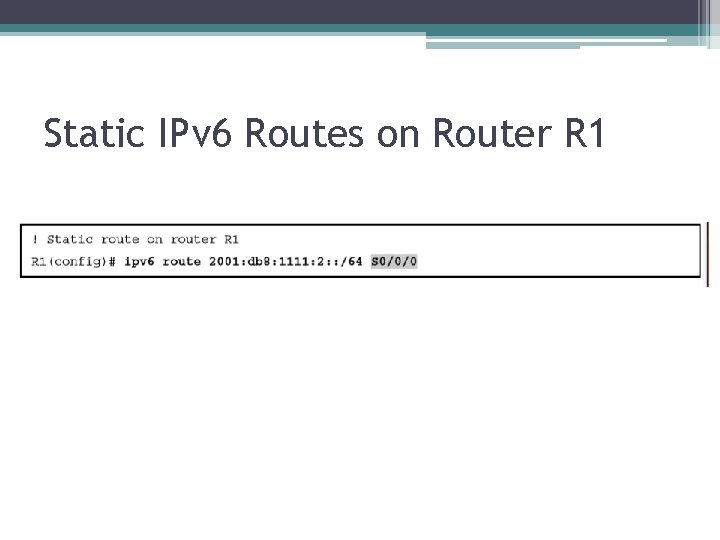
Static IPv 6 Routes on Router R 1
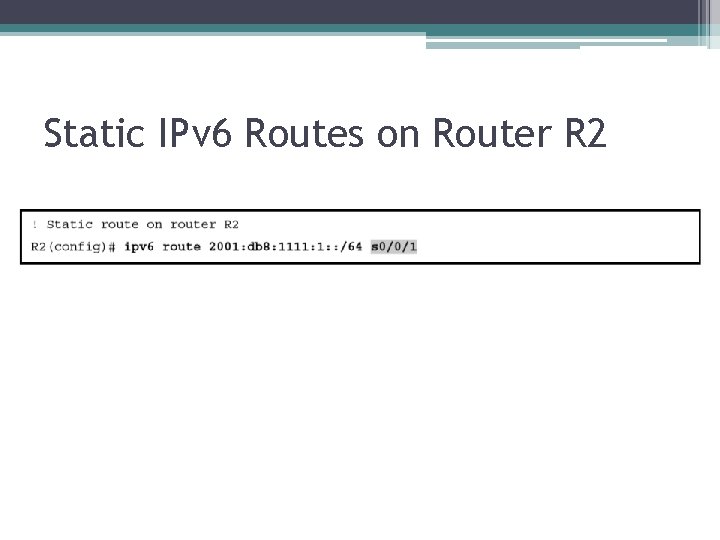
Static IPv 6 Routes on Router R 2
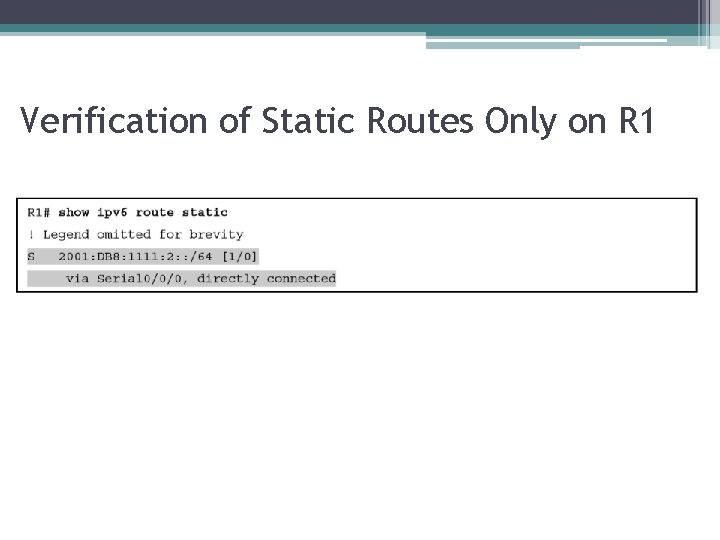
Verification of Static Routes Only on R 1
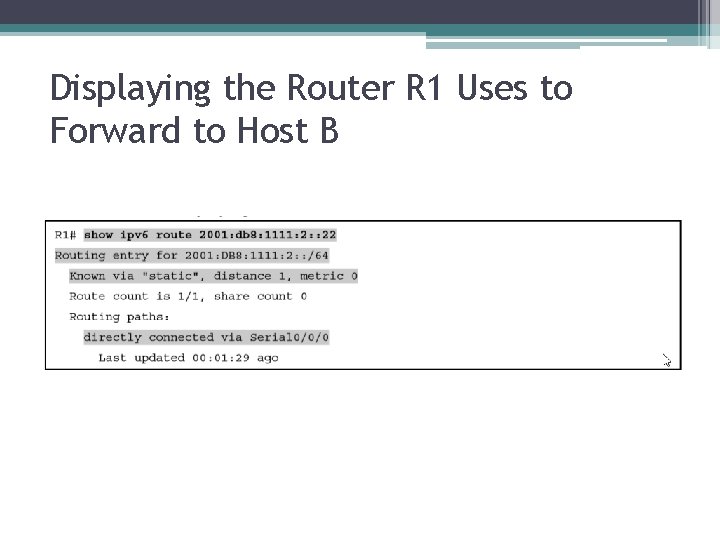
Displaying the Router R 1 Uses to Forward to Host B
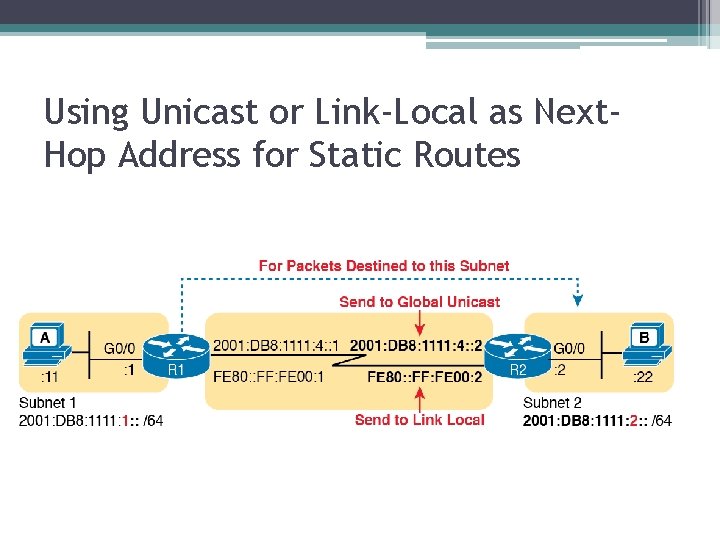
Using Unicast or Link-Local as Next. Hop Address for Static Routes
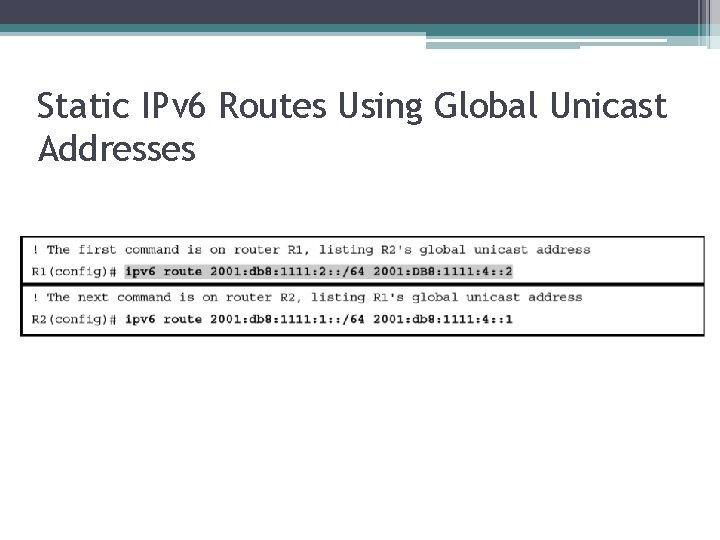
Static IPv 6 Routes Using Global Unicast Addresses
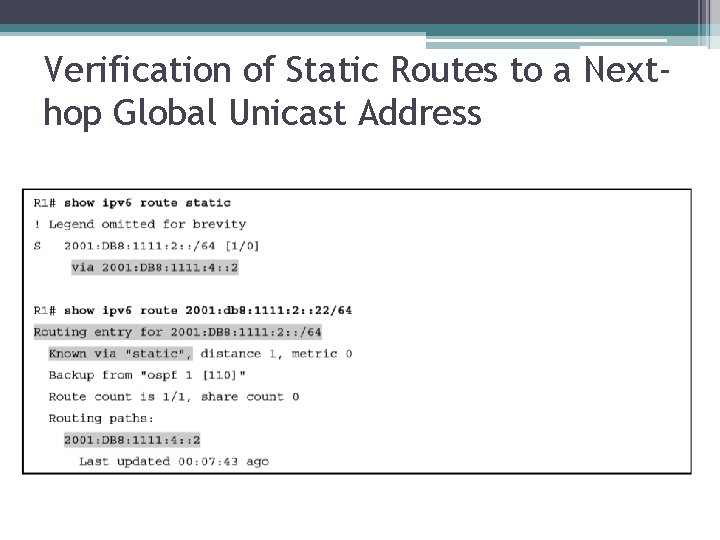
Verification of Static Routes to a Nexthop Global Unicast Address
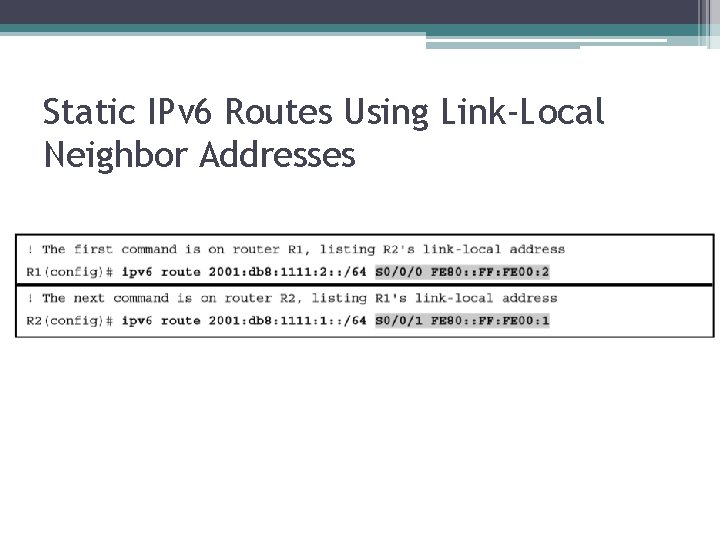
Static IPv 6 Routes Using Link-Local Neighbor Addresses
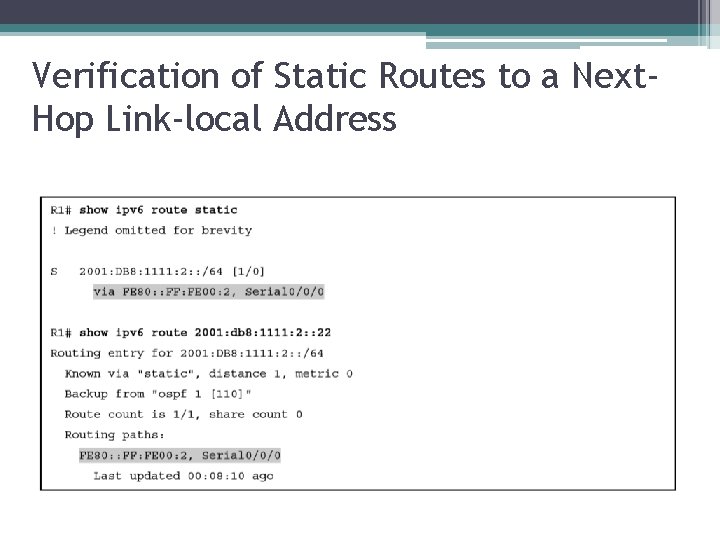
Verification of Static Routes to a Next. Hop Link-local Address
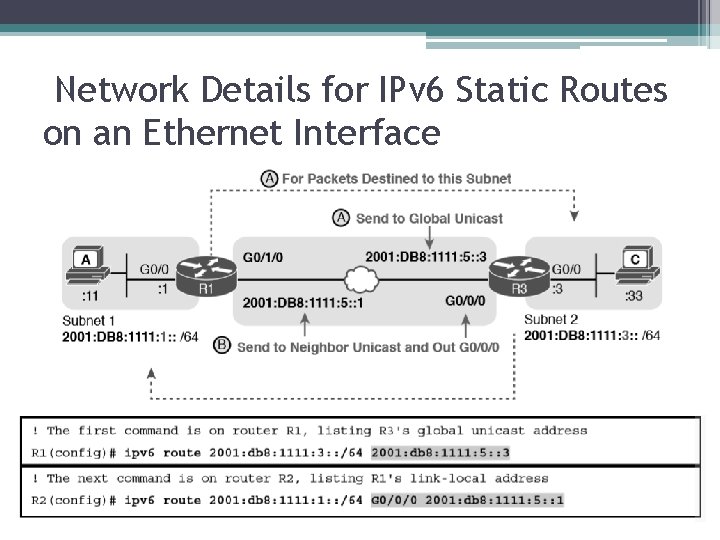
Network Details for IPv 6 Static Routes on an Ethernet Interface
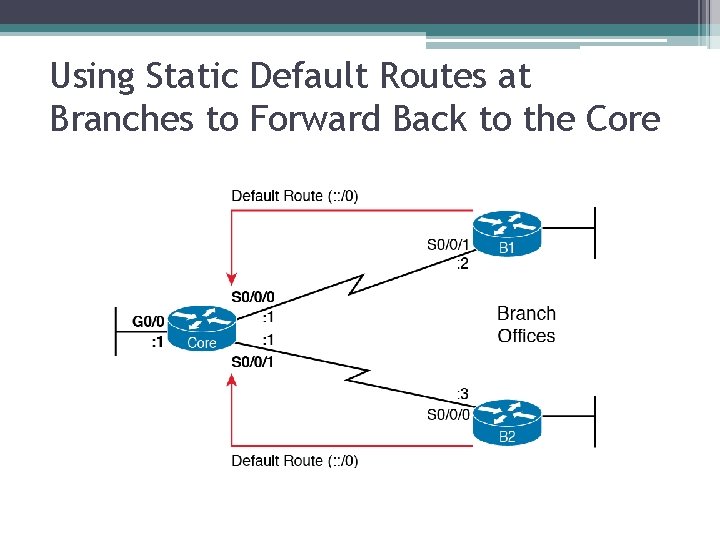
Using Static Default Routes at Branches to Forward Back to the Core
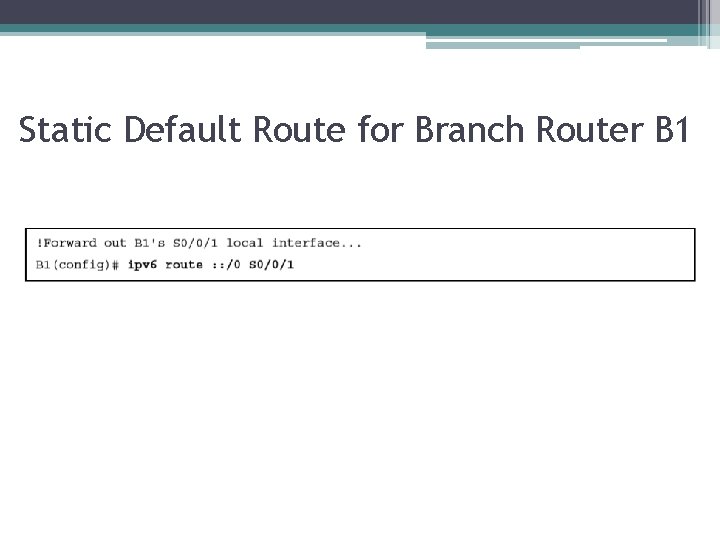
Static Default Route for Branch Router B 1
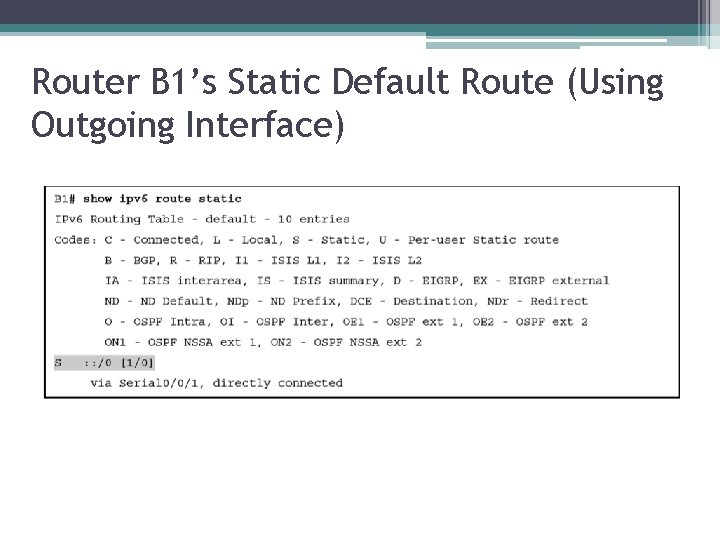
Router B 1’s Static Default Route (Using Outgoing Interface)
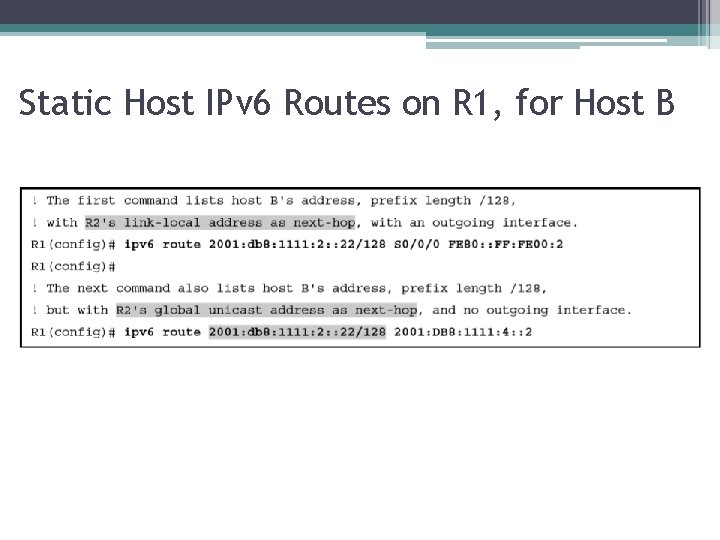
Static Host IPv 6 Routes on R 1, for Host B
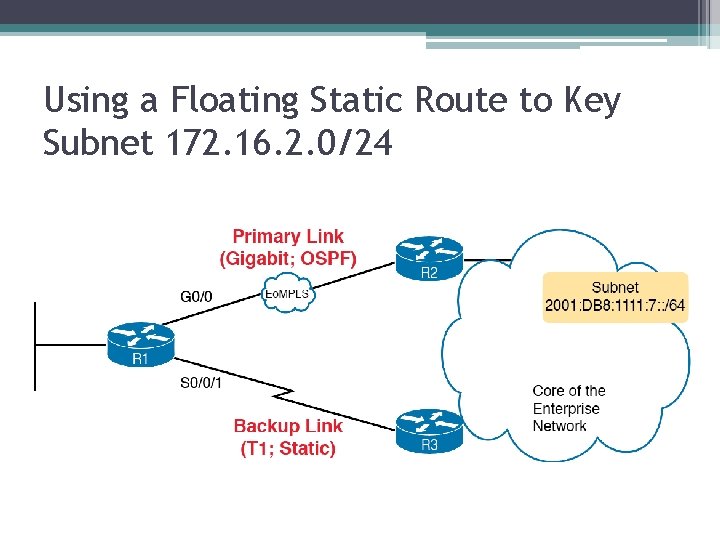
Using a Floating Static Route to Key Subnet 172. 16. 2. 0/24
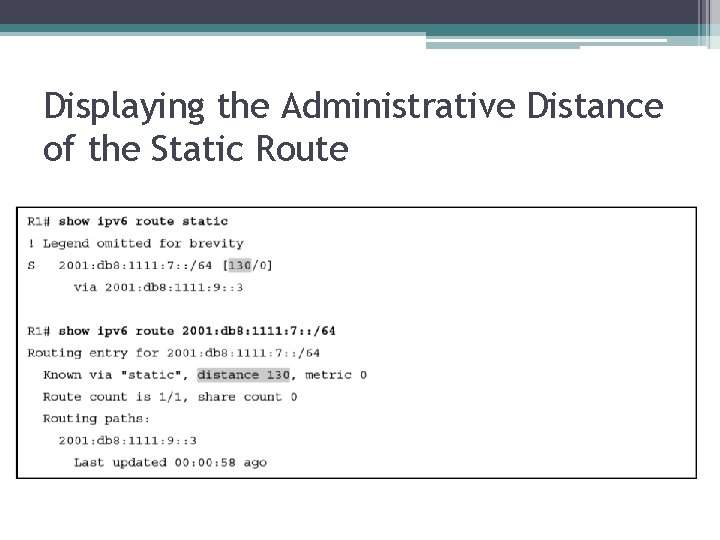
Displaying the Administrative Distance of the Static Route
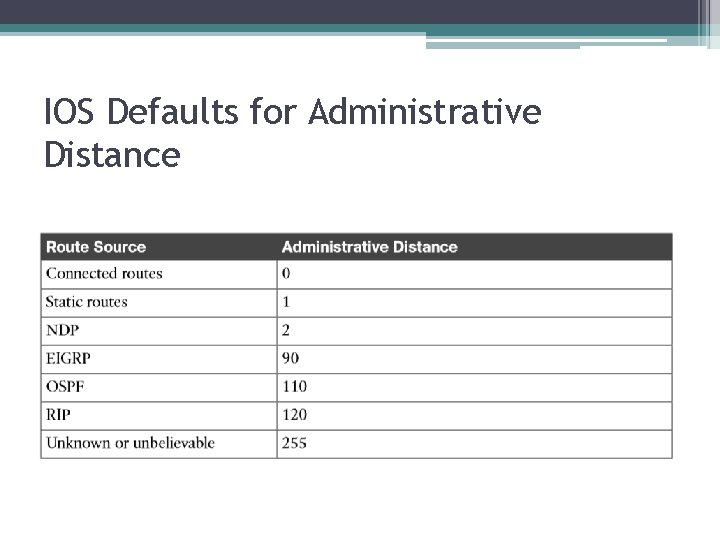
IOS Defaults for Administrative Distance
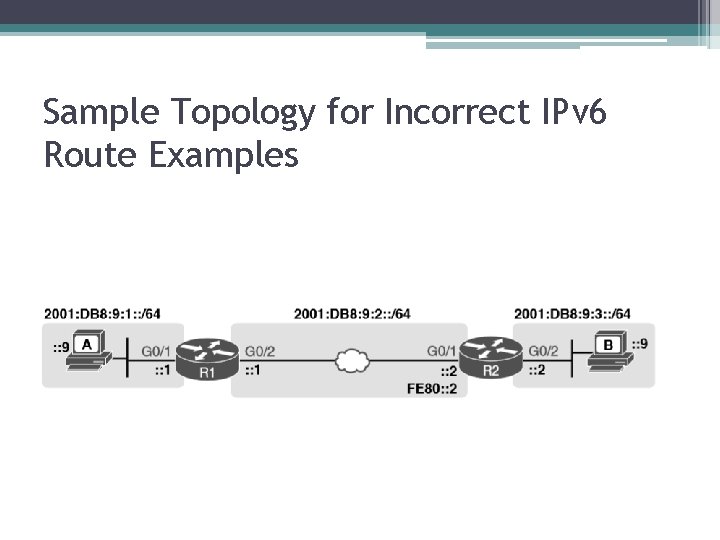
Sample Topology for Incorrect IPv 6 Route Examples
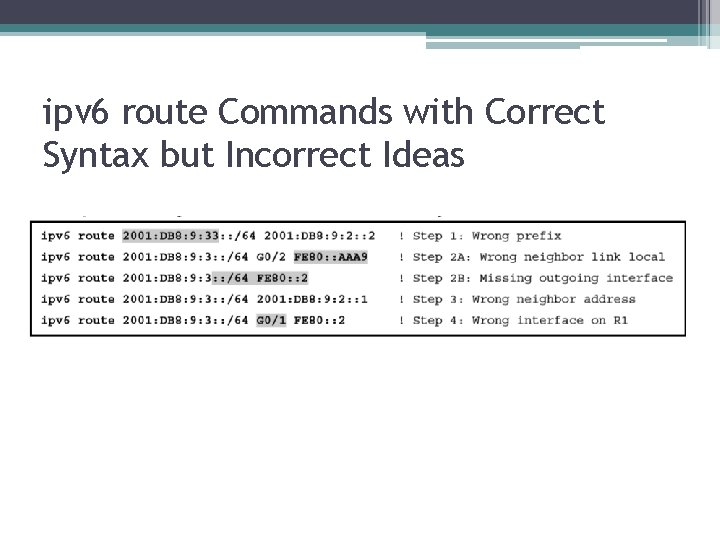
ipv 6 route Commands with Correct Syntax but Incorrect Ideas
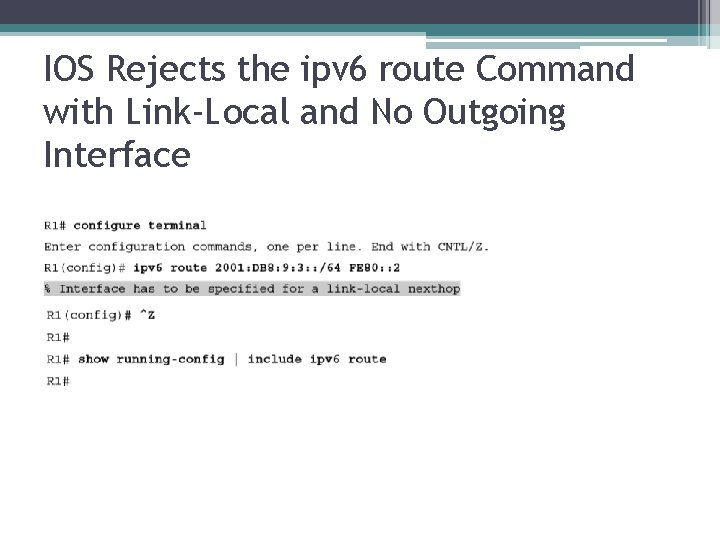
IOS Rejects the ipv 6 route Command with Link-Local and No Outgoing Interface
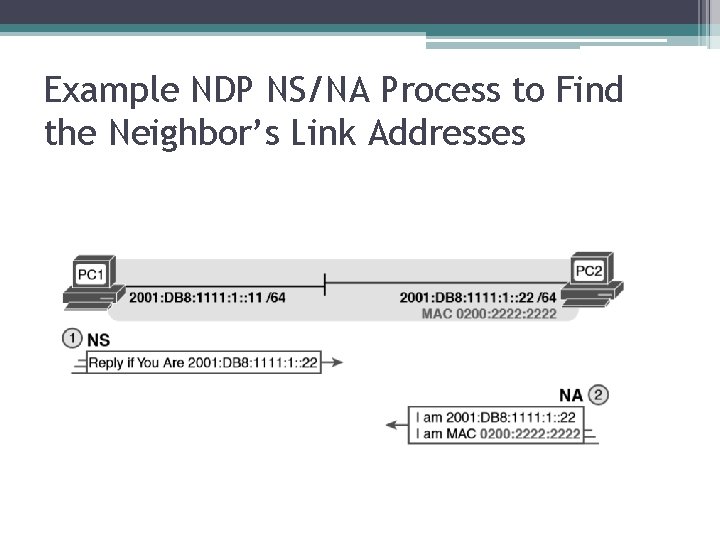
Example NDP NS/NA Process to Find the Neighbor’s Link Addresses
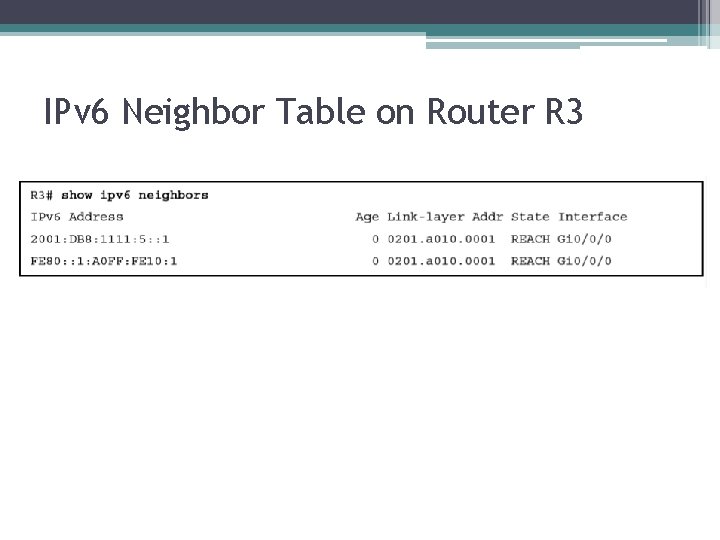
IPv 6 Neighbor Table on Router R 3
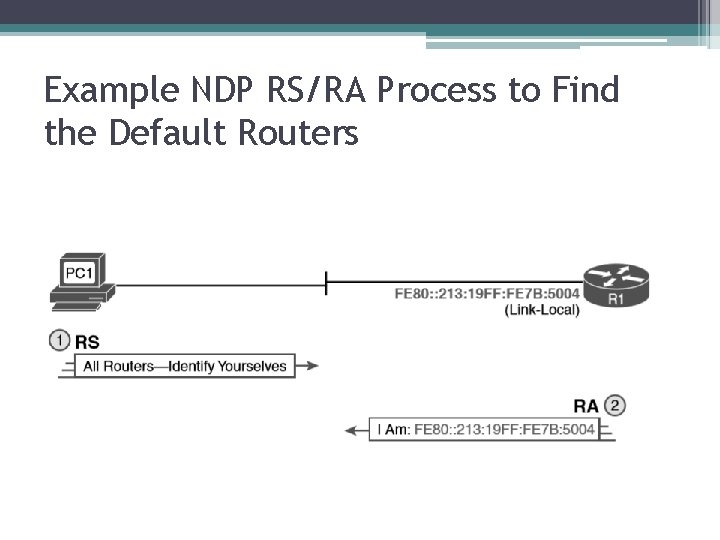
Example NDP RS/RA Process to Find the Default Routers
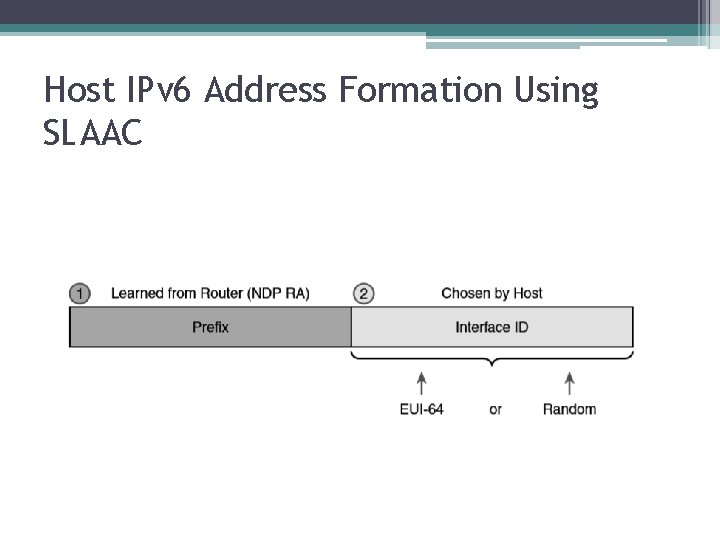
Host IPv 6 Address Formation Using SLAAC
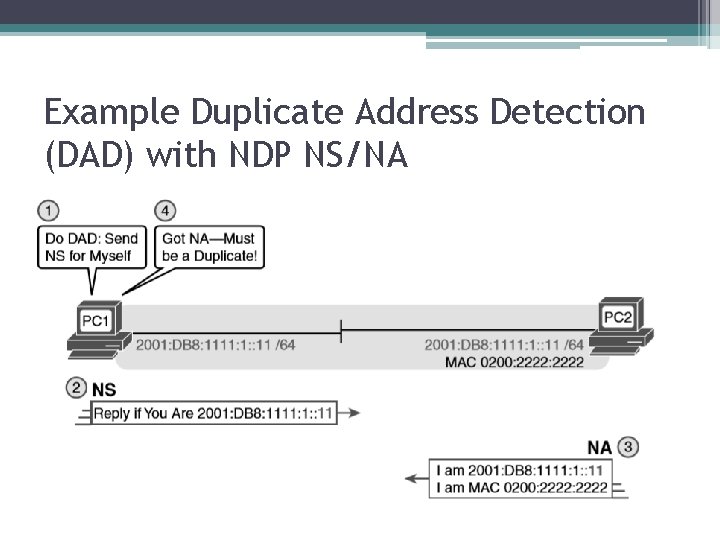
Example Duplicate Address Detection (DAD) with NDP NS/NA
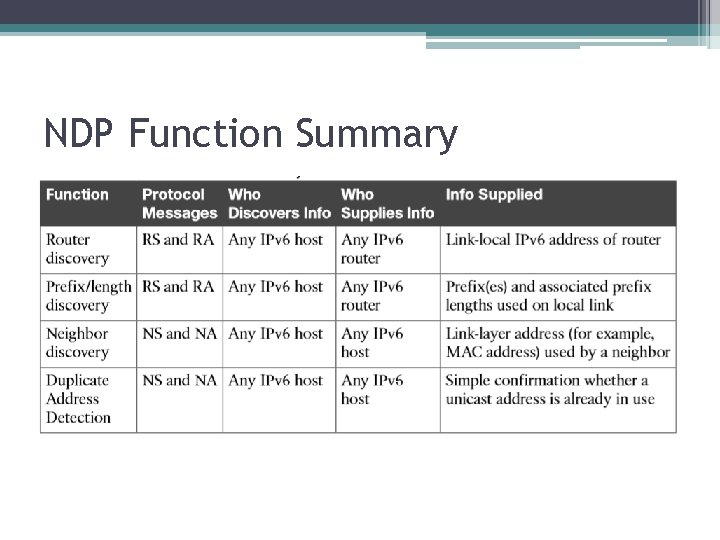
NDP Function Summary