
CCNA 200 301 Volume 2 Chapter 2 Basic
CCNA 200 -301, Volume 2 Chapter 2 Basic IPv 4 Access Control Lists
Objectives • Configure and verify access control lists
IPv 4 Access Control List Basics • IPv 4 access control lists give network engineers a way to identify different types of packets. • ACL configurations list values that the router can see in the IP, ICMP, TCP, and UDP (and other) headers. • IPv 4 ACLs perform many functions in Cisco routers, including packet filtering and Qo. S.
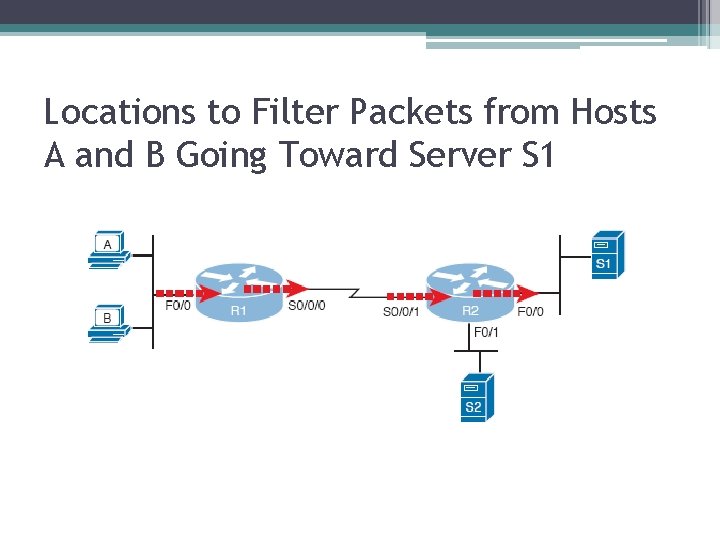
Locations to Filter Packets from Hosts A and B Going Toward Server S 1
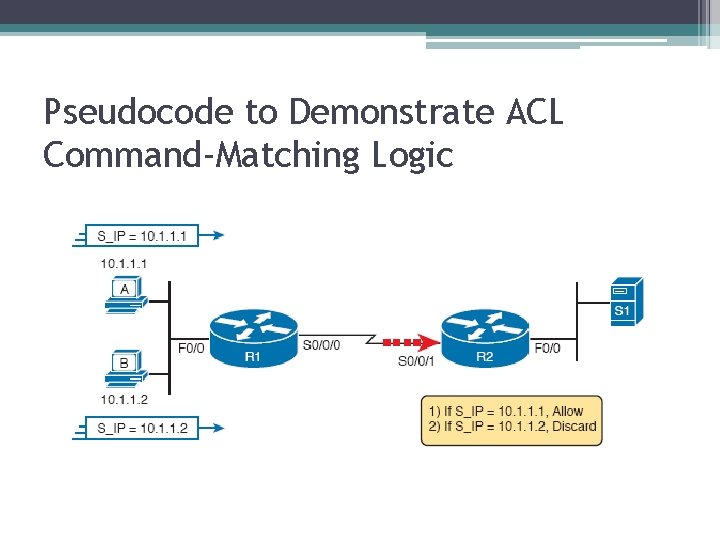
Pseudocode to Demonstrate ACL Command-Matching Logic
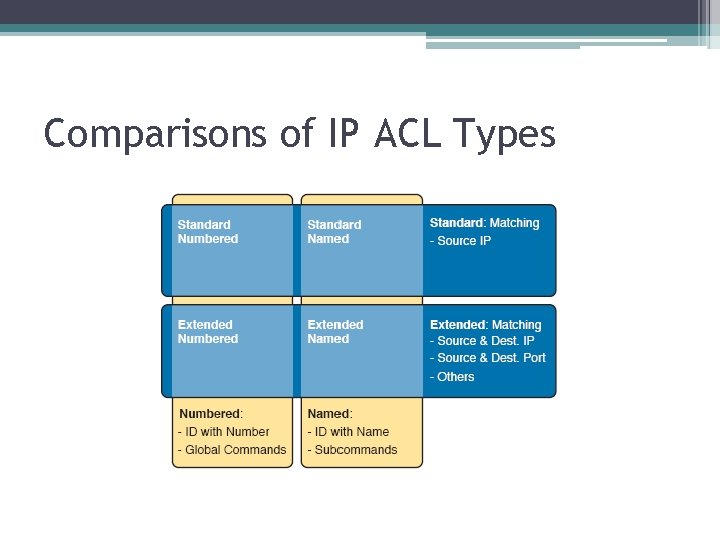
Comparisons of IP ACL Types
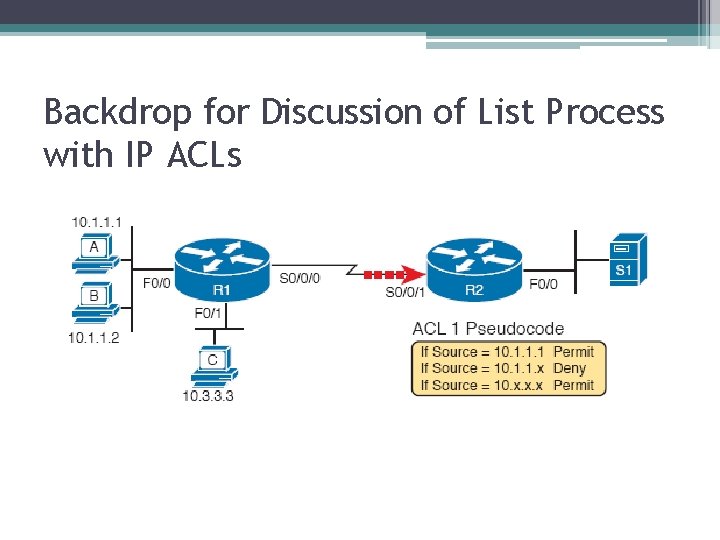
Backdrop for Discussion of List Process with IP ACLs
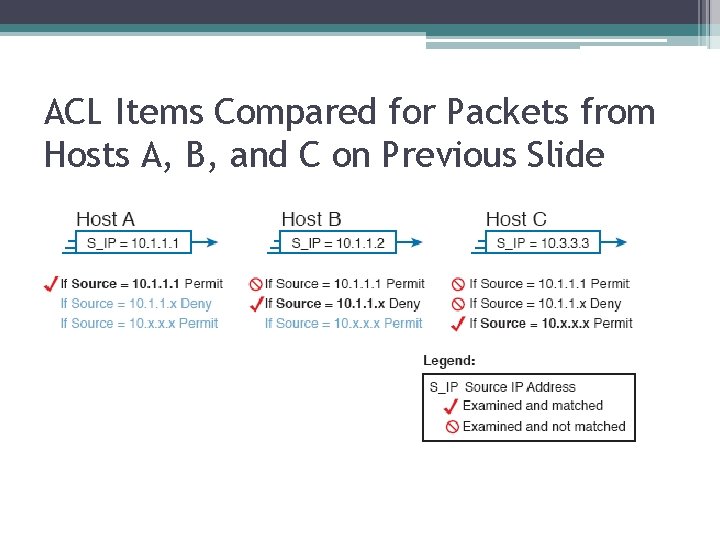
ACL Items Compared for Packets from Hosts A, B, and C on Previous Slide
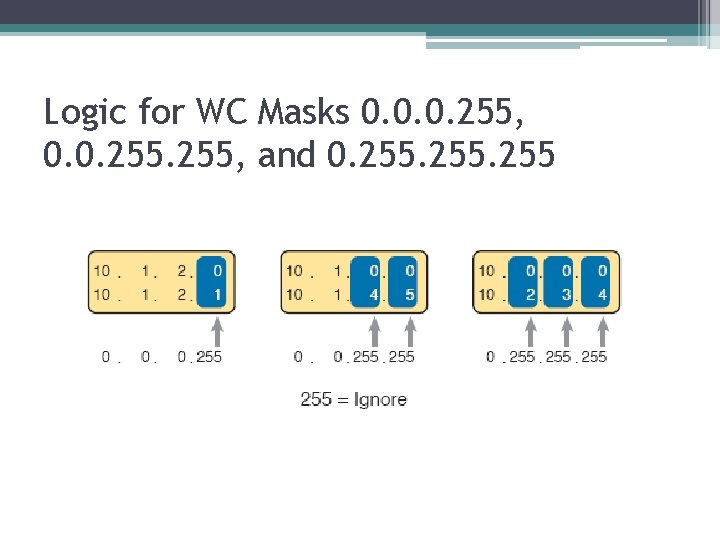
Logic for WC Masks 0. 0. 0. 255, and 0. 255
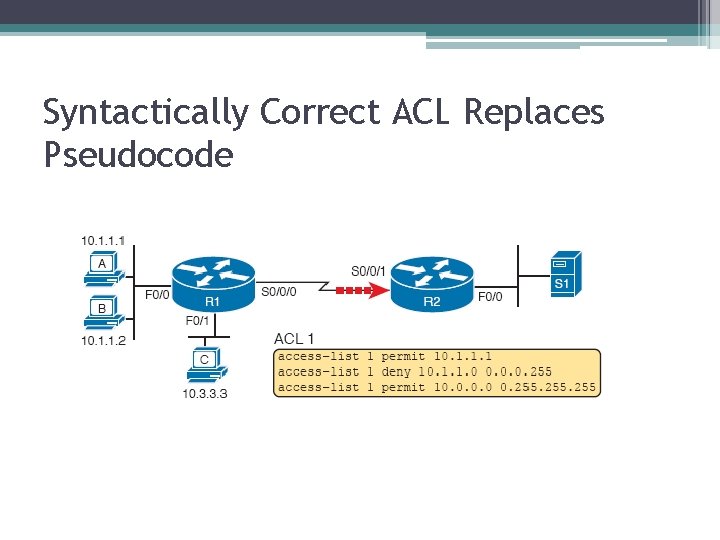
Syntactically Correct ACL Replaces Pseudocode
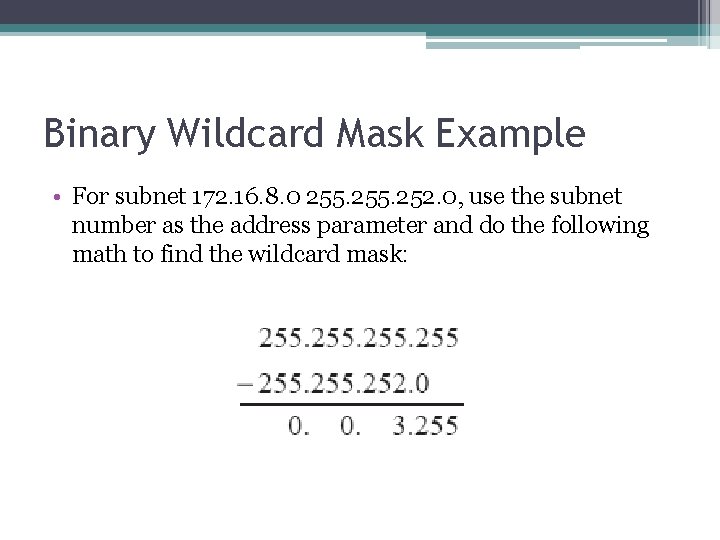
Binary Wildcard Mask Example • For subnet 172. 16. 8. 0 255. 252. 0, use the subnet number as the address parameter and do the following math to find the wildcard mask:
Matching Any/All Addresses • In some cases, one ACL command can be used to match any and all packets that reach that point in the ACL using the any keyword. • Example: access-list 1 permit any. • All Cisco IP ACLs end with an implicit deny any.
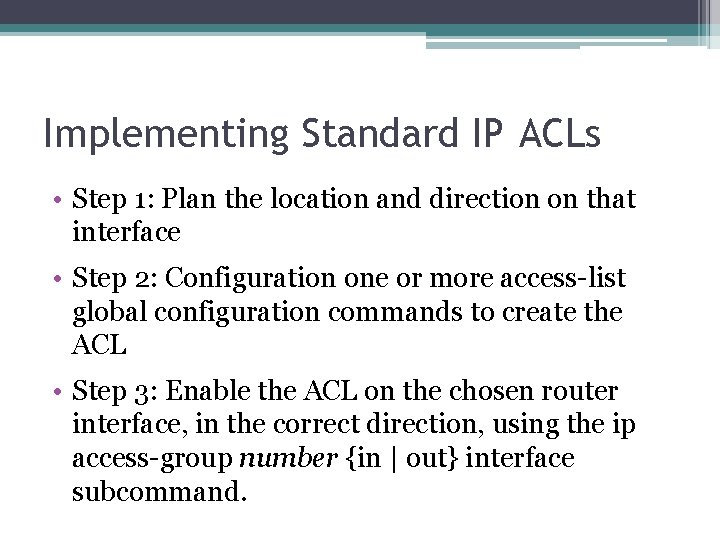
Implementing Standard IP ACLs • Step 1: Plan the location and direction on that interface • Step 2: Configuration one or more access-list global configuration commands to create the ACL • Step 3: Enable the ACL on the chosen router interface, in the correct direction, using the ip access-group number {in | out} interface subcommand.
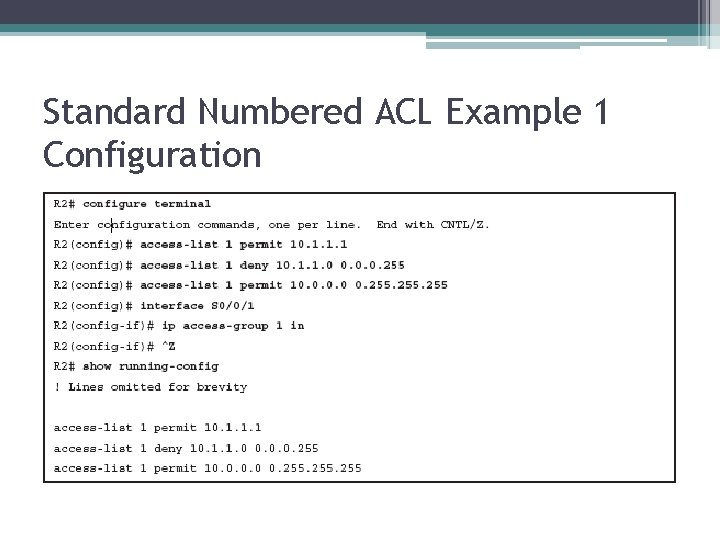
Standard Numbered ACL Example 1 Configuration

ACL show Commands on R 2
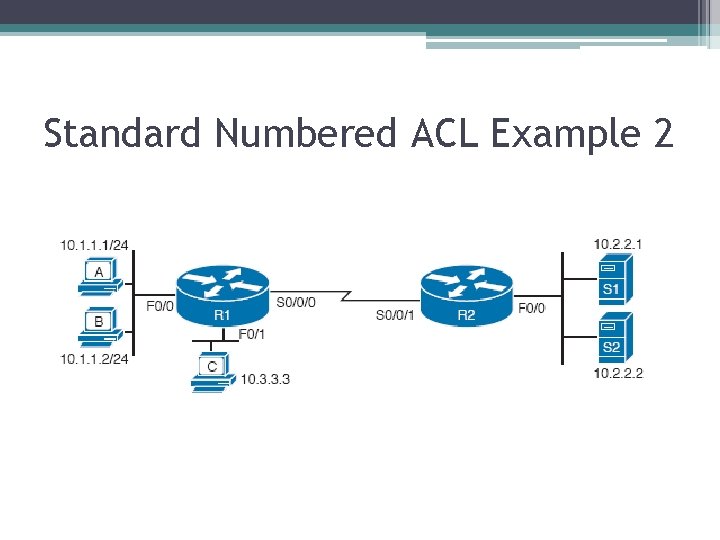
Standard Numbered ACL Example 2

Creating Log Messages for ACL Statistics
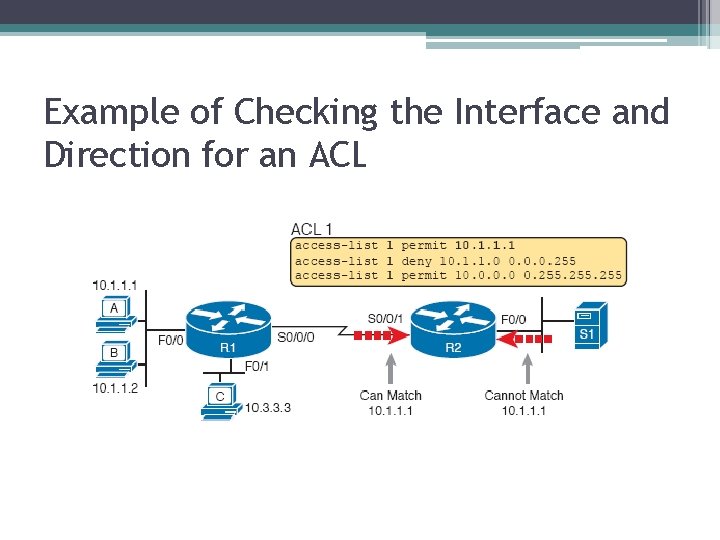
Example of Checking the Interface and Direction for an ACL
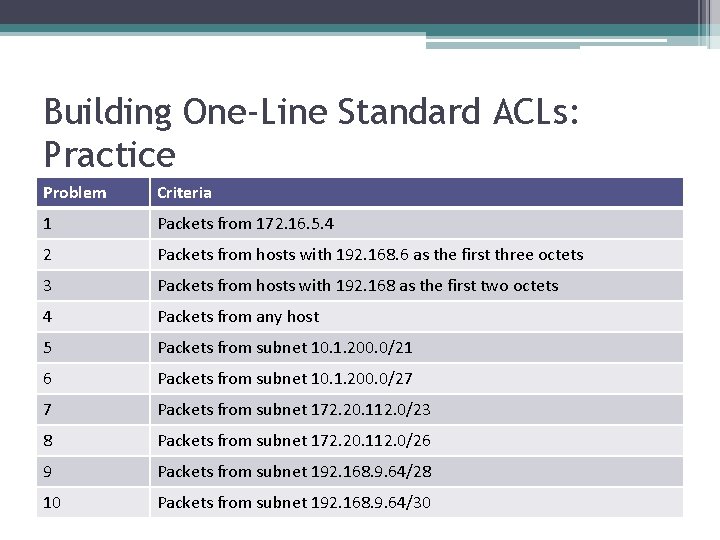
Building One-Line Standard ACLs: Practice Problem Criteria 1 Packets from 172. 16. 5. 4 2 Packets from hosts with 192. 168. 6 as the first three octets 3 Packets from hosts with 192. 168 as the first two octets 4 Packets from any host 5 Packets from subnet 10. 1. 200. 0/21 6 Packets from subnet 10. 1. 200. 0/27 7 Packets from subnet 172. 20. 112. 0/23 8 Packets from subnet 172. 20. 112. 0/26 9 Packets from subnet 192. 168. 9. 64/28 10 Packets from subnet 192. 168. 9. 64/30
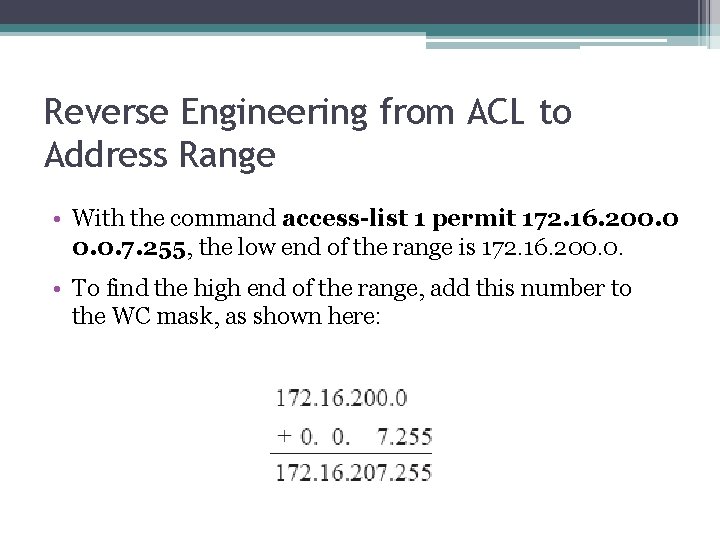
Reverse Engineering from ACL to Address Range • With the command access-list 1 permit 172. 16. 200. 0. 7. 255, the low end of the range is 172. 16. 200. 0. • To find the high end of the range, add this number to the WC mask, as shown here:
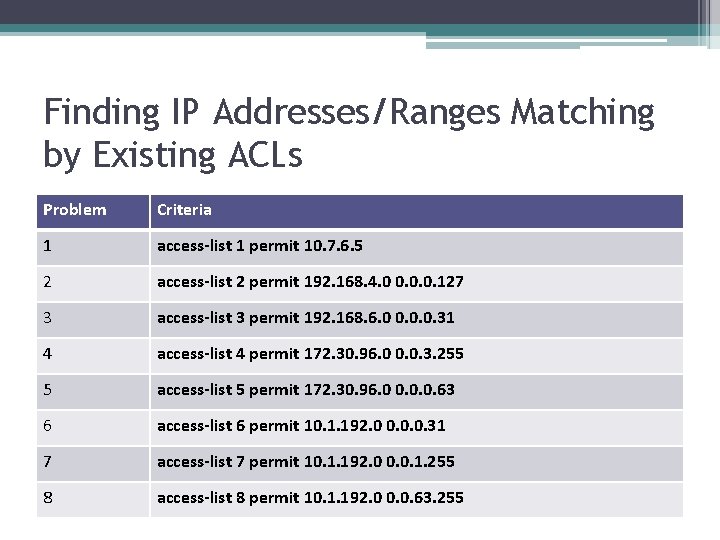
Finding IP Addresses/Ranges Matching by Existing ACLs Problem Criteria 1 access-list 1 permit 10. 7. 6. 5 2 access-list 2 permit 192. 168. 4. 0 0. 0. 0. 127 3 access-list 3 permit 192. 168. 6. 0 0. 0. 0. 31 4 access-list 4 permit 172. 30. 96. 0 0. 0. 3. 255 5 access-list 5 permit 172. 30. 96. 0 0. 0. 0. 63 6 access-list 6 permit 10. 1. 192. 0 0. 0. 0. 31 7 access-list 7 permit 10. 1. 192. 0 0. 0. 1. 255 8 access-list 8 permit 10. 1. 192. 0 0. 0. 63. 255
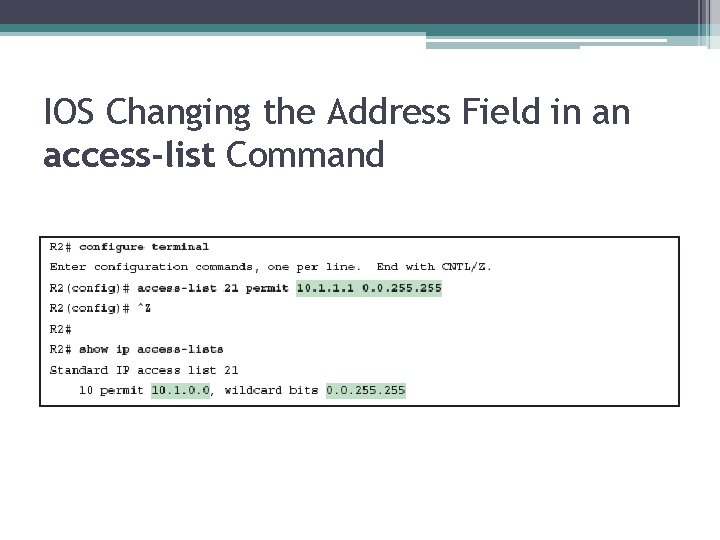
IOS Changing the Address Field in an access-list Command
- Slides: 22