
CCNA 1 Chapter 6 part 2 Ethernet Switching
- Slides: 31
CCNA 1 Chapter 6, part 2 Ethernet Switching By Your Name Copyright 2003 www. ciscopress. com
Objectives • Ethernet switching • Collision domains and broadcast domains Copyright 2003 www. ciscopress. com
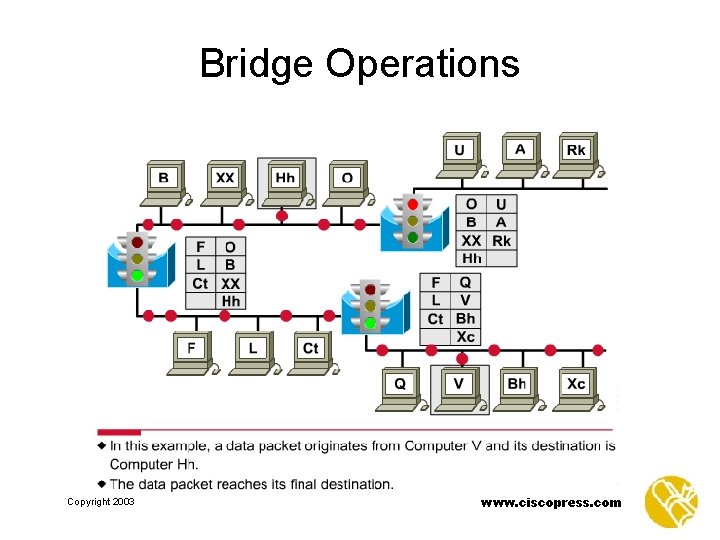
Layer 2 Bridging • Based on the Ethernet frame design, the need arose for a device that could hold a learned list of MAC addresses and direct frames to a specific port, based on the MAC address of the destination node. • Describe the process. Copyright 2003 www. ciscopress. com
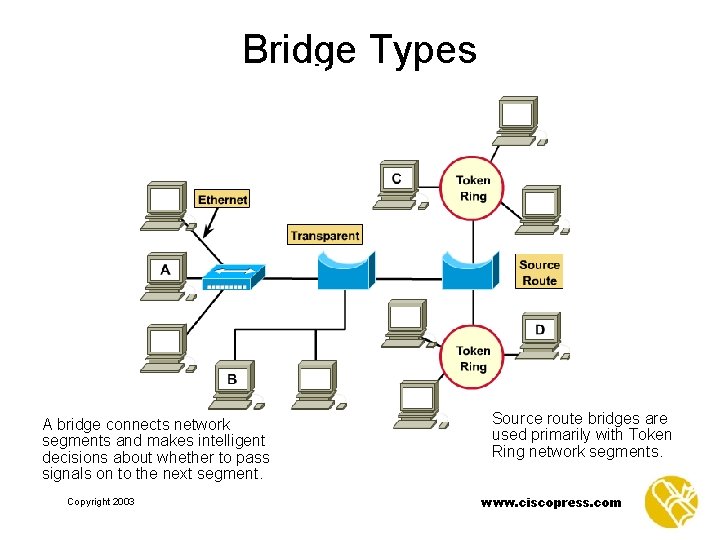
Bridge Types A bridge connects network segments and makes intelligent decisions about whether to pass signals on to the next segment. Copyright 2003 Source route bridges are used primarily with Token Ring network segments. www. ciscopress. com
Bridge Operations Copyright 2003 www. ciscopress. com
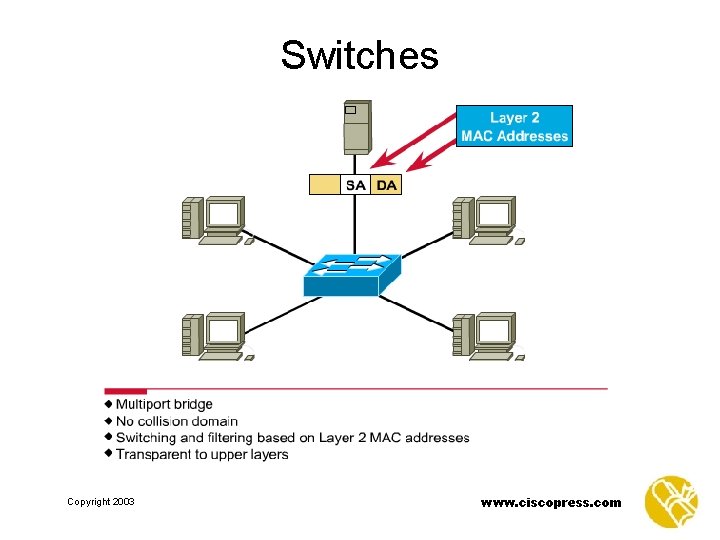
Switches Copyright 2003 www. ciscopress. com
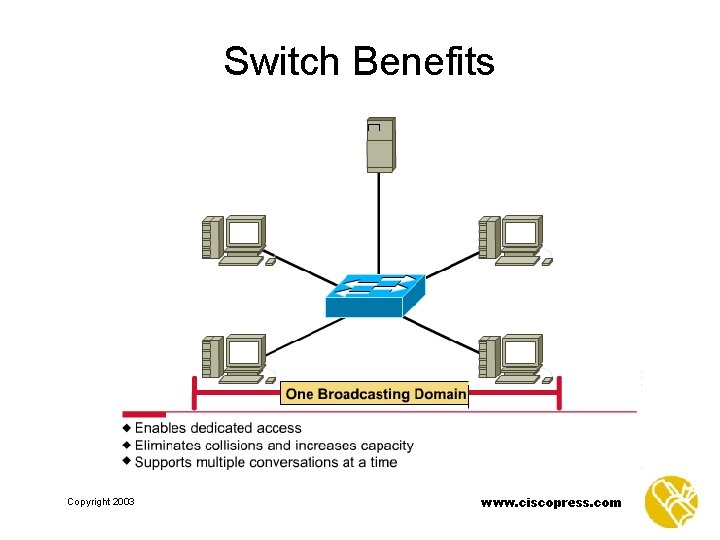
Switch Benefits Copyright 2003 www. ciscopress. com
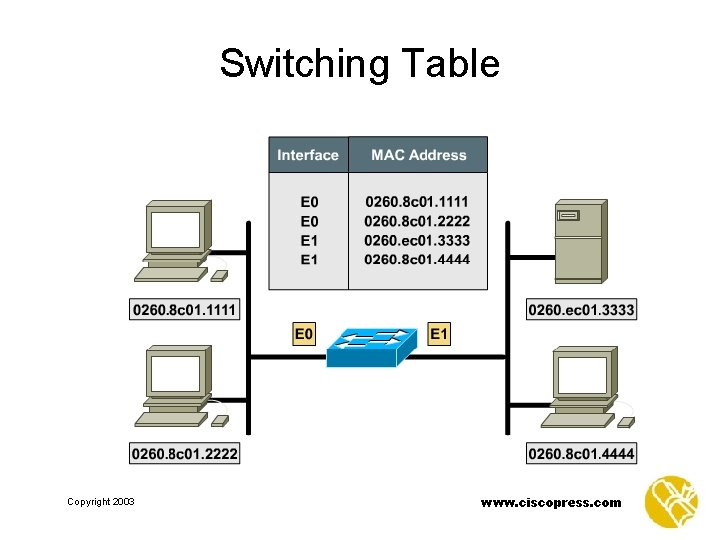
Switching Table Copyright 2003 www. ciscopress. com
Latency • Latency is the delay between the time a frame first starts to leave the source device and the time the first part of the frame reaches its destination. Copyright 2003 www. ciscopress. com
Switch Modes • Cut-through switching — A switch can start to transfer the frame as soon as the destination MAC address is received. • Store-and-forward switching — The switch can receive the entire frame before sending it out the destination port. This gives the switch software an opportunity to verify the frame check sum (FCS). Copyright 2003 www. ciscopress. com
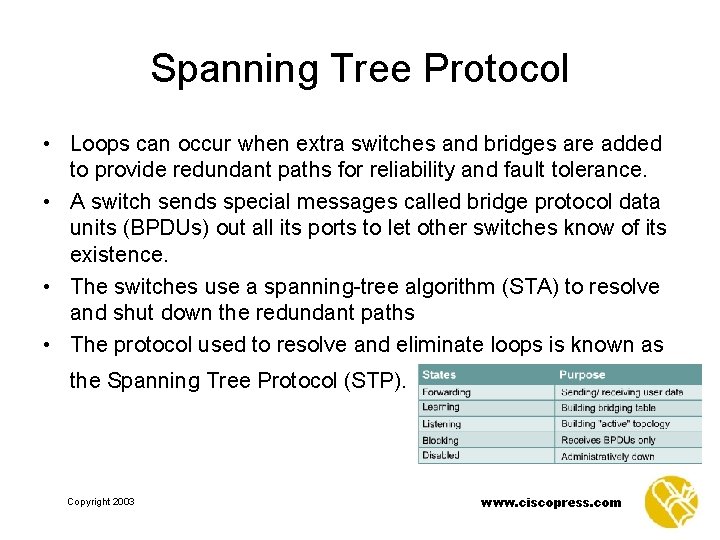
Spanning Tree Protocol • Loops can occur when extra switches and bridges are added to provide redundant paths for reliability and fault tolerance. • A switch sends special messages called bridge protocol data units (BPDUs) out all its ports to let other switches know of its existence. • The switches use a spanning-tree algorithm (STA) to resolve and shut down the redundant paths • The protocol used to resolve and eliminate loops is known as the Spanning Tree Protocol (STP). Copyright 2003 www. ciscopress. com
Collision Domains and Broadcast Domains Copyright 2003 www. ciscopress. com
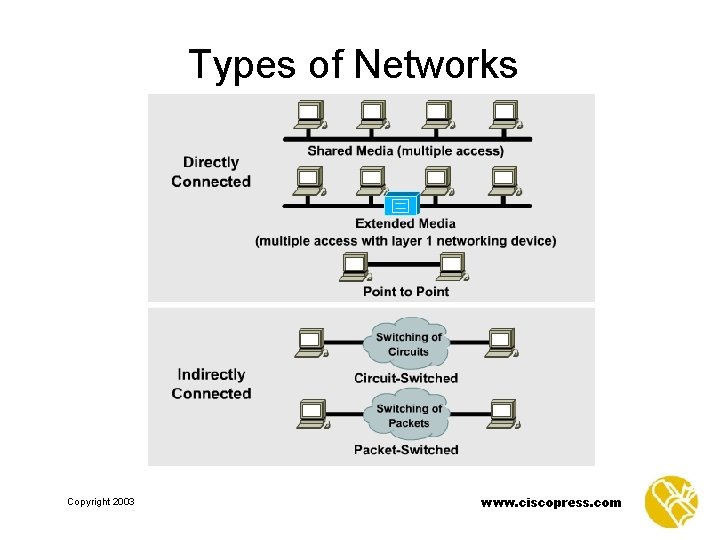
Shared Media Environments • It is important to be able to identify a shared media environment, because collisions only occur in a shared environment. • Some networks are directly connected and all hosts share Layer 1: – Shared media – Extended shared media – Point-to-point network Copyright 2003 www. ciscopress. com
Collisions and Collision Domains • • • Shared media environment Collisions and collision domains Signals in a collision Repeaters, hubs, and collision domains The four-repeater rule Segmenting collision domains Copyright 2003 www. ciscopress. com
Types of Networks Copyright 2003 www. ciscopress. com
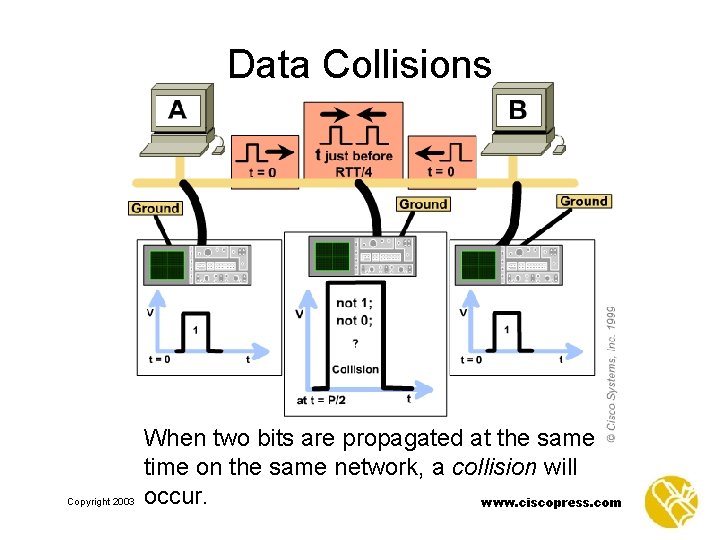
Data Collisions Copyright 2003 When two bits are propagated at the same time on the same network, a collision will occur. www. ciscopress. com
Collisions and Collision Domains • Collisions are not inherently bad. – They are a normal function of Legacy Ethernet. • Data on the network during a collision is lost and usually must be retransmitted. – Increased collisions indicate congestion. • All devices on a network that would cause a collision if they transmitted simultaneously are in a collision domain. • Networks with only Layer 1 components are a single collision domain. Copyright 2003 www. ciscopress. com
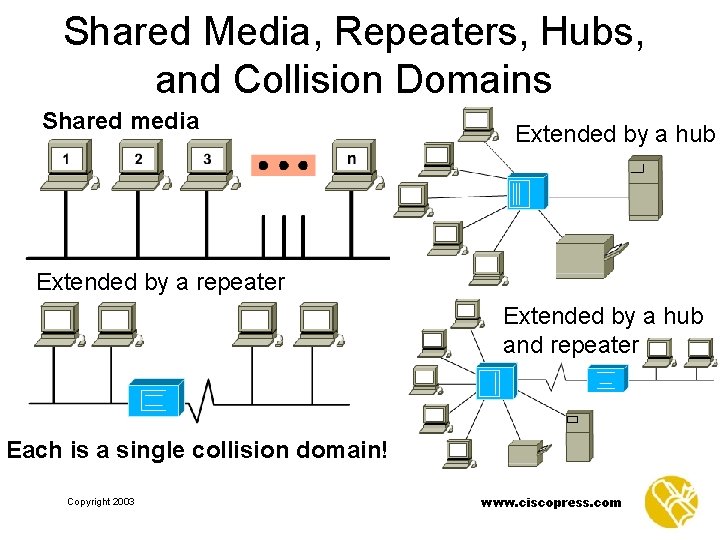
Shared Media, Repeaters, Hubs, and Collision Domains Shared media Extended by a hub Extended by a repeater Extended by a hub and repeater Each is a single collision domain! Copyright 2003 www. ciscopress. com
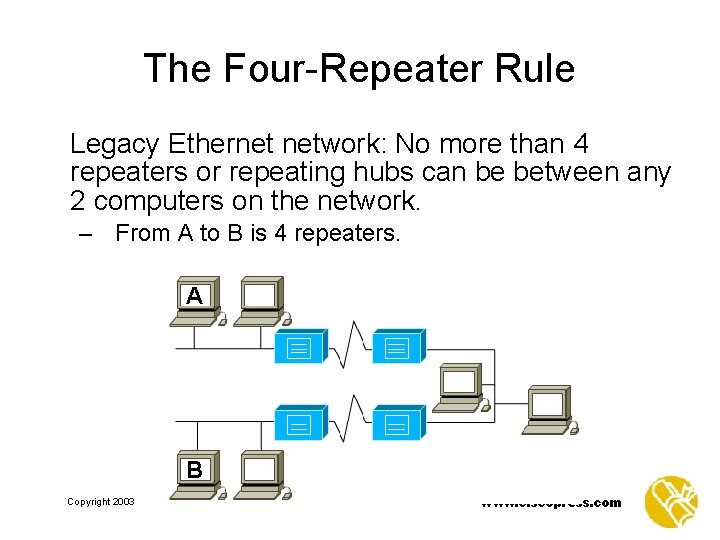
The Four-Repeater Rule Legacy Ethernet network: No more than 4 repeaters or repeating hubs can be between any 2 computers on the network. – From A to B is 4 repeaters. A B Copyright 2003 www. ciscopress. com
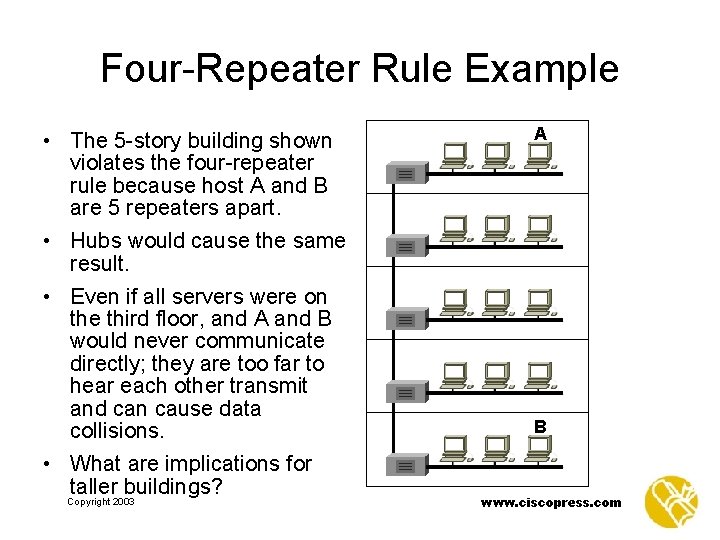
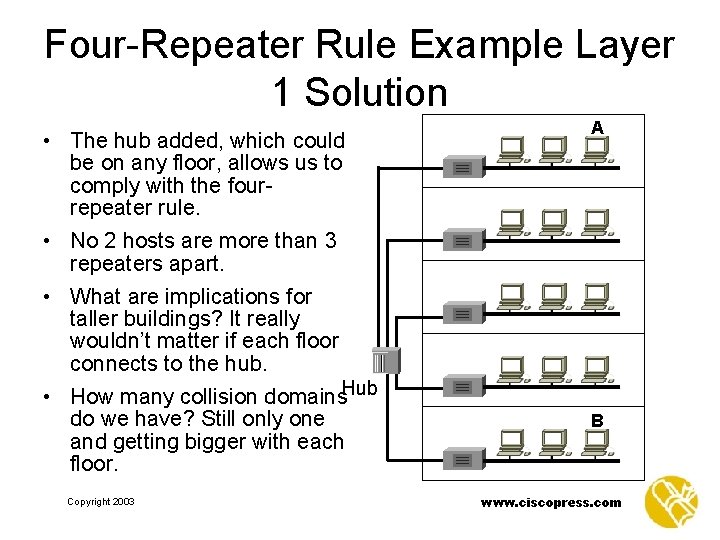
Four-Repeater Rule Example • The 5 -story building shown violates the four-repeater rule because host A and B are 5 repeaters apart. • Hubs would cause the same result. • Even if all servers were on the third floor, and A and B would never communicate directly; they are too far to hear each other transmit and can cause data collisions. • What are implications for taller buildings? Copyright 2003 A B www. ciscopress. com
Four-Repeater Rule Example Layer 1 Solution • The hub added, which could be on any floor, allows us to comply with the fourrepeater rule. • No 2 hosts are more than 3 repeaters apart. • What are implications for taller buildings? It really wouldn’t matter if each floor connects to the hub. • How many collision domains. Hub do we have? Still only one and getting bigger with each floor. Copyright 2003 A B www. ciscopress. com
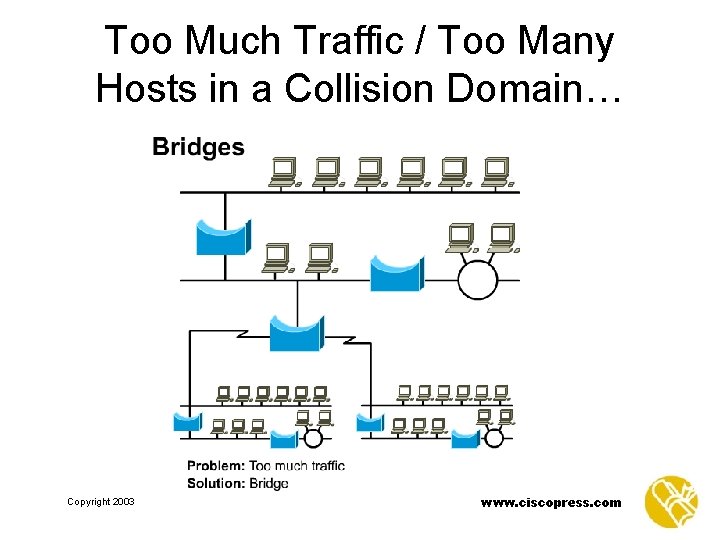
Too Much Traffic / Too Many Hosts in a Collision Domain… Copyright 2003 www. ciscopress. com
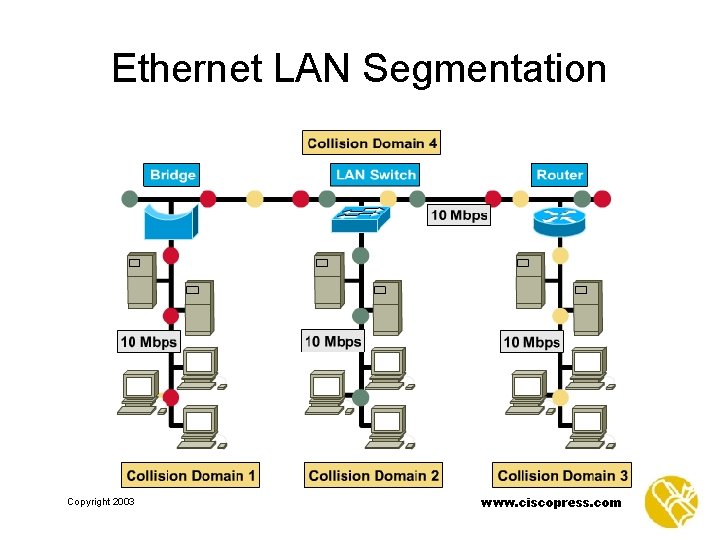
Ethernet LAN Segmentation Copyright 2003 www. ciscopress. com
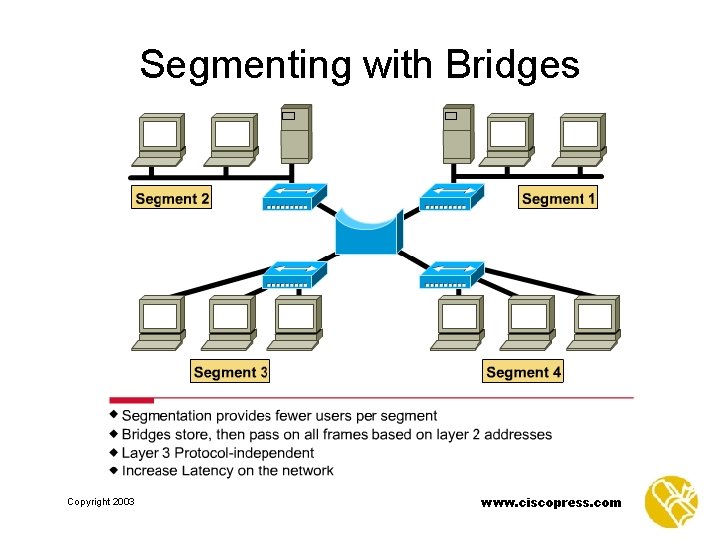
Segmenting with Bridges Copyright 2003 www. ciscopress. com
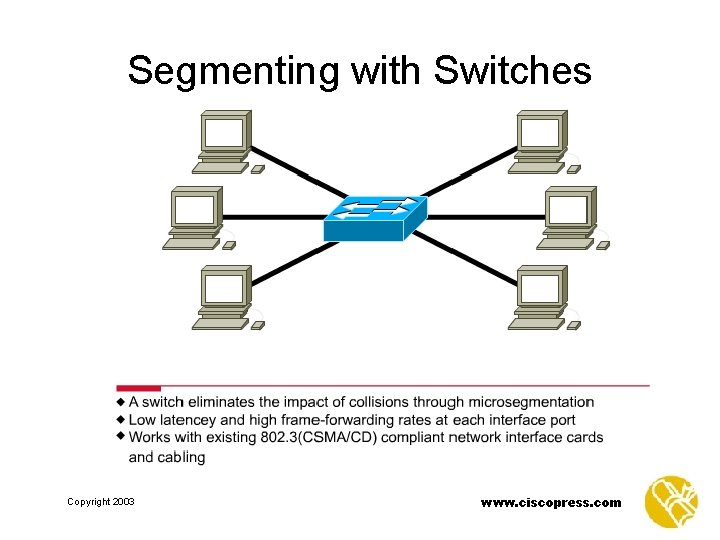
Segmenting with Switches Copyright 2003 www. ciscopress. com
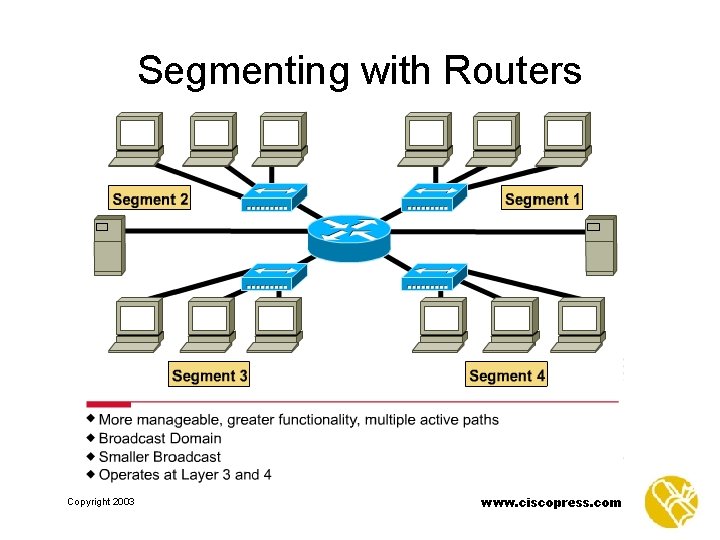
Segmenting with Routers Copyright 2003 www. ciscopress. com
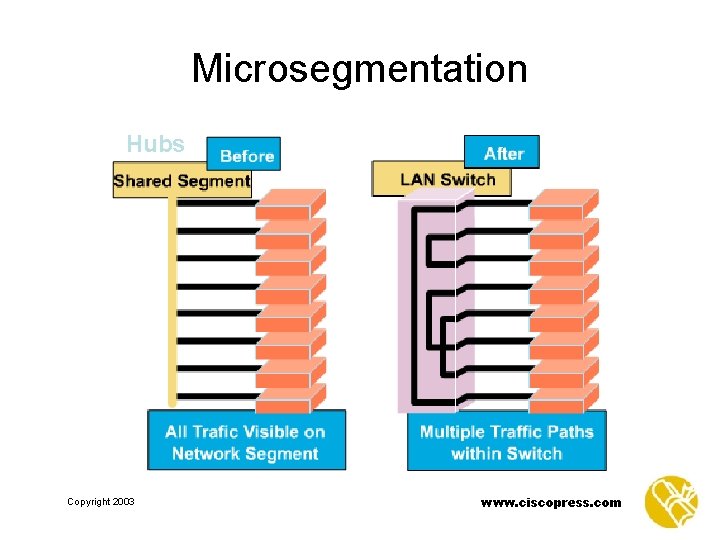
Microsegmentation Hubs Copyright 2003 www. ciscopress. com
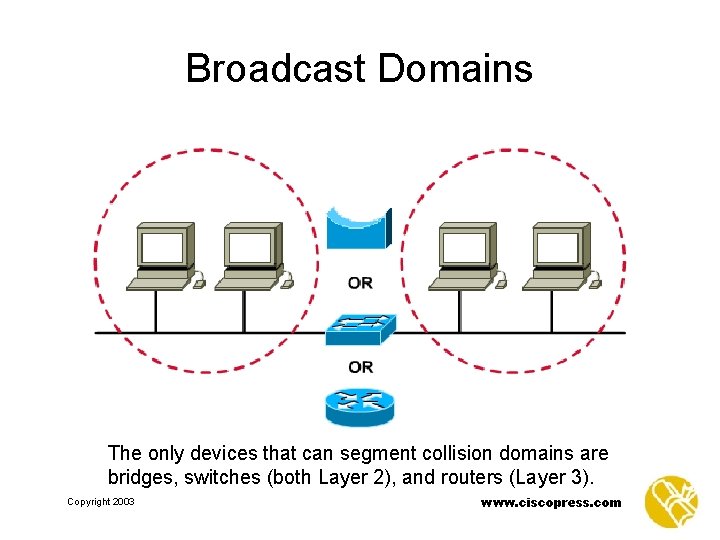
Layer 2 Broadcasts • Layer 2 devices must flood all broadcast and multicast traffic. • The accumulation of broadcast and multicast traffic from each device in the network is referred to as broadcast radiation. Copyright 2003 www. ciscopress. com
Broadcast Domains The only devices that can segment collision domains are bridges, switches (both Layer 2), and routers (Layer 3). Copyright 2003 www. ciscopress. com
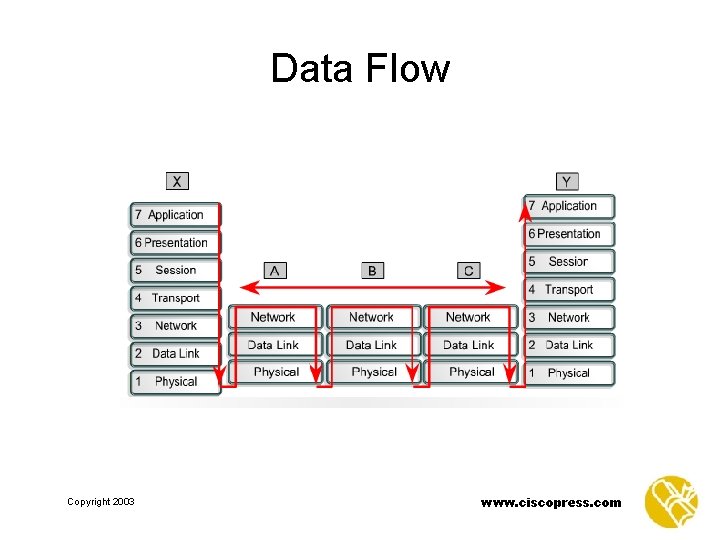
Data Flow Copyright 2003 www. ciscopress. com
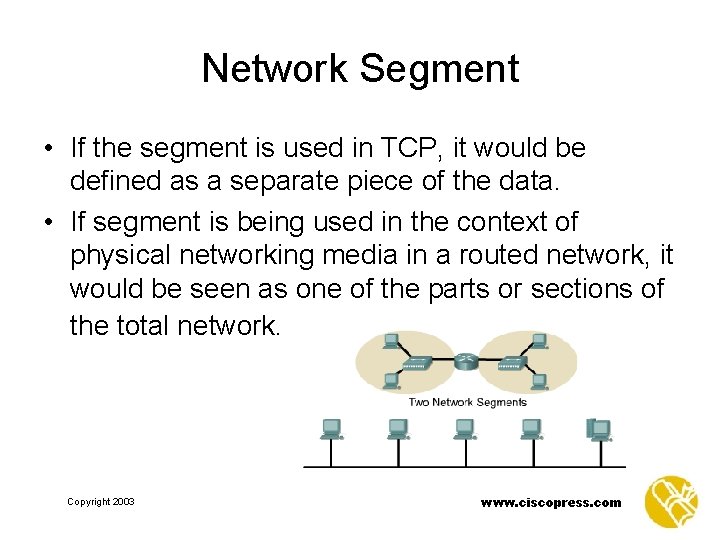
Network Segment • If the segment is used in TCP, it would be defined as a separate piece of the data. • If segment is being used in the context of physical networking media in a routed network, it would be seen as one of the parts or sections of the total network. Copyright 2003 www. ciscopress. com