
CBT Everything you need to know CBT Success
CBT Everything you need to know.
CBT- Success • Communicate • Inform • Practice • Launch
Communication – Start Early • Communication starts immediately • Utilize electronic forms/docs to gather questions/concern • Create a calendar of job duties and assignments
Communication • Communication starts immediately • Faculty meeting • Newsletter • Agendas- department meetings, teacher leader meetings, principal meetings etc.
Communication • Create and provide the purpose and reasoning • Efficient use of resources • Empowering our learners • • Collaborative teaching Targeted instruction Computational thinker Focus on learning
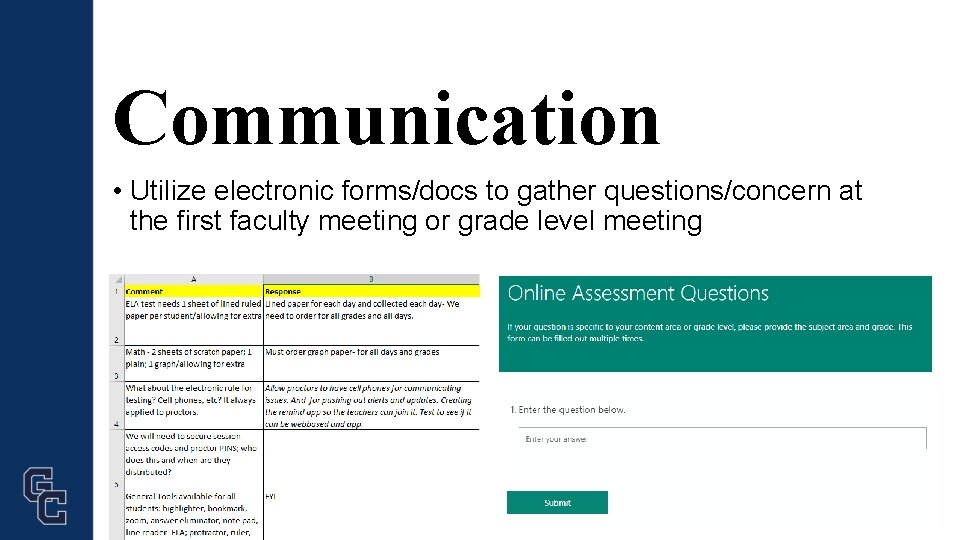
Communication • Utilize electronic forms/docs to gather questions/concern at the first faculty meeting or grade level meeting
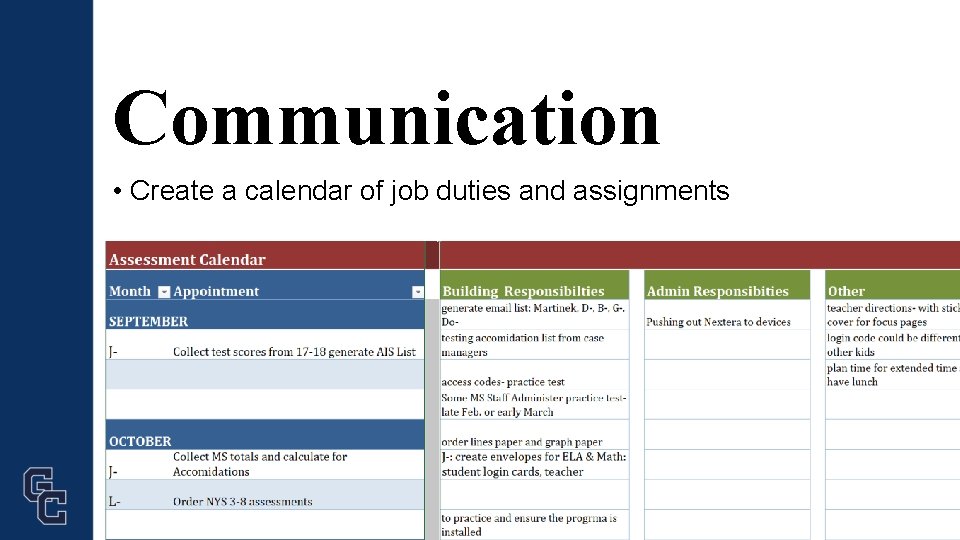
Communication • Create a calendar of job duties and assignments
CBT- Success • Communicate • Inform • Practice • Launch

Inform • Who • What • When
Inform Who ØStudent ØProctors (teachers, teacher aides, support staff) Ø Testing coordinator Ø IT team Ø Building and District administration
Inform Who • Building and District Leadership • NYS roadshow • In-District trainings and meetings • Outline trainings, technical needs and processes • Notify Families
Inform Who • IT Team & Computer Aids • Dates- Training, Simulation, Testing dates for ELA and Math • Training – Proctor Support Team • Assign locations
Inform • IT Team & Computer Aids Training Proctor Support Team Training Power. Point • Dates • Locations • Terms to Know • Screen Shots • Troubleshooting Tips • Scenarios
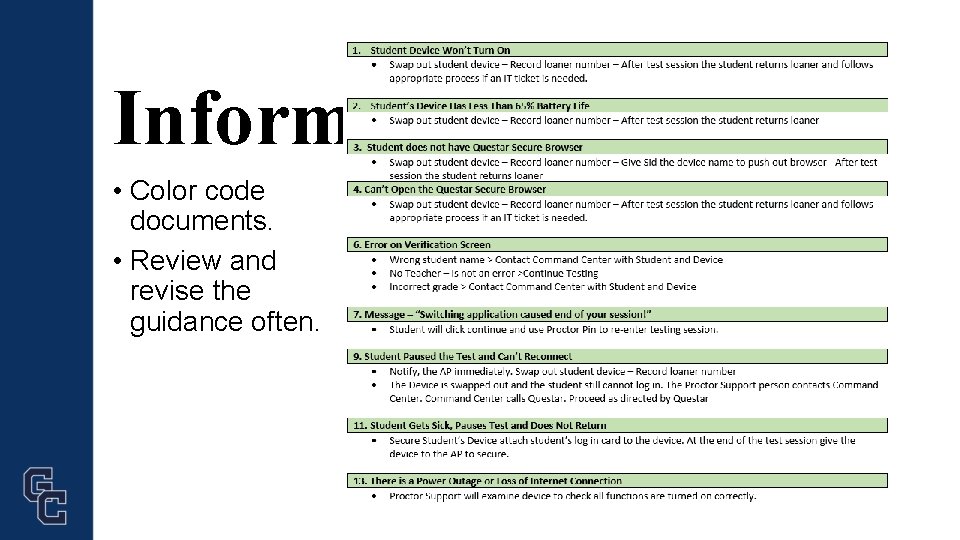
Inform • Color code documents. • Review and revise the guidance often.
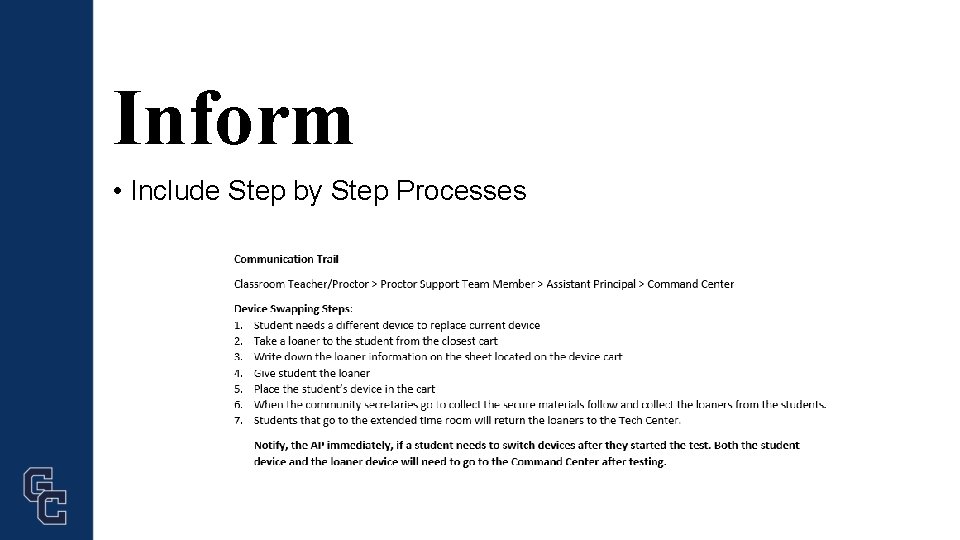
Inform • Include Step by Step Processes
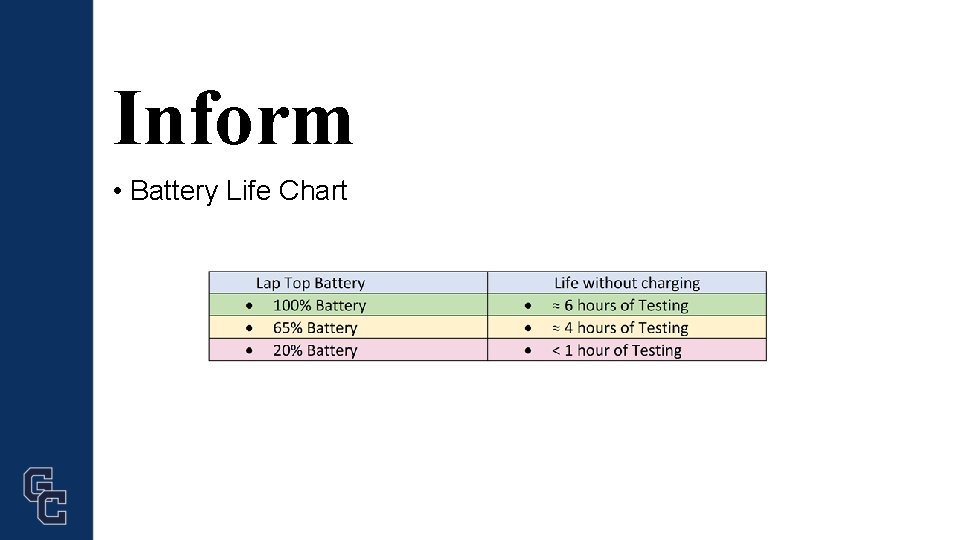
Inform • Battery Life Chart
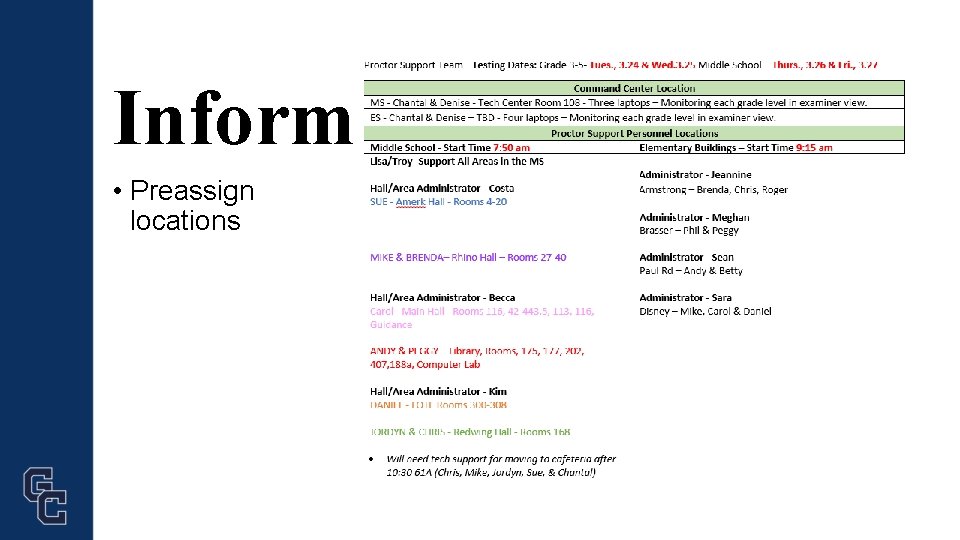
Inform • Preassign locations
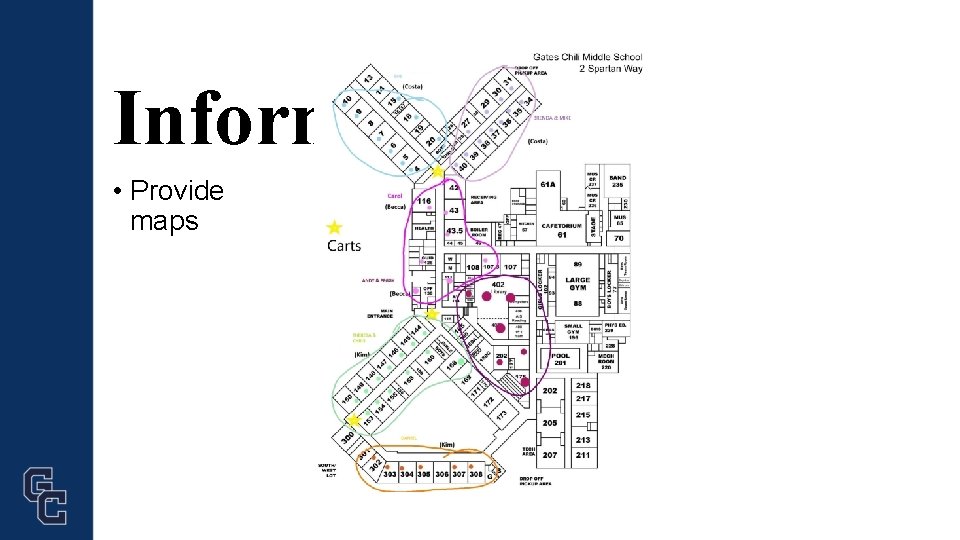
Inform • Provide maps
Inform Who • Assessment Coordinator at the building level • Prepare rosters in Questar • Printing ahead • Access code, proctor pin and student log in cards • Testing accommodations adding to Questar and location of students • Marking absenteeism and refusals

Inform Who • Proctors • Classroom teachers • Special Education teachers • Aides
Inform When • Classroom teachers • Communicate early – October/November • Simulation • Support guidance • Teacher Directions • Proctor Support guidance • Drawing Tool

Inform Who & When • Proctors • Special Education teachers

Inform • Proctors • Aides & Support Staff
Inform • Students • Newsletters, announcements, bring your laptop and chargers • Families
CBT- Success • Communicate • Inform • Practice • Launch
Practice • Students • Proctor Support Team • Test Coordinators
Practice • Students/Proctors • Questar sample questions • Newsletters, announcements, bring your laptop • e. Doctrina provides practice • i. Ready provides practice

Practice • Proctor Support Team • Tests your network
Practice • Tests your network • • Use a common time Monitor the stress on the network Practice with support in locations Identify weak areas in the buildings

Practice • Test Coordinators
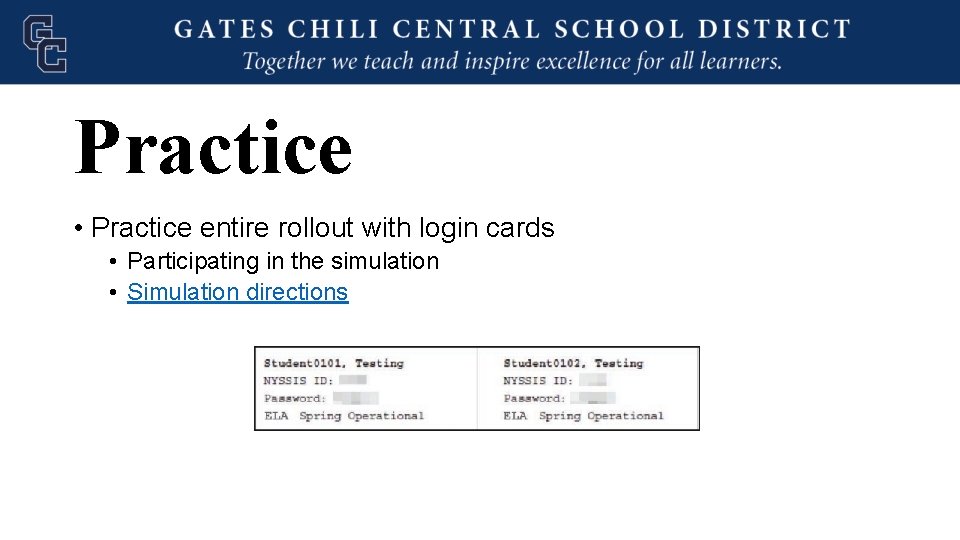
Practice • Practice entire rollout with login cards • Participating in the simulation • Simulation directions
CBT- Success • Communicate • Inform • Practice • Launch
Launch • Week Prior • Questar browser • Carts • Emails
Launch • Day of testing • • Monitor Chart Release extra support Retrieve swapped devices
CBT- Success • Communicate • Inform • Practice • Launch
CBT Everything you need to know.
- Slides: 36