
Catalog guidelines of 3 4 hours per week
- Slides: 25
Catalog guidelines of 3 -4 hours per week per unit
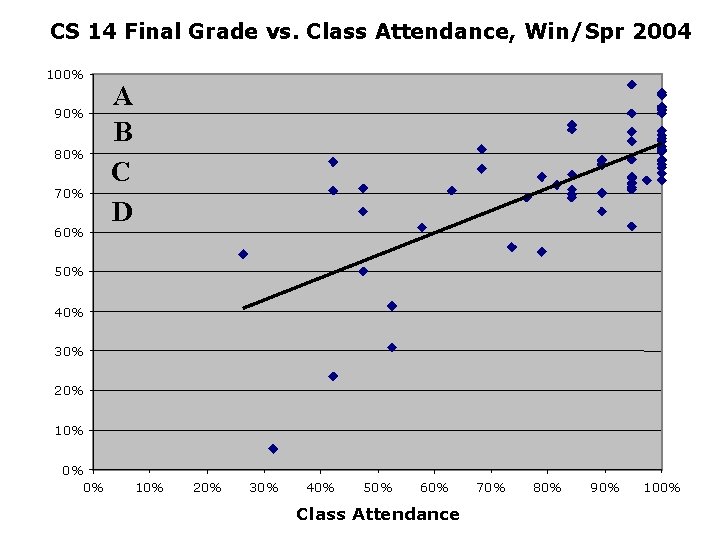
CS 14 Final Grade vs. Class Attendance, Win/Spr 2004 100% 90% 80% 70% 60% A B C D 50% 40% 30% 20% 10% 0% 0% 10% 20% 30% 40% 50% 60% Class Attendance 70% 80% 90% 100%
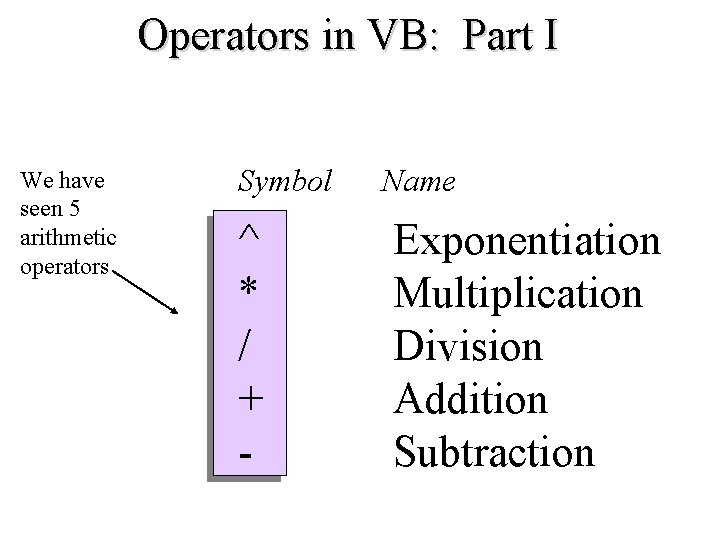
Operators in VB: Part I We have seen 5 arithmetic operators Symbol Name ^ * / + - Exponentiation Multiplication Division Addition Subtraction
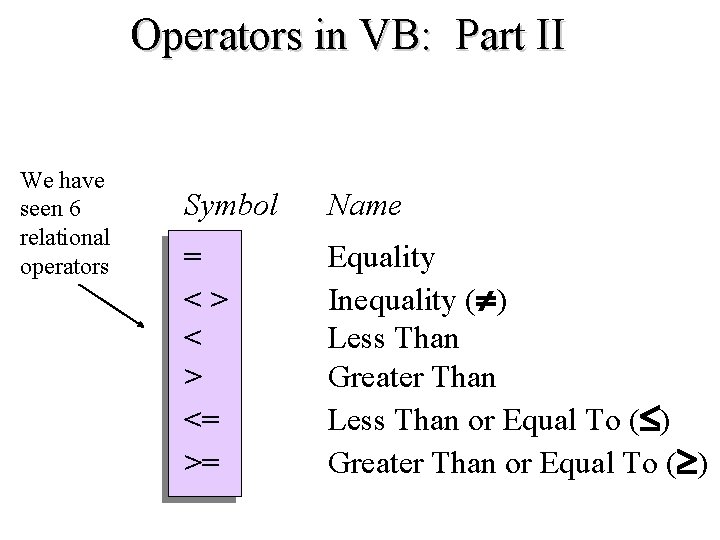
Operators in VB: Part II We have seen 6 relational operators Symbol Name = < > <= >= Equality Inequality ( ) Less Than Greater Than Less Than or Equal To ( ) Greater Than or Equal To ( )
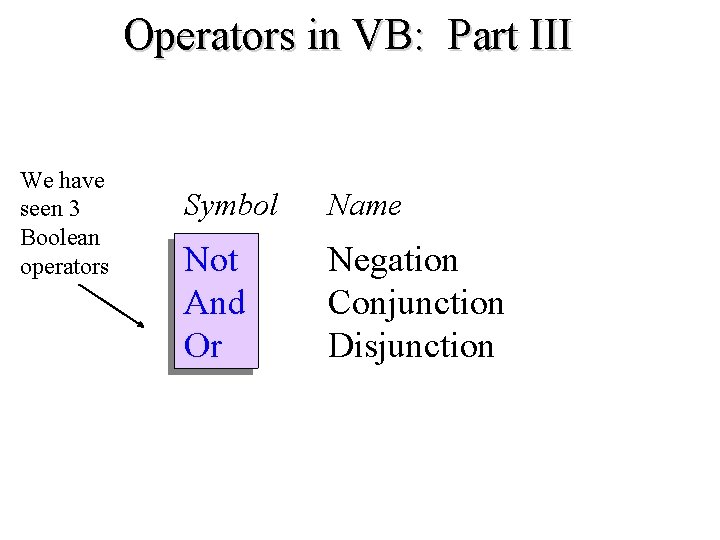
Operators in VB: Part III We have seen 3 Boolean operators Symbol Name Not And Or Negation Conjunction Disjunction
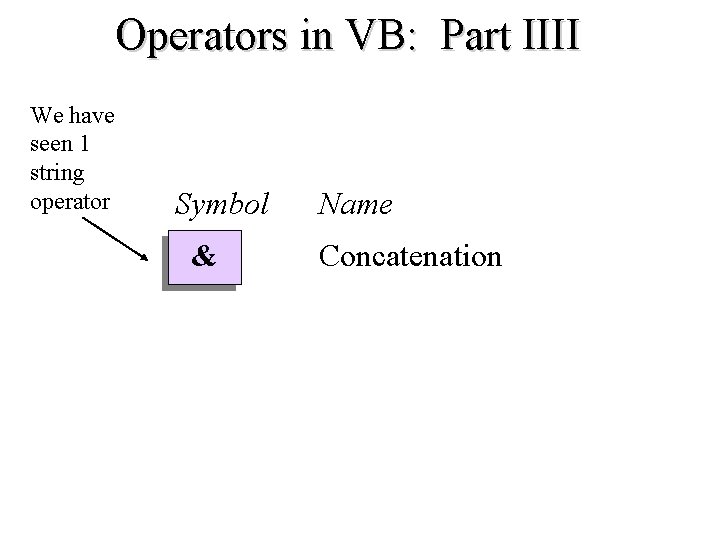
Operators in VB: Part IIII We have seen 1 string operator Symbol Name & Concatenation
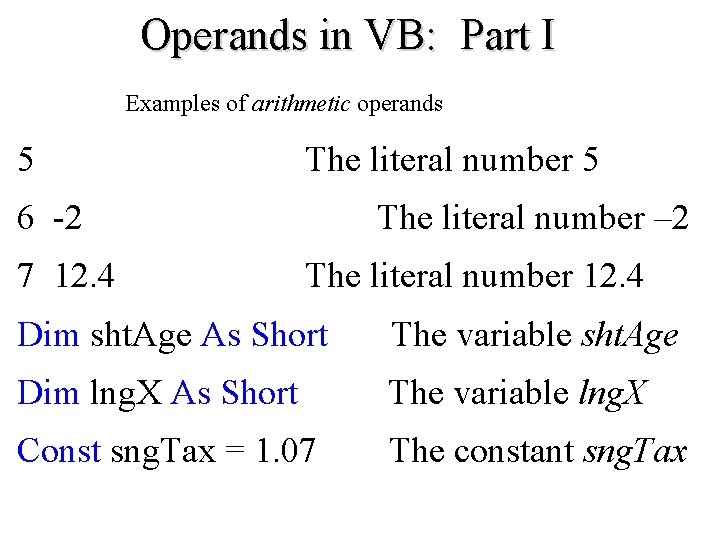
Operands in VB: Part I Examples of arithmetic operands 5 The literal number 5 6 -2 7 12. 4 The literal number – 2 The literal number 12. 4 Dim sht. Age As Short The variable sht. Age Dim lng. X As Short The variable lng. X Const sng. Tax = 1. 07 The constant sng. Tax
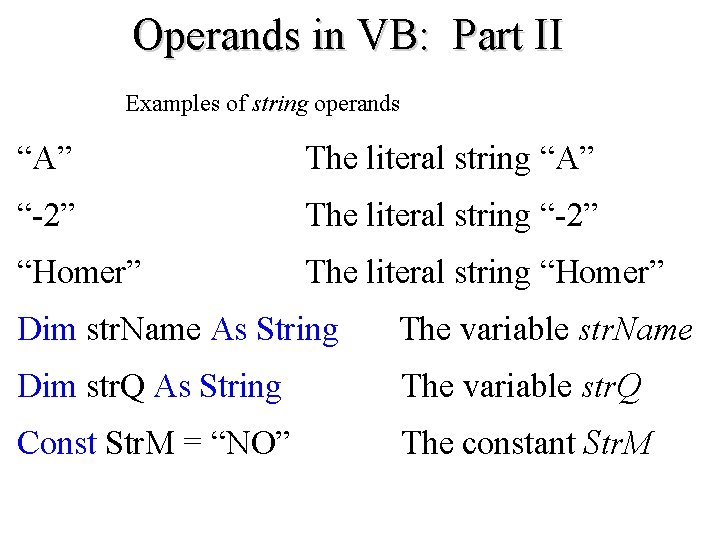
Operands in VB: Part II Examples of string operands “A” The literal string “A” “-2” The literal string “-2” “Homer” The literal string “Homer” Dim str. Name As String The variable str. Name Dim str. Q As String The variable str. Q Const Str. M = “NO” The constant Str. M
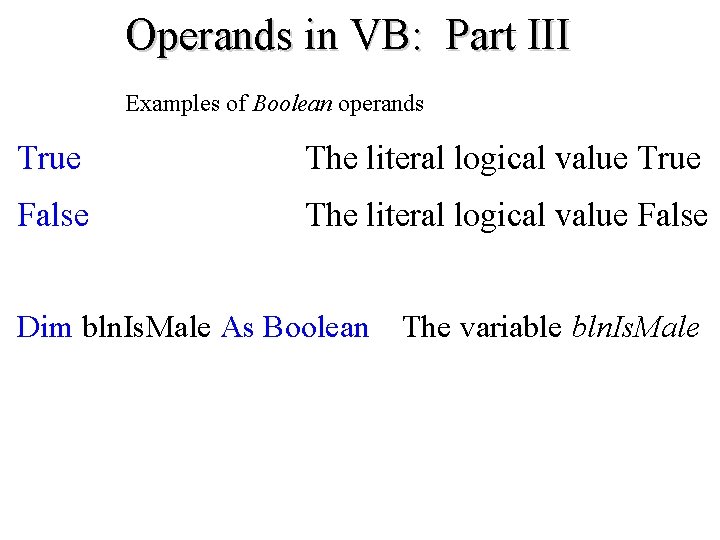
Operands in VB: Part III Examples of Boolean operands True The literal logical value True False The literal logical value False Dim bln. Is. Male As Boolean The variable bln. Is. Male
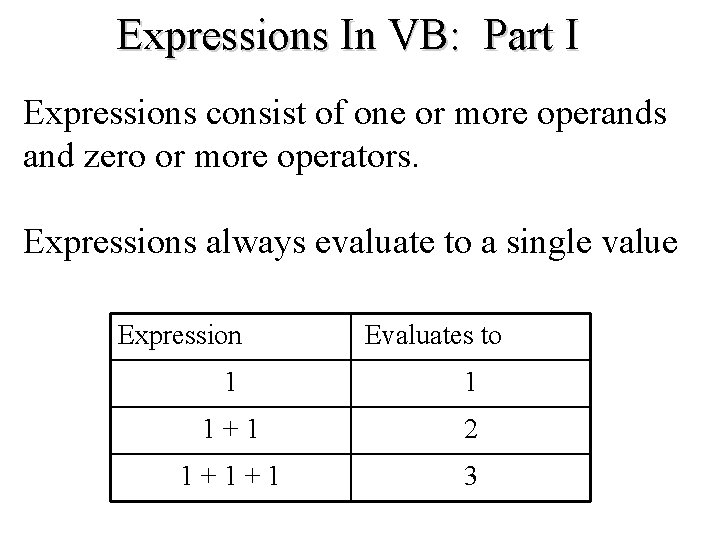
Expressions In VB: Part I Expressions consist of one or more operands and zero or more operators. Expressions always evaluate to a single value Expression Evaluates to 1 1 1 + 1 2 1 + 1 3
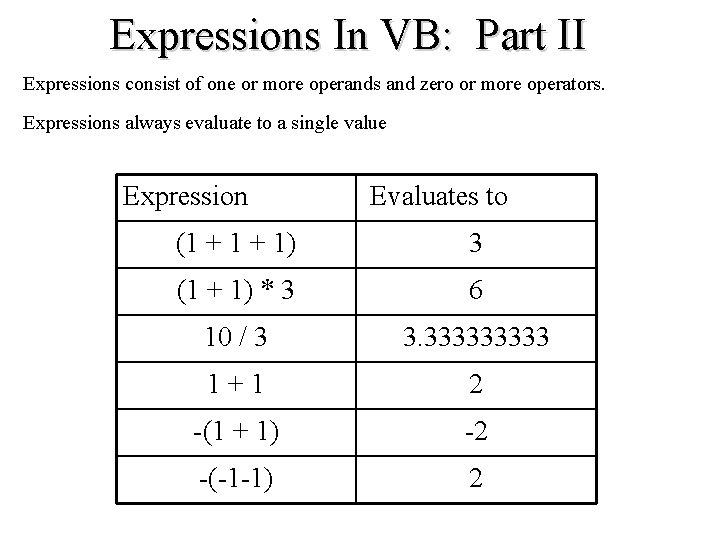
Expressions In VB: Part II Expressions consist of one or more operands and zero or more operators. Expressions always evaluate to a single value Expression Evaluates to (1 + 1) 3 (1 + 1) * 3 6 10 / 3 3. 33333 1 + 1 2 -(1 + 1) -2 -(-1 -1) 2
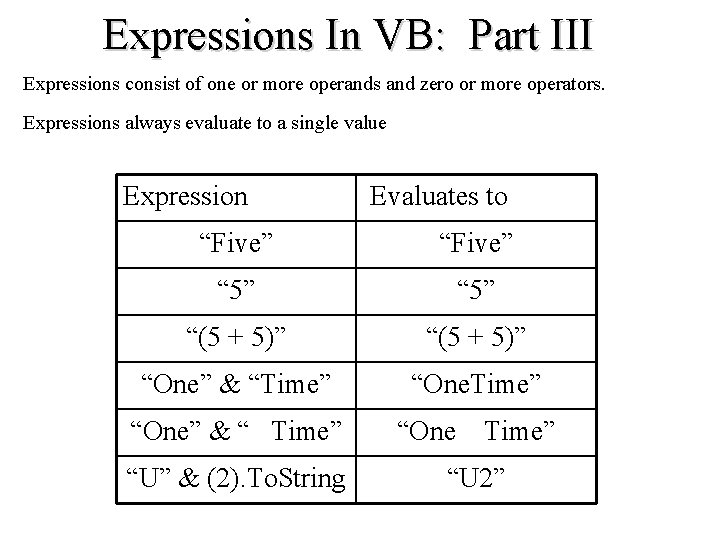
Expressions In VB: Part III Expressions consist of one or more operands and zero or more operators. Expressions always evaluate to a single value Expression Evaluates to “Five” “ 5” “(5 + 5)” “One” & “Time” “One” & “ Time” “One Time” “U” & (2). To. String “U 2”
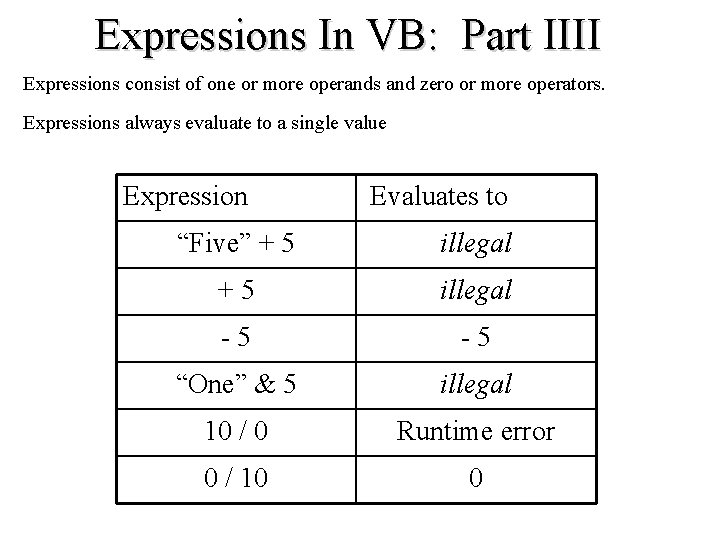
Expressions In VB: Part IIII Expressions consist of one or more operands and zero or more operators. Expressions always evaluate to a single value Expression Evaluates to “Five” + 5 illegal - 5 “One” & 5 illegal 10 / 0 Runtime error 0 / 10 0
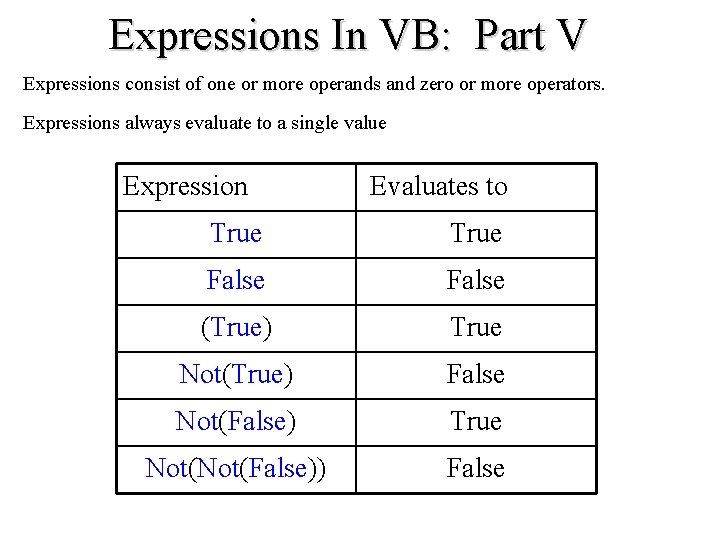
Expressions In VB: Part V Expressions consist of one or more operands and zero or more operators. Expressions always evaluate to a single value Expression Evaluates to True False (True) True Not(True) False Not(False) True Not(False)) False
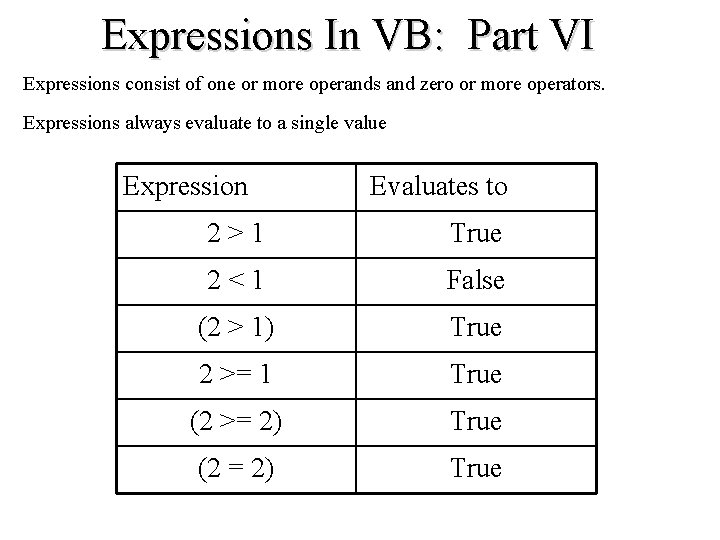
Expressions In VB: Part VI Expressions consist of one or more operands and zero or more operators. Expressions always evaluate to a single value Expression Evaluates to 2 > 1 True 2 < 1 False (2 > 1) True 2 >= 1 True (2 >= 2) True (2 = 2) True
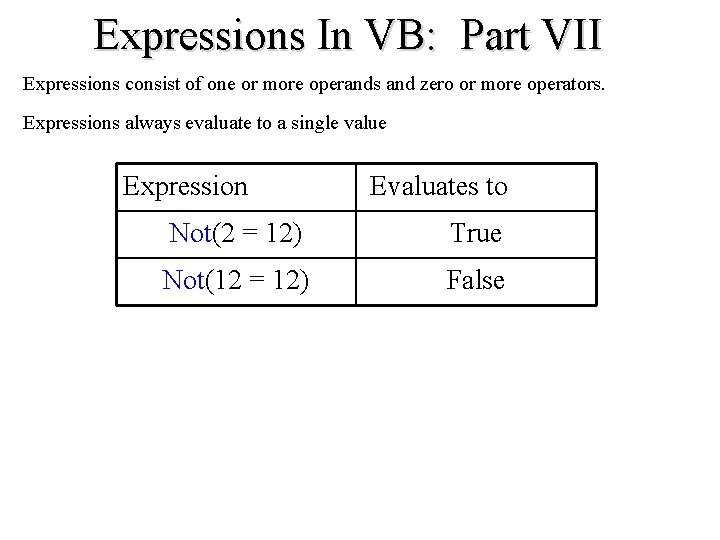
Expressions In VB: Part VII Expressions consist of one or more operands and zero or more operators. Expressions always evaluate to a single value Expression Evaluates to Not(2 = 12) True Not(12 = 12) False
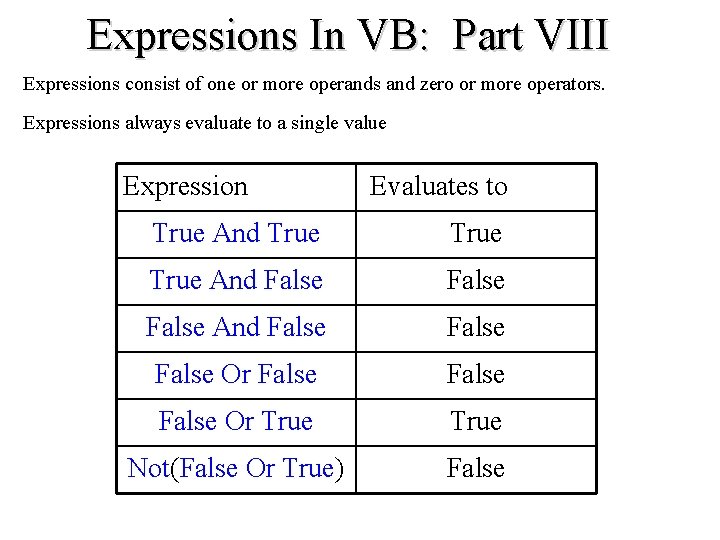
Expressions In VB: Part VIII Expressions consist of one or more operands and zero or more operators. Expressions always evaluate to a single value Expression Evaluates to True And True And False False Or False Or True Not(False Or True) False
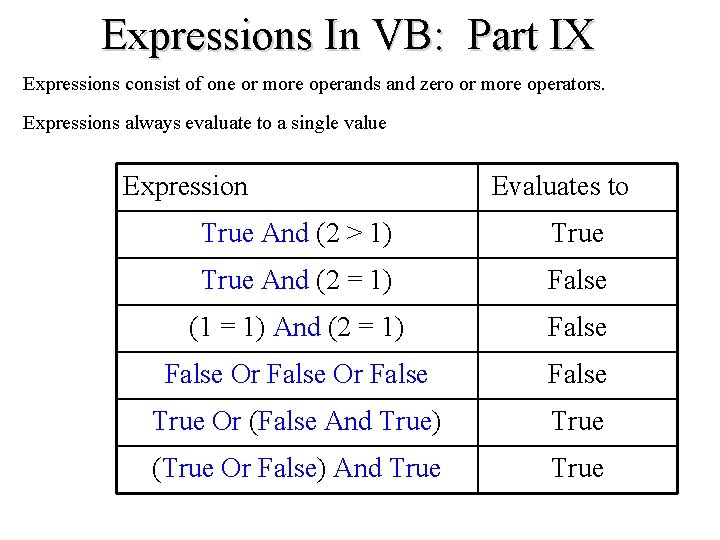
Expressions In VB: Part IX Expressions consist of one or more operands and zero or more operators. Expressions always evaluate to a single value Expression Evaluates to True And (2 > 1) True And (2 = 1) False (1 = 1) And (2 = 1) False Or False True Or (False And True) True (True Or False) And True
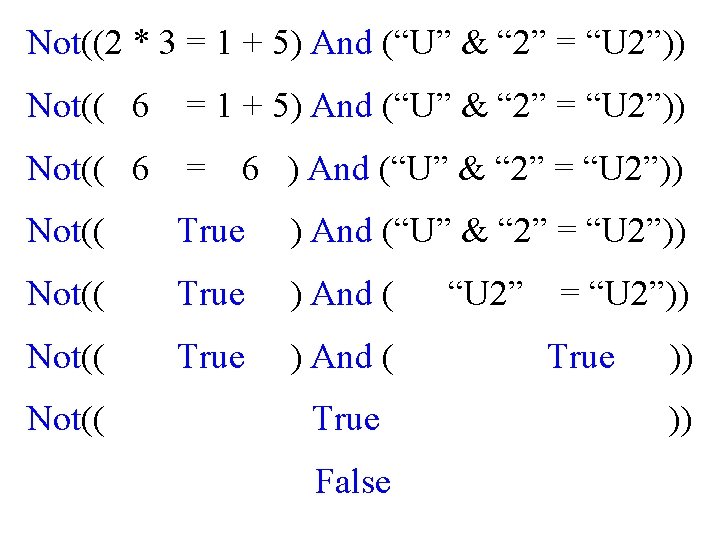
Not((2 * 3 = 1 + 5) And (“U” & “ 2” = “U 2”)) Not(( 6 = 6 ) And (“U” & “ 2” = “U 2”)) Not(( True ) And ( “U 2” = “U 2”)) Not(( True ) And ( True )) Not(( True )) False
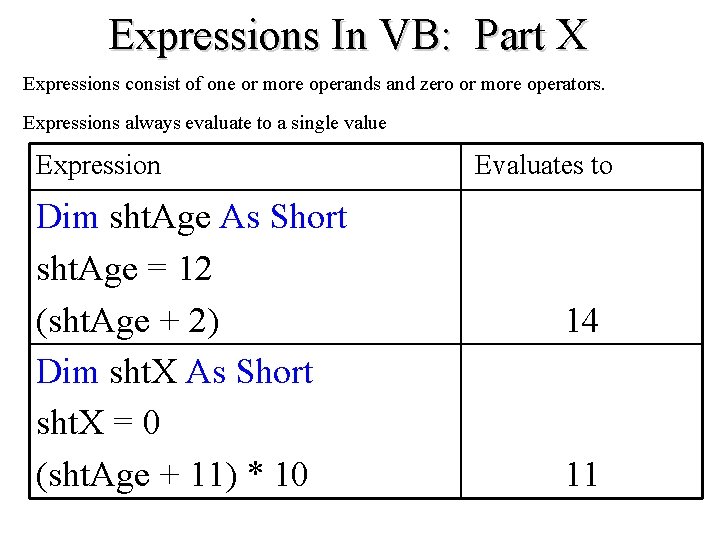
Expressions In VB: Part X Expressions consist of one or more operands and zero or more operators. Expressions always evaluate to a single value Expression Dim sht. Age As Short sht. Age = 12 (sht. Age + 2) Dim sht. X As Short sht. X = 0 (sht. Age + 11) * 10 Evaluates to 14 11
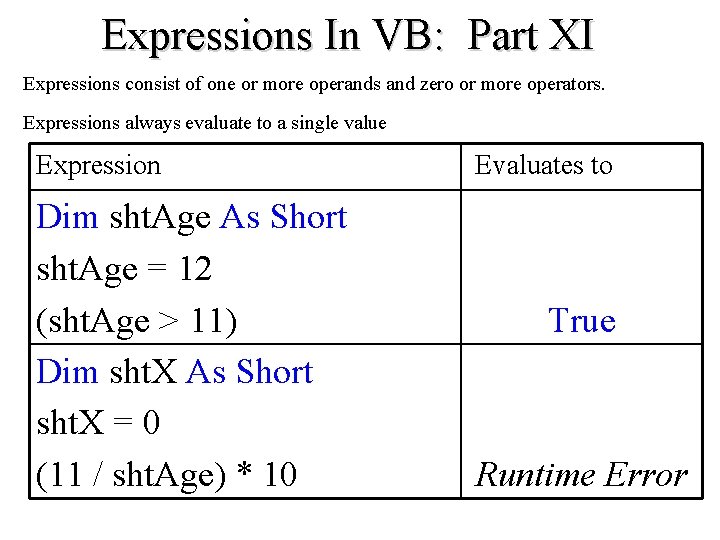
Expressions In VB: Part XI Expressions consist of one or more operands and zero or more operators. Expressions always evaluate to a single value Expression Dim sht. Age As Short sht. Age = 12 (sht. Age > 11) Dim sht. X As Short sht. X = 0 (11 / sht. Age) * 10 Evaluates to True Runtime Error
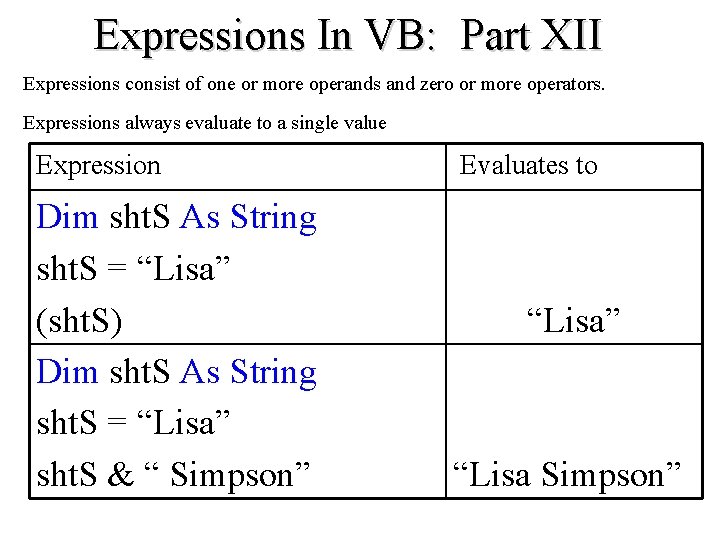
Expressions In VB: Part XII Expressions consist of one or more operands and zero or more operators. Expressions always evaluate to a single value Expression Dim sht. S As String sht. S = “Lisa” (sht. S) Dim sht. S As String sht. S = “Lisa” sht. S & “ Simpson” Evaluates to “Lisa” “Lisa Simpson”
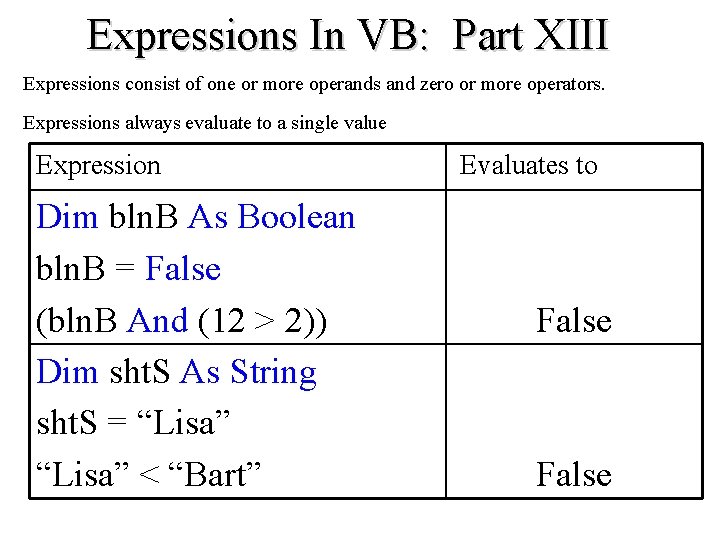
Expressions In VB: Part XIII Expressions consist of one or more operands and zero or more operators. Expressions always evaluate to a single value Expression Dim bln. B As Boolean bln. B = False (bln. B And (12 > 2)) Dim sht. S As String sht. S = “Lisa” < “Bart” Evaluates to False
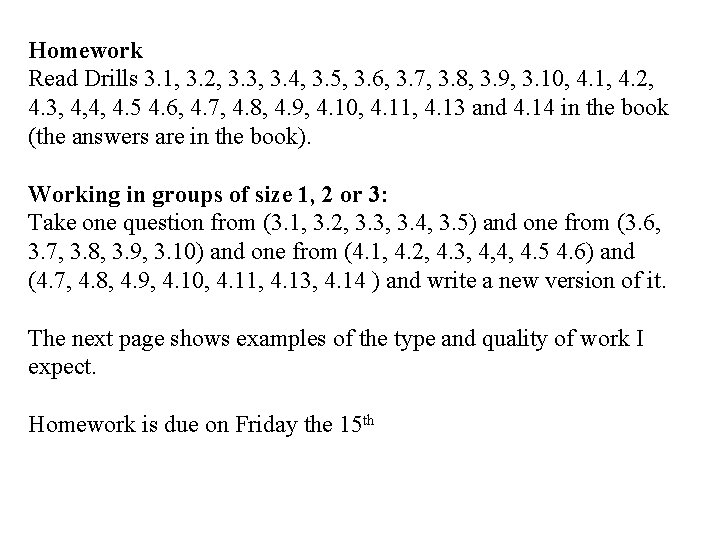
Homework Read Drills 3. 1, 3. 2, 3. 3, 3. 4, 3. 5, 3. 6, 3. 7, 3. 8, 3. 9, 3. 10, 4. 1, 4. 2, 4. 3, 4, 4, 4. 5 4. 6, 4. 7, 4. 8, 4. 9, 4. 10, 4. 11, 4. 13 and 4. 14 in the book (the answers are in the book). Working in groups of size 1, 2 or 3: Take one question from (3. 1, 3. 2, 3. 3, 3. 4, 3. 5) and one from (3. 6, 3. 7, 3. 8, 3. 9, 3. 10) and one from (4. 1, 4. 2, 4. 3, 4, 4, 4. 5 4. 6) and (4. 7, 4. 8, 4. 9, 4. 10, 4. 11, 4. 13, 4. 14 ) and write a new version of it. The next page shows examples of the type and quality of work I expect. Homework is due on Friday the 15 th
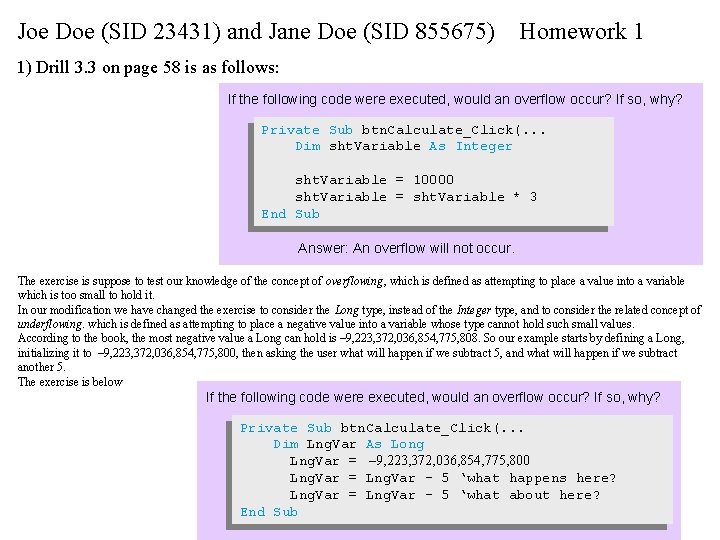
Joe Doe (SID 23431) and Jane Doe (SID 855675) Homework 1 1) Drill 3. 3 on page 58 is as follows: If the following code were executed, would an overflow occur? If so, why? Private Sub btn. Calculate_Click(. . . Dim sht. Variable As Integer sht. Variable = 10000 sht. Variable = sht. Variable * 3 End Sub Answer: An overflow will not occur. The exercise is suppose to test our knowledge of the concept of overflowing, which is defined as attempting to place a value into a variable which is too small to hold it. In our modification we have changed the exercise to consider the Long type, instead of the Integer type, and to consider the related concept of underflowing. which is defined as attempting to place a negative value into a variable whose type cannot hold such small values. According to the book, the most negative value a Long can hold is – 9, 223, 372, 036, 854, 775, 808. So our example starts by defining a Long, initializing it to – 9, 223, 372, 036, 854, 775, 800, then asking the user what will happen if we subtract 5, and what will happen if we subtract another 5. The exercise is below If the following code were executed, would an overflow occur? If so, why? Private Sub btn. Calculate_Click(. . . Dim Lng. Var As Long Lng. Var = – 9, 223, 372, 036, 854, 775, 800 Lng. Var = Lng. Var – 5 ‘what happens here? Lng. Var = Lng. Var – 5 ‘what about here? End Sub