
CASHNet How to Add Authorized Users Access CASHNet
- Slides: 8
CASHNet How to Add Authorized Users
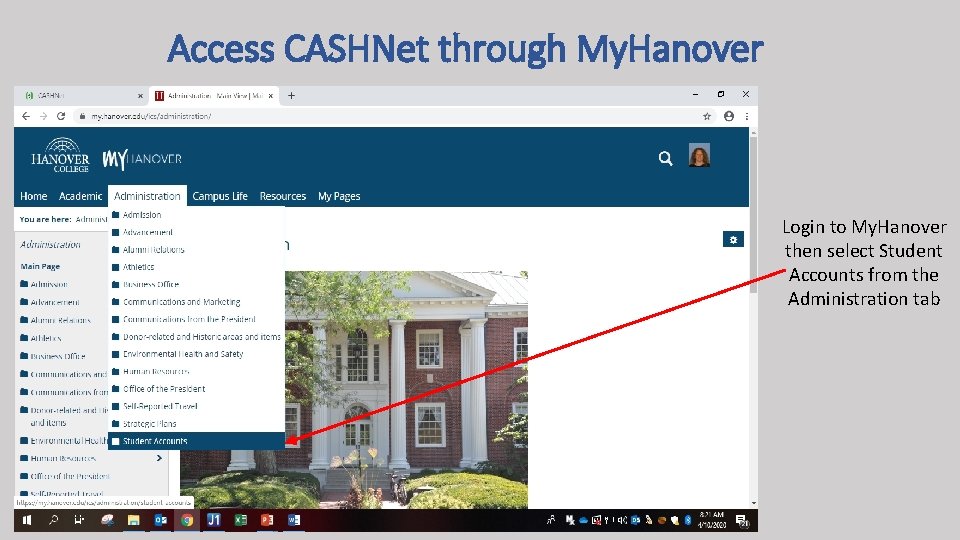
Access CASHNet through My. Hanover Login to My. Hanover then select Student Accounts from the Administration tab
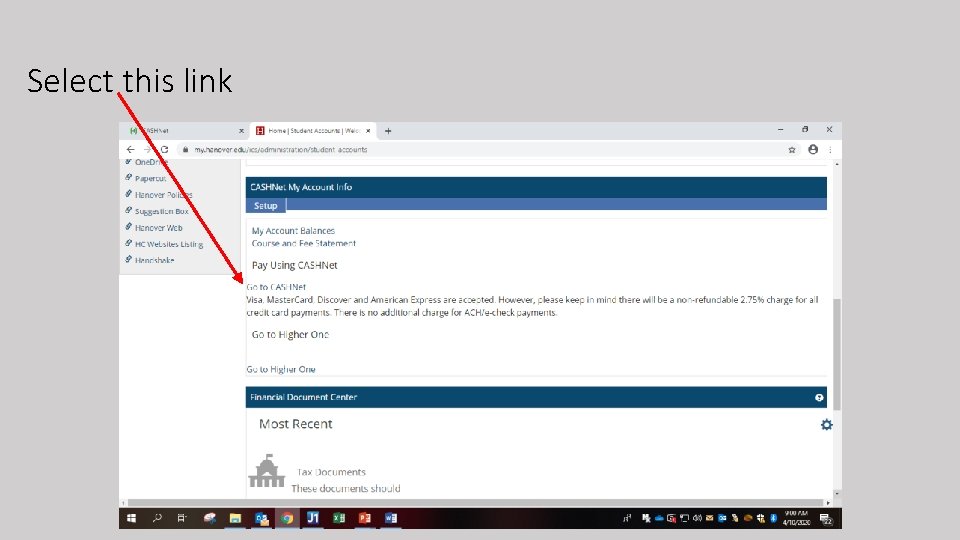
Select this link
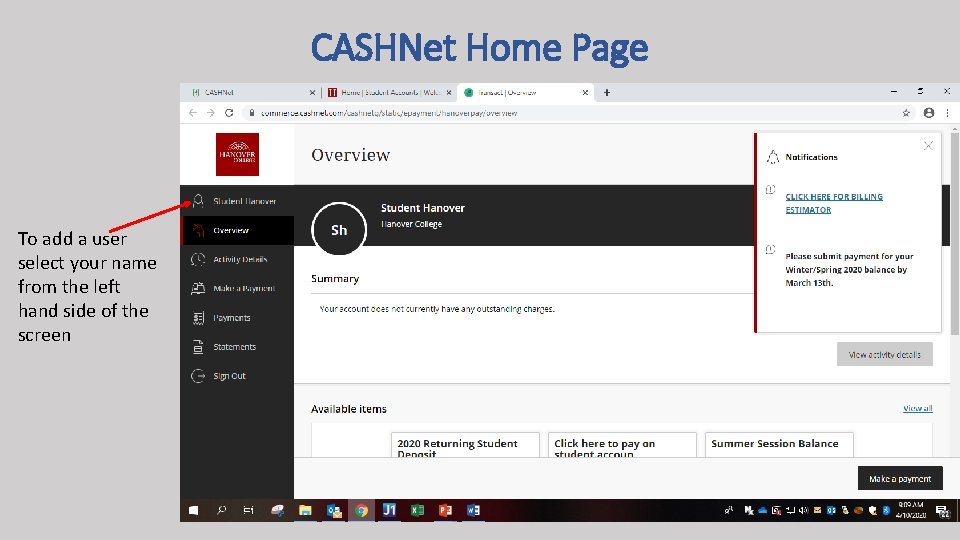
CASHNet Home Page To add a user select your name from the left hand side of the screen
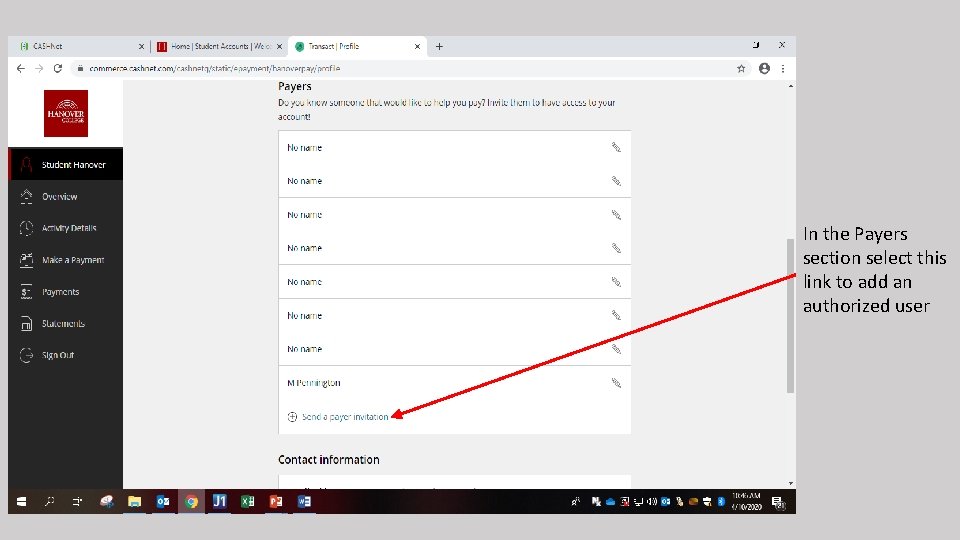
In the Payers section select this link to add an authorized user
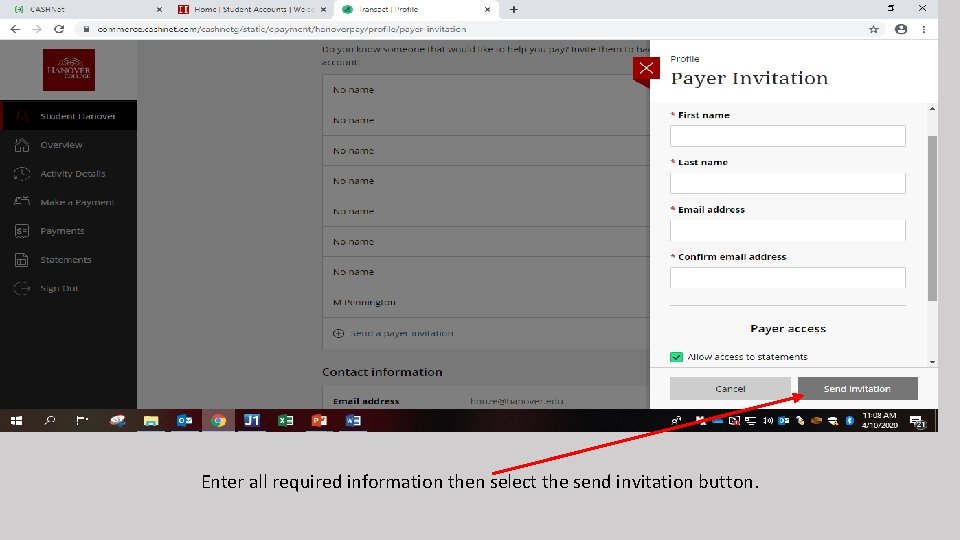
Enter all required information then select the send invitation button.
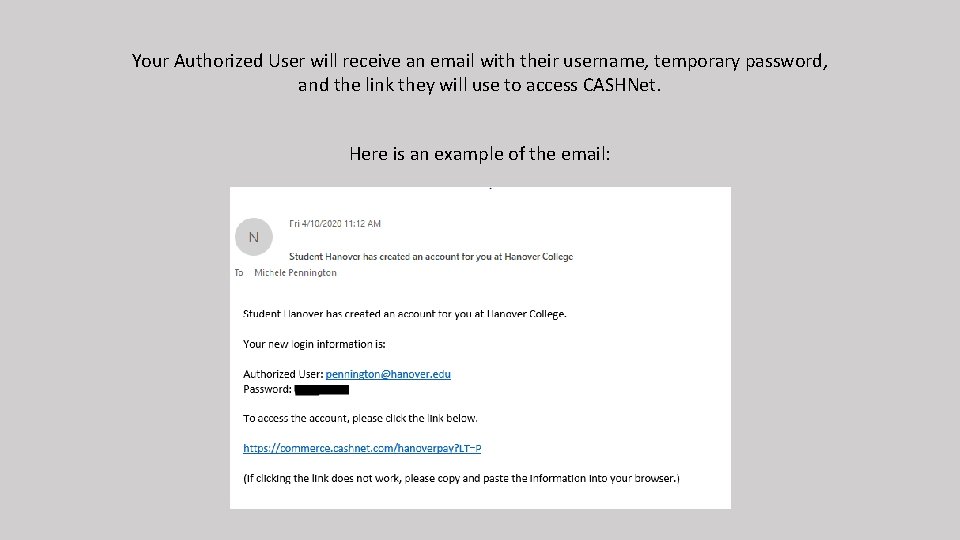
Your Authorized User will receive an email with their username, temporary password, and the link they will use to access CASHNet. Here is an example of the email:
Additional Information • You may add up to 99 users to your account • By adding a user, this will allow our office to communicate billing cycles, payment due dates and other pertinent information from Student Accounts to parents, guardians, etc. • All statements are sent electronically through CASHNet. Only students and Authorized Users will receive the billing notifications. • Payment plan enrollment is only available in CASHNet. Only students and Authorized Users will have the ability to enroll in a payment plan. • Failure to create this user may cause a negative impact to your student account with late fees applied or holds to your account. • If you have any questions or need assistance when adding a user to your account please contact Michele Pennington at 812 -866 -7041 or pennington@hanover. edu