
CASE STUDY INTRODUCTION Let us proceed under the

- Slides: 37
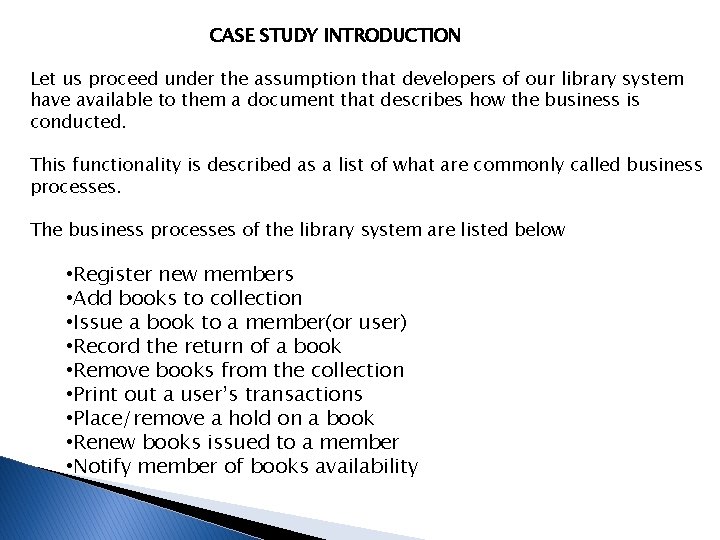
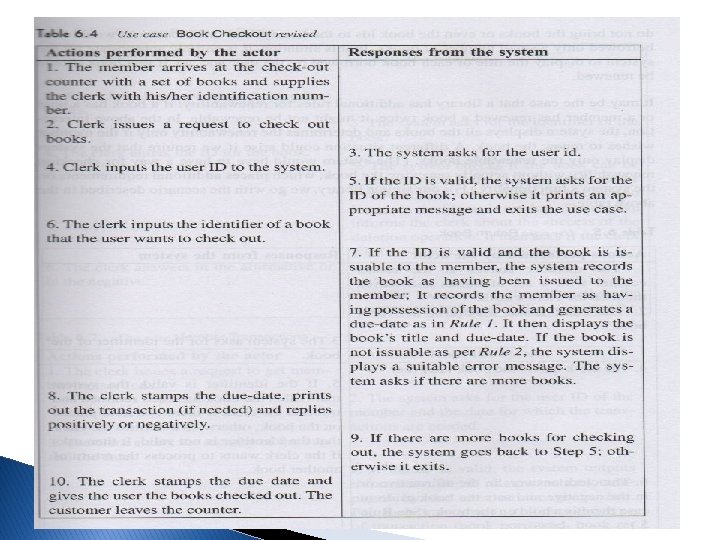
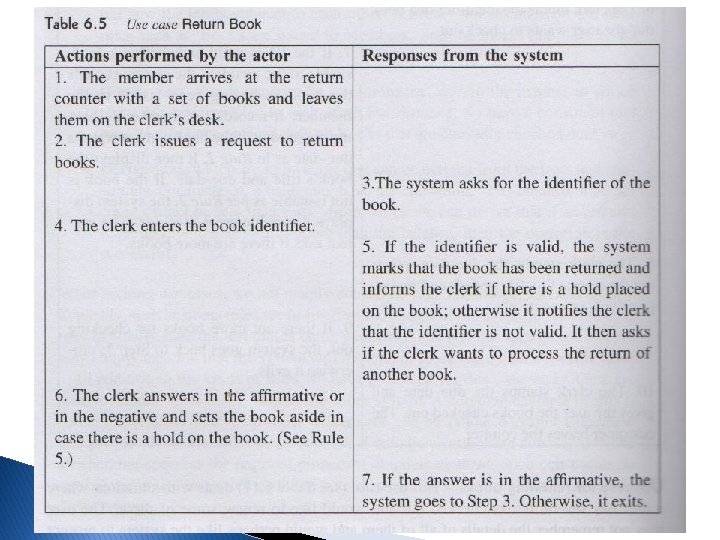
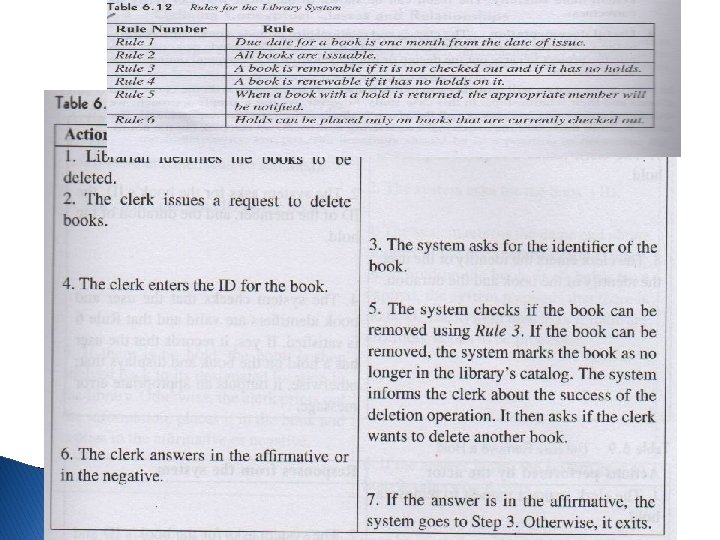
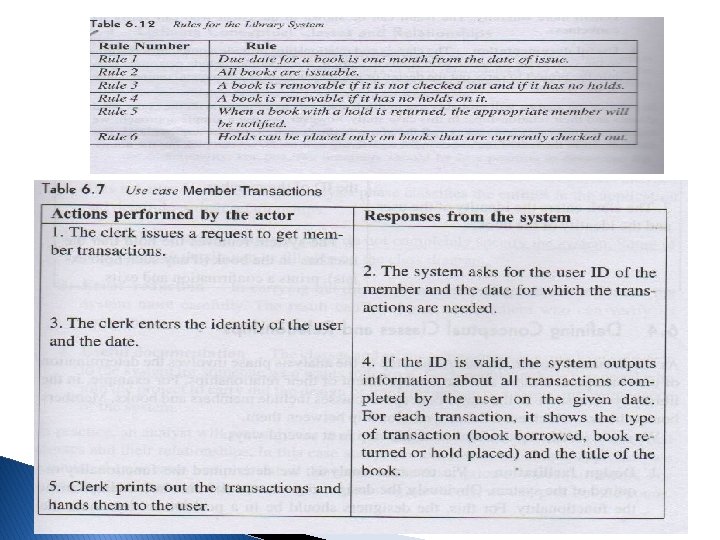
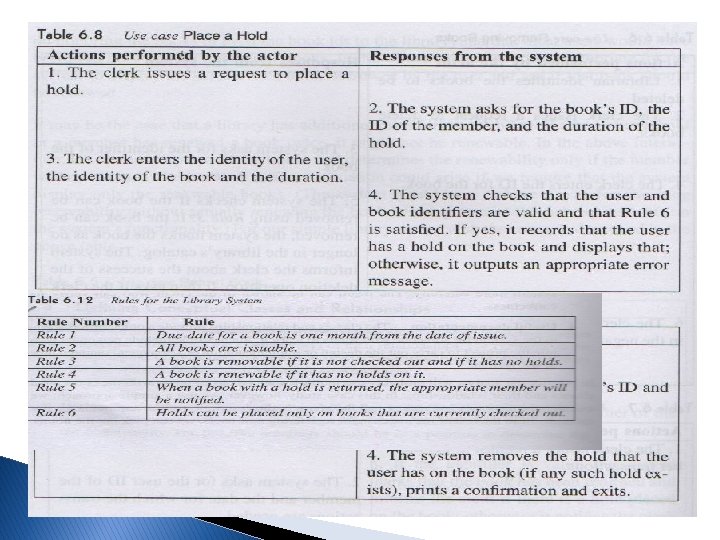
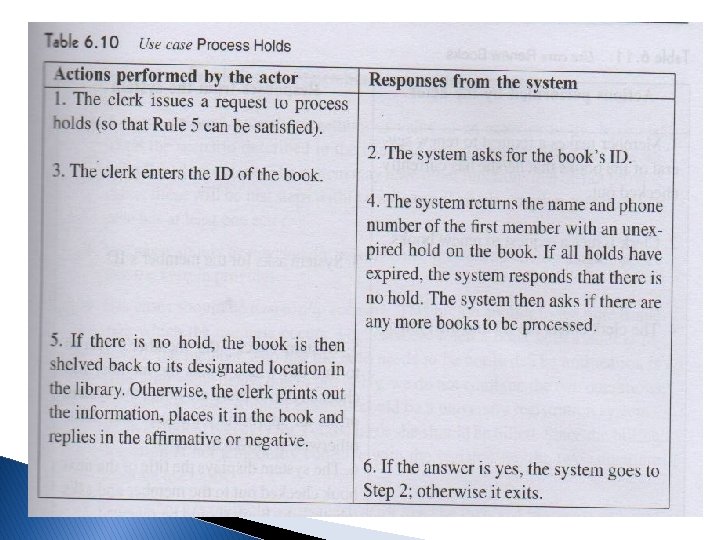
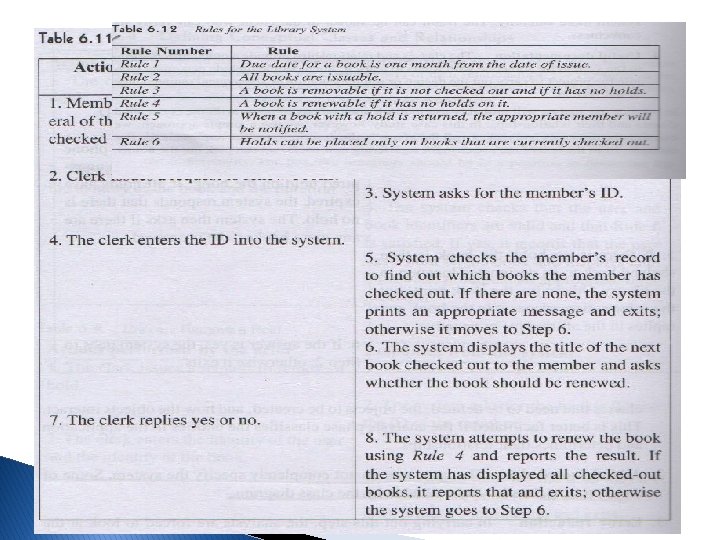
CASE STUDY INTRODUCTION Let us proceed under the assumption that developers of our library system have available to them a document that describes how the business is conducted. This functionality is described as a list of what are commonly called business processes. The business processes of the library system are listed below • Register new members • Add books to collection • Issue a book to a member(or user) • Record the return of a book • Remove books from the collection • Print out a user’s transactions • Place/remove a hold on a book • Renew books issued to a member • Notify member of books availability
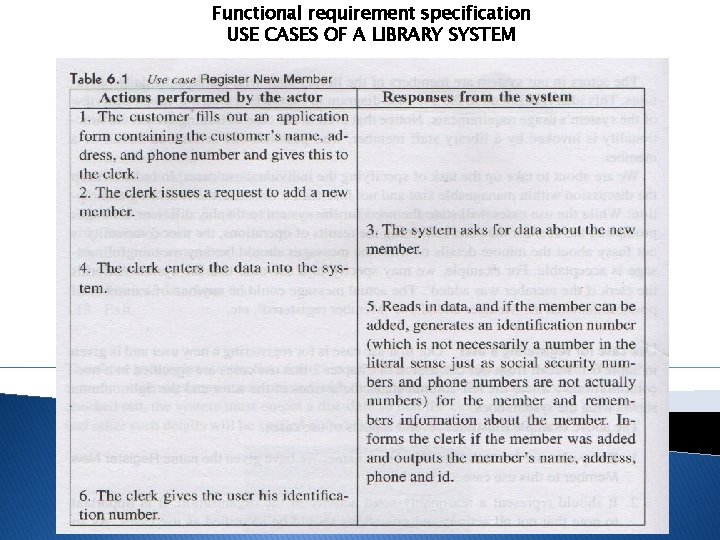
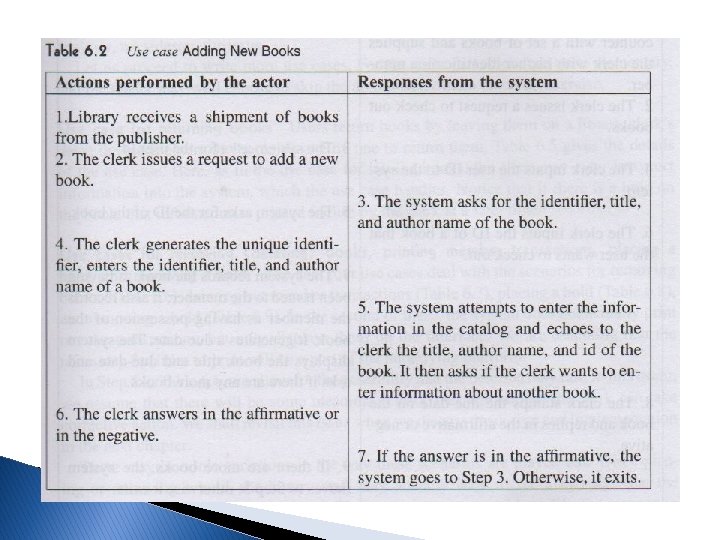
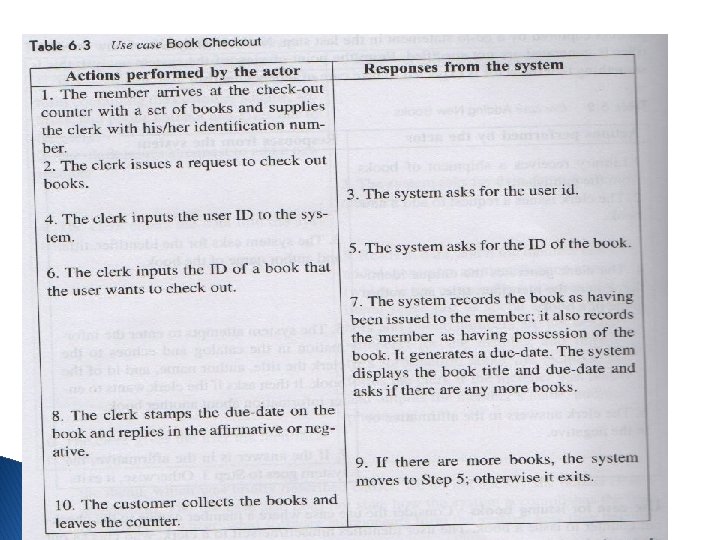
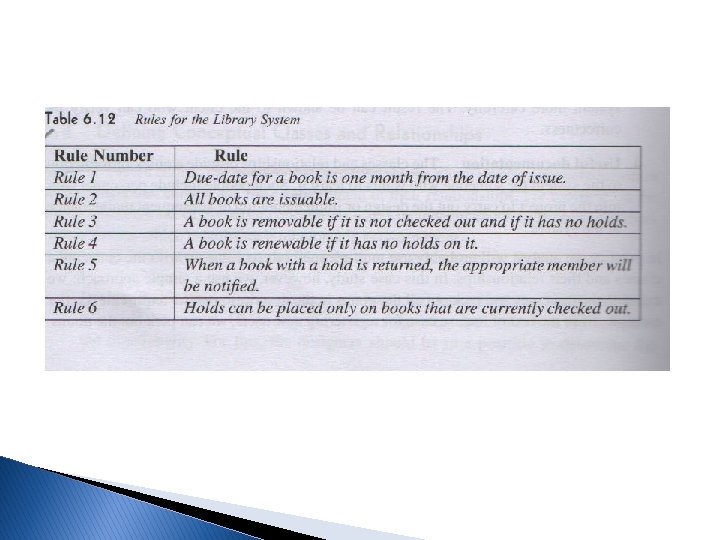
Functional requirement specification USE CASES OF A LIBRARY SYSTEM
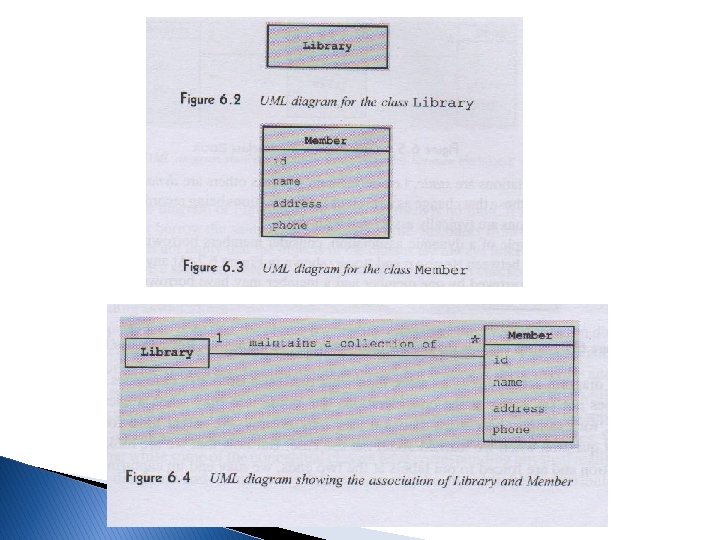
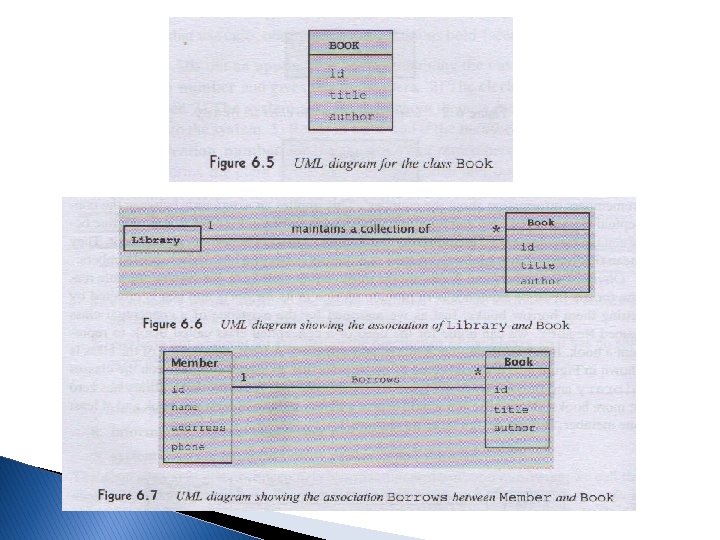
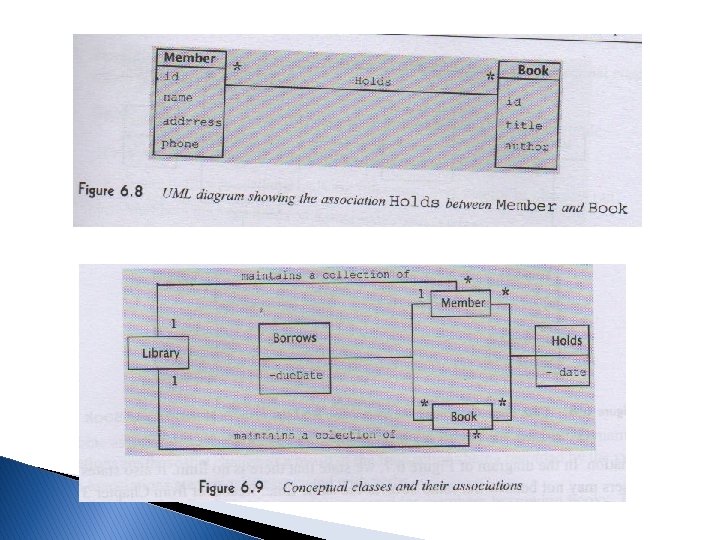
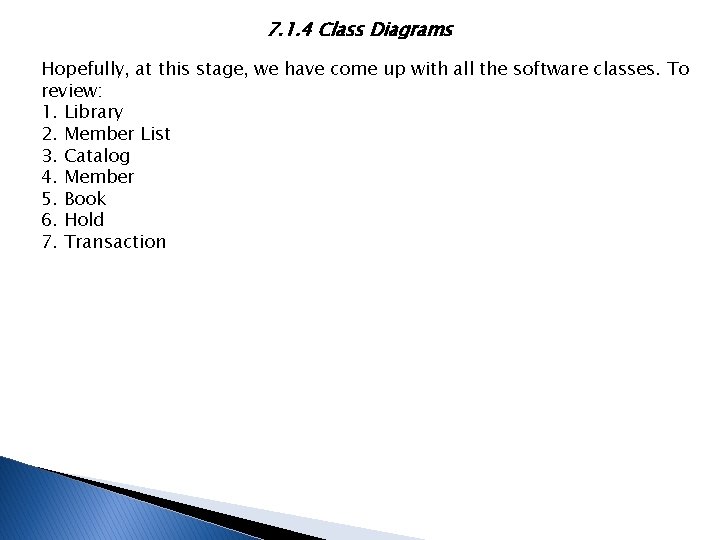
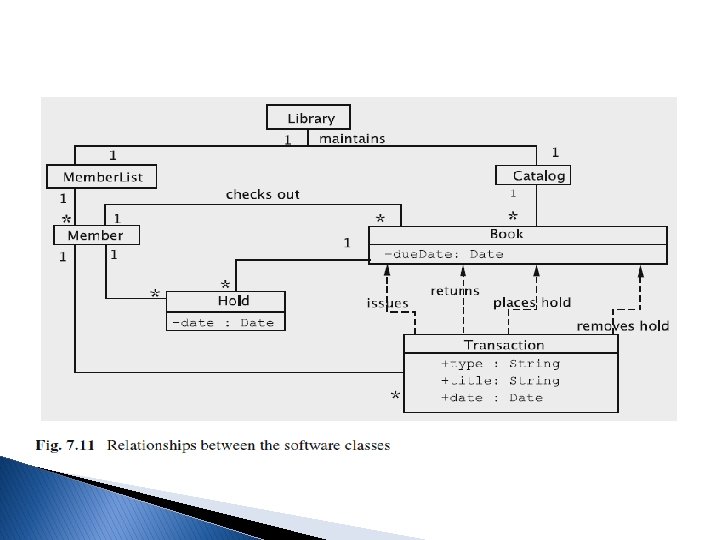
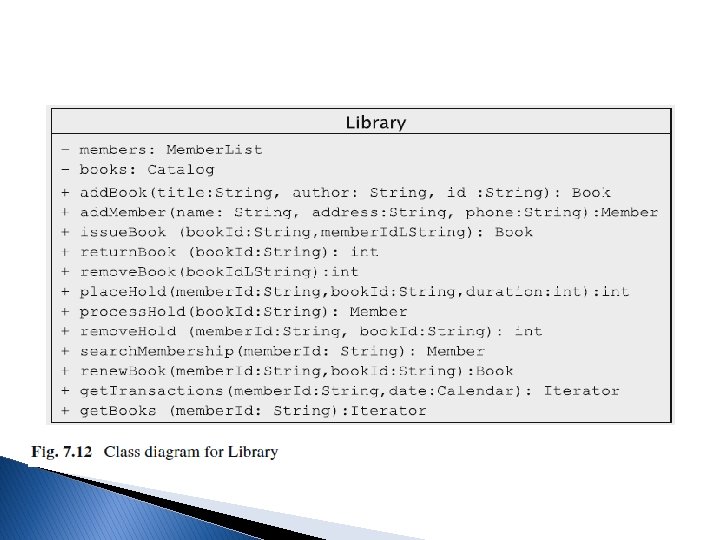
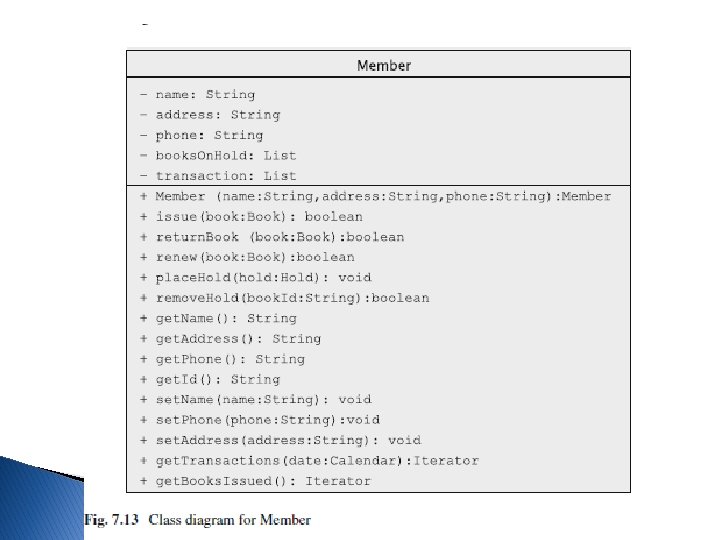
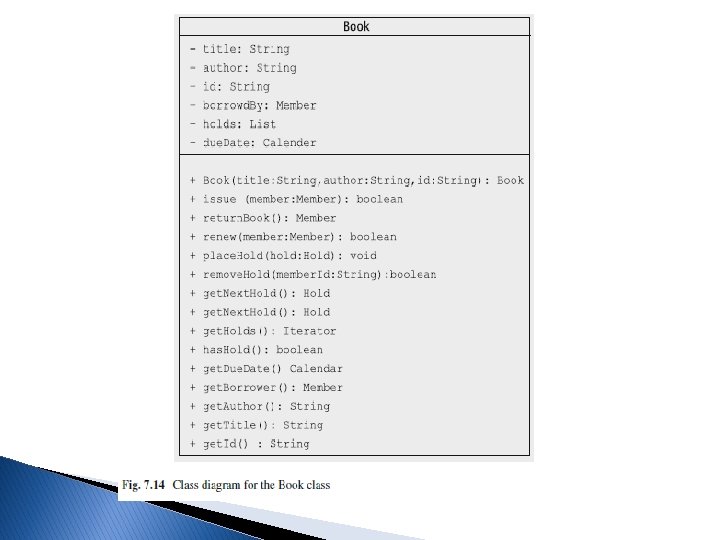
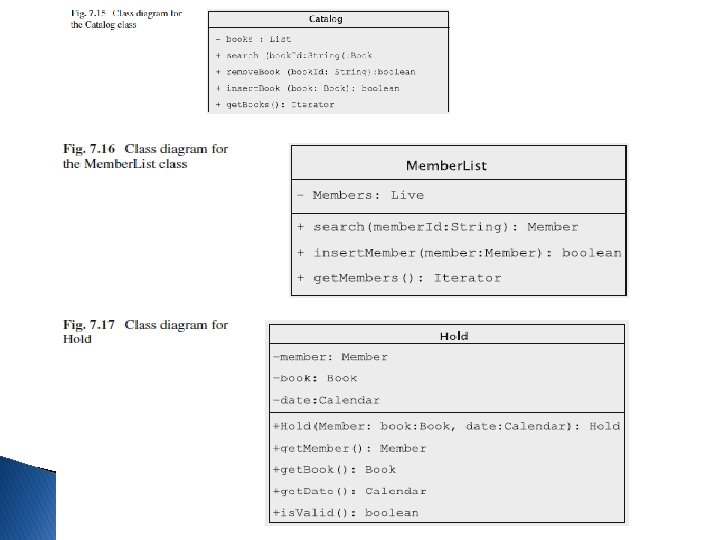
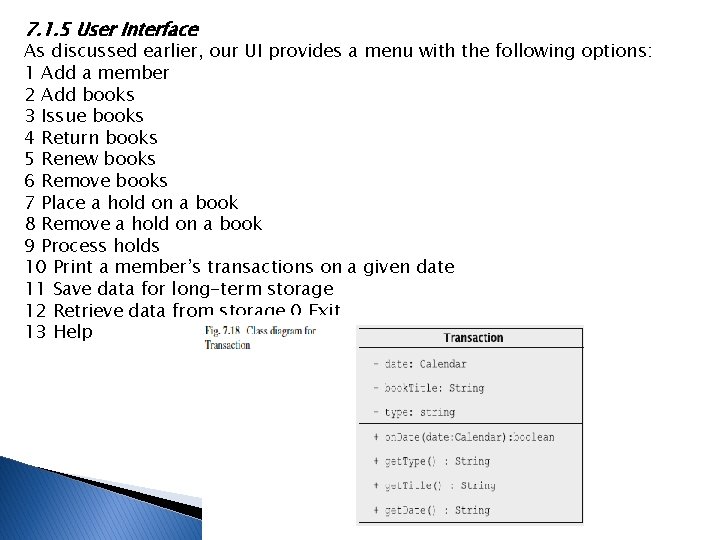
7. 1. 4 Class Diagrams Hopefully, at this stage, we have come up with all the software classes. To review: 1. Library 2. Member List 3. Catalog 4. Member 5. Book 6. Hold 7. Transaction
7. 1. 5 User Interface As discussed earlier, our UI provides a menu with the following options: 1 Add a member 2 Add books 3 Issue books 4 Return books 5 Renew books 6 Remove books 7 Place a hold on a book 8 Remove a hold on a book 9 Process holds 10 Print a member’s transactions on a given date 11 Save data for long-term storage 12 Retrieve data from storage 0 Exit 13 Help
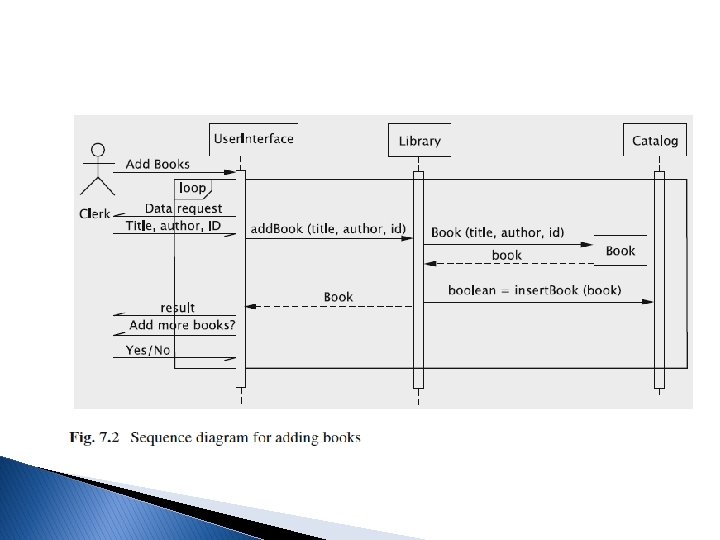
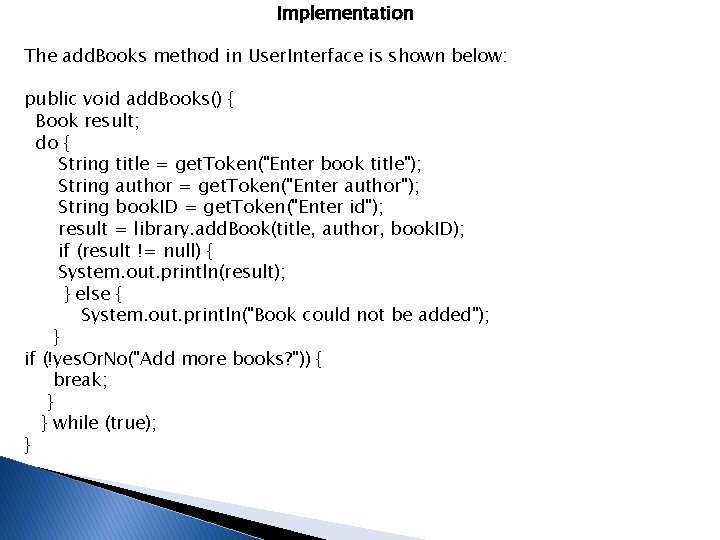
Implementation The add. Books method in User. Interface is shown below: public void add. Books() { Book result; do { String title = get. Token("Enter book title"); String author = get. Token("Enter author"); String book. ID = get. Token("Enter id"); result = library. add. Book(title, author, book. ID); if (result != null) { System. out. println(result); } else { System. out. println("Book could not be added"); } if (!yes. Or. No("Add more books? ")) { break; } } while (true); }
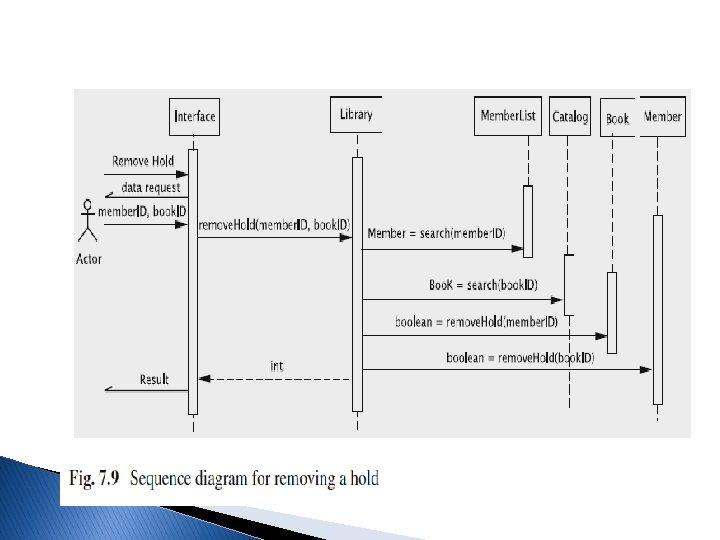
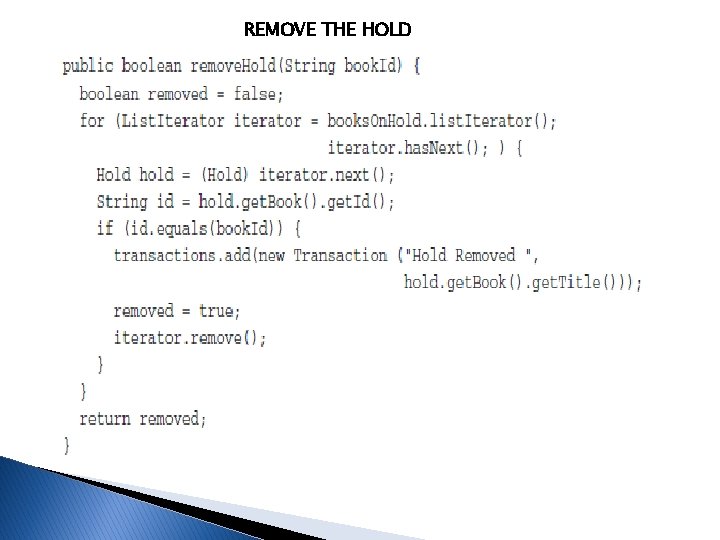
REMOVE THE HOLD
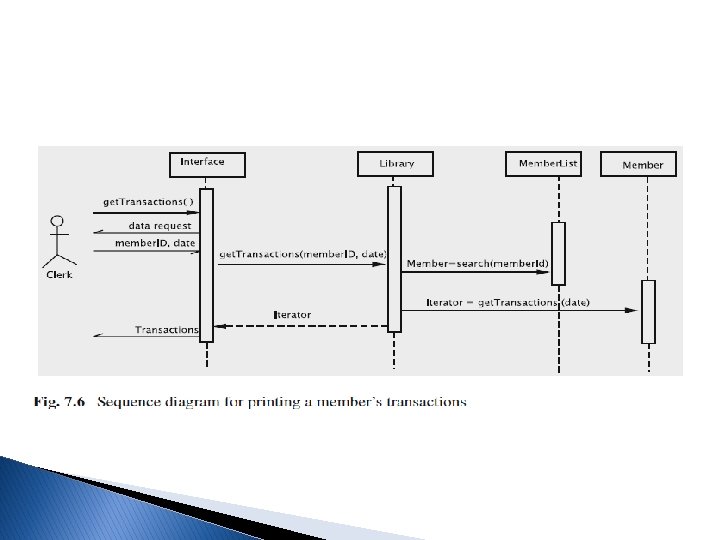
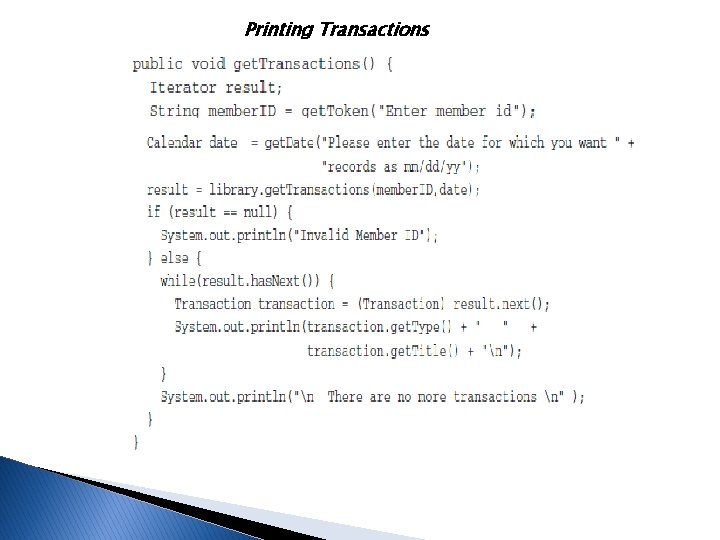
Printing Transactions
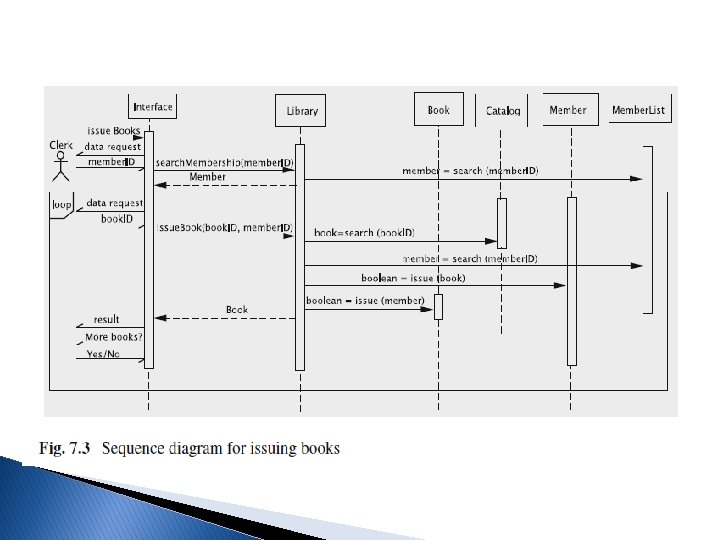
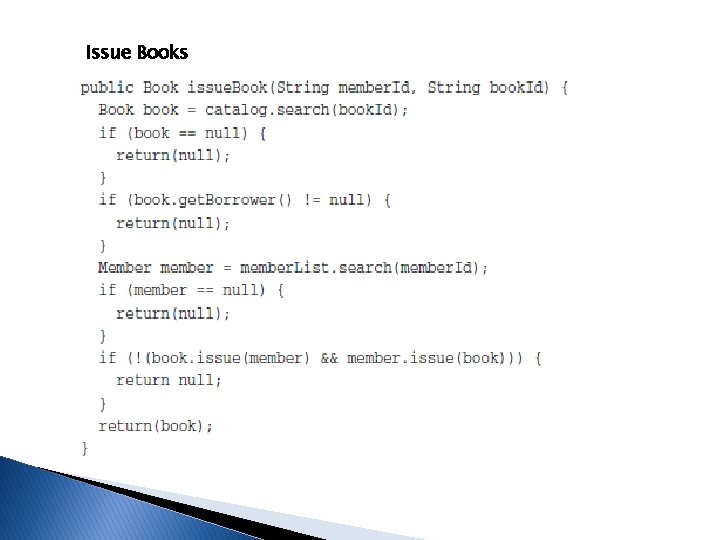
Issue Books
Discussion and Further Reading Building a Commercially Acceptable System • Additional features can be easily added: • Allowing for variability among kinds of books/members: • Having a more sophisticated interface: • Allowing remote access: