
Case management overview What is a case A
- Slides: 17
Case management overview
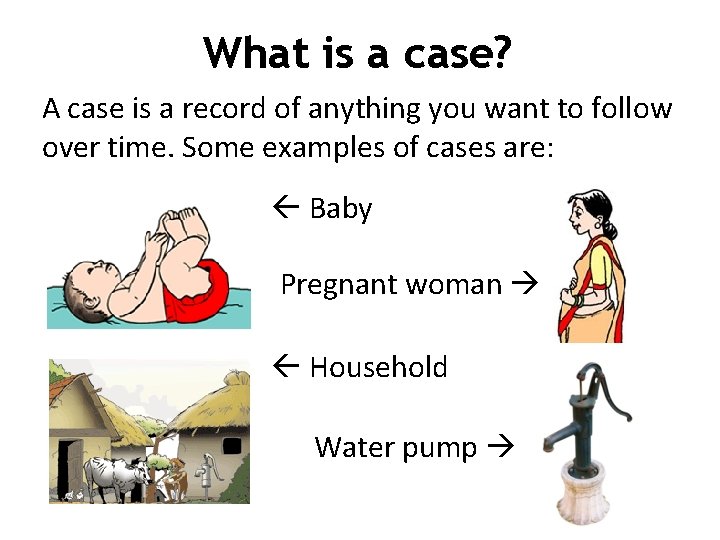
What is a case? A case is a record of anything you want to follow over time. Some examples of cases are: ß Baby Pregnant woman ß Household Water pump
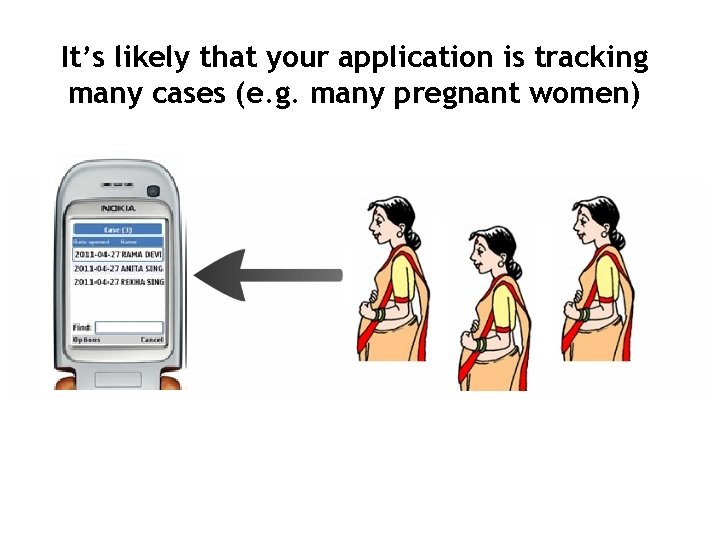
It’s likely that your application is tracking many cases (e. g. many pregnant women)
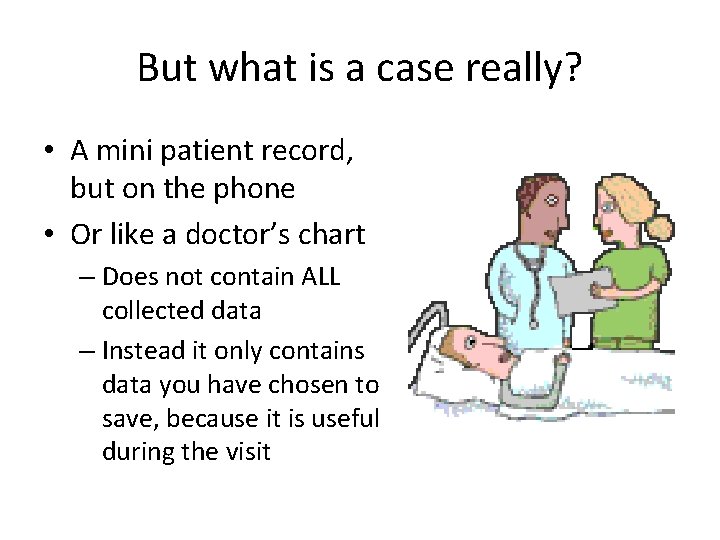
But what is a case really? • A mini patient record, but on the phone • Or like a doctor’s chart – Does not contain ALL collected data – Instead it only contains data you have chosen to save, because it is useful during the visit
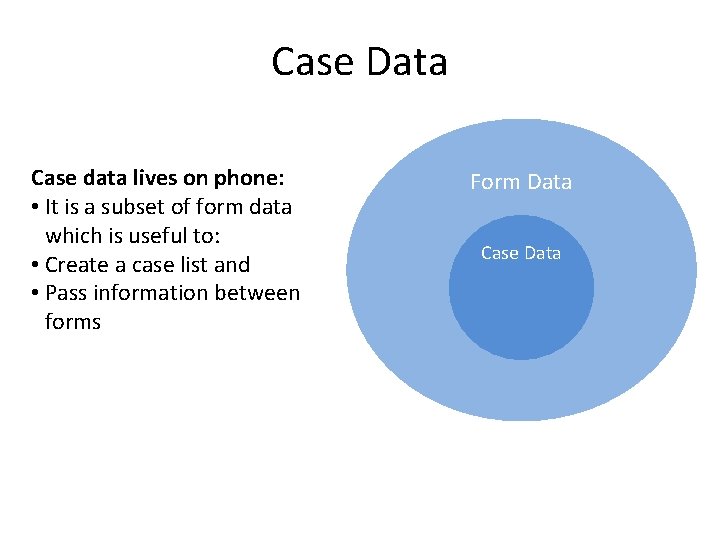
Case Data Case data lives on phone: • It is a subset of form data which is useful to: • Create a case list and • Pass information between forms Form Data Case Data
Let’s Get Technical What this looks like in Comm. Care. HQ’s App Builder
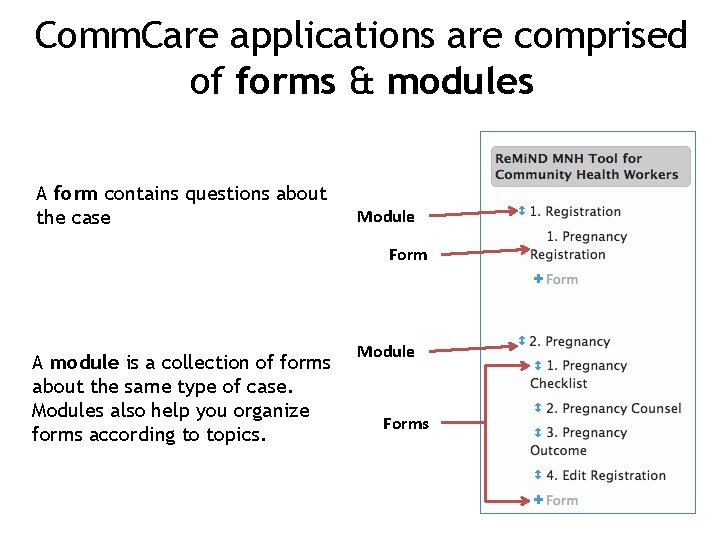
Comm. Care applications are comprised of forms & modules A form contains questions about the case Module Form A module is a collection of forms about the same type of case. Modules also help you organize forms according to topics. Module Forms
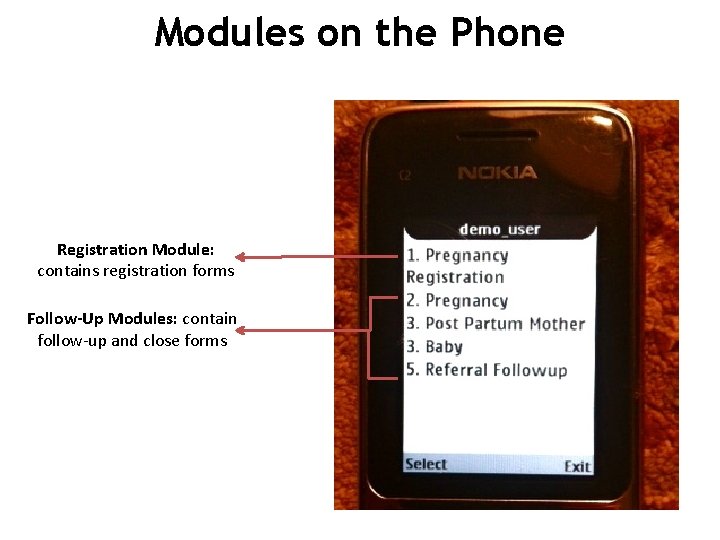
Modules on the Phone Registration Module: contains registration forms Follow-Up Modules: contain follow-up and close forms
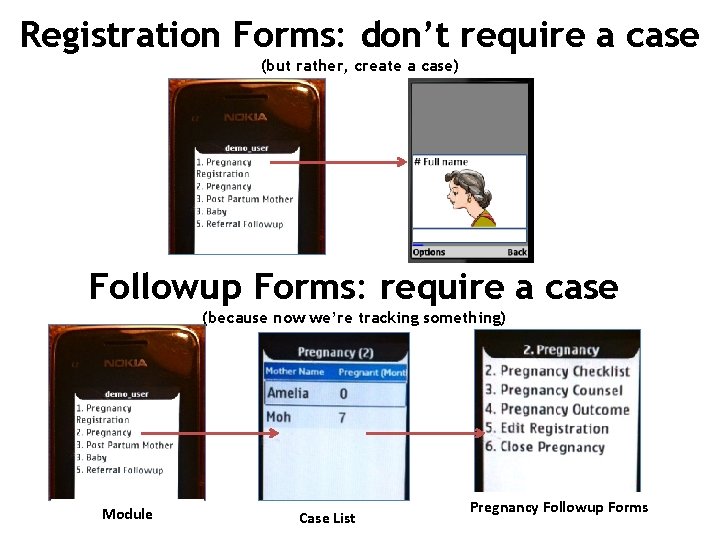
Registration Forms: don’t require a case (but rather, create a case) Followup Forms: require a case (because now we’re tracking something) Module Case List Pregnancy Followup Forms
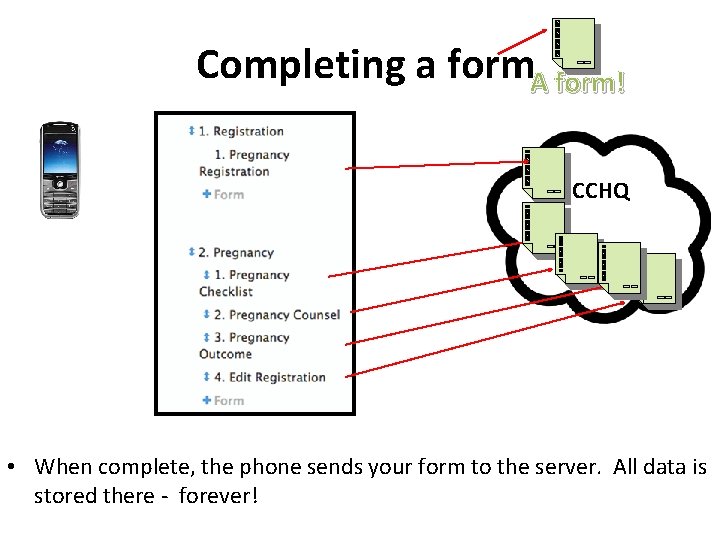
Completing a form. A form! CCHQ • When complete, the phone sends your form to the server. All data is stored there - forever!
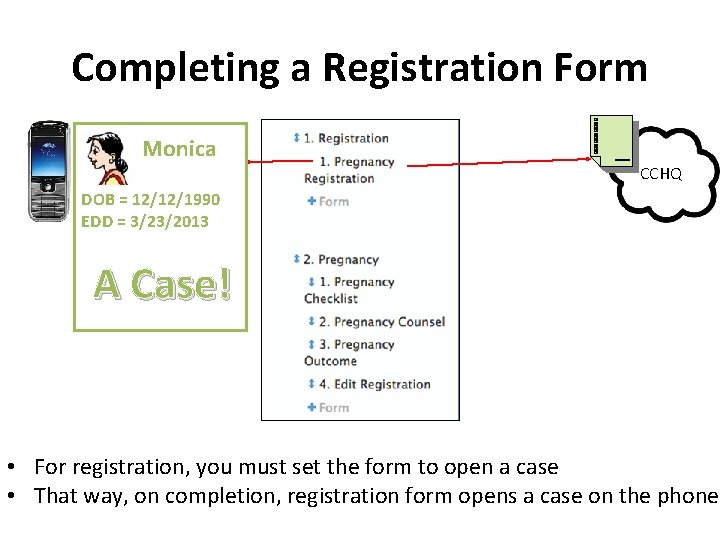
Completing a Registration Form Monica CCHQ DOB = 12/12/1990 EDD = 3/23/2013 A Case! • For registration, you must set the form to open a case • That way, on completion, registration form opens a case on the phone
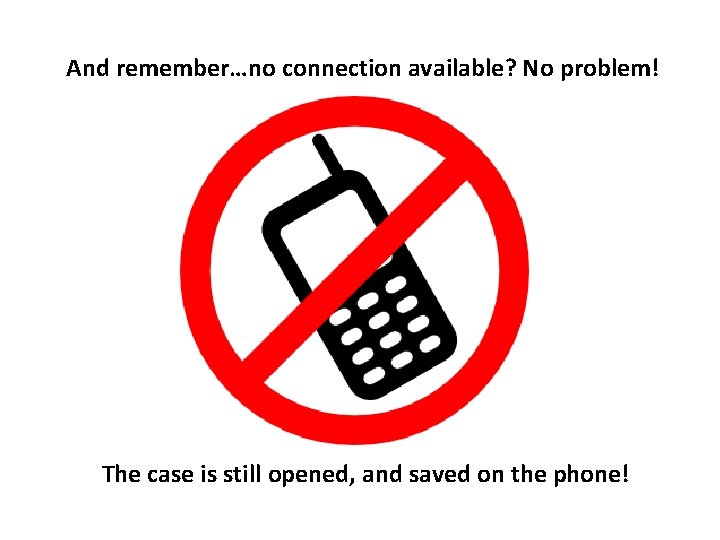
And remember…no connection available? No problem! The case is still opened, and saved on the phone!
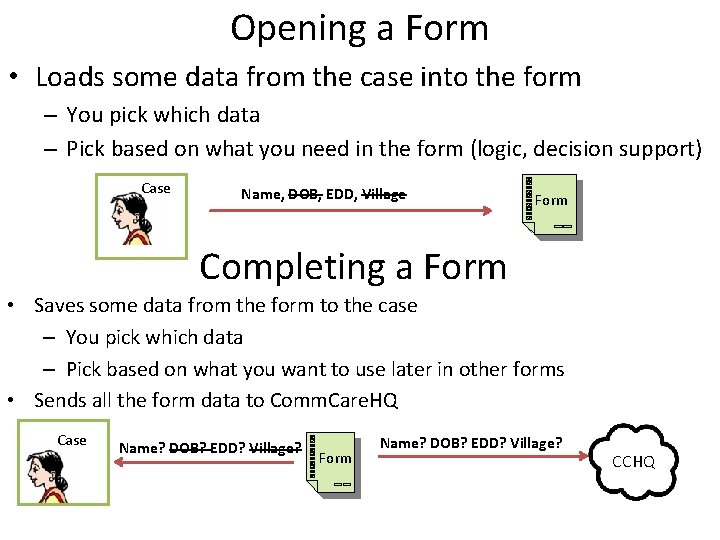
Opening a Form • Loads some data from the case into the form – You pick which data – Pick based on what you need in the form (logic, decision support) Case Name, DOB, EDD, Village Form Completing a Form • Saves some data from the form to the case – You pick which data – Pick based on what you want to use later in other forms • Sends all the form data to Comm. Care. HQ Case Name? DOB? EDD? Village? Form Name? DOB? EDD? Village? CCHQ
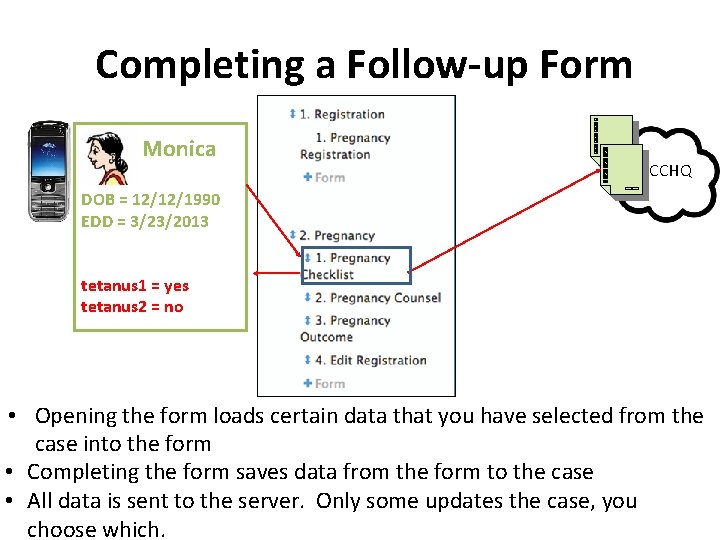
Completing a Follow-up Form Monica CCHQ DOB = 12/12/1990 EDD = 3/23/2013 tetanus 1 = yes tetanus 2 = no • Opening the form loads certain data that you have selected from the case into the form • Completing the form saves data from the form to the case • All data is sent to the server. Only some updates the case, you choose which.
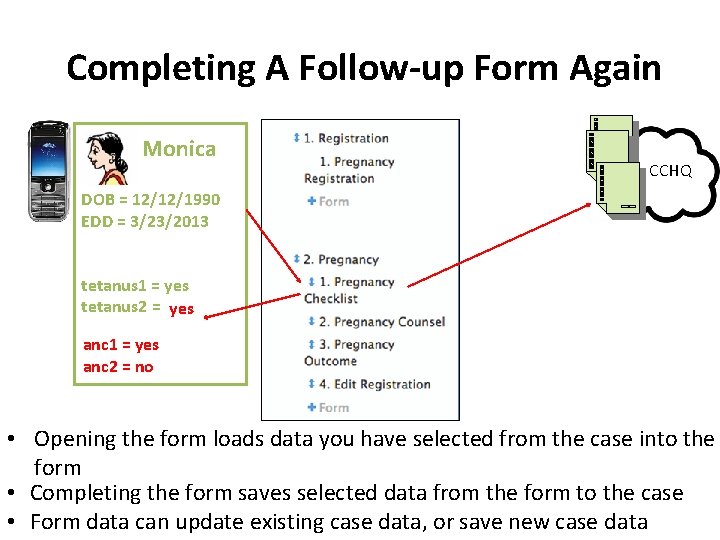
Completing A Follow-up Form Again Monica CCHQ DOB = 12/12/1990 EDD = 3/23/2013 tetanus 1 = yes tetanus 2 = no yes anc 1 = yes anc 2 = no • Opening the form loads data you have selected from the case into the form • Completing the form saves selected data from the form to the case • Form data can update existing case data, or save new case data
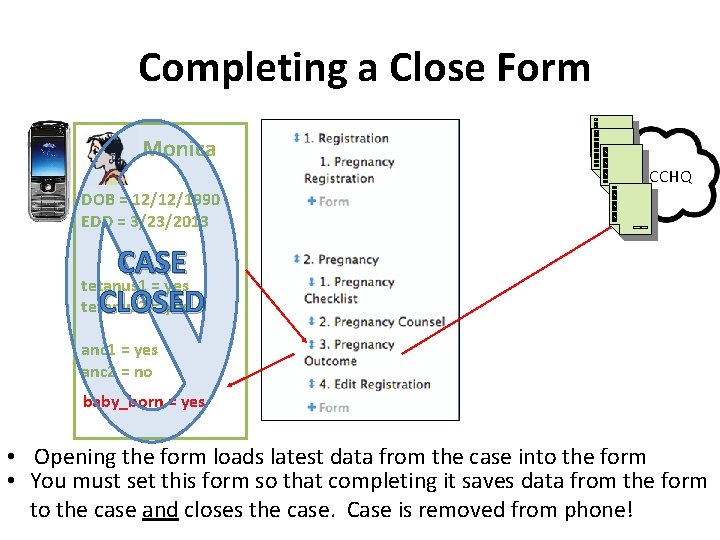
Completing a Close Form Monica CCHQ DOB = 12/12/1990 EDD = 3/23/2013 CASE tetanus 1 = yes CLOSED tetanus 2 = yes anc 1 = yes anc 2 = no baby_born = yes • Opening the form loads latest data from the case into the form • You must set this form so that completing it saves data from the form to the case and closes the case. Case is removed from phone!
Questions?