
Card File Tips Tricks For Patient Management NSS

- Slides: 18
Card File: Tips & Tricks For Patient Management (NSS & RSC) Presented by: Peter Kornbrust, MS, RD, Senior Implementation Manager, CBORD 1 | CBORD 2018 User Group Conference | Presentation
Overview • The Card File stores the patient data used by Nutrition Service Suite and Room Service Choice. • In this session, you will learn how to grant staff members access to this data, along with the related settings in the Card File. • Each tab in the Card File will be reviewed to provide a better understanding of how the data may be used on other screens and reports. 2 | CBORD 2018 User Group Conference | Presentation
Agenda • Security Administrator • Settings Related to Card File • Searching Card File • Overview of Card File • Tabs in Card File • Notes Fields • Summary 3 | CBORD 2018 User Group Conference | Presentation
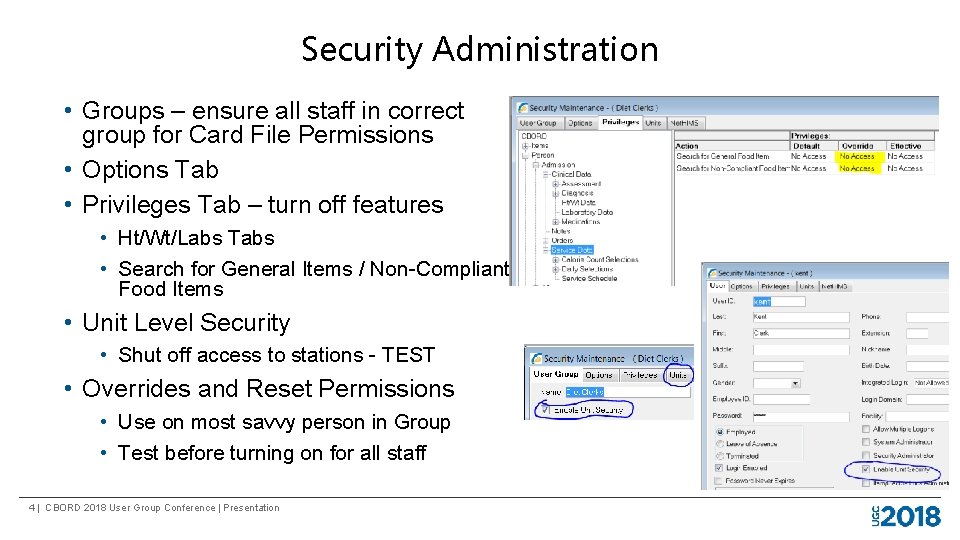
Security Administration • Groups – ensure all staff in correct group for Card File Permissions • Options Tab • Privileges Tab – turn off features • Ht/Wt/Labs Tabs • Search for General Items / Non-Compliant Food Items • Unit Level Security • Shut off access to stations - TEST • Overrides and Reset Permissions • Use on most savvy person in Group • Test before turning on for all staff 4 | CBORD 2018 User Group Conference | Presentation
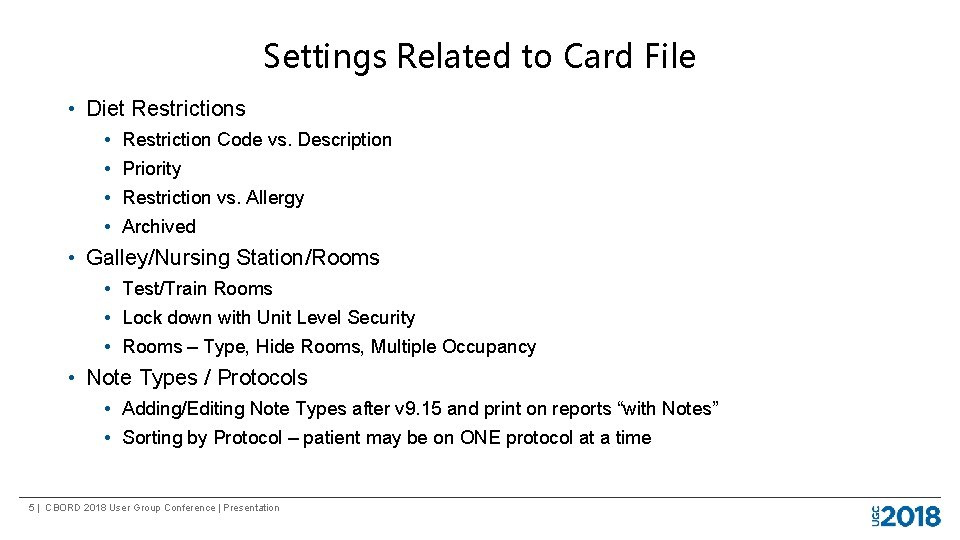
Settings Related to Card File • Diet Restrictions • • Restriction Code vs. Description Priority Restriction vs. Allergy Archived • Galley/Nursing Station/Rooms • Test/Train Rooms • Lock down with Unit Level Security • Rooms – Type, Hide Rooms, Multiple Occupancy • Note Types / Protocols • Adding/Editing Note Types after v 9. 15 and print on reports “with Notes” • Sorting by Protocol – patient may be on ONE protocol at a time 5 | CBORD 2018 User Group Conference | Presentation
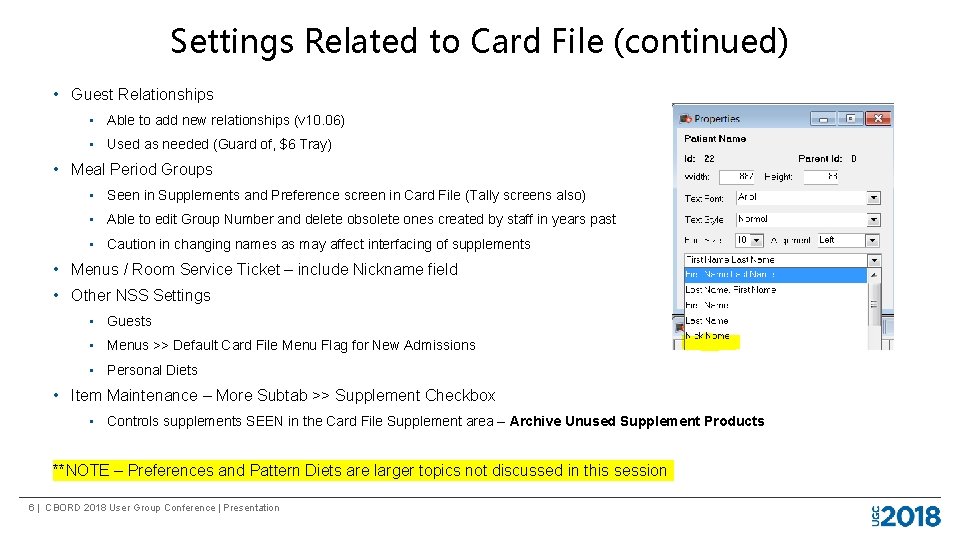
Settings Related to Card File (continued) • Guest Relationships • Able to add new relationships (v 10. 06) • Used as needed (Guard of, $6 Tray) • Meal Period Groups • Seen in Supplements and Preference screen in Card File (Tally screens also) • Able to edit Group Number and delete obsolete ones created by staff in years past • Caution in changing names as may affect interfacing of supplements • Menus / Room Service Ticket – include Nickname field • Other NSS Settings • Guests • Menus >> Default Card File Menu Flag for New Admissions • Personal Diets • Item Maintenance – More Subtab >> Supplement Checkbox • Controls supplements SEEN in the Card File Supplement area – Archive Unused Supplement Products **NOTE – Preferences and Pattern Diets are larger topics not discussed in this session 6 | CBORD 2018 User Group Conference | Presentation
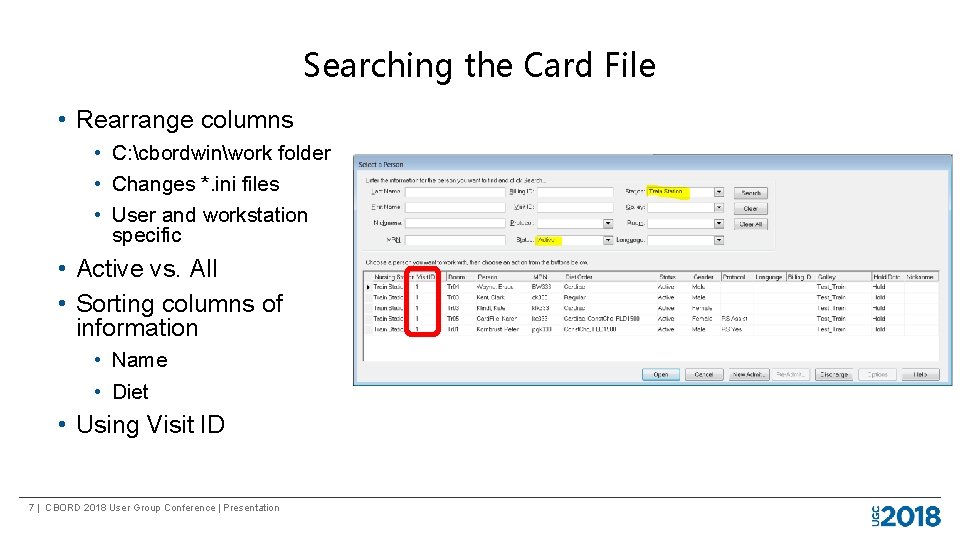
Searching the Card File • Rearrange columns • C: cbordwinwork folder • Changes *. ini files • User and workstation specific • Active vs. All • Sorting columns of information • Name • Diet • Using Visit ID 7 | CBORD 2018 User Group Conference | Presentation
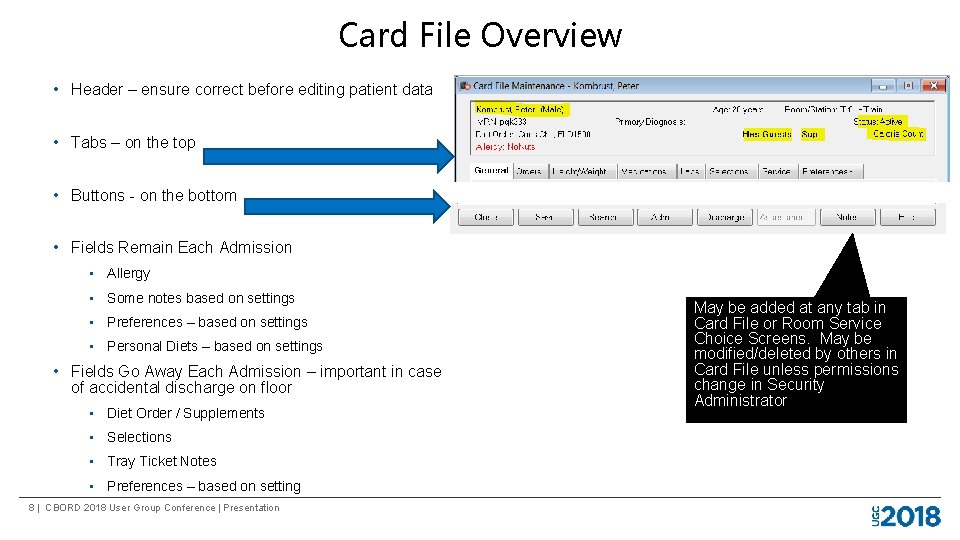
Card File Overview • Header – ensure correct before editing patient data • Tabs – on the top • Buttons - on the bottom • Fields Remain Each Admission • Allergy • Some notes based on settings • Preferences – based on settings • Personal Diets – based on settings • Fields Go Away Each Admission – important in case of accidental discharge on floor • Diet Order / Supplements • Selections • Tray Ticket Notes • Preferences – based on setting 8 | CBORD 2018 User Group Conference | Presentation May be added at any tab in Card File or Room Service Choice Screens. May be modified/deleted by others in Card File unless permissions change in Security Administrator
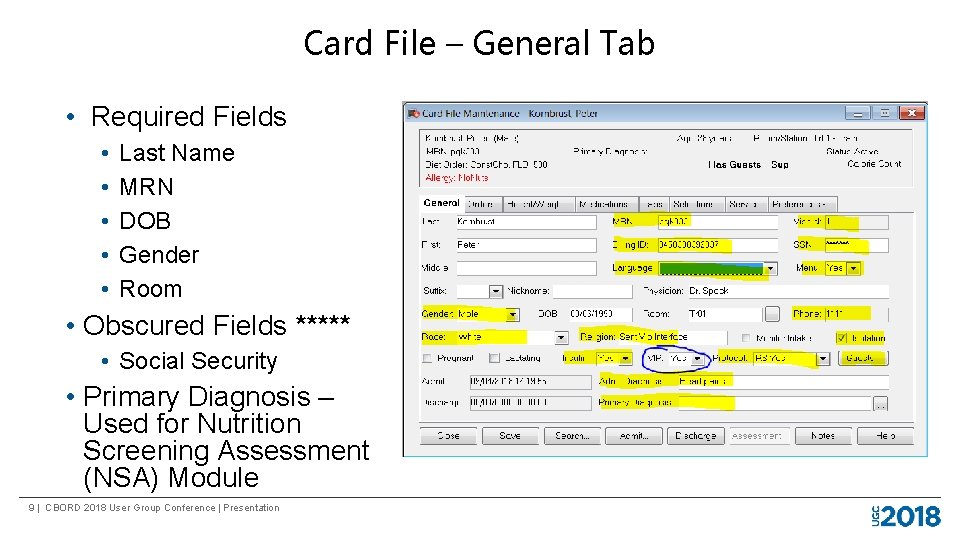
Card File – General Tab • Required Fields • • • Last Name MRN DOB Gender Room • Obscured Fields ***** • Social Security • Primary Diagnosis – Used for Nutrition Screening Assessment (NSA) Module 9 | CBORD 2018 User Group Conference | Presentation
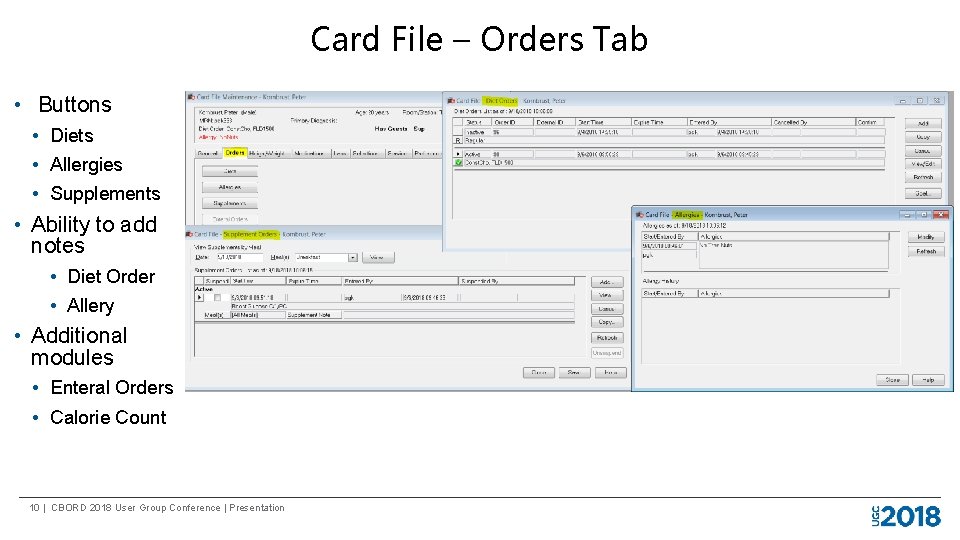
Card File – Orders Tab • Buttons • Diets • Allergies • Supplements • Ability to add notes • Diet Order • Allery • Additional modules • Enteral Orders • Calorie Count 10 | CBORD 2018 User Group Conference | Presentation
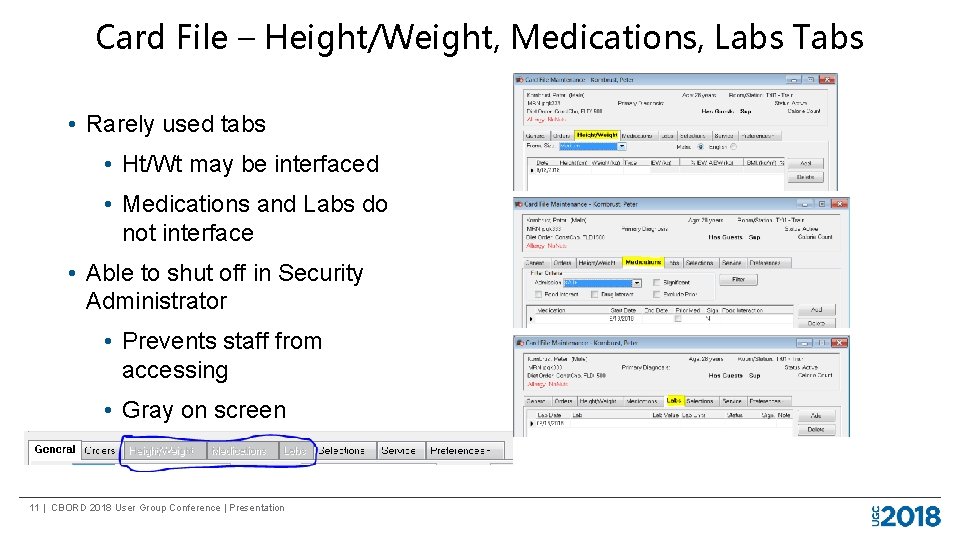
Card File – Height/Weight, Medications, Labs Tabs • Rarely used tabs • Ht/Wt may be interfaced • Medications and Labs do not interface • Able to shut off in Security Administrator • Prevents staff from accessing • Gray on screen 11 | CBORD 2018 User Group Conference | Presentation
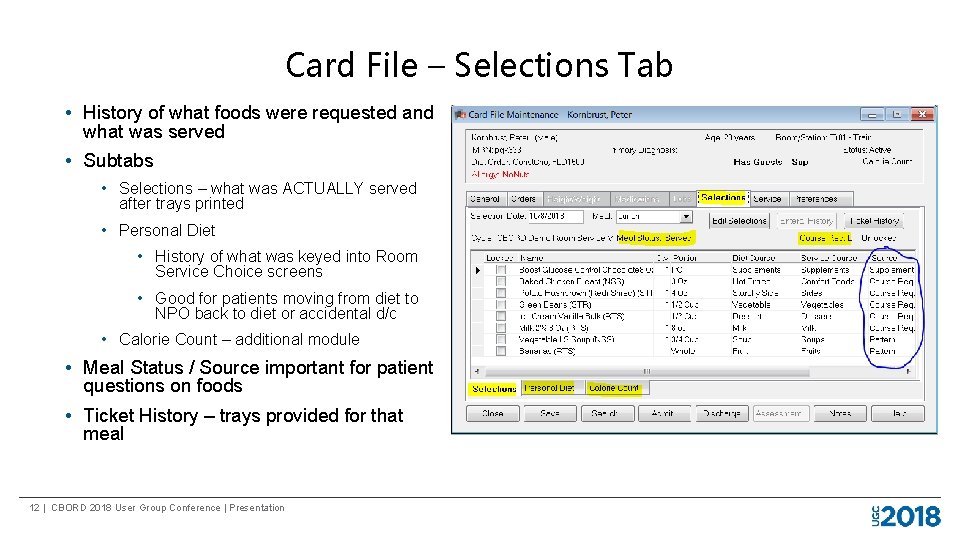
Card File – Selections Tab • History of what foods were requested and what was served • Subtabs • Selections – what was ACTUALLY served after trays printed • Personal Diet • History of what was keyed into Room Service Choice screens • Good for patients moving from diet to NPO back to diet or accidental d/c • Calorie Count – additional module • Meal Status / Source important for patient questions on foods • Ticket History – trays provided for that meal 12 | CBORD 2018 User Group Conference | Presentation
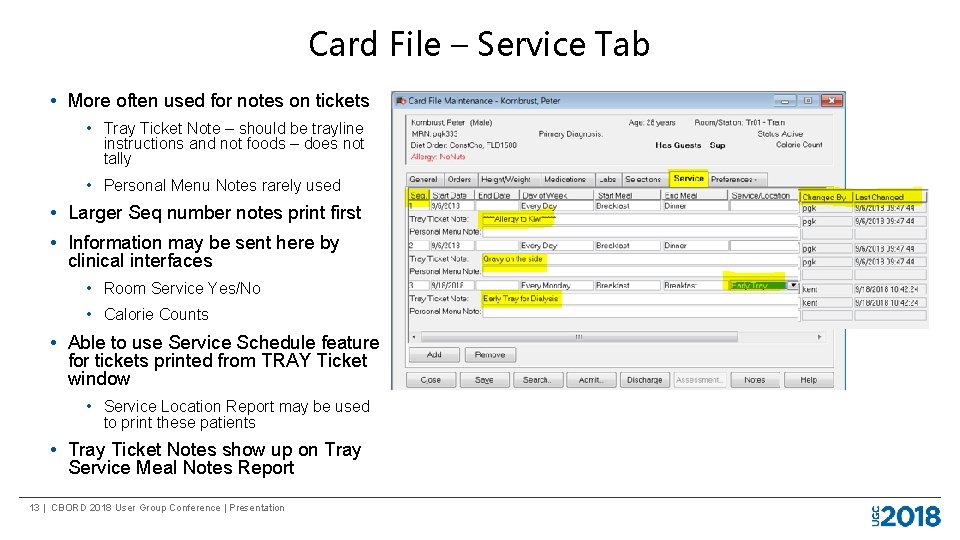
Card File – Service Tab • More often used for notes on tickets • Tray Ticket Note – should be trayline instructions and not foods – does not tally • Personal Menu Notes rarely used • Larger Seq number notes print first • Information may be sent here by clinical interfaces • Room Service Yes/No • Calorie Counts • Able to use Service Schedule feature for tickets printed from TRAY Ticket window • Service Location Report may be used to print these patients • Tray Ticket Notes show up on Tray Service Meal Notes Report 13 | CBORD 2018 User Group Conference | Presentation
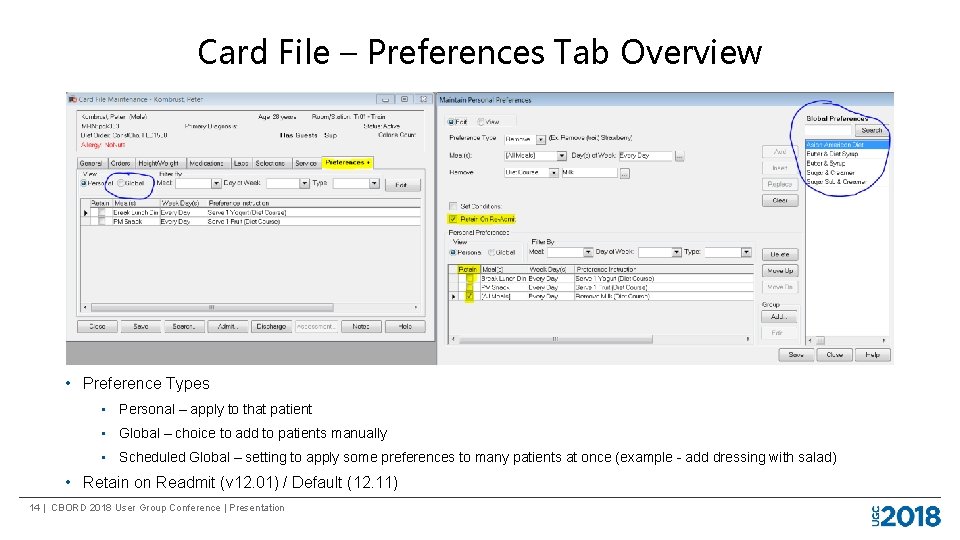
Card File – Preferences Tab Overview • Preference Types • Personal – apply to that patient • Global – choice to add to patients manually • Scheduled Global – setting to apply some preferences to many patients at once (example - add dressing with salad) • Retain on Readmit (v 12. 01) / Default (12. 11) 14 | CBORD 2018 User Group Conference | Presentation
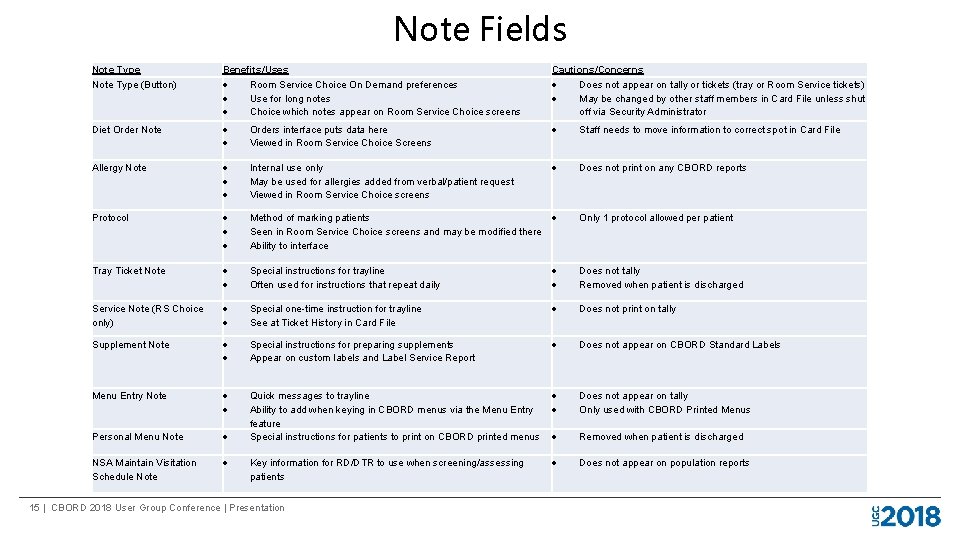
Note Fields Note Type (Button) Benefits/Uses Room Service Choice On Demand preferences Use for long notes Choice which notes appear on Room Service Choice screens Cautions/Concerns Does not appear on tally or tickets (tray or Room Service tickets) May be changed by other staff members in Card File unless shut off via Security Administrator Diet Order Note Orders interface puts data here Viewed in Room Service Choice Screens Staff needs to move information to correct spot in Card File Allergy Note Internal use only May be used for allergies added from verbal/patient request Viewed in Room Service Choice screens Does not print on any CBORD reports Protocol Method of marking patients Seen in Room Service Choice screens and may be modified there Ability to interface Only 1 protocol allowed per patient Tray Ticket Note Special instructions for trayline Often used for instructions that repeat daily Does not tally Removed when patient is discharged Service Note (RS Choice only) Special one-time instruction for trayline See at Ticket History in Card File Does not print on tally Supplement Note Special instructions for preparing supplements Appear on custom labels and Label Service Report Does not appear on CBORD Standard Labels Menu Entry Note Does not appear on tally Only used with CBORD Printed Menus Personal Menu Note Quick messages to trayline Ability to add when keying in CBORD menus via the Menu Entry feature Special instructions for patients to print on CBORD printed menus NSA Maintain Visitation Schedule Note Does not appear on population reports Key information for RD/DTR to use when screening/assessing patients 15 | CBORD 2018 User Group Conference | Presentation Removed when patient is discharged
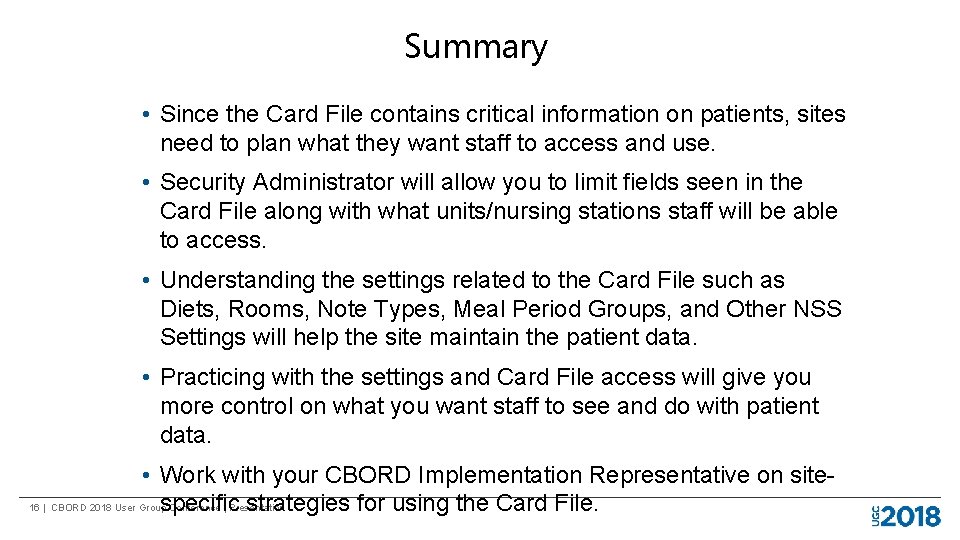
Summary • Since the Card File contains critical information on patients, sites need to plan what they want staff to access and use. • Security Administrator will allow you to limit fields seen in the Card File along with what units/nursing stations staff will be able to access. • Understanding the settings related to the Card File such as Diets, Rooms, Note Types, Meal Period Groups, and Other NSS Settings will help the site maintain the patient data. • Practicing with the settings and Card File access will give you more control on what you want staff to see and do with patient data. • Work with your CBORD Implementation Representative on site 16 | CBORD 2018 User Group Conference | Presentation specific strategies for using the Card File.
We want your feedback! Please evaluate this session in the ERMobile app. Your feedback helps us improve future sessions. Find this session in the app, and touch COMPLETE SESSION SURVEY. Thank you! 17 | CBORD 2018 User Group Conference | Presentation
18 | CBORD 2018 User Group Conference | Presentation