
Capturing and Linking Use Cases and Concerns to
- Slides: 25
Capturing and Linking Use Cases and Concerns to Rich Pictures: Catalyst. gsm. uci. edu Walt Scacchi, Ph. D. Systems Analysis and Design for ECommerce and EBusiness GSM 271/FEMBA 271 Spring 2003 9/10/2020 1
Use Case Review A Use Case tells a story of reaching a goal, or a set of stories about reaching or failing. 9/10/2020 2
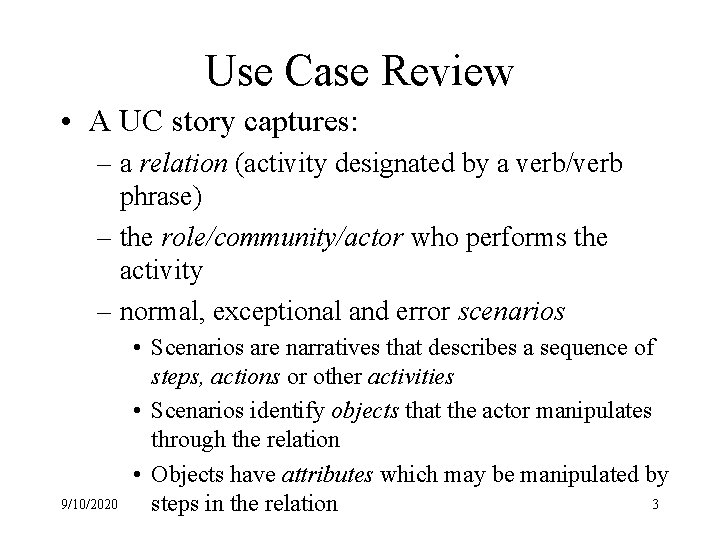
Use Case Review • A UC story captures: – a relation (activity designated by a verb/verb phrase) – the role/community/actor who performs the activity – normal, exceptional and error scenarios 9/10/2020 • Scenarios are narratives that describes a sequence of steps, actions or other activities • Scenarios identify objects that the actor manipulates through the relation • Objects have attributes which may be manipulated by 3 steps in the relation
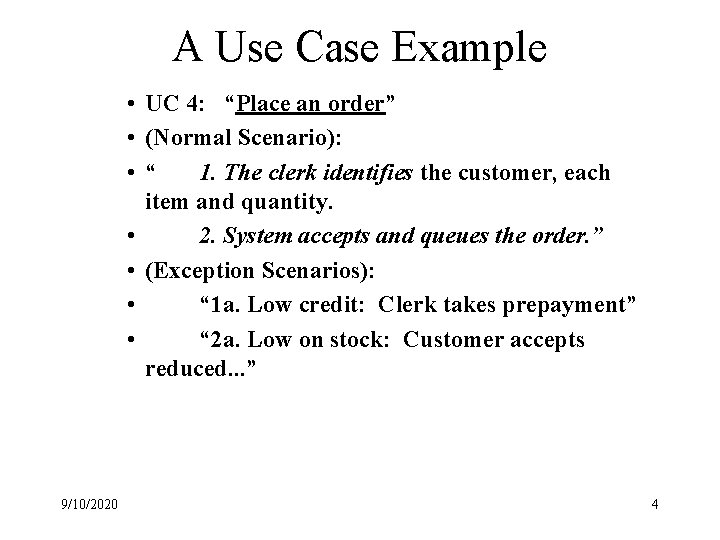
A Use Case Example • UC 4: “Place an order” • (Normal Scenario): • “ 1. The clerk identifies the customer, each item and quantity. • 2. System accepts and queues the order. ” • (Exception Scenarios): • “ 1 a. Low credit: Clerk takes prepayment” • “ 2 a. Low on stock: Customer accepts reduced. . . ” 9/10/2020 4
Use Case Example in detail • “Place an order” -- the relation as a verb phrase • “Clerk”, “Customer” and “System” are the actors • “Order” (as in purchase_order) is an object manipulated by the clerk and system – Order has attributes: “customer-identifier”, “item”, “quantity”, “credit-status”, etc. 9/10/2020 5
Format for Capturing a Use Case • UC Identifier (a verb phrase identifying the relation) • Scenarios • (Optional--extra credit) Use Case Diagram – Items specific to the relation extracted from the Rich Picture – UML has a modeling/diagramming construct called a “Use Case Diagram”, which is a more primitive subset of a Rich Picture. – Search for details Use Case Diagram on the Web 9/10/2020 6
Use Case Examples for a Corporate Portal: Catalyst. gsm. uci. edu 9/10/2020 7
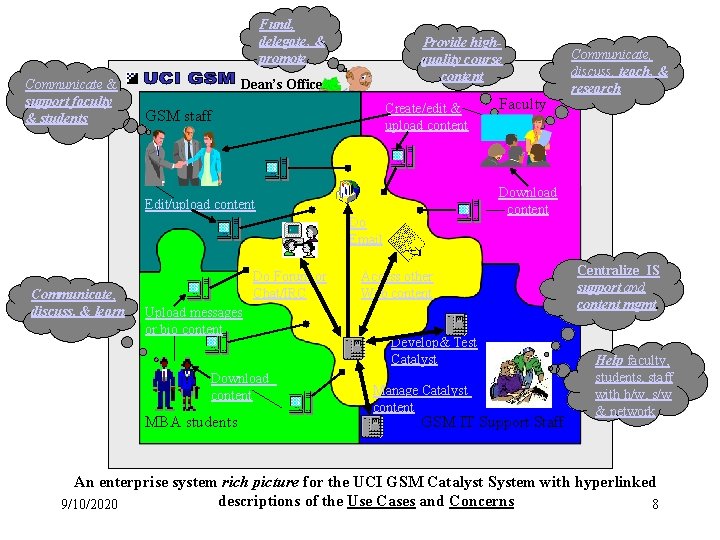
Fund, delegate, & promote Communicate & support faculty & students Provide highquality course content Dean’s Office Create/edit & upload content GSM staff Faculty Download content Edit/upload content Do Email Enterprise Mandala Communicate, discuss, & learn Do Forum or Chat/IRC Upload messages or bio content Download content MBA students Communicate, discuss, teach, & research Access other Web content Develop& Test Catalyst Manage Catalyst content GSM IT Support Staff Centralize IS support and content mgmt. Help faculty, students, staff with h/w, s/w & network An enterprise system rich picture for the UCI GSM Catalyst System with hyperlinked descriptions of the Use Cases and Concerns 9/10/2020 8
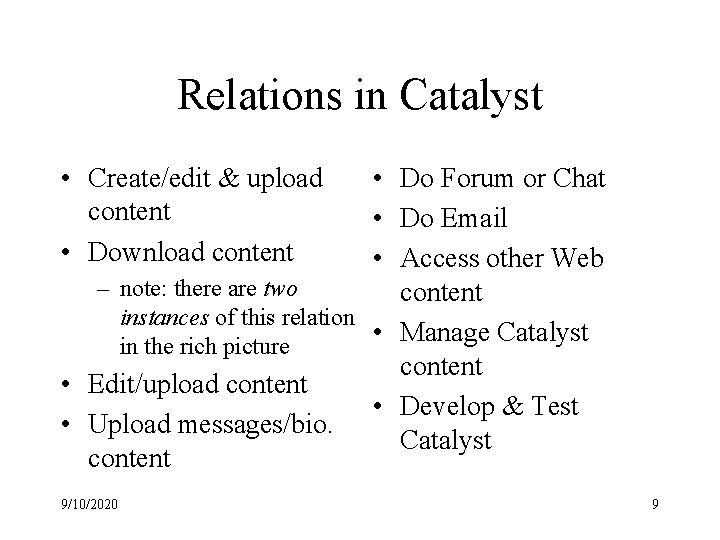
Relations in Catalyst • Create/edit & upload content • Download content • Do Forum or Chat • Do Email • Access other Web – note: there are two content instances of this relation • Manage Catalyst in the rich picture content • Edit/upload content • Develop & Test • Upload messages/bio. Catalyst content 9/10/2020 9
Do Forum or Chat • Faculty can request students in their courses to download or upload messages via a Discussion Forum or Chat • Faculty or Students can download/upload messages for sharing with other students in their course at any time. – (Exception) Faculty can remove messages from their Discussion Forums • User constraint: Messages that are deleted from a Discussion Forum cannot be retrieved • User constraint: Chat message content is not saved by Catalyst • System constraint: Discussion Forum message content may be lost if Catalyst Database is not backed-up. 9/10/2020 10
Create/edit & upload content • Faculty (authors) create (insert) new content or edit (update) existing course content • Faculty can transmit the content they create to Administrative staff for edit&upload into Catalyst, else Faculty upload their content into Catalyst • Faculty/staff can only upload one type of course content at a time into Catalyst – (Exception) Catalyst will allow existing content to be copied from one course to another without upload. • Faculty can only edit (update) content they have individually created – (Exception) Faculty may copy and paste content created by other Faculty from one part of Catalyst (“Faculty Lounge”) into their course content. • User constraint: Catalyst cannot verify if content uploaded is correct in any sense. User is responsible for correctness of content • System constraint: Catalyst will not allow content edit/upload if the Catalyst DBMS is not available 9/10/2020 11
Download content • Users (Faculty and Students) can search and download course content: – for courses Faculty have created; or – for messages or biography info. entered by Students in a course; or – (Exception) from course content designated for sharing by all Faculty (course syllabi and linked materials) • User constraint: Catalyst will not allow access to content except as allowed by GSM Dean’s policy • System constraint: Catalyst will not allow search or download of Catalyst content if Catalyst DBMS is unavailable. 9/10/2020 12
Edit/upload content • Faculty can transmit the content they create to Administrative staff (publishers) for edit&upload into Catalyst • Administrative staff can only upload one type of course content at a time into Catalyst – (Exception) Catalyst will allow existing content to be copied from one course to another without upload. • User constraint: Catalyst cannot verify if content uploaded is correct in any sense. User is responsible for correctness of content • System constraint: Catalyst will not allow content edit/upload if the Catalyst DBMS is not available 9/10/2020 13
Upload messages/bio. content • Students can download, update, then upload personal biography information for sharing with other users. • Students (end-users) can upload messages for sharing with other students in their course at any time. – (Exception): Students can send&receive email from other students via Catalyst, without uploading these messages into Catalyst • User constraint: Catalyst cannot verify if content uploaded is correct in any sense. User is responsible for correctness of content • System constraint: Catalyst will not allow content edit/upload if the Catalyst DBMS is not available 9/10/2020 14
Do Email • Any user can access internal or external email systems via Catalyst to create, upload, download, update then upload messages for other users at any time. • Catalyst does not manage email messages or message services – (Exception): Users can create, upload, download, update then upload email messages via Catalyst, without uploading these messages into Catalyst. • User constraint: Users cannot use Catalyst to manage or keep track of personal/private email messages or message content • System constraint: An email server may fail to send or receive email messages with/without notifying email users – (Exception) Email servers will notify users if sent mail cannot be delivered 9/10/2020 15
Manage Catalyst content • Developers create the representations, relations, and system components that provide users access to content managed by Catalyst. • Catalyst is used to organize, store, query, retrieve or update content that is managed by Catalyst • Catalyst uses a (relational) database management system to organize, query, retrieve or update content that is stored in its database – (Exception) Catalyst stores data that identifies content, and controls access to content, stored as files in a networked file server, or as Web-based content accessed via the Web. • User constraint: Catalyst cannot be used to store arbitrary files for end-users. • System constraint: Catalyst cannot control updates to 9/10/2020 16 external content accessed via the Web.
Develop & Test Catalyst • Developers create the representations that other users utilize to create, insert, update or delete their content. • Developers create, insert, update and delete content stored in Catalyst representations to test its properations – (Exception) Developers cannot guarantee that all functions supported by Catalyst have been tested. – (Exception) Developers cannot guarantee that all functions supported by Catalyst are re-tested every time any Catalyst function or operation is modified (updated). • User constraint: Developers expect that users will notify them if the users encounter anomalies in Catalyst usage. • System constraint: Catalyst system components may fail to operate correctly even though they have been tested. 9/10/2020 17
Access other Web content • Faculty can create content that contains Web hyperlinks • Users can select hyperlinked items – A selected item is downloaded into the User’s client if the Web server can retrieve the item. – (Exception) Users that select hyperlinked content will be disconnected from Catalyst after a certain elapsed time, unless they return to Catalyst • User constraint: Catalyst will not allow access to its content directly from the Web • System constraint: Catalyst may unexpectedly terminate a user session if a user accesses Web items that attempt to upload information into Catalyst, or launch applications unknown to Catalyst. 9/10/2020 18
GSM Administrative Staff: Communicate & support faculty & students · Communicate with Faculty and Students about the status and availability of course content · Support and assist Faculty in getting content into Catalyst for download by Students 9/10/2020 19
Dean’s Office: Fund, delegate, & promote · Fund the development, usage and maintenance of Catalyst at UCI GSM. · Delegate responsibility to manage Catalyst operations to UCI GSM IS development staff. • Promote the existence and capabilities of Catalyst to other institutions and users to bring more recognition, funding, and end-users to UCI GSM. 9/10/2020 20
Faculty: Provide high-quality course content • Faculty are encouraged by Dean's Office to use Catalyst to provide high-quality course content by creating, uploading, editing and downloading content for UCI GSM courses. 9/10/2020 21
Faculty: Communicate, discuss, teach, & research • Faculty communicate concepts and discuss course problems and assignments with Students, as part of how they teach and do their research. 9/10/2020 22
GSM IT Systems Support Staff: Centralize IS support and manage online course content · Centralize, organize and provide IT Systems support and manage online content services for all Catalyst users. 9/10/2020 23
GSM IT Systems Support Staff: Help faculty, students, staff with hardware, software & network systems • Help support Faculty, MBA Students, GSM administrative staff and Dean's Office in their use of Catalyst and its components. 9/10/2020 24
MBA Students: Communicate, discuss, & learn • MBA Students are encouraged by Dean's Office to use Catalyst to download content, communicate and discuss content with other MBA Students and Faculty as a way to learn more about the content. MBA Students may include others previously affiliated with the UCI GSM, such as "alumni". 9/10/2020 25