
Capital Asset Accounting The Basics AM GL MODULES
Capital Asset Accounting – The Basics AM & GL MODULES
Objectives Adding assets in AM Retiring assets in AM Reinstating assets in AM Reviewing asset activity in AM and GL Note: All mention of assets in this training relates to capital assets SAB ASSET ACCOUNTING TRAINING 2
Introduction 3
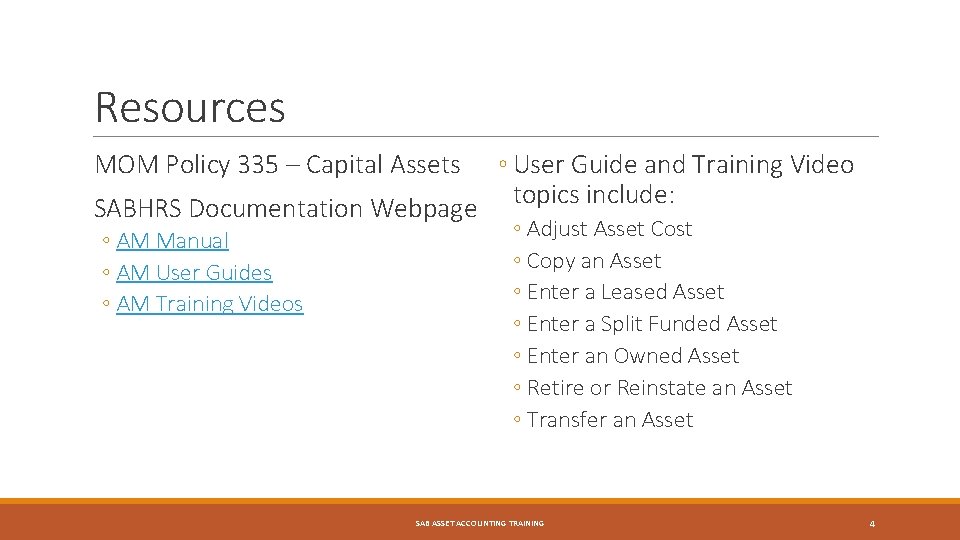
Resources ◦ User Guide and Training Video topics include: SABHRS Documentation Webpage MOM Policy 335 – Capital Assets ◦ AM Manual ◦ AM User Guides ◦ AM Training Videos ◦ Adjust Asset Cost ◦ Copy an Asset ◦ Enter a Leased Asset ◦ Enter a Split Funded Asset ◦ Enter an Owned Asset ◦ Retire or Reinstate an Asset ◦ Transfer an Asset SAB ASSET ACCOUNTING TRAINING 4
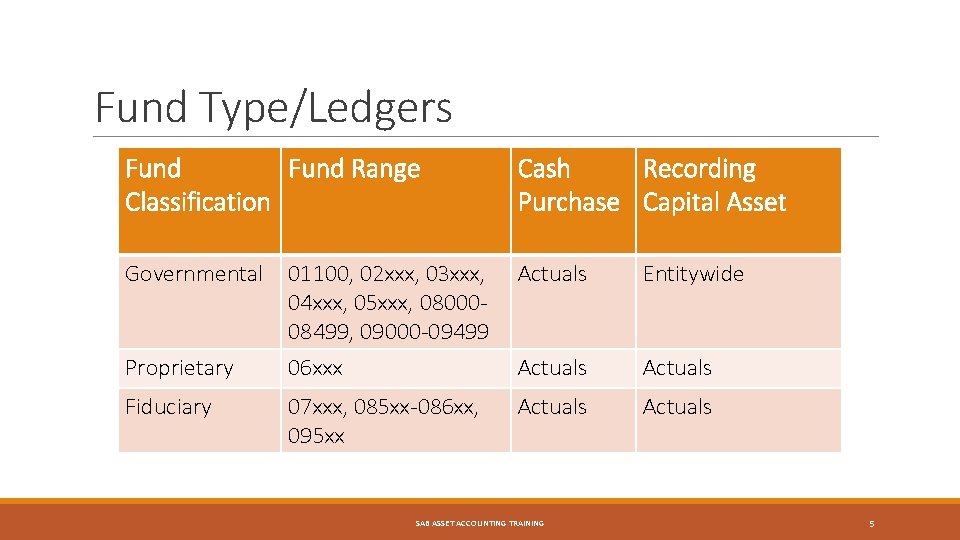
Fund Type/Ledgers Fund Range Classification Cash Recording Purchase Capital Asset Governmental 01100, 02 xxx, 03 xxx, 04 xxx, 05 xxx, 0800008499, 09000 -09499 Actuals Entitywide Proprietary 06 xxx Actuals Fiduciary 07 xxx, 085 xx-086 xx, 095 xx Actuals SAB ASSET ACCOUNTING TRAINING 5

State’s Capitalization Thresholds Asset Type Thresholds Equipment, Land, Library Materials, Museum & Art, Museum & Library Collections, Other Assets $5, 000 Land Improvements, Building Improvements Land Use Rights (Amortized or Permanent), Other Intangibles, Purchased Software $25, 000 $100, 000 Infrastructure, Internally Generated Software $500, 000 SAB ASSET ACCOUNTING TRAINING 6
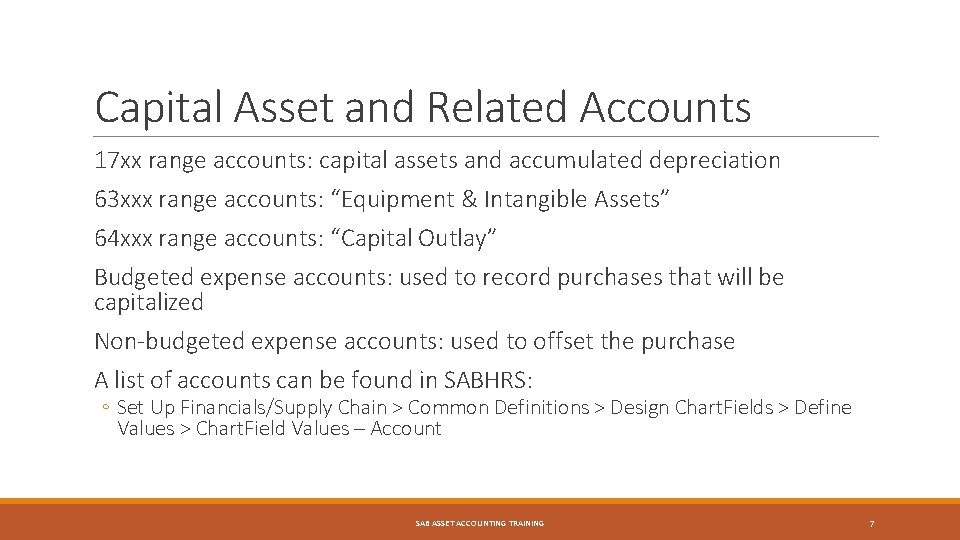
Capital Asset and Related Accounts 17 xx range accounts: capital assets and accumulated depreciation 63 xxx range accounts: “Equipment & Intangible Assets” 64 xxx range accounts: “Capital Outlay” Budgeted expense accounts: used to record purchases that will be capitalized Non-budgeted expense accounts: used to offset the purchase A list of accounts can be found in SABHRS: ◦ Set Up Financials/Supply Chain > Common Definitions > Design Chart. Fields > Define Values > Chart. Field Values – Account SAB ASSET ACCOUNTING TRAINING 7
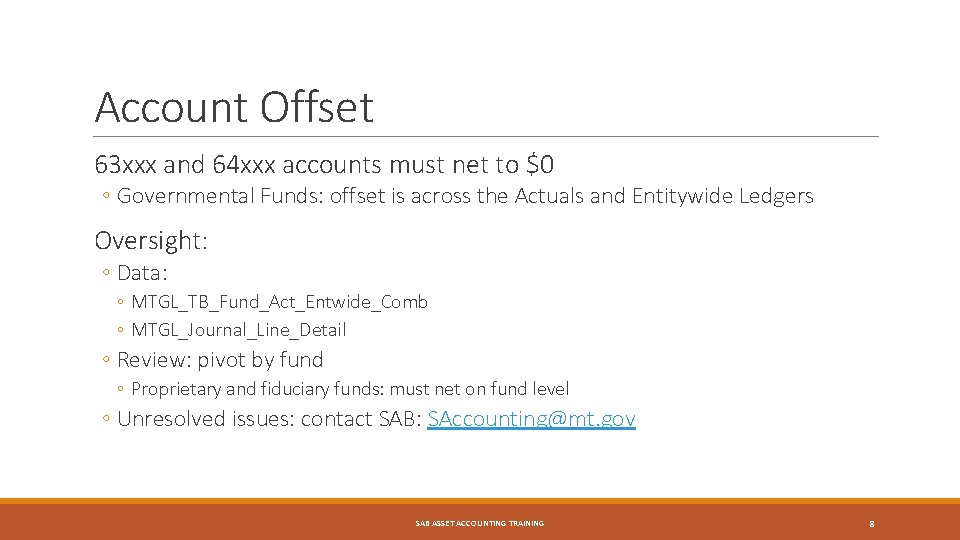
Account Offset 63 xxx and 64 xxx accounts must net to $0 ◦ Governmental Funds: offset is across the Actuals and Entitywide Ledgers Oversight: ◦ Data: ◦ MTGL_TB_Fund_Act_Entwide_Comb ◦ MTGL_Journal_Line_Detail ◦ Review: pivot by fund ◦ Proprietary and fiduciary funds: must net on fund level ◦ Unresolved issues: contact SAB: SAccounting@mt. gov SAB ASSET ACCOUNTING TRAINING 8
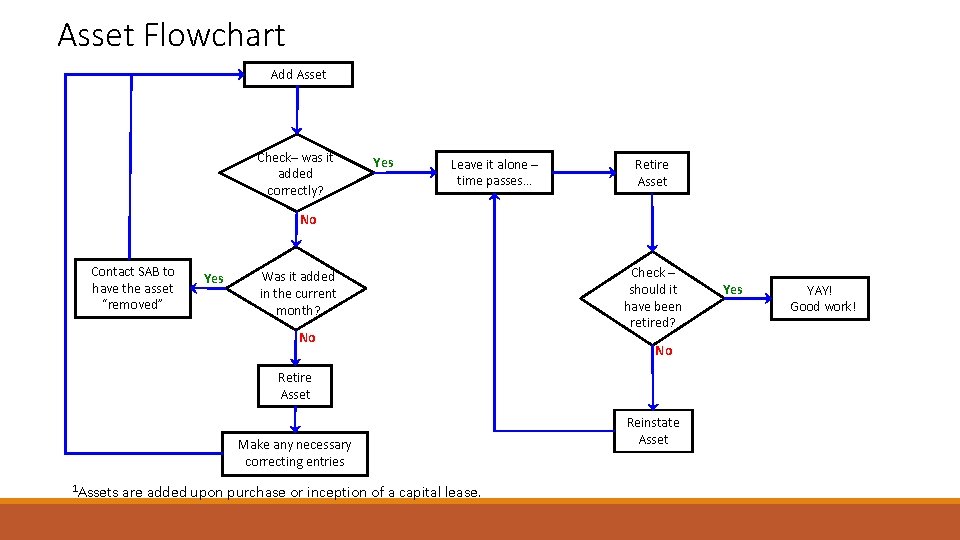
Asset Flowchart Add Asset Check– was it added correctly? Yes Leave it alone – time passes… Retire Asset No Contact SAB to have the asset “removed” Yes Was it added in the current month? No Check – should it have been retired? No Retire Asset Make any necessary correcting entries 1 Assets are added upon purchase or inception of a capital lease. Reinstate Asset Yes YAY! Good work!
Helpful Hints SAB ASSET ACCOUNTING TRAINING 10
Partial Close Process Requested by contacting the SAB Help Desk The process produces the journals in AM ◦ The entries are not transmitted into GL until the month-end process is run The process can be run in the test environment (SY) or in Production ◦ Adding/modifying/retiring assets in SY, then running a partial close previews the entries AM will generate Once the partial close or month-end processes are run, assets can no longer be deleted (by contacting the SAB Help Desk) ◦ Assets with errors must be retired and re-added correctly SAB ASSET ACCOUNTING TRAINING 11
Queries MTGL_TB_Fund_Act_Entwide_Comb MTGL_Journal_Line_Detail: ◦ Can gather all 63 xxx/64 xxx account lines: ensure balances net to $0 ◦ Need to gather Actuals and Entitywide ledger data for governmental funds ◦ Unresolved balances: contact SAB at SAccounting@mt. gov MTAM_Gov_State_BKErrors and MTAM_Prop_Gov_BKErrors ◦ Lists any assets added with profile/book mismatches (eg. a P 65 asset added to the “Government” book) ◦ Errors noted: these assets must be retired and re-added ◦ FYE season: SAB will contact agencies to correct any errors SAB ASSET ACCOUNTING TRAINING 12
Queries (cont. ) MTAM 0006_Asset_By_Business_Uni ◦ Lists all assets belonging to a single business unit ◦ Periodic Review: ◦ Physical inventory ◦ Retire disposed assets MTAM_Profiles_Categories ◦ Indicates the asset category associated with each profile ◦ Asset categories determine the accounts used in the AM-generated entries: Set Up Financials/Supply Chain > Product Related > Asset Management > Accounting Entry Templates ◦ Asset accounts can be reviewed in Chart. Field Values SAB ASSET ACCOUNTING TRAINING 13
Asset Information The “Search for an Asset” screen (Asset Management > Search for an Asset) ◦ From this screen the following items can be retrieved using the “Drill-Down To” selections Asset Accounting Entries ◦ All accounting entries (with journal ID) associated with the asset ◦ These lines can be dumped to Excel (as demonstrated later in the “Assets Retired Due to Errors” section) SAB ASSET ACCOUNTING TRAINING 14
Asset Information (cont. ) Asset Basic Information – General Information tab: ◦ Acquisition date (in-service date) ◦ Profile ID ◦ From the “Book Page” hyperlink: ◦ ◦ Cost Useful life (in months) Salvage value (as a percentage) Transaction and accounting dates (when added to AM) ◦ These dates should only differ for assets added between July 1 st-AM close Asset Basic Information – Asset Acquisitions Detail tab: ◦ Asset Category SAB ASSET ACCOUNTING TRAINING 15
Asset Information (cont. ) Asset Depreciation – Depreciation tab: ◦ Fields Shown: ◦ Cost ◦ Salvage value ◦ Accumulated depreciation ◦ Net book value (NBV) ◦ Historic and future accumulated depreciation and NBV can be calculated ◦ Summarizes total depreciation expense by year SAB ASSET ACCOUNTING TRAINING 16
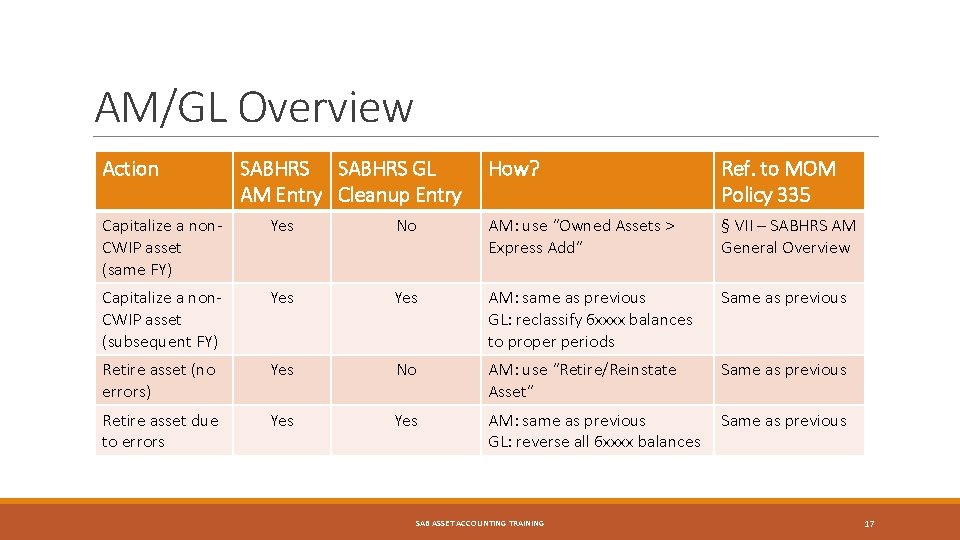
AM/GL Overview Action SABHRS GL AM Entry Cleanup Entry How? Ref. to MOM Policy 335 Capitalize a non. CWIP asset (same FY) Yes No AM: use “Owned Assets > Express Add” § VII – SABHRS AM General Overview Capitalize a non. CWIP asset (subsequent FY) Yes AM: same as previous GL: reclassify 6 xxxx balances to proper periods Same as previous Retire asset (no errors) Yes No AM: use “Retire/Reinstate Asset” Same as previous Retire asset due to errors Yes AM: same as previous GL: reverse all 6 xxxx balances Same as previous SAB ASSET ACCOUNTING TRAINING 17
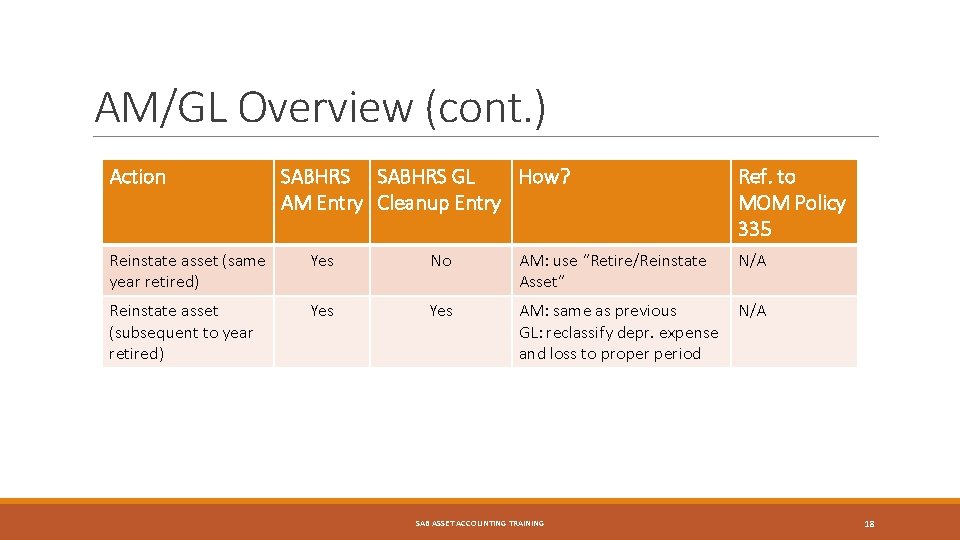
AM/GL Overview (cont. ) Action SABHRS GL How? AM Entry Cleanup Entry Ref. to MOM Policy 335 Reinstate asset (same year retired) Yes No AM: use “Retire/Reinstate Asset” N/A Reinstate asset (subsequent to year retired) Yes AM: same as previous GL: reclassify depr. expense and loss to proper period N/A SAB ASSET ACCOUNTING TRAINING 18
Adding Assets to AM SAB ASSET ACCOUNTING TRAINING 19
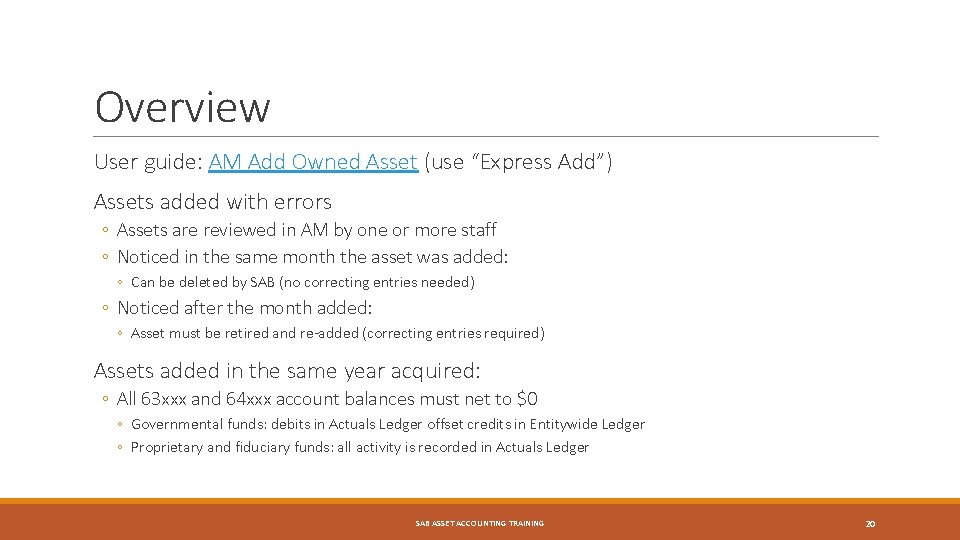
Overview User guide: AM Add Owned Asset (use “Express Add”) Assets added with errors ◦ Assets are reviewed in AM by one or more staff ◦ Noticed in the same month the asset was added: ◦ Can be deleted by SAB (no correcting entries needed) ◦ Noticed after the month added: ◦ Asset must be retired and re-added (correcting entries required) Assets added in the same year acquired: ◦ All 63 xxx and 64 xxx account balances must net to $0 ◦ Governmental funds: debits in Actuals Ledger offset credits in Entitywide Ledger ◦ Proprietary and fiduciary funds: all activity is recorded in Actuals Ledger SAB ASSET ACCOUNTING TRAINING 20
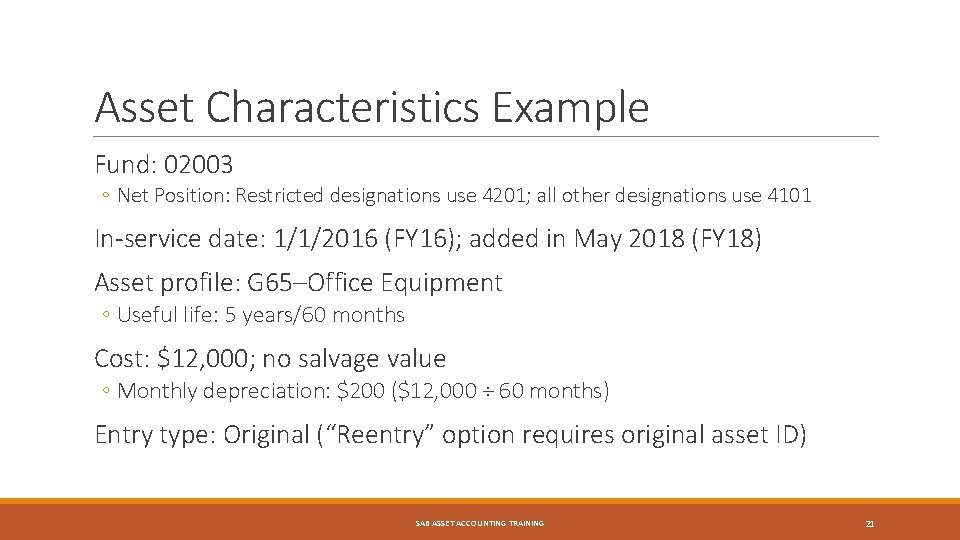
Asset Characteristics Example Fund: 02003 ◦ Net Position: Restricted designations use 4201; all other designations use 4101 In-service date: 1/1/2016 (FY 16); added in May 2018 (FY 18) Asset profile: G 65–Office Equipment ◦ Useful life: 5 years/60 months Cost: $12, 000; no salvage value ◦ Monthly depreciation: $200 ($12, 000 ÷ 60 months) Entry type: Original (“Reentry” option requires original asset ID) SAB ASSET ACCOUNTING TRAINING 21
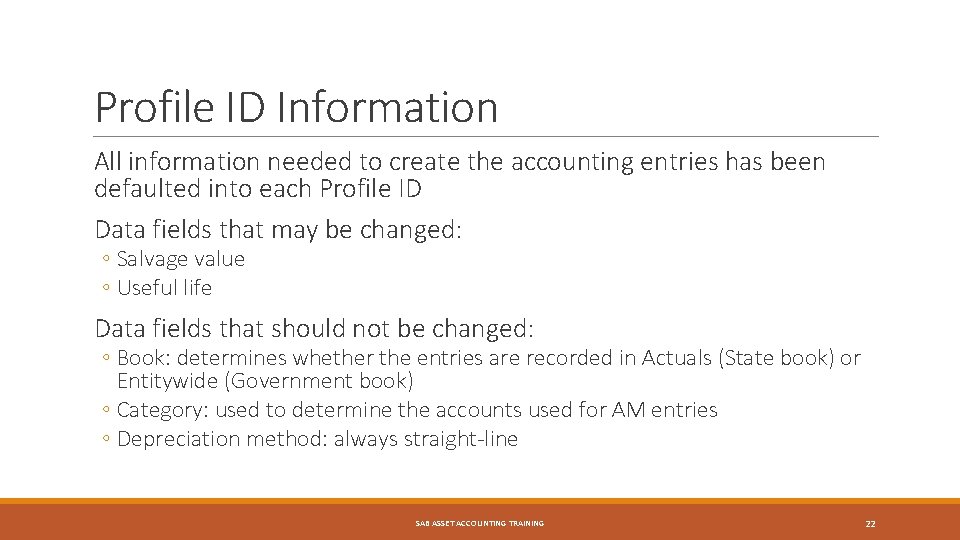
Profile ID Information All information needed to create the accounting entries has been defaulted into each Profile ID Data fields that may be changed: ◦ Salvage value ◦ Useful life Data fields that should not be changed: ◦ Book: determines whether the entries are recorded in Actuals (State book) or Entitywide (Government book) ◦ Category: used to determine the accounts used for AM entries ◦ Depreciation method: always straight-line SAB ASSET ACCOUNTING TRAINING 22
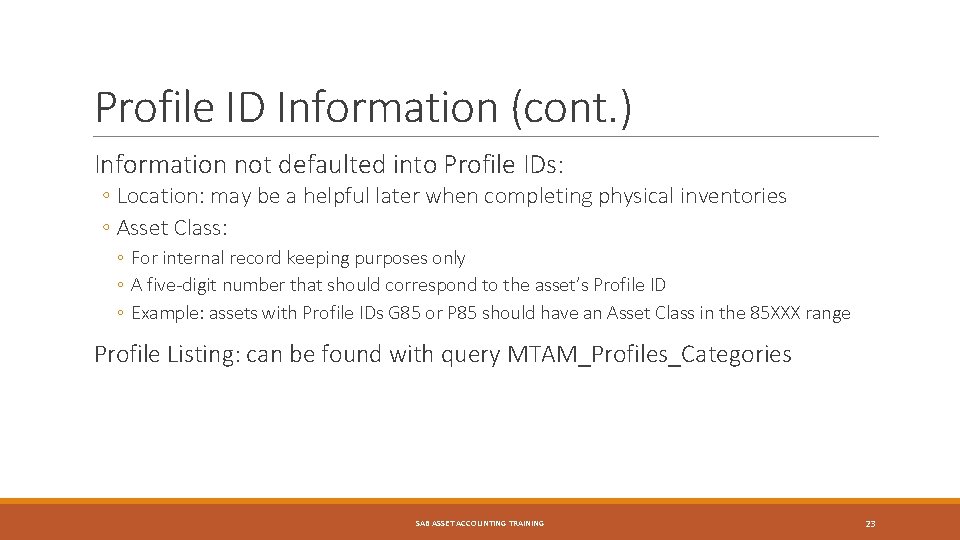
Profile ID Information (cont. ) Information not defaulted into Profile IDs: ◦ Location: may be a helpful later when completing physical inventories ◦ Asset Class: ◦ For internal record keeping purposes only ◦ A five-digit number that should correspond to the asset’s Profile ID ◦ Example: assets with Profile IDs G 85 or P 85 should have an Asset Class in the 85 XXX range Profile Listing: can be found with query MTAM_Profiles_Categories SAB ASSET ACCOUNTING TRAINING 23
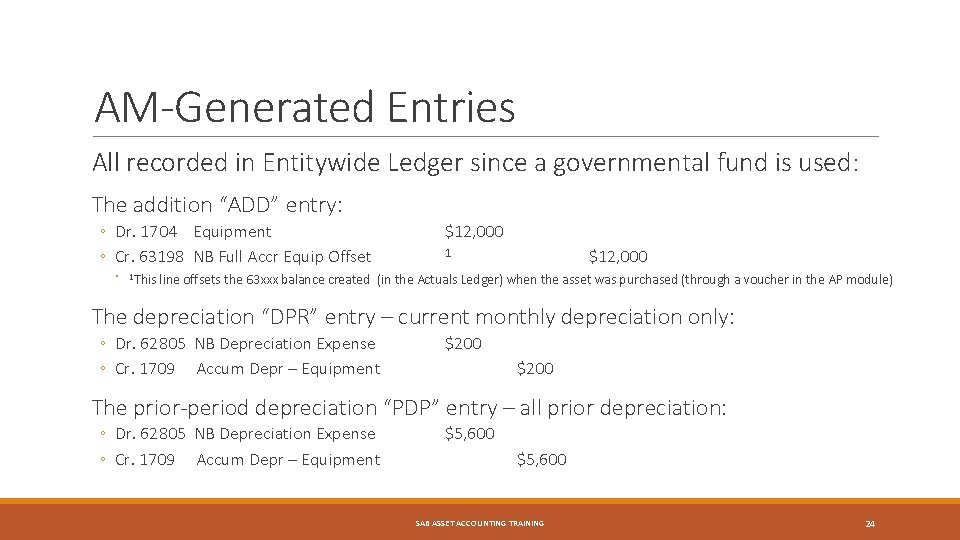
AM-Generated Entries All recorded in Entitywide Ledger since a governmental fund is used: The addition “ADD” entry: ◦ Dr. 1704 Equipment ◦ Cr. 63198 NB Full Accr Equip Offset ◦ 1 This $12, 000 1 line offsets the 63 xxx balance created (in the Actuals Ledger) when the asset was purchased (through a voucher in the AP module) The depreciation “DPR” entry – current monthly depreciation only: ◦ Dr. 62805 NB Depreciation Expense ◦ Cr. 1709 Accum Depr – Equipment $200 The prior-period depreciation “PDP” entry – all prior depreciation: ◦ Dr. 62805 NB Depreciation Expense ◦ Cr. 1709 Accum Depr – Equipment $5, 600 SAB ASSET ACCOUNTING TRAINING 24
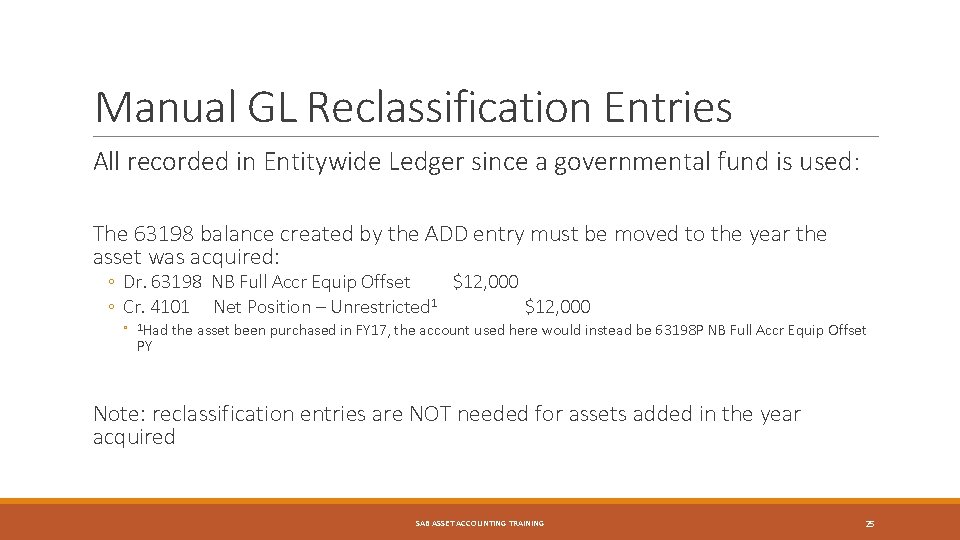
Manual GL Reclassification Entries All recorded in Entitywide Ledger since a governmental fund is used: The 63198 balance created by the ADD entry must be moved to the year the asset was acquired: ◦ Dr. 63198 NB Full Accr Equip Offset $12, 000 ◦ Cr. 4101 Net Position – Unrestricted 1 $12, 000 ◦ 1 Had PY the asset been purchased in FY 17, the account used here would instead be 63198 P NB Full Accr Equip Offset Note: reclassification entries are NOT needed for assets added in the year acquired SAB ASSET ACCOUNTING TRAINING 25
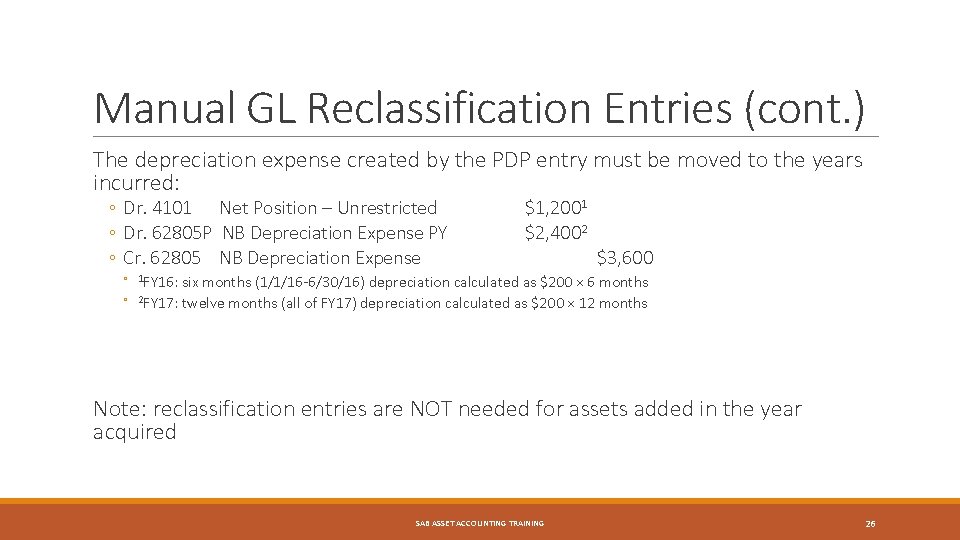
Manual GL Reclassification Entries (cont. ) The depreciation expense created by the PDP entry must be moved to the years incurred: ◦ Dr. 4101 Net Position – Unrestricted ◦ Dr. 62805 P NB Depreciation Expense PY ◦ Cr. 62805 NB Depreciation Expense $1, 2001 $2, 4002 $3, 600 ◦ 1 FY 16: ◦ six months (1/1/16 -6/30/16) depreciation calculated as $200 × 6 months 2 FY 17: twelve months (all of FY 17) depreciation calculated as $200 × 12 months Note: reclassification entries are NOT needed for assets added in the year acquired SAB ASSET ACCOUNTING TRAINING 26
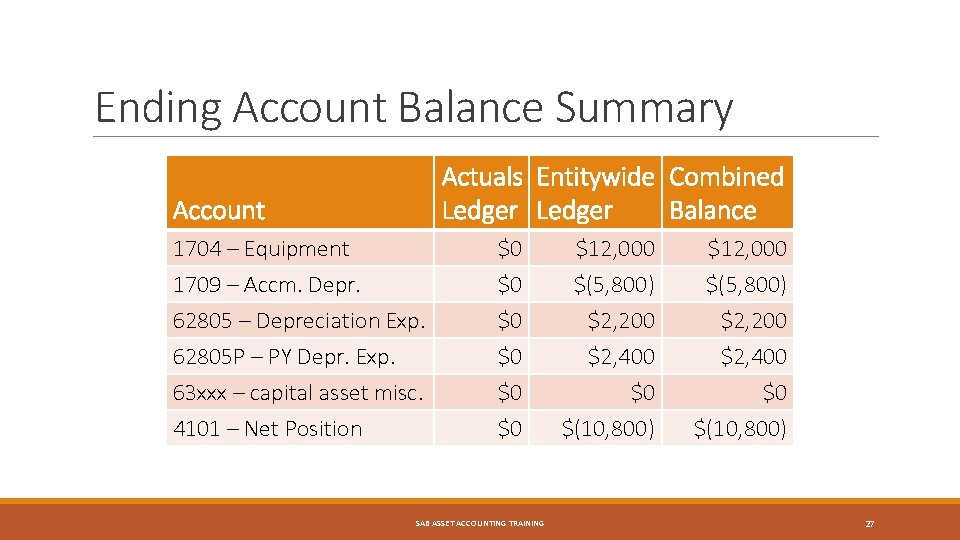
Ending Account Balance Summary Actuals Entitywide Combined Ledger Balance Account 1704 – Equipment 1709 – Accm. Depr. 62805 – Depreciation Exp. 62805 P – PY Depr. Exp. 63 xxx – capital asset misc. 4101 – Net Position $0 $0 $0 SAB ASSET ACCOUNTING TRAINING $12, 000 $(5, 800) $2, 200 $2, 400 $0 $(10, 800) 27
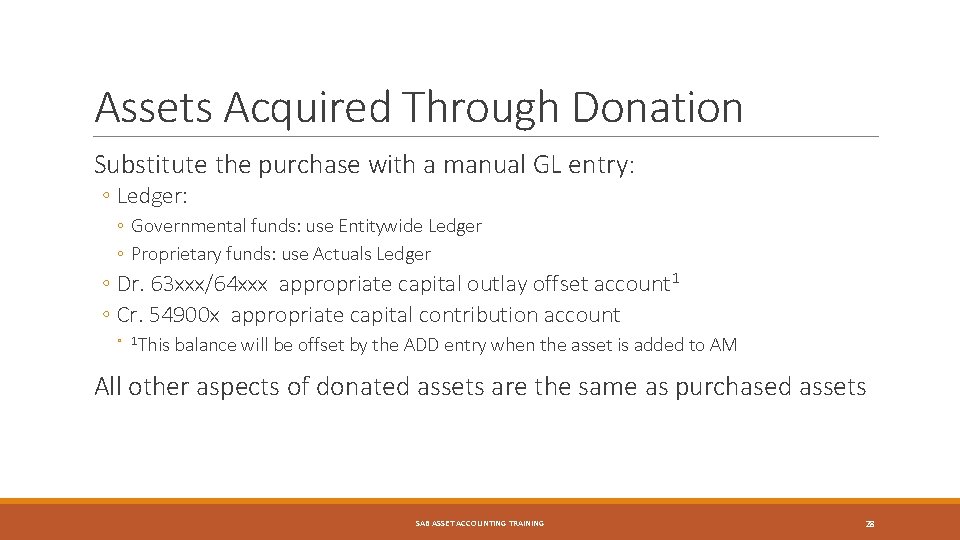
Assets Acquired Through Donation Substitute the purchase with a manual GL entry: ◦ Ledger: ◦ Governmental funds: use Entitywide Ledger ◦ Proprietary funds: use Actuals Ledger ◦ Dr. 63 xxx/64 xxx appropriate capital outlay offset account 1 ◦ Cr. 54900 x appropriate capital contribution account ◦ 1 This balance will be offset by the ADD entry when the asset is added to AM All other aspects of donated assets are the same as purchased assets SAB ASSET ACCOUNTING TRAINING 28
Assets Retired Due to Errors SAB ASSET ACCOUNTING TRAINING 29
Overview Orgs: these errors can be corrected in AM; retirement is unnecessary Deleting assets: Asset additions can be deleted if noted in the same month added Assets added with incorrect funds must be retired and re-added User guide: AM Retire or Reinstate Asset SAB ASSET ACCOUNTING TRAINING 30
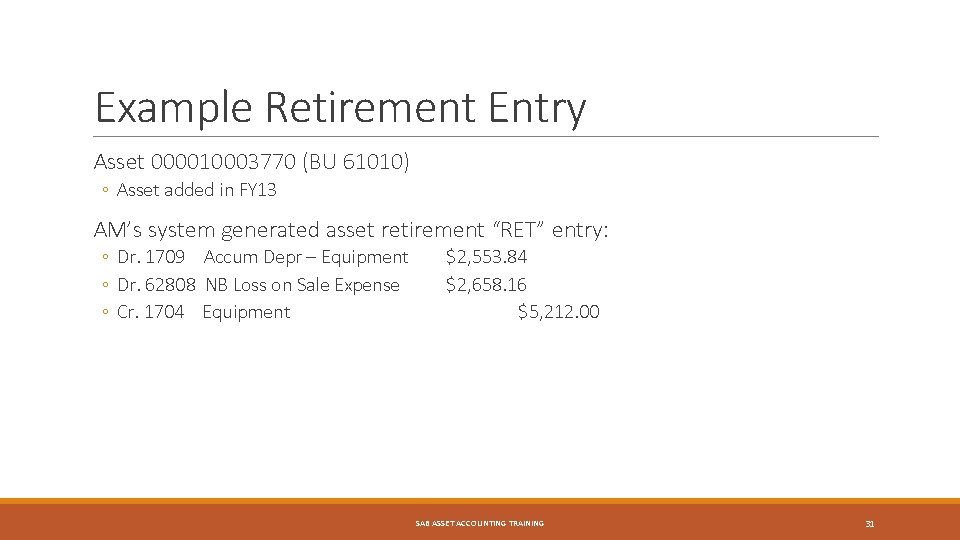
Example Retirement Entry Asset 000010003770 (BU 61010) ◦ Asset added in FY 13 AM’s system generated asset retirement “RET” entry: ◦ Dr. 1709 Accum Depr – Equipment ◦ Dr. 62808 NB Loss on Sale Expense ◦ Cr. 1704 Equipment $2, 553. 84 $2, 658. 16 $5, 212. 00 SAB ASSET ACCOUNTING TRAINING 31
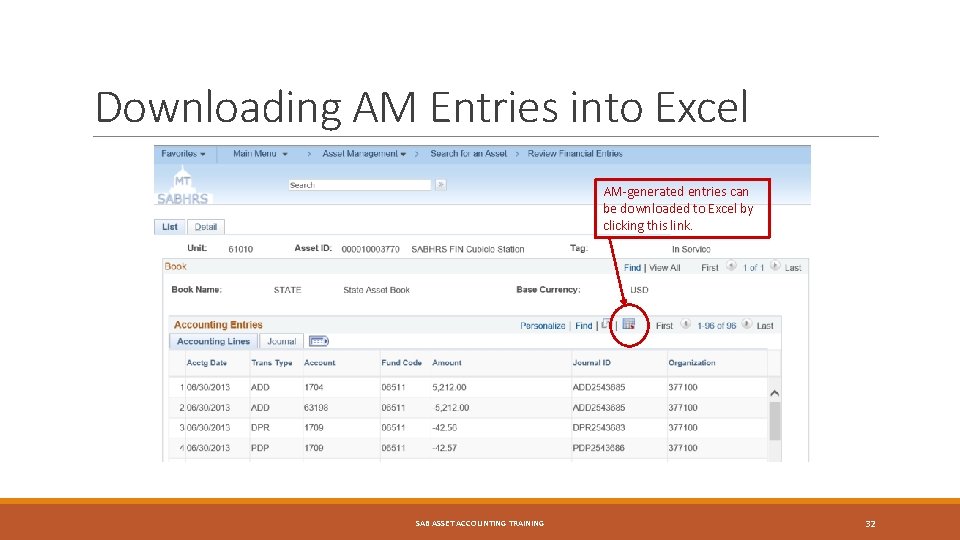
Downloading AM Entries into Excel AM-generated entries can be downloaded to Excel by clicking this link. SAB ASSET ACCOUNTING TRAINING 32
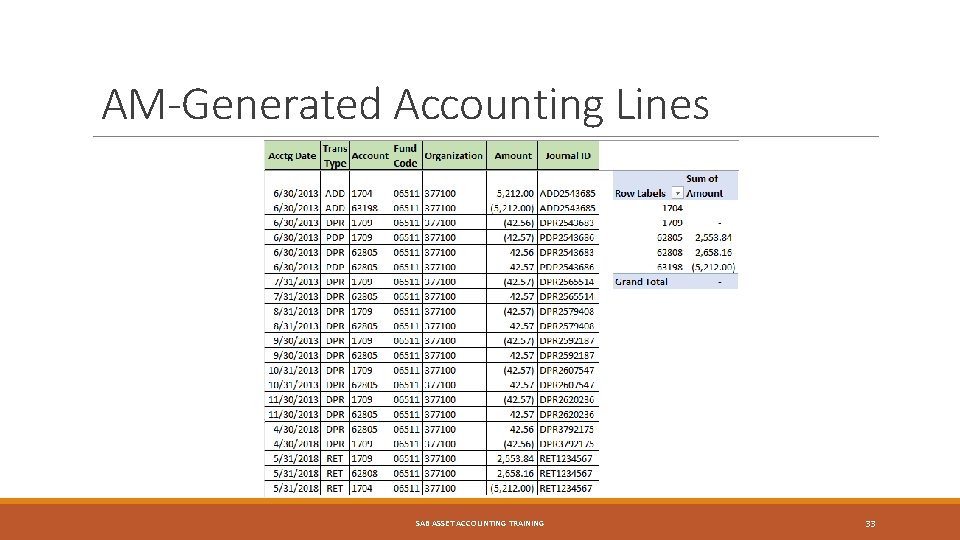
AM-Generated Accounting Lines SAB ASSET ACCOUNTING TRAINING 33
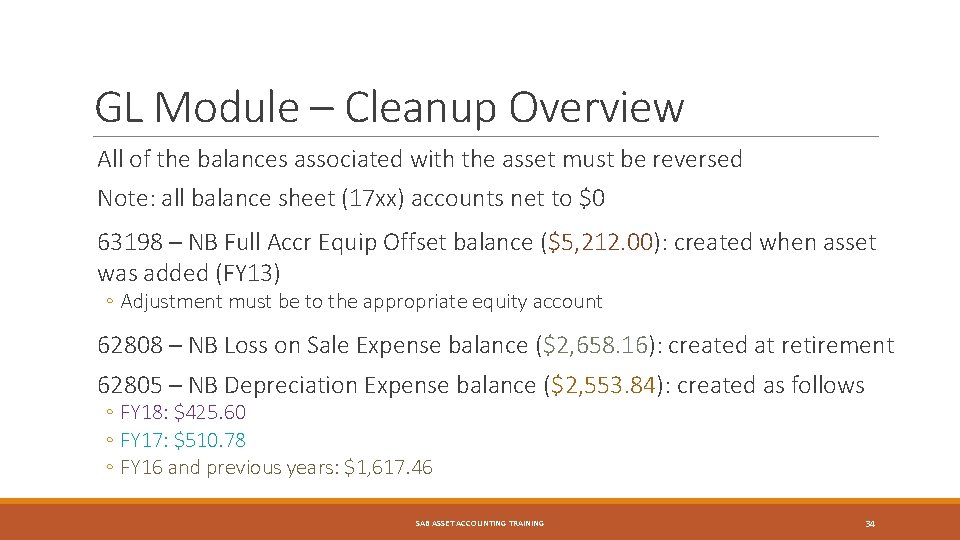
GL Module – Cleanup Overview All of the balances associated with the asset must be reversed Note: all balance sheet (17 xx) accounts net to $0 63198 – NB Full Accr Equip Offset balance ($5, 212. 00): created when asset was added (FY 13) ◦ Adjustment must be to the appropriate equity account 62808 – NB Loss on Sale Expense balance ($2, 658. 16): created at retirement 62805 – NB Depreciation Expense balance ($2, 553. 84): created as follows ◦ FY 18: $425. 60 ◦ FY 17: $510. 78 ◦ FY 16 and previous years: $1, 617. 46 SAB ASSET ACCOUNTING TRAINING 34
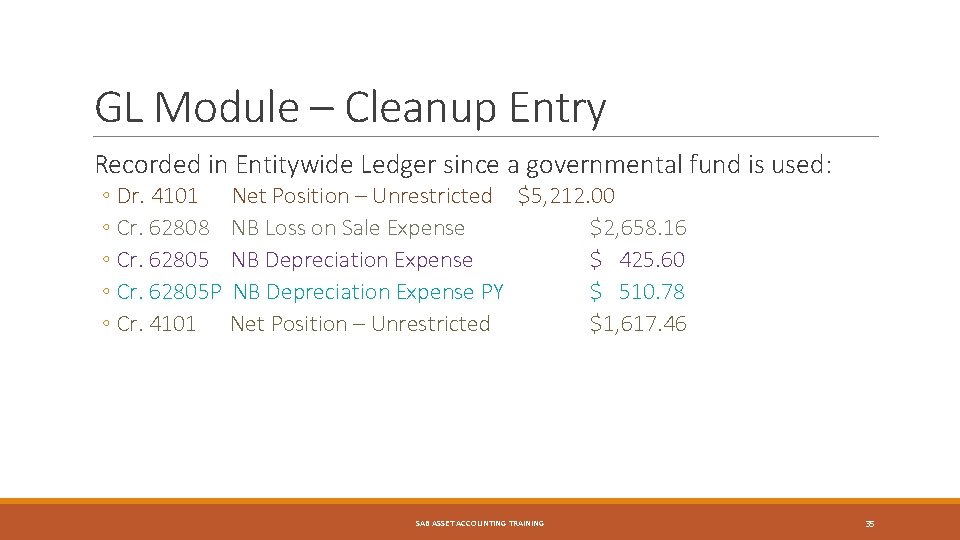
GL Module – Cleanup Entry Recorded in Entitywide Ledger since a governmental fund is used: ◦ Dr. 4101 ◦ Cr. 62808 ◦ Cr. 62805 P ◦ Cr. 4101 Net Position – Unrestricted $5, 212. 00 NB Loss on Sale Expense $2, 658. 16 NB Depreciation Expense $ 425. 60 NB Depreciation Expense PY $ 510. 78 Net Position – Unrestricted $1, 617. 46 SAB ASSET ACCOUNTING TRAINING 35
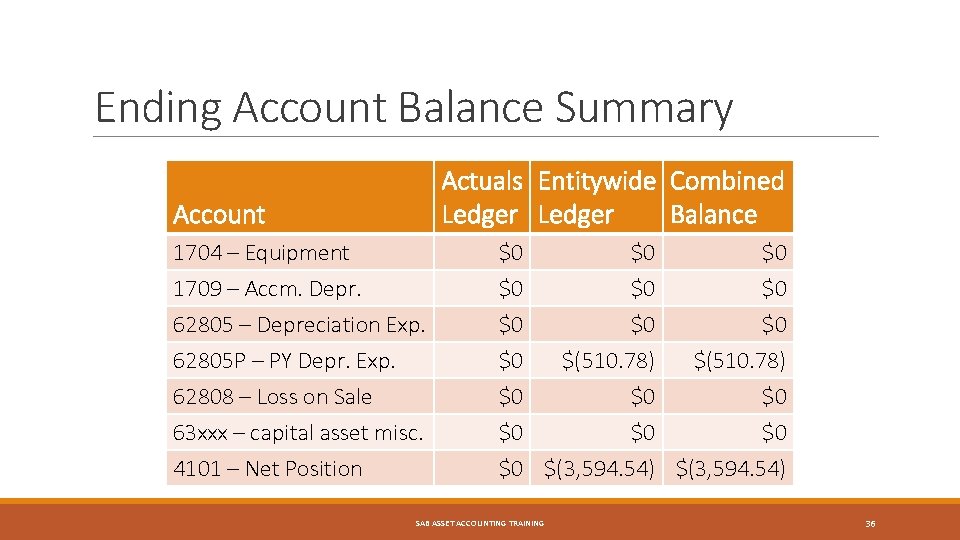
Ending Account Balance Summary Actuals Entitywide Combined Ledger Balance Account 1704 – Equipment 1709 – Accm. Depr. 62805 – Depreciation Exp. 62805 P – PY Depr. Exp. 62808 – Loss on Sale 63 xxx – capital asset misc. $0 $0 $0 4101 – Net Position $0 $(3, 594. 54) SAB ASSET ACCOUNTING TRAINING $0 $0 $0 $(510. 78) $0 $0 36
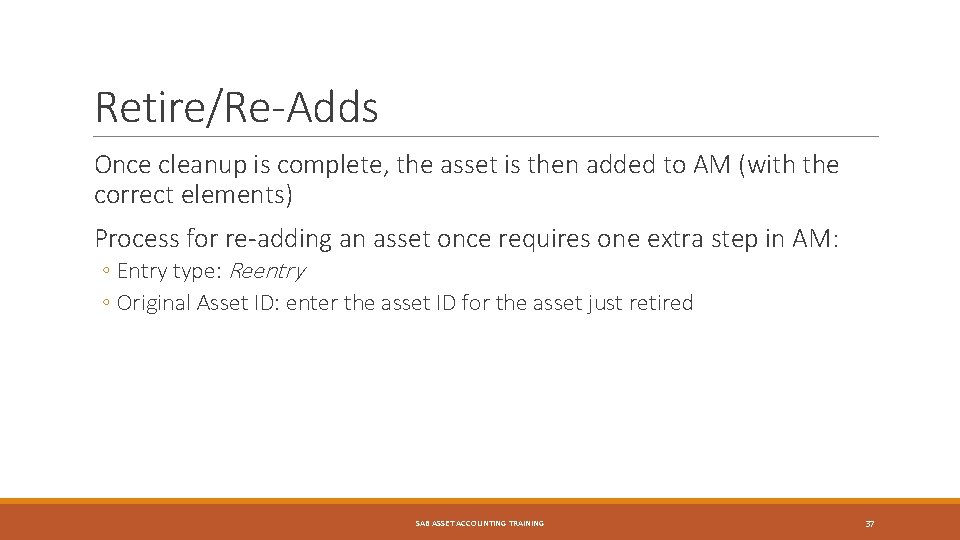
Retire/Re-Adds Once cleanup is complete, the asset is then added to AM (with the correct elements) Process for re-adding an asset once requires one extra step in AM: ◦ Entry type: Reentry ◦ Original Asset ID: enter the asset ID for the asset just retired SAB ASSET ACCOUNTING TRAINING 37
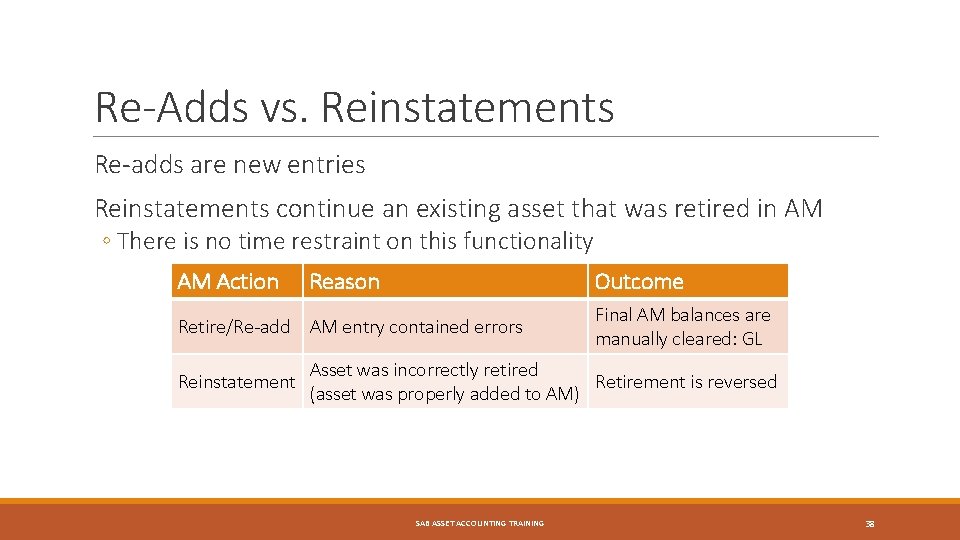
Re-Adds vs. Reinstatements Re-adds are new entries Reinstatements continue an existing asset that was retired in AM ◦ There is no time restraint on this functionality AM Action Reason Outcome Retire/Re-add AM entry contained errors Reinstatement Final AM balances are manually cleared: GL Asset was incorrectly retired Retirement is reversed (asset was properly added to AM) SAB ASSET ACCOUNTING TRAINING 38
Asset Reinstatements SAB ASSET ACCOUNTING TRAINING 39
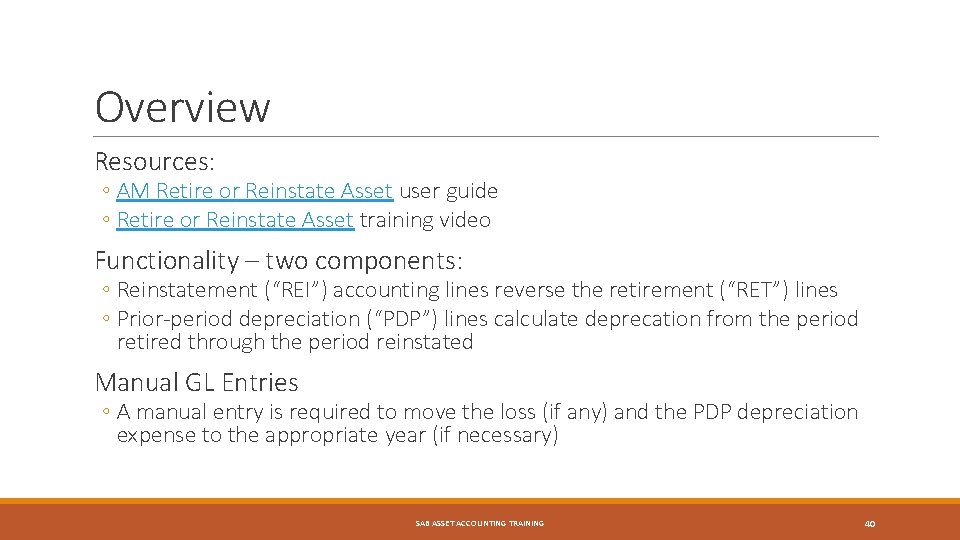
Overview Resources: ◦ AM Retire or Reinstate Asset user guide ◦ Retire or Reinstate Asset training video Functionality – two components: ◦ Reinstatement (“REI”) accounting lines reverse the retirement (“RET”) lines ◦ Prior-period depreciation (“PDP”) lines calculate deprecation from the period retired through the period reinstated Manual GL Entries ◦ A manual entry is required to move the loss (if any) and the PDP depreciation expense to the appropriate year (if necessary) SAB ASSET ACCOUNTING TRAINING 40
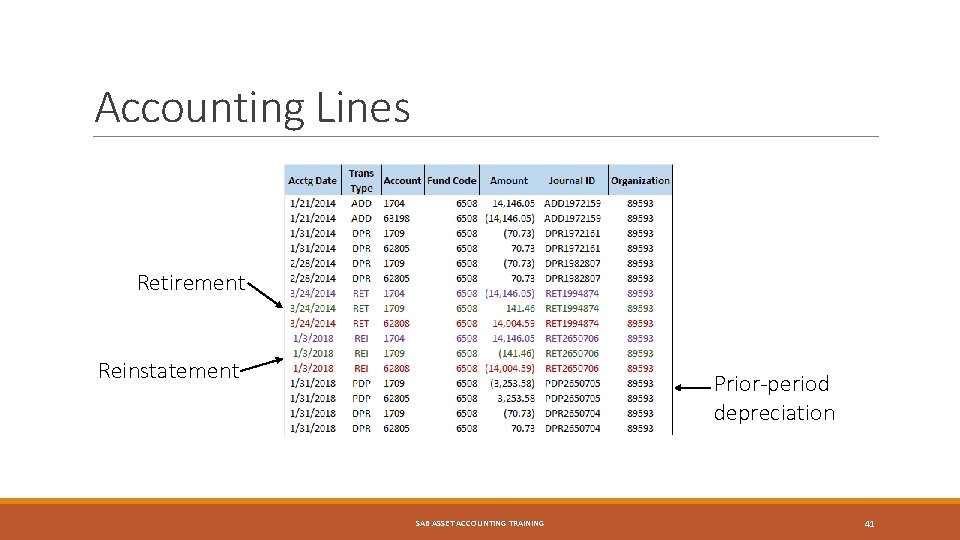
Accounting Lines Retirement Reinstatement Prior-period depreciation SAB ASSET ACCOUNTING TRAINING 41
Reinstatement Asset retired 3/24/2014 and reinstated 1/3/2018 REI lines reverse RET lines The retirement (RET lines) generated a loss (62808 – NB Loss on Sale Expense) in FY 14 The reinstatement (REI lines) reversed the loss in FY 18 (still using account 62808) The loss reversal belongs to FY 14 and needs to be reclassified: ◦ Dr. 62808 NB Loss on Sale Expense ◦ Cr. 4101 Net Position – Unrestricted $14, 004. 59 SAB ASSET ACCOUNTING TRAINING 42
Reinstatement (cont. ) PDP lines account for depreciation from 3/2014 -12/2017 Allocating PDP interest (totaling $3, 253. 58) to the proper years: ◦ FY 2014: $282. 92 ($70. 73 × 4 months) | Reclassify to 4 xxx ◦ FY 2015: $848. 76 ($70. 73 × 12 months) | Reclassify to 4 xxx ◦ FY 2016: $848. 76 ($70. 73 × 12 months) | Reclassify to 4 xxx ◦ FY 2017: $848. 76 ($70. 73 × 12 months) | Reclassify to 62805 P ◦ FY 2018: $424. 38 ($ 70. 73 × 6 months) *relates to current FY SAB ASSET ACCOUNTING TRAINING 43
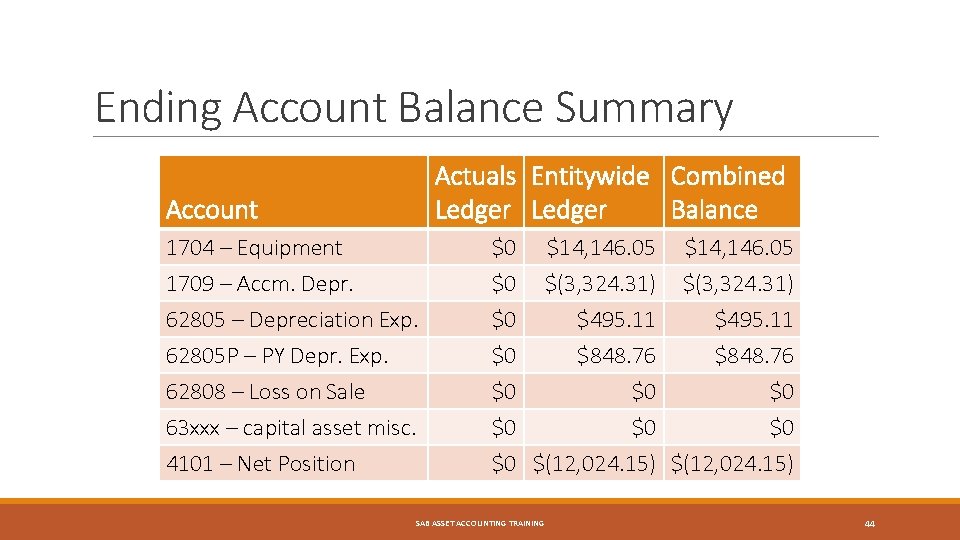
Ending Account Balance Summary Actuals Entitywide Combined Ledger Balance Account 1704 – Equipment 1709 – Accm. Depr. 62805 – Depreciation Exp. 62805 P – PY Depr. Exp. 62808 – Loss on Sale 63 xxx – capital asset misc. $0 $0 $0 4101 – Net Position $0 $(12, 024. 15) SAB ASSET ACCOUNTING TRAINING $14, 146. 05 $(3, 324. 31) $495. 11 $848. 76 $0 $0 44
Takeaways 1. Resources: ◦ SAB: MOM Policy 335 – Capital Assets ◦ SABHRS Documentation webpage: various user guides 2. Try it in SABHRS System Test (SY) 3. Contact SAB Help Desk: SAccounting@mt. gov SAB ASSET ACCOUNTING TRAINING 45
Class Exercise Review SAB ASSET ACCOUNTING TRAINING 46
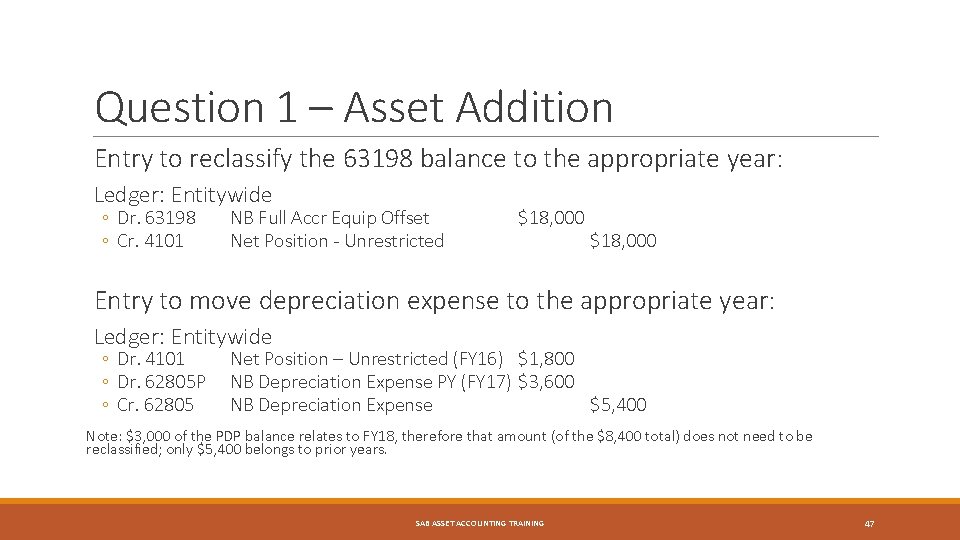
Question 1 – Asset Addition Entry to reclassify the 63198 balance to the appropriate year: Ledger: Entitywide ◦ Dr. 63198 ◦ Cr. 4101 NB Full Accr Equip Offset Net Position - Unrestricted $18, 000 Entry to move depreciation expense to the appropriate year: Ledger: Entitywide ◦ Dr. 4101 ◦ Dr. 62805 P ◦ Cr. 62805 Net Position – Unrestricted (FY 16) $1, 800 NB Depreciation Expense PY (FY 17) $3, 600 NB Depreciation Expense $5, 400 Note: $3, 000 of the PDP balance relates to FY 18, therefore that amount (of the $8, 400 total) does not need to be reclassified; only $5, 400 belongs to prior years. SAB ASSET ACCOUNTING TRAINING 47
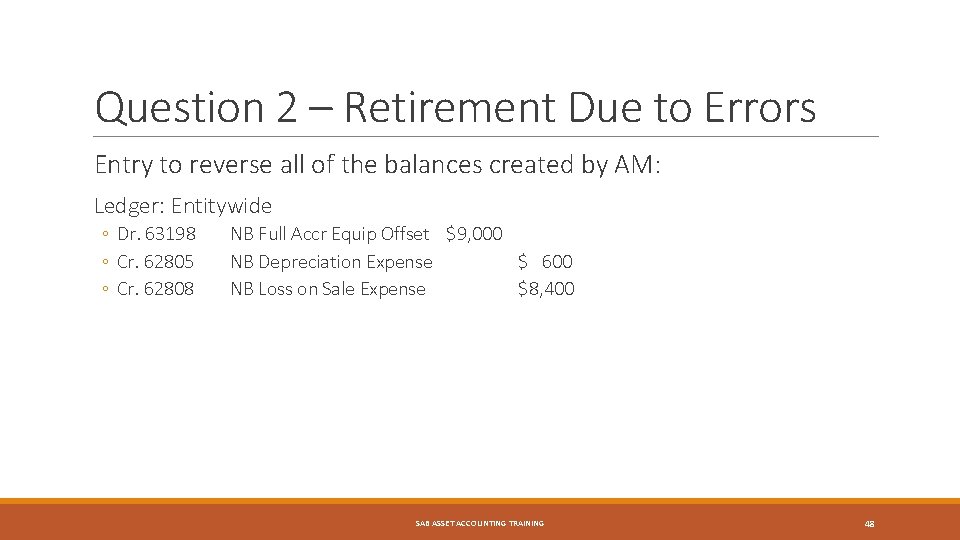
Question 2 – Retirement Due to Errors Entry to reverse all of the balances created by AM: Ledger: Entitywide ◦ Dr. 63198 ◦ Cr. 62805 ◦ Cr. 62808 NB Full Accr Equip Offset $9, 000 NB Depreciation Expense $ 600 NB Loss on Sale Expense $8, 400 SAB ASSET ACCOUNTING TRAINING 48
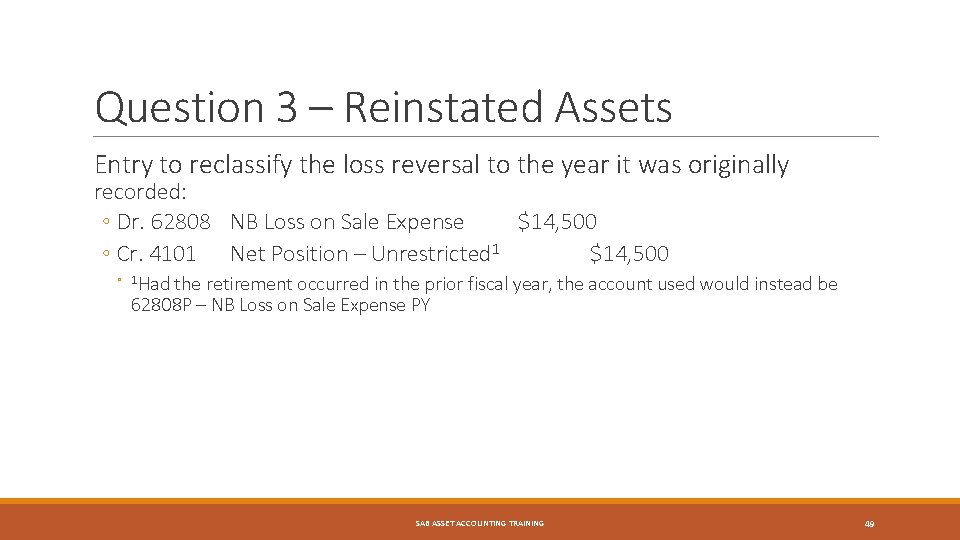
Question 3 – Reinstated Assets Entry to reclassify the loss reversal to the year it was originally recorded: ◦ Dr. 62808 NB Loss on Sale Expense $14, 500 ◦ Cr. 4101 Net Position – Unrestricted 1 $14, 500 ◦ 1 Had the retirement occurred in the prior fiscal year, the account used would instead be 62808 P – NB Loss on Sale Expense PY SAB ASSET ACCOUNTING TRAINING 49
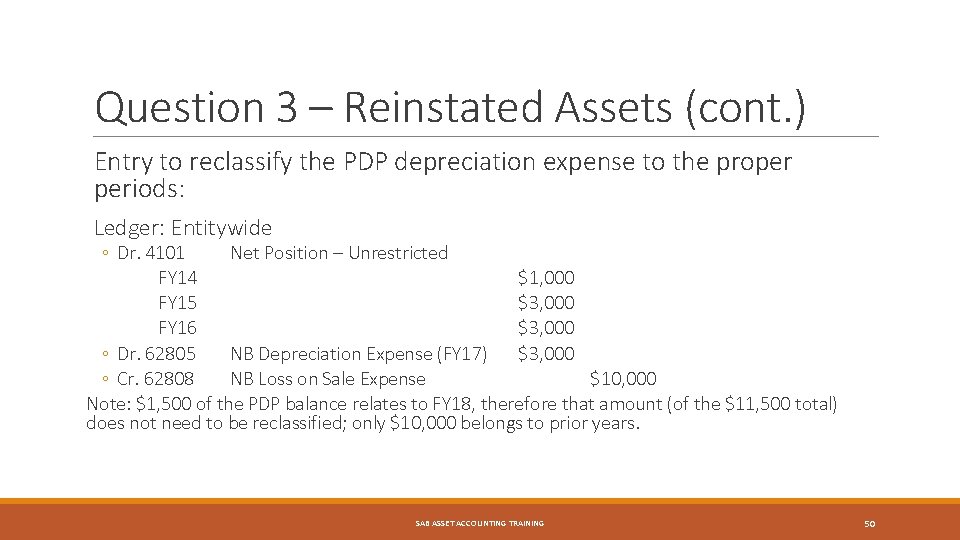
Question 3 – Reinstated Assets (cont. ) Entry to reclassify the PDP depreciation expense to the proper periods: Ledger: Entitywide ◦ Dr. 4101 Net Position – Unrestricted FY 14 $1, 000 FY 15 $3, 000 FY 16 $3, 000 ◦ Dr. 62805 NB Depreciation Expense (FY 17) $3, 000 ◦ Cr. 62808 NB Loss on Sale Expense $10, 000 Note: $1, 500 of the PDP balance relates to FY 18, therefore that amount (of the $11, 500 total) does not need to be reclassified; only $10, 000 belongs to prior years. SAB ASSET ACCOUNTING TRAINING 50
- Slides: 50