
Capacity Building on eGOV Services Electronic Payment and
Capacity Building on e-GOV Services Electronic Payment and Collection Facility (EPCF) HARLAN D. VILLANUEVA Sept. 08, 2016
Objectives § Faster transactions; § Payment anytime (24/7), anywhere; § Accurate recording; and § Saves time and transportation costs
Legal Basis Republic Act No. 8792 (E-Commerce Act of 2000) Mandating all GOCCs to provide a method and manner of acceptance of payment or settlement of fees thru systems using electronic data messages systems Administrative Order No. 38 (May 17, 2013) Creating an Inter-agency Task Force to initiate, implement, and monitor ease of doing business reforms

Legal Basis Pag-IBIG Circular No. 355 (July 1, 2015) Mandating all employers from the government and private sectors to remit their employees’ membership savings (contributions) and loan amortization through Pag-IBIG’s partner-banks via an Electronic Payment and Collection Facility (EPCF) platform.
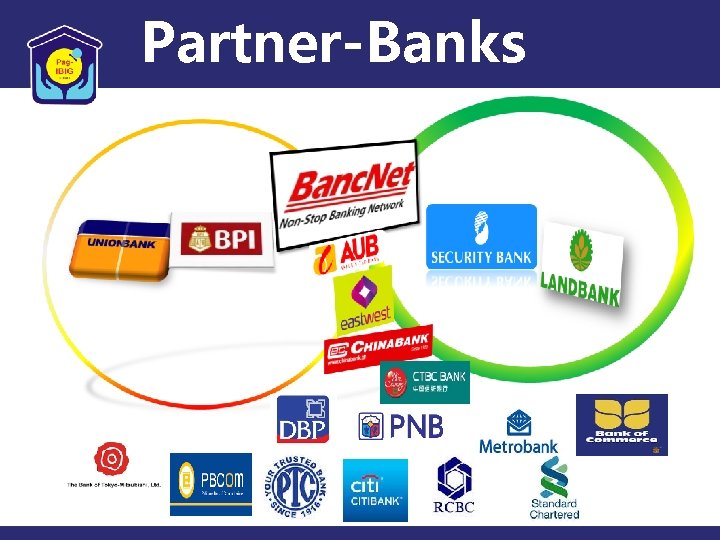
Partner-Banks Payment Channels
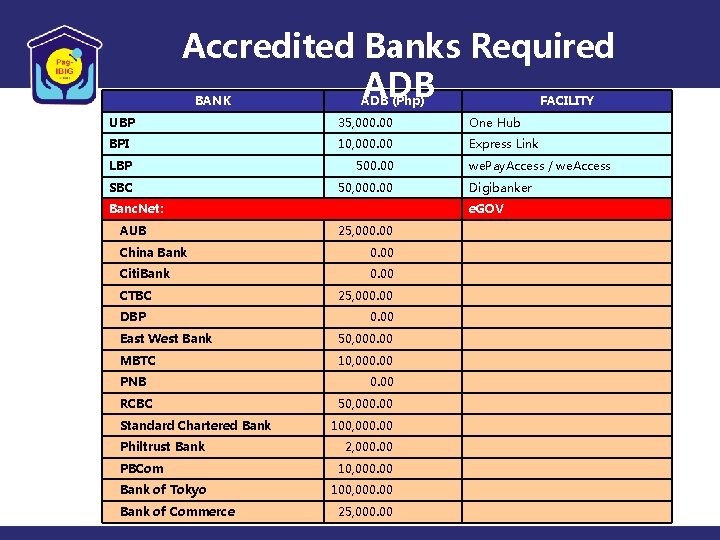
Accredited Banks Required ADB BANK ADB (Php) FACILITY UBP 35, 000. 00 One Hub BPI 10, 000. 00 Express Link LBP 500. 00 SBC 50, 000. 00 Banc. Net: AUB 25, 000. 00 Citi. Bank 0. 00 DBP 25, 000. 00 East West Bank 50, 000. 00 MBTC 10, 000. 00 PNB RCBC Standard Chartered Bank Philtrust Bank PBCom Bank of Tokyo Bank of Commerce Digibanker e. GOV China Bank CTBC we. Pay. Access / we. Access 0. 00 50, 000. 00 100, 000. 00 2, 000. 00 100, 000. 00 25, 000. 00
ELECTRONIC PAYMENT AND COLLECTION FACILITY (EPCF) Process Flow
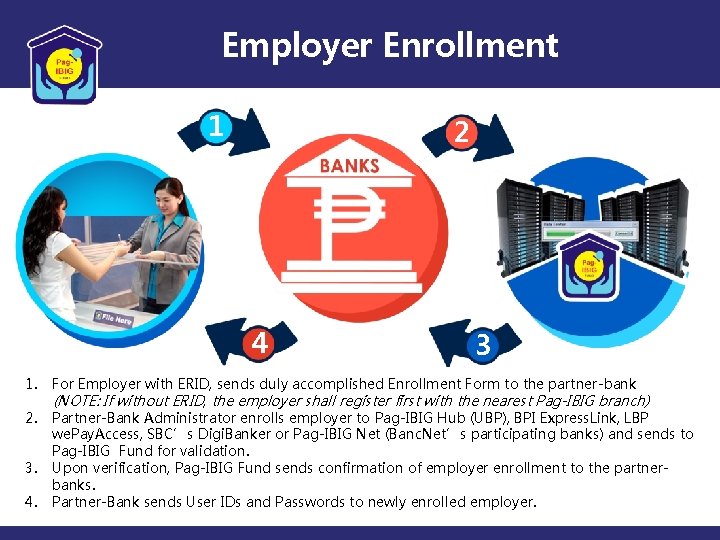
Employer Enrollment 1 2 4 3 1. For Employer with ERID, sends duly accomplished Enrollment Form to the partner-bank 2. Partner-Bank Administrator enrolls employer to Pag-IBIG Hub (UBP), BPI Express. Link, LBP we. Pay. Access, SBC’s Digi. Banker or Pag-IBIG Net (Banc. Net’s participating banks) and sends to Pag-IBIG Fund for validation. Upon verification, Pag-IBIG Fund sends confirmation of employer enrollment to the partnerbanks. Partner-Bank sends User IDs and Passwords to newly enrolled employer. 3. 4. (NOTE: If without ERID, the employer shall register first with the nearest Pag-IBIG branch)

e-Filing of Remittance 1 2 1. Registered Processor (Maker) of Employers log-in to the Bank’s government portal (UBP’s One Hub. gov / BPI Express. Link / LBP we. Pay. Access/SBCs Digi. Banker/Banc. Net) 1. 1 Select the Pag-IBIG tab 1. 2 Upload MS (Membership Savings) and STL (Short Term Loan) Amortization files 1. 3 Bank validates files 2. Bank system sends auto-e. Mail notifications to Registered Authorizer/Approver of Employers for each successful upload.
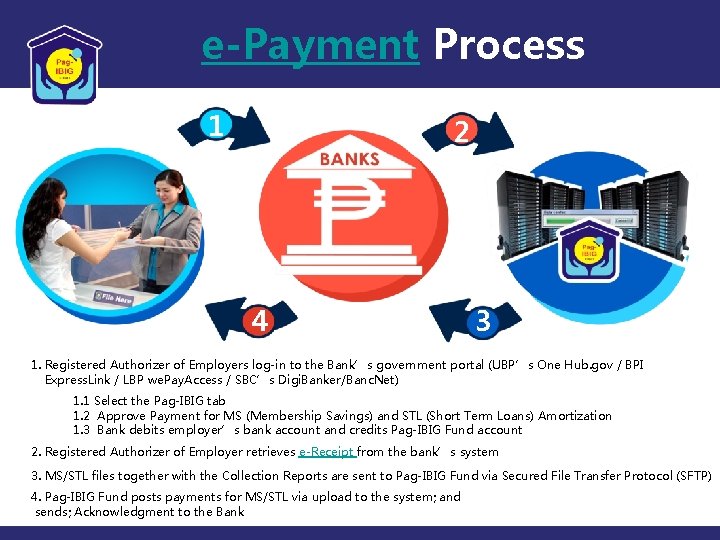
e-Payment Process 1 2 4 3 1. Registered Authorizer of Employers log-in to the Bank’s government portal (UBP’s One Hub. gov / BPI Express. Link / LBP we. Pay. Access / SBC’s Digi. Banker/Banc. Net) 1. 1 Select the Pag-IBIG tab 1. 2 Approve Payment for MS (Membership Savings) and STL (Short Term Loans) Amortization 1. 3 Bank debits employer’s bank account and credits Pag-IBIG Fund account 2. Registered Authorizer of Employer retrieves e-Receipt from the bank’s system 3. MS/STL files together with the Collection Reports are sent to Pag-IBIG Fund via Secured File Transfer Protocol (SFTP) 4. Pag-IBIG Fund posts payments for MS/STL via upload to the system; and sends; Acknowledgment to the Bank

Thank you
- Slides: 11