
Camtasia Studio 5 by Tech Smith Record Enhance
Camtasia Studio 5 by Tech. Smith Record, Enhance, Share Resources: http: //blackboard. coppellisd. com/ (Username: Camtasia; Password: tcea) Presented at TCEA 2008 by: Shalone Willms & Cindy Wolfe swillms@coppellisd. com cwolfe@coppellisd. com
What is Camtasia Studio? • Allows you to record your screen, Power. Point presentations, software applications, and voice • Used to create video tutorials and training presentations
Before you start… • Be patient… • Practice… practice • Clean up your desktop – Close e-mail! – No pop-ups! • Turn off your cell phone / TV • Put your kids to bed!
Recording Tips: • • • Make multiple short clips Use smooth mouse movements Record in a quiet location Don’t have the mic too close to your mouth Pause a second or two at the beginning If you make a mistake, pause a second or two before continuing so you can easily crop out your mistake while editing.
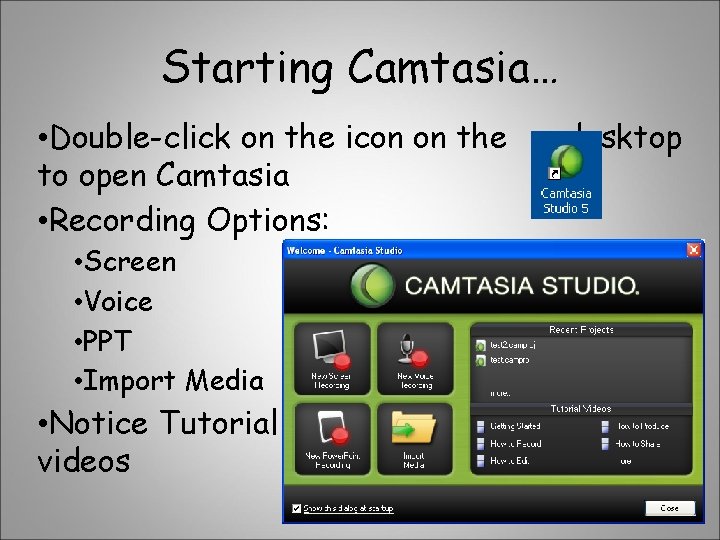
Starting Camtasia… • Double-click on the icon on the to open Camtasia • Recording Options: • Screen • Voice • PPT • Import Media • Notice Tutorial videos desktop
Demo… how to record a training video • Example: How to customize your Quick Access Toolbar in Word 2007 • Instructor - see “Basic Steps” handout (1 a -k) • Smart. Focus inserts zoom key frames in your timeline based on cursor movements, mouse clicks, text entry, window openings and more. (New to Camtasia 5)
Editing in Camtasia… • • • Change Project Settings as needed Resizing options / Select Smart. Focus Save the project file – camproj Tour of Camtasia screen in timeline view Timeline vs Storyboard view Task List to work with the tracks associated w/ this project: video, audio, Zoom-n-Pan, callouts, transitions, etc.
• More Advanced Timeline tools: – Smart. Focus: You have the option of applying Smart. Focus to your timeline when you are editing your project to zoom in or pan out to emphasize mouse movement, etc. – Audio Enhancements: to remove background noise and even out volume levels – Flash Quizzes & Surveys: to add interactivity to video projects and keep audience engaged – Captions feature: to quickly and easily add text to the bottom of your video and sync it w/ your audio
Producing a Camtasia Studio Video… • In order to share your video w/ others, must produce it to a shareable format: – Flash for web – Windows Media – AVI for CD or DVD – MOV for Quicktime – i. Pod
Time to practice creating training videos…
- Slides: 10