
Camstar Transaction Tester Restricted Siemens AG 2016 Realize
- Slides: 15
Camstar Transaction Tester Restricted © Siemens AG 2016 Realize innovation.
Table of Contents • Unit 1: Introduction • Overview • Installation & Licensing • How it works • Unit 2: Configuration Restricted © Siemens AG 2016 Page 2 XX. 20 XX Siemens PLM Software
Unit 1: Introduction Camstar Transaction Tester (CTT) is a tool developed to provide 3 types of functionality: • Configurable scripting tool to script modelling and shop floor transactions • Repeatable testing within a scenario or transaction • Application Server Load Testing that records performance data regarding § Transaction rates § Individial transaction times § Average transaction performance The CTT does NOT test or stress the User Interface Restricted © Siemens AG 2016 Page 3 XX. 20 XX Siemens PLM Software
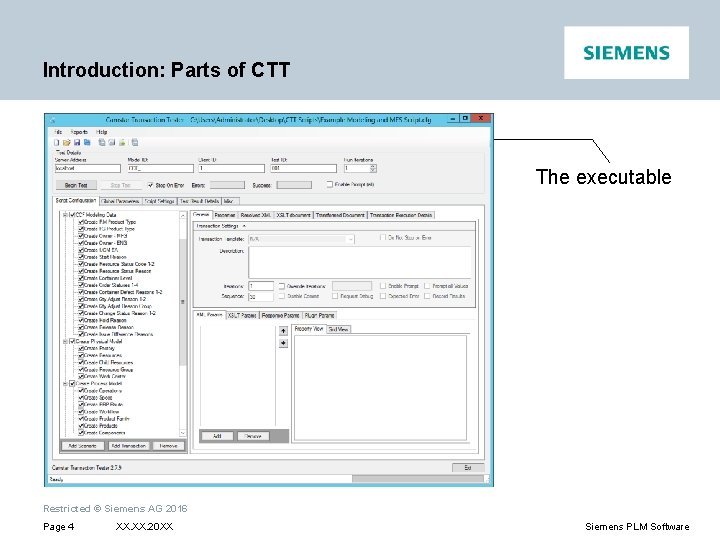
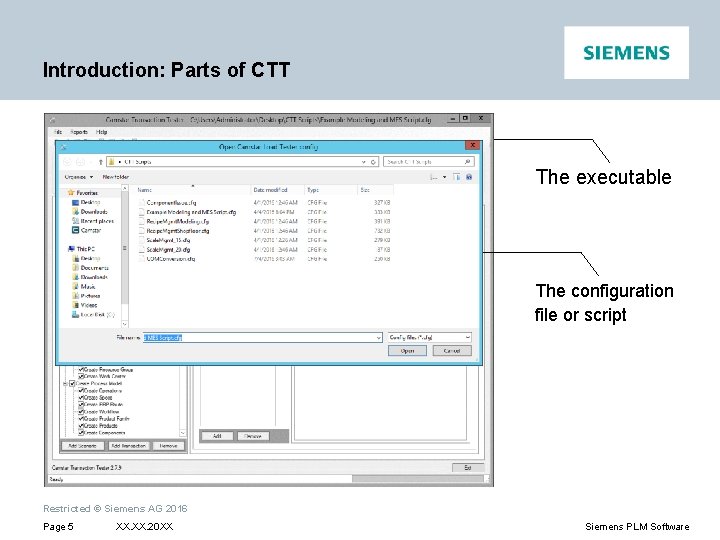
Introduction: Parts of CTT The executable Restricted © Siemens AG 2016 Page 4 XX. 20 XX Siemens PLM Software
Introduction: Parts of CTT The executable The configuration file or script Restricted © Siemens AG 2016 Page 5 XX. 20 XX Siemens PLM Software
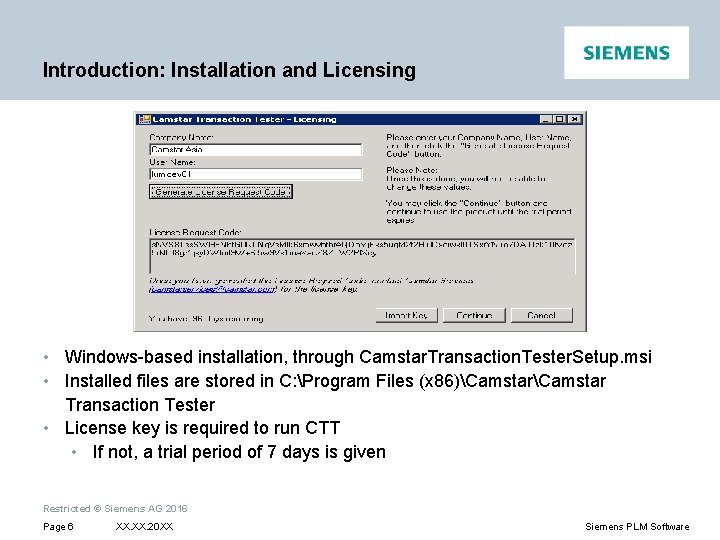
Introduction: Installation and Licensing • Windows-based installation, through Camstar. Transaction. Tester. Setup. msi • Installed files are stored in C: Program Files (x 86)Camstar Transaction Tester • License key is required to run CTT • If not, a trial period of 7 days is given Restricted © Siemens AG 2016 Page 6 XX. 20 XX Siemens PLM Software
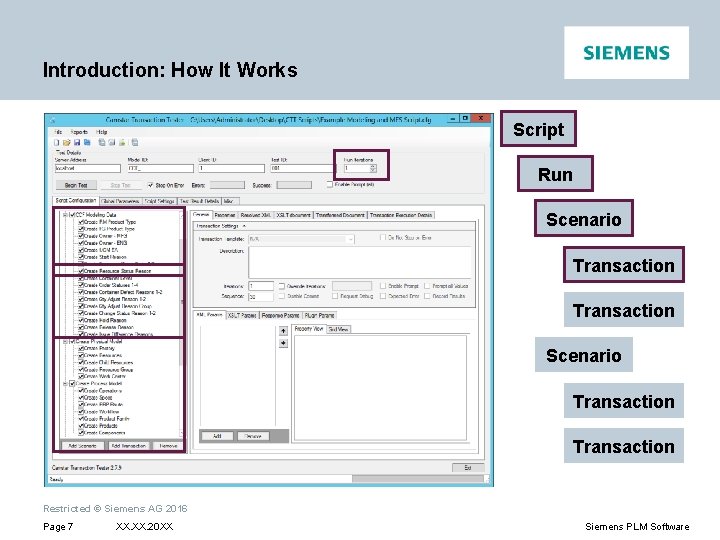
Introduction: How It Works Script Run Scenario Transaction Restricted © Siemens AG 2016 Page 7 XX. 20 XX Siemens PLM Software
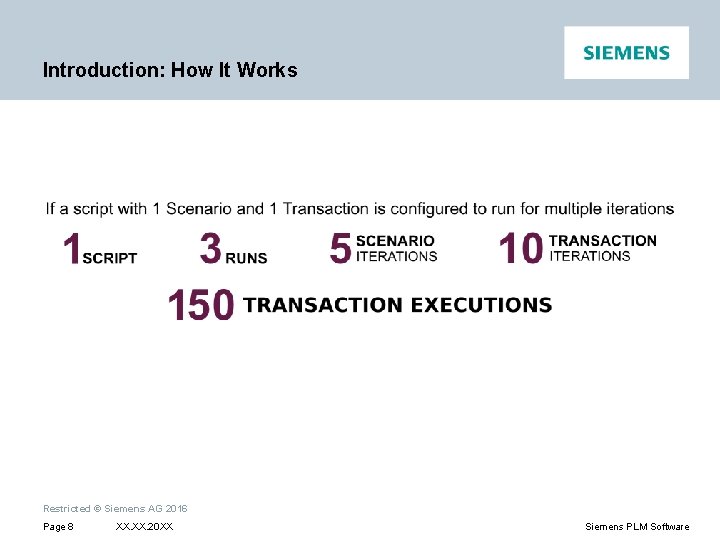
Introduction: How It Works Restricted © Siemens AG 2016 Page 8 XX. 20 XX Siemens PLM Software
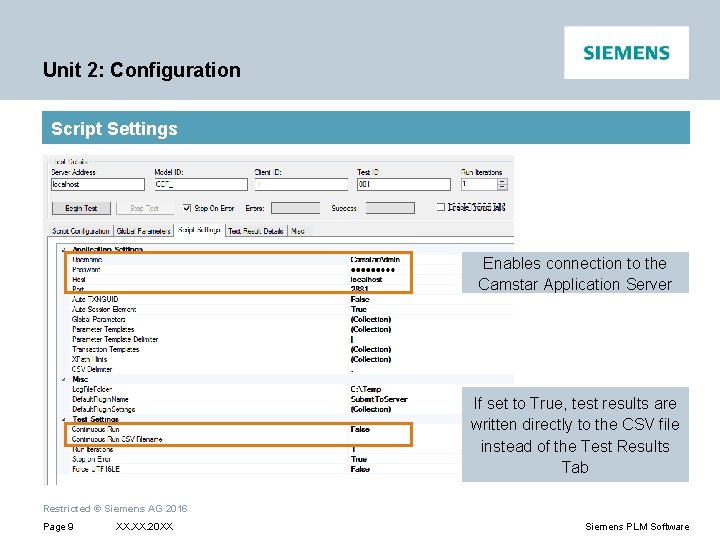
Unit 2: Configuration Script Settings Enables connection to the Camstar Application Server If set to True, test results are written directly to the CSV file instead of the Test Results Tab Restricted © Siemens AG 2016 Page 9 XX. 20 XX Siemens PLM Software
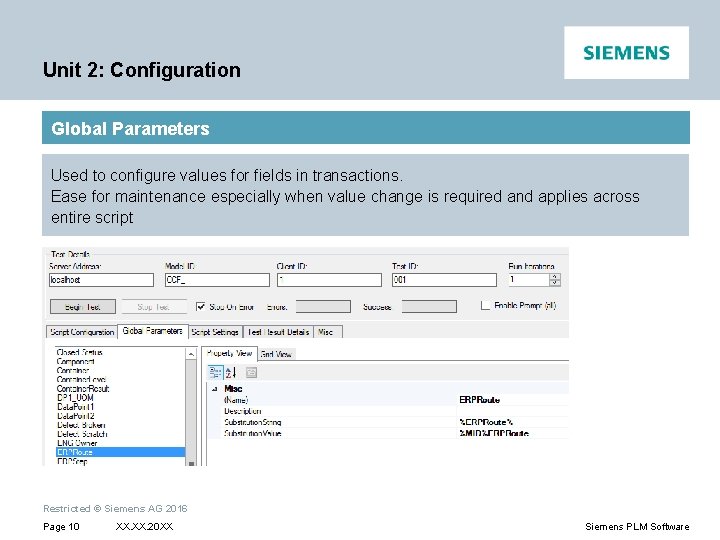
Unit 2: Configuration Global Parameters Used to configure values for fields in transactions. Ease for maintenance especially when value change is required and applies across entire script Restricted © Siemens AG 2016 Page 10 XX. 20 XX Siemens PLM Software
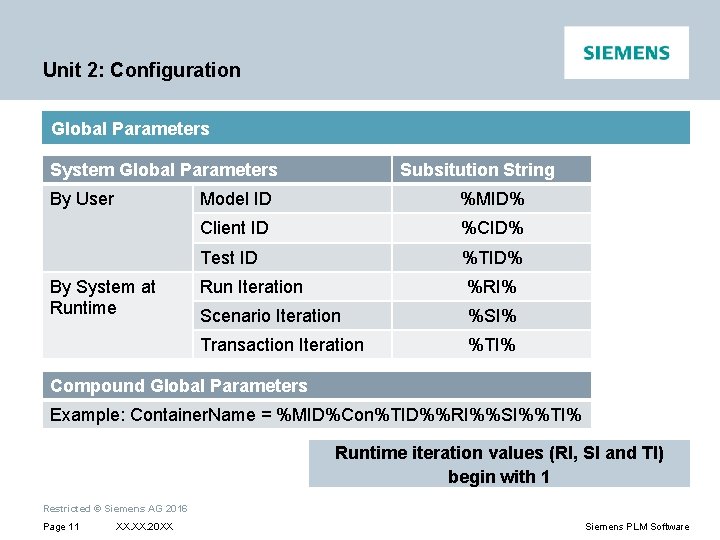
Unit 2: Configuration Global Parameters System Global Parameters By User By System at Runtime Subsitution String Model ID %MID% Client ID %CID% Test ID %TID% Run Iteration %RI% Scenario Iteration %SI% Transaction Iteration %TI% Compound Global Parameters Example: Container. Name = %MID%Con%TID%%RI%%SI%%TI% Runtime iteration values (RI, SI and TI) begin with 1 Restricted © Siemens AG 2016 Page 11 XX. 20 XX Siemens PLM Software
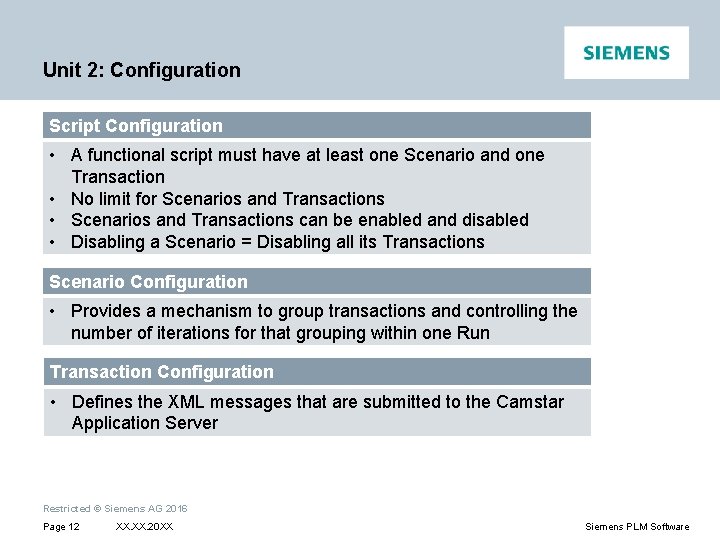
Unit 2: Configuration Script Configuration • A functional script must have at least one Scenario and one Transaction • No limit for Scenarios and Transactions • Scenarios and Transactions can be enabled and disabled • Disabling a Scenario = Disabling all its Transactions Scenario Configuration • Provides a mechanism to group transactions and controlling the number of iterations for that grouping within one Run Transaction Configuration • Defines the XML messages that are submitted to the Camstar Application Server Restricted © Siemens AG 2016 Page 12 XX. 20 XX Siemens PLM Software
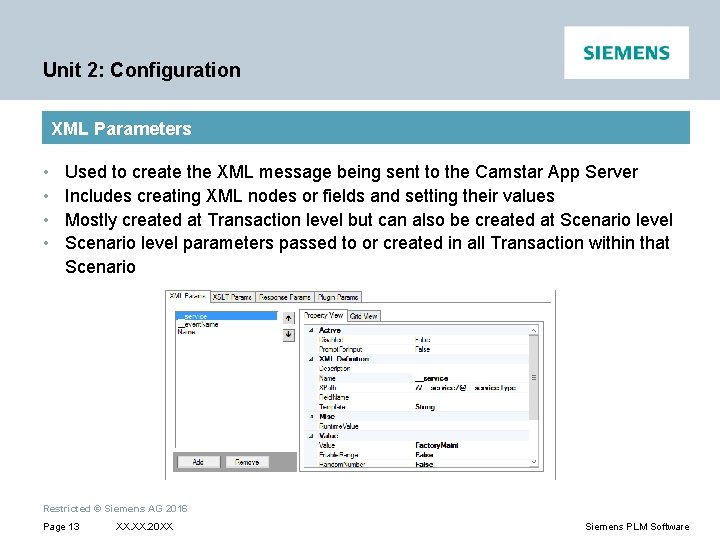
Unit 2: Configuration XML Parameters • • Used to create the XML message being sent to the Camstar App Server Includes creating XML nodes or fields and setting their values Mostly created at Transaction level but can also be created at Scenario level parameters passed to or created in all Transaction within that Scenario Restricted © Siemens AG 2016 Page 13 XX. 20 XX Siemens PLM Software
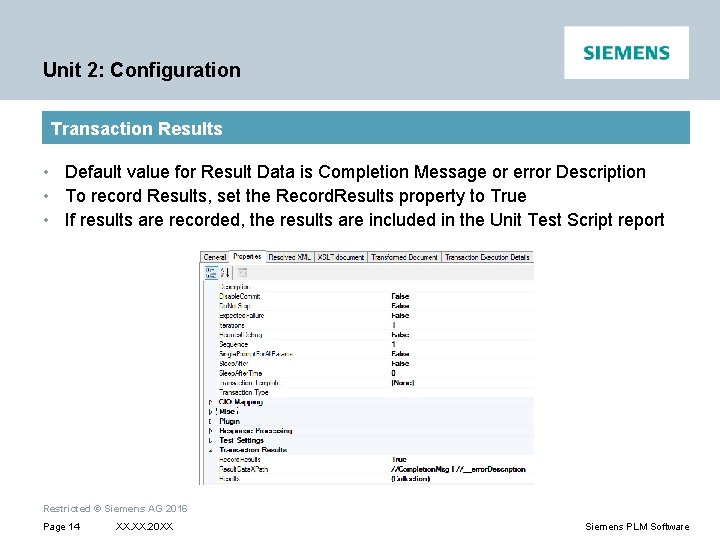
Unit 2: Configuration Transaction Results • Default value for Result Data is Completion Message or error Description • To record Results, set the Record. Results property to True • If results are recorded, the results are included in the Unit Test Script report Restricted © Siemens AG 2016 Page 14 XX. 20 XX Siemens PLM Software
Thank You Questions? Ask me anything… siemens. com Restricted © Siemens AG 2016 Page 15 XX. 20 XX Siemens PLM Software