
Calculating acceleration using ADXL 213 dual axis accelerometer
- Slides: 28
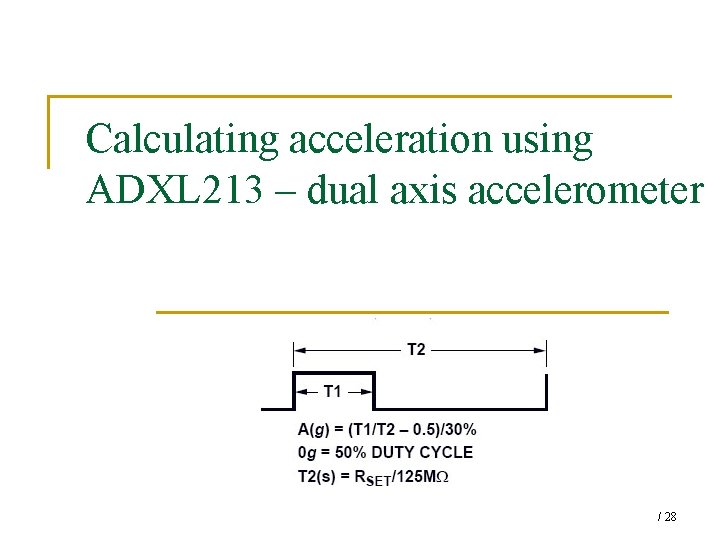
Calculating acceleration using ADXL 213 – dual axis accelerometer / 28
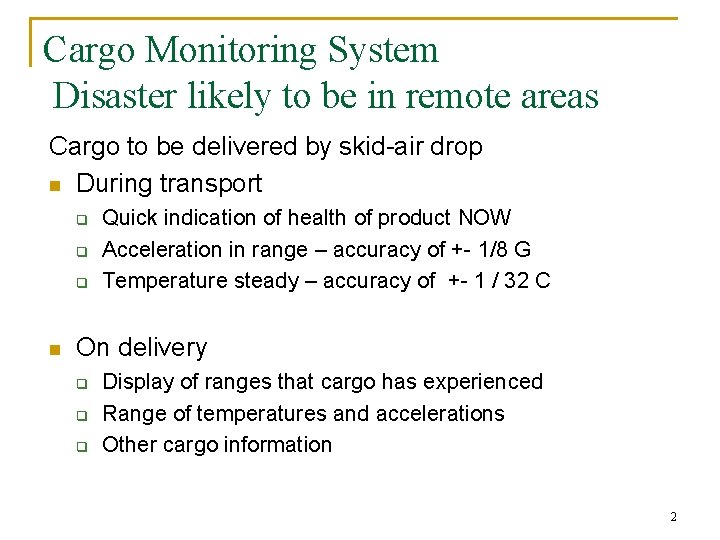
Cargo Monitoring System Disaster likely to be in remote areas Cargo to be delivered by skid-air drop n During transport q q q n Quick indication of health of product NOW Acceleration in range – accuracy of +- 1/8 G Temperature steady – accuracy of +- 1 / 32 C On delivery q q q Display of ranges that cargo has experienced Range of temperatures and accelerations Other cargo information 2
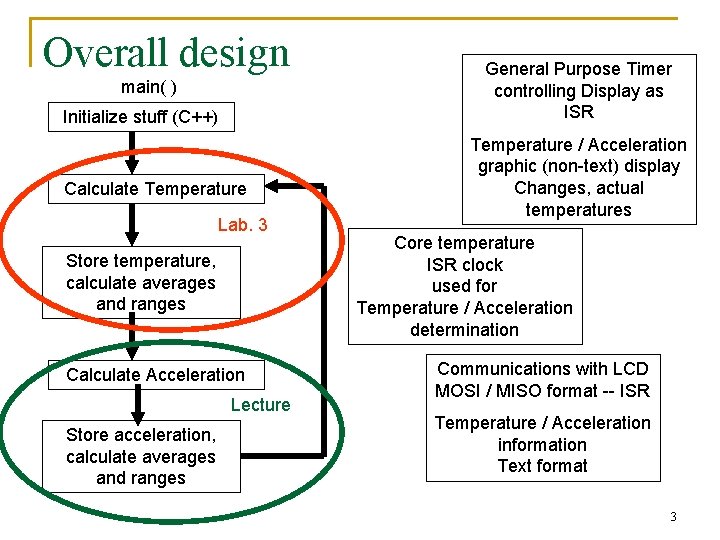
Overall design main( ) Initialize stuff (C++) Calculate Temperature Lab. 3 Store temperature, calculate averages and ranges Calculate Acceleration Lecture Store acceleration, calculate averages and ranges General Purpose Timer controlling Display as ISR Temperature / Acceleration graphic (non-text) display Changes, actual temperatures Core temperature ISR clock used for Temperature / Acceleration determination Communications with LCD MOSI / MISO format -- ISR Temperature / Acceleration information Text format 3
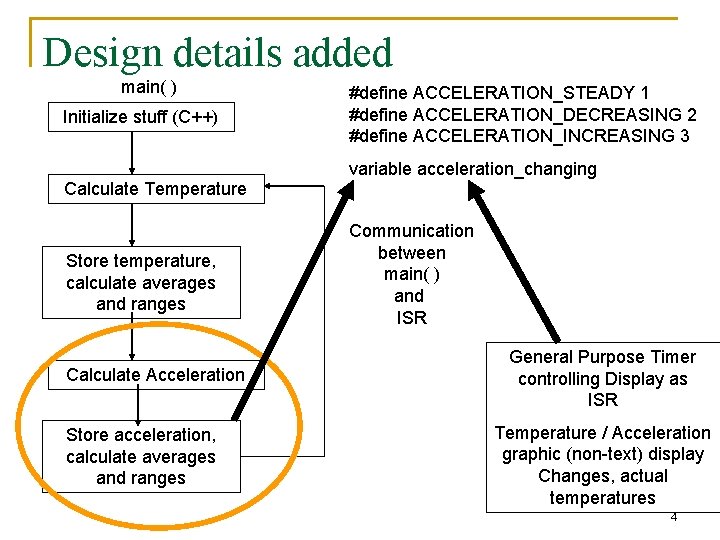
Design details added main( ) Initialize stuff (C++) #define ACCELERATION_STEADY 1 #define ACCELERATION_DECREASING 2 #define ACCELERATION_INCREASING 3 variable acceleration_changing Calculate Temperature Store temperature, calculate averages and ranges Calculate Acceleration Store acceleration, calculate averages and ranges Communication between main( ) and ISR General Purpose Timer controlling Display as ISR Temperature / Acceleration graphic (non-text) display Changes, actual temperatures 4
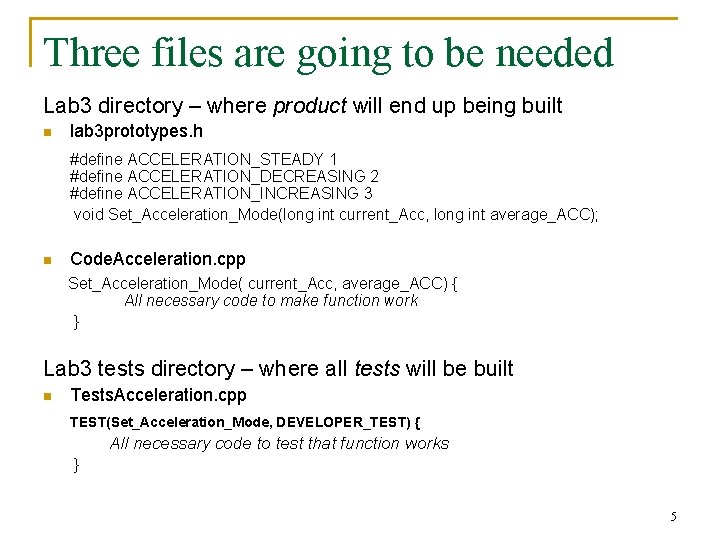
Three files are going to be needed Lab 3 directory – where product will end up being built n lab 3 prototypes. h #define ACCELERATION_STEADY 1 #define ACCELERATION_DECREASING 2 #define ACCELERATION_INCREASING 3 void Set_Acceleration_Mode(long int current_Acc, long int average_ACC); n Code. Acceleration. cpp Set_Acceleration_Mode( current_Acc, average_ACC) { All necessary code to make function work } Lab 3 tests directory – where all tests will be built n Tests. Acceleration. cpp TEST(Set_Acceleration_Mode, DEVELOPER_TEST) { All necessary code to test that function works } 5
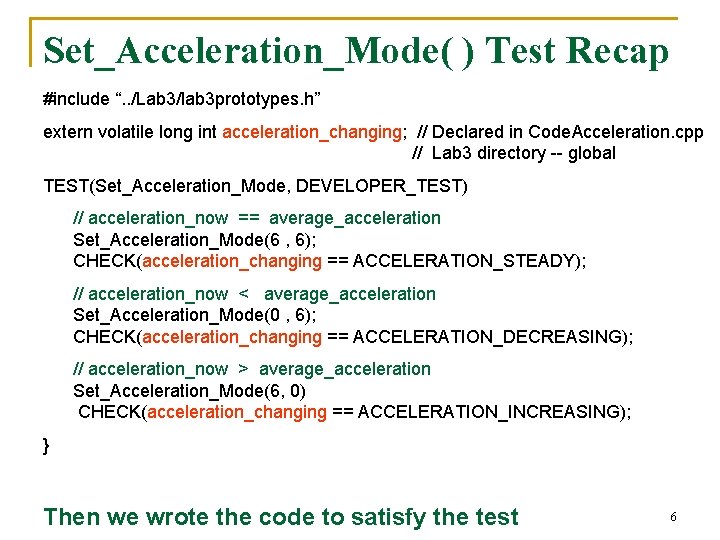
Set_Acceleration_Mode( ) Test Recap #include “. . /Lab 3/lab 3 prototypes. h” extern volatile long int acceleration_changing; // Declared in Code. Acceleration. cpp // Lab 3 directory -- global TEST(Set_Acceleration_Mode, DEVELOPER_TEST) // acceleration_now == average_acceleration Set_Acceleration_Mode(6 , 6); CHECK(acceleration_changing == ACCELERATION_STEADY); // acceleration_now < average_acceleration Set_Acceleration_Mode(0 , 6); CHECK(acceleration_changing == ACCELERATION_DECREASING); // acceleration_now > average_acceleration Set_Acceleration_Mode(6, 0) CHECK(acceleration_changing == ACCELERATION_INCREASING); } Then we wrote the code to satisfy the test 6
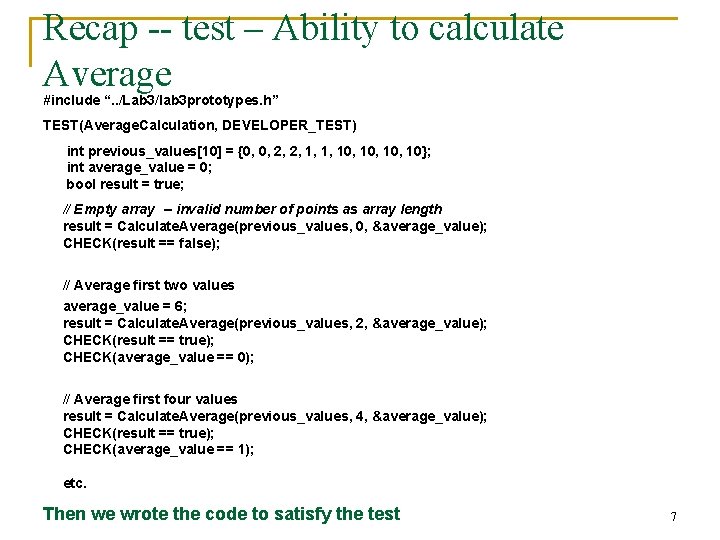
Recap -- test – Ability to calculate Average #include “. . /Lab 3/lab 3 prototypes. h” TEST(Average. Calculation, DEVELOPER_TEST) int previous_values[10] = {0, 0, 2, 2, 1, 1, 10, 10}; int average_value = 0; bool result = true; // Empty array -- invalid number of points as array length result = Calculate. Average(previous_values, 0, &average_value); CHECK(result == false); // Average first two values average_value = 6; result = Calculate. Average(previous_values, 2, &average_value); CHECK(result == true); CHECK(average_value == 0); // Average first four values result = Calculate. Average(previous_values, 4, &average_value); CHECK(result == true); CHECK(average_value == 1); etc. Then we wrote the code to satisfy the test 7
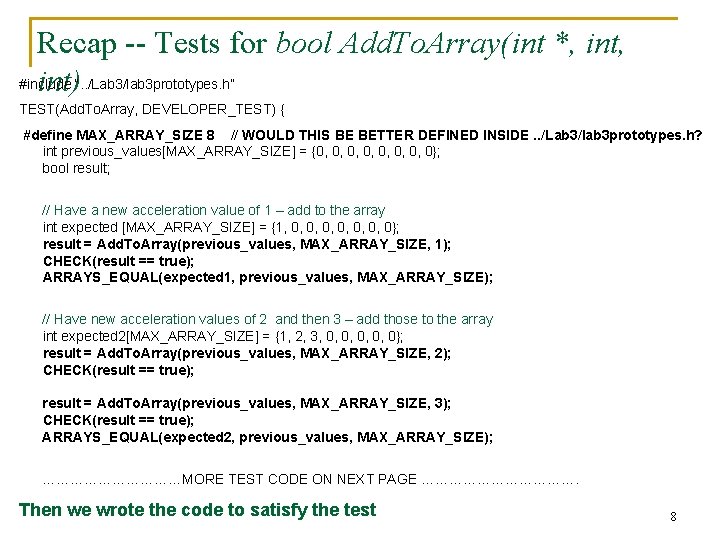
Recap -- Tests for bool Add. To. Array(int *, int, #include int)“. . /Lab 3/lab 3 prototypes. h” TEST(Add. To. Array, DEVELOPER_TEST) { #define MAX_ARRAY_SIZE 8 // WOULD THIS BE BETTER DEFINED INSIDE. . /Lab 3/lab 3 prototypes. h? int previous_values[MAX_ARRAY_SIZE] = {0, 0, 0}; bool result; // Have a new acceleration value of 1 – add to the array int expected [MAX_ARRAY_SIZE] = {1, 0, 0, 0, 0}; result = Add. To. Array(previous_values, MAX_ARRAY_SIZE, 1); CHECK(result == true); ARRAYS_EQUAL(expected 1, previous_values, MAX_ARRAY_SIZE); // Have new acceleration values of 2 and then 3 – add those to the array int expected 2[MAX_ARRAY_SIZE] = {1, 2, 3, 0, 0, 0}; result = Add. To. Array(previous_values, MAX_ARRAY_SIZE, 2); CHECK(result == true); result = Add. To. Array(previous_values, MAX_ARRAY_SIZE, 3); CHECK(result == true); ARRAYS_EQUAL(expected 2, previous_values, MAX_ARRAY_SIZE); ……………MORE TEST CODE ON NEXT PAGE ………………. Then we wrote the code to satisfy the test 8
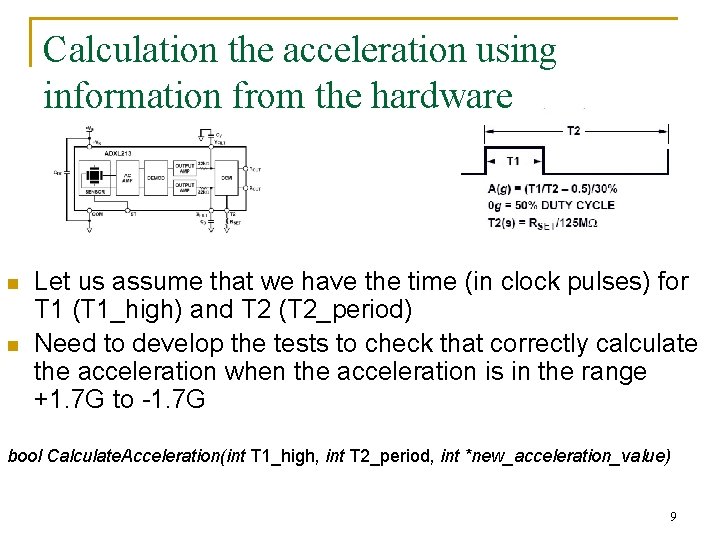
Calculation the acceleration using information from the hardware n n Let us assume that we have the time (in clock pulses) for T 1 (T 1_high) and T 2 (T 2_period) Need to develop the tests to check that correctly calculate the acceleration when the acceleration is in the range +1. 7 G to -1. 7 G bool Calculate. Acceleration(int T 1_high, int T 2_period, int *new_acceleration_value) 9
You were asked Before tomorrow’s class n Write the tests needed to show that bool Calculate. Acceleration(int T 1_high, int T 2_period, int *new_acceleration_value) correctly calculates the acceleration when the acceleration is in the range +1. 7 G to -1. 7 G Through this test design – identify the “design defect” in the current project design concept for the transportation monitoring device 10
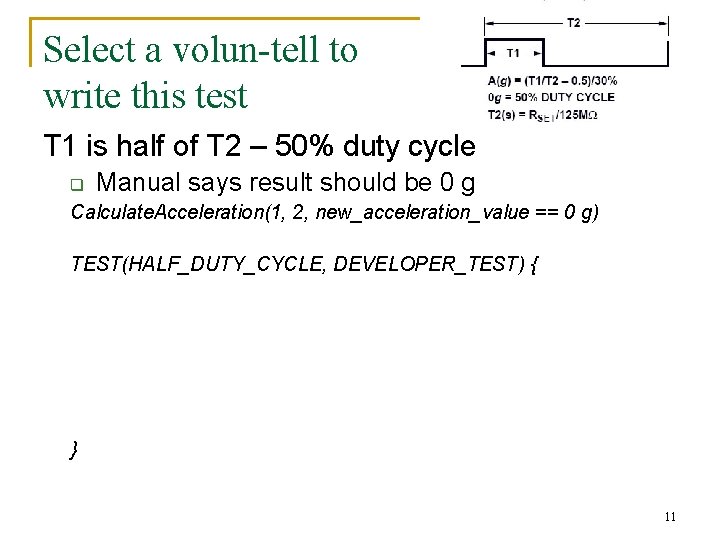
Select a volun-tell to write this test T 1 is half of T 2 – 50% duty cycle q Manual says result should be 0 g Calculate. Acceleration(1, 2, new_acceleration_value == 0 g) TEST(HALF_DUTY_CYCLE, DEVELOPER_TEST) { } 11
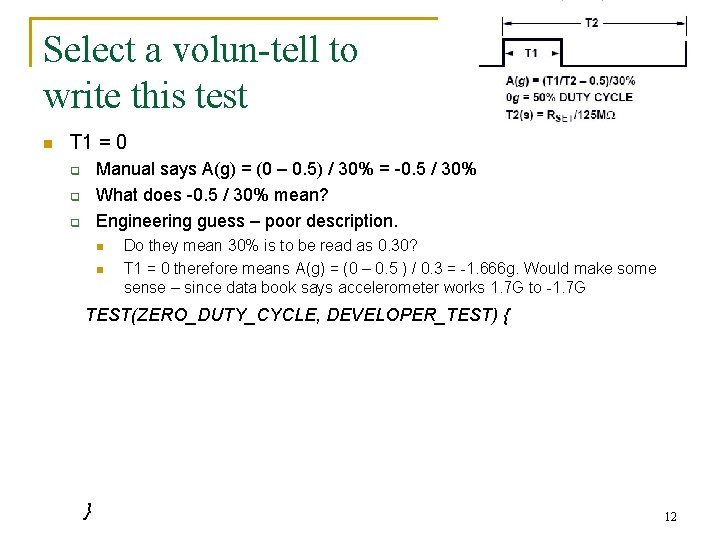
Select a volun-tell to write this test n T 1 = 0 Manual says A(g) = (0 – 0. 5) / 30% = -0. 5 / 30% What does -0. 5 / 30% mean? Engineering guess – poor description. q q q n n Do they mean 30% is to be read as 0. 30? T 1 = 0 therefore means A(g) = (0 – 0. 5 ) / 0. 3 = -1. 666 g. Would make some sense – since data book says accelerometer works 1. 7 G to -1. 7 G TEST(ZERO_DUTY_CYCLE, DEVELOPER_TEST) { } 12
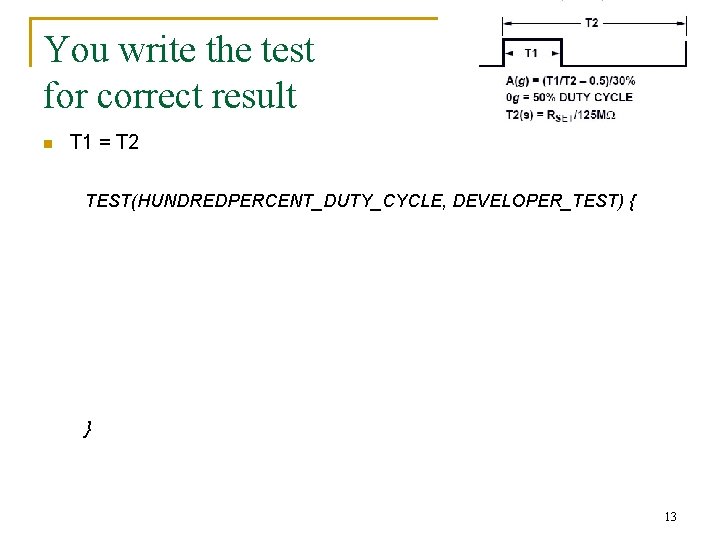
You write the test for correct result n T 1 = T 2 TEST(HUNDREDPERCENT_DUTY_CYCLE, DEVELOPER_TEST) { } 13
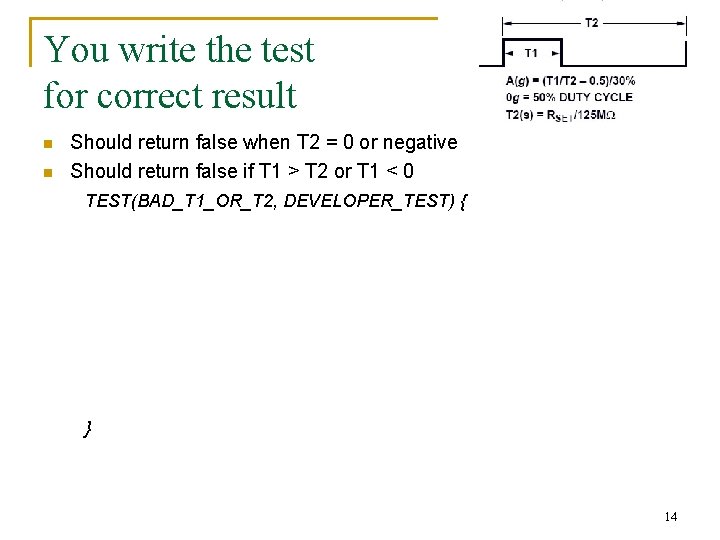
You write the test for correct result n n Should return false when T 2 = 0 or negative Should return false if T 1 > T 2 or T 1 < 0 TEST(BAD_T 1_OR_T 2, DEVELOPER_TEST) { } 14
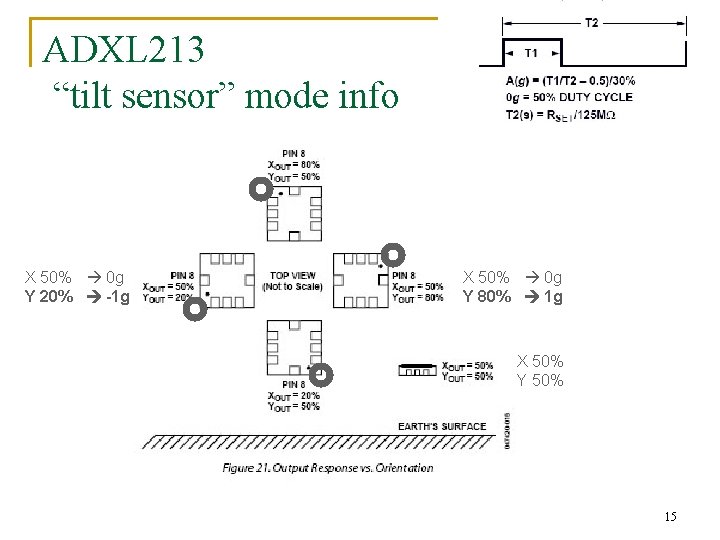
ADXL 213 “tilt sensor” mode info X 50% 0 g Y 20% -1 g X 50% 0 g Y 80% 1 g X 50% Y 50% 15
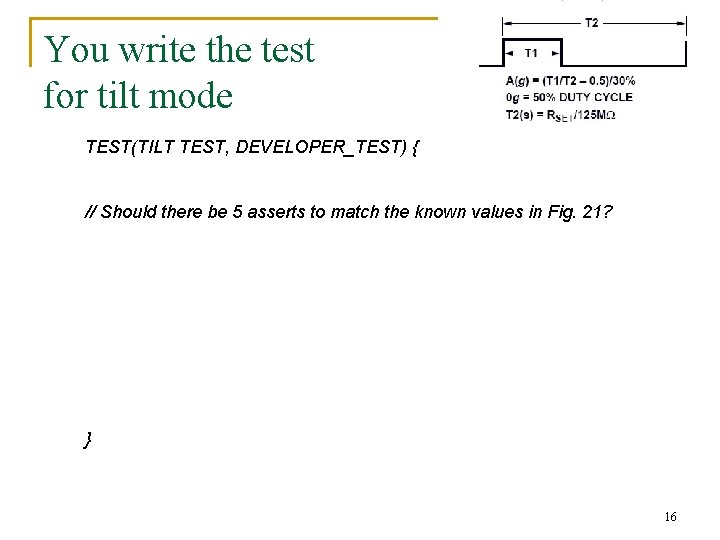
You write the test for tilt mode TEST(TILT TEST, DEVELOPER_TEST) { // Should there be 5 asserts to match the known values in Fig. 21? } 16
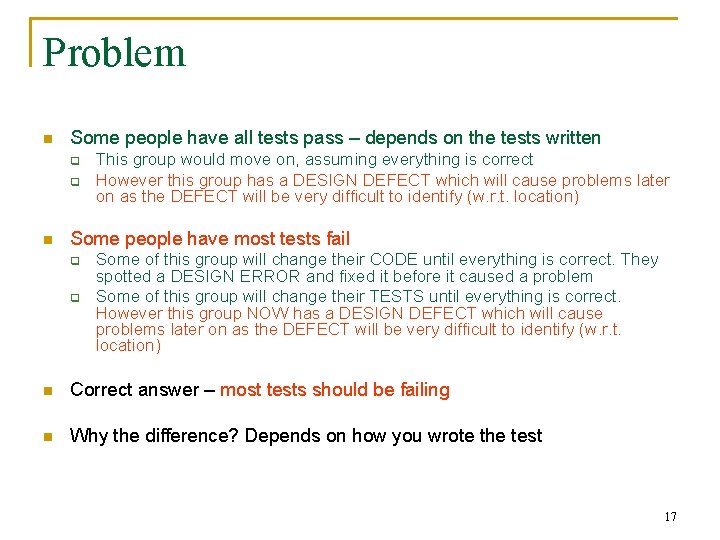
Problem n Some people have all tests pass – depends on the tests written q q n This group would move on, assuming everything is correct However this group has a DESIGN DEFECT which will cause problems later on as the DEFECT will be very difficult to identify (w. r. t. location) Some people have most tests fail q q Some of this group will change their CODE until everything is correct. They spotted a DESIGN ERROR and fixed it before it caused a problem Some of this group will change their TESTS until everything is correct. However this group NOW has a DESIGN DEFECT which will cause problems later on as the DEFECT will be very difficult to identify (w. r. t. location) n Correct answer – most tests should be failing n Why the difference? Depends on how you wrote the test 17
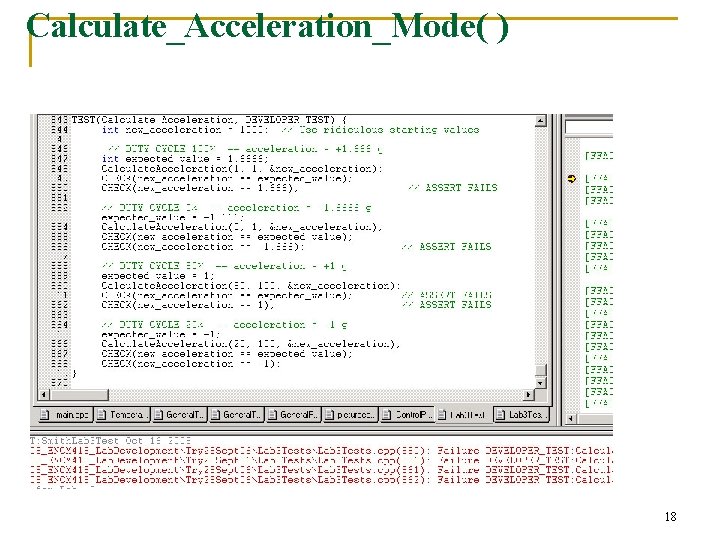
Calculate_Acceleration_Mode( ) 18
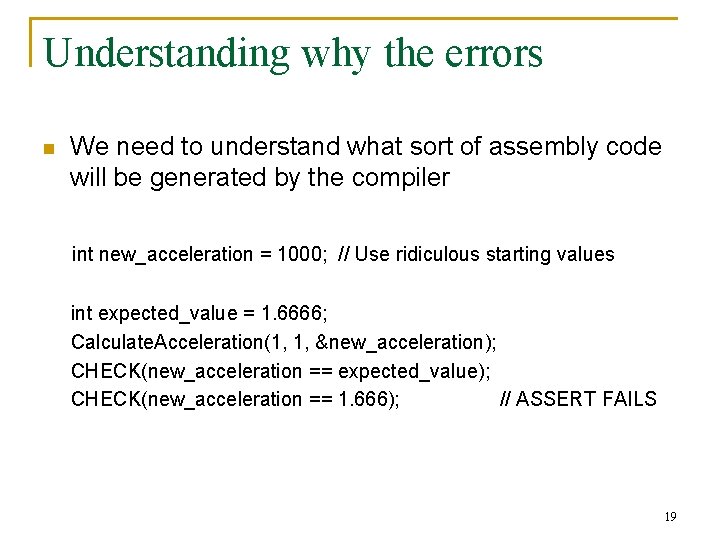
Understanding why the errors n We need to understand what sort of assembly code will be generated by the compiler int new_acceleration = 1000; // Use ridiculous starting values int expected_value = 1. 6666; Calculate. Acceleration(1, 1, &new_acceleration); CHECK(new_acceleration == expected_value); CHECK(new_acceleration == 1. 666); // ASSERT FAILS 19
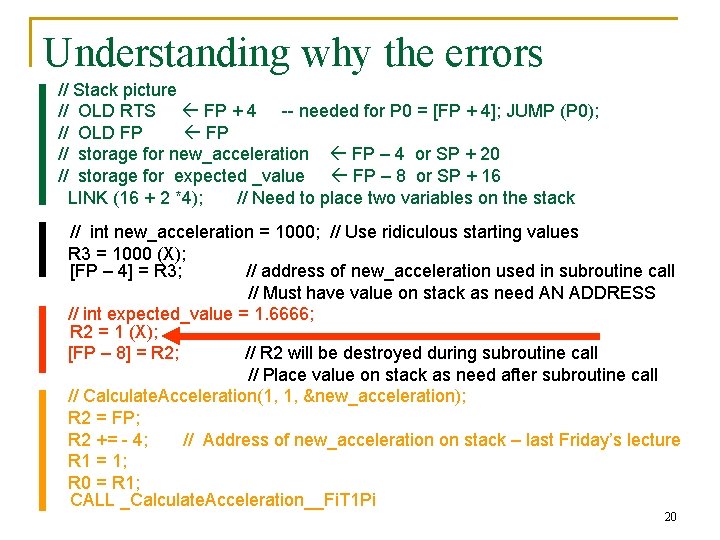
Understanding why the errors // Stack picture // OLD RTS FP + 4 -- needed for P 0 = [FP + 4]; JUMP (P 0); // OLD FP // storage for new_acceleration FP – 4 or SP + 20 // storage for expected _value FP – 8 or SP + 16 LINK (16 + 2 *4); // Need to place two variables on the stack // int new_acceleration = 1000; // Use ridiculous starting values R 3 = 1000 (X); [FP – 4] = R 3; // address of new_acceleration used in subroutine call // Must have value on stack as need AN ADDRESS // int expected_value = 1. 6666; R 2 = 1 (X); [FP – 8] = R 2; // R 2 will be destroyed during subroutine call // Place value on stack as need after subroutine call // Calculate. Acceleration(1, 1, &new_acceleration); R 2 = FP; R 2 += - 4; // Address of new_acceleration on stack – last Friday’s lecture R 1 = 1; R 0 = R 1; CALL _Calculate. Acceleration__Fi. T 1 Pi 20
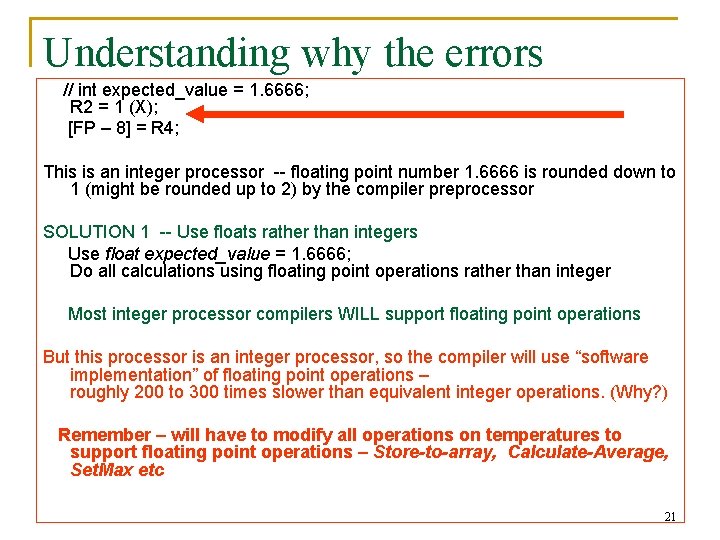
Understanding why the errors // int expected_value = 1. 6666; R 2 = 1 (X); [FP – 8] = R 4; This is an integer processor -- floating point number 1. 6666 is rounded down to 1 (might be rounded up to 2) by the compiler preprocessor SOLUTION 1 -- Use floats rather than integers Use float expected_value = 1. 6666; Do all calculations using floating point operations rather than integer Most integer processor compilers WILL support floating point operations But this processor is an integer processor, so the compiler will use “software implementation” of floating point operations – roughly 200 to 300 times slower than equivalent integer operations. (Why? ) Remember – will have to modify all operations on temperatures to support floating point operations – Store-to-array, Calculate-Average, Set. Max etc 21
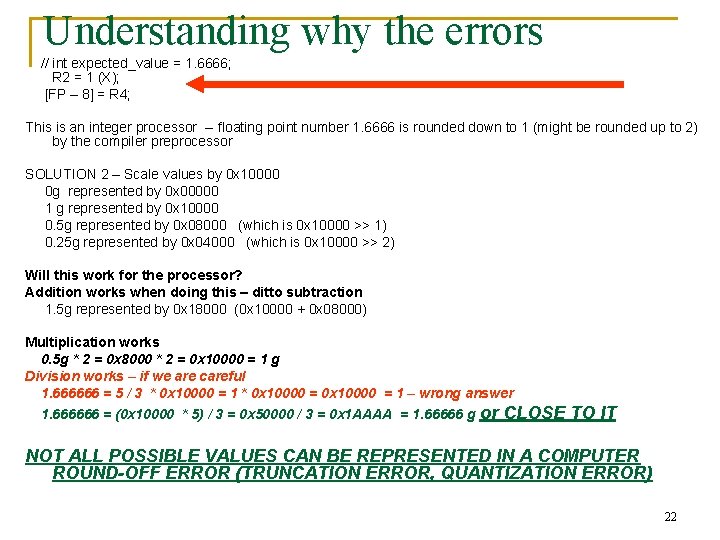
Understanding why the errors // int expected_value = 1. 6666; R 2 = 1 (X); [FP – 8] = R 4; This is an integer processor -- floating point number 1. 6666 is rounded down to 1 (might be rounded up to 2) by the compiler preprocessor SOLUTION 2 – Scale values by 0 x 10000 0 g represented by 0 x 00000 1 g represented by 0 x 10000 0. 5 g represented by 0 x 08000 (which is 0 x 10000 >> 1) 0. 25 g represented by 0 x 04000 (which is 0 x 10000 >> 2) Will this work for the processor? Addition works when doing this – ditto subtraction 1. 5 g represented by 0 x 18000 (0 x 10000 + 0 x 08000) Multiplication works 0. 5 g * 2 = 0 x 8000 * 2 = 0 x 10000 = 1 g Division works – if we are careful 1. 666666 = 5 / 3 * 0 x 10000 = 1 – wrong answer 1. 666666 = (0 x 10000 * 5) / 3 = 0 x 50000 / 3 = 0 x 1 AAAA = 1. 66666 g or CLOSE TO IT NOT ALL POSSIBLE VALUES CAN BE REPRESENTED IN A COMPUTER ROUND-OFF ERROR (TRUNCATION ERROR, QUANTIZATION ERROR) 22
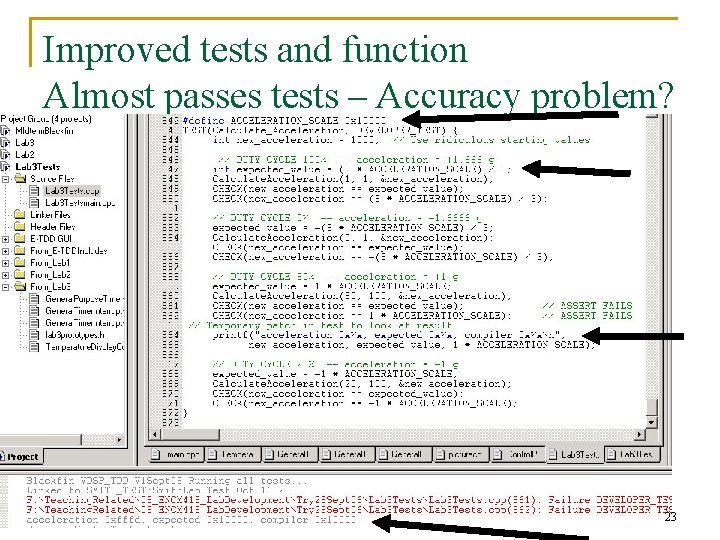
Improved tests and function Almost passes tests – Accuracy problem? 23
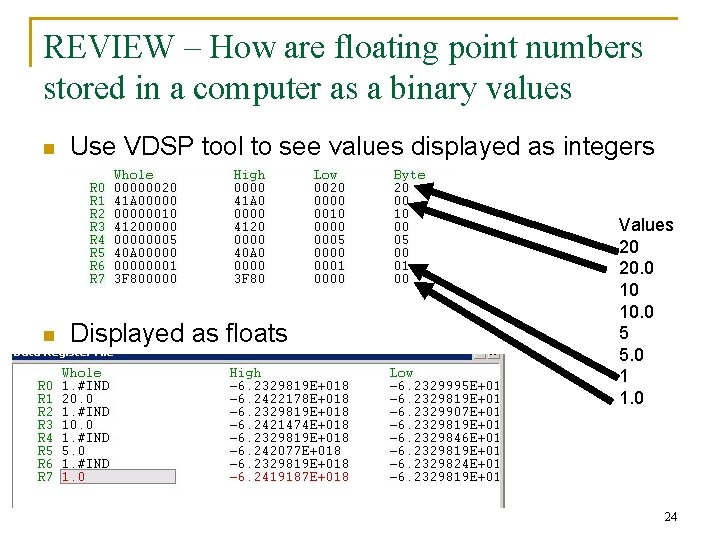
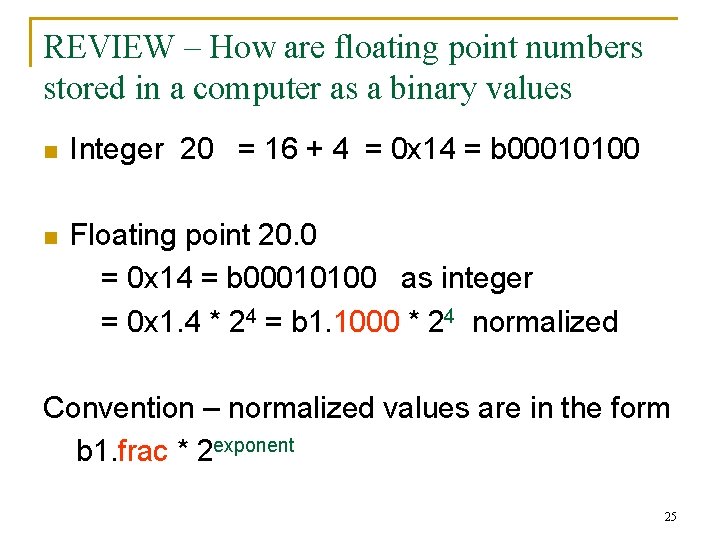
REVIEW – How are floating point numbers stored in a computer as a binary values n n Use VDSP tool to see values displayed as integers Displayed as floats Values 20 20. 0 10 10. 0 5 5. 0 1 1. 0 24
REVIEW – How are floating point numbers stored in a computer as a binary values n Integer 20 = 16 + 4 = 0 x 14 = b 00010100 n Floating point 20. 0 = 0 x 14 = b 00010100 as integer = 0 x 1. 4 * 24 = b 1. 1000 * 24 normalized Convention – normalized values are in the form b 1. frac * 2 exponent 25
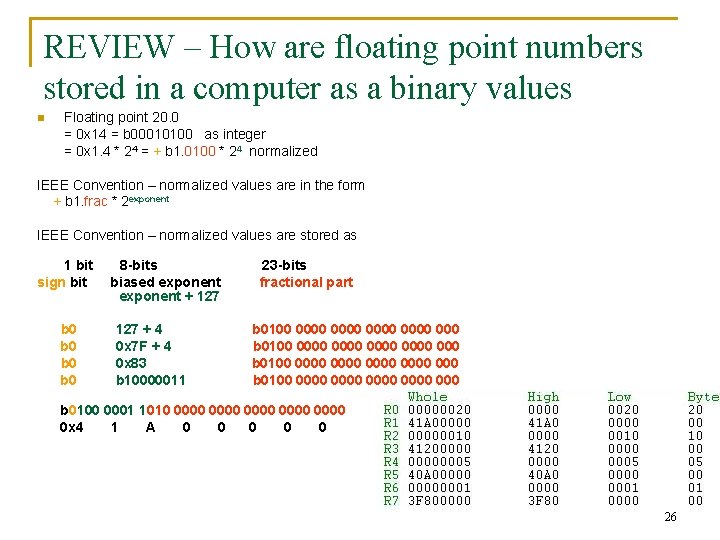
REVIEW – How are floating point numbers stored in a computer as a binary values n Floating point 20. 0 = 0 x 14 = b 00010100 as integer = 0 x 1. 4 * 24 = + b 1. 0100 * 24 normalized IEEE Convention – normalized values are in the form + b 1. frac * 2 exponent IEEE Convention – normalized values are stored as 1 bit sign bit b 0 b 0 8 -bits biased exponent + 127 + 4 0 x 7 F + 4 0 x 83 b 10000011 23 -bits fractional part b 0100 0000 0000 0000 0000 000 b 0100 0001 1010 0000 0000 0 x 4 1 A 0 0 0 26
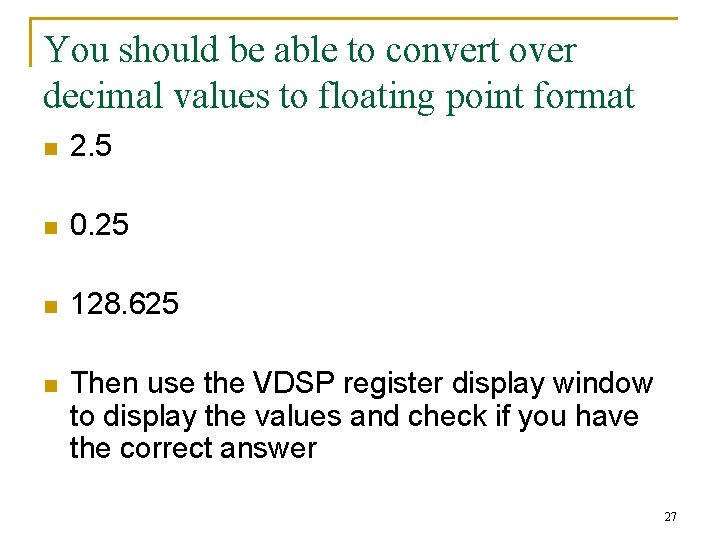
You should be able to convert over decimal values to floating point format n 2. 5 n 0. 25 n 128. 625 n Then use the VDSP register display window to display the values and check if you have the correct answer 27
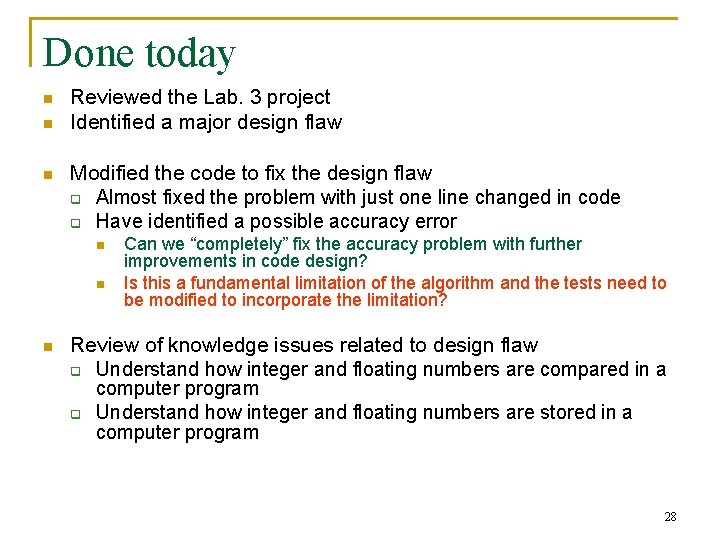
Done today n n n Reviewed the Lab. 3 project Identified a major design flaw Modified the code to fix the design flaw q Almost fixed the problem with just one line changed in code q Have identified a possible accuracy error n n n Can we “completely” fix the accuracy problem with further improvements in code design? Is this a fundamental limitation of the algorithm and the tests need to be modified to incorporate the limitation? Review of knowledge issues related to design flaw q Understand how integer and floating numbers are compared in a computer program q Understand how integer and floating numbers are stored in a computer program 28