
Cache Memory CSE 410 Spring 2008 Computer Systems








- Slides: 42
Cache Memory CSE 410, Spring 2008 Computer Systems http: //www. cs. washington. edu/410 9/8/2021 cse 410 -13 -cache © 2006 -07 Perkins, DW Johnson and University of Washington 1
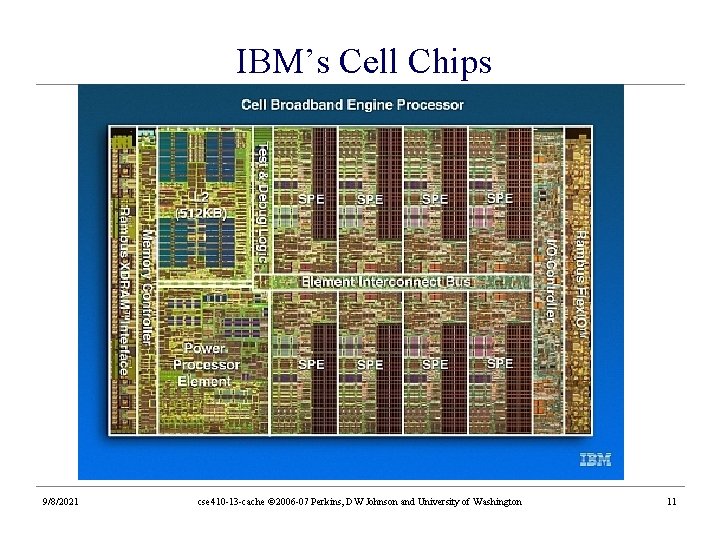
Reading and References • Reading » Computer Organization and Design, Patterson and Hennessy • Section 7. 1 Introduction • Section 7. 2 The Basics of Caches • Section 7. 3 Measuring and Improving Cache Performance • Reference » OSC (The dino book), Chapter 8: focus on paging » CDA&AQA, Chapter 5 » Chapter 4, See MIPS Run, D. Sweetman » IBM and Cell chips: http: //www. blachford. info/computer/Cell 0_v 2. html 9/8/2021 cse 410 -13 -cache © 2006 -07 Perkins, DW Johnson and University of Washington 2
Arthur W. Burks, Herman H. Goldstine, John von Neumann • “We are therefore forced to recognize the possibility of constructing a hierarchy of memories, each of which has greater capacity than the preceding but which is less quickly accessible” • This team was “forced” to realize this in the 1960 s • Cache – a safe place to store something (webster) • Cache (cse & ee ) : a small and fast local memory • Caches – some consider this to be… 9/8/2021 cse 410 -13 -cache © 2006 -07 Perkins, DW Johnson and University of Washington 3
The Quest for Speed - Memory • If all memory accesses (IF/lw/sw) accessed main memory, programs would run exponentially slower » Compare memory access times: 2^4 - 2^6 time slower? » Could be even slower depending on pipeline length! • And it’s getting worse » processors speed up by ~50% annually » memory accesses speed up by ~9% annually » it’s becoming harder and harder to keep these processors fed 9/8/2021 cse 410 -13 -cache © 2006 -07 Perkins, DW Johnson and University of Washington 4
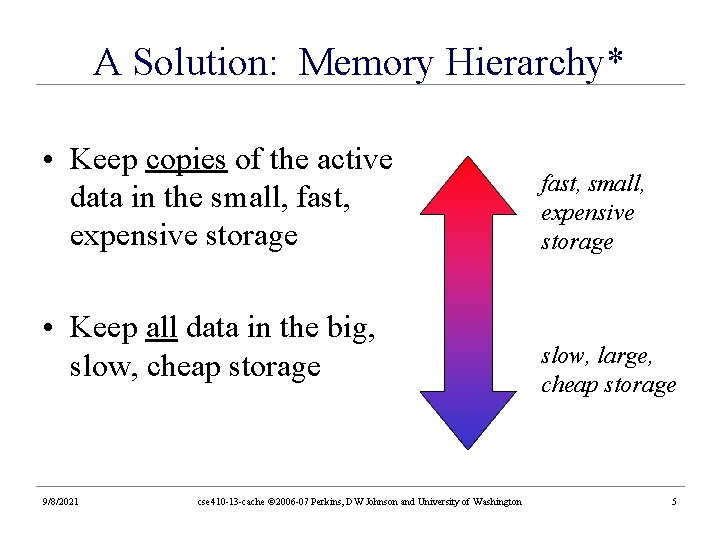
A Solution: Memory Hierarchy* • Keep copies of the active data in the small, fast, expensive storage • Keep all data in the big, slow, cheap storage 9/8/2021 cse 410 -13 -cache © 2006 -07 Perkins, DW Johnson and University of Washington fast, small, expensive storage slow, large, cheap storage 5
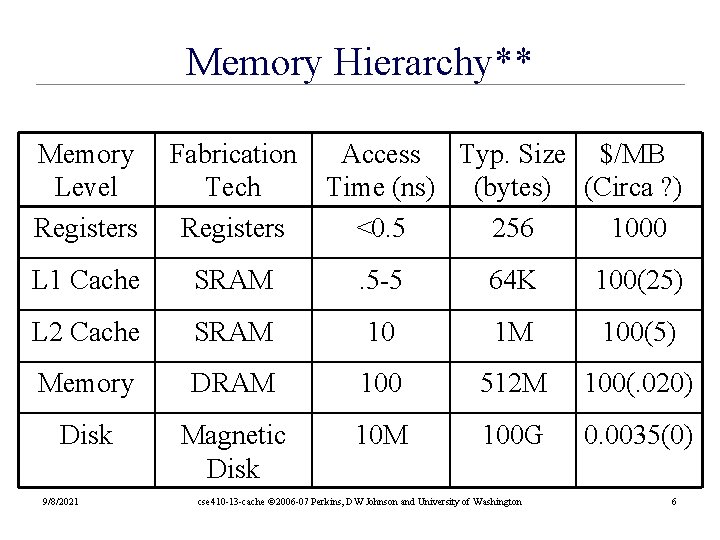
Memory Hierarchy** Memory Level Registers Fabrication Tech Registers L 1 Cache SRAM . 5 -5 64 K 100(25) L 2 Cache SRAM 10 1 M 100(5) Memory DRAM 100 512 M 100(. 020) Disk Magnetic Disk 10 M 100 G 0. 0035(0) 9/8/2021 Access Typ. Size $/MB Time (ns) (bytes) (Circa ? ) <0. 5 256 1000 cse 410 -13 -cache © 2006 -07 Perkins, DW Johnson and University of Washington 6
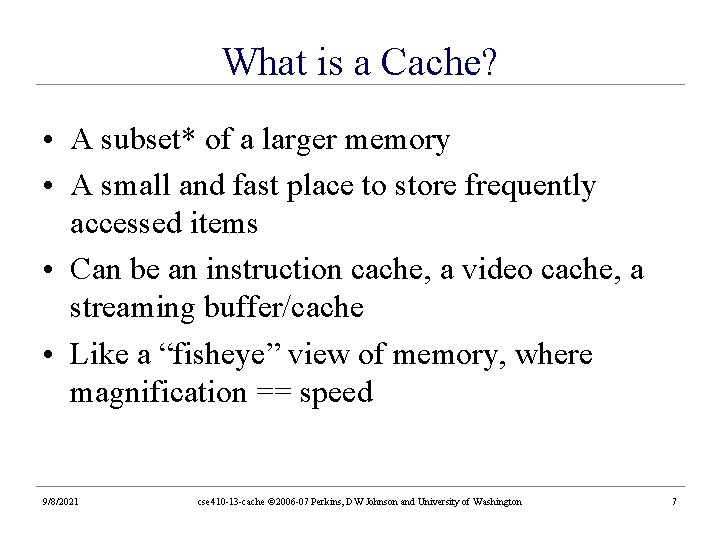
What is a Cache? • A subset* of a larger memory • A small and fast place to store frequently accessed items • Can be an instruction cache, a video cache, a streaming buffer/cache • Like a “fisheye” view of memory, where magnification == speed 9/8/2021 cse 410 -13 -cache © 2006 -07 Perkins, DW Johnson and University of Washington 7
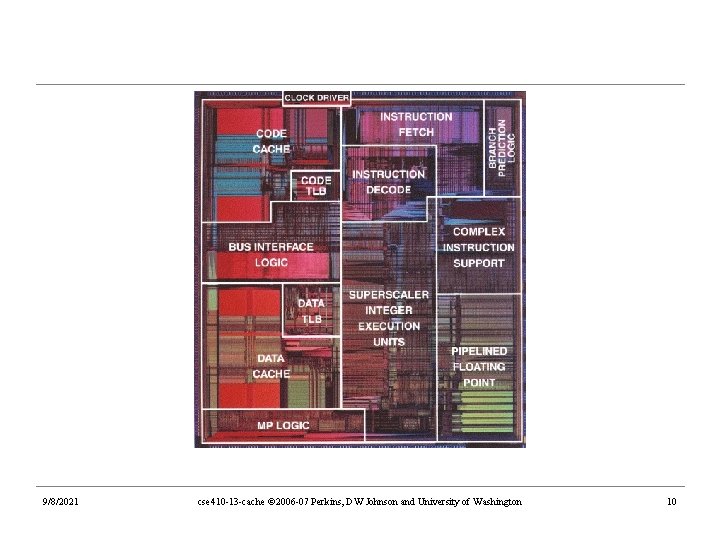
What is a Cache? • A cache allows for fast accesses to a subset of a larger data store • Your web browser’s cache gives you fast access to pages you visited recently » faster because it’s stored locally » subset because the web won’t fit on your disk • The memory cache gives the processor fast access to memory that it used recently » faster because it’s fancy and usually located on the CPU chip » subset because the cache is smaller than main memory 9/8/2021 cse 410 -13 -cache © 2006 -07 Perkins, DW Johnson and University of Washington 8
Memory Hierarchy Registers CPU L 1 cache L 2 Cache Main Memory 9/8/2021 cse 410 -13 -cache © 2006 -07 Perkins, DW Johnson and University of Washington 9
9/8/2021 cse 410 -13 -cache © 2006 -07 Perkins, DW Johnson and University of Washington 10
IBM’s Cell Chips 9/8/2021 cse 410 -13 -cache © 2006 -07 Perkins, DW Johnson and University of Washington 11
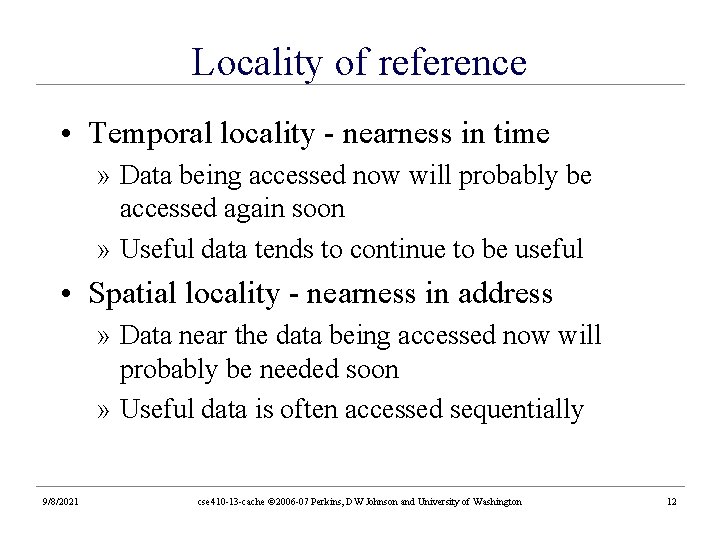
Locality of reference • Temporal locality - nearness in time » Data being accessed now will probably be accessed again soon » Useful data tends to continue to be useful • Spatial locality - nearness in address » Data near the data being accessed now will probably be needed soon » Useful data is often accessed sequentially 9/8/2021 cse 410 -13 -cache © 2006 -07 Perkins, DW Johnson and University of Washington 12
Memory Access Patterns • Memory accesses don’t usually look like this » random accesses 9/8/2021 • Memory accesses do usually look like this – hot variables – step through arrays cse 410 -13 -cache © 2006 -07 Perkins, DW Johnson and University of Washington 13
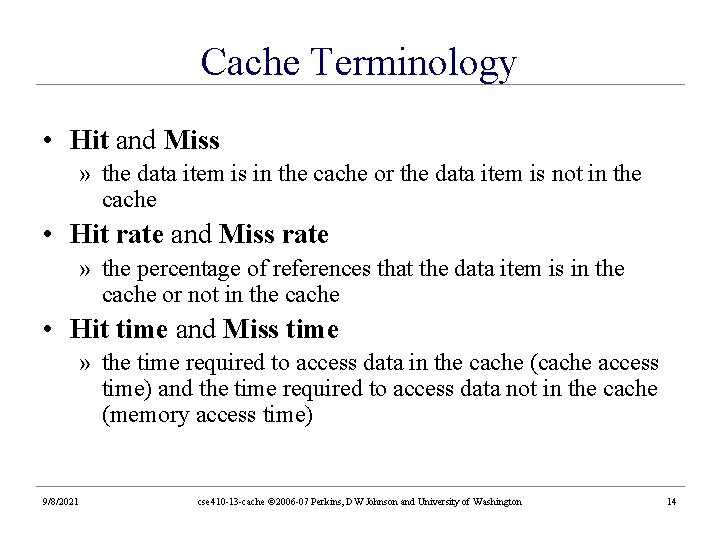
Cache Terminology • Hit and Miss » the data item is in the cache or the data item is not in the cache • Hit rate and Miss rate » the percentage of references that the data item is in the cache or not in the cache • Hit time and Miss time » the time required to access data in the cache (cache access time) and the time required to access data not in the cache (memory access time) 9/8/2021 cse 410 -13 -cache © 2006 -07 Perkins, DW Johnson and University of Washington 14
Effective Access Time cache hit rate cache miss rate teffective = (h)tcache + (1 -h)tmemory effective access time cache access time memory access time aka, Average Memory Access Time (AMAT) 9/8/2021 cse 410 -13 -cache © 2006 -07 Perkins, DW Johnson and University of Washington 15
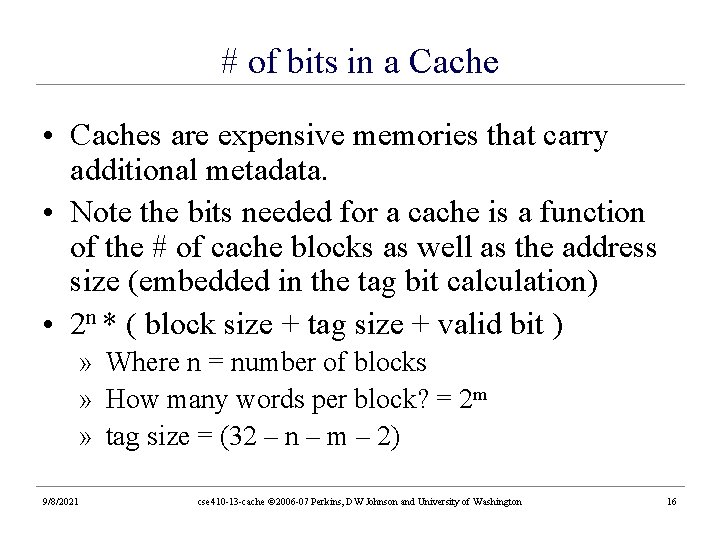
# of bits in a Cache • Caches are expensive memories that carry additional metadata. • Note the bits needed for a cache is a function of the # of cache blocks as well as the address size (embedded in the tag bit calculation) • 2 n * ( block size + tag size + valid bit ) » Where n = number of blocks » How many words per block? = 2 m » tag size = (32 – n – m – 2) 9/8/2021 cse 410 -13 -cache © 2006 -07 Perkins, DW Johnson and University of Washington 16
Cache Contents • When do we put something in the cache? » when it is used for the first time • When do we remove something in the cache? » when we need the space in the cache for some other entry » all of memory won’t fit on the CPU chip so not every location in memory can be cached 9/8/2021 cse 410 -13 -cache © 2006 -07 Perkins, DW Johnson and University of Washington 17
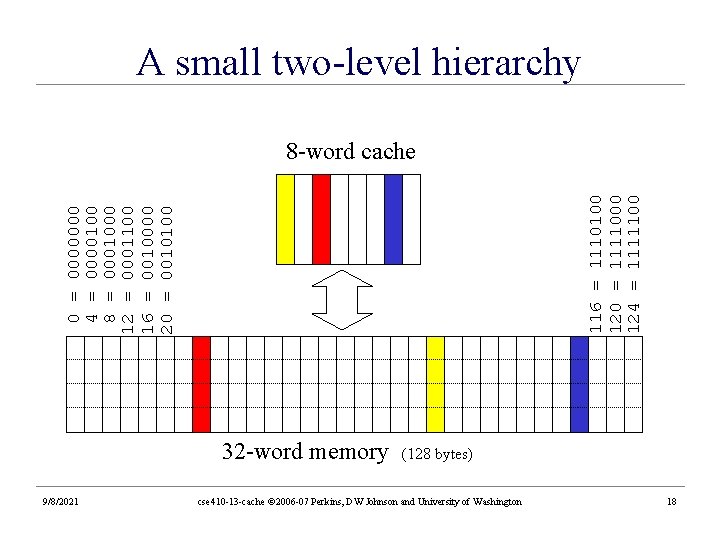
A small two-level hierarchy 0 4 8 12 16 20 = = = 0000000100 0001000 0001100 0010000 0010100 116 = 1110100 120 = 1111000 124 = 1111100 8 -word cache 32 -word memory 9/8/2021 (128 bytes) cse 410 -13 -cache © 2006 -07 Perkins, DW Johnson and University of Washington 18
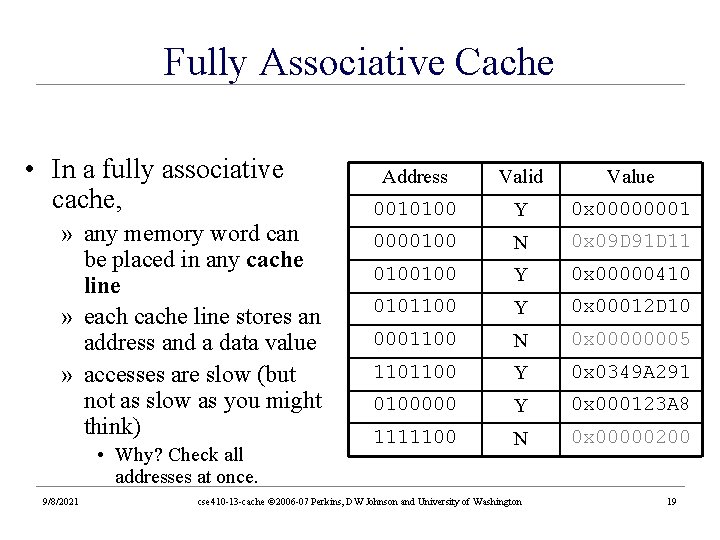
Fully Associative Cache • In a fully associative cache, » any memory word can be placed in any cache line » each cache line stores an address and a data value » accesses are slow (but not as slow as you might think) • Why? Check all addresses at once. 9/8/2021 Address Valid Value 0010100 Y 0 x 0000000100 N 0 x 09 D 91 D 11 0100100 Y 0 x 00000410 0101100 Y 0 x 00012 D 10 0001100 N 0 x 00000005 1101100 Y 0 x 0349 A 291 0100000 Y 0 x 000123 A 8 1111100 N 0 x 00000200 cse 410 -13 -cache © 2006 -07 Perkins, DW Johnson and University of Washington 19
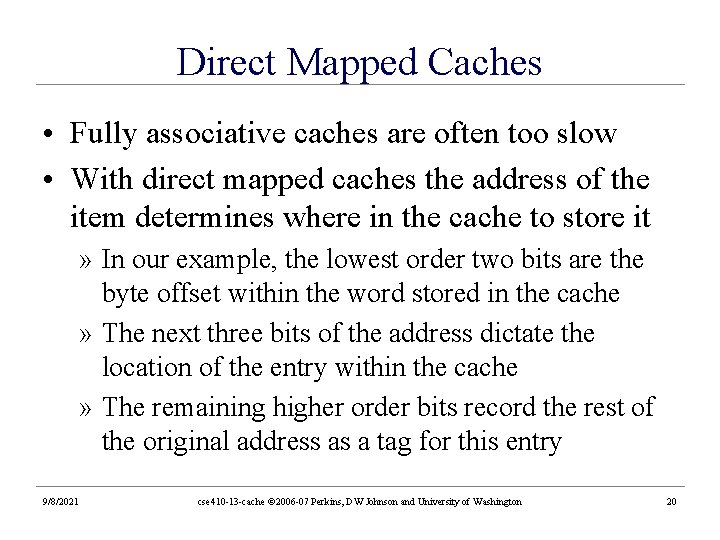
Direct Mapped Caches • Fully associative caches are often too slow • With direct mapped caches the address of the item determines where in the cache to store it » In our example, the lowest order two bits are the byte offset within the word stored in the cache » The next three bits of the address dictate the location of the entry within the cache » The remaining higher order bits record the rest of the original address as a tag for this entry 9/8/2021 cse 410 -13 -cache © 2006 -07 Perkins, DW Johnson and University of Washington 20
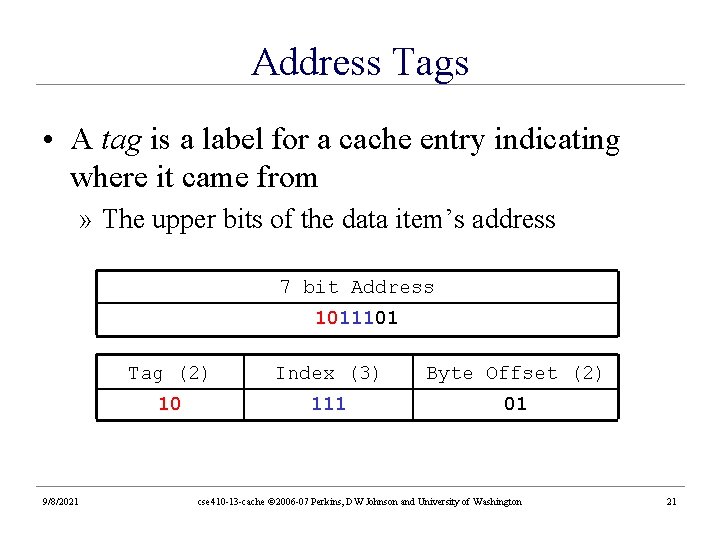
Address Tags • A tag is a label for a cache entry indicating where it came from » The upper bits of the data item’s address 7 bit Address 1011101 9/8/2021 Tag (2) Index (3) Byte Offset (2) 10 111 01 cse 410 -13 -cache © 2006 -07 Perkins, DW Johnson and University of Washington 21
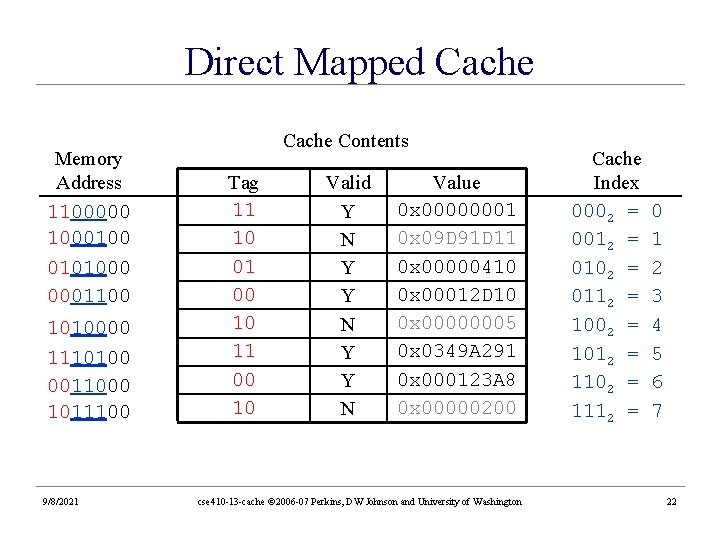
Direct Mapped Cache Memory Address 1100000 1000100 0101000 0001100 1010000 1110100 0011000 1011100 9/8/2021 Cache Contents Tag 11 10 01 00 10 11 00 10 Valid Y N Y Y N Value 0 x 00000001 0 x 09 D 91 D 11 0 x 00000410 0 x 00012 D 10 0 x 00000005 0 x 0349 A 291 0 x 000123 A 8 0 x 00000200 cse 410 -13 -cache © 2006 -07 Perkins, DW Johnson and University of Washington Cache Index 0002 = 0012 = 0102 = 0112 = 1002 = 1012 = 1102 = 1112 = 0 1 2 3 4 5 6 7 22
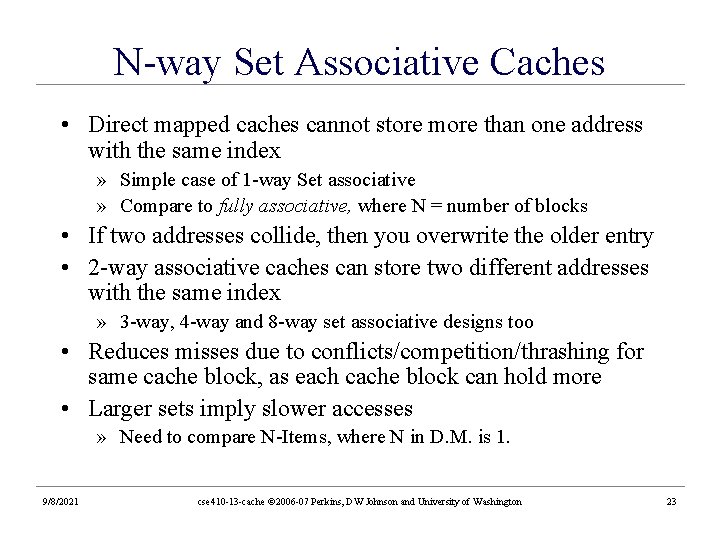
N-way Set Associative Caches • Direct mapped caches cannot store more than one address with the same index » Simple case of 1 -way Set associative » Compare to fully associative, where N = number of blocks • If two addresses collide, then you overwrite the older entry • 2 -way associative caches can store two different addresses with the same index » 3 -way, 4 -way and 8 -way set associative designs too • Reduces misses due to conflicts/competition/thrashing for same cache block, as each cache block can hold more • Larger sets imply slower accesses » Need to compare N-Items, where N in D. M. is 1. 9/8/2021 cse 410 -13 -cache © 2006 -07 Perkins, DW Johnson and University of Washington 23
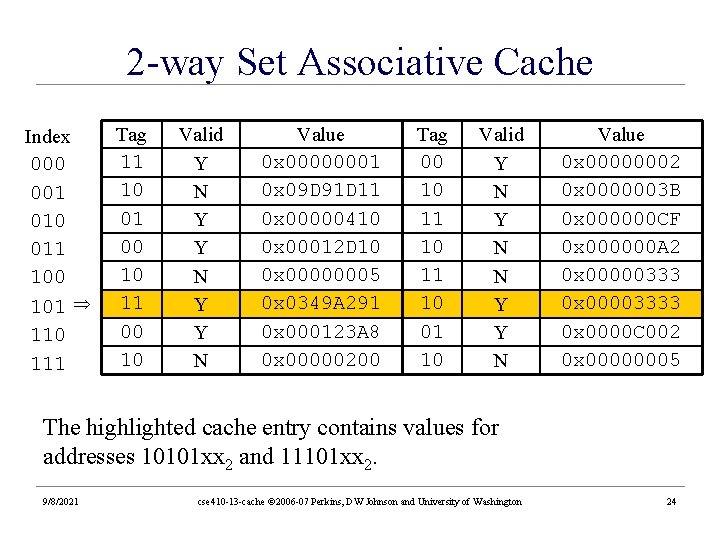
2 -way Set Associative Cache Index 000 001 010 011 100 101 110 111 Tag 11 10 01 00 10 11 00 10 Valid Y N Y Y N Value 0 x 00000001 0 x 09 D 91 D 11 0 x 00000410 0 x 00012 D 10 0 x 00000005 0 x 0349 A 291 0 x 000123 A 8 0 x 00000200 Tag 00 10 11 10 01 10 Valid Y N N Y Y N Value 0 x 00000002 0 x 0000003 B 0 x 000000 CF 0 x 000000 A 2 0 x 00000333 0 x 00003333 0 x 0000 C 002 0 x 00000005 The highlighted cache entry contains values for addresses 10101 xx 2 and 11101 xx 2. 9/8/2021 cse 410 -13 -cache © 2006 -07 Perkins, DW Johnson and University of Washington 24
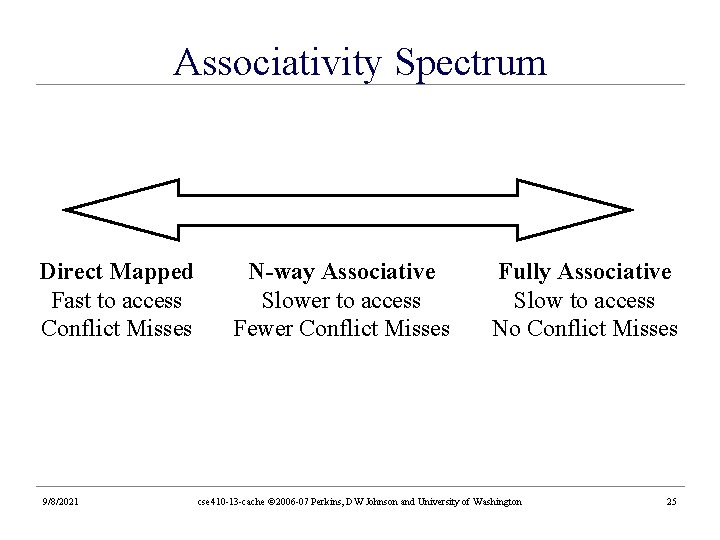
Associativity Spectrum Direct Mapped Fast to access Conflict Misses 9/8/2021 N-way Associative Slower to access Fewer Conflict Misses Fully Associative Slow to access No Conflict Misses cse 410 -13 -cache © 2006 -07 Perkins, DW Johnson and University of Washington 25
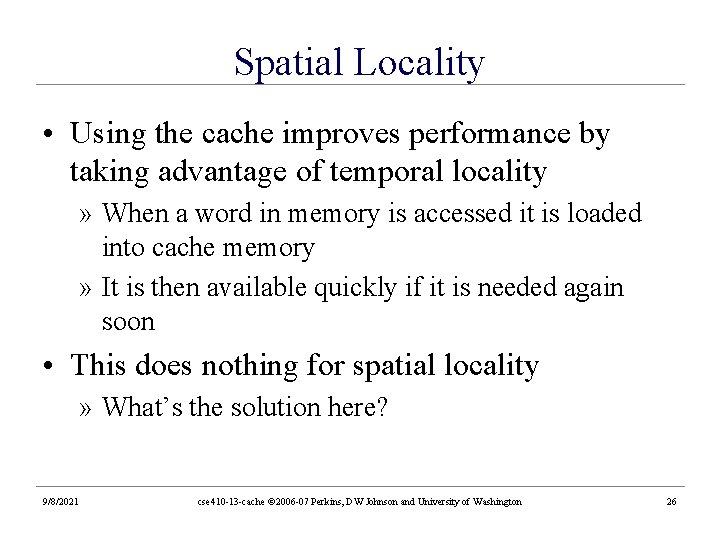
Spatial Locality • Using the cache improves performance by taking advantage of temporal locality » When a word in memory is accessed it is loaded into cache memory » It is then available quickly if it is needed again soon • This does nothing for spatial locality » What’s the solution here? 9/8/2021 cse 410 -13 -cache © 2006 -07 Perkins, DW Johnson and University of Washington 26
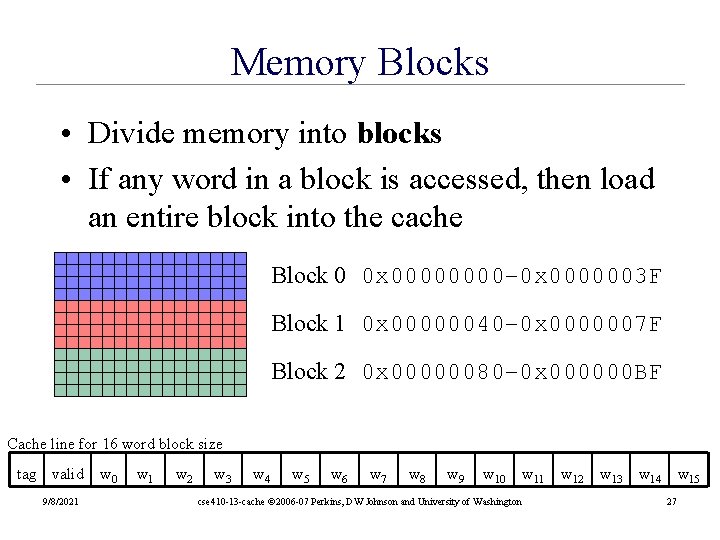
Memory Blocks • Divide memory into blocks • If any word in a block is accessed, then load an entire block into the cache Block 0 0 x 0000– 0 x 0000003 F Block 1 0 x 00000040– 0 x 0000007 F Block 2 0 x 00000080– 0 x 000000 BF Cache line for 16 word block size tag valid 9/8/2021 w 0 w 1 w 2 w 3 w 4 w 5 w 6 w 7 w 8 w 9 w 10 cse 410 -13 -cache © 2006 -07 Perkins, DW Johnson and University of Washington w 11 w 12 w 13 w 14 w 15 27
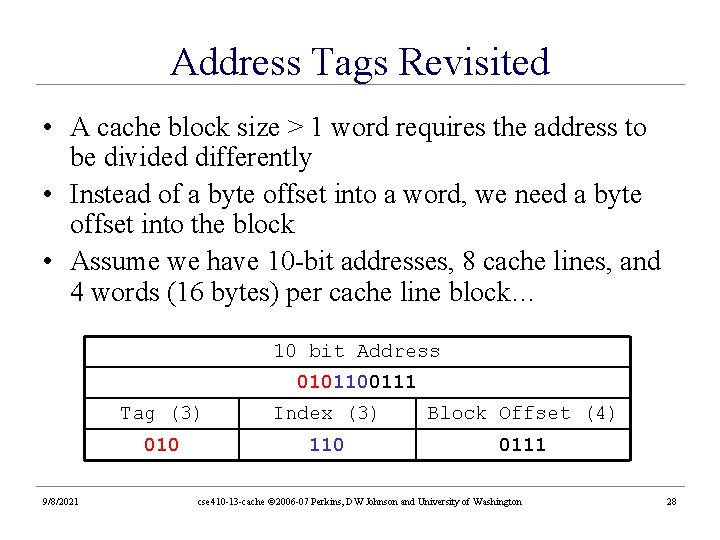
Address Tags Revisited • A cache block size > 1 word requires the address to be divided differently • Instead of a byte offset into a word, we need a byte offset into the block • Assume we have 10 -bit addresses, 8 cache lines, and 4 words (16 bytes) per cache line block… 10 bit Address 0101100111 9/8/2021 Tag (3) Index (3) Block Offset (4) 010 110 0111 cse 410 -13 -cache © 2006 -07 Perkins, DW Johnson and University of Washington 28
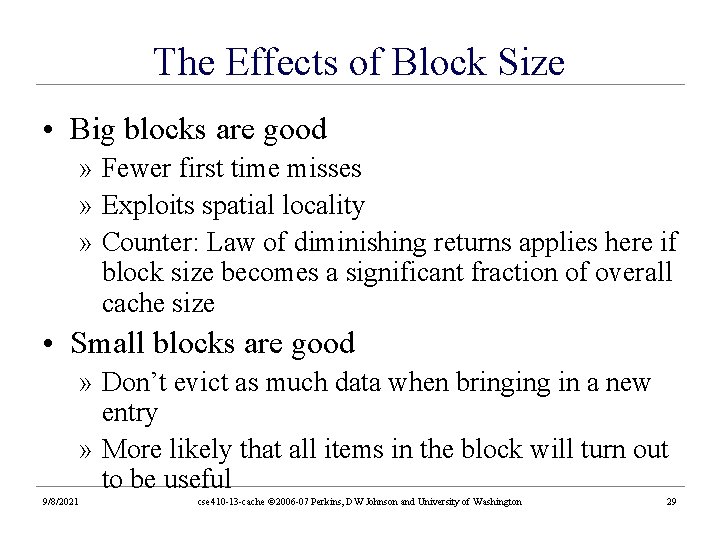
The Effects of Block Size • Big blocks are good » Fewer first time misses » Exploits spatial locality » Counter: Law of diminishing returns applies here if block size becomes a significant fraction of overall cache size • Small blocks are good » Don’t evict as much data when bringing in a new entry » More likely that all items in the block will turn out to be useful 9/8/2021 cse 410 -13 -cache © 2006 -07 Perkins, DW Johnson and University of Washington 29
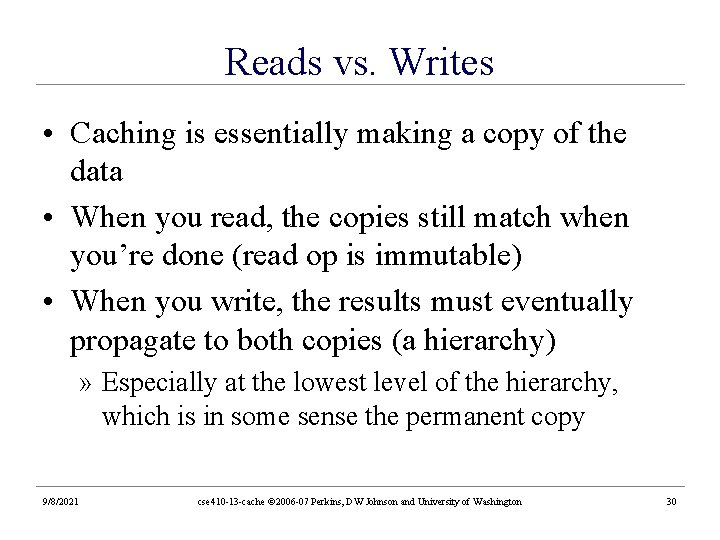
Reads vs. Writes • Caching is essentially making a copy of the data • When you read, the copies still match when you’re done (read op is immutable) • When you write, the results must eventually propagate to both copies (a hierarchy) » Especially at the lowest level of the hierarchy, which is in some sense the permanent copy 9/8/2021 cse 410 -13 -cache © 2006 -07 Perkins, DW Johnson and University of Washington 30
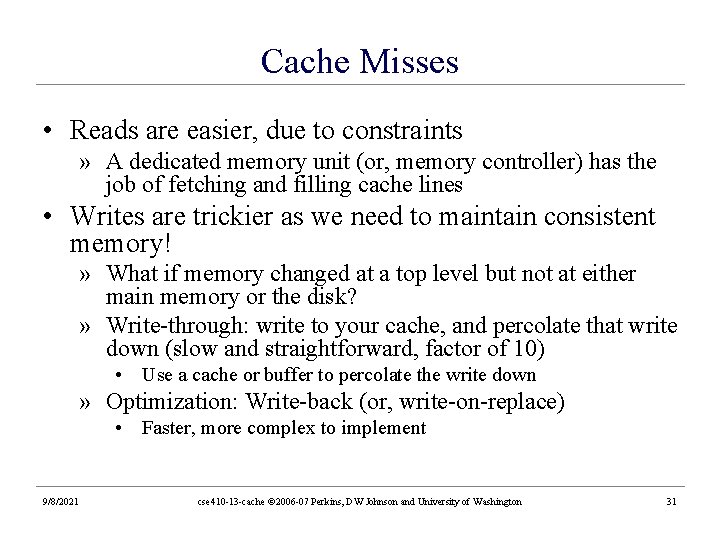
Cache Misses • Reads are easier, due to constraints » A dedicated memory unit (or, memory controller) has the job of fetching and filling cache lines • Writes are trickier as we need to maintain consistent memory! » What if memory changed at a top level but not at either main memory or the disk? » Write-through: write to your cache, and percolate that write down (slow and straightforward, factor of 10) • Use a cache or buffer to percolate the write down » Optimization: Write-back (or, write-on-replace) • Faster, more complex to implement 9/8/2021 cse 410 -13 -cache © 2006 -07 Perkins, DW Johnson and University of Washington 31
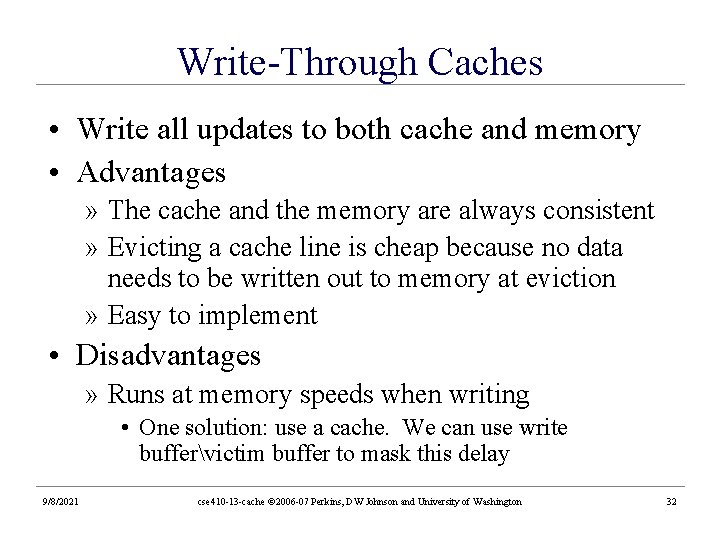
Write-Through Caches • Write all updates to both cache and memory • Advantages » The cache and the memory are always consistent » Evicting a cache line is cheap because no data needs to be written out to memory at eviction » Easy to implement • Disadvantages » Runs at memory speeds when writing • One solution: use a cache. We can use write buffervictim buffer to mask this delay 9/8/2021 cse 410 -13 -cache © 2006 -07 Perkins, DW Johnson and University of Washington 32
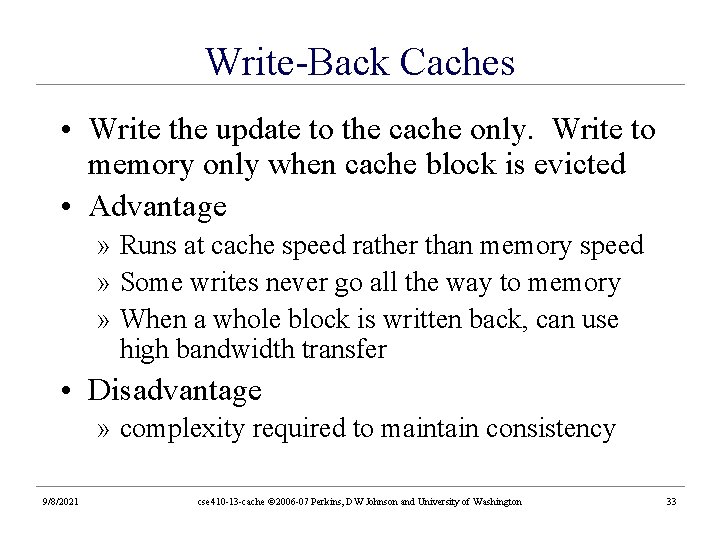
Write-Back Caches • Write the update to the cache only. Write to memory only when cache block is evicted • Advantage » Runs at cache speed rather than memory speed » Some writes never go all the way to memory » When a whole block is written back, can use high bandwidth transfer • Disadvantage » complexity required to maintain consistency 9/8/2021 cse 410 -13 -cache © 2006 -07 Perkins, DW Johnson and University of Washington 33
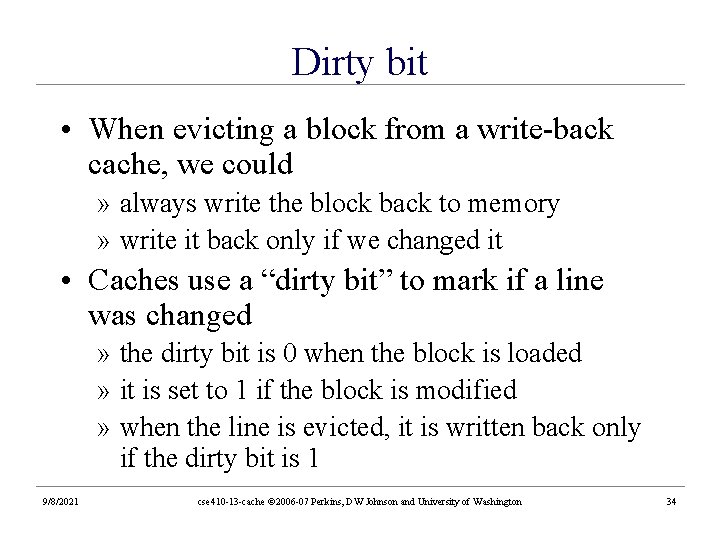
Dirty bit • When evicting a block from a write-back cache, we could » always write the block back to memory » write it back only if we changed it • Caches use a “dirty bit” to mark if a line was changed » the dirty bit is 0 when the block is loaded » it is set to 1 if the block is modified » when the line is evicted, it is written back only if the dirty bit is 1 9/8/2021 cse 410 -13 -cache © 2006 -07 Perkins, DW Johnson and University of Washington 34
i-Cache and d-Cache • There usually are two separate caches for instructions and data. » Avoids structural hazards in pipelining » The combined cache is twice as big but still has an access time of a small cache » Allows both caches to operate in parallel, for twice the bandwidth » But the miss rate will slightly increase, due to the extra partition that a shared cache wouldn’t have 9/8/2021 cse 410 -13 -cache © 2006 -07 Perkins, DW Johnson and University of Washington 35
Latency V. S. Throughput • Latency: The time to get the first requested word of the cache (if present) » The whole point to caches: this should be relatively small (compared to other memories) • Throughput: The time it takes to fetch the rest of the block (could be many words) » Defined by your hardware » wide bandwidths preferred: at what cost? » DDR – register dual read/write on clock edge 9/8/2021 cse 410 -13 -cache © 2006 -07 Perkins, DW Johnson and University of Washington 36
Cache Line Replacement • How do you decide which cache block to replace? • If the cache is direct-mapped, it’s easy » only one slot per index – only one choice! • Otherwise, common strategies: » Random • Why might this be worthwhile? » Least Recently Used (LRU) • FIFO approximation works reasonably well here 9/8/2021 cse 410 -13 -cache © 2006 -07 Perkins, DW Johnson and University of Washington 37
LRU Implementations • LRU is very difficult to implement for high degrees of associativity • 4 -way approximation: » 1 bit to indicate least recently used pair » 1 bit per pair to indicate least recently used item in this pair • Another approximation: FIFO queuing • We will see this again at the operating system level 9/8/2021 cse 410 -13 -cache © 2006 -07 Perkins, DW Johnson and University of Washington 38
Multi-Level Caches • Use each level of the memory hierarchy as a cache over the next lowest level » (or, simply recurse again on our current abstraction) • Inserting level 2 between levels 1 and 3 allows: » level 1 to have a higher miss rate (so can be smaller and cheaper) » level 3 to have a larger access time (so can be slower and cheaper) 9/8/2021 cse 410 -13 -cache © 2006 -07 Perkins, DW Johnson and University of Washington 39
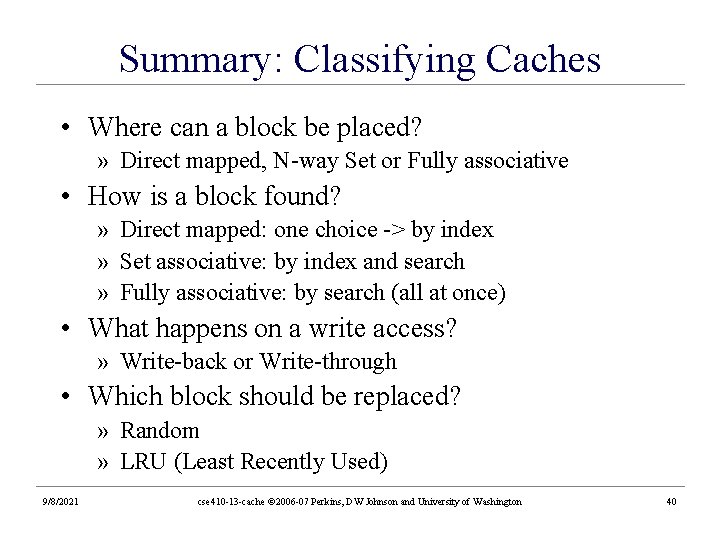
Summary: Classifying Caches • Where can a block be placed? » Direct mapped, N-way Set or Fully associative • How is a block found? » Direct mapped: one choice -> by index » Set associative: by index and search » Fully associative: by search (all at once) • What happens on a write access? » Write-back or Write-through • Which block should be replaced? » Random » LRU (Least Recently Used) 9/8/2021 cse 410 -13 -cache © 2006 -07 Perkins, DW Johnson and University of Washington 40
Further: Tuning Multi-Level Caches • When we add a second cache, this grows the power and complexity of our design » The presence of this other cache now changes what we should tune the first cache for. • If you only have one cache, it has to “do it all” • L 1 and L 2 caches have different influences on AMAT • If L 1 is a subset of L 2, what does this imply with regards to L 2’s size? • L 1 is usually tuned for fast hit time » Directly affects the clock cycle » Smaller cache, smaller block size, low associativity • L 2 is frequently tuned for miss rate reduction » Larger cache (10), larger block size, higher associativity 9/8/2021 cse 410 -13 -cache © 2006 -07 Perkins, DW Johnson and University of Washington 41
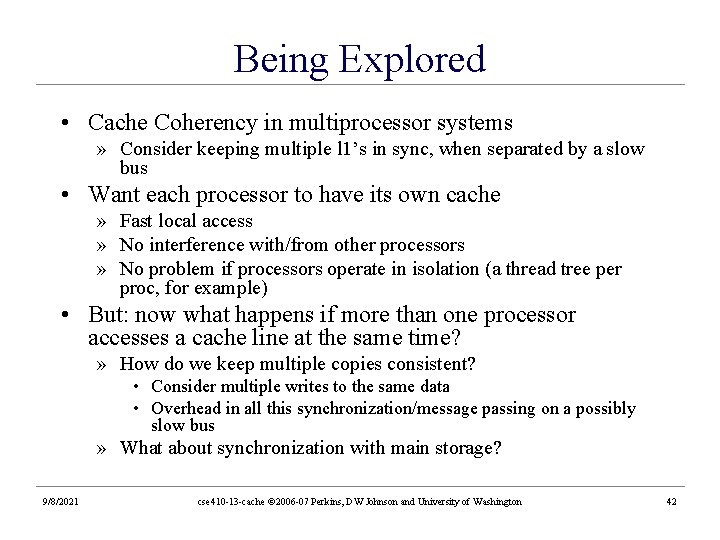
Being Explored • Cache Coherency in multiprocessor systems » Consider keeping multiple l 1’s in sync, when separated by a slow bus • Want each processor to have its own cache » Fast local access » No interference with/from other processors » No problem if processors operate in isolation (a thread tree per proc, for example) • But: now what happens if more than one processor accesses a cache line at the same time? » How do we keep multiple copies consistent? • Consider multiple writes to the same data • Overhead in all this synchronization/message passing on a possibly slow bus » What about synchronization with main storage? 9/8/2021 cse 410 -13 -cache © 2006 -07 Perkins, DW Johnson and University of Washington 42