
C LOUD C OMPUTINGIN PHP W ITH THE


- Slides: 55
C LOUD C OMPUTINGIN PHP W ITH THE A MAZON W EB S ERVICES Jeff Barr, Senior Web Services Evangelist jbarr@amazon. com @jeffbarr on Twitter
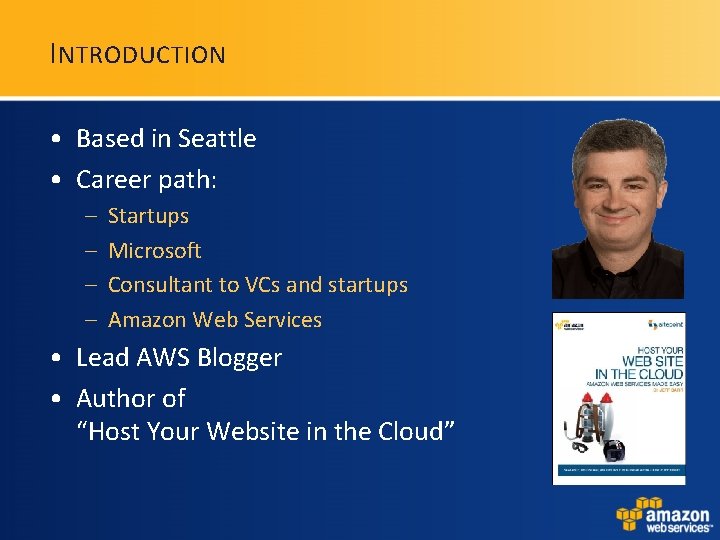
I NTRODUCTION • Based in Seattle • Career path: – – Startups Microsoft Consultant to VCs and startups Amazon Web Services • Lead AWS Blogger • Author of “Host Your Website in the Cloud”
S ESSION O UTLINE • Amazon / Cloud / AWS Intro • AWS Overview – Programmable Infrastructure – S 3, EC 2, SDB, SQS • Programming AWS in PHP – – AWS SDK for PHP Scalable Image Processing Visualizing Infrastructure Dynamic Infrastructure • Wrapup / Q & A
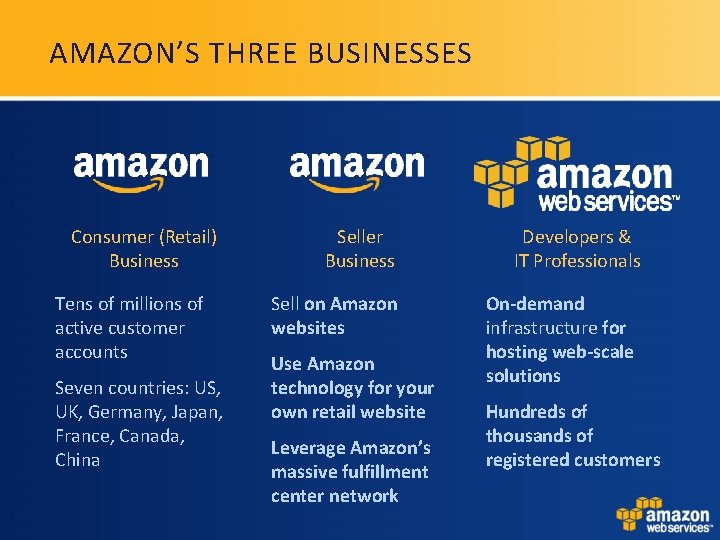
AMAZON’S THREE BUSINESSES Consumer (Retail) Business Tens of millions of active customer accounts Seven countries: US, UK, Germany, Japan, France, Canada, China Seller Business Developers & IT Professionals Sell on Amazon websites On-demand infrastructure for hosting web-scale solutions Use Amazon technology for your own retail website Leverage Amazon’s massive fulfillment center network Hundreds of thousands of registered customers
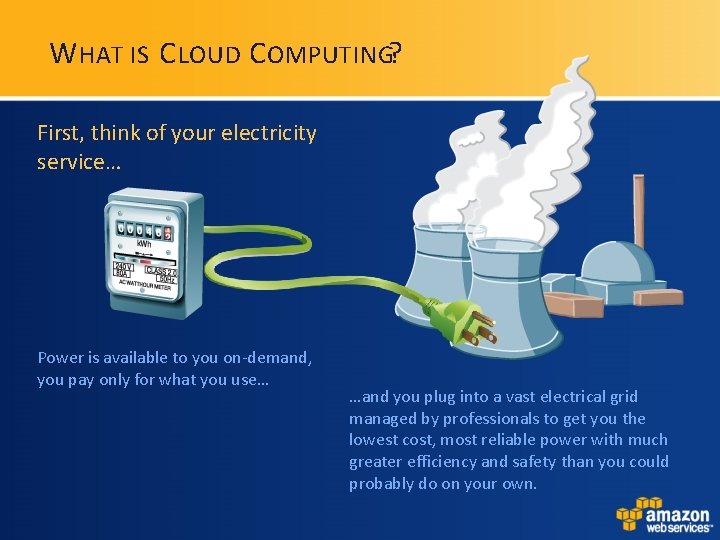
W HAT IS C LOUD C OMPUTING? First, think of your electricity service… Power is available to you on-demand, you pay only for what you use… …and you plug into a vast electrical grid managed by professionals to get you the lowest cost, most reliable power with much greater efficiency and safety than you could probably do on your own.
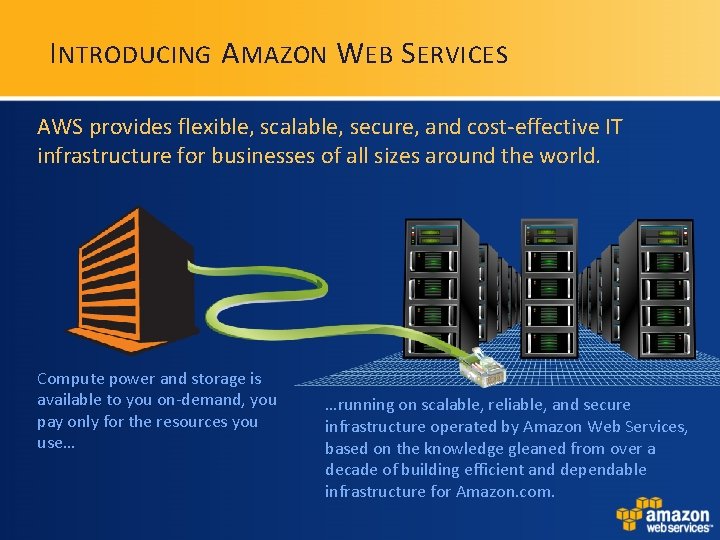
I NTRODUCING A MAZON W EB S ERVICES AWS provides flexible, scalable, secure, and cost-effective IT infrastructure for businesses of all sizes around the world. Compute power and storage is available to you on-demand, you pay only for the resources you use… …running on scalable, reliable, and secure infrastructure operated by Amazon Web Services, based on the knowledge gleaned from over a decade of building efficient and dependable infrastructure for Amazon. com.
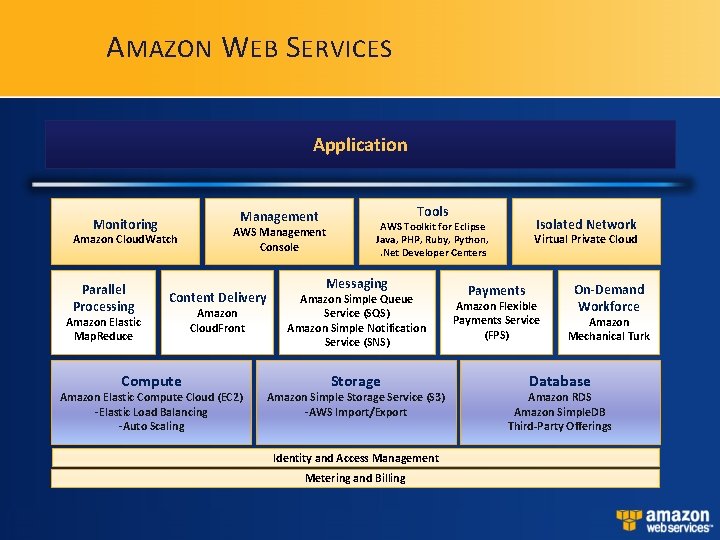
A MAZON W EB S ERVICES Application Management Monitoring Amazon Cloud. Watch Parallel Processing AWS Management Console Content Delivery Amazon Elastic Map. Reduce Compute Amazon Cloud. Front Amazon Elastic Compute Cloud (EC 2) -Elastic Load Balancing -Auto Scaling Tools Isolated Network AWS Toolkit for Eclipse Java, PHP, Ruby, Python, . Net Developer Centers Messaging Amazon Simple Queue Service (SQS) Amazon Simple Notification Service (SNS) Storage Amazon Simple Storage Service (S 3) -AWS Import/Export Identity and Access Management Metering and Billing Virtual Private Cloud Payments Amazon Flexible Payments Service (FPS) On-Demand Workforce Amazon Mechanical Turk Database Amazon RDS Amazon Simple. DB Third-Party Offerings
P ROGRAMMABLE I NFRASTRUCTURE • • • All functionality accessed by APIs Amazon and third-party libraries Command-line tools AWS Management Console Third-party Tools
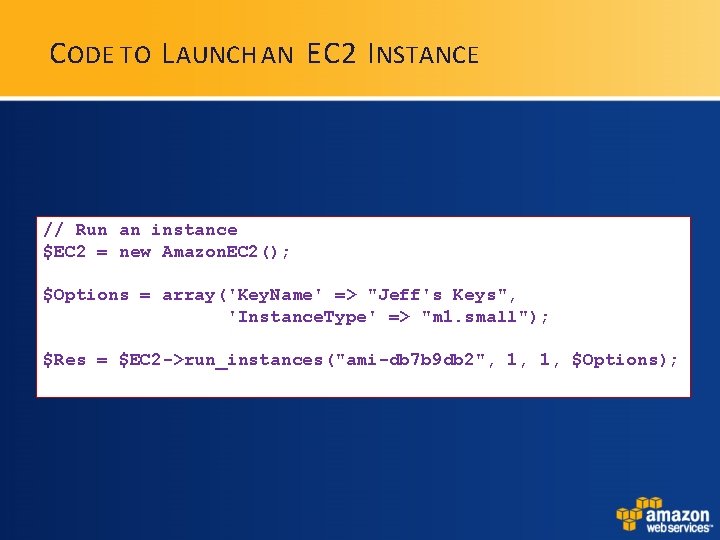
C ODE TO L AUNCH AN EC 2 I NSTANCE // Run an instance $EC 2 = new Amazon. EC 2(); $Options = array('Key. Name' => "Jeff's Keys", 'Instance. Type' => "m 1. small"); $Res = $EC 2 ->run_instances("ami-db 7 b 9 db 2", 1, 1, $Options);
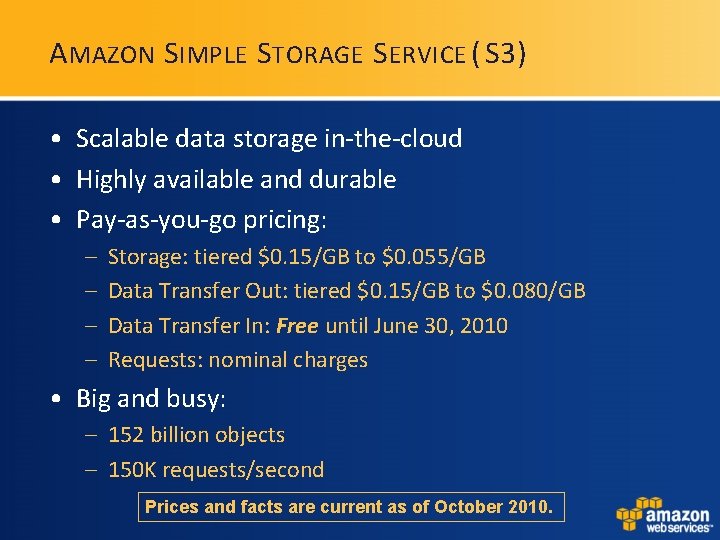
A MAZON S IMPLE S TORAGE S ERVICE ( S 3) • Scalable data storage in-the-cloud • Highly available and durable • Pay-as-you-go pricing: – – Storage: tiered $0. 15/GB to $0. 055/GB Data Transfer Out: tiered $0. 15/GB to $0. 080/GB Data Transfer In: Free until June 30, 2010 Requests: nominal charges • Big and busy: – 152 billion objects – 150 K requests/second Prices and facts are current as of October 2010.
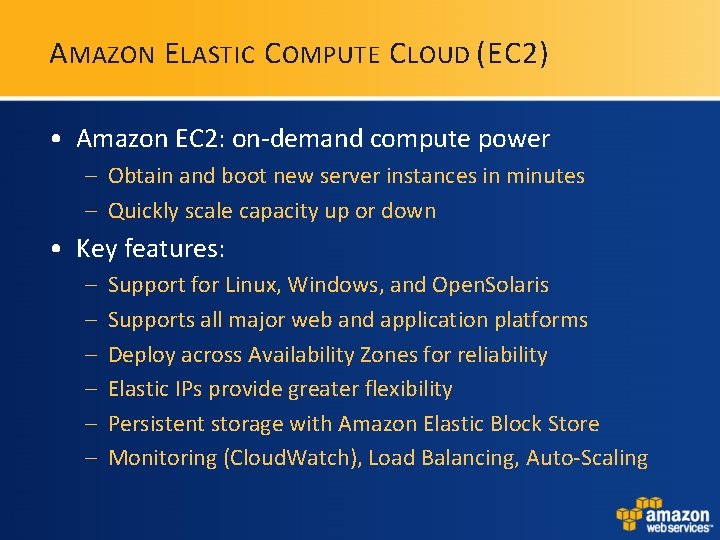
A MAZON E LASTIC C OMPUTE C LOUD (EC 2) • Amazon EC 2: on-demand compute power – Obtain and boot new server instances in minutes – Quickly scale capacity up or down • Key features: – – – Support for Linux, Windows, and Open. Solaris Supports all major web and application platforms Deploy across Availability Zones for reliability Elastic IPs provide greater flexibility Persistent storage with Amazon Elastic Block Store Monitoring (Cloud. Watch), Load Balancing, Auto-Scaling
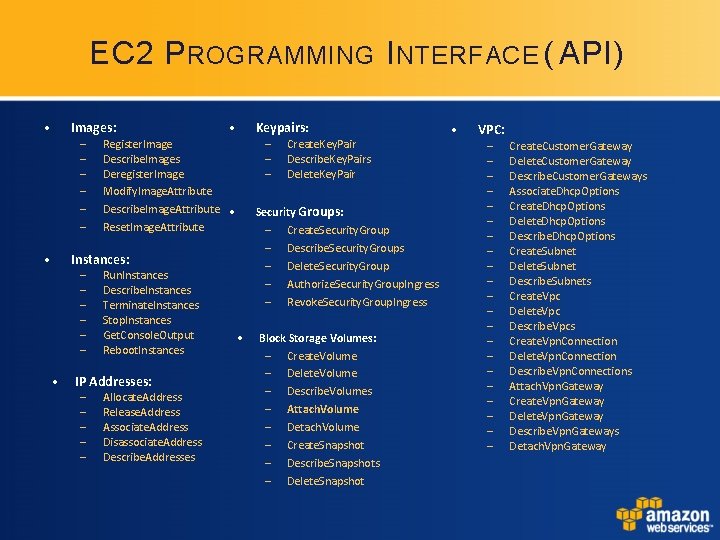
EC 2 P ROGRAMMING I NTERFACE ( API) • Images: – – – • • Keypairs: – – – Register. Image Describe. Images Deregister. Image Modify. Image. Attribute Describe. Image. Attribute • Reset. Image. Attribute Security Groups: – – – Instances: – – – • Run. Instances Describe. Instances Terminate. Instances Stop. Instances Get. Console. Output Reboot. Instances IP Addresses: – – – Allocate. Address Release. Address Associate. Address Disassociate. Address Describe. Addresses Create. Key. Pair Describe. Key. Pairs Delete. Key. Pair • Create. Security. Group Describe. Security. Groups Delete. Security. Group Authorize. Security. Group. Ingress Revoke. Security. Group. Ingress Block Storage Volumes: – Create. Volume – Delete. Volume – Describe. Volumes – Attach. Volume – Detach. Volume – Create. Snapshot – Describe. Snapshots – Delete. Snapshot • VPC: – – – – – – Create. Customer. Gateway Delete. Customer. Gateway Describe. Customer. Gateways Associate. Dhcp. Options Create. Dhcp. Options Delete. Dhcp. Options Describe. Dhcp. Options Create. Subnet Delete. Subnet Describe. Subnets Create. Vpc Delete. Vpc Describe. Vpcs Create. Vpn. Connection Delete. Vpn. Connection Describe. Vpn. Connections Attach. Vpn. Gateway Create. Vpn. Gateway Delete. Vpn. Gateway Describe. Vpn. Gateways Detach. Vpn. Gateway
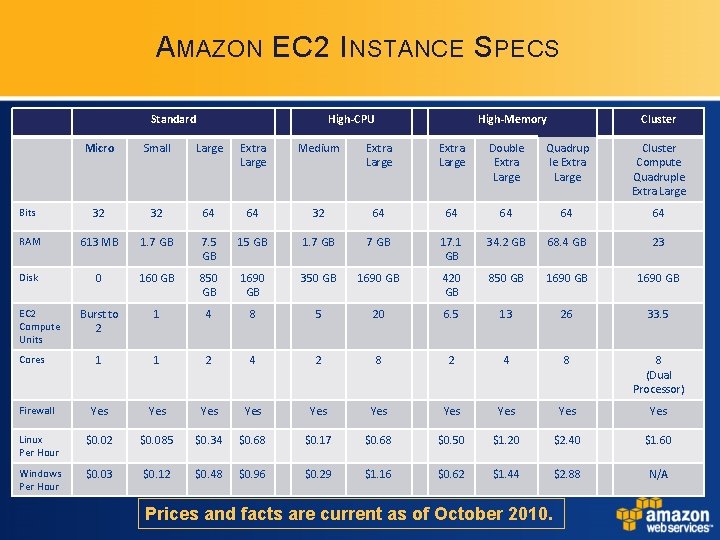
A MAZON EC 2 I NSTANCE S PECS Standard High-CPU High-Memory Cluster Micro Small Large Extra Large Medium Extra Large Double Extra Large Quadrup le Extra Large Cluster Compute Quadruple Extra Large Bits 32 32 64 64 64 RAM 613 MB 1. 7 GB 7. 5 GB 1. 7 GB 17. 1 GB 34. 2 GB 68. 4 GB 23 Disk 0 160 GB 850 GB 1690 GB 350 GB 1690 GB 420 GB 850 GB 1690 GB Burst to 2 1 4 8 5 20 6. 5 13 26 33. 5 1 1 2 4 2 8 2 4 8 8 (Dual Processor) Firewall Yes Yes Yes Linux Per Hour $0. 02 $0. 085 $0. 34 $0. 68 $0. 17 $0. 68 $0. 50 $1. 20 $2. 40 $1. 60 Windows Per Hour $0. 03 $0. 12 $0. 48 $0. 96 $0. 29 $1. 16 $0. 62 $1. 44 $2. 88 N/A EC 2 Compute Units Cores Prices and facts are current as of October 2010.
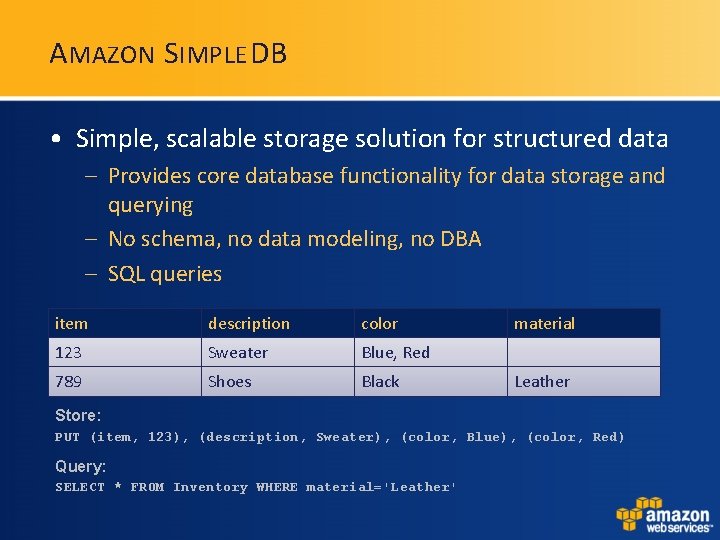
A MAZON S IMPLE DB • Simple, scalable storage solution for structured data – Provides core database functionality for data storage and querying – No schema, no data modeling, no DBA – SQL queries item description color 123 Sweater Blue, Red 789 Shoes Black material Leather Store: PUT (item, 123), (description, Sweater), (color, Blue), (color, Red) Query: SELECT * FROM Inventory WHERE material='Leather'
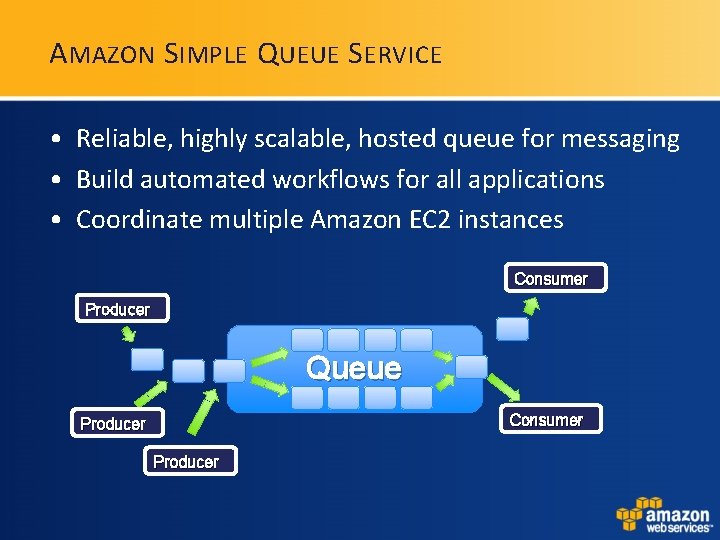
A MAZON S IMPLE Q UEUE S ERVICE • Reliable, highly scalable, hosted queue for messaging • Build automated workflows for all applications • Coordinate multiple Amazon EC 2 instances Consumer Producer Queue Consumer Producer
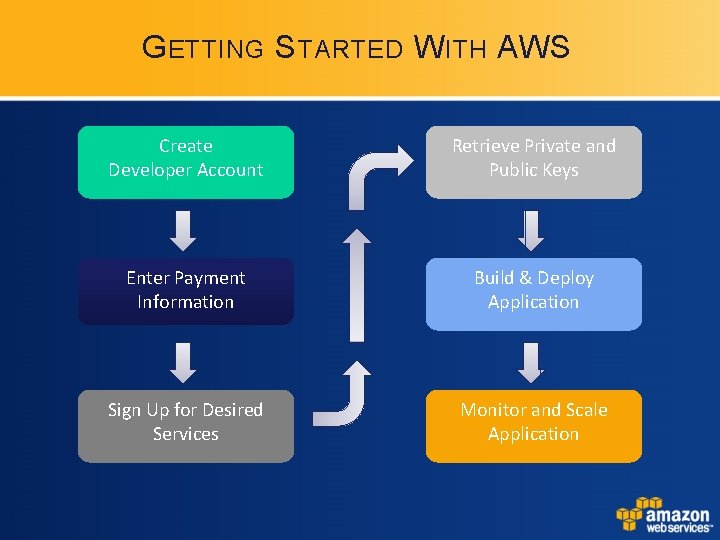
G ETTING S TARTED W ITH AWS Create Developer Account Retrieve Private and Public Keys Enter Payment Information Build & Deploy Application Sign Up for Desired Services Monitor and Scale Application
M OVING R IGHT A LONG! "Enough with the talk, show us some code, Jeff!"
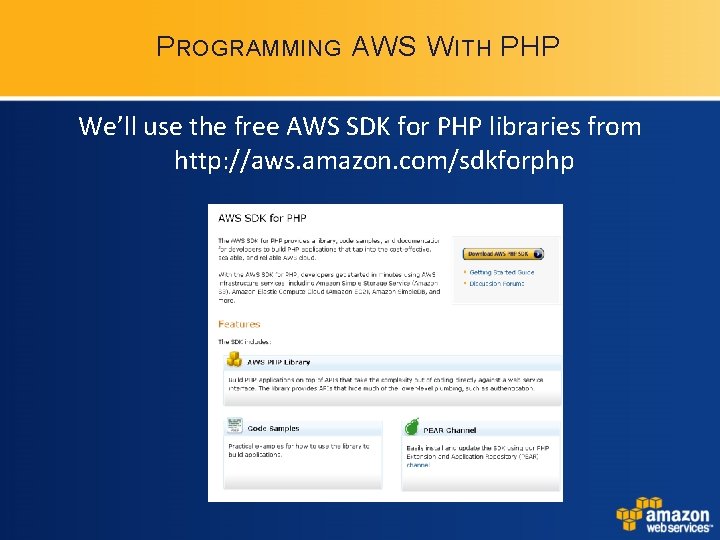
P ROGRAMMING AWS W ITH PHP We’ll use the free AWS SDK for PHP libraries from http: //aws. amazon. com/sdkforphp
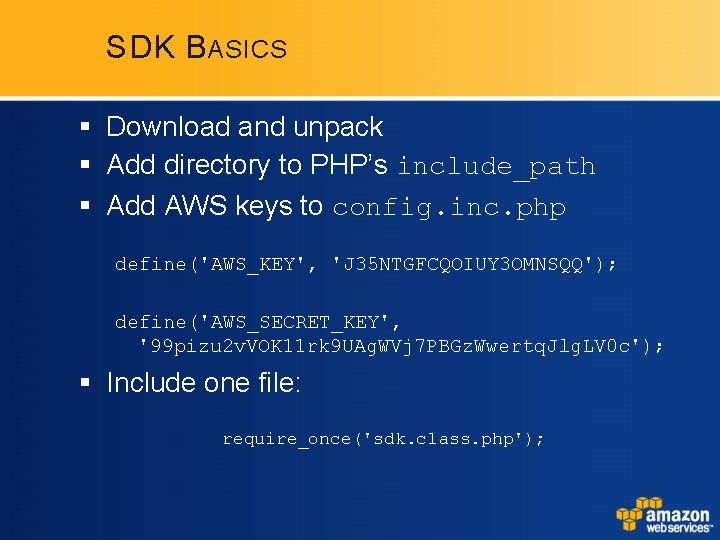
SDK B ASICS § Download and unpack § Add directory to PHP’s include_path § Add AWS keys to config. inc. php define('AWS_KEY', 'J 35 NTGFCQOIUY 3 OMNSQQ'); define('AWS_SECRET_KEY', '99 pizu 2 v. VOK 11 rk 9 UAg. WVj 7 PBGz. Wwertq. Jlg. LV 0 c'); § Include one file: require_once('sdk. class. php');
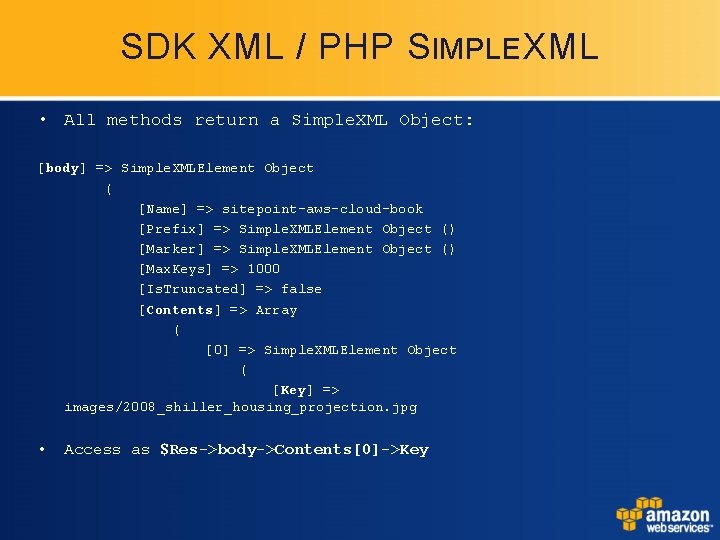
SDK XML / PHP SIMPLE XML • All methods return a Simple. XML Object: [body] => Simple. XMLElement Object ( [Name] => sitepoint-aws-cloud-book [Prefix] => Simple. XMLElement Object () [Marker] => Simple. XMLElement Object () [Max. Keys] => 1000 [Is. Truncated] => false [Contents] => Array ( [0] => Simple. XMLElement Object ( [Key] => images/2008_shiller_housing_projection. jpg • Access as $Res->body->Contents[0]->Key
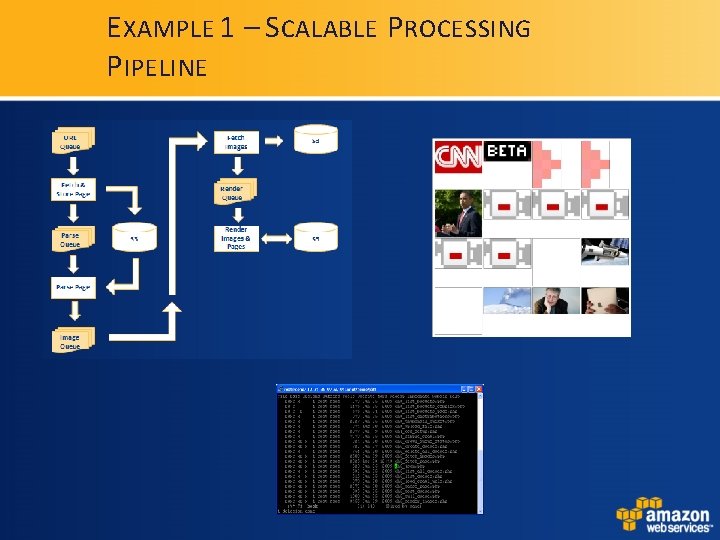
E XAMPLE 1 – S CALABLE P ROCESSING P IPELINE
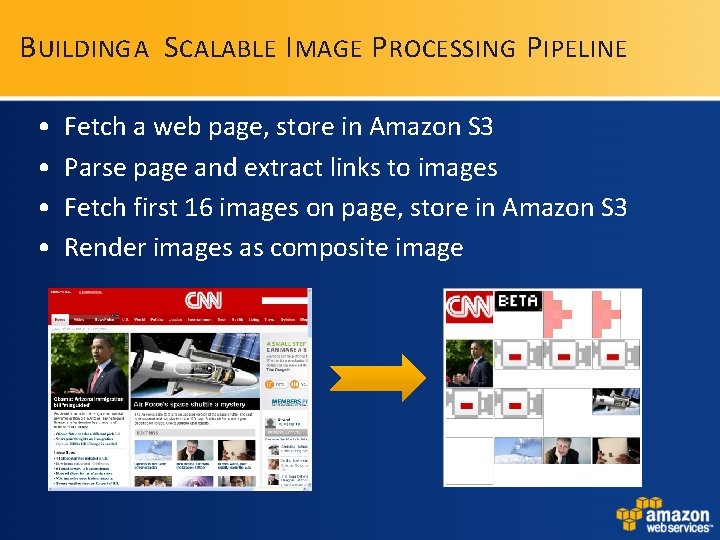
B UILDING A S CALABLE I MAGE P ROCESSING P IPELINE • • Fetch a web page, store in Amazon S 3 Parse page and extract links to images Fetch first 16 images on page, store in Amazon S 3 Render images as composite image
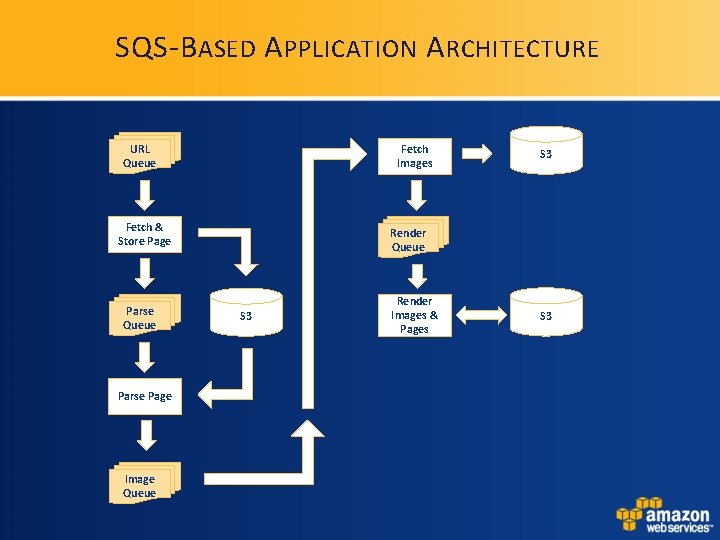
SQS-B ASED A PPLICATION A RCHITECTURE URL Queue Fetch Images Fetch & Store Page Parse Queue Parse Page Image Queue S 3 Render Images & Pages S 3
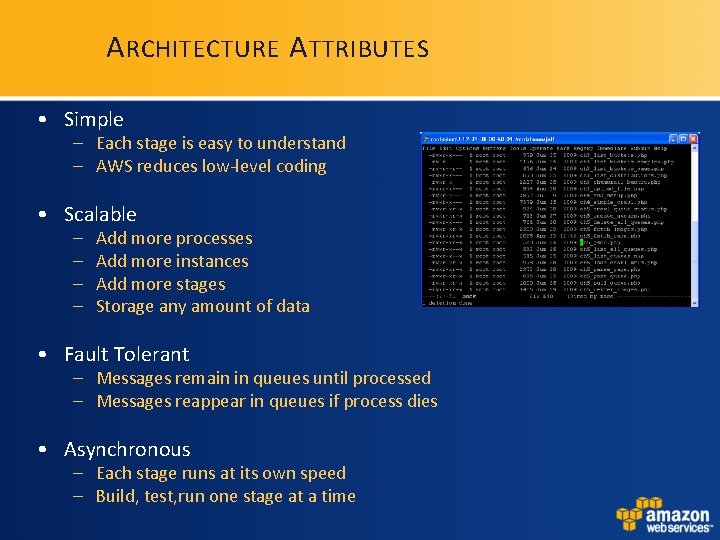
A RCHITECTURE A TTRIBUTES • Simple – Each stage is easy to understand – AWS reduces low-level coding • Scalable – – Add more processes Add more instances Add more stages Storage any amount of data • Fault Tolerant – Messages remain in queues until processed – Messages reappear in queues if process dies • Asynchronous – Each stage runs at its own speed – Build, test, run one stage at a time
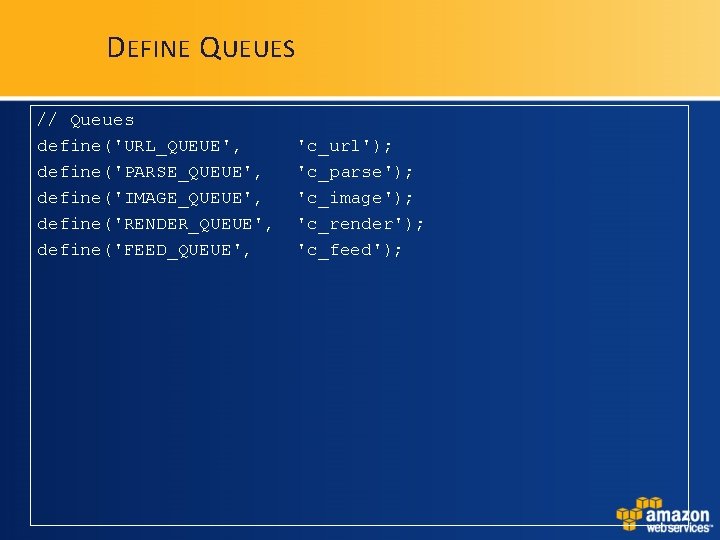
D EFINE Q UEUES // Queues define('URL_QUEUE', define('PARSE_QUEUE', define('IMAGE_QUEUE', define('RENDER_QUEUE', define('FEED_QUEUE', 'c_url'); 'c_parse'); 'c_image'); 'c_render'); 'c_feed');
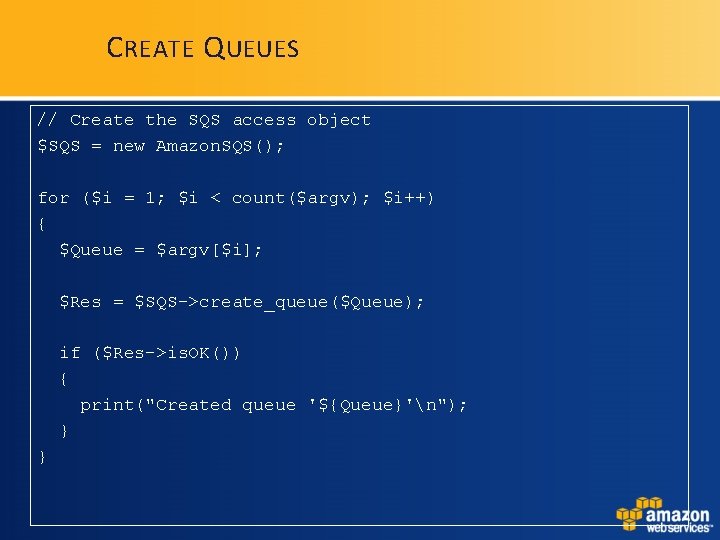
C REATE Q UEUES // Create the SQS access object $SQS = new Amazon. SQS(); for ($i = 1; $i < count($argv); $i++) { $Queue = $argv[$i]; $Res = $SQS->create_queue($Queue); if ($Res->is. OK()) { print("Created queue '${Queue}'n"); } }
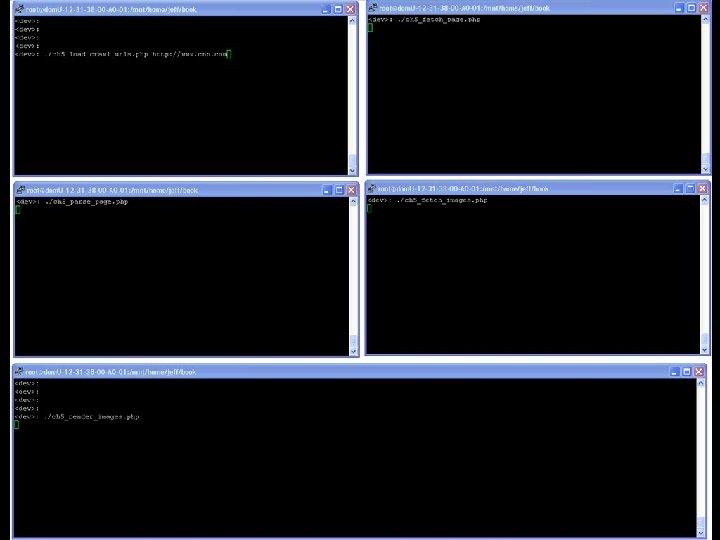
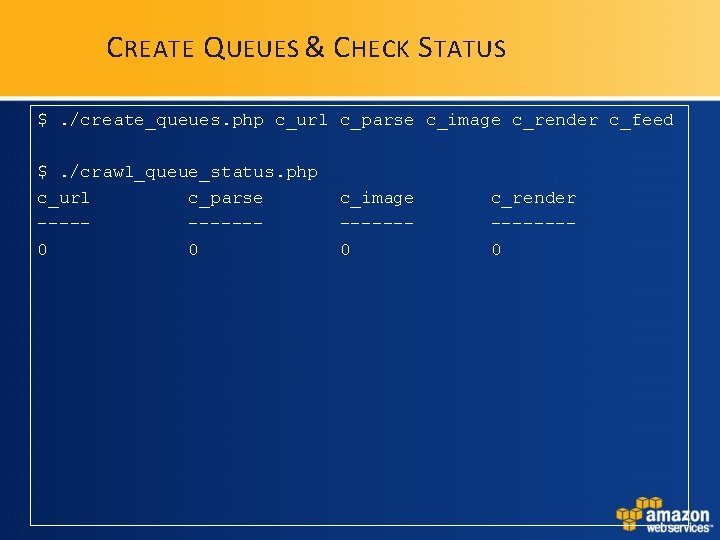
C REATE Q UEUES & C HECK S TATUS $. /create_queues. php c_url c_parse c_image c_render c_feed $. /crawl_queue_status. php c_url c_parse -----0 0 c_image ------0 c_render -------0
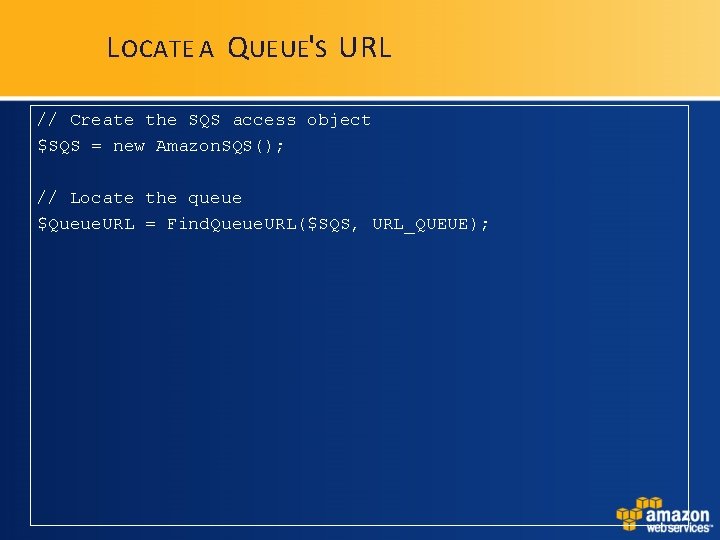
L OCATE A Q UEUE'S URL // Create the SQS access object $SQS = new Amazon. SQS(); // Locate the queue $Queue. URL = Find. Queue. URL($SQS, URL_QUEUE);
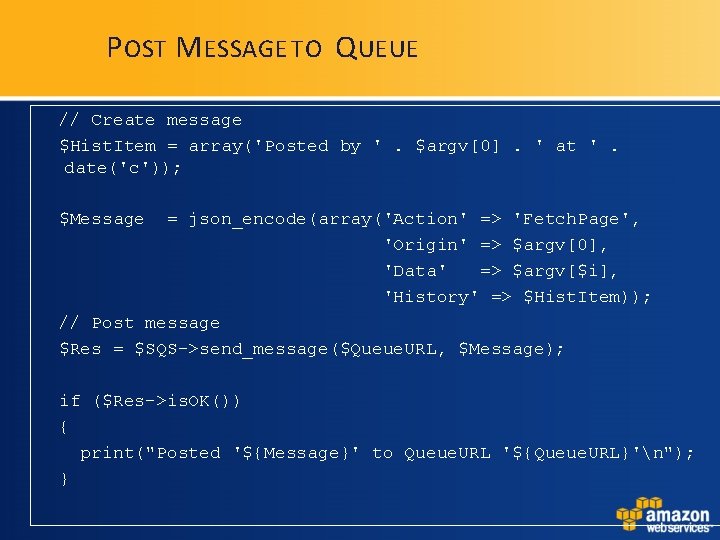
P OST M ESSAGE TO Q UEUE // Create message $Hist. Item = array('Posted by '. $argv[0]. ' at '. date('c')); $Message = json_encode(array('Action' => 'Fetch. Page', 'Origin' => $argv[0], 'Data' => $argv[$i], 'History' => $Hist. Item)); // Post message $Res = $SQS->send_message($Queue. URL, $Message); if ($Res->is. OK()) { print("Posted '${Message}' to Queue. URL '${Queue. URL}'n"); }
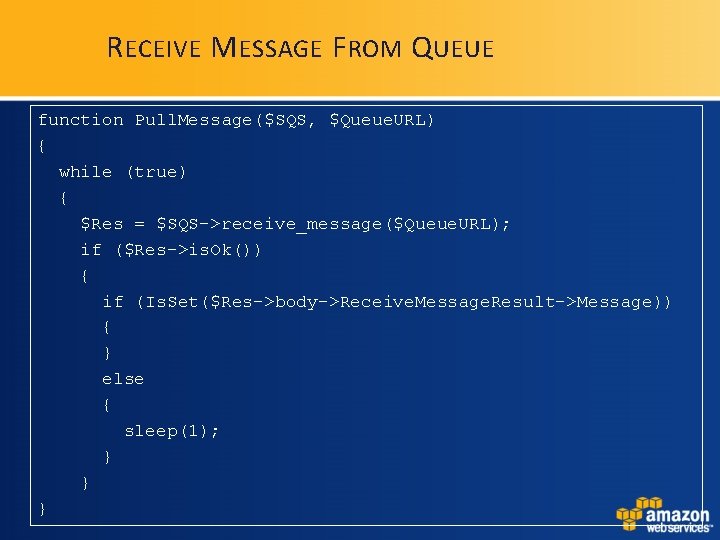
R ECEIVE M ESSAGE F ROM Q UEUE function Pull. Message($SQS, $Queue. URL) { while (true) { $Res = $SQS->receive_message($Queue. URL); if ($Res->is. Ok()) { if (Is. Set($Res->body->Receive. Message. Result->Message)) { } else { sleep(1); } } }
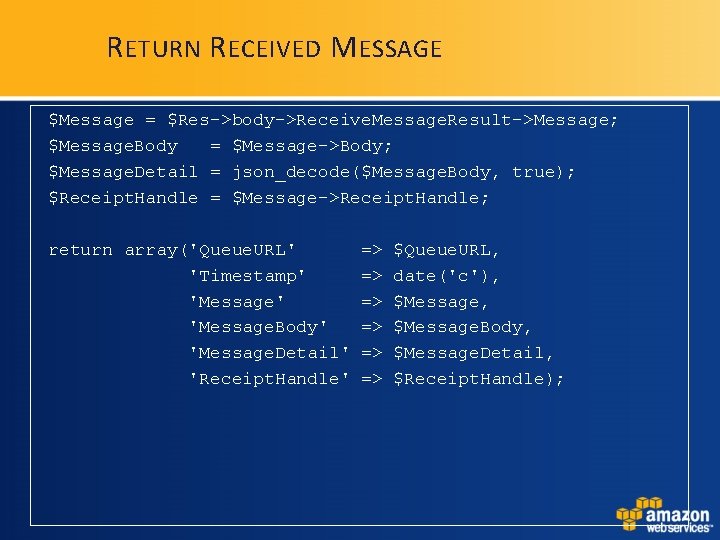
R ETURN R ECEIVED M ESSAGE $Message = $Res->body->Receive. Message. Result->Message; $Message. Body = $Message->Body; $Message. Detail = json_decode($Message. Body, true); $Receipt. Handle = $Message->Receipt. Handle; return array('Queue. URL' 'Timestamp' 'Message. Body' 'Message. Detail' 'Receipt. Handle' => => => $Queue. URL, date('c'), $Message. Body, $Message. Detail, $Receipt. Handle);
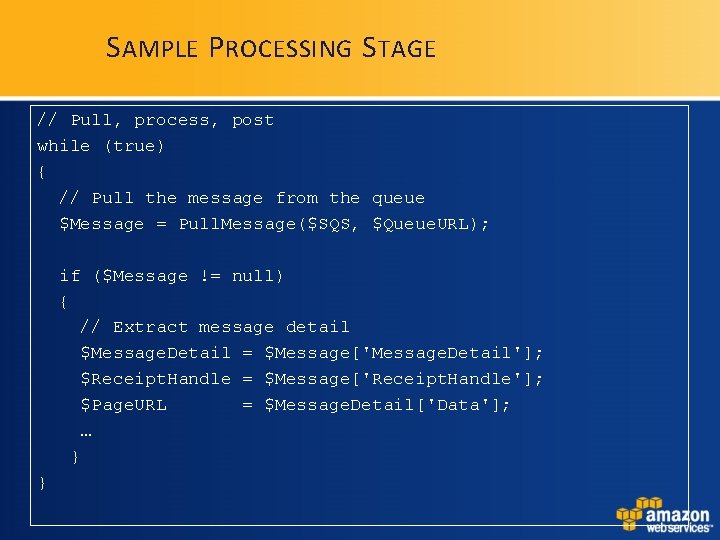
S AMPLE P ROCESSING S TAGE // Pull, process, post while (true) { // Pull the message from the queue $Message = Pull. Message($SQS, $Queue. URL); if ($Message != null) { // Extract message detail $Message. Detail = $Message['Message. Detail']; $Receipt. Handle = $Message['Receipt. Handle']; $Page. URL = $Message. Detail['Data']; … } }
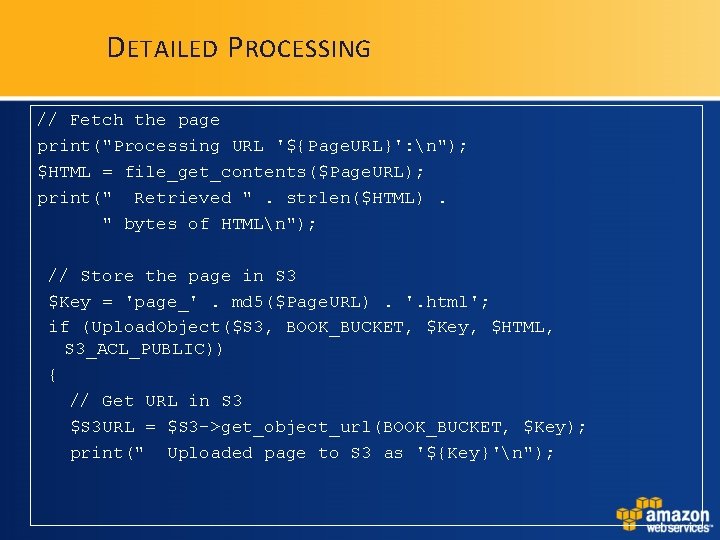
D ETAILED P ROCESSING // Fetch the page print("Processing URL '${Page. URL}': n"); $HTML = file_get_contents($Page. URL); print(" Retrieved ". strlen($HTML). " bytes of HTMLn"); // Store the page in S 3 $Key = 'page_'. md 5($Page. URL). '. html'; if (Upload. Object($S 3, BOOK_BUCKET, $Key, $HTML, S 3_ACL_PUBLIC)) { // Get URL in S 3 $S 3 URL = $S 3 ->get_object_url(BOOK_BUCKET, $Key); print(" Uploaded page to S 3 as '${Key}'n");
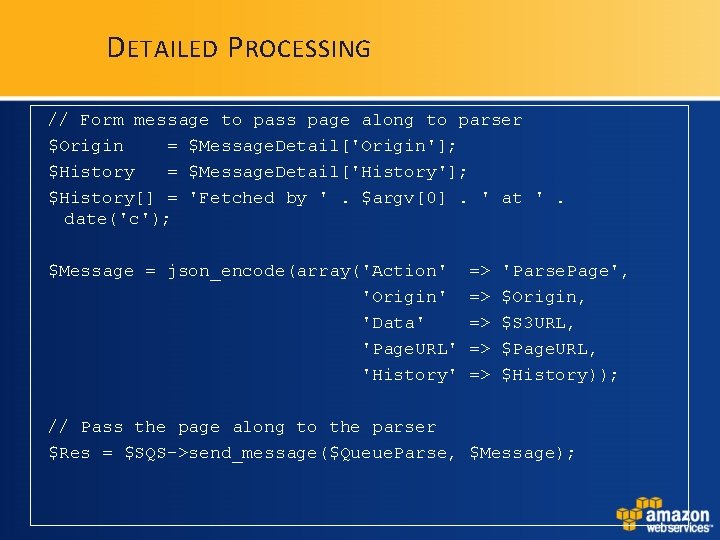
D ETAILED P ROCESSING // Form message to pass page along to parser $Origin = $Message. Detail['Origin']; $History = $Message. Detail['History']; $History[] = 'Fetched by '. $argv[0]. ' at '. date('c'); $Message = json_encode(array('Action' 'Origin' 'Data' 'Page. URL' 'History' => => => 'Parse. Page', $Origin, $S 3 URL, $Page. URL, $History)); // Pass the page along to the parser $Res = $SQS->send_message($Queue. Parse, $Message);
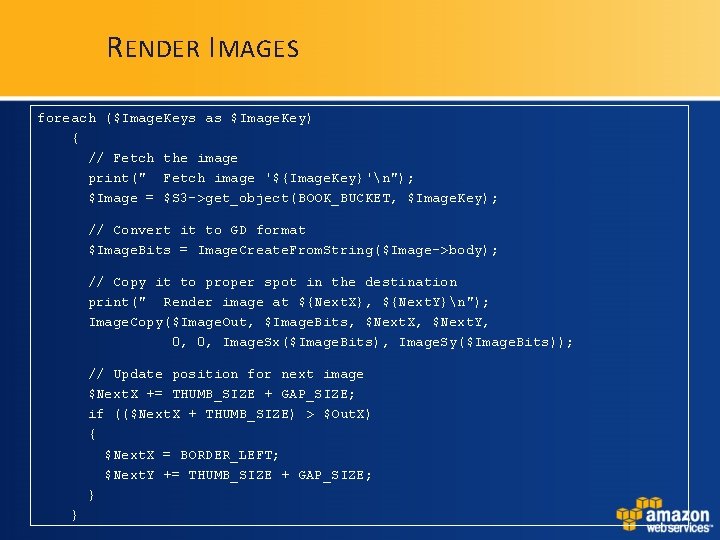
R ENDER I MAGES foreach ($Image. Keys as $Image. Key) { // Fetch the image print(" Fetch image '${Image. Key}'n"); $Image = $S 3 ->get_object(BOOK_BUCKET, $Image. Key); // Convert it to GD format $Image. Bits = Image. Create. From. String($Image->body); // Copy it to proper spot in the destination print(" Render image at ${Next. X}, ${Next. Y}n"); Image. Copy($Image. Out, $Image. Bits, $Next. X, $Next. Y, 0, 0, Image. Sx($Image. Bits), Image. Sy($Image. Bits)); // Update position for next image $Next. X += THUMB_SIZE + GAP_SIZE; if (($Next. X + THUMB_SIZE) > $Out. X) { $Next. X = BORDER_LEFT; $Next. Y += THUMB_SIZE + GAP_SIZE; } }
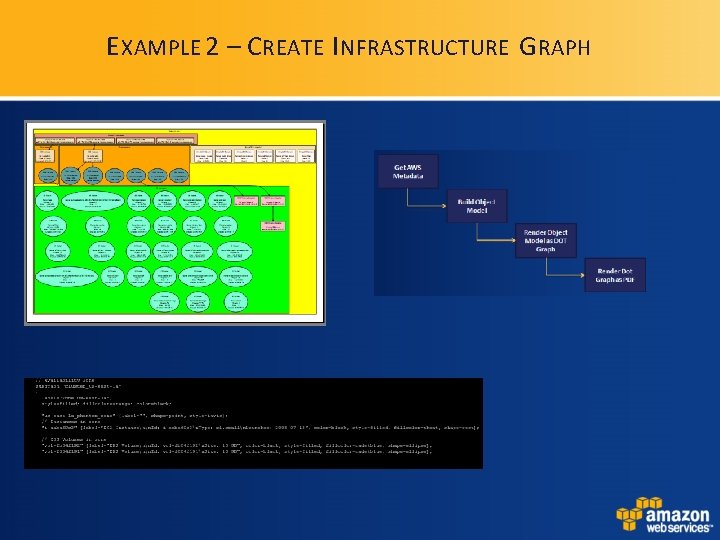
E XAMPLE 2 – C REATE I NFRASTRUCTURE G RAPH
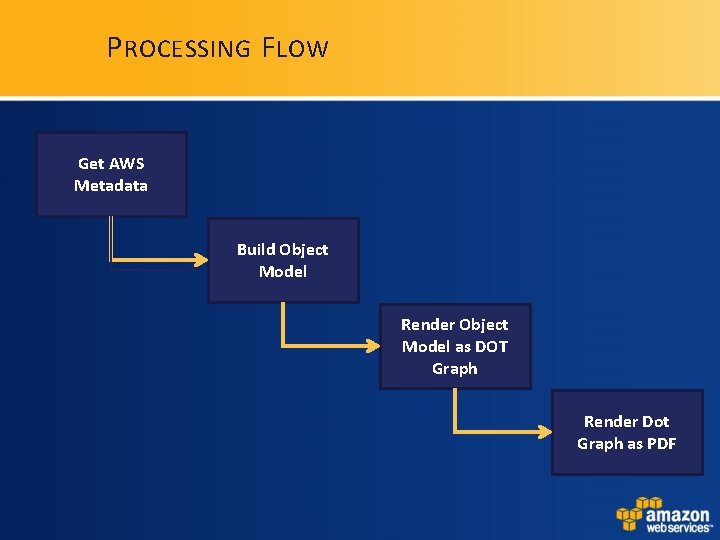
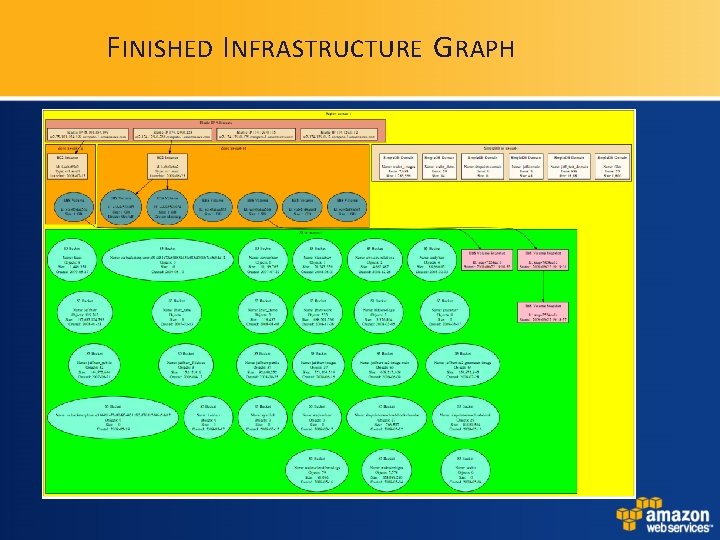
P ROCESSING F LOW Get AWS Metadata Build Object Model Render Object Model as DOT Graph Render Dot Graph as PDF
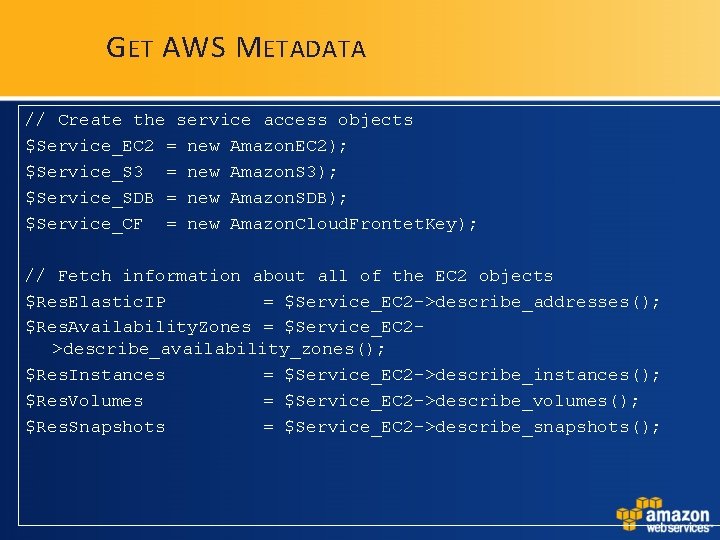
G ET AWS M ETADATA // Create the service access objects $Service_EC 2 = new Amazon. EC 2); $Service_S 3 = new Amazon. S 3); $Service_SDB = new Amazon. SDB); $Service_CF = new Amazon. Cloud. Frontet. Key); // Fetch information about all of the EC 2 objects $Res. Elastic. IP = $Service_EC 2 ->describe_addresses(); $Res. Availability. Zones = $Service_EC 2>describe_availability_zones(); $Res. Instances = $Service_EC 2 ->describe_instances(); $Res. Volumes = $Service_EC 2 ->describe_volumes(); $Res. Snapshots = $Service_EC 2 ->describe_snapshots();
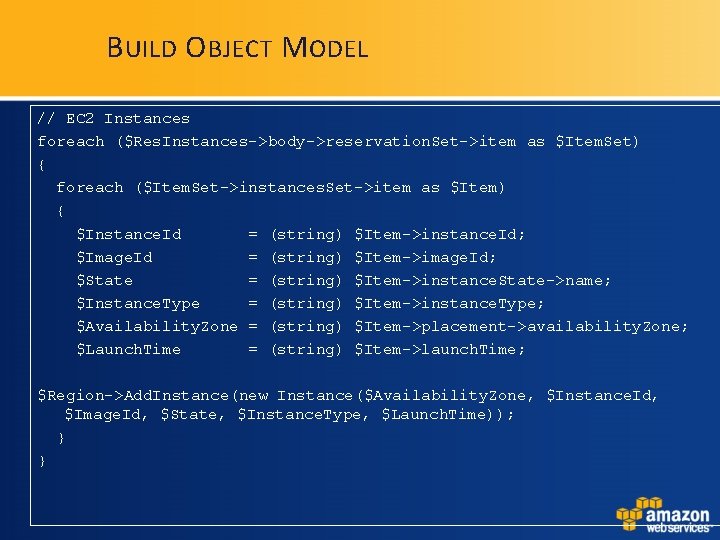
B UILD O BJECT M ODEL // EC 2 Instances foreach ($Res. Instances->body->reservation. Set->item as $Item. Set) { foreach ($Item. Set->instances. Set->item as $Item) { $Instance. Id = (string) $Item->instance. Id; $Image. Id = (string) $Item->image. Id; $State = (string) $Item->instance. State->name; $Instance. Type = (string) $Item->instance. Type; $Availability. Zone = (string) $Item->placement->availability. Zone; $Launch. Time = (string) $Item->launch. Time; $Region->Add. Instance(new Instance($Availability. Zone, $Instance. Id, $Image. Id, $State, $Instance. Type, $Launch. Time)); } }
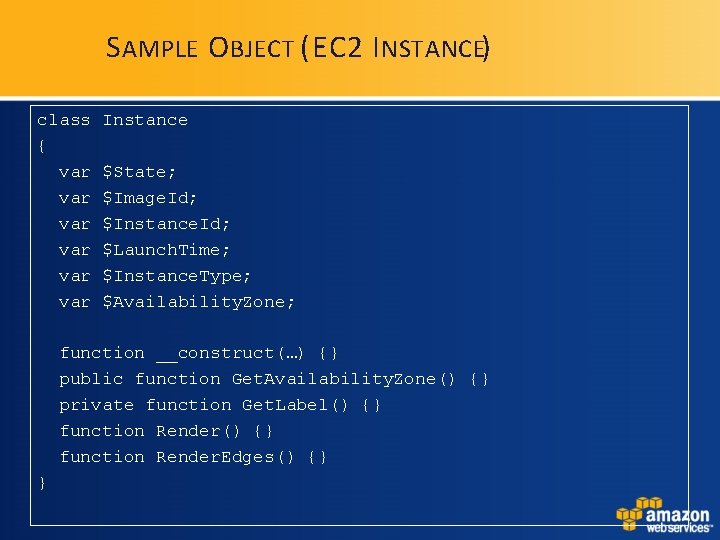
S AMPLE O BJECT (EC 2 I NSTANCE) class { var var var Instance $State; $Image. Id; $Instance. Id; $Launch. Time; $Instance. Type; $Availability. Zone; function __construct(…) {} public function Get. Availability. Zone() {} private function Get. Label() {} function Render. Edges() {} }
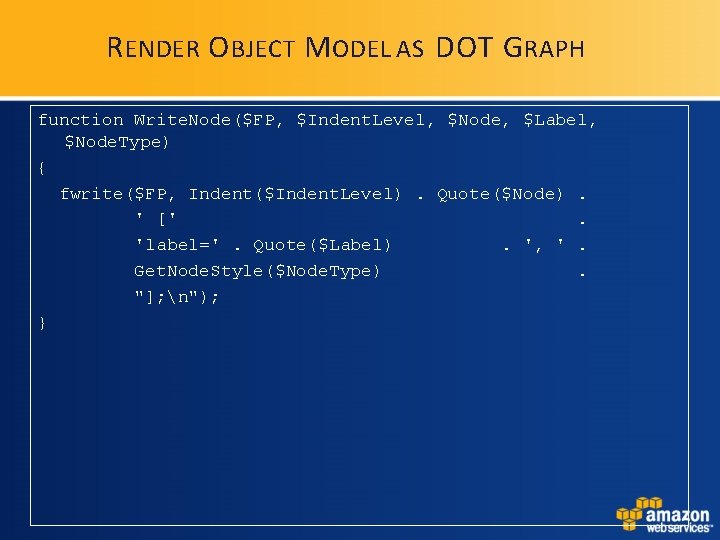
R ENDER O BJECT M ODEL AS DOT G RAPH function Write. Node($FP, $Indent. Level, $Node, $Label, $Node. Type) { fwrite($FP, Indent($Indent. Level). Quote($Node). ' ['. 'label='. Quote($Label). ', '. Get. Node. Style($Node. Type). "]; n"); }
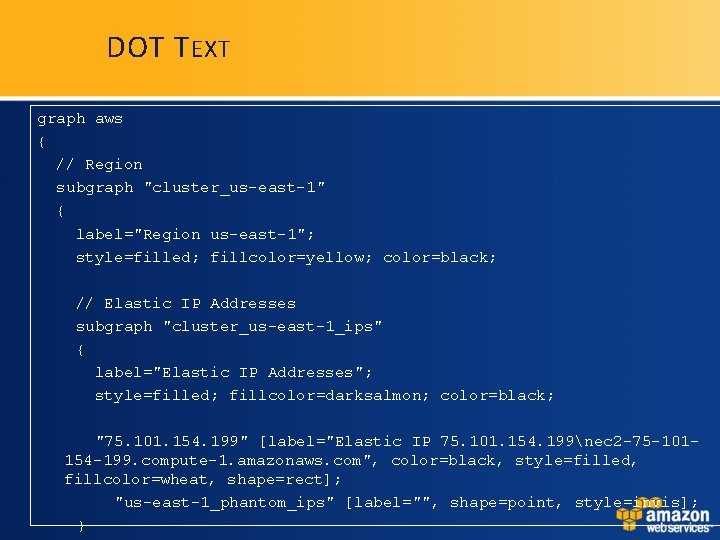
DOT T EXT graph aws { // Region subgraph "cluster_us-east-1" { label="Region us-east-1"; style=filled; fillcolor=yellow; color=black; // Elastic IP Addresses subgraph "cluster_us-east-1_ips" { label="Elastic IP Addresses"; style=filled; fillcolor=darksalmon; color=black; "75. 101. 154. 199" [label="Elastic IP 75. 101. 154. 199nec 2 -75 -101154 -199. compute-1. amazonaws. com", color=black, style=filled, fillcolor=wheat, shape=rect]; "us-east-1_phantom_ips" [label="", shape=point, style=invis]; }
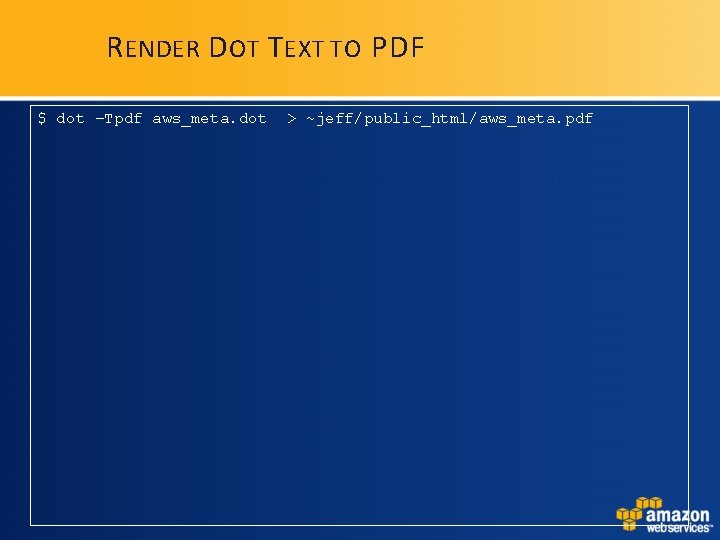
R ENDER D OT T EXT TO PDF $ dot –Tpdf aws_meta. dot > ~jeff/public_html/aws_meta. pdf
F INISHED I NFRASTRUCTURE G RAPH
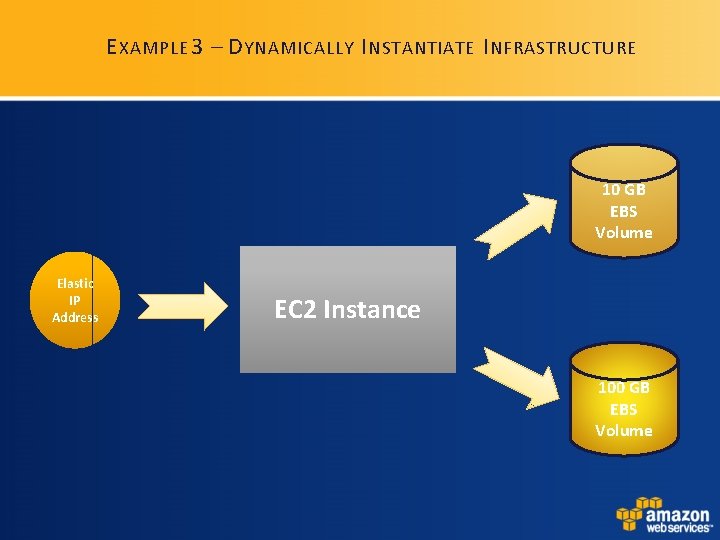
E XAMPLE 3 – D YNAMICALLY I NSTANTIATE I NFRASTRUCTURE 10 GB EBS Volume Elastic IP Address EC 2 Instance 100 GB EBS Volume
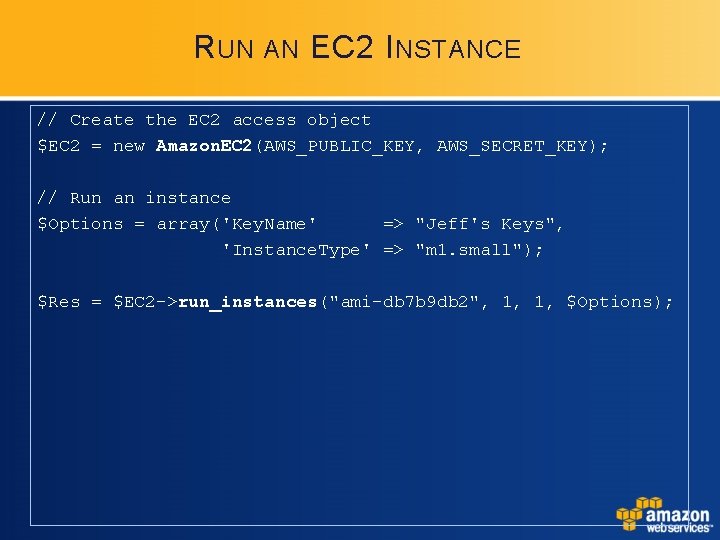
R UN AN EC 2 I NSTANCE // Create the EC 2 access object $EC 2 = new Amazon. EC 2(AWS_PUBLIC_KEY, AWS_SECRET_KEY); // Run an instance $Options = array('Key. Name' => "Jeff's Keys", 'Instance. Type' => "m 1. small"); $Res = $EC 2 ->run_instances("ami-db 7 b 9 db 2", 1, 1, $Options);
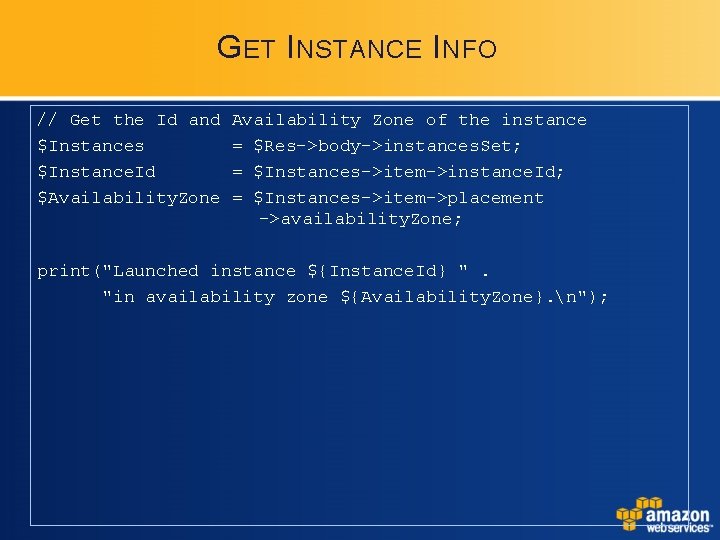
G ET I NSTANCE I NFO // Get the Id and $Instances $Instance. Id $Availability. Zone Availability Zone of the instance = $Res->body->instances. Set; = $Instances->item->instance. Id; = $Instances->item->placement ->availability. Zone; print("Launched instance ${Instance. Id} ". "in availability zone ${Availability. Zone}. n");
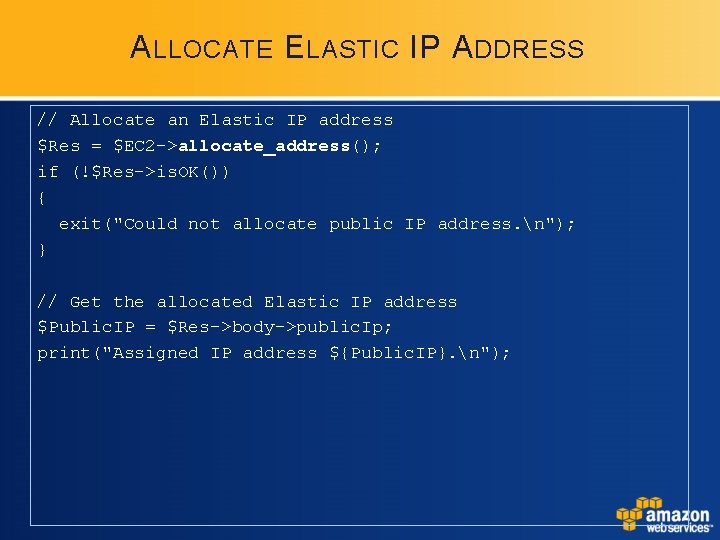
A LLOCATE E LASTIC IP A DDRESS // Allocate an Elastic IP address $Res = $EC 2 ->allocate_address(); if (!$Res->is. OK()) { exit("Could not allocate public IP address. n"); } // Get the allocated Elastic IP address $Public. IP = $Res->body->public. Ip; print("Assigned IP address ${Public. IP}. n");
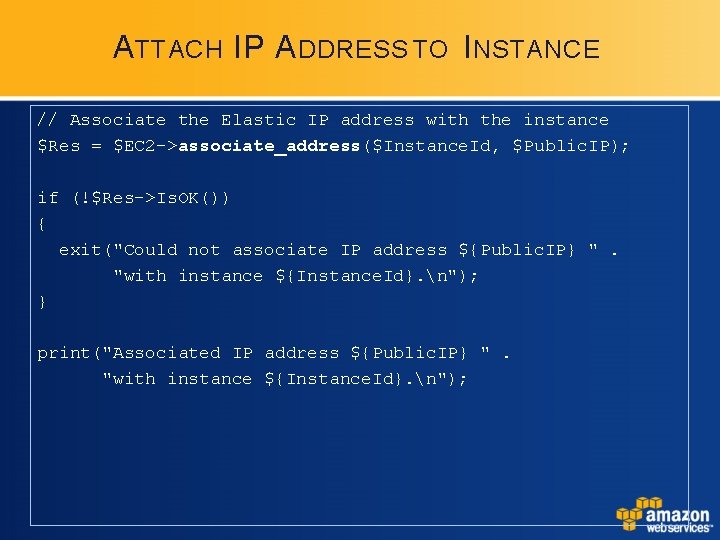
A TTACH IP A DDRESS TO I NSTANCE // Associate the Elastic IP address with the instance $Res = $EC 2 ->associate_address($Instance. Id, $Public. IP); if (!$Res->Is. OK()) { exit("Could not associate IP address ${Public. IP} ". "with instance ${Instance. Id}. n"); } print("Associated IP address ${Public. IP} ". "with instance ${Instance. Id}. n");
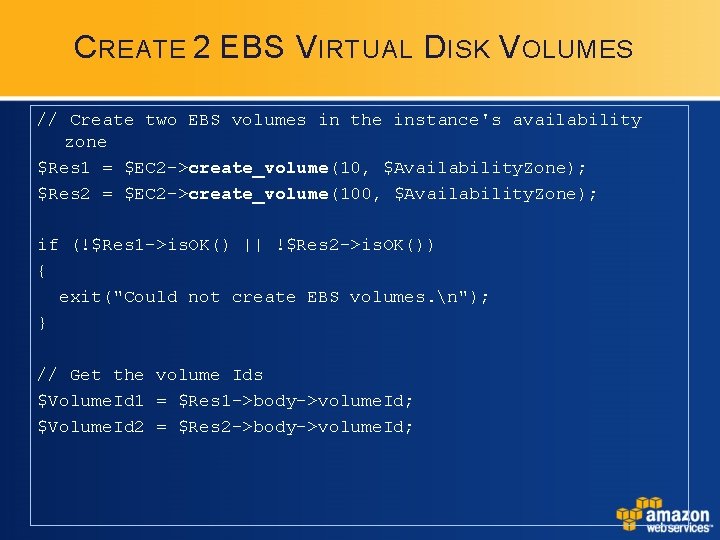
C REATE 2 EBS V IRTUAL D ISK V OLUMES // Create two EBS volumes in the instance's availability zone $Res 1 = $EC 2 ->create_volume(10, $Availability. Zone); $Res 2 = $EC 2 ->create_volume(100, $Availability. Zone); if (!$Res 1 ->is. OK() || !$Res 2 ->is. OK()) { exit("Could not create EBS volumes. n"); } // Get the volume Ids $Volume. Id 1 = $Res 1 ->body->volume. Id; $Volume. Id 2 = $Res 2 ->body->volume. Id;
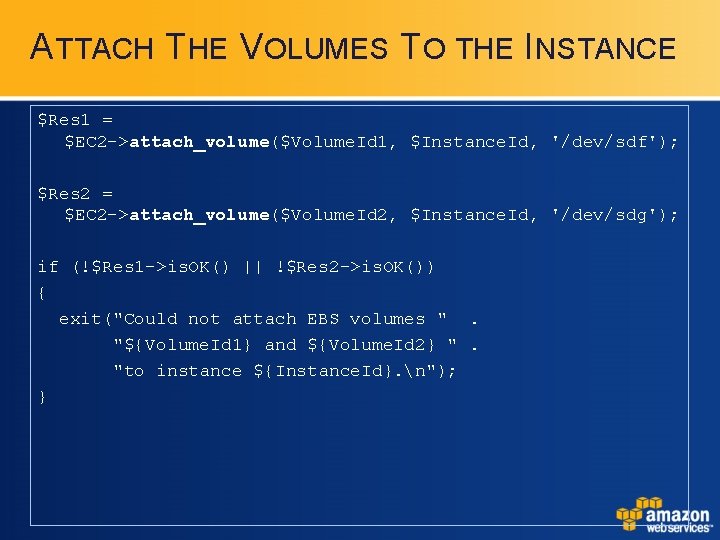
ATTACH THE VOLUMES TO THE INSTANCE $Res 1 = $EC 2 ->attach_volume($Volume. Id 1, $Instance. Id, '/dev/sdf'); $Res 2 = $EC 2 ->attach_volume($Volume. Id 2, $Instance. Id, '/dev/sdg'); if (!$Res 1 ->is. OK() || !$Res 2 ->is. OK()) { exit("Could not attach EBS volumes ". "${Volume. Id 1} and ${Volume. Id 2} ". "to instance ${Instance. Id}. n"); }
Q&A
F OR MORE INFORMATION • Amazon Web Services: http: //aws. amazon. com • AWS Blog: http: //aws. typepad. com • jbarr@amazon. com • twitter. com/jeffbarr
Thanks! jbarr@amazozn. com