
BYOD Postpaid to Prepaid Process 2016 Sprint This

BYOD Postpaid to Prepaid Process © 2016 Sprint. This information is subject to Sprint policies regarding use and is the property of Sprint and/or its relevant affiliates and may contain restricted, confidential or privileged materials intended for the sole use of the intended recipient. Any review, use, distribution or disclosure is prohibited without authorization. 2/19/2021 8: 55 AM Version 1. 0 1
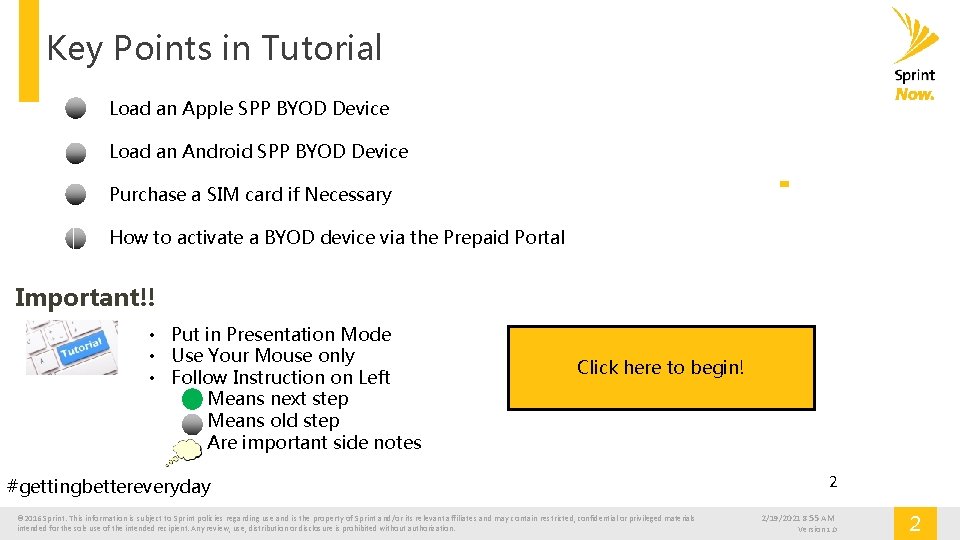
Key Points in Tutorial Load an Apple SPP BYOD Device Load an Android SPP BYOD Device Purchase a SIM card if Necessary How to activate a BYOD device via the Prepaid Portal Important!! • Put in Presentation Mode • Use Your Mouse only • Follow Instruction on Left • Means next step • Means old step • Are important side notes Click here to begin! #gettingbettereveryday © 2016 Sprint. This information is subject to Sprint policies regarding use and is the property of Sprint and/or its relevant affiliates and may contain restricted, confidential or privileged materials intended for the sole use of the intended recipient. Any review, use, distribution or disclosure is prohibited without authorization. 2 2/19/2021 8: 55 AM Version 1. 0 2
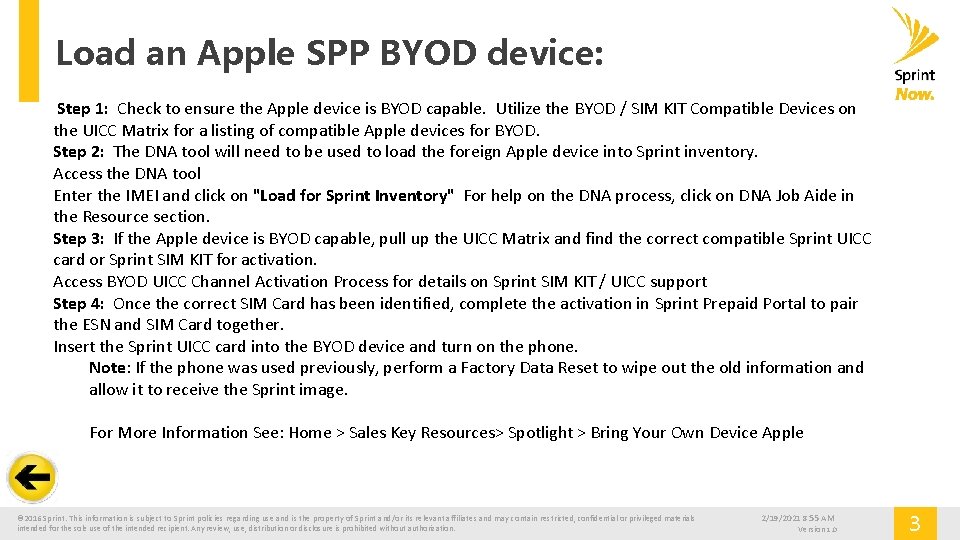
Load an Apple SPP BYOD device: Step 1: Check to ensure the Apple device is BYOD capable. Utilize the BYOD / SIM KIT Compatible Devices on the UICC Matrix for a listing of compatible Apple devices for BYOD. Step 2: The DNA tool will need to be used to load the foreign Apple device into Sprint inventory. Access the DNA tool Enter the IMEI and click on "Load for Sprint Inventory" For help on the DNA process, click on DNA Job Aide in the Resource section. Step 3: If the Apple device is BYOD capable, pull up the UICC Matrix and find the correct compatible Sprint UICC card or Sprint SIM KIT for activation. Access BYOD UICC Channel Activation Process for details on Sprint SIM KIT / UICC support Step 4: Once the correct SIM Card has been identified, complete the activation in Sprint Prepaid Portal to pair the ESN and SIM Card together. Insert the Sprint UICC card into the BYOD device and turn on the phone. Note: If the phone was used previously, perform a Factory Data Reset to wipe out the old information and allow it to receive the Sprint image. For More Information See: Home > Sales Key Resources> Spotlight > Bring Your Own Device Apple © 2016 Sprint. This information is subject to Sprint policies regarding use and is the property of Sprint and/or its relevant affiliates and may contain restricted, confidential or privileged materials intended for the sole use of the intended recipient. Any review, use, distribution or disclosure is prohibited without authorization. 2/19/2021 8: 55 AM Version 1. 0 3
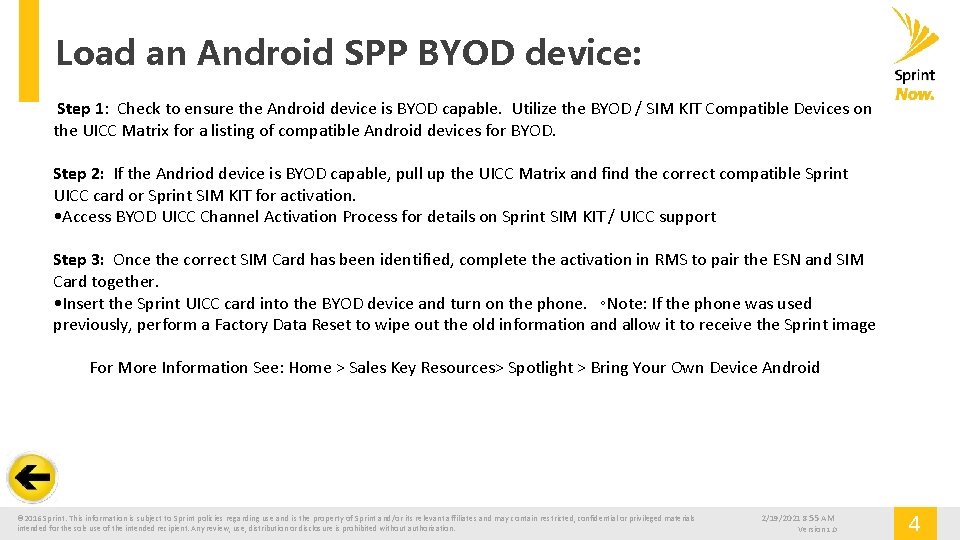
Load an Android SPP BYOD device: Step 1: Check to ensure the Android device is BYOD capable. Utilize the BYOD / SIM KIT Compatible Devices on the UICC Matrix for a listing of compatible Android devices for BYOD. Step 2: If the Andriod device is BYOD capable, pull up the UICC Matrix and find the correct compatible Sprint UICC card or Sprint SIM KIT for activation. • Access BYOD UICC Channel Activation Process for details on Sprint SIM KIT / UICC support Step 3: Once the correct SIM Card has been identified, complete the activation in RMS to pair the ESN and SIM Card together. • Insert the Sprint UICC card into the BYOD device and turn on the phone. ◦Note: If the phone was used previously, perform a Factory Data Reset to wipe out the old information and allow it to receive the Sprint image For More Information See: Home > Sales Key Resources> Spotlight > Bring Your Own Device Android © 2016 Sprint. This information is subject to Sprint policies regarding use and is the property of Sprint and/or its relevant affiliates and may contain restricted, confidential or privileged materials intended for the sole use of the intended recipient. Any review, use, distribution or disclosure is prohibited without authorization. 2/19/2021 8: 55 AM Version 1. 0 4
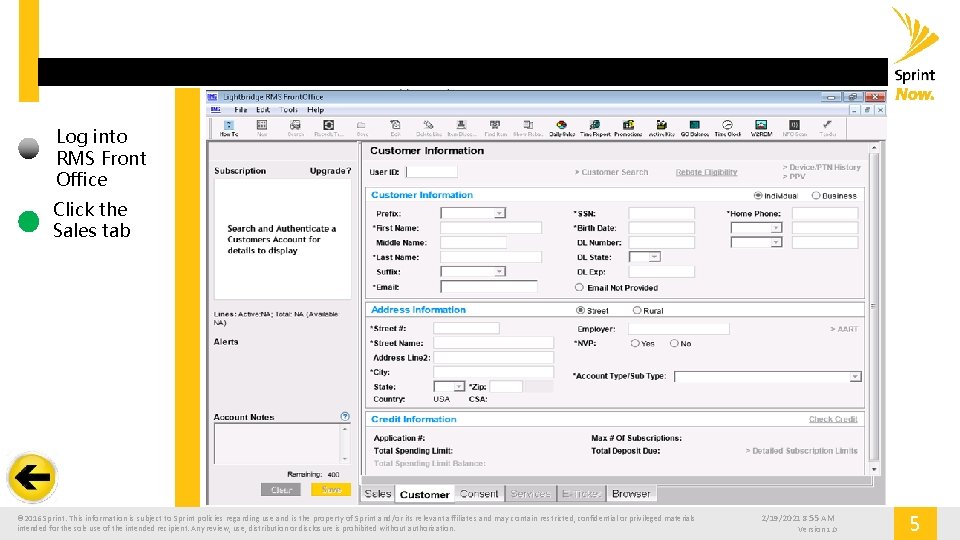
Log into RMS Front Office Click the Sales tab © 2016 Sprint. This information is subject to Sprint policies regarding use and is the property of Sprint and/or its relevant affiliates and may contain restricted, confidential or privileged materials intended for the sole use of the intended recipient. Any review, use, distribution or disclosure is prohibited without authorization. 2/19/2021 8: 55 AM Version 1. 0 5
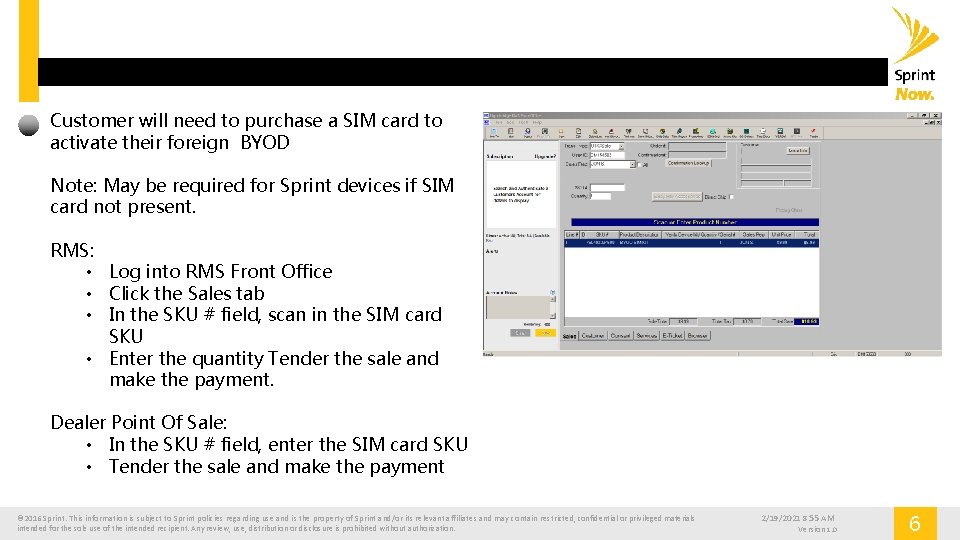
Customer will need to purchase a SIM card to activate their foreign BYOD Note: May be required for Sprint devices if SIM card not present. RMS: • Log into RMS Front Office • Click the Sales tab • In the SKU # field, scan in the SIM card SKU • Enter the quantity Tender the sale and make the payment. Dealer Point Of Sale: • In the SKU # field, enter the SIM card SKU • Tender the sale and make the payment © 2016 Sprint. This information is subject to Sprint policies regarding use and is the property of Sprint and/or its relevant affiliates and may contain restricted, confidential or privileged materials intended for the sole use of the intended recipient. Any review, use, distribution or disclosure is prohibited without authorization. 2/19/2021 8: 55 AM Version 1. 0 6
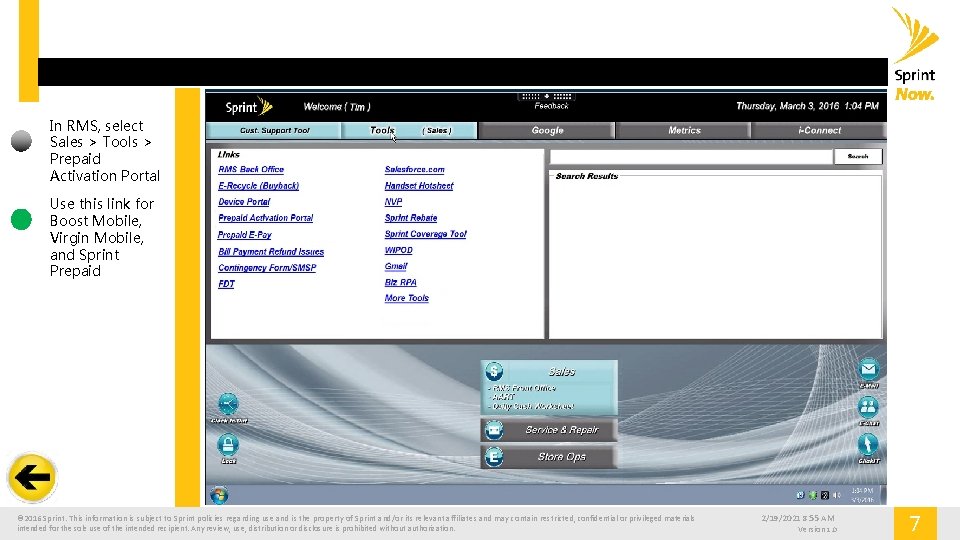
In RMS, select Sales > Tools > Prepaid Activation Portal Use this link for Boost Mobile, Virgin Mobile, and Sprint Prepaid © 2016 Sprint. This information is subject to Sprint policies regarding use and is the property of Sprint and/or its relevant affiliates and may contain restricted, confidential or privileged materials intended for the sole use of the intended recipient. Any review, use, distribution or disclosure is prohibited without authorization. 2/19/2021 8: 55 AM Version 1. 0 7
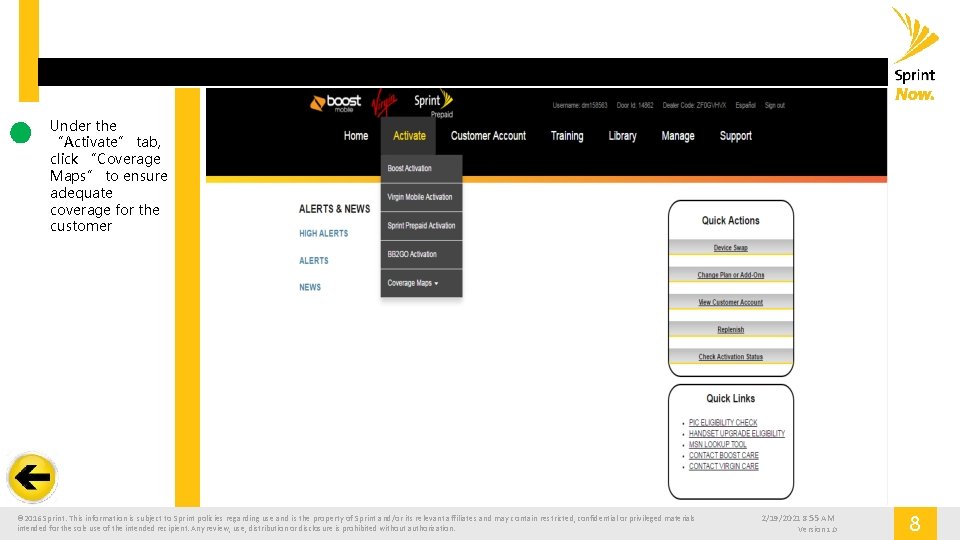
Under the “Activate” tab, click “Coverage Maps” to ensure adequate coverage for the customer © 2016 Sprint. This information is subject to Sprint policies regarding use and is the property of Sprint and/or its relevant affiliates and may contain restricted, confidential or privileged materials intended for the sole use of the intended recipient. Any review, use, distribution or disclosure is prohibited without authorization. 2/19/2021 8: 55 AM Version 1. 0 8
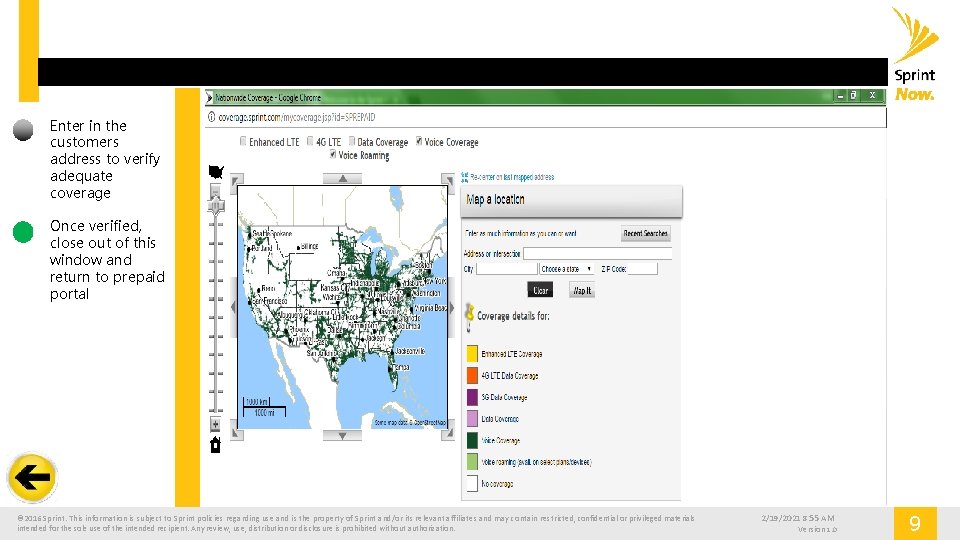
Enter in the customers address to verify adequate coverage Once verified, close out of this window and return to prepaid portal © 2016 Sprint. This information is subject to Sprint policies regarding use and is the property of Sprint and/or its relevant affiliates and may contain restricted, confidential or privileged materials intended for the sole use of the intended recipient. Any review, use, distribution or disclosure is prohibited without authorization. 2/19/2021 8: 55 AM Version 1. 0 9

Under the activate tab, click Sprint Prepaid Activation © 2016 Sprint. This information is subject to Sprint policies regarding use and is the property of Sprint and/or its relevant affiliates and may contain restricted, confidential or privileged materials intended for the sole use of the intended recipient. Any review, use, distribution or disclosure is prohibited without authorization. 2/19/2021 8: 55 AM Version 1. 0 10
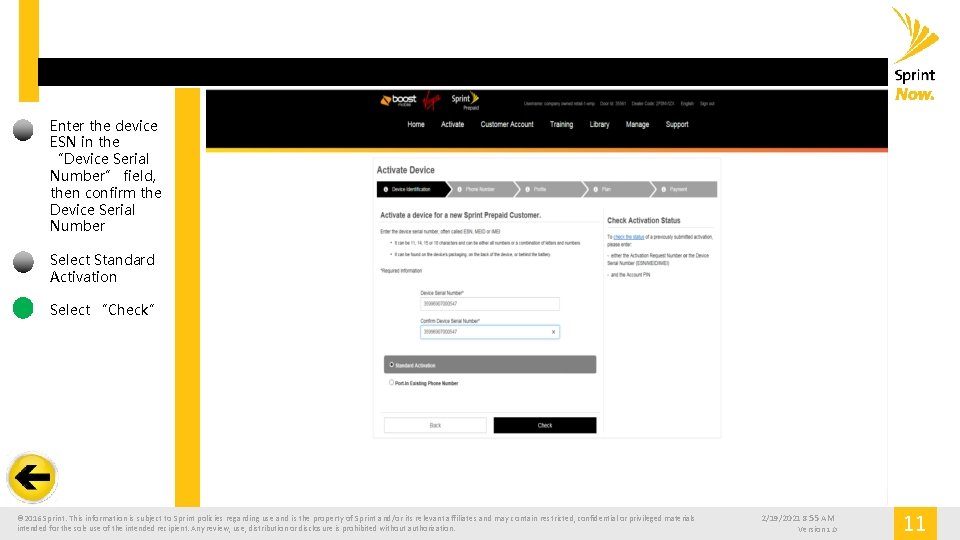
Enter the device ESN in the “Device Serial Number” field, then confirm the Device Serial Number Select Standard Activation Select “Check” © 2016 Sprint. This information is subject to Sprint policies regarding use and is the property of Sprint and/or its relevant affiliates and may contain restricted, confidential or privileged materials intended for the sole use of the intended recipient. Any review, use, distribution or disclosure is prohibited without authorization. 2/19/2021 8: 55 AM Version 1. 0 11

If you are activating a 4 G LTE device, you will need to verify the ICCID Serial Number matches the one you are activating Confirm the ICCIDs match by following the onscreen instructions If it is incorrect, select Change ICCID If the number is correct, select Next. © 2016 Sprint. This information is subject to Sprint policies regarding use and is the property of Sprint and/or its relevant affiliates and may contain restricted, confidential or privileged materials intended for the sole use of the intended recipient. Any review, use, distribution or disclosure is prohibited without authorization. 2/19/2021 8: 55 AM Version 1. 0 12
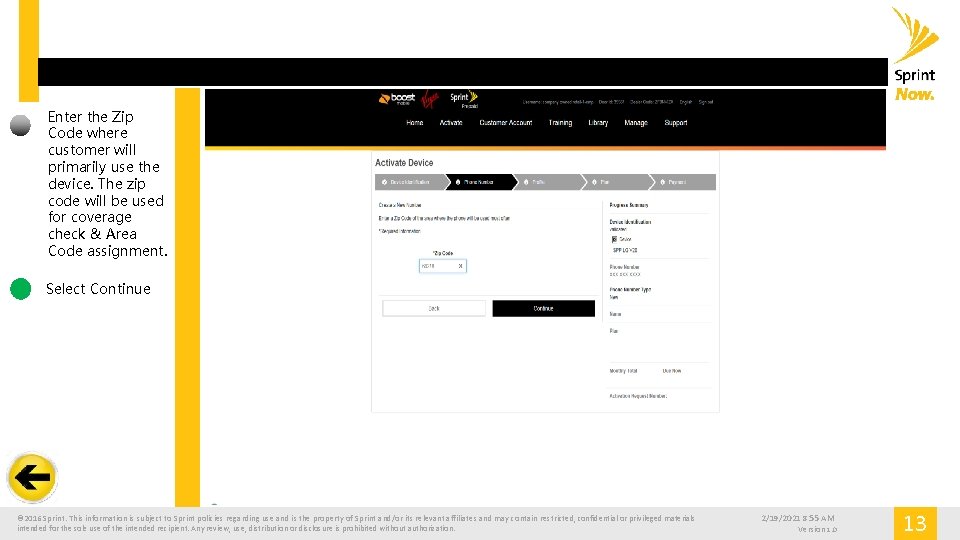
Enter the Zip Code where customer will primarily use the device. The zip code will be used for coverage check & Area Code assignment. Select Continue © 2016 Sprint. This information is subject to Sprint policies regarding use and is the property of Sprint and/or its relevant affiliates and may contain restricted, confidential or privileged materials intended for the sole use of the intended recipient. Any review, use, distribution or disclosure is prohibited without authorization. 2/19/2021 8: 55 AM Version 1. 0 13
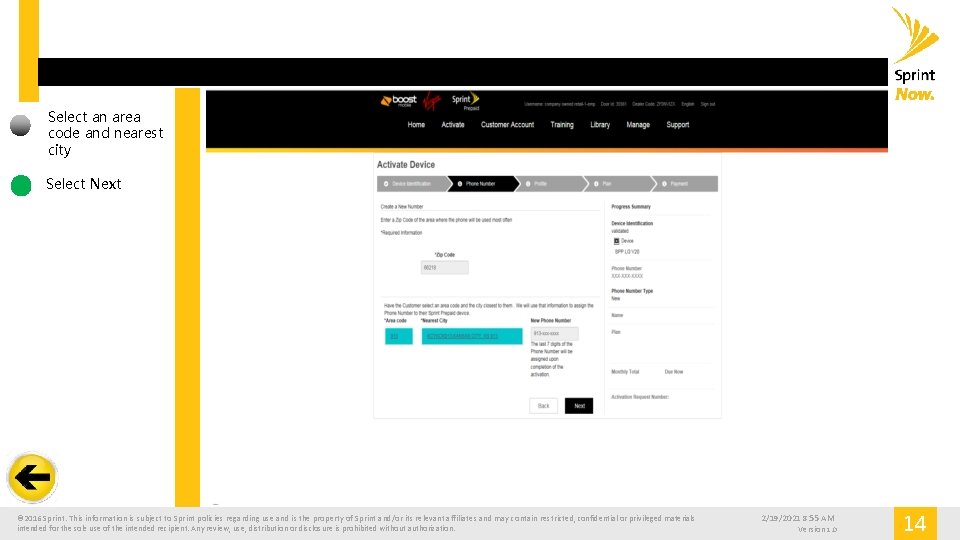
Select an area code and nearest city Select Next © 2016 Sprint. This information is subject to Sprint policies regarding use and is the property of Sprint and/or its relevant affiliates and may contain restricted, confidential or privileged materials intended for the sole use of the intended recipient. Any review, use, distribution or disclosure is prohibited without authorization. 2/19/2021 8: 55 AM Version 1. 0 14
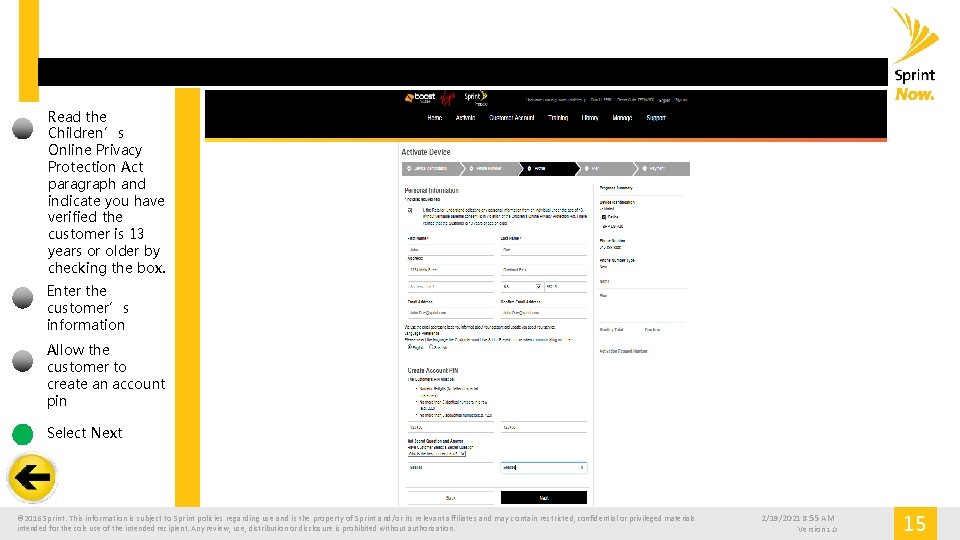
Read the Children’s Online Privacy Protection Act paragraph and indicate you have verified the customer is 13 years or older by checking the box. Enter the customer’s information Allow the customer to create an account pin Select Next © 2016 Sprint. This information is subject to Sprint policies regarding use and is the property of Sprint and/or its relevant affiliates and may contain restricted, confidential or privileged materials intended for the sole use of the intended recipient. Any review, use, distribution or disclosure is prohibited without authorization. 2/19/2021 8: 55 AM Version 1. 0 15

Select the price plan and any add -ons Select Next © 2016 Sprint. This information is subject to Sprint policies regarding use and is the property of Sprint and/or its relevant affiliates and may contain restricted, confidential or privileged materials intended for the sole use of the intended recipient. Any review, use, distribution or disclosure is prohibited without authorization. 2/19/2021 8: 55 AM Version 1. 0 16

Confirm the selections are accurate Select Activate © 2016 Sprint. This information is subject to Sprint policies regarding use and is the property of Sprint and/or its relevant affiliates and may contain restricted, confidential or privileged materials intended for the sole use of the intended recipient. Any review, use, distribution or disclosure is prohibited without authorization. 2/19/2021 8: 55 AM Version 1. 0 17
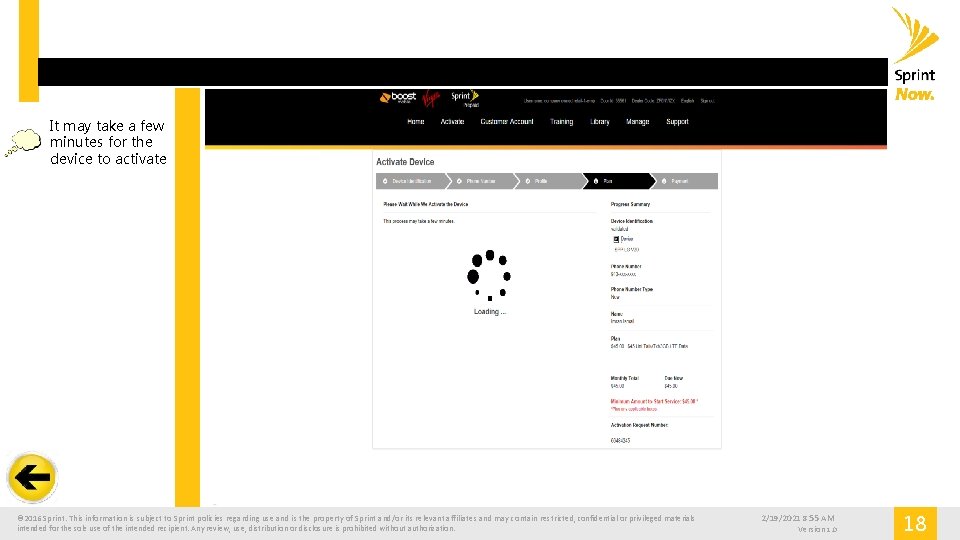
It may take a few minutes for the device to activate © 2016 Sprint. This information is subject to Sprint policies regarding use and is the property of Sprint and/or its relevant affiliates and may contain restricted, confidential or privileged materials intended for the sole use of the intended recipient. Any review, use, distribution or disclosure is prohibited without authorization. 2/19/2021 8: 55 AM Version 1. 0 18
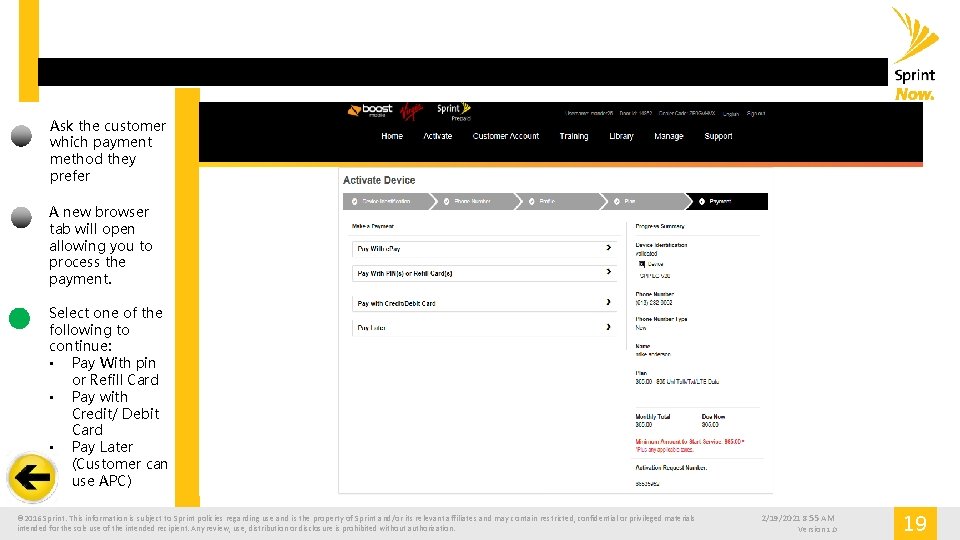
Ask the customer which payment method they prefer A new browser tab will open allowing you to process the payment. Select one of the following to continue: • Pay With pin or Refill Card • Pay with Credit/ Debit Card • Pay Later (Customer can use APC) © 2016 Sprint. This information is subject to Sprint policies regarding use and is the property of Sprint and/or its relevant affiliates and may contain restricted, confidential or privileged materials intended for the sole use of the intended recipient. Any review, use, distribution or disclosure is prohibited without authorization. 2/19/2021 8: 55 AM Version 1. 0 19
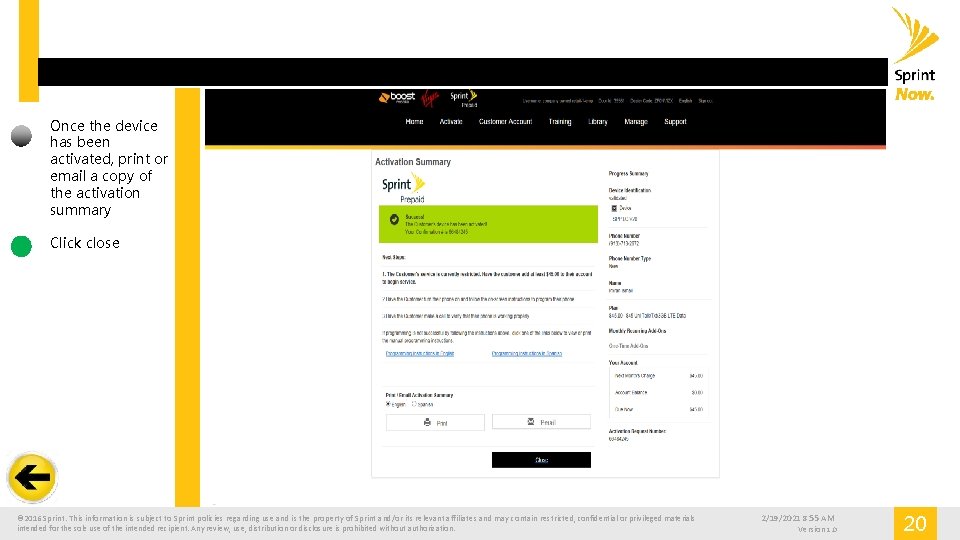
Once the device has been activated, print or email a copy of the activation summary Click close © 2016 Sprint. This information is subject to Sprint policies regarding use and is the property of Sprint and/or its relevant affiliates and may contain restricted, confidential or privileged materials intended for the sole use of the intended recipient. Any review, use, distribution or disclosure is prohibited without authorization. 2/19/2021 8: 55 AM Version 1. 0 20
Simulation Complete © 2016 Sprint. This information is subject to Sprint policies regarding use and is the property of Sprint and/or its relevant affiliates and may contain restricted, confidential or privileged materials intended for the sole use of the intended recipient. Any review, use, distribution or disclosure is prohibited without authorization. 2/19/2021 8: 55 AM Version 1. 0 21
- Slides: 21