
Business Process Management BPM Lecture 1 Introduction Dr
Business Process Management (BPM) Lecture 1: Introduction Dr Adnan M. Albar IS Dept. , FCIT King Abdulaziz University
About This Course Objective: – To introduce the principles and methods of Business Process Management and Enterprise Resource Planning Systems. The course relates to: – Enterprise System Integration • Integrating applications to automate or support business processes – Data mining • Mining business process execution logs – Software Economics • Business case analysis: Benefit assessment of IT projects
Structure of the course • 7 lectures covering: – – – Principles of BPM Process Modeling Using BPMN Process Analysis (Qualitative and Quantitative) Process Automation Process Monitoring and Mining • 7 lectures covering: – – Principles of ERP implementation lifecycle ERP types Business Processes and ERP • Team Project with open. ERP and KAU BP.
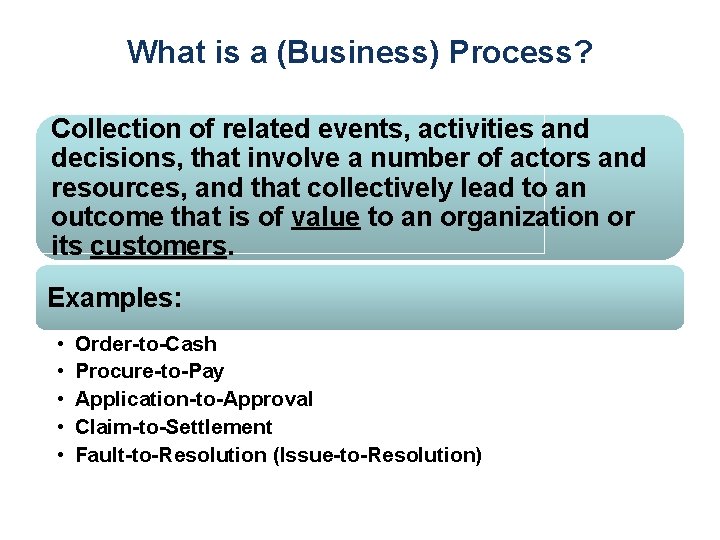
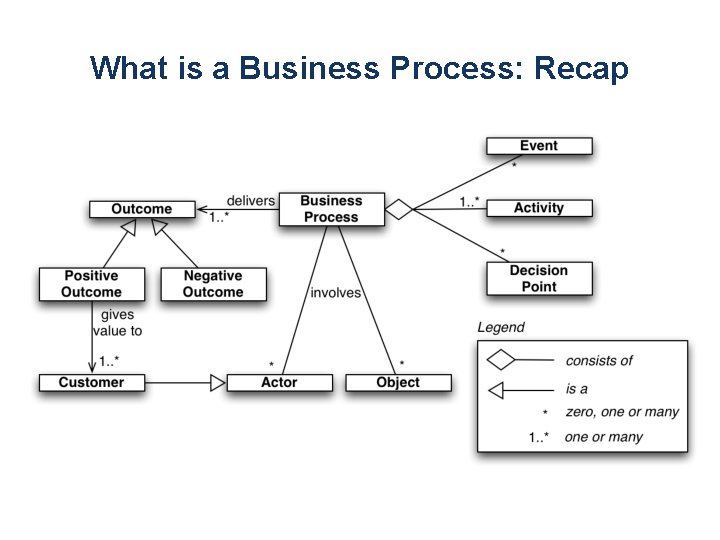
What is a (Business) Process? Collection of related events, activities and decisions, that involve a number of actors and resources, and that collectively lead to an outcome that is of value to an organization or its customers. Examples: • • • Order-to-Cash Procure-to-Pay Application-to-Approval Claim-to-Settlement Fault-to-Resolution (Issue-to-Resolution)
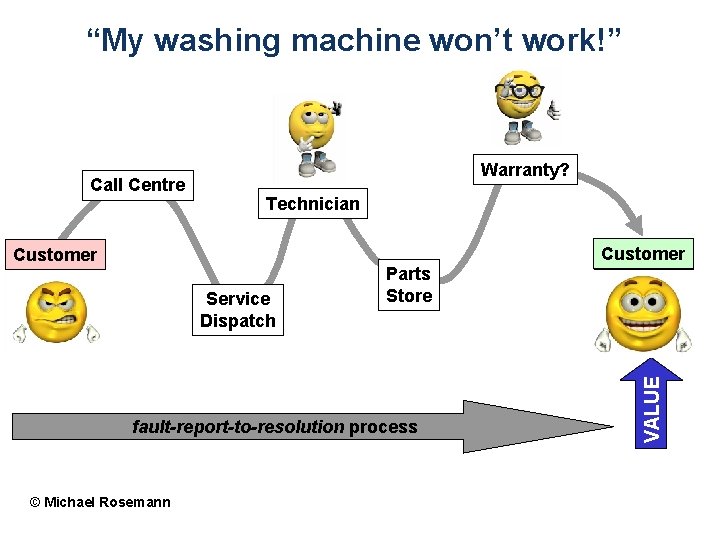
“My washing machine won’t work!” Technician Customer Service Dispatch Parts Store fault-report-to-resolution process © Michael Rosemann Customer VALUE Call Centre Warranty?
Processes and Outcomes • Every process leads to one or several outcomes, positive or negative – Positive outcomes deliver value – Negative outcomes reduce value • Fault-to-resolution process – – – Fault repaired without technician intervention Fault repaired with minor technician intervention Fault repaired and fully covered by warranty Fault repaired and partly covered by warranty Fault repaired but not covered by warranty Fault not repaired (customer withdrew request)
What is a Business Process: Recap
BPM: What is it? Body of principles, methods and tools to design, analyze, execute and monitor business processes In this course, we will focus on BPM based on process models.
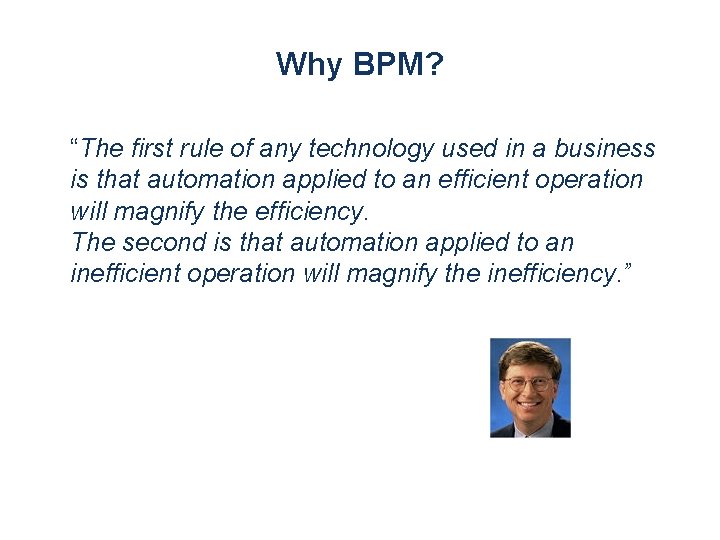
Why BPM? “The first rule of any technology used in a business is that automation applied to an efficient operation will magnify the efficiency. The second is that automation applied to an inefficient operation will magnify the inefficiency. ”
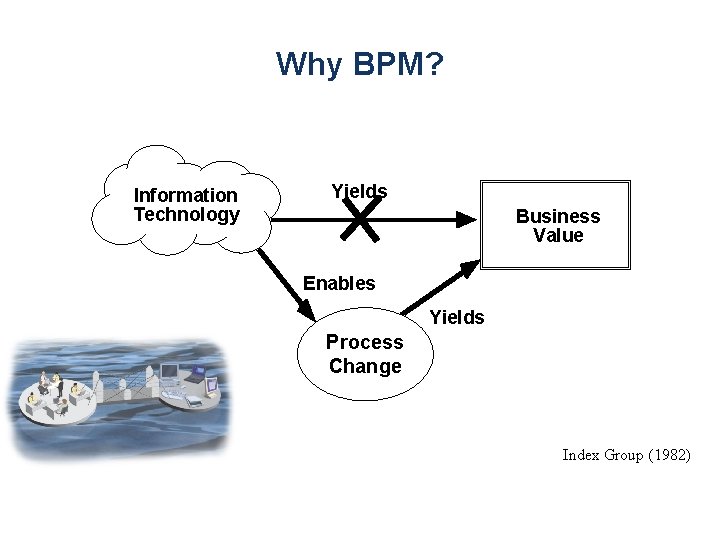
Why BPM? Information Technology Yields Business Value Enables Yields Process Change Index Group (1982)
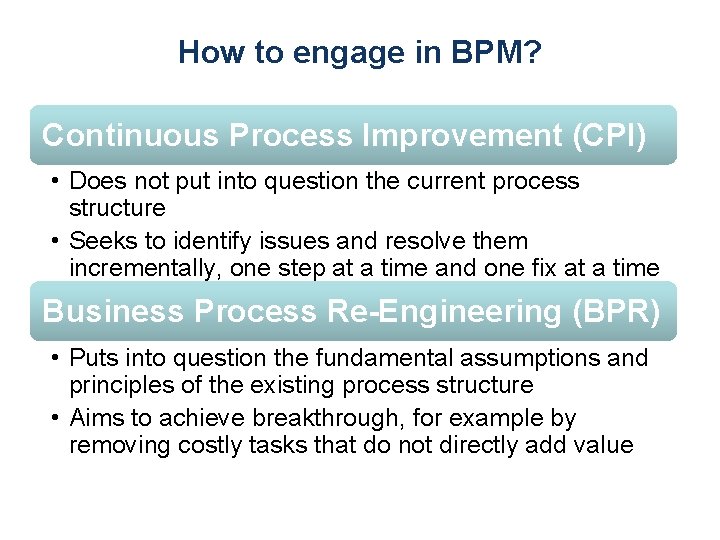
How to engage in BPM? Continuous Process Improvement (CPI) • Does not put into question the current process structure • Seeks to identify issues and resolve them incrementally, one step at a time and one fix at a time Business Process Re-Engineering (BPR) • Puts into question the fundamental assumptions and principles of the existing process structure • Aims to achieve breakthrough, for example by removing costly tasks that do not directly add value
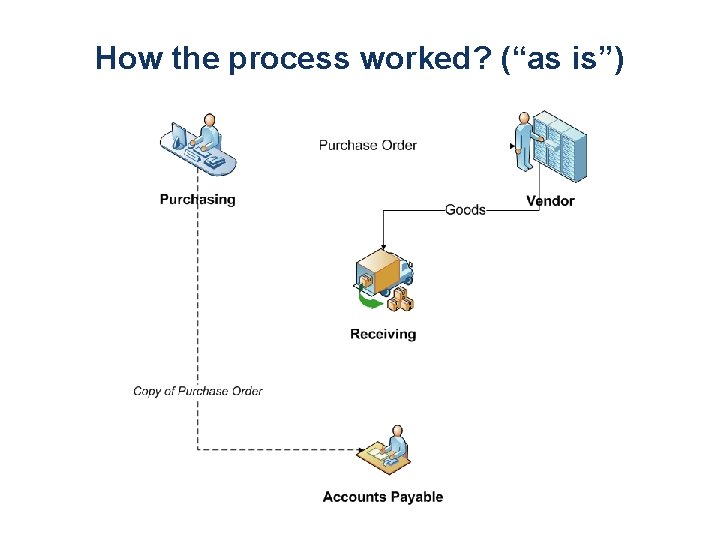
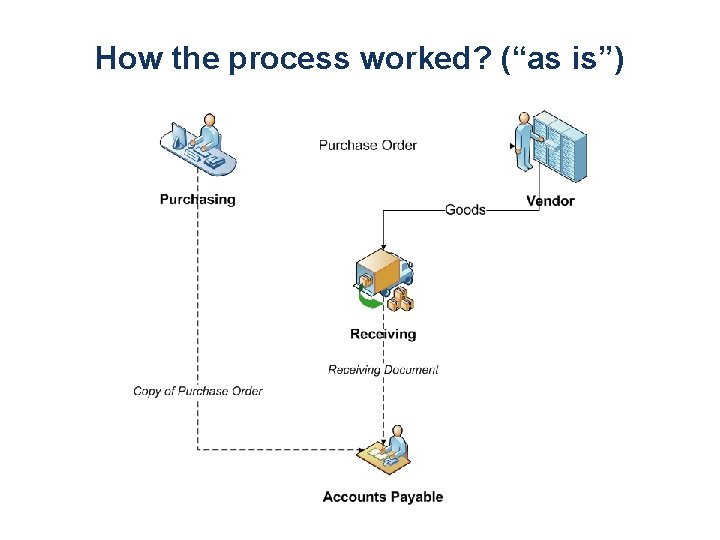
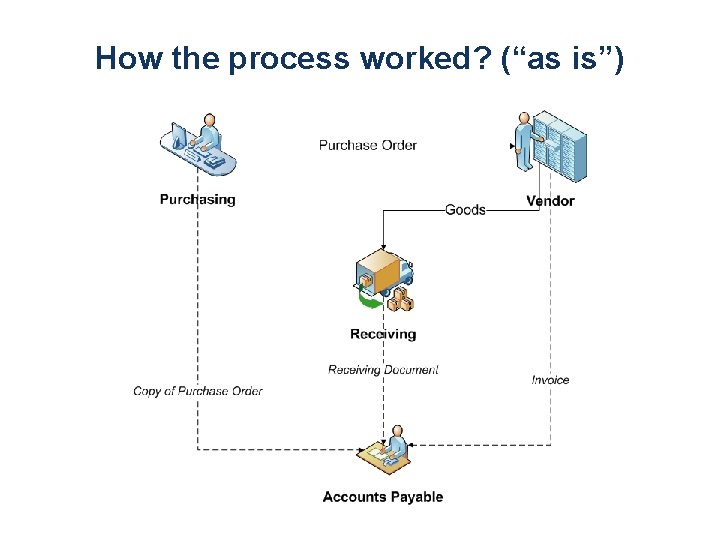
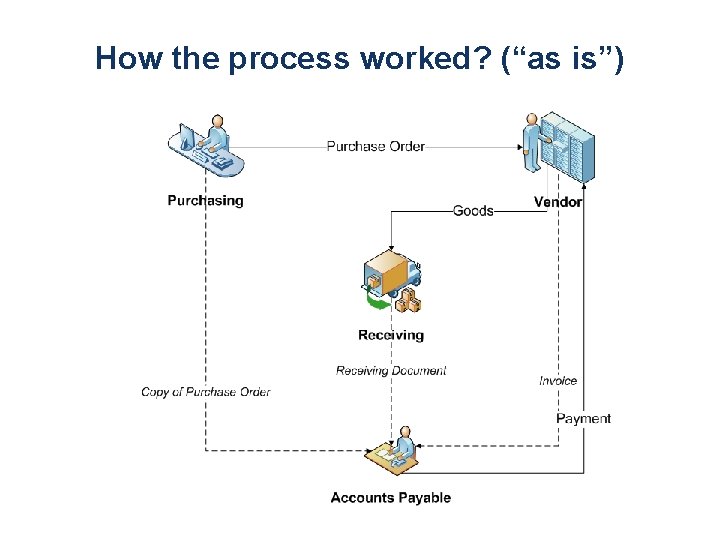
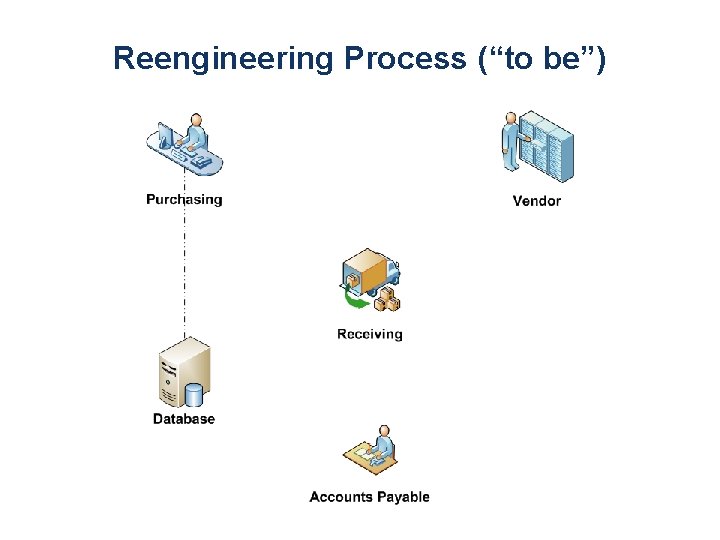
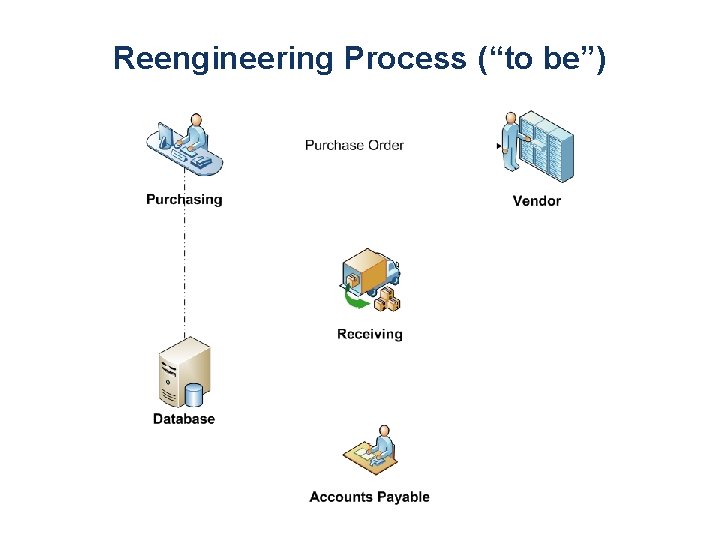
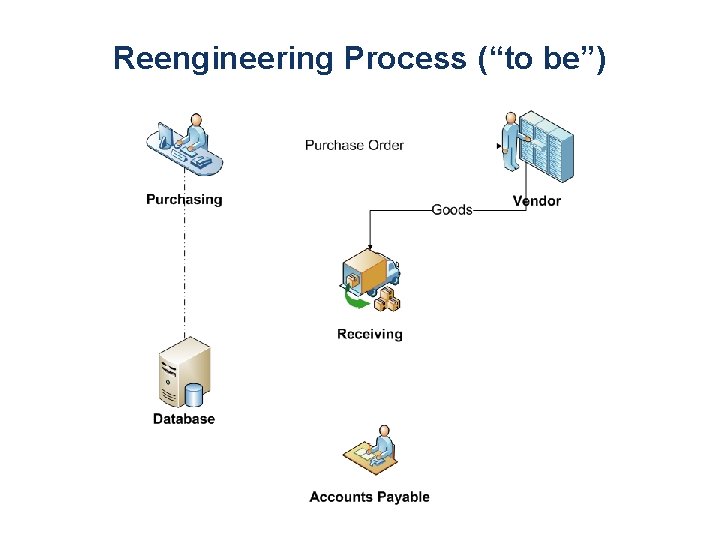
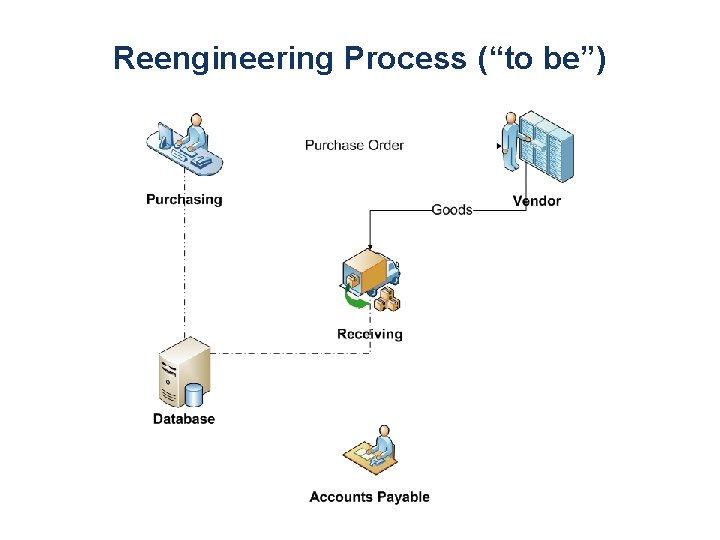
The Ford Case Study (Hammer 1990) Ford needed to review its procurement process to: • Do it cheaper (cut costs) • Do it faster (reduce turnaround times) • Do it better (reduce error rates) Accounts payable in North America alone employed > 500 people and turnaround times for processing POs and invoices was in the order of weeks
The Ford Case Study • Automation would bring some improvement (20% improvement) • But Ford decided not to do it… Why? a) Because at the time, the technology needed to automate the process was not yet available. b) Because nobody at Ford knew how to develop the technology needed to automate the process. c) Because there were not enough computers and computer-literate employees at Ford. d) None of the above
The correct answer is … Mazda’s Accounts Payable Department
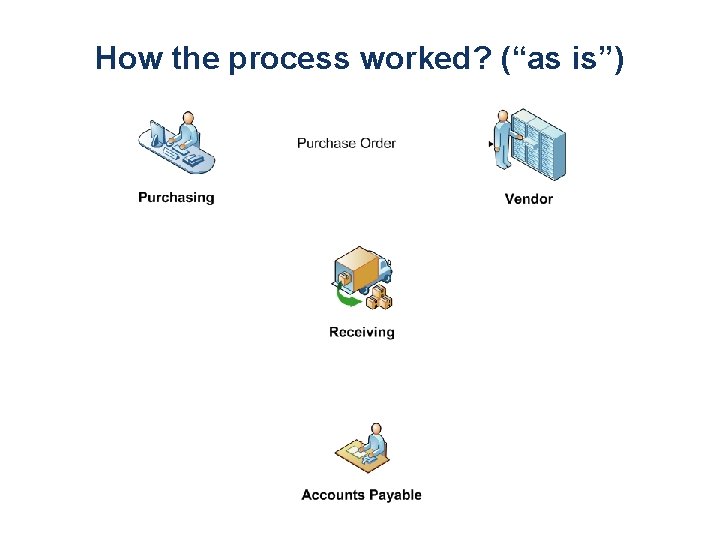
How the process worked? (“as is”)
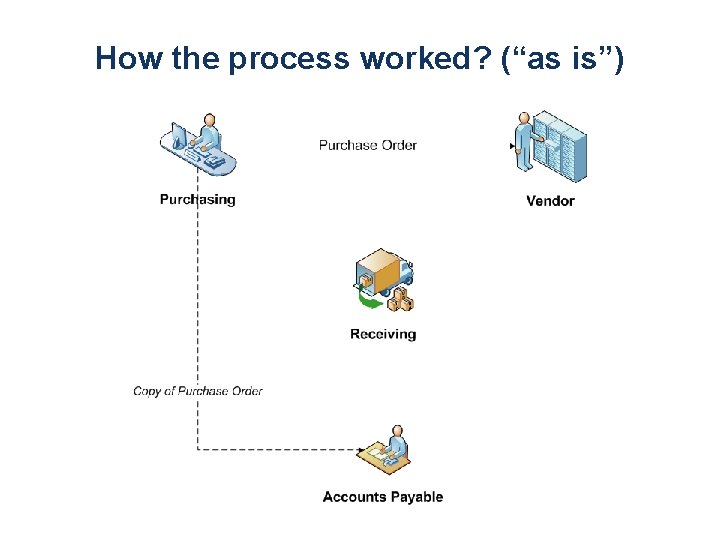
How the process worked? (“as is”)
How the process worked? (“as is”)
How the process worked? (“as is”)
How the process worked? (“as is”)
How the process worked? (“as is”)
Reengineering Process (“to be”)
Reengineering Process (“to be”)
Reengineering Process (“to be”)
Reengineering Process (“to be”)
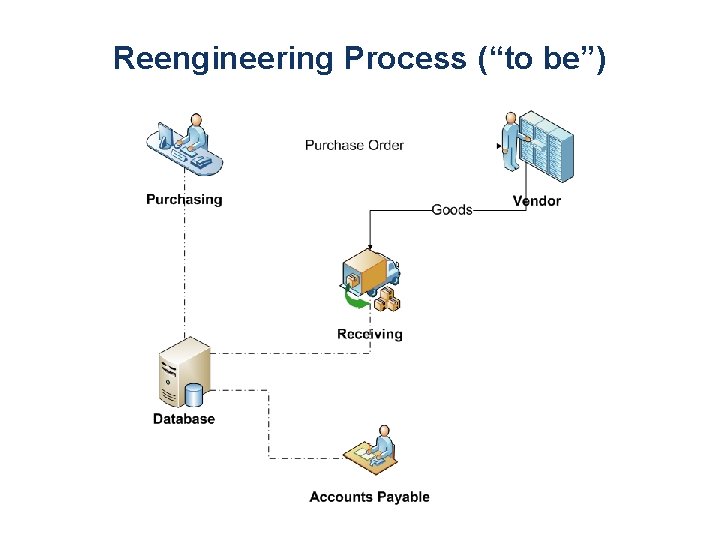
Reengineering Process (“to be”)
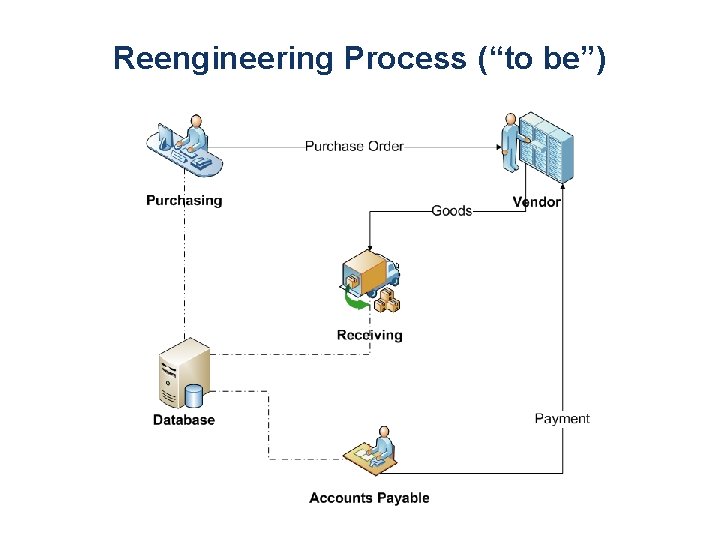
Reengineering Process (“to be”)
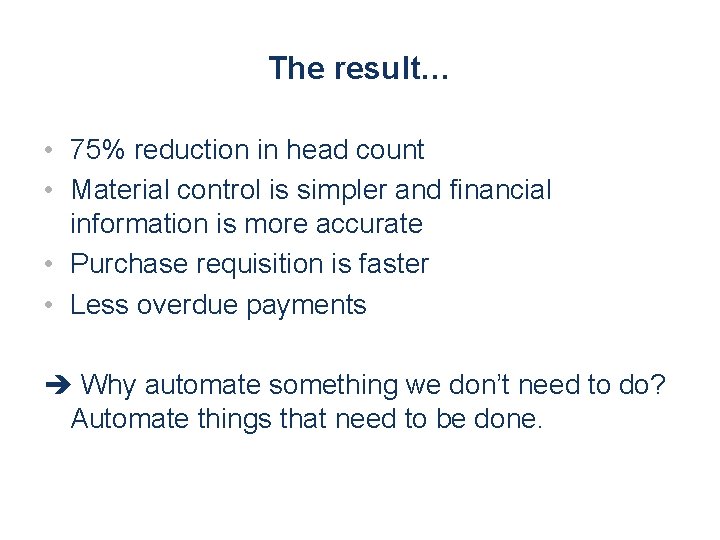
The result… • 75% reduction in head count • Material control is simpler and financial information is more accurate • Purchase requisition is faster • Less overdue payments Why automate something we don’t need to do? Automate things that need to be done.
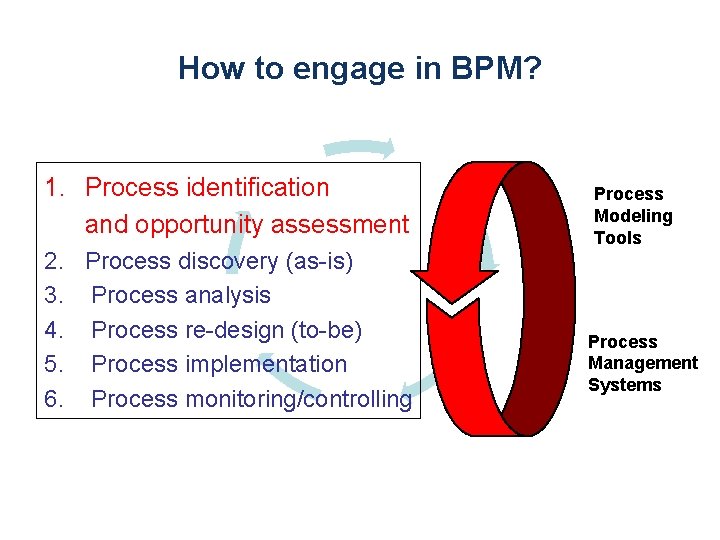
How to engage in BPM? 1. Process identification and opportunity assessment 2. Process discovery (as-is) 3. Process analysis 4. Process re-design (to-be) 5. Process implementation 6. Process monitoring/controlling Process Modeling Tools Process Management Systems
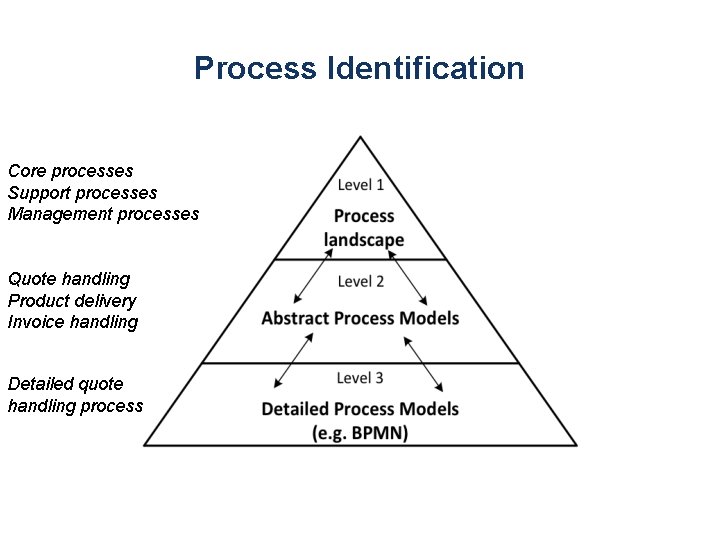
Process Identification Core processes Support processes Management processes Quote handling Product delivery Invoice handling Detailed quote handling process
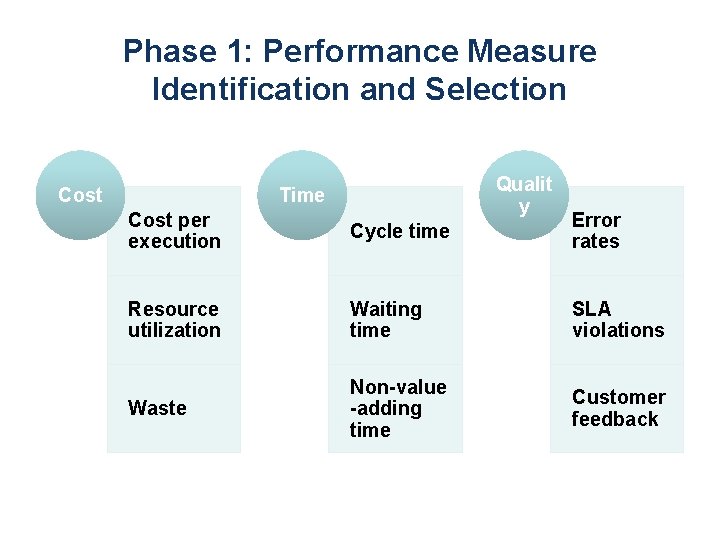
Phase 1: Performance Measure Identification and Selection Cost Qualit y Time Cost per execution Cycle time Error rates Resource utilization Waiting time SLA violations Waste Non-value -adding time Customer feedback
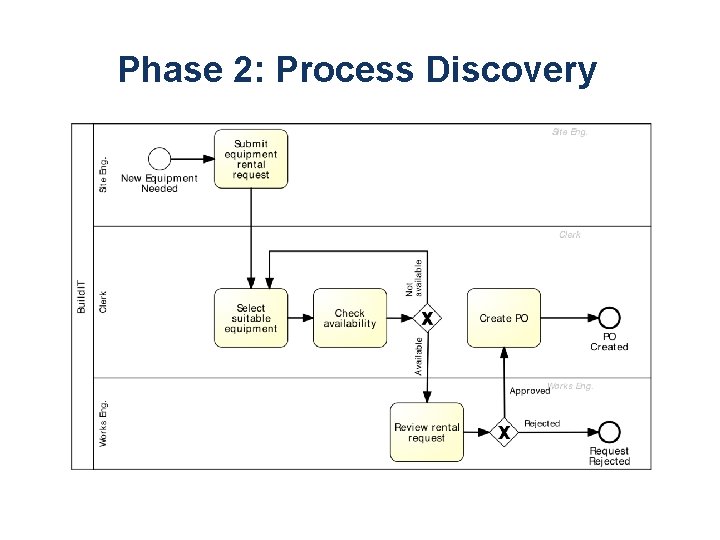
Phase 2: Process Discovery
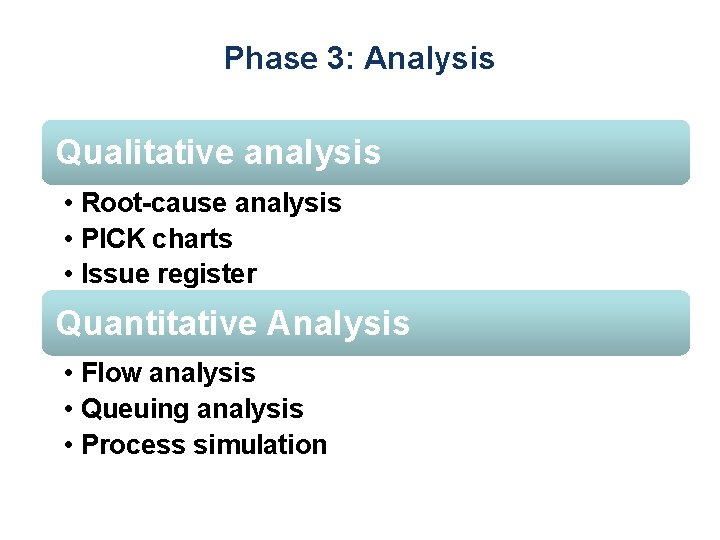
Phase 3: Analysis Qualitative analysis • Root-cause analysis • PICK charts • Issue register Quantitative Analysis • Flow analysis • Queuing analysis • Process simulation
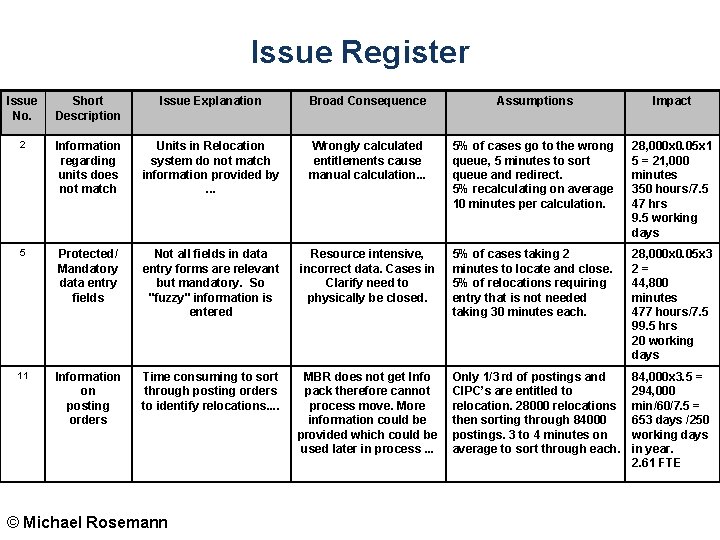
Issue Register Issue No. Short Description Issue Explanation Broad Consequence Assumptions Impact 2 Information regarding units does not match Units in Relocation system do not match information provided by. . . Wrongly calculated entitlements cause manual calculation. . . 5% of cases go to the wrong queue, 5 minutes to sort queue and redirect. 5% recalculating on average 10 minutes per calculation. 28, 000 x 0. 05 x 1 5 = 21, 000 minutes 350 hours/7. 5 47 hrs 9. 5 working days 5 Protected/ Mandatory data entry fields Not all fields in data entry forms are relevant but mandatory. So "fuzzy" information is entered Resource intensive, incorrect data. Cases in Clarify need to physically be closed. 5% of cases taking 2 minutes to locate and close. 5% of relocations requiring entry that is not needed taking 30 minutes each. 28, 000 x 0. 05 x 3 2= 44, 800 minutes 477 hours/7. 5 99. 5 hrs 20 working days 11 Information on posting orders Time consuming to sort through posting orders to identify relocations. . MBR does not get Info pack therefore cannot process move. More information could be provided which could be used later in process. . . Only 1/3 rd of postings and CIPC’s are entitled to relocation. 28000 relocations then sorting through 84000 postings. 3 to 4 minutes on average to sort through each. 84, 000 x 3. 5 = 294, 000 min/60/7. 5 = 653 days /250 working days in year. 2. 61 FTE © Michael Rosemann
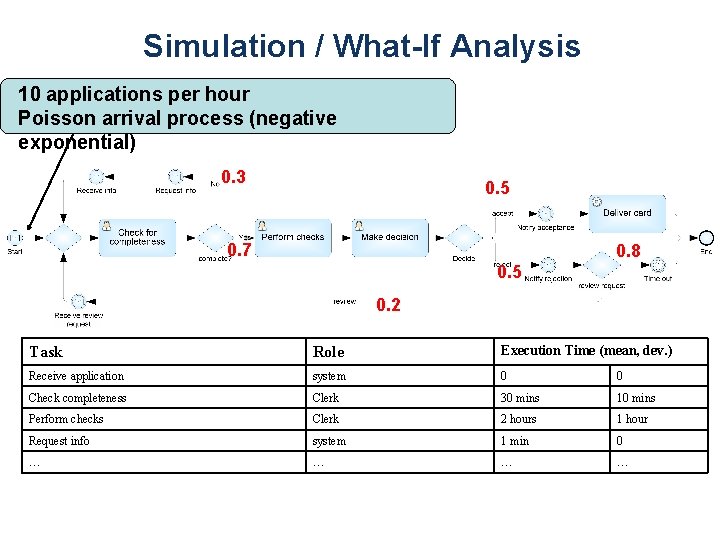
Simulation / What-If Analysis 10 applications per hour Poisson arrival process (negative exponential) 0. 3 0. 5 0. 7 0. 8 0. 5 0. 2 Task Role Execution Time (mean, dev. ) Receive application system 0 0 Check completeness Clerk 30 mins 10 mins Perform checks Clerk 2 hours 1 hour Request info system 1 min 0 … …
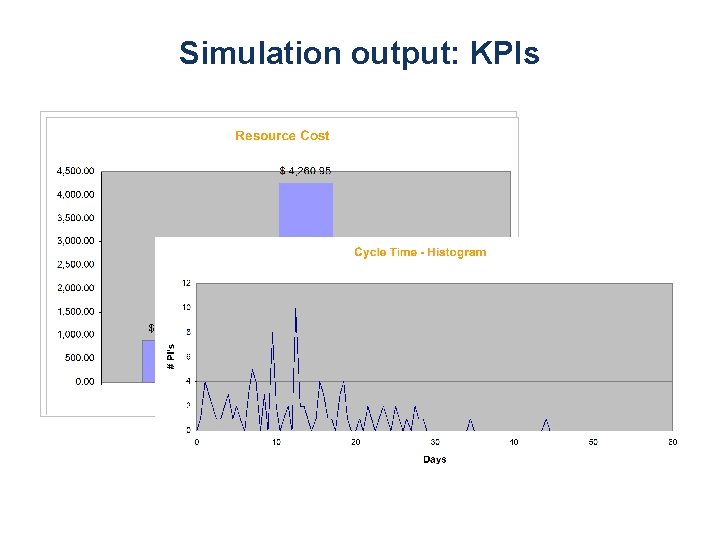
Simulation output: KPIs
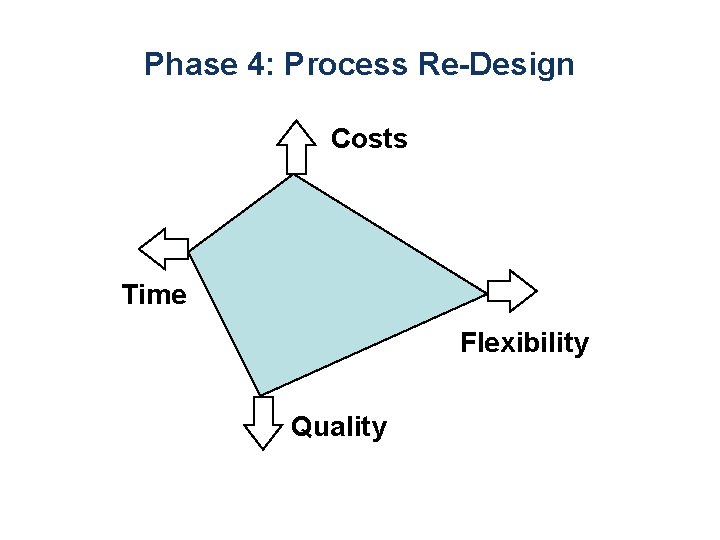
Phase 4: Process Re-Design Costs Time Flexibility Quality
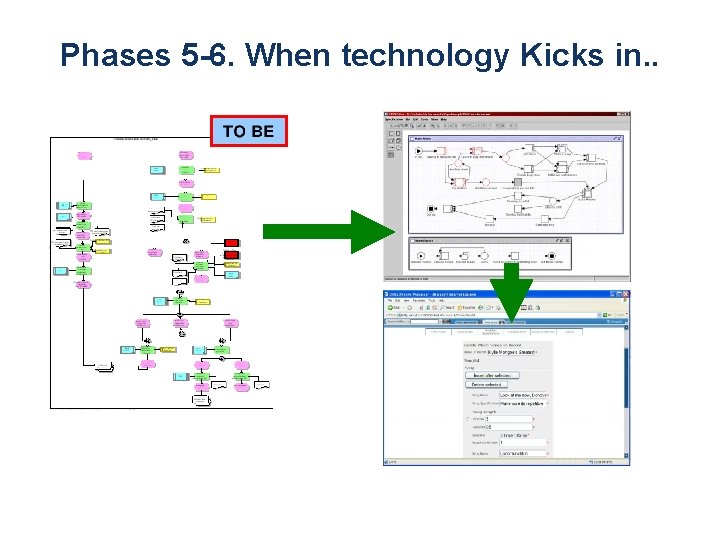
Phases 5 -6. When technology Kicks in. .
Process Execution Engines • BPMN-based – Biz. Agi – Activiti – Progress Savvion • BPEL-based – Oracle SOA Suite – Active. VOS BPM • IBM BPM • Microsoft – Biz. Talk – Windows Workflow Foundation
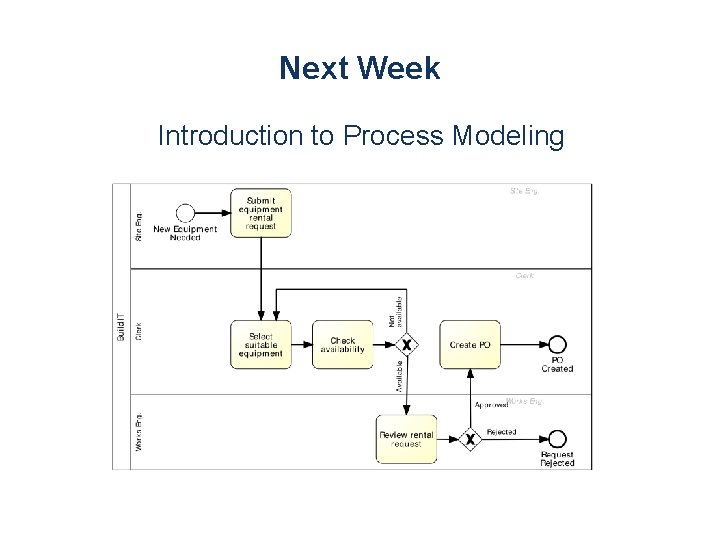
Next Week Introduction to Process Modeling
- Slides: 39