
Business PlugIn B 3 Hardware and Software Mc
Business Plug-In B 3 Hardware and Software Mc. Graw-Hill/Irwin © 2008 The Mc. Graw-Hill Companies, All Rights Reserved
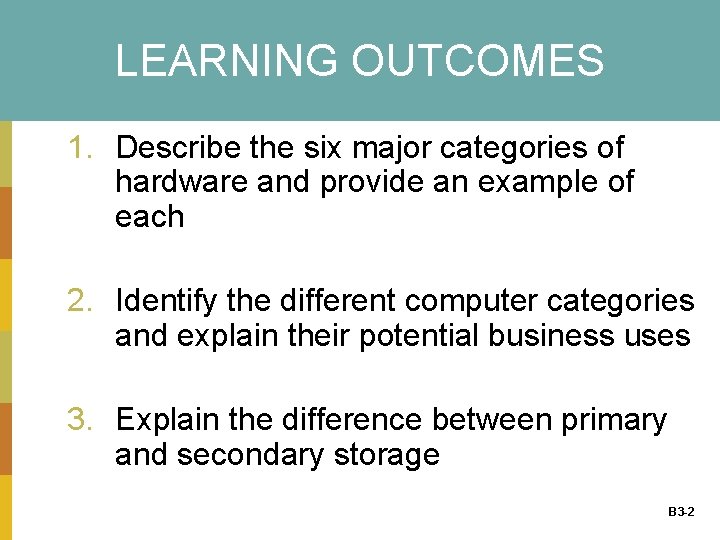
LEARNING OUTCOMES 1. Describe the six major categories of hardware and provide an example of each 2. Identify the different computer categories and explain their potential business uses 3. Explain the difference between primary and secondary storage B 3 -2
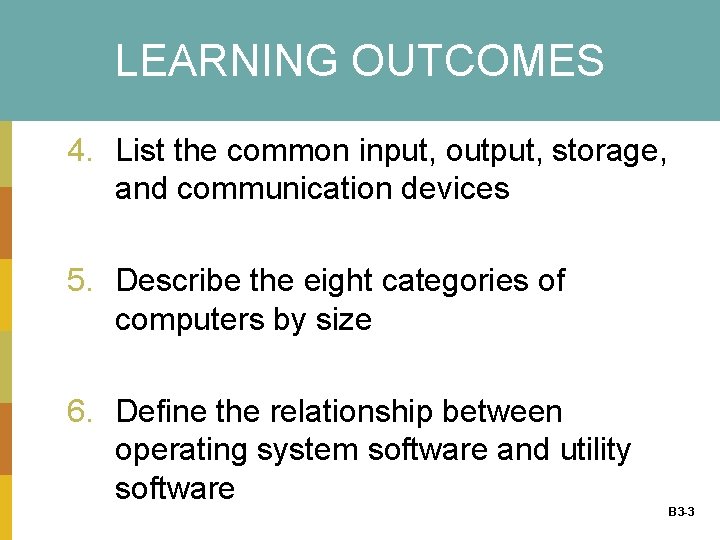
LEARNING OUTCOMES 4. List the common input, output, storage, and communication devices 5. Describe the eight categories of computers by size 6. Define the relationship between operating system software and utility software B 3 -3
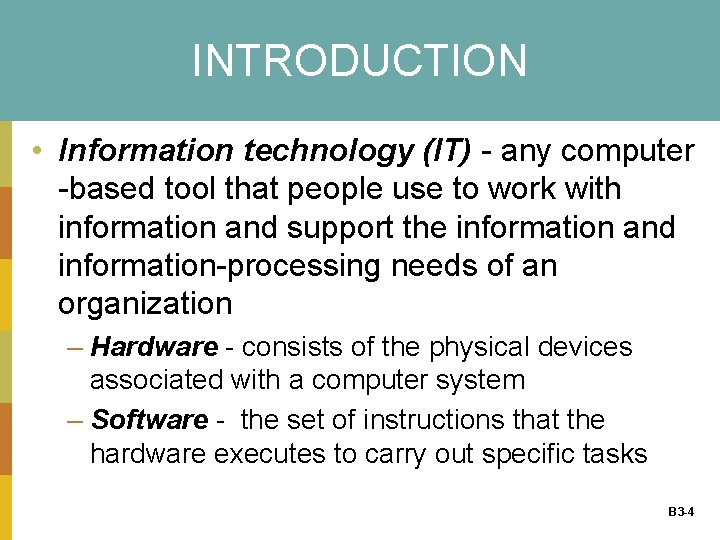
INTRODUCTION • Information technology (IT) - any computer -based tool that people use to work with information and support the information and information-processing needs of an organization – Hardware - consists of the physical devices associated with a computer system – Software - the set of instructions that the hardware executes to carry out specific tasks B 3 -4
Hardware Basics • Computer - an electronic device operating under the control of instructions stored in its own memory that can accept, manipulate, and store data • Hardware components 1. 2. 3. 4. 5. 6. Central processing unit (CPU) Primary storage Secondary storage Input device Output device Communication device B 3 -5
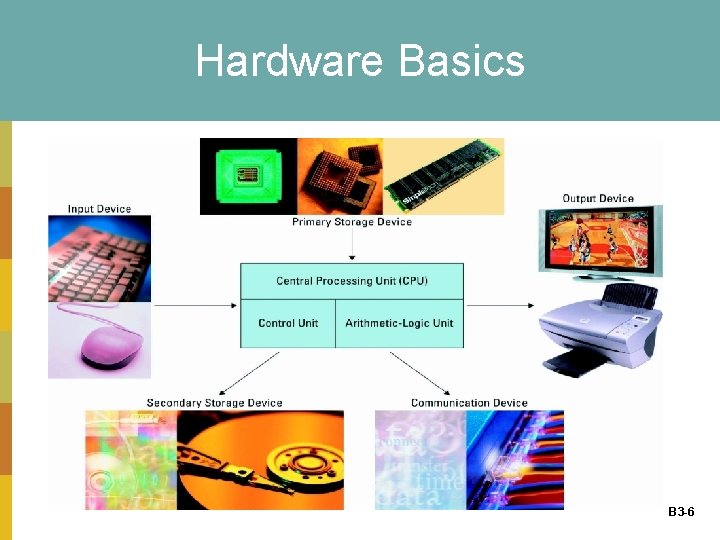
Hardware Basics B 3 -6
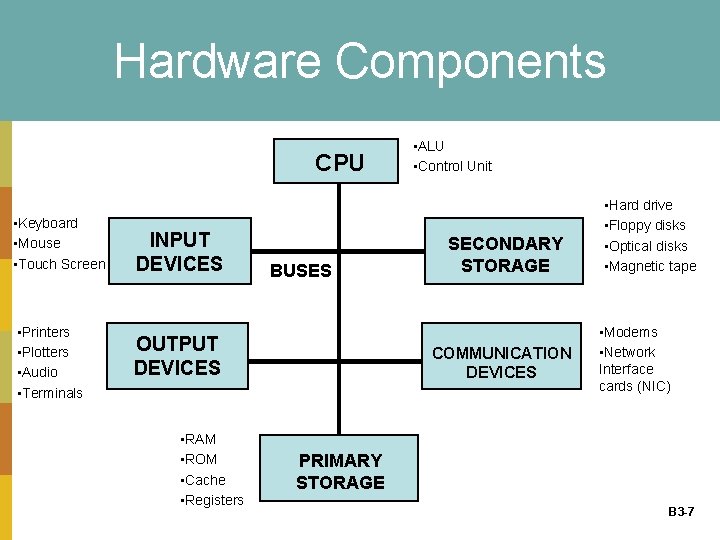
Hardware Components CPU • Keyboard • Mouse • Touch Screen • Printers • Plotters • Audio • Terminals INPUT DEVICES BUSES OUTPUT DEVICES • RAM • ROM • Cache • Registers • ALU • Control Unit SECONDARY STORAGE COMMUNICATION DEVICES • Hard drive • Floppy disks • Optical disks • Magnetic tape • Modems • Network Interface cards (NIC) PRIMARY STORAGE B 3 -7
How Computers Represent Data • BIT (Binary Digit) – Smallest unit of data – One of two states, represented by 0 or 1 – Everything – pictures, words, songs, movies – stored as a series of 0 s and 1 s in the computer • BYTE: – String of 8 bits, representing one character – Maximum of 256 different characters – ASCII- American Standard Code for Information Interchange ( 8 bits per byte) B 3 -8
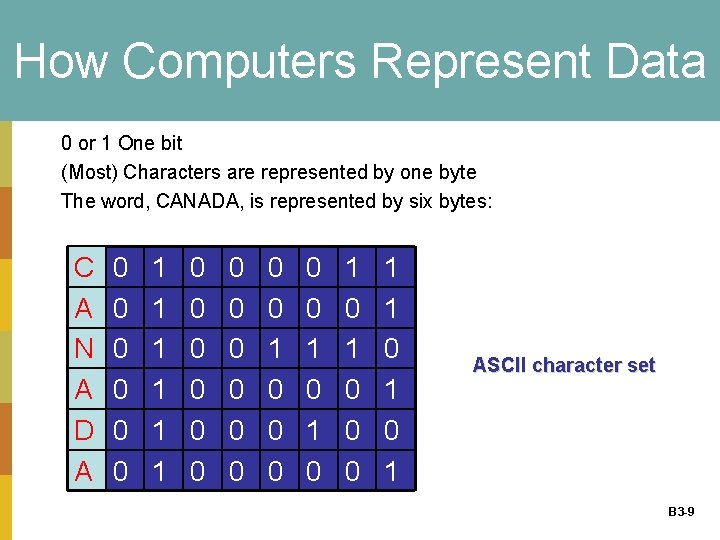
How Computers Represent Data 0 or 1 One bit (Most) Characters are represented by one byte The word, CANADA, is represented by six bytes: C A N A D A 0 0 0 1 1 1 0 0 0 0 1 0 0 0 1 1 0 1 ASCII character set B 3 -9
Central Processing Unit (Brain) • Central processing unit (CPU) (or microprocessor) - the actual hardware that interprets and executes the program (software) instructions and coordinates how all the other hardware devices work together • CPU has 2 parts: – Control unit - interprets software instructions and literally tells the other hardware devices what to do, based on the software instructions – Arithmetic-logic unit (ALU) - performs all arithmetic operations (for example, addition and subtraction) and all B 3 -10 logic operations (such as sorting and comparing numbers)
Central Processing Unit • The number of CPU cycles per second determines the speed of a CPU – or CPU clock speed – Megahertz (MHz) - the number of millions of CPU cycles per second – Gigahertz (GHz) - the number of billions of CPU cycles per second B 3 -11
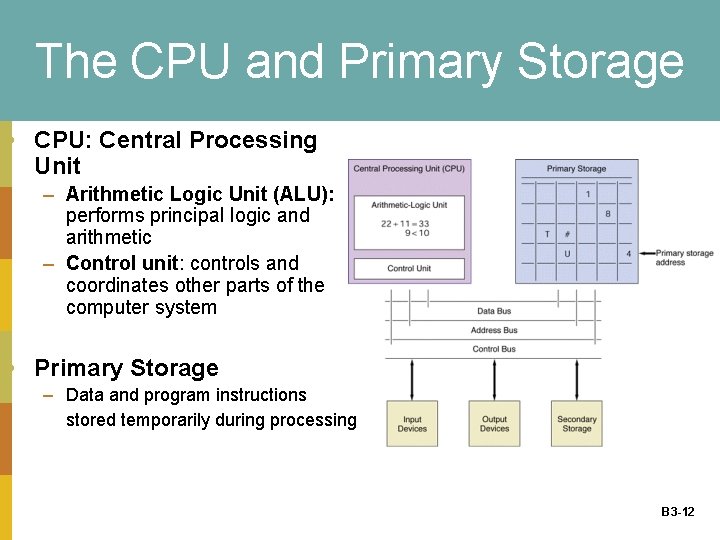
The CPU and Primary Storage • CPU: Central Processing Unit – Arithmetic Logic Unit (ALU): performs principal logic and arithmetic – Control unit: controls and coordinates other parts of the computer system • Primary Storage – Data and program instructions stored temporarily during processing B 3 -12
Linking Components • Motherboard – Physical platform that contains circuitry and components – Components (e. g. hard drive, cards) are connected via expansion slots • Bus – Connects the microprocessor (CPU) with attachments to the motherboard – Three types of busses: data, address & control bus • Data: moves data to from primary storage • Address: determines which addresses in primary storage should be used to temporarily store required data/instructions • Control: moves data to from input/output devices and secondary storage B 3 -13
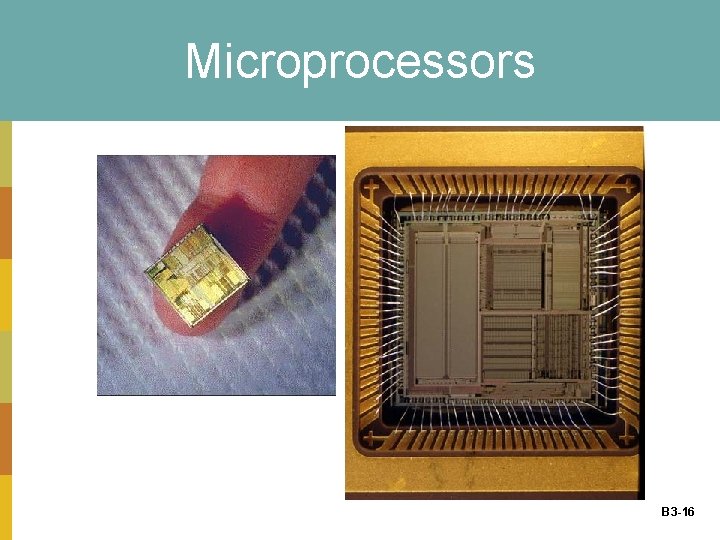
Microprocessors (CPU) MICROPROCESSOR: A semiconductor chip that integrates memory, logic & control for an entire CPU on a single chip Speed and performance factors – Word length (bits the computer can process at one time) – Clock speed (tempo of the processor) – Data bus width (bits that can be moved at one time between the CPU, primary storage & other devices) • IN a 32 -bit CPU, a word is 32 bits (4 bytes). • The size of a bus, known as its width, is important because it determines how much data can be transmitted at one time. For example, a 16 -bit bus can transmit 16 bits of data, whereas a 32 -bit bus can transmit 32 bits of data. – Chip line width: the distance between transistors on a chip. B 3 -14
Central Processing Unit • Binary digit (bit) - the smallest unit of information that a computer can process • Byte - a group of eight bits representing one natural language character • CPU speed factors: – Clock speed – Word length • A word is simply a fixed-sized group of bits that are handled together by the system; word lengths are typically 16, 32, or 64 bits – Bus width- The wider the bus, the more information can flow over the channel – Chip line width: the distance between transistors on a chip. B 3 -15
Microprocessors B 3 -16
Video • How is a microprocessor is made. B 3 -17
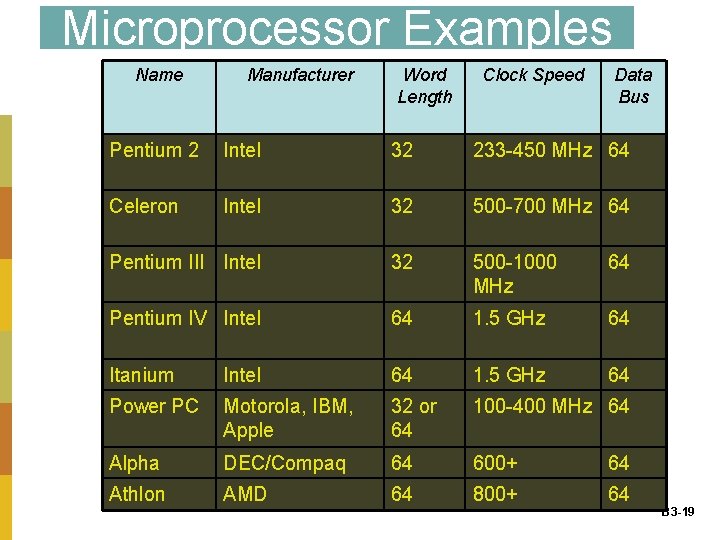
Microprocessor Examples Name Manufacturer Word Length Clock Speed Data Bus Pentium 2 Intel 32 233 -450 MHz 64 Celeron Intel 32 500 -700 MHz 64 Pentium III Intel 32 500 -1000 MHz 64 Pentium IV Intel 64 1. 5 GHz 64 Itanium Intel 64 1. 5 GHz 64 Power PC Motorola, IBM, Apple 32 or 64 100 -400 MHz 64 Alpha DEC/Compaq 64 600+ 64 Athlon AMD 64 800+ 64 B 3 -19
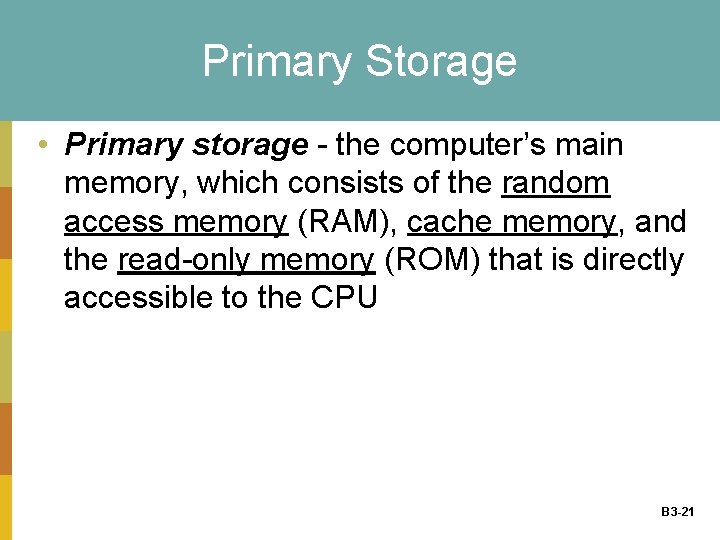
Primary Storage • Primary storage - the computer’s main memory, which consists of the random access memory (RAM), cache memory, and the read-only memory (ROM) that is directly accessible to the CPU B 3 -21
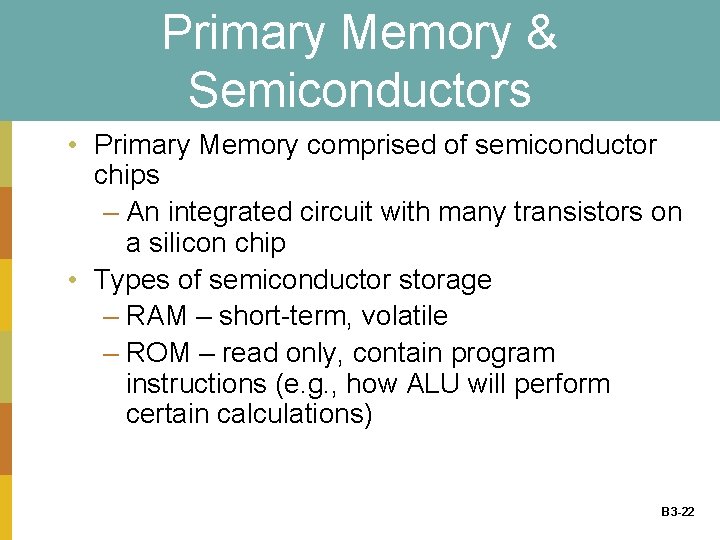
Primary Memory & Semiconductors • Primary Memory comprised of semiconductor chips – An integrated circuit with many transistors on a silicon chip • Types of semiconductor storage – RAM – short-term, volatile – ROM – read only, contain program instructions (e. g. , how ALU will perform certain calculations) B 3 -22
RANDOM ACCESS MEMORY (RAM) • Random access memory (RAM) - the computer’s primary working memory, in which program instructions and data are stored so that they can be accessed directly by the CPU via the processor’s high-speed external data bus – Volatility – Cache memory – an ultra-fast internal CPU memory to store recently accesses or frequently accesses data. B 3 -23
READ ONLY MEMORY (ROM) • Read-only memory (ROM) - the portion of a computer’s primary storage that does not lose its contents when one switches off the power – Flash memory – Memory card – Memory stick B 3 -24
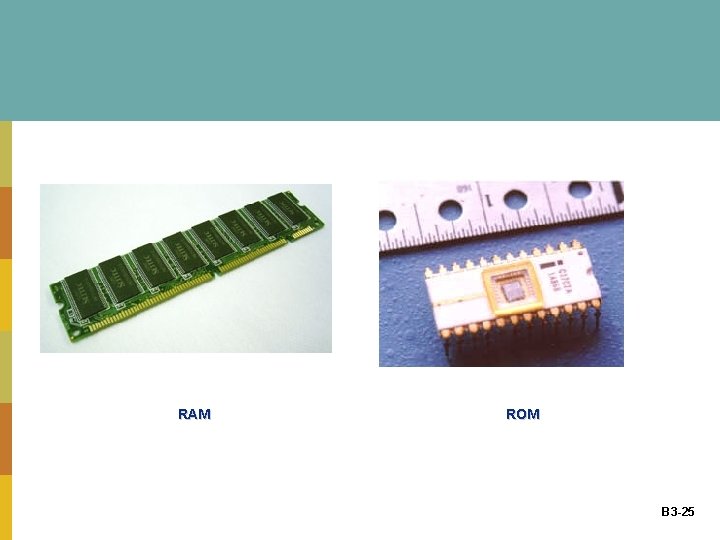
RAM ROM B 3 -25
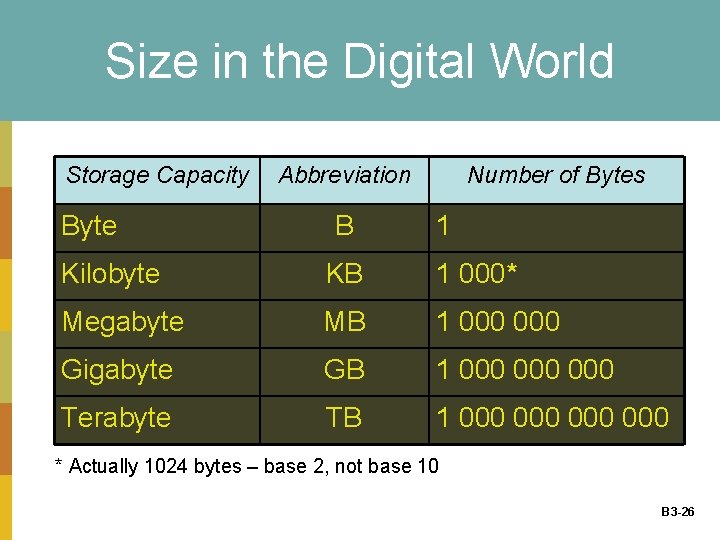
Size in the Digital World Storage Capacity Byte Abbreviation B Number of Bytes 1 Kilobyte KB 1 000* Megabyte MB 1 000 Gigabyte GB 1 000 000 Terabyte TB 1 000 000 * Actually 1024 bytes – base 2, not base 10 B 3 -26
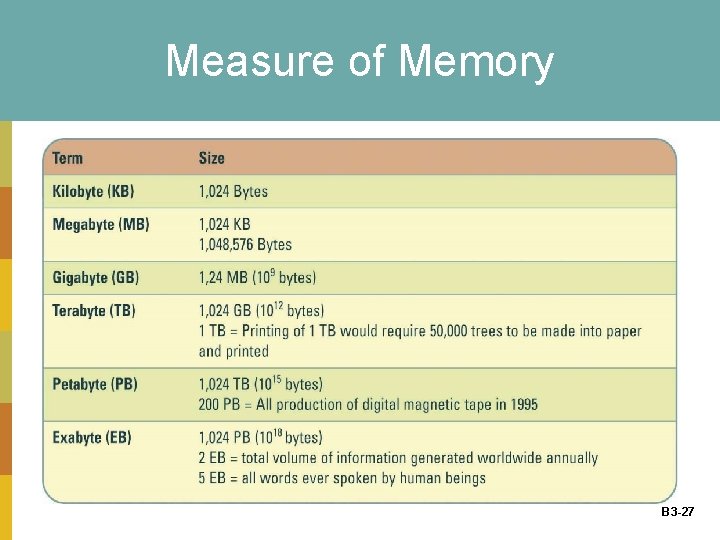
Measure of Memory B 3 -27
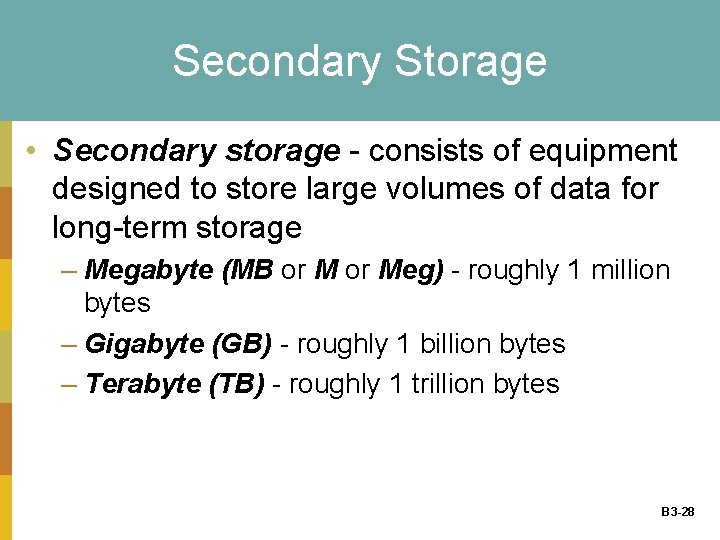
Secondary Storage • Secondary storage - consists of equipment designed to store large volumes of data for long-term storage – Megabyte (MB or Meg) - roughly 1 million bytes – Gigabyte (GB) - roughly 1 billion bytes – Terabyte (TB) - roughly 1 trillion bytes B 3 -28
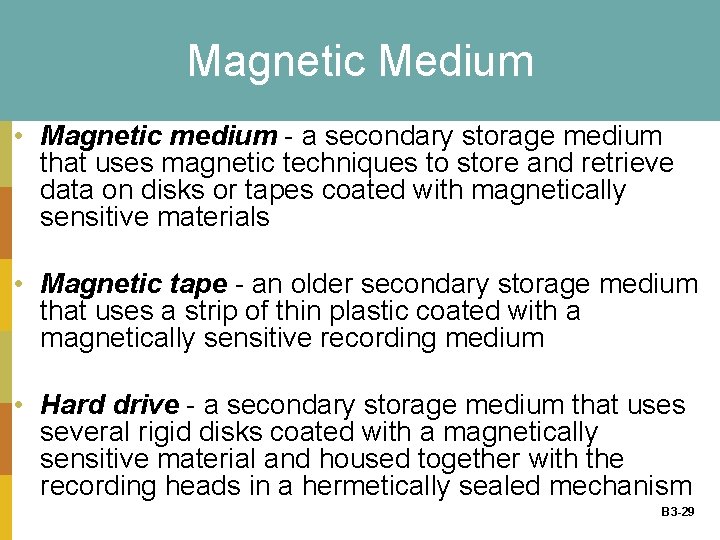
Magnetic Medium • Magnetic medium - a secondary storage medium that uses magnetic techniques to store and retrieve data on disks or tapes coated with magnetically sensitive materials • Magnetic tape - an older secondary storage medium that uses a strip of thin plastic coated with a magnetically sensitive recording medium • Hard drive - a secondary storage medium that uses several rigid disks coated with a magnetically sensitive material and housed together with the recording heads in a hermetically sealed mechanism B 3 -29
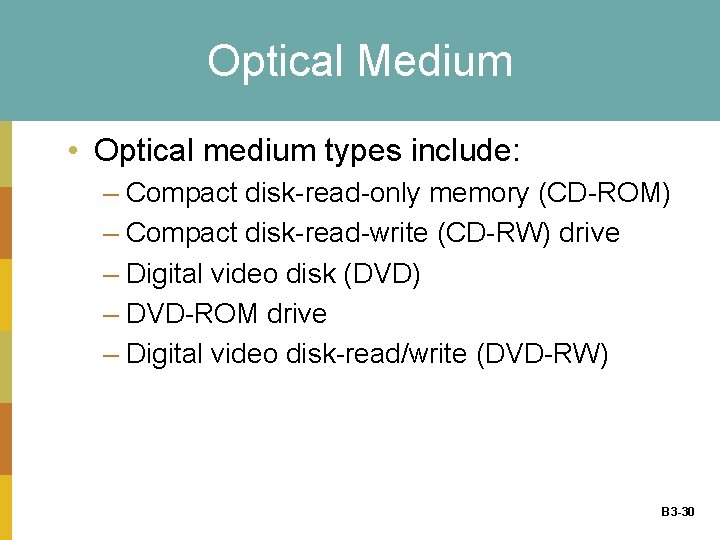
Optical Medium • Optical medium types include: – Compact disk-read-only memory (CD-ROM) – Compact disk-read-write (CD-RW) drive – Digital video disk (DVD) – DVD-ROM drive – Digital video disk-read/write (DVD-RW) B 3 -30
INPUT DEVICES • Input device - equipment used to capture information and commands – Manual input device • Joystick • Keyboard • Microphone – Automated input device • Bar code scanner • Digital camera • Magnetic ink character reader B 3 -31
OUTPUT DEVICE • Output device - equipment used to see, hear, or otherwise accept the results of information processing requests – Cathode-ray tube (CRT) – Liquid crystal display (LCD) – Laser printer – Ink-jet printer – Plotter B 3 -32
Communication Device • Communication device - equipment used to send information and receive it from one location to another – Dial-up access – Cable – Digital Subscriber Line (DSL) – Wireless – Satellite B 3 -33
Computer Categories • For the past 20 years, federally funded supercomputing research has given birth to some of the computer industry’s most significant technology breakthroughs including: – Clustering – Parallel processing – Mosaic browser B 3 -34
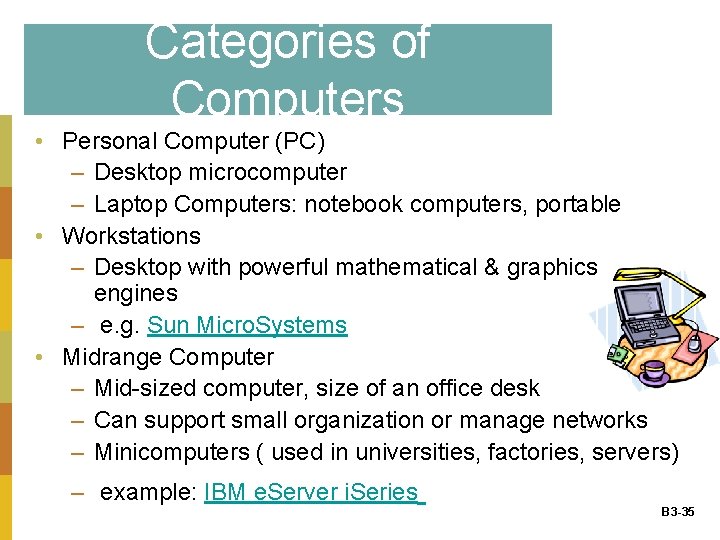
Categories of Computers • Personal Computer (PC) – Desktop microcomputer – Laptop Computers: notebook computers, portable • Workstations – Desktop with powerful mathematical & graphics engines – e. g. Sun Micro. Systems • Midrange Computer – Mid-sized computer, size of an office desk – Can support small organization or manage networks – Minicomputers ( used in universities, factories, servers) – example: IBM e. Server i. Series B 3 -35
Categories of Computers (continued) • Mainframe – Large computer – Used for scientific, military and large business applications • Supercomputer – Fastest and most powerful computer class – Experimental – product showcases – Top 500 supercomputers • Server Farms – Groups of servers maintained by commercial vendors – Often made available to subscribers for electronic commerce requiring heavy use of servers B 3 -36
Computer Categories • Computer categories include: – Personal digital assistant (PDA) – Laptop – Tablet – Desktop – Workstation – Minicomputer – Mainframe computer – Supercomputer B 3 -37
Software Basics • System software - controls how the various technology tools work together along with the application software – Operating system software – Utility software – Application software B 3 -38
Utility Software • Types of utility software – Crash-proof – Disk image – Disk optimization – Encrypt data – File and data recovery – Text protect – Preventative security – Spyware – Uninstaller B 3 -39
Application Software • Types of application software – – – – – Bowser Communication Data management Desktop publishing E-mail Groupware Presentation graphics Programming Spreadsheet Word processing B 3 -40

Closing Case One Changing Circuits at Circuit City • Circuit City was doing so well in the 1990 s that business consultant Jim Collins, in his best seller Good to Great, wrote: “From 1982 to 1999, Circuit City generated cumulative stock returns 22 times better than the market, handily beating Intel, Wal-Mart, GE, Hewlett. Packard and Coca-Cola” • Today, Circuit City is in a markedly different position B 3 -41
Closing Case One Questions 1. How would anticipating Best Buy’s growth have helped Circuit City remain as an industry leader? 2. Why is keeping up with technology critical to a global company such as Circuit City? 3. Highlight some of the potential risks facing Circuit City’s new business model 4. Why is Circuit City benefiting from implementing strategic product placement techniques? B 3 -42
Closing Case Two Electronic Breaking Points • What happens when someone accidentally spills a cup of hot coffee on a laptop, puts a USB memory key in a washing machine, or drops an i. Pod in the sand? • How much abuse can electronic products take and keep on working? • PC World tested several products to determine their breaking points B 3 -43
Closing Case Two Questions 1. Identify six hardware categories and place each product listed in the case in its appropriate category 2. Describe the CPU and identify which products would use a CPU 3. Describe the relationship between memory sticks and laptops. How can a user employ one to help protect information loss from the other? 4. Identify the different types of software each of the products listed in the case might use B 3 -44
- Slides: 42