
Business Operating System B O S Business Operating
Business Operating System B. O. S. Business Operating System

Business Operating System B. O. S. DEFINITION Ø BOS is a practical and simple approach to coordinating key business and operating objectives with real projects and activities. Ø BOS also provides a practical and simple approach to collectively use the tools we have discussed.
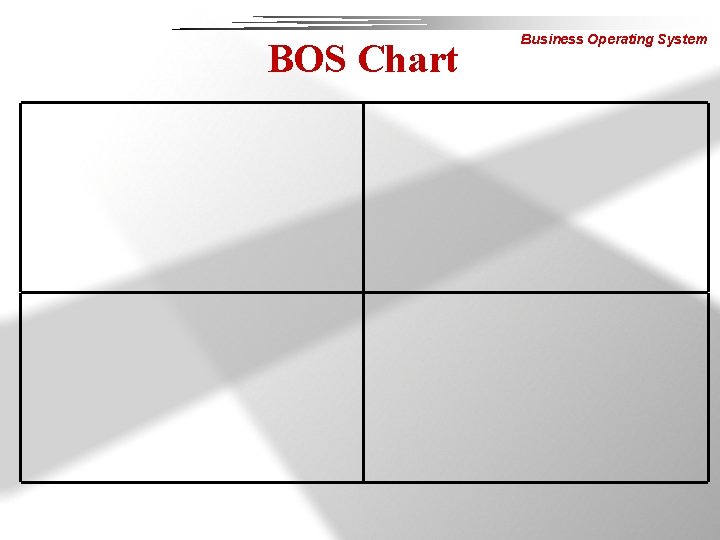
Business Operating System B. O. S. CHART Is a one page chart showing data trends identifying key factors, tracking projects and monitoring improvements.
Business Operating System WHY USE THE B. O. S. CHART TOOL? Ø B. O. S. charting is a standard tool used to support visual control Ø One page summary which facilitates management at a glance. Ø Ensures real activities are occurring to improve the areas identified as important to the company Ø Is an excellent communications tool – to employees – to management
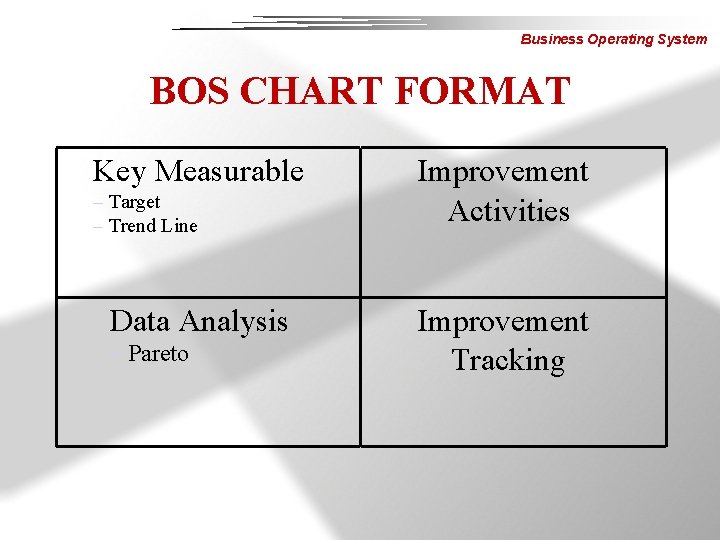
Business Operating System BOS CHART FORMAT Key Measurable – Target – Trend Line Data Analysis – Pareto Improvement Activities Improvement Tracking
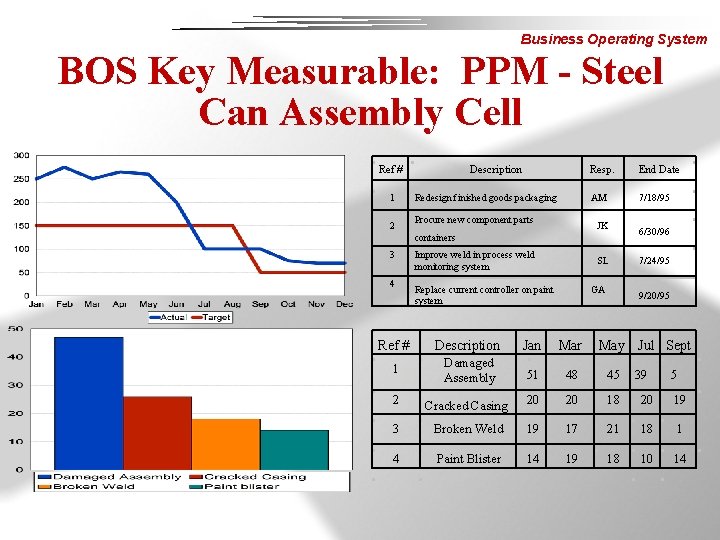
Business Operating System BOS Key Measurable: PPM - Steel Can Assembly Cell Ref # 1 2 Description Redesign finished goods packaging Procure new component parts Resp. End Date AM 7/18/95 JK containers 3 4 Improve weld in process weld monitoring system SL Replace current controller on paint system GA 6/30/96 7/24/95 9/20/95 Ref # Description Jan Mar May Jul Sept 1 Damaged Assembly 51 48 45 2 Cracked Casing 20 20 18 20 19 3 Broken Weld 19 17 21 18 1 4 Paint Blister 14 19 18 10 14 39 5
Business Operating System BOS IMPLEMENTATION Ø Identify key measureables – Brainstorm Ø Analyze data – Pareto analysis works well Ø List Improvement activities – Fishbone diagrams Ø Track improvement activities – Unique measures
Business Operating System Fishbone Diagrams Ø Lists the possible causes of a problem by considering the following areas – – – Man Methods Materials Machines Environment
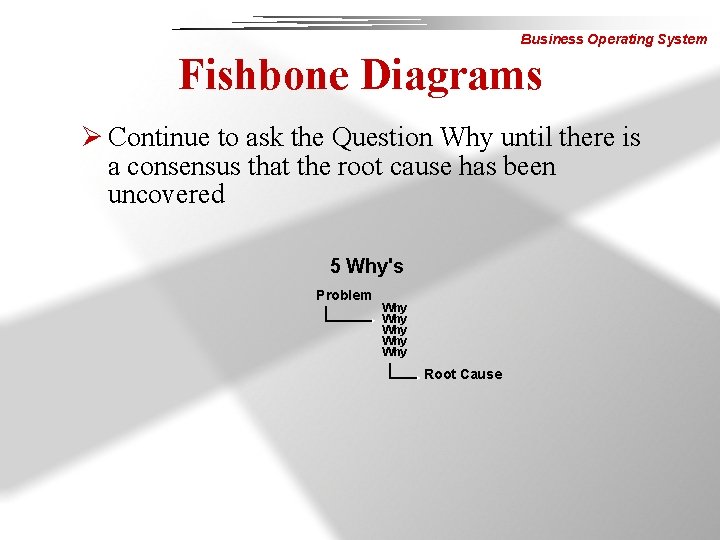
Business Operating System Fishbone Diagrams Ø Continue to ask the Question Why until there is a consensus that the root cause has been uncovered 5 Why's Problem Why Why Why Root Cause
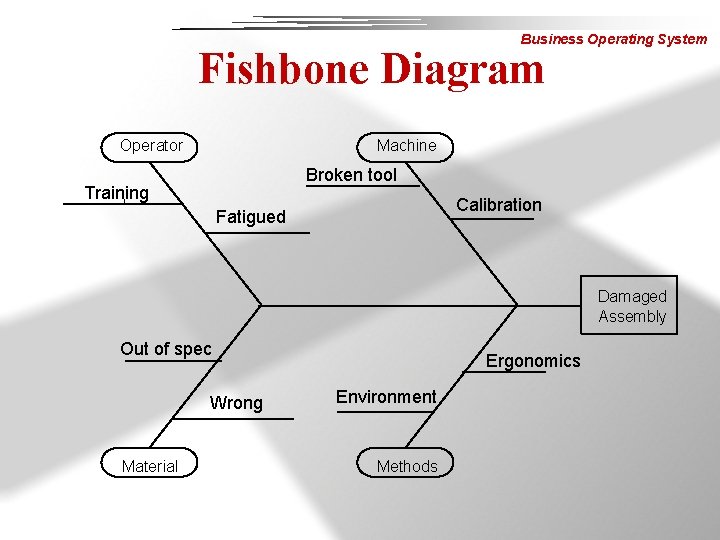
Business Operating System Fishbone Diagram Operator Machine Broken tool Training Calibration l Fatigued Damaged Assembly Out of spec Wrong Material Ergonomics Environment Methods
Business Operating System Countermeasures Ø Actions taken to ensure that root causes do not resurface at a later date. Ø Examples of countermeasures are – Error proofing – Gauging and Fixturing – Supplier Certification
Business Operating System Error Proofing Ø Restricts the ability to incorrectly assemble a product Ø Forms of error proofing in our products are; – Tabs – Notches – Unsymmetrical Features
Business Operating System Gauging and Fixturing Ø Used when it is determined that an operation may introduce excessive variation to the final product Ø Common examples are; – Weld Fixtures – Final assembly gauges and fixtures – Leak check fixtures
Business Operating System Supplier Certification Ø How do we control the parts that we buy from outside sources? Ø Part Number Certification Ø Supplier Certification
Business Operating System Tracking Downtime Ø Important tool for determining the best process for producing the product Ø Areas to consider when analyzing downtime; » » » Process equipment Production Associates Material Methods Work Area
Business Operating System Process Equipment Ø Downtime here may indicate that the equipment may need to be refurbished, updated or even replaced to be capable of producing an acceptable product
Business Operating System Production Associates Ø Downtime in this area may indicate: – Training needs – Lack of knowledge of acceptable product – Incorrect line staffing
Business Operating System Material Ø If downtime is related to material the following may be true; – The material may not be the best suited for the process – The material quality needs to be improved
Business Operating System Methods Ø Downtime in this area indicates excessive travel and or wasted motion as well as – Equipment layout concerns • Process bottlenecks
Business Operating System Work Area Ø Downtime may also be due to environmental problems – Is it too hot or cold? – Is there sufficient lighting? – Is the work area safe?
Business Operating System Downtime Ø Other methods of tracking downtime are used, they are; – Live production counts – Andon alarms – Downtime Clocks Ø These are all excellent tools for at a glance management
Business Operating System Scrap Tracking Ø Used in conjunction with other tools to determine the process problems Ø Red Box Method of scrap tracking – Identifies suspect product – Records all defects – Corrective action implemented and logged for future reference
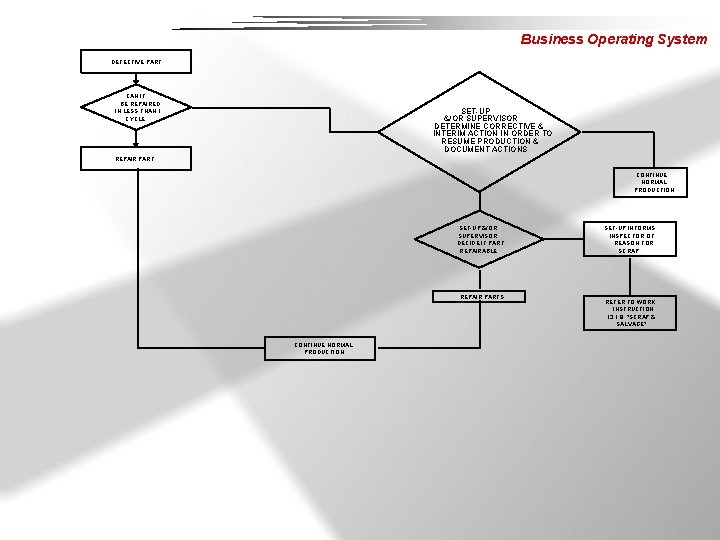
Business Operating System DEFECTIVE PART CAN IT BE REPAIRED IN LESS THAN 1 CYCLE SET-UP &/OR SUPERVISOR DETERMINE CORRECTIVE & INTERIM ACTION IN ORDER TO RESUME PRODUCTION & DOCUMENT ACTIONS REPAIR PART CONTINUE NORMAL PRODUCTION SET-UP &/OR SUPERVISOR DECIDE IF PART REPAIRABLE REPAIR PARTS CONTINUE NORMAL PRODUCTION SET-UP INFORMS INSPECTOR OF REASON FOR SCRAP REFER TO WORK INSTRUCTION 13. 1. 8, "SCRAP & SALVAGE"
Business Operating System LET’S REVIEW WHAT & WHY ØB O S = – BUSINESS OPERATING SYSTEM Ø B O S is a practical and simple approach to coordinating key business and operating objectives with real projects and activities
Business Operating System B O S IMPROVES COMMUNICATION Ø Fosters management at a glance Ø Insures communication of key goals to workers, management, visitors, everyone Ø Allows operators to communicate activities and progress to management Ø Facilitates visual control
Business Operating System BOS REQUIRES ACTION Ø Proper use requires specific action to address key objectives Ø Includes tracking progress of activities Ø Demonstrates organization’s commitment to improvement activities
Business Operating System CONCLUSION Ø These tools are simple to use Ø They can be implemented in any area at Arvin Ø B. O. S. charting visibly closes the loop from the measure and its cause to the actions being taken to improve
Business Operating System Report Out Deliverables Ø Present a B. O. S. Chart for Report Out Exercise 7. Use the standard quadrant format. 4
BOS Chart Business Operating System
- Slides: 29