
Business Objects User Group Meeting Enterprise Business Intelligence
Business Objects User Group Meeting Enterprise Business Intelligence Solutions (EBIS), CUIT July 26, 2012

Business Objects Today’s Agenda • ARC Impact to the Business Objects Platform • Review of Business Objects Policies and Procedures • Self-Service Reporting • Q&A 2
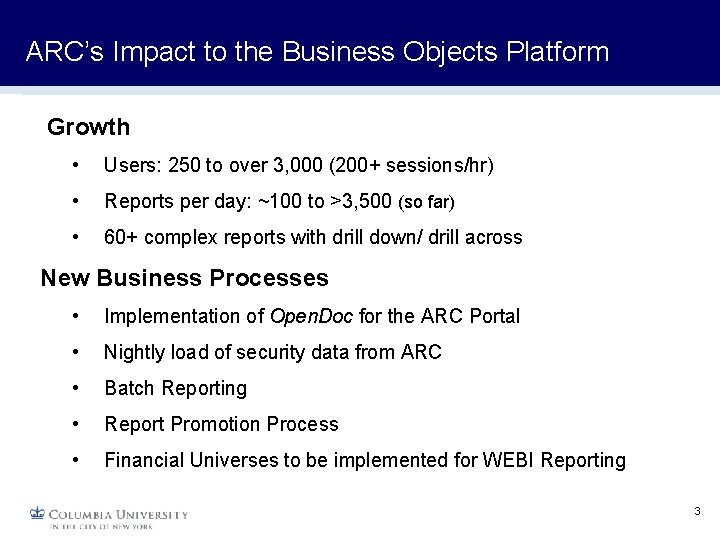
ARC’s Impact to the Business Objects Platform Growth • Users: 250 to over 3, 000 (200+ sessions/hr) • Reports per day: ~100 to >3, 500 (so far) • 60+ complex reports with drill down/ drill across New Business Processes • Implementation of Open. Doc for the ARC Portal • Nightly load of security data from ARC • Batch Reporting • Report Promotion Process • Financial Universes to be implemented for WEBI Reporting 3
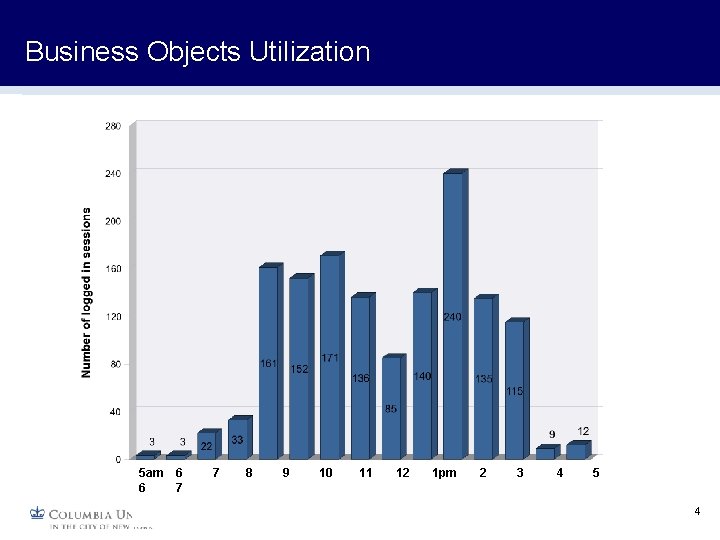
Business Objects Utilization 5 am 6 6 7 7 8 9 10 11 12 1 pm 2 3 4 5 4
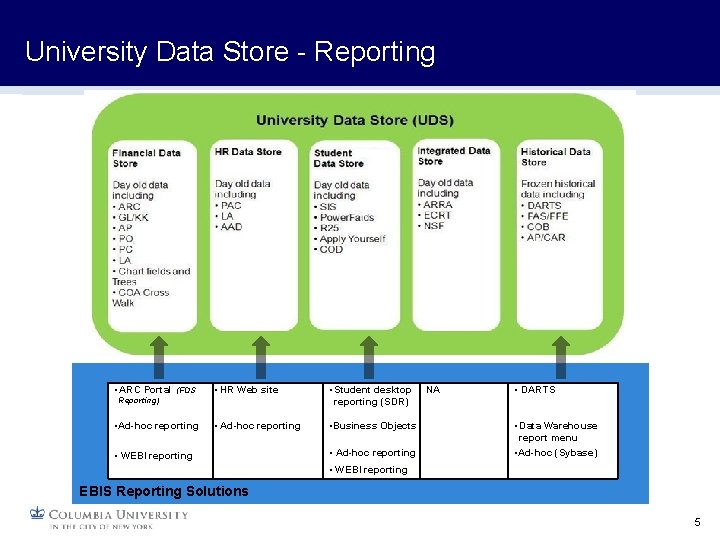
University Data Store - Reporting • ARC Portal (FDS • HR Web site • Student desktop reporting (SDR) • Ad-hoc reporting • Business Objects Reporting) • Ad-hoc reporting • WEBI reporting • Ad-hoc reporting NA • DARTS • Data Warehouse report menu • Ad-hoc (Sybase) • WEBI reporting EBIS Reporting Solutions 5

Most Utilized ARC Reports 6
Other Changes HRDS Reporting • HRDS created in Oracle, replication of Sybase version database • HR Data Warehouse reports converted to Business Objects platform • Legacy version of reports will be sunset end of August 7
Business Objects Review Policies & Procedures Current Business Objects Services • Infoview Portal • Provides report & folder organization and security • Management of third party documents (i. e. Adobe PDF, Word, Excel, Power. Point) • Reporting Tools • Crystal Reports • Web Intelligence • Single Sign-On • my. Columbia Portal - WIND Authentication 8
Business Objects Review Policies & Procedures Report Promotion Process & SLA’s • Report Types • Canned reports are created by developers and cannot be edited by users. These are published to report folders in Infoview • Ad-hoc reports are created by users and cannot be saved to report folders, only to the personal document folder • Support Model • All ‘Canned’ report development will take place in ‘Development’ • Report migration will be performed by CUIT BO Team • User and folder management will be processed by CUIT BO Team (excluding Dev) • Reports in ‘Dev’ should only access ‘Dev’ databases. Please Do Not use the Dev envrionment as Production • Service Level Agreement (SLA) • Requests logged by 4 PM will be processed no later than the end of the next business day 9
Business Objects Review Policies & Procedures Report Scheduling • Support Model • Developers/power users can schedule in ‘Development’ • Scheduling in production will be done by CUIT BO Team • CUIT BO Team will coordinate schedules between different departments to minimize contention and maximize throughput 10
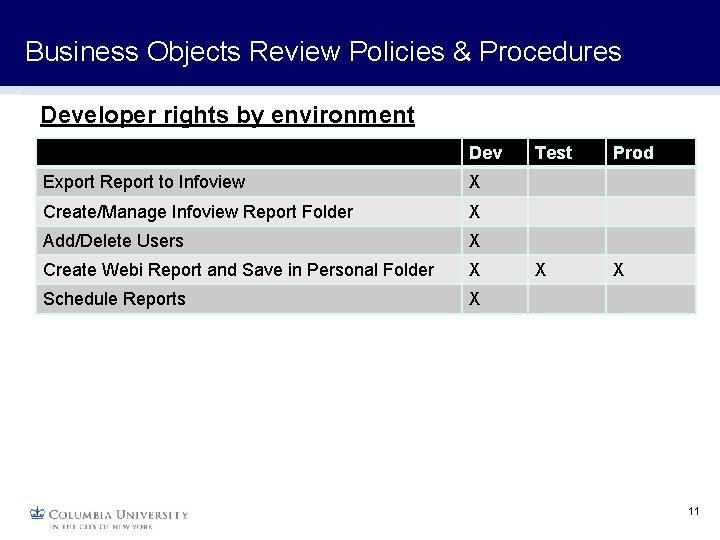
Business Objects Review Policies & Procedures Developer rights by environment Dev Export Report to Infoview X Create/Manage Infoview Report Folder X Add/Delete Users X Create Webi Report and Save in Personal Folder X Schedule Reports X Test Prod X X 11
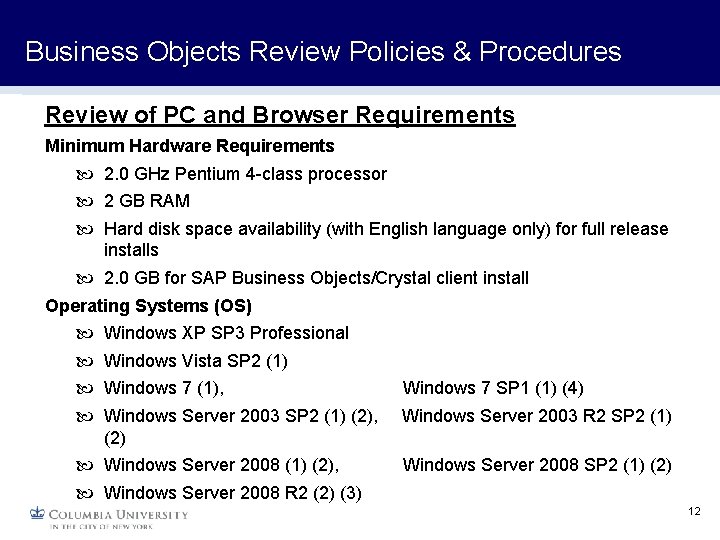
Business Objects Review Policies & Procedures Review of PC and Browser Requirements Minimum Hardware Requirements 2. 0 GHz Pentium 4 -class processor 2 GB RAM Hard disk space availability (with English language only) for full release installs 2. 0 GB for SAP Business Objects/Crystal client install Operating Systems (OS) Windows XP SP 3 Professional Windows Vista SP 2 (1) Windows 7 (1), Windows 7 SP 1 (1) (4) Windows Server 2003 SP 2 (1) (2), Windows Server 2003 R 2 SP 2 (1) (2) Windows Server 2008 (1) (2), Windows Server 2008 SP 2 (1) (2) Windows Server 2008 R 2 (2) (3) 12
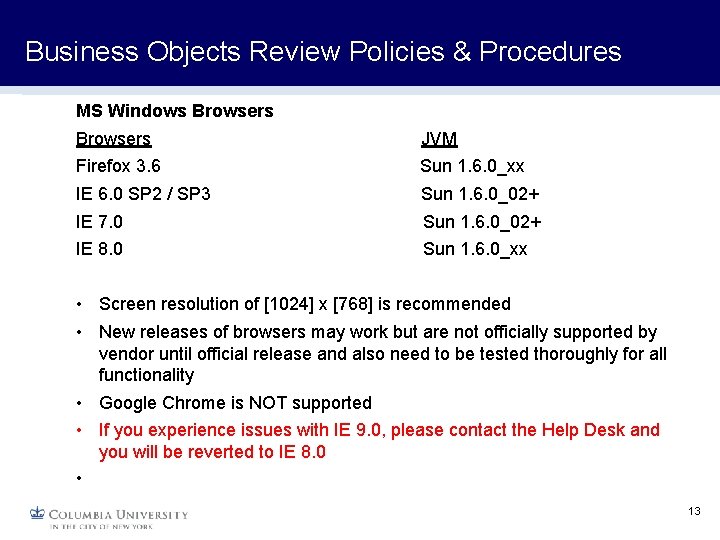
Business Objects Review Policies & Procedures MS Windows Browsers JVM Firefox 3. 6 Sun 1. 6. 0_xx IE 6. 0 SP 2 / SP 3 Sun 1. 6. 0_02+ IE 7. 0 Sun 1. 6. 0_02+ IE 8. 0 Sun 1. 6. 0_xx • Screen resolution of [1024] x [768] is recommended • New releases of browsers may work but are not officially supported by vendor until official release and also need to be tested thoroughly for all functionality • Google Chrome is NOT supported • If you experience issues with IE 9. 0, please contact the Help Desk and you will be reverted to IE 8. 0 • 13
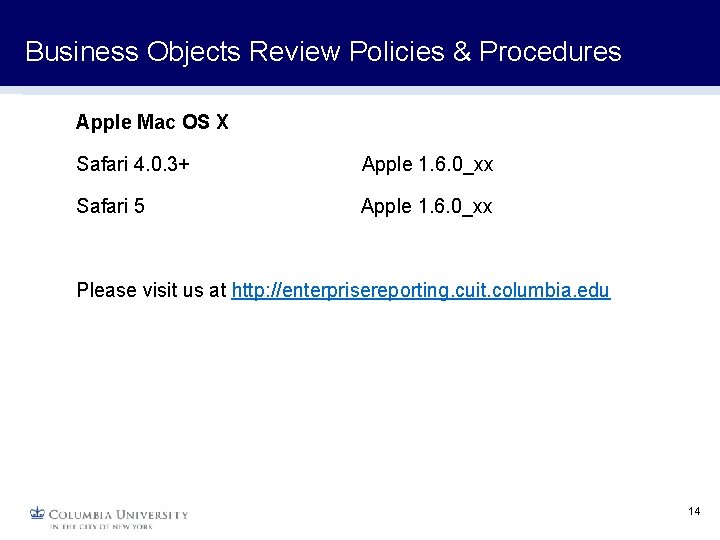
Business Objects Review Policies & Procedures Apple Mac OS X Safari 4. 0. 3+ Apple 1. 6. 0_xx Safari 5 Apple 1. 6. 0_xx Please visit us at http: //enterprisereporting. cuit. columbia. edu 14
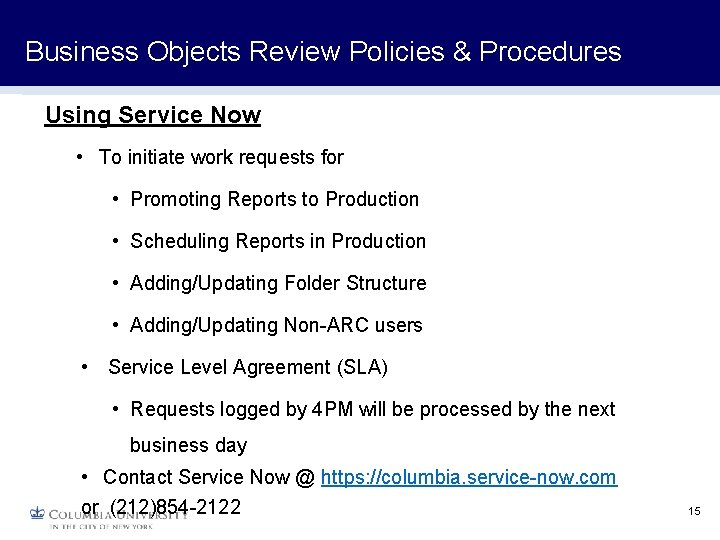
Business Objects Review Policies & Procedures Using Service Now • To initiate work requests for • Promoting Reports to Production • Scheduling Reports in Production • Adding/Updating Folder Structure • Adding/Updating Non-ARC users • Service Level Agreement (SLA) • Requests logged by 4 PM will be processed by the next business day • Contact Service Now @ https: //columbia. service-now. com or (212)854 -2122 15
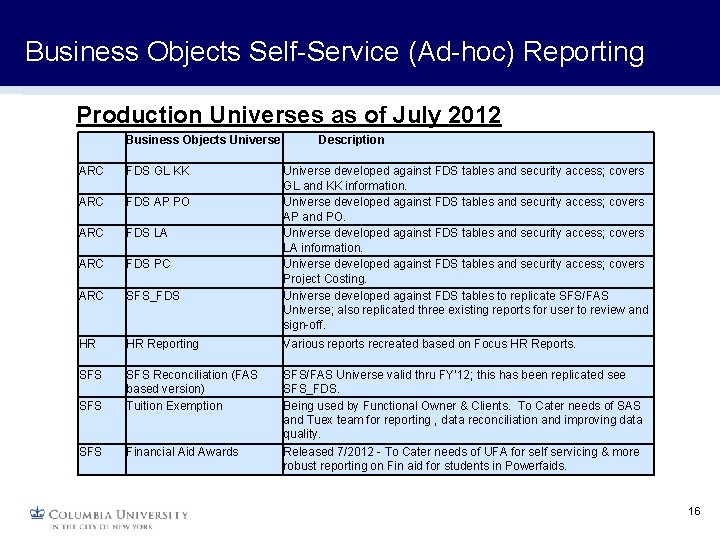
Business Objects Self-Service (Ad-hoc) Reporting Production Universes as of July 2012 Business Objects Universe Description ARC FDS GL KK Universe developed against FDS tables and security access; covers GL and KK information. Universe developed against FDS tables and security access; covers AP and PO. Universe developed against FDS tables and security access; covers LA information. Universe developed against FDS tables and security access; covers Project Costing. Universe developed against FDS tables to replicate SFS/FAS Universe; also replicated three existing reports for user to review and sign-off. ARC FDS AP PO ARC FDS LA ARC FDS PC ARC SFS_FDS HR HR Reporting Various reports recreated based on Focus HR Reports. SFS SFS Reconciliation (FAS based version) Tuition Exemption SFS Financial Aid Awards SFS/FAS Universe valid thru FY'12; this has been replicated see SFS_FDS. Being used by Functional Owner & Clients. To Cater needs of SAS and Tuex team for reporting , data reconciliation and improving data quality. Released 7/2012 - To Cater needs of UFA for self servicing & more robust reporting on Fin aid for students in Powerfaids. 16
Business Objects – Q&A Please visit us at http: //enterprisereporting. cuit. columbia. edu Business. Objects@columbia. edu 17
- Slides: 17