
Business Objects 4 2 SP 3 Whats new

Business. Objects 4. 2 SP 3 What's new for System Administration in CMC Minith Patel, Info. Sol
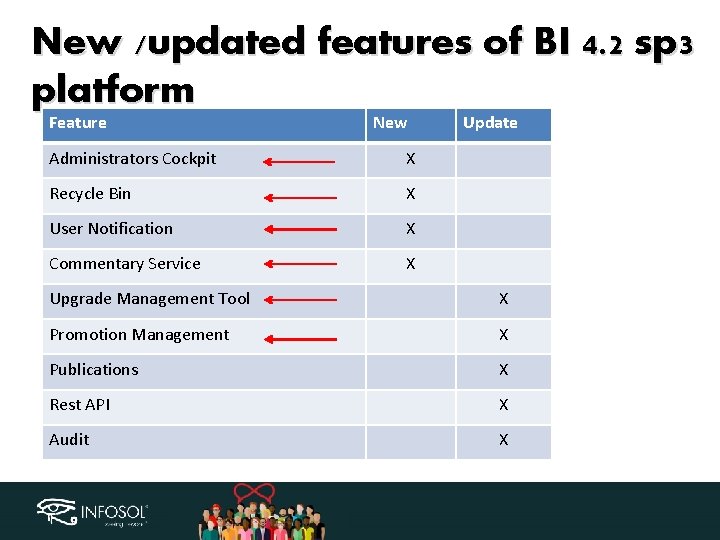
New /updated features of BI 4. 2 sp 3 platform Feature New Administrators Cockpit X Recycle Bin X User Notification X Commentary Service X Update Upgrade Management Tool X Promotion Management X Publications X Rest API X Audit X
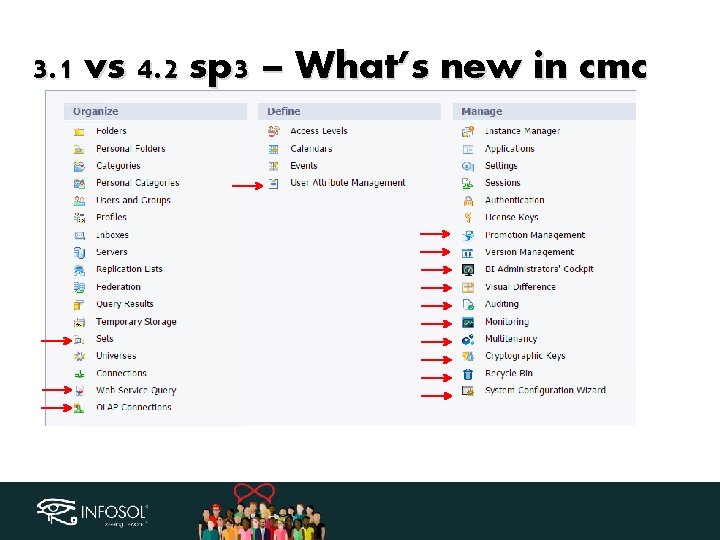
3. 1 vs 4. 2 sp 3 – What’s new in cmc
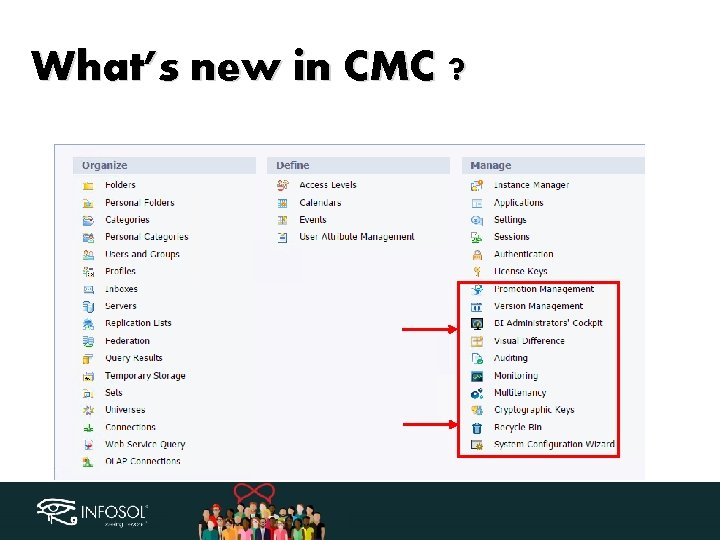
What’s new in CMC ?
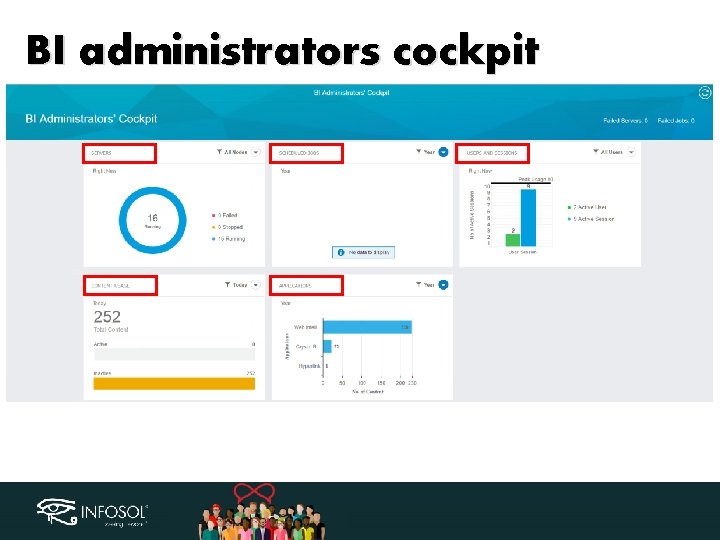
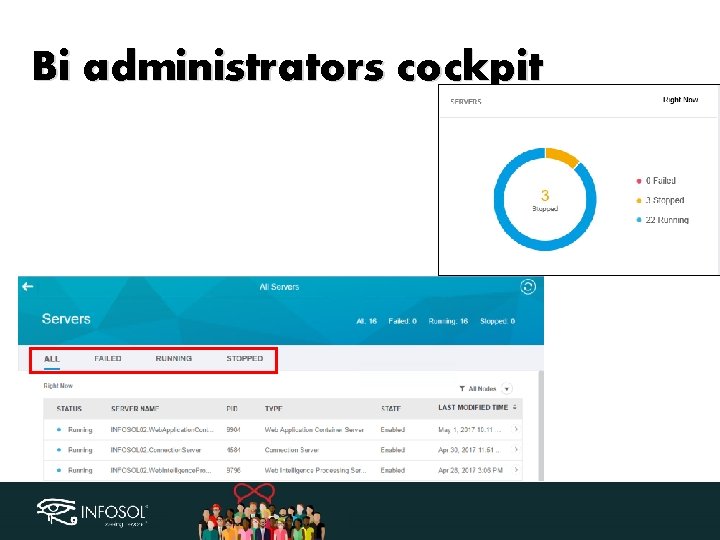
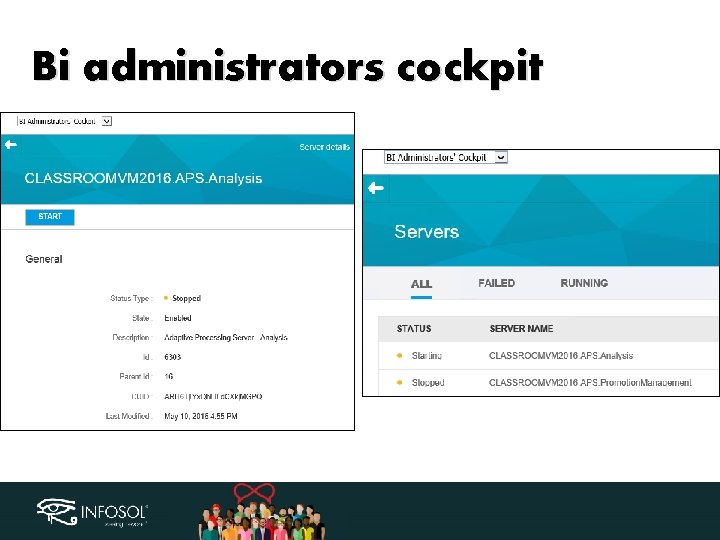
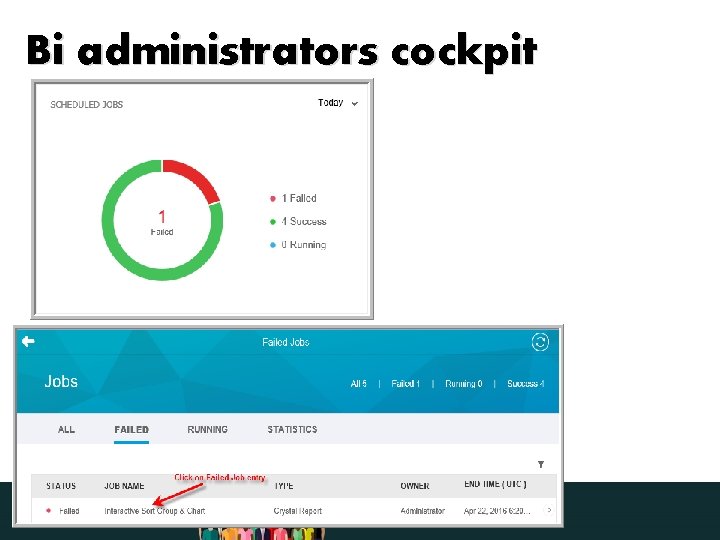
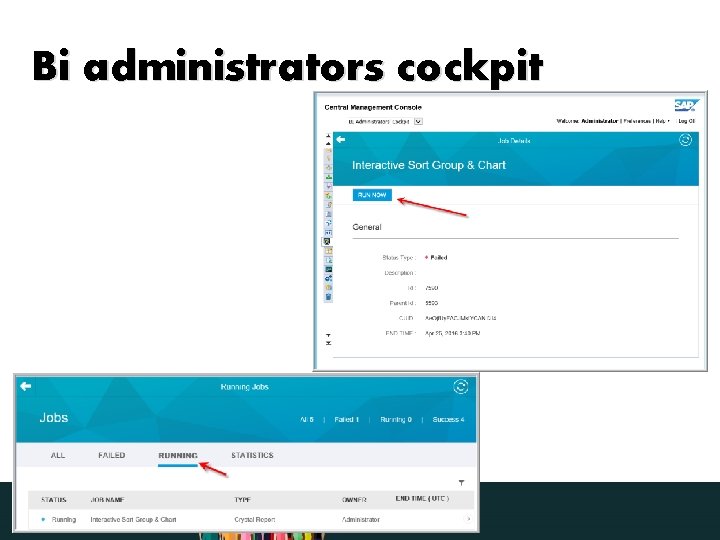
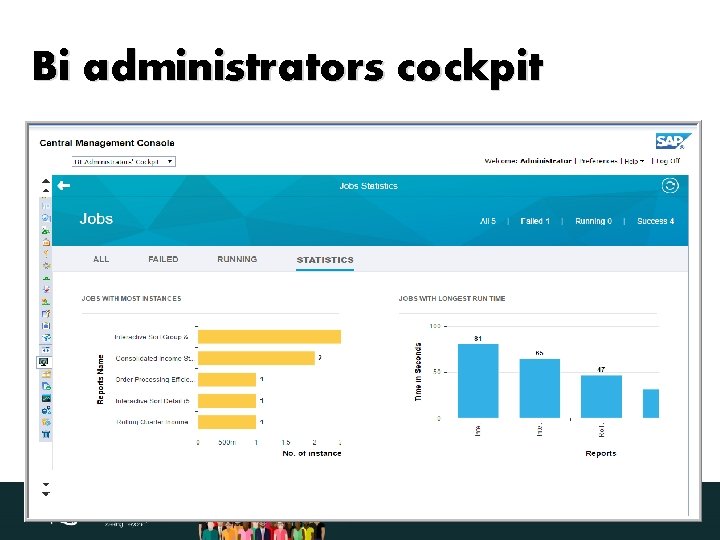
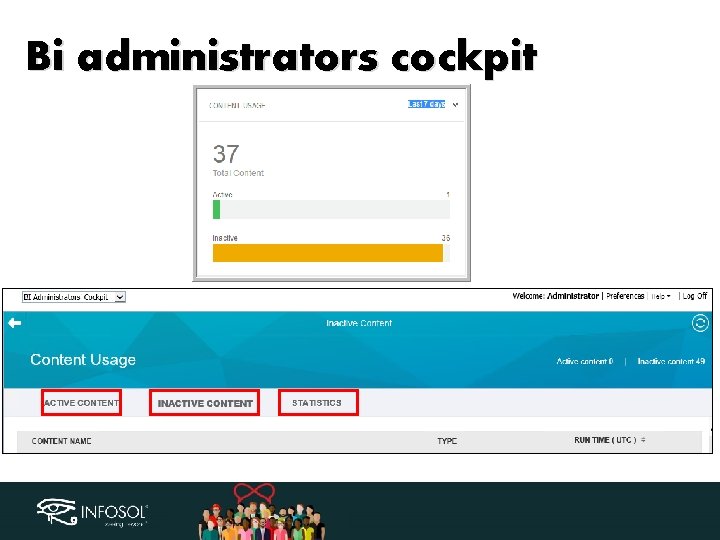
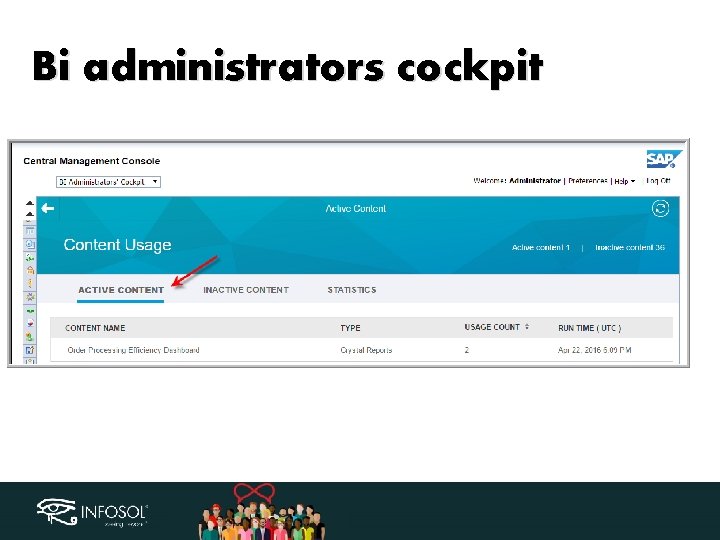
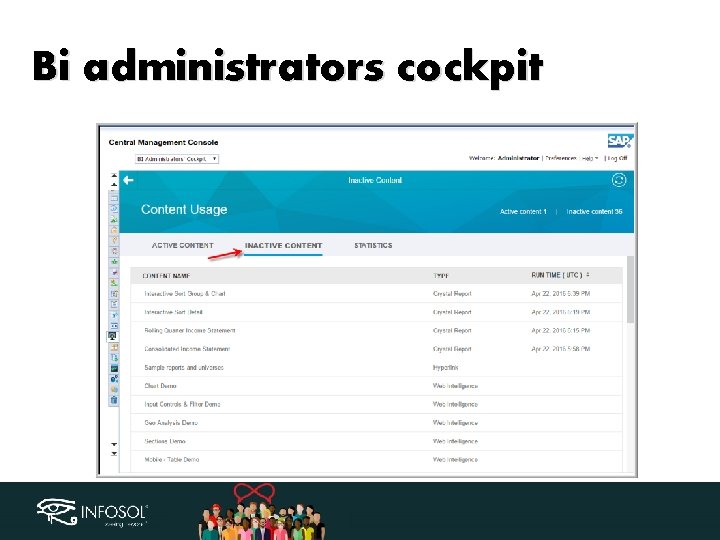
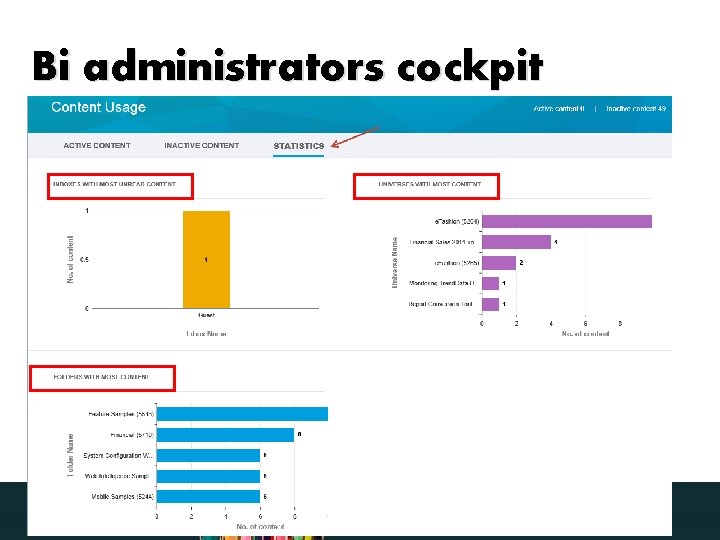
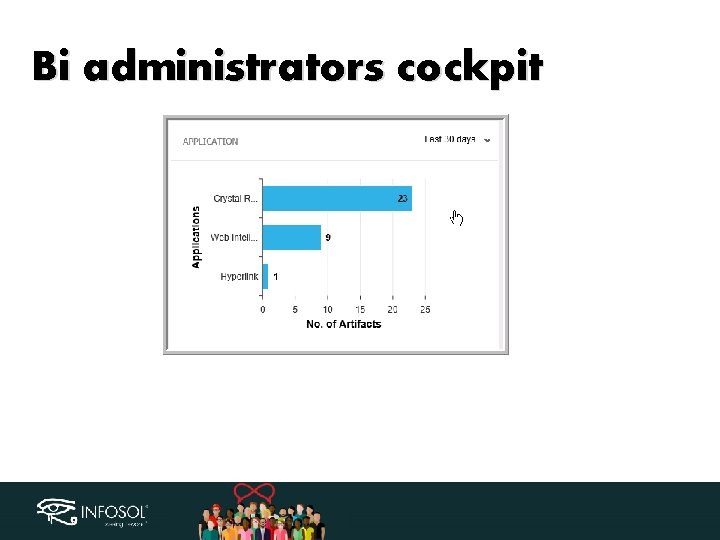
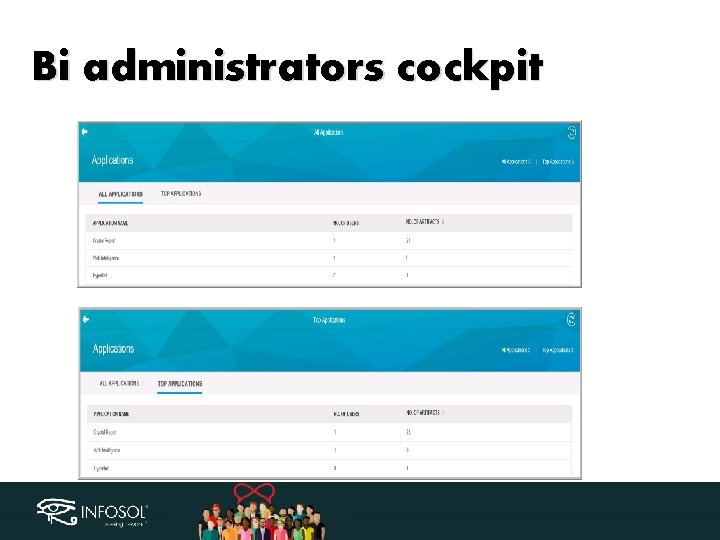
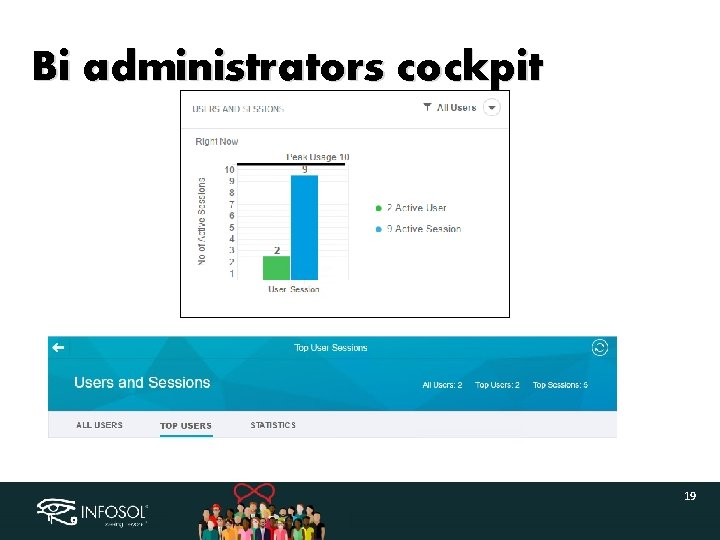
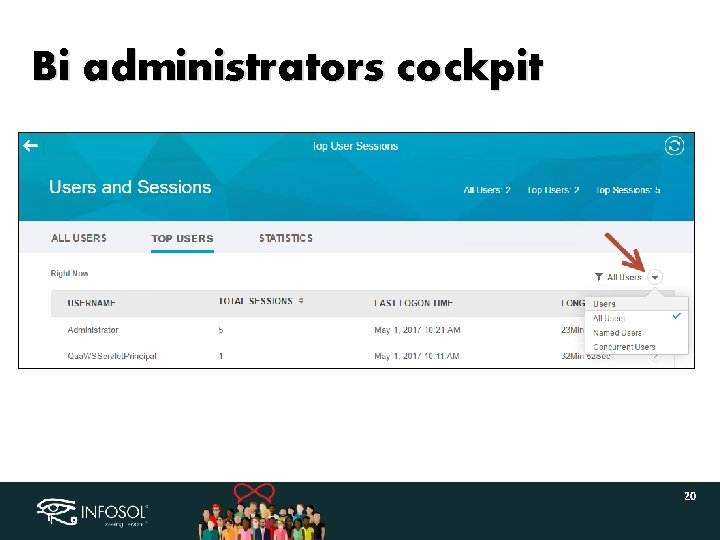
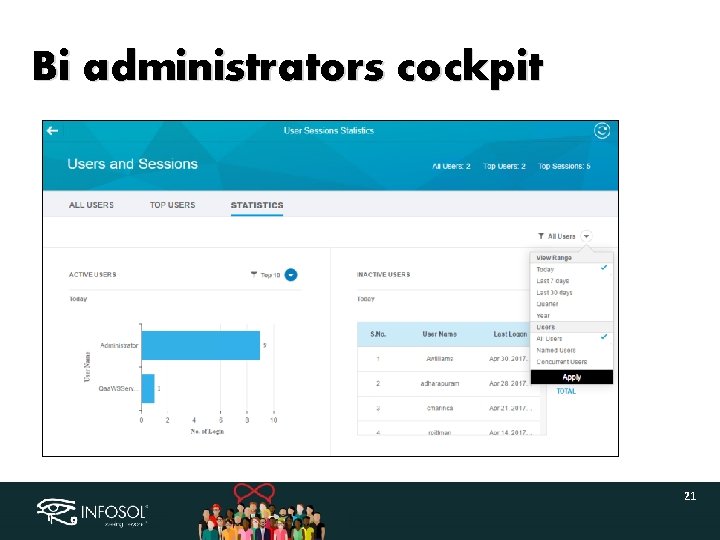
BI administrators cockpit • • • Quick overview of Systems and Jobs state Start stopped and failed servers Restart scheduled jobs Contents usage and statistics Helps identify active and inactive contents Stats on content type (crystal, webi etc)
BI administrators cockpit
Bi administrators cockpit
Bi administrators cockpit
Bi administrators cockpit
Bi administrators cockpit
Bi administrators cockpit
Bi administrators cockpit
Bi administrators cockpit
Bi administrators cockpit
Bi administrators cockpit
Bi administrators cockpit
Bi administrators cockpit
Bi administrators cockpit 19
Bi administrators cockpit 20
Bi administrators cockpit 21
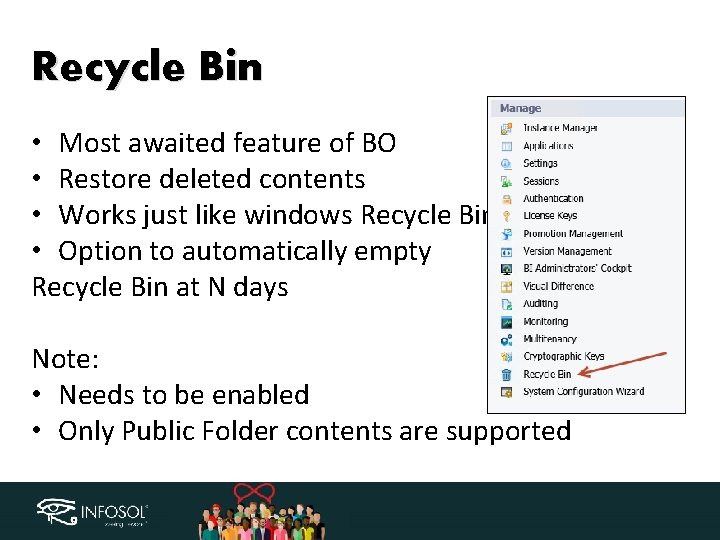
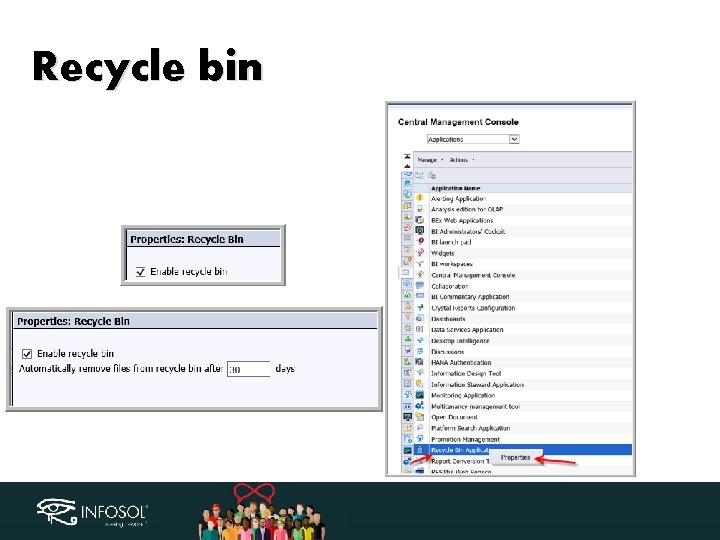
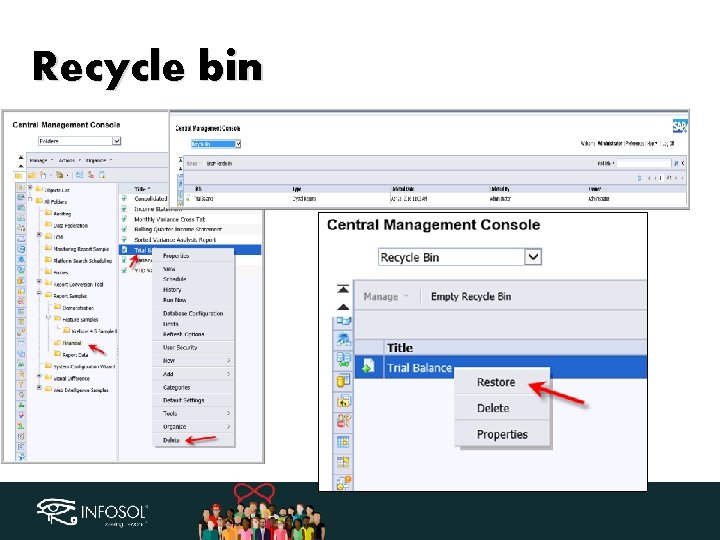
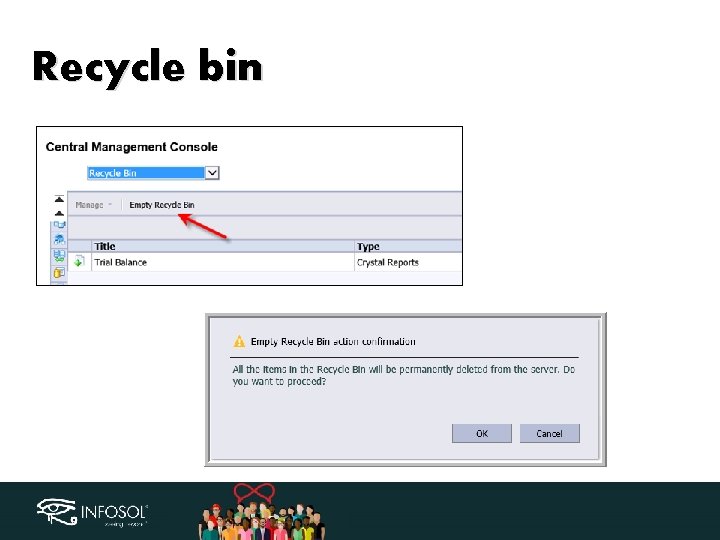
Recycle Bin • Most awaited feature of BO • Restore deleted contents • Works just like windows Recycle Bin • Option to automatically empty Recycle Bin at N days Note: • Needs to be enabled • Only Public Folder contents are supported
Recycle bin
Recycle bin
Recycle bin
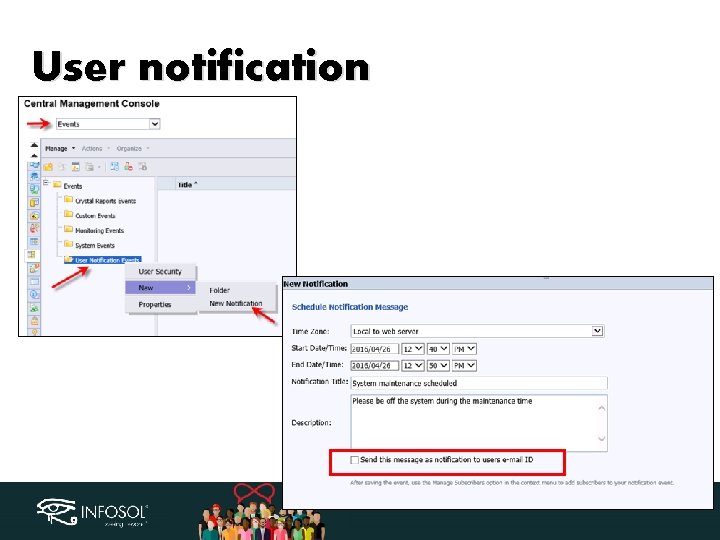
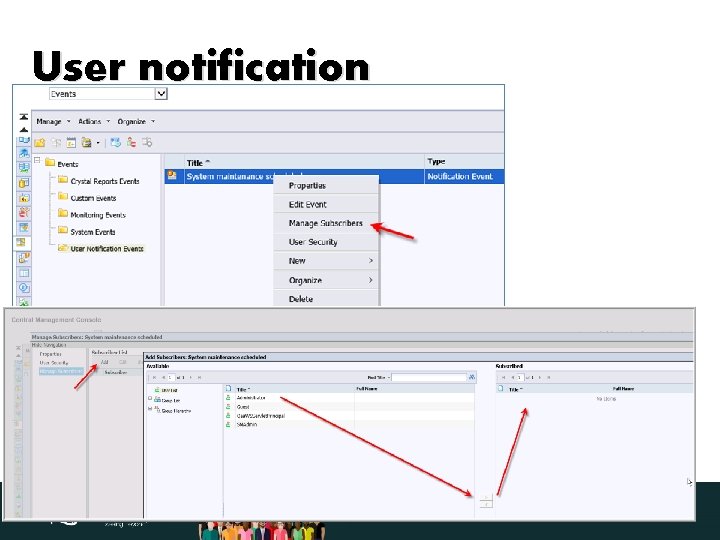
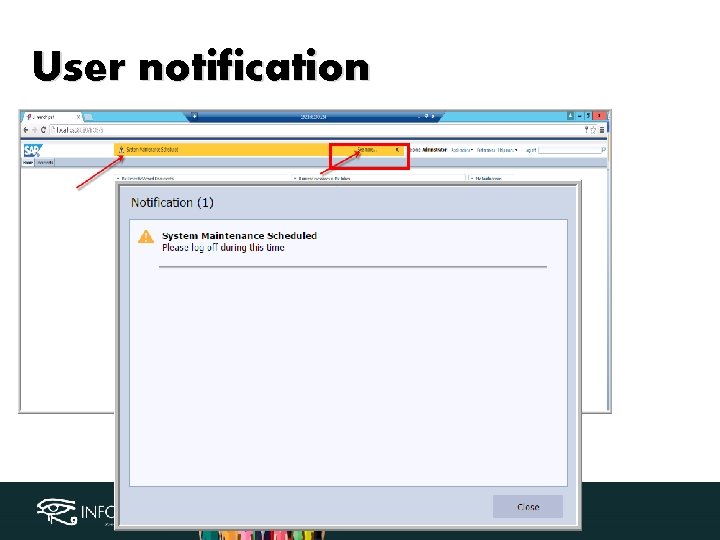
User notification • Broadcast information within BI Launchpad and display notifications in My alerts as well • Specify timeline for notification to be visible • Option to send notification via E-mail • Can be send to specific user/groups
User notification
User notification
User notification
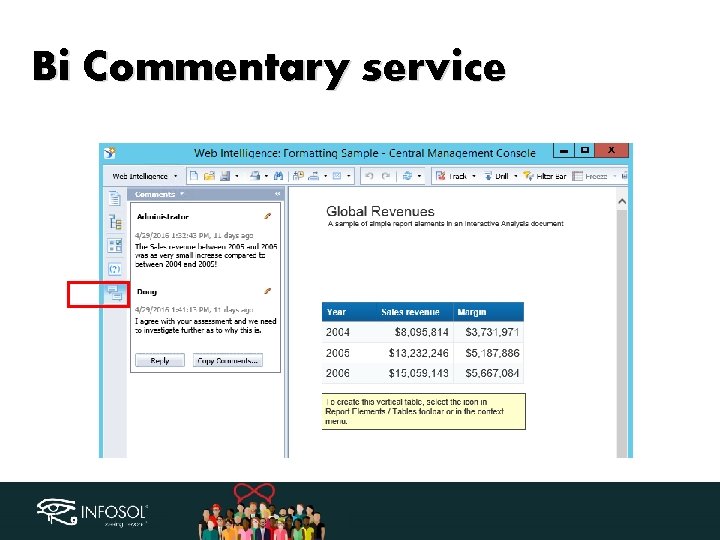
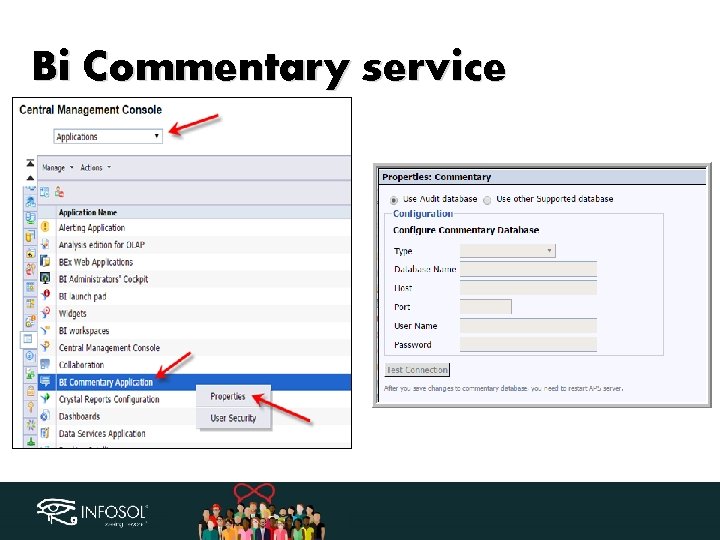
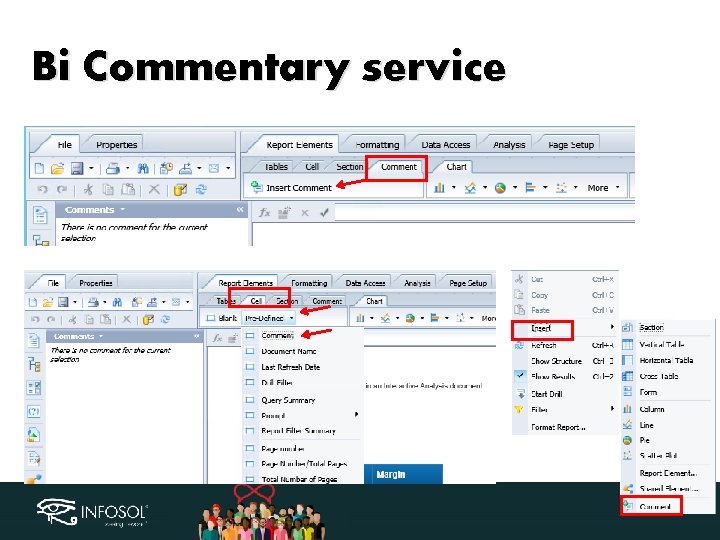
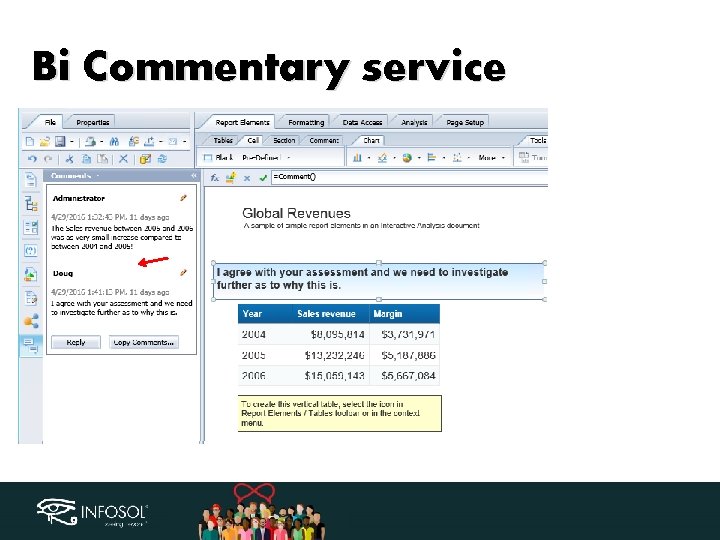
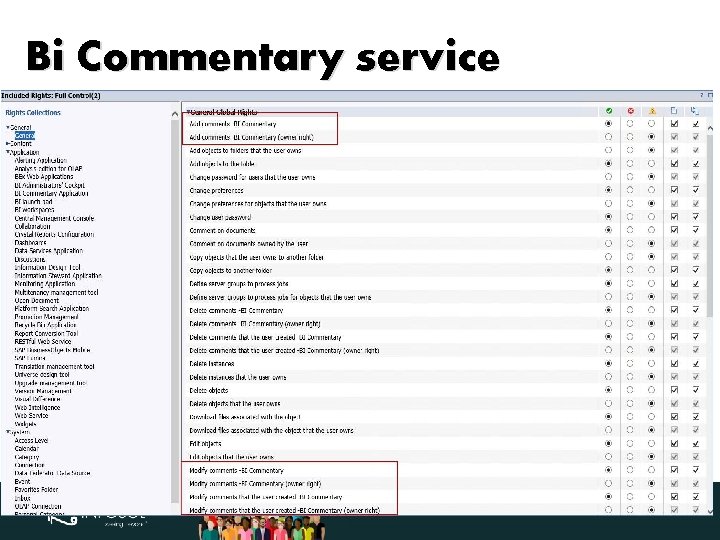
Bi Commentary service • Commenting within BI 4. 2 • Option to store in Audit database or selected database • Comments can be copied • Managed by new security rights • Authorizations on commenting can be defined on folder or object level
Bi Commentary service
Bi Commentary service
Bi Commentary service
Bi Commentary service
Bi Commentary service
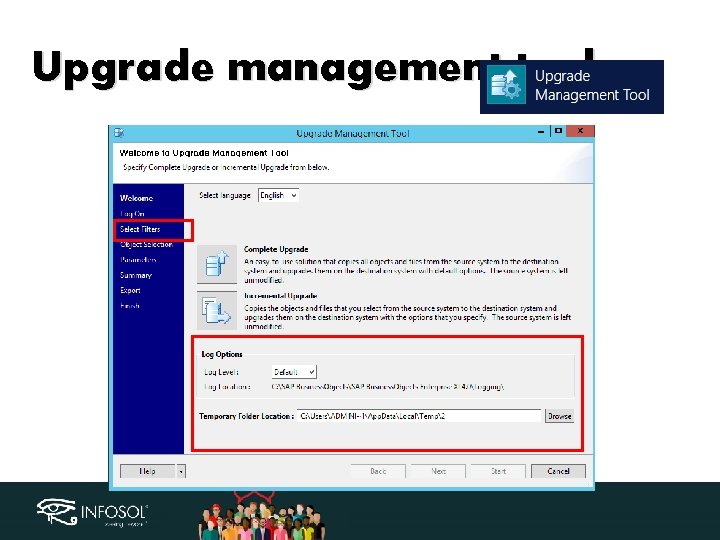
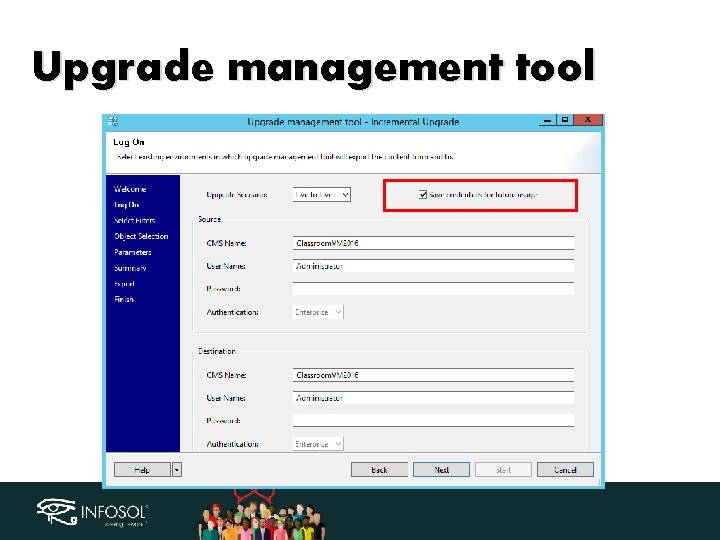
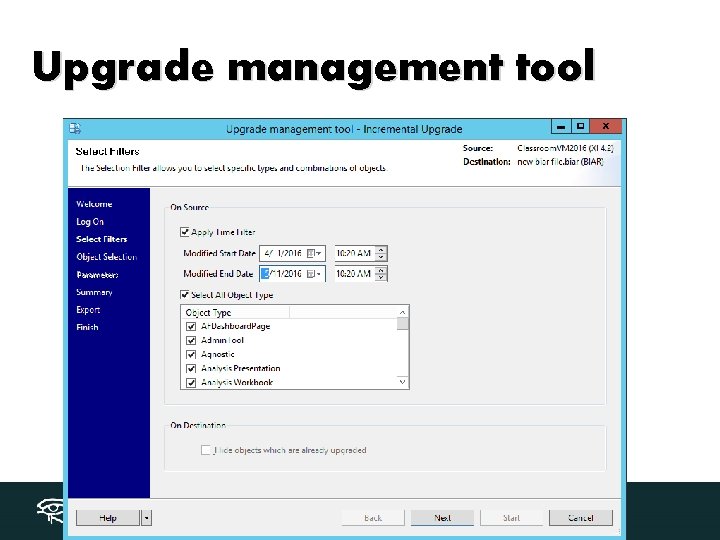
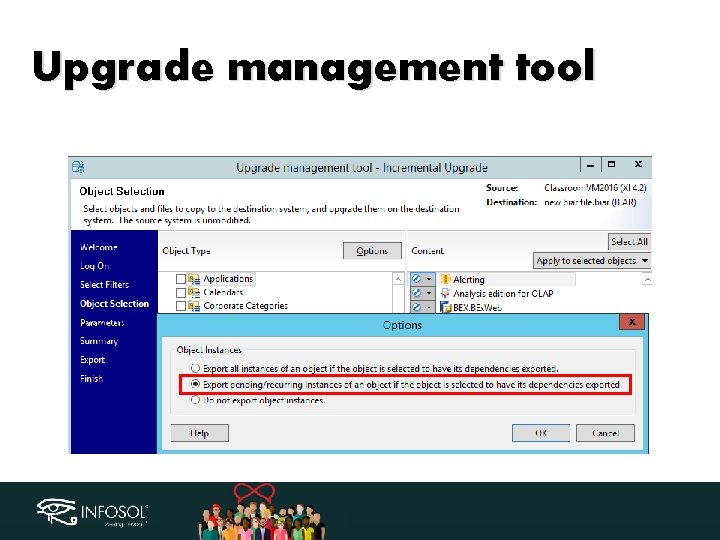
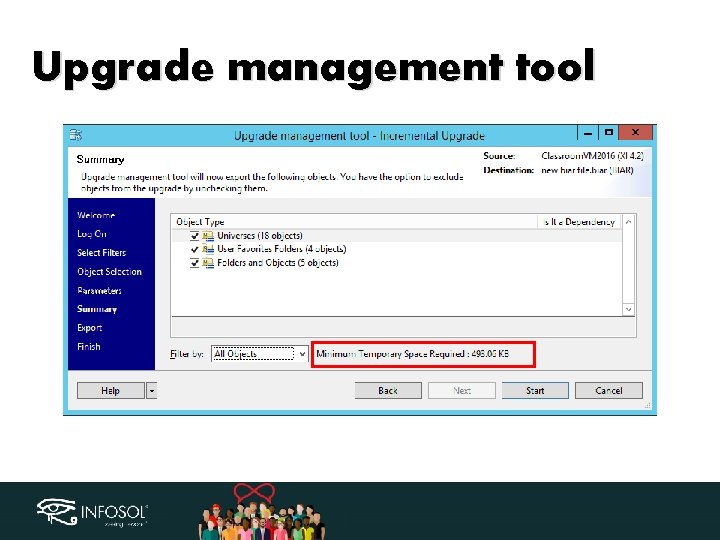
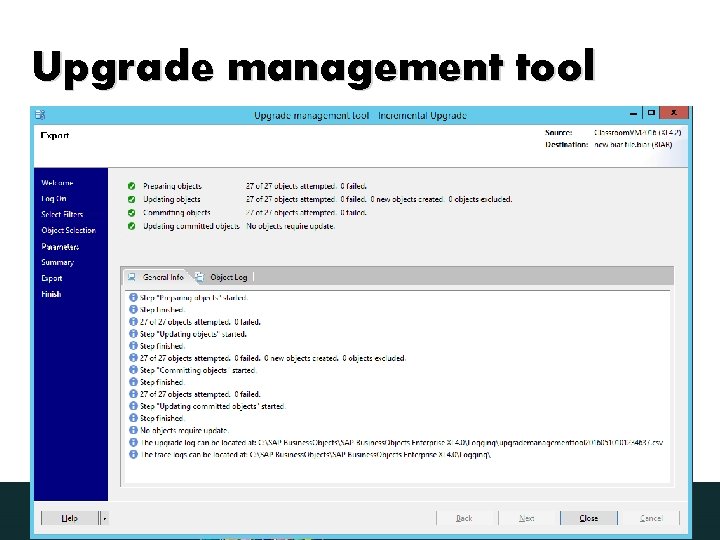
Upgrade management tool Improvements in performance and selection process Specify log level Specify Temp folder location New filter option to reduce objects presented for migration by Time selection of modified objects between start-end date, object type and Objects already migrated. • Export pending/recurring instances • View Approximate sixe of selected content • •
Upgrade management tool
Upgrade management tool
Upgrade management tool
Upgrade management tool
Upgrade management tool
Upgrade management tool
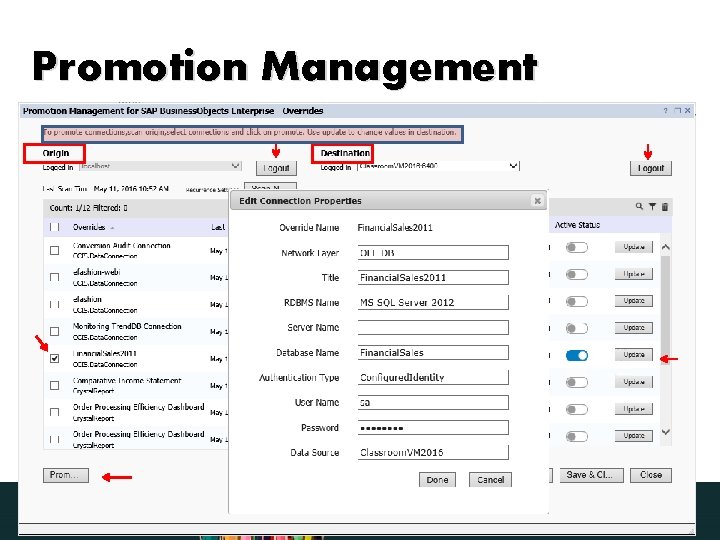
Promotion Management • • • Selective retrieval of OBJECTS from LCMBIAR file Performance improvement Less load on App server Not dependent on Flash anymore Revamped Override workflow
Promotion Management
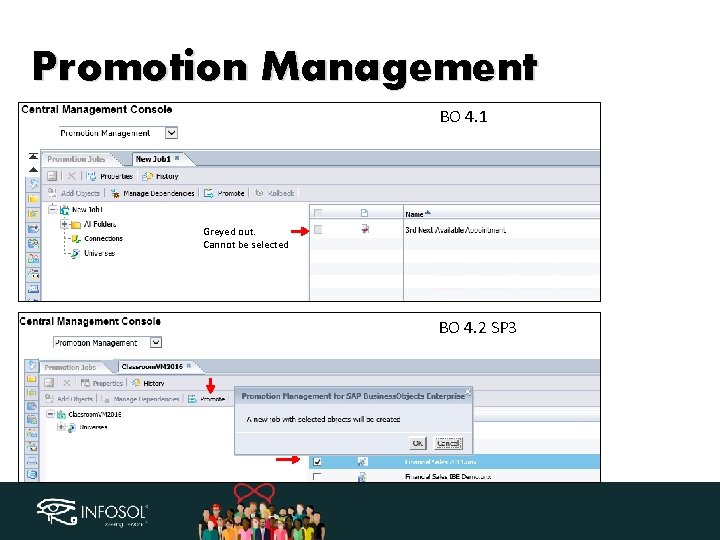
Promotion Management BO 4. 1 Greyed out. Cannot be selected BO 4. 2 SP 3
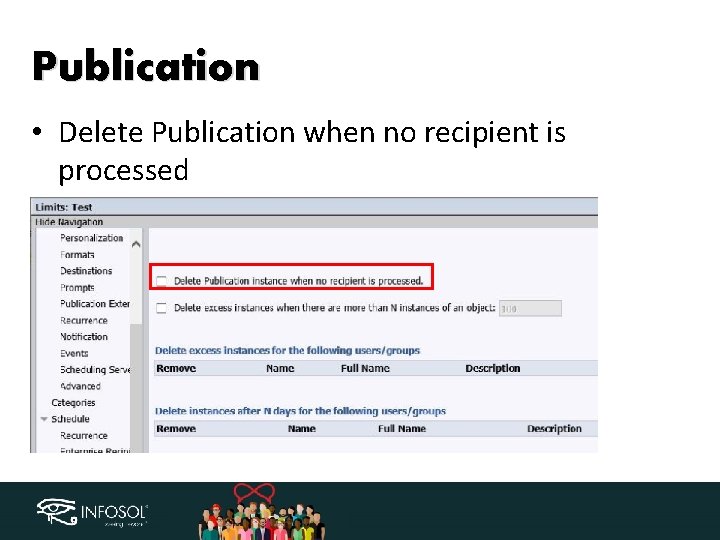
Publication • Delete Publication when no recipient is processed
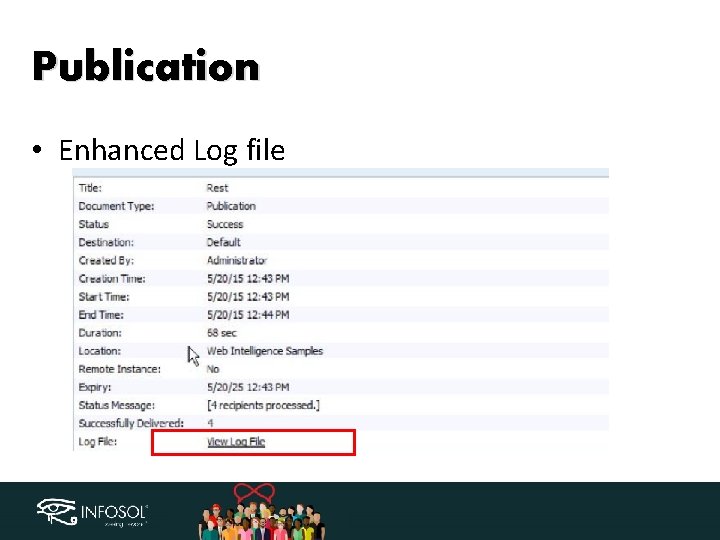
Publication • Enhanced Log file
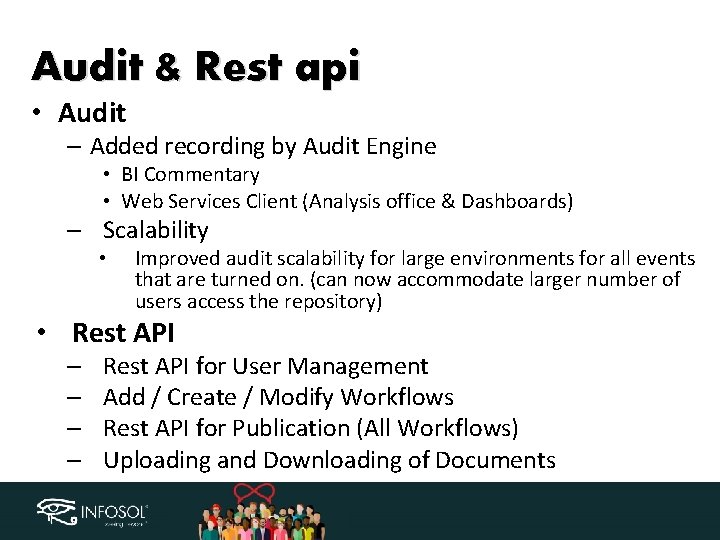
Audit & Rest api • Audit – Added recording by Audit Engine • BI Commentary • Web Services Client (Analysis office & Dashboards) – Scalability • Improved audit scalability for large environments for all events that are turned on. (can now accommodate larger number of users access the repository) • Rest API – – Rest API for User Management Add / Create / Modify Workflows Rest API for Publication (All Workflows) Uploading and Downloading of Documents
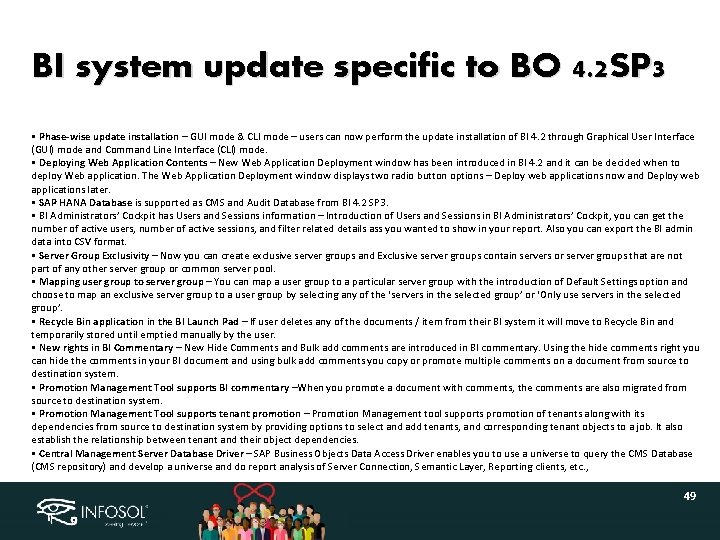
BI system update specific to BO 4. 2 SP 3 • Phase-wise update installation – GUI mode & CLI mode – users can now perform the update installation of BI 4. 2 through Graphical User Interface (GUI) mode and Command Line Interface (CLI) mode. • Deploying Web Application Contents – New Web Application Deployment window has been introduced in BI 4. 2 and it can be decided when to deploy Web application. The Web Application Deployment window displays two radio button options – Deploy web applications now and Deploy web applications later. • SAP HANA Database is supported as CMS and Audit Database from BI 4. 2 SP 3. • BI Administrators’ Cockpit has Users and Sessions information – Introduction of Users and Sessions in BI Administrators’ Cockpit, you can get the number of active users, number of active sessions, and filter related details ass you wanted to show in your report. Also you can export the BI admin data into CSV format. • Server Group Exclusivity – Now you can create exclusive server groups and Exclusive server groups contain servers or server groups that are not part of any other server group or common server pool. • Mapping user group to server group – You can map a user group to a particular server group with the introduction of Default Settings option and choose to map an exclusive server group to a user group by selecting any of the ‘servers in the selected group’ or ‘Only use servers in the selected group’. • Recycle Bin application in the BI Launch Pad – If user deletes any of the documents / item from their BI system it will move to Recycle Bin and temporarily stored until emptied manually by the user. • New rights in BI Commentary – New Hide Comments and Bulk add comments are introduced in BI commentary. Using the hide comments right you can hide the comments in your BI document and using bulk add comments you copy or promote multiple comments on a document from source to destination system. • Promotion Management Tool supports BI commentary –When you promote a document with comments, the comments are also migrated from source to destination system. • Promotion Management Tool supports tenant promotion – Promotion Management tool supports promotion of tenants along with its dependencies from source to destination system by providing options to select and add tenants, and corresponding tenant objects to a job. It also establish the relationship between tenant and their object dependencies. • Central Management Server Database Driver – SAP Business Objects Data Access Driver enables you to use a universe to query the CMS Database (CMS repository) and develop a universe and do report analysis of Server Connection, Semantic Layer, Reporting clients, etc. , 49
Questions ? • • • The End おわり-owari सम पत -samapt અત -aant शवट -Shevati Minith Patel Sr. Consultant @ Infosol mpatel@infosol. com

Thank You!
- Slides: 51