
Business Intelligence Systems Chapter 1 Decision Support and
Business Intelligence Systems Chapter 1 Decision Support and Business Intelligence
Introduction o o o Organization works in a dynamic environment change continuously & rapidly more & more complex Forces in the external environment includes: 1. Economic 2. Technology 3. culture 4. Social 5. customers 6. competitors 7. Government rules & regulations 8. suppliers These forces put the organization (public & private) under pressures to respond quickly and rapidly to these changes
Cont. o o o The response…. . through frequent & quick (strategies, tactical & operational decisions)…. . complex decisions …. Requires Data, information & Knowledge in order to make a decision The decisions must be done quickly & frequently in real time Some times…complex decisions require computerized support
environment & computerized decision support Globalization o global companies o environment (competitive market) o move to computerized support o The reasons … Business Pressures – Responses – Support model
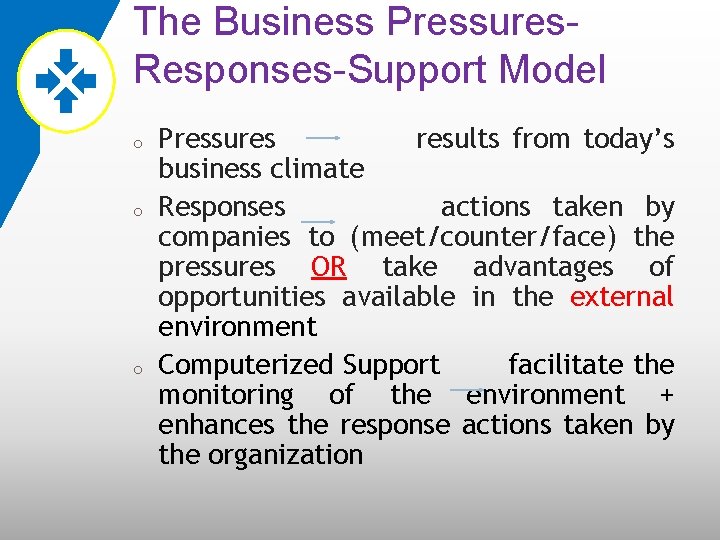
The Business Pressures. Responses-Support Model o o o Pressures results from today’s business climate Responses actions taken by companies to (meet/counter/face) the pressures OR take advantages of opportunities available in the external environment Computerized Support facilitate the monitoring of the environment + enhances the response actions taken by the organization
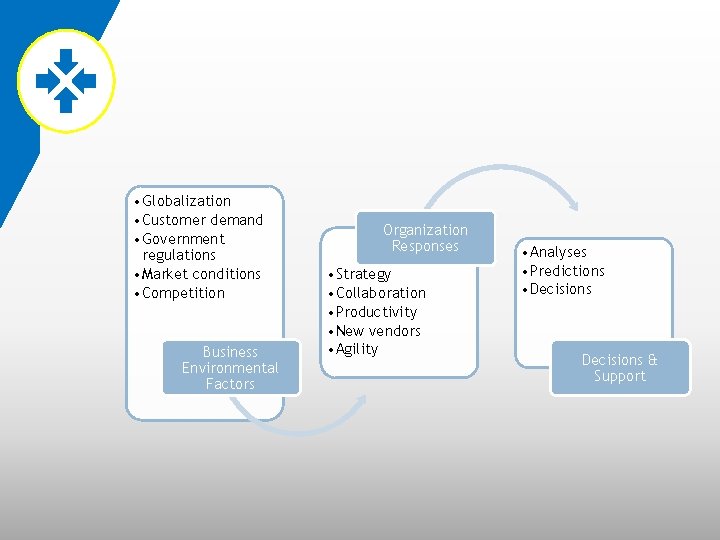
• Globalization • Customer demand • Government regulations • Market conditions • Competition Business Environmental Factors Organization Responses • Strategy • Collaboration • Productivity • New vendors • Agility • Analyses • Predictions • Decisions & Support
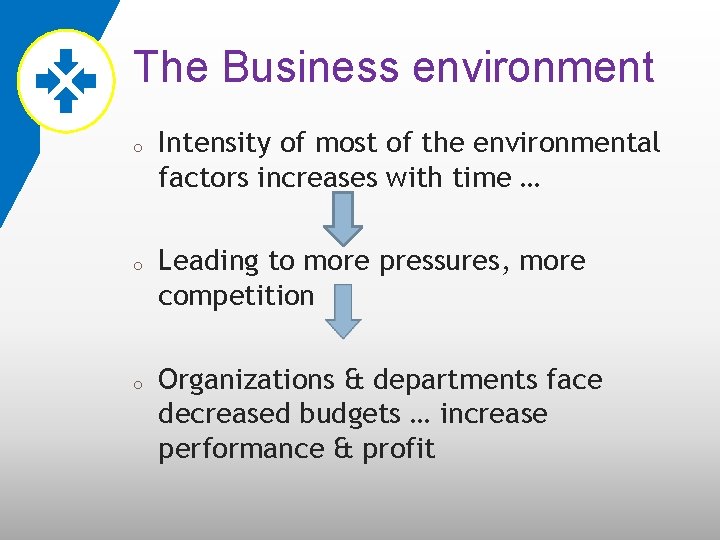
The Business environment o o o Intensity of most of the environmental factors increases with time … Leading to more pressures, more competition Organizations & departments face decreased budgets … increase performance & profit
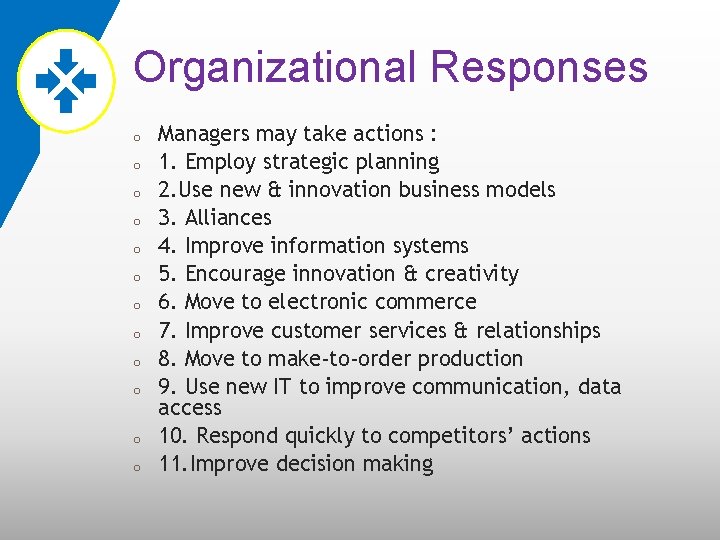
Organizational Responses o o o Managers may take actions : 1. Employ strategic planning 2. Use new & innovation business models 3. Alliances 4. Improve information systems 5. Encourage innovation & creativity 6. Move to electronic commerce 7. Improve customer services & relationships 8. Move to make-to-order production 9. Use new IT to improve communication, data access 10. Respond quickly to competitors’ actions 11. Improve decision making
Decisions & Support Closing the strategy GAP: One of the major objectives of computerized decision support (CDS) is to facilitate closing the gap between the current performance & the desired performance as expressed in mission, objectives and goals in addition to strategy to achieve them. o
Managerial Decision Making o o Management is a process by which organizational goals are achieved by using resources. The degree of success of the organization and the manager is often measured by the ratio of output to input… PRODUCTIVITY – ORGNIZATIONAL & MANAGERIAL PERFORMANCE.
o o The level of productivity depends on the performance of managerial functions, such as planning, organizing, directing and controlling…. in order to perform their functions, managers are engaged in a continuous process of making decisions. Making a decision means selecting the best alternative from 2 or more solutions.
Managerial Roles o Managers perform 10 major roles that can be classified into 3 major categories: o Interpersonal, Informational & Decisional
Interpersonal Role o Figurehead o Leader o Liaison
Informational Role o Monitor o Disseminator o Spokesperson
Decisional Role o Entrepreneur o Disturbance handler o Resource allocator o Negotiator
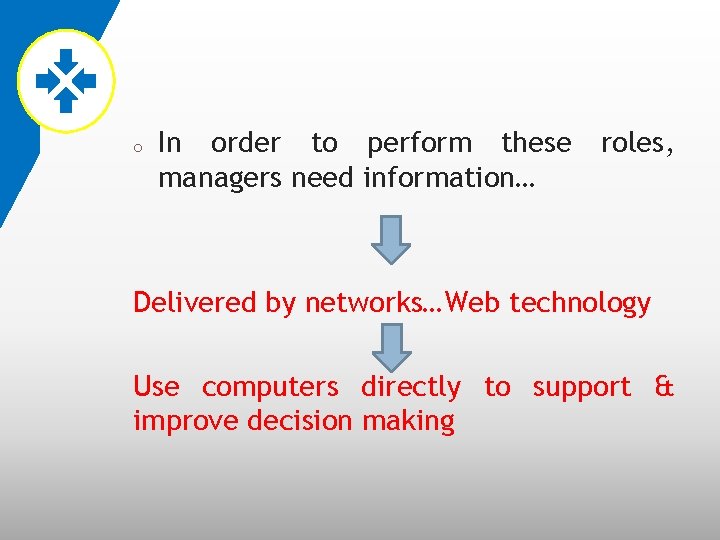
o In order to perform these managers need information… roles, Delivered by networks…Web technology Use computers directly to support & improve decision making
The Decision-Making Process o o Management was considered an art because a variety of individual styles could be used in approaching and successfully solving the managerial problems. Styles based on … Creativity, Judgment, Intuition and experience rather than on quantitative methods.
Steps o o 1. Define the problem 2. Construct a model that describe the real-world problem 3. Identify possible solutions to the problem & Evaluate the solution 4. Compare, Choose and recommend a potential solution to the problem
o o o - The sufficient alternative solutions must be consider. - The consequences of using these alternatives can be reasonably predicted. - The comparisons are done properly.
Computerized support for decision making o o o 1. Payroll 2. Bookkeeping 3. Design 4. Application of artificial intelligence 5. Evaluation
Computerized support for decision making o Computer applications have moved from transaction processing & monitoring activities to: Problem analysis & Solution applications
Why We Use Computerized Decision Support Systems o o o 1. Speedy computations. 2. Improved communication & collaboration. 3. Increased productivity of group members.
o 4. Improved data management o 5. Managing giant data warehouses o 6. Quality support o 7. Agility support
o 8. Overcoming cognitive limits in processing and storing information. o 9. Using the web o 10. Anywhere, anytime support.
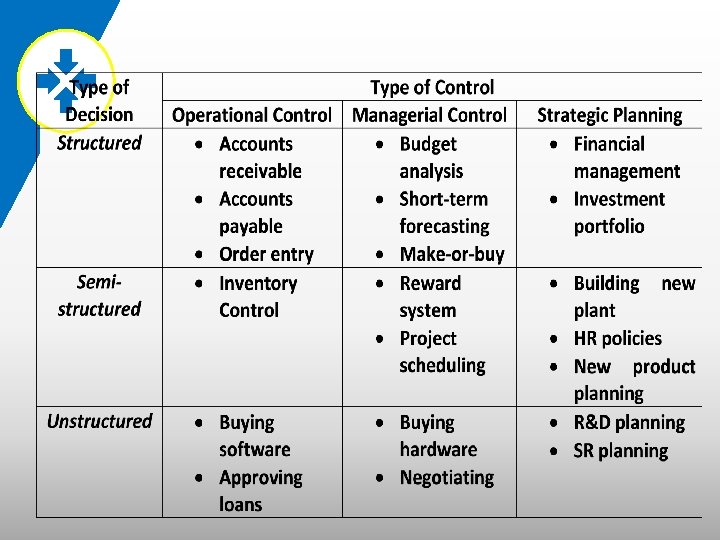
An early framework for computerized decision support The Gorry & Scott-Morton Classical Framework: 3 -by-3 matrix, includes two dimensions A. the degree of structured problems B. type of control o o
Type of Decision (Simon 1977) o o o Structured Decision (Programmed): Routine & Repetitive problems for which standard solution methods exist. Semi-structured : fall between structured & unstructured problems. Unstructured (non-programmed): Fuzzy, complex problem for which there are no clear solution.
Decision making process ACCORDING to Simon o o 1. Intelligence : this phase involves searching for conditions that call for decisions. 2. Design: This phase involves inventing, developing and analyzing possible alternative solution
o o 3. Choice : this phase involves selecting a course of action (solution) from among the alternatives 4. Implementation: this phase involves adapting the selected course of action to the decision situation
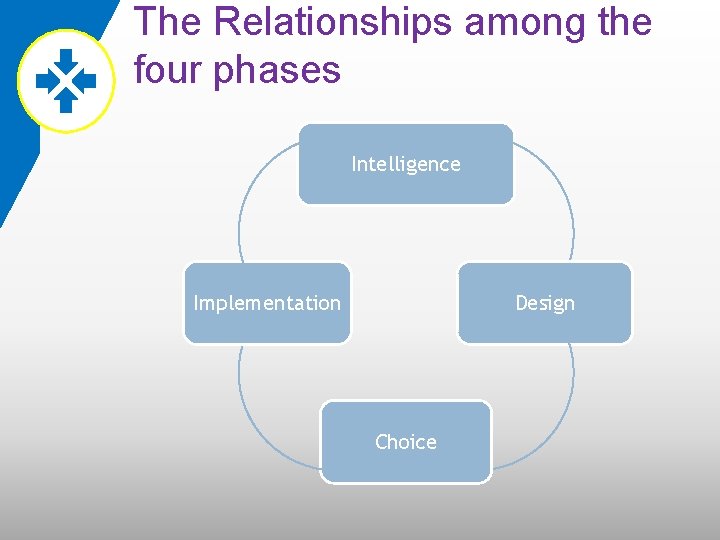
The Relationships among the four phases Intelligence Implementation Design Choice
o o o Intelligence : Environmental scanning, Benchmarks Design: Creativity, Finding alternatives, Analyzing solutions Choice: Compare and select the best solution
o Implementation: Put solution into action
Types of Control o o o Strategic Planning; which involves defining long-rang goals & policies for resource allocation. Management Control; the acquisition and efficient use of resources. Operational Control; the efficient and effective execution of specific tasks.
Computer support for structured decisions o o Computers have supported structured & some semi-structured decisions, especially those that involve operational & managerial control. Structured problems: Abstract, analyze and classify problems into specific categories.
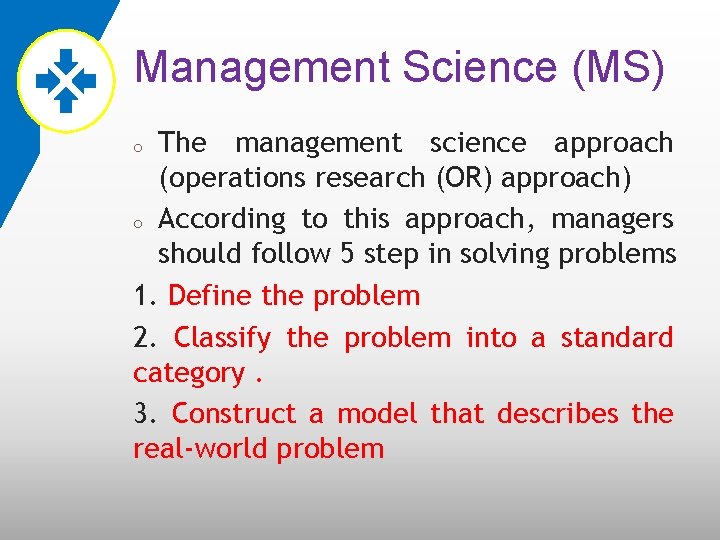
Management Science (MS) The management science approach (operations research (OR) approach) o According to this approach, managers should follow 5 step in solving problems 1. Define the problem 2. Classify the problem into a standard category. 3. Construct a model that describes the real-world problem o
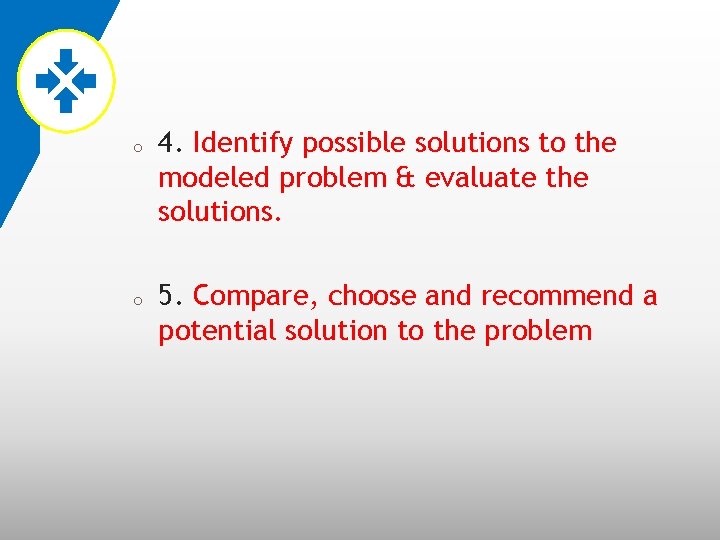
o o 4. Identify possible solutions to the modeled problem & evaluate the solutions. 5. Compare, choose and recommend a potential solution to the problem
o o o MS is based on mathematical modeling. Modeling involves transforming a realworld problem into model. Computerized methodologies can find solutions to the standard category models quickly & efficiently
Automated Decision making o o A New approach to supporting decision making (Automated Decision Systems (ADS)). ADS is a Rule-based system, provides a solution, usually in one functional area (finance) to a specific repetitive managerial problem, usually in one industry.
o Example : how to price products / service. Page 14 “case study”
Computer Support for Unstructured Decisions o Unstructured problems can be supported by standard computerized quantitative methods by develop customized solutions. Such solutions may benefit from: 1. Data & information generated from corporate & external data sources. o
2. Intuition and Judgment 3. Computerized communication and collaboration technologies 4. Knowledge management
Computer Support for Semistructured Problems o o Solving semi-structured problems may involve a combination of standard solution procedures & human judgment. DSS can improve the quality of the information by providing a range of alternative solutions with their potential impacts.
The concept of DSS o o An interactive computer-based systems, which help decision makers utilize data & models to solve unstructured problems. The term DSS can be used as an umbrella term to describe any computerized system that support decision making in an organization.
o o In DSS, the problem is unstructured, but the initial analysis will based on the decision maker’s structured definition of the situation, using MS approach. DSS use data available from corporate data sources. DSS provide a quick what-if analysis. The DSS is flexible & responsive enough to allow managerial intuition & judgment to be incorporated into the analysis
o o o DSS used: 1. To build customized applications for unstructured or semi-structured problems 2. According to DSS application itself
The Architecture of DSS o o 1. Data: - Every problem that has to be solved & every opportunity or strategy to be analyzed requires some data - Data are the first component of the DSS architecture. - These data can come from many sources such as the Web
o o o 2. Models - Data related to a specific situation are manipulated by using models. - These models can be: Standard ( Excel function), or Customized
o 3. Knowledge (intelligence): o 4. Users:
Types of DSS o o A. Model-Oriented DSS; using DSS quantitative models to generate a recommended solution to a problem. B. Data-Oriented DSS; which support ad hoc reporting and queries.
Evolution of DSS into Business Intelligence o o o Managers let their staff do some supportive analysis by using DSS tools. OLAP Data warehousing Data mining Intelligent systems delivered via Web technology, added promised capabilities & easy access to tools, models and data
Business Intelligence (BI) o o o Definitions of BI A Brief History of BI The Architecture of BI Styles of BI The Benefits of BI The Origins & Drivers of BI
Definitions of BI o Business intelligence (BI): is an umbrella term that combines architectures, tools, data-base, analytical tools, applications and methodologies.
A Brief History of BI o o MIS reporting systems (1970 s). Executive information system (EIS) (1980 s). o Business intelligence (1990 s). o Artificial intelligence (AI)
The Architecture of BI o BI system has 4 major components: o 1. Data Warehouse (source data). o 2. Business analytics (collection of tools for manipulating, mining, and analyzing the data in the data warehouse).
o o 3. Business Performance Management (BPM): (BPM) (for monitoring & analyzing performance). 4. User interface (dashboard).
Data Warehouse Environment Data warehousing environment is mainly the responsibility of technical staff o o Analytical Environment Is the realm of business users. o o
o Any user can connect to the system via the user interface, such as a browser & top managers may use the BPM component and dashboard.
Data Warehousing o o o Are the cornerstone of any medium-tolarge BI system. Data warehouse included historical data that were organized and summarized, which lets the end user easily view or / & manipulate data & information. Today, Today data warehouses include current data, data which provides real-time decision support.
Business Analytics o o End user can work with the data & information in a data warehouse by using a variety of tools & techniques. These tools & techniques fit into 2 major categories: 1. Reports and Queries 2. Data, text, Web mining, and other mathematical & statistical tools.
q q Data Mining: Mining is a process of searching for unknown relationships or information in large databases or data warehouses, using intelligence tools such as neural computing, predictive analytics techniques or advance statistical methods. Mining can be done on Web data.

Example o National Australia Bank page 21
Business Performance Management o o o Corporate Performance Management CPM: Portfolio of applications & methodology that contains evolving BI architecture and tools in its core. BPM provides monitoring, measuring, comparing of sales, profit, cost, profitability and other performance indicators and introducing the concept of management and feedback BPM provides a top-down enforcement of corporate-wide strategy.
The User Interface: Dashboards & other information Broadcasting Tools o o Dashboards provides a comprehensive visual view of corporate performance measures (key performance indicators), trends, and exceptions. Dashboards integrate information from multiple business areas.
o o Dashboards present graphs that show actual performance compared to desired metrics. Technologies such as geographical information systems (GIS) play an increasing role in decision support.
Styles of BI o o o 1. Report delivery & alerting. 2. Enterprise reporting (using dashboards & scorecards) 3. Cube analysis (slice-and-dice analysis) 4. ad-hoc queries 5. Statistics and data mining.
The Objective of BI o o To enable interactive access to data To enable manipulation of data To give business managers and analysts the ability to conduct appropriate analysis Enable decision maker to make more informed and better decisions.
o The process of BI is based on the transformation of data to information, then to decision, and finally to actions.
The Benefits of BI o o o 1. Provide accurate information when needed, including a real-time view of the corporate performance and its parts. 2. Faster and more accurate reporting 3. Improved decision making 4. Improved customer service 5. Increased revenue
o o Many of the benefits of BI are intangible, intangible so many executives do not insist on a rigorous cost-justification for BI projects. Managers need the right information, at the right time and in the right place
The DSS-BI connection o o 1. Their architectures are very similar A. BI evolved from DSS B. BI implies the use of a data warehouse, whereas DSS may or may not have such a feature. C. BI is appropriate for large organization, but DSS can be appropriate to any type of organization.
o 2. DSS are constructed to directly support specific decision making, while DSS provide accurate and timely information and they support decision support indirectly.
o o 3. BI has an executive and strategy orientation, while DSS is oriented toward analysts. 4. BI systems are constructed with commercially available tools and components that are fitted to the needs of organizations, while in DSS the interest may be in constructing solutions to very unstructured problem
o 5. DSS methodologies and even some tools were developed mostly in the academic world, while BI methodologies and tools were developed mostly by software companies.
o 6. Many of the tools that BI uses are also considered DSS tools
Management Support Systems (MSS) o A technology that supports managerial tasks in general, and decision making in particular.
A Work System view of decision support o A system in which human participants and/or machines perform a business process, using information, technology, and other resources, to produce product and/or services for internal or external customers.
o Work system usually has nine elements, each of these elements can be varied or modified in order to provide better organizational performance, decision quality, or business process efficiency.
o o 1. Business Process : Variations in the process rationale, sequence of steps, or methods used for performing particular steps. 2. Participants: Better training, better skills, higher levels of commitment, or better real-time or delayed feedback.
o o 3. Information: Information Better information quality, information availability, or information presentation. 4. Technology: Technology Better data storage and retrieval, models, algorithms, statistical or graphical capabilities, or computer interaction.
o o 5. Product and services: services Better ways to evaluate potential decisions. 6. Customers: Customers Better ways to involve customers in the decision process and to obtain greater clarity about their needs.
o o o 7. Infrastructure: Infrastructure More effective use of shared infrastructure, which might lead to improvements. 8. Environment: Environment Better incorporating concerns surrounding environment. methods for from the 9. Strategy: Strategy A fundamentally different operational strategy for the work system
The Major tools and techniques of managerial decision support o o o A large number of tools and techniques have been developed over the years to support managerial decision making. 1. Data management: management databases and database management system 2. Reporting status tracking: tracking online analytical processing (OLAP) & executive information systems (EIS)
o o 3. Visualization: Geographical Visualization information system (GIS) & Dashboards 4. Business analytics: analytics Optimization, data mining, Web mining, and text mining
o o 5. Strategy and performance management: management Business performance management, business activity management, dashboards and scorecards. 6. communication and collaboration: collaboration Group decision support systems, group support systems and collaborative information systems
o o o 7. Social networking: networking Web 2. 0 8. Knowledge management: management Knowledge management systems and expert locating systems 9. Intelligent systems: systems expert systems, Artificial neural networks, and automated decision systems.
Hybrid Support Systems o Using several of the tools and techniques of managerial decision support, in order to assist management in solving managerial or organizational problems (opportunities and strategies) faster and better than before without computers
- Slides: 86