
Business Intelligence Report Creation and Automation Using Business
Business Intelligence: Report Creation and Automation Using Business Objects Dylan Black University of Wisconsin – Platteville blackdy@uwplatt. edu 1
About Me • Senior – Majors: – Computer Information Systems – Business Administration • IT Analyst – John Deere C&F • Extensive Training / Experience in Business Objects • Darlington WI 2
Overview • • • What is Business Intelligence (BI) Business Intelligence Software Solutions Business Objects (BO) Overview Business Objects Report Creation Future of Business Objects Conclusion 3
Business Intelligence (BI) Defined • Applications and Technology – Gather Data – Provide Access to Data – Analyze Data 4
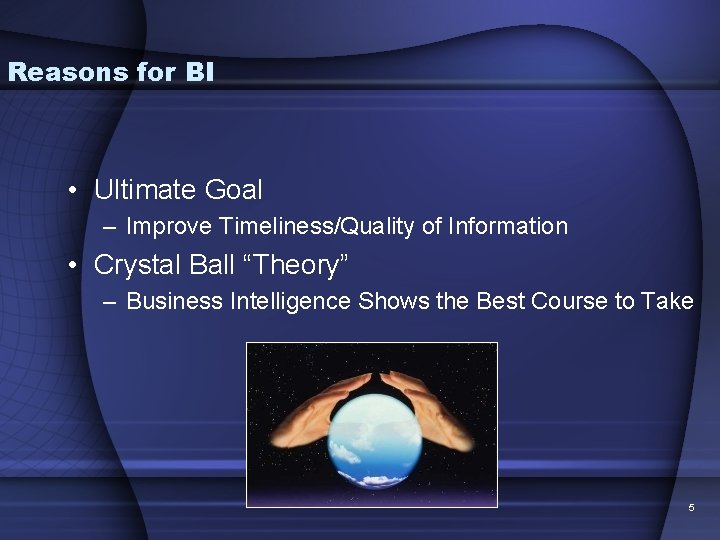
Reasons for BI • Ultimate Goal – Improve Timeliness/Quality of Information • Crystal Ball “Theory” – Business Intelligence Shows the Best Course to Take 5
Benefits of BI • Eliminate Guesswork • Enhance Communication • Respond to Changes: – Financial Conditions – Customer Preferences – Supply Chain Operations 6
BI Technology Requirements Key Issues - • • Security – Access to Data Volume Data Retention Benchmark and Performance Targets 7
BI Software Solutions • Balanced Scorecard – Measures a Company’s Activities • Visions • Strategies • Competitive Analysis • Performance Management • Many, Many More… 8
Business Objects 9
Business Objects Overview • Leading Implementation of BI – More Than 39, 000 customers – 80 % of Fortune 500 companies • 4, 900 Employees Worldwide 10
Business Objects Platform • Three Main Aspects – Report Creation – Report Scheduling – Report Access 11
Business Objects Platform – Report Creation • User-Friendly Full Featured Application – Novice – Advanced 12
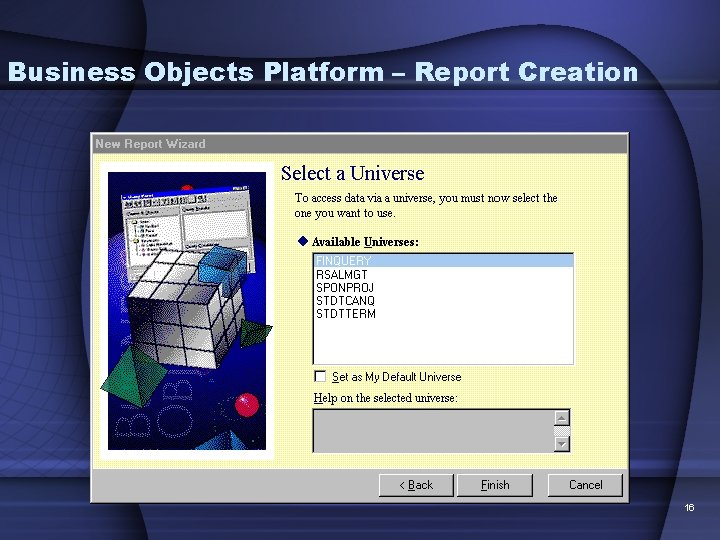
Business Objects Platform – Report Creation • Two Levels of Variables – Universe • • Separate Application – Universe Designer Insulates Users From Raw Data Keeps Data Secure Allows Multiple Users to Access the Same Data in Different Reports • Stored Procedure 13
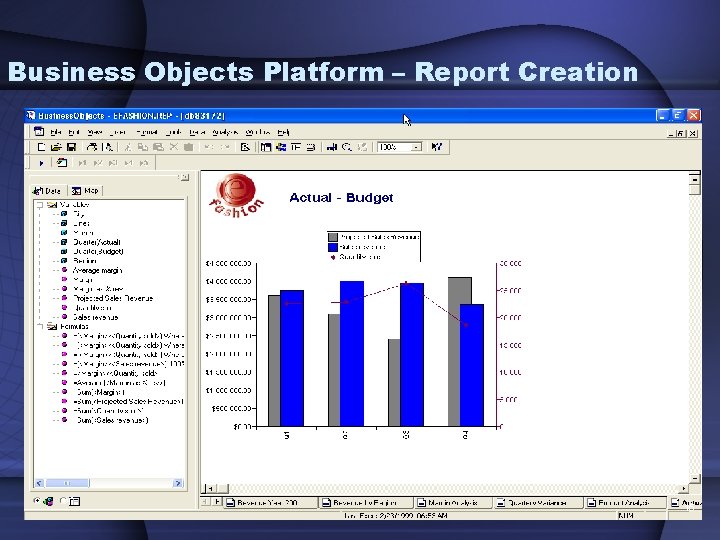
Business Objects Platform – Report Creation – Report Level • User Can Apply Conditions on Universe Level Variables • Built-in Functions – – Sum Average Standard Deviation Comparable to Microsoft Excel, More Graphical Options 14
Business Objects Platform – Report Creation 15
Business Objects Platform – Report Creation 16
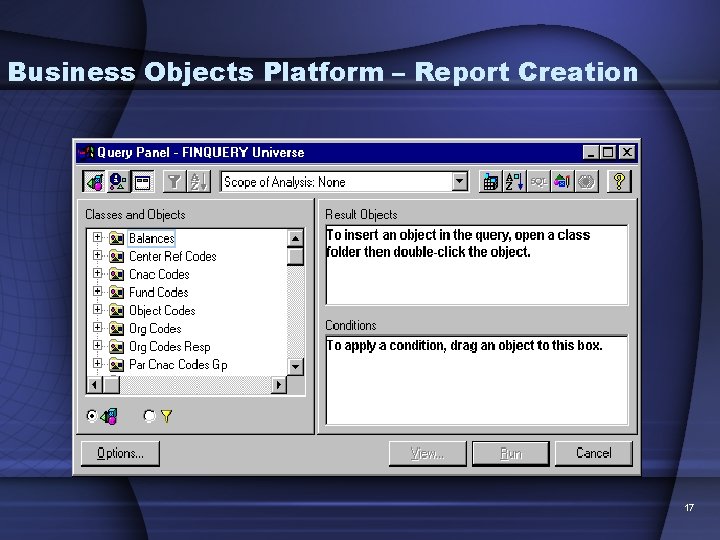
Business Objects Platform – Report Creation 17
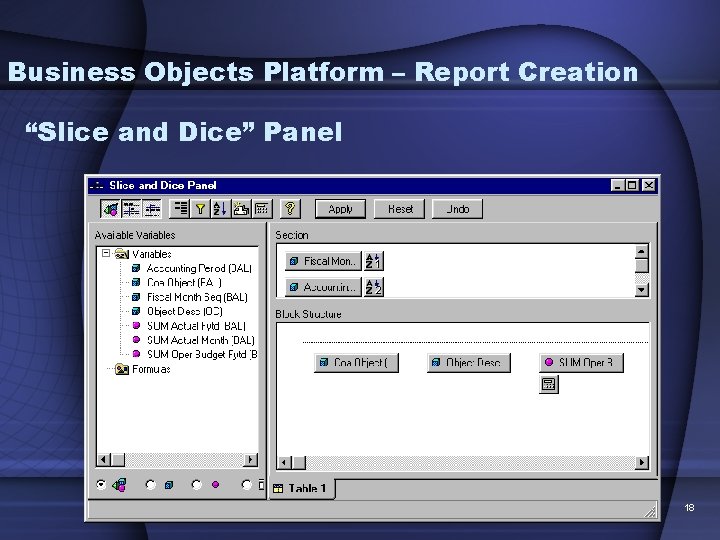
Business Objects Platform – Report Creation “Slice and Dice” Panel 18
Business Objects Platform – Data Access • Three Options – Universe • Executes Stored SQL Queries to Import Data From DB 2 Tables – Excel Spreadsheets – Free-Hand SQL (FHSQL) • Advanced Users Can Write Specialized SQL Queries To Access Data • Data is Returned As A Variable 19
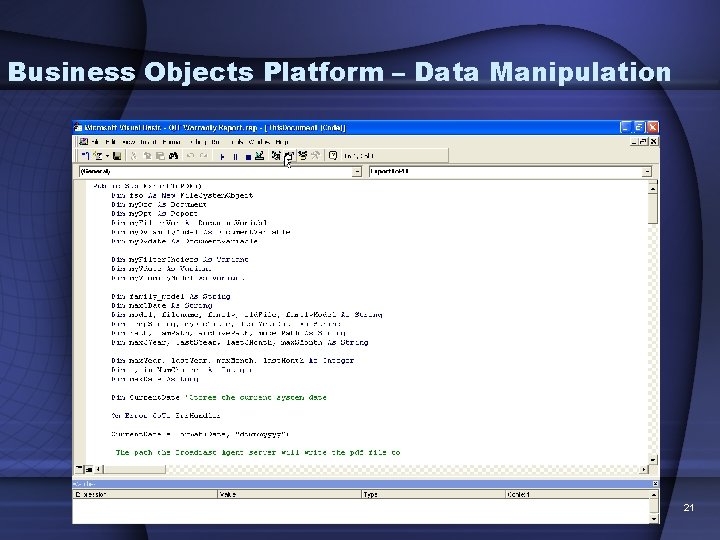
Business Objects Platform – Data Manipulation • Countless Options – Charts – Graphs – Compound Conditions – Visual Basic Macros 20
Business Objects Platform – Data Manipulation 21
Business Objects Platform – Report Automation • BO Broadcast Agent Console (BCA) – Server Application – Scheduler – Report Repository 22
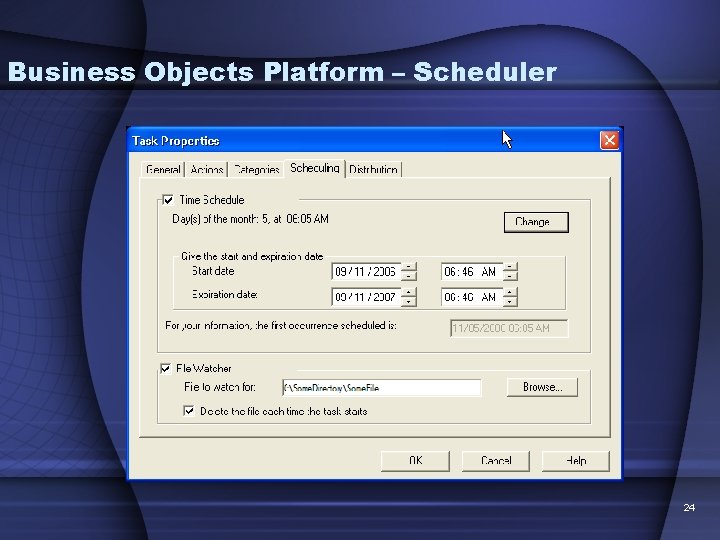
Business Objects Platform – Scheduler • Scheduling Abilities – Intervals • Monthly • Weekly • Daily 23
Business Objects Platform – Scheduler 24
Business Objects Platform – Scheduler – File Watcher • Connects Old With the New! • Legacy Programs Executed on Mainframe – Programs Manipulate Data in DB 2 Tables » COBOL » SAS » JCL Utilities – When Complete, These Applications Create a File that BCA “Sees” Triggers Report Creation 25
Business Objects Platform – Scheduler • Visual Basic Macro – BCA Supports Visual Basic for Applications (VBA) – This allows to create PDF and Excel versions of Business Objects Reports. • Reports Are Saved to Server so Users Can Access at Anytime. 26
Business Objects Platform – Report Access • Web Intelligence (WEBI) – Online Application • Users Can Create and Send Reports to Other Users • Reports Created by Scheduler Can Be Stored For Later Access • Users Can View Scheduled Report Status 27
Business Objects Platform – Report Access • Java Web Applications – PDF and Excel? – Create ‘Front End’ All Users Can Use to Access PDF and Excel Files Stored On Server and Display in Web Browser 28
Business Objects Platform – Report Access • Business Objects + Microsoft Office – Revolutionary! – BO Reports Can be Embedded In Power. Point, Excel and Word Documents – Real Time Access! – Available in Newest Version of BO – Business Objects XI Release 2 29
Future of Business Objects and BI • Implement New Technologies while still interacting with old. – VERY IMPORTANT • Older Technologies / Languages Such As Mainframe COBOL ARE Going to be Around. – Too Expensive to Convert – Still Work! • Must Find New Ways To Tie “Old with the New” 30
Conclusion • Business Intelligence – Quickly Growing Field – Job Opportunities • Business and IT are No Longer Separate 31
References • www. successfactors. com • www. wikipedia. org • www. businessobjects. com 32
- Slides: 32