
Business Customer Gateway BCG Overview PROVIDING WORLD CLASS
Business Customer Gateway (BCG) Overview PROVIDING WORLD CLASS SERVICE

What is the Business Customer Gateway (BCG)? § The Business Customer Gateway provides a single entry point for Postal Service® online business services. § Access to multiple services is provided through a single user name and password. BCG Account 2
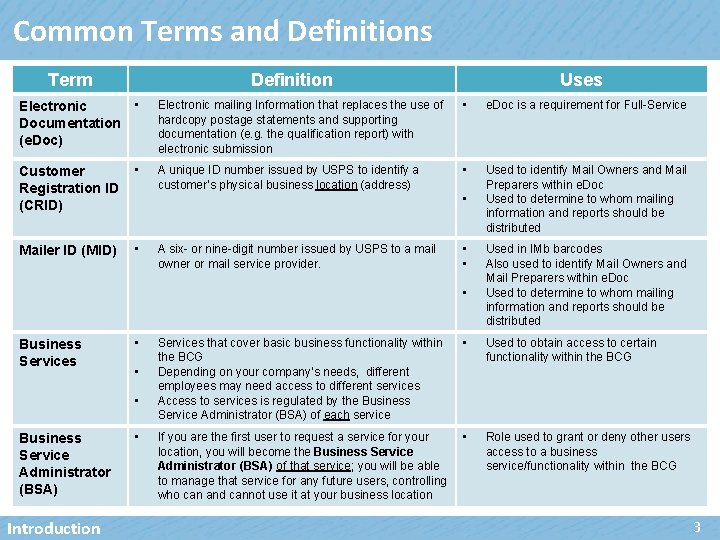
Common Terms and Definitions Term Definition Uses Electronic Documentation (e. Doc) • Electronic mailing Information that replaces the use of hardcopy postage statements and supporting documentation (e. g. the qualification report) with electronic submission • e. Doc is a requirement for Full-Service Customer Registration ID (CRID) • A unique ID number issued by USPS to identify a customer’s physical business location (address) • Used to identify Mail Owners and Mail Preparers within e. Doc Used to determine to whom mailing information and reports should be distributed Mailer ID (MID) • • A six- or nine-digit number issued by USPS to a mail owner or mail service provider. • • • Business Services • • • Business Service Administrator (BSA) Introduction • Used in IMb barcodes Also used to identify Mail Owners and Mail Preparers within e. Doc Used to determine to whom mailing information and reports should be distributed Services that cover basic business functionality within the BCG Depending on your company’s needs, different employees may need access to different services Access to services is regulated by the Business Service Administrator (BSA) of each service • Used to obtain access to certain functionality within the BCG If you are the first user to request a service for your location, you will become the Business Service Administrator (BSA) of that service; you will be able to manage that service for any future users, controlling who can and cannot use it at your business location • Role used to grant or deny other users access to a business service/functionality within the BCG 3
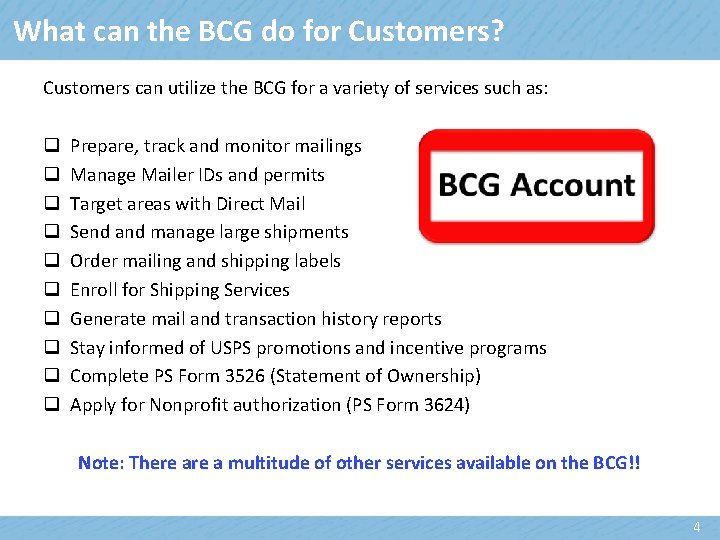
What can the BCG do for Customers? Customers can utilize the BCG for a variety of services such as: q q q q q Prepare, track and monitor mailings Manage Mailer IDs and permits Target areas with Direct Mail Send and manage large shipments Order mailing and shipping labels Enroll for Shipping Services Generate mail and transaction history reports Stay informed of USPS promotions and incentive programs Complete PS Form 3526 (Statement of Ownership) Apply for Nonprofit authorization (PS Form 3624) Note: There a multitude of other services available on the BCG!! 4

Business Customer Gateway (Landing) Page URL LINK: https: //gateway. usps. com/e. Admin/view/signin 5

New User: 1) Register Sign in: https: //gateway. usps. com/e. Admin/view/signin A new user clicks on “Register for free” BCG Account 6

New User: 2) Complete Registration Form To establish a new account, create a user name, password and two security questions Enter name, business information, phone number and email address After reviewing the Privacy Policy, click on “Create Account” and a confirmation email will be sent to the email address you provided BCG Account 7

New User: 3) Terms and Conditions Business services are used to obtain access to basic functionality within the BCG. The first user at a business location to request a particular service will become the Business Service Administrator (BSA) for that application or service. They are in charge of managing who can and cannot use a service at a business location. A business service allows a mailer to monitor balances & fees, manage permit information for business locations, submit their mailing information and postage statements electronically or provide access to schedule a mailing appointment. All users must agree to the Terms and Conditions, which can be viewed and printed from the link shown here Clicking Continue takes the new user to a Confirmation Page BCG Account 8
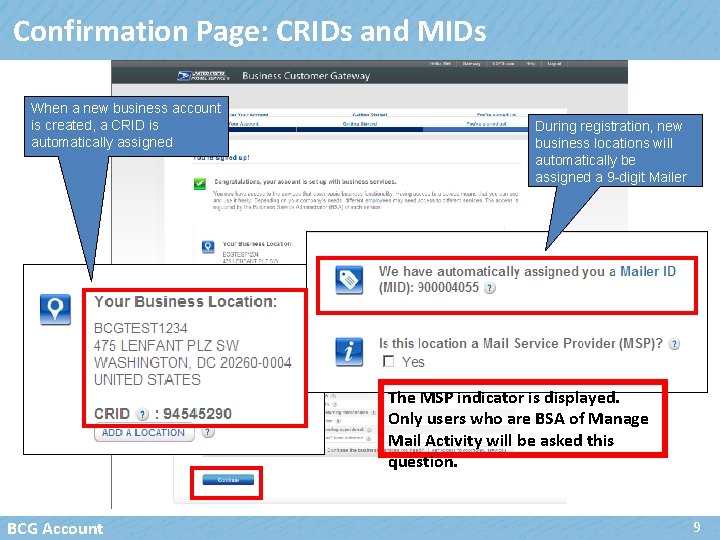
Confirmation Page: CRIDs and MIDs When a new business account is created, a CRID is automatically assigned During registration, new business locations will automatically be assigned a 9 -digit Mailer ID The MSP indicator is displayed. Only users who are BSA of Manage Mail Activity will be asked this question. BCG Account 9
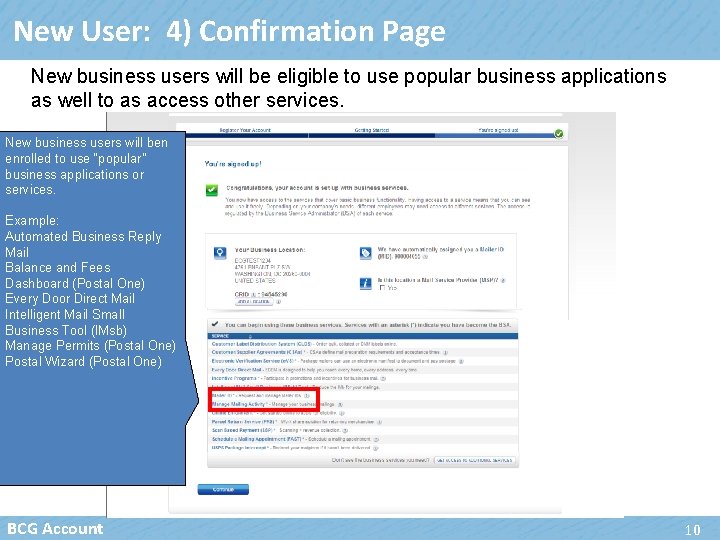
New User: 4) Confirmation Page New business users will be eligible to use popular business applications as well to as access other services. New business users will ben enrolled to use “popular” business applications or services. Example: Automated Business Reply Mail Balance and Fees Dashboard (Postal One) Every Door Direct Mail Intelligent Mail Small Business Tool (IMsb) Manage Permits (Postal One) Postal Wizard (Postal One) BCG Account 10
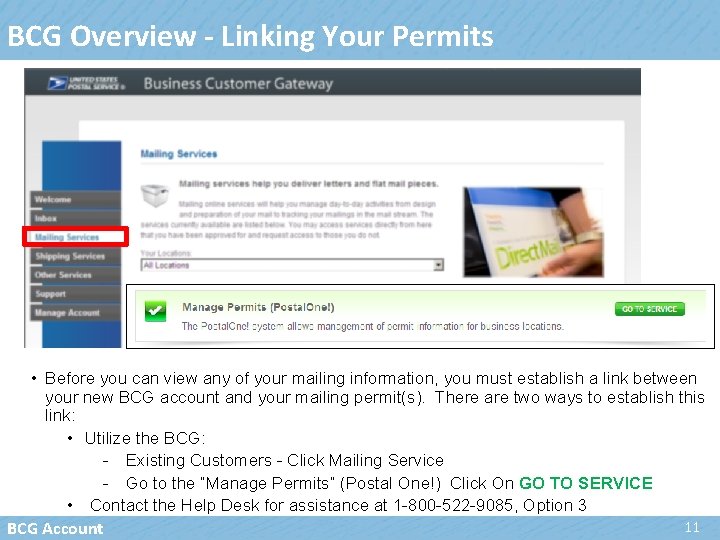
BCG Overview - Linking Your Permits • Before you can view any of your mailing information, you must establish a link between your new BCG account and your mailing permit(s). There are two ways to establish this link: • Utilize the BCG: - Existing Customers - Click Mailing Service - Go to the “Manage Permits” (Postal One!) Click On GO TO SERVICE • Contact the Help Desk for assistance at 1 -800 -522 -9085, Option 3 11 BCG Account
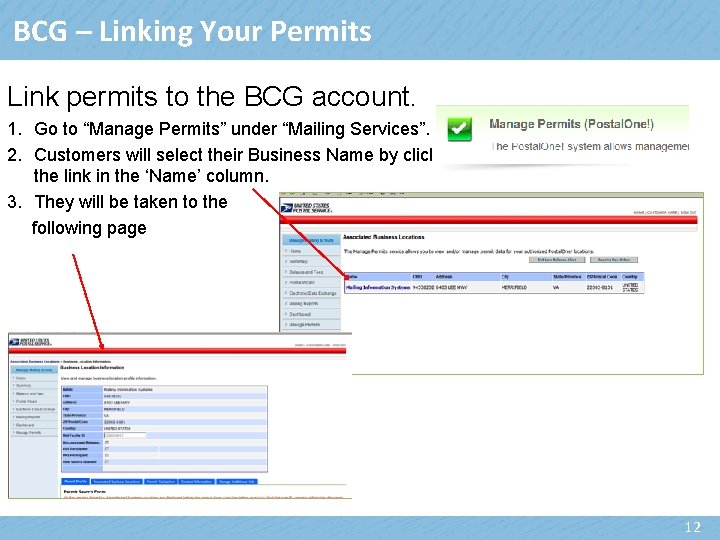
BCG – Linking Your Permits Link permits to the BCG account. 1. Go to “Manage Permits” under “Mailing Services”. 2. Customers will select their Business Name by clicking the link in the ‘Name’ column. 3. They will be taken to the following page 12

BCG - Linking Permits-con’t • Scroll to the bottom and select the ‘Permit Validation’ tab. Enter the Permit Number, Permit Type, Post Office of Mailing ZIP code (5 digit) and enter the Amount of one of the last 10 transactions on this account. Example: For a fee payment of $225. 00, enter 225. 00 or the exact amount they paid. • Customers will enter their permit information and click ‘Validate’. • NOTE: Only the Business Service Administrator can access this tab 13
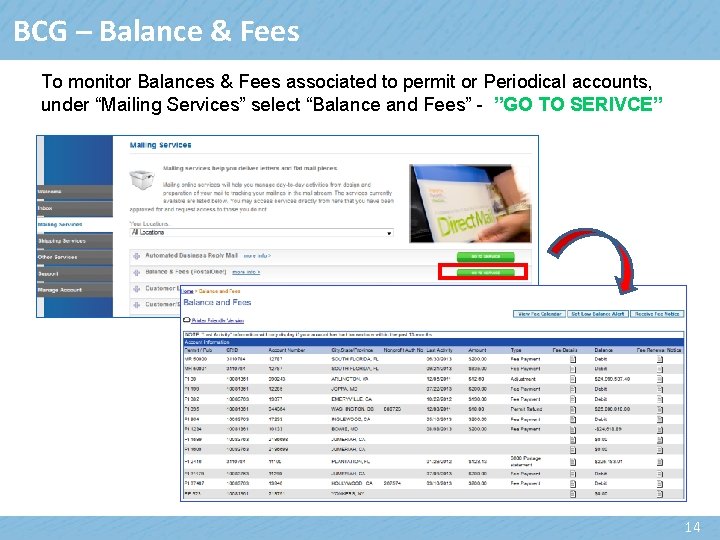
BCG – Balance & Fees To monitor Balances & Fees associated to permit or Periodical accounts, under “Mailing Services” select “Balance and Fees” - ”GO TO SERIVCE” 14
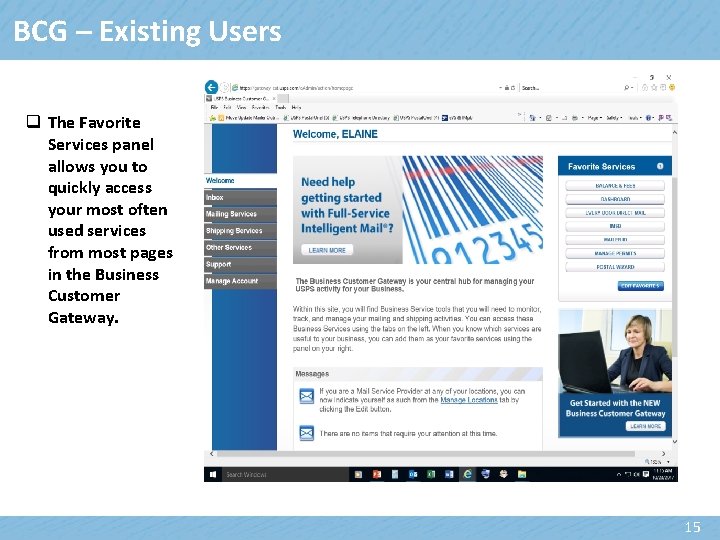
BCG – Existing Users q The Favorite Services panel allows you to quickly access your most often used services from most pages in the Business Customer Gateway. 15
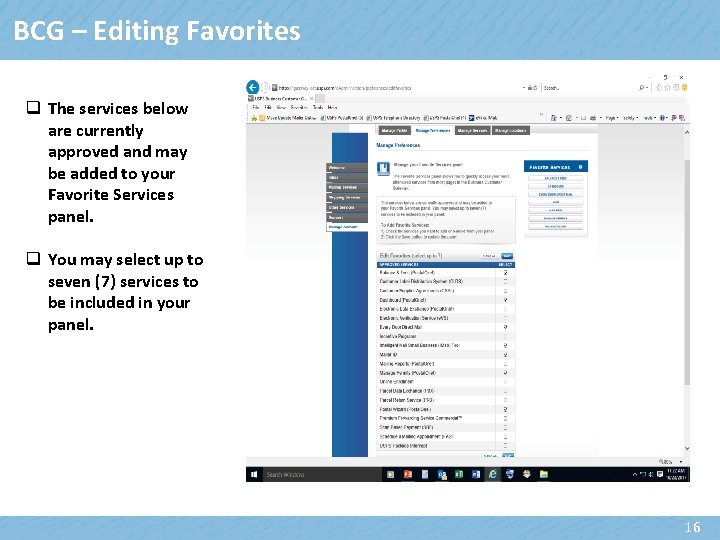
BCG – Editing Favorites q The services below are currently approved and may be added to your Favorite Services panel. q You may select up to seven (7) services to be included in your panel. 16
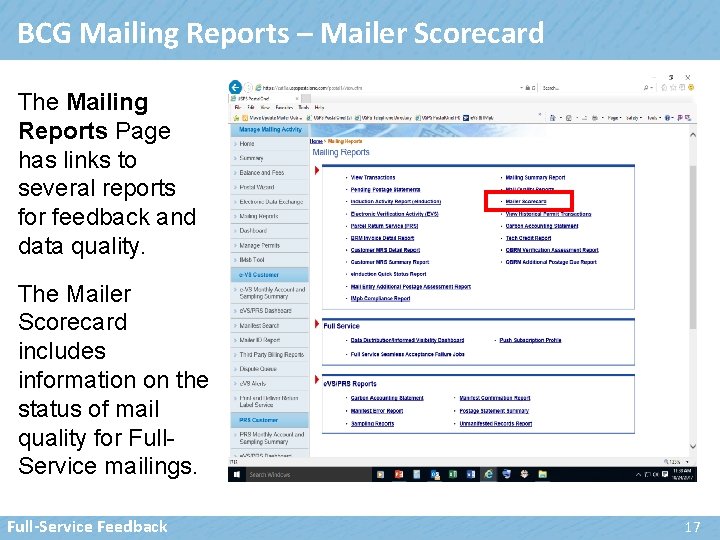
BCG Mailing Reports – Mailer Scorecard The Mailing Reports Page has links to several reports for feedback and data quality. The Mailer Scorecard includes information on the status of mail quality for Full. Service mailings. Full-Service Feedback 17
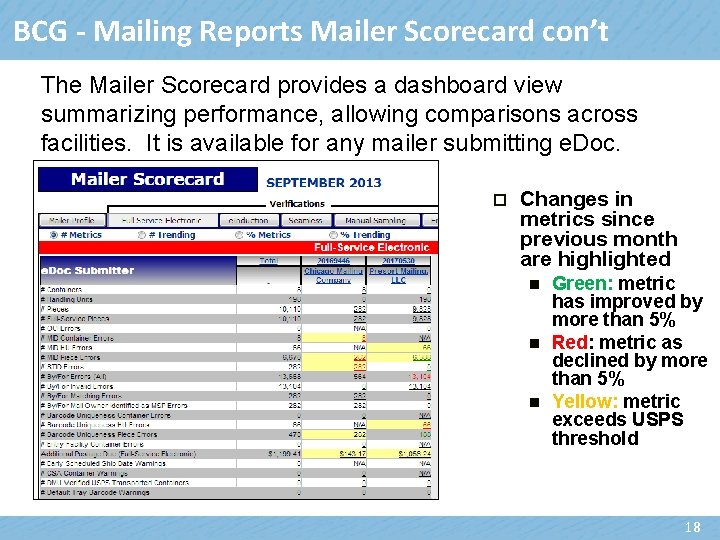
BCG - Mailing Reports Mailer Scorecard con’t The Mailer Scorecard provides a dashboard view summarizing performance, allowing comparisons across facilities. It is available for any mailer submitting e. Doc. p Changes in metrics since previous month are highlighted n n n Green: metric has improved by more than 5% Red: metric as declined by more than 5% Yellow: metric exceeds USPS threshold 18
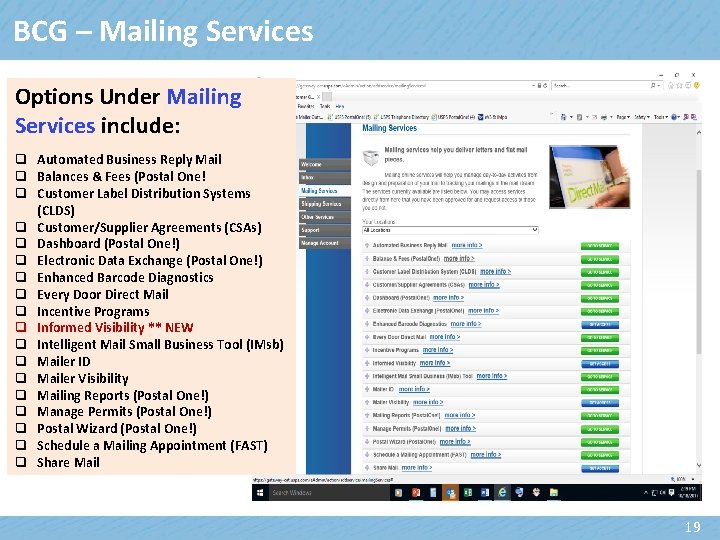
BCG – Mailing Services Options Under Mailing Services include: q Automated Business Reply Mail q Balances & Fees (Postal One! q Customer Label Distribution Systems (CLDS) q Customer/Supplier Agreements (CSAs) q Dashboard (Postal One!) q Electronic Data Exchange (Postal One!) q Enhanced Barcode Diagnostics q Every Door Direct Mail q Incentive Programs q Informed Visibility ** NEW q Intelligent Mail Small Business Tool (IMsb) q Mailer ID q Mailer Visibility q Mailing Reports (Postal One!) q Manage Permits (Postal One!) q Postal Wizard (Postal One!) q Schedule a Mailing Appointment (FAST) q Share Mail 19
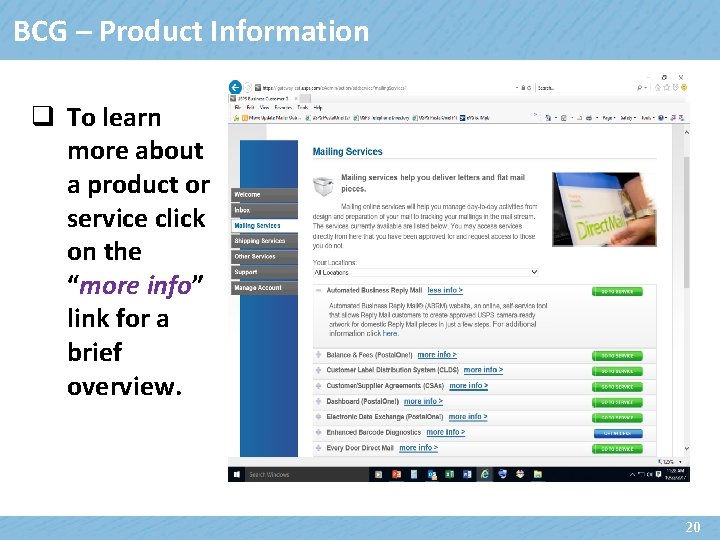
BCG – Product Information q To learn more about a product or service click on the “more info” link for a brief overview. 20
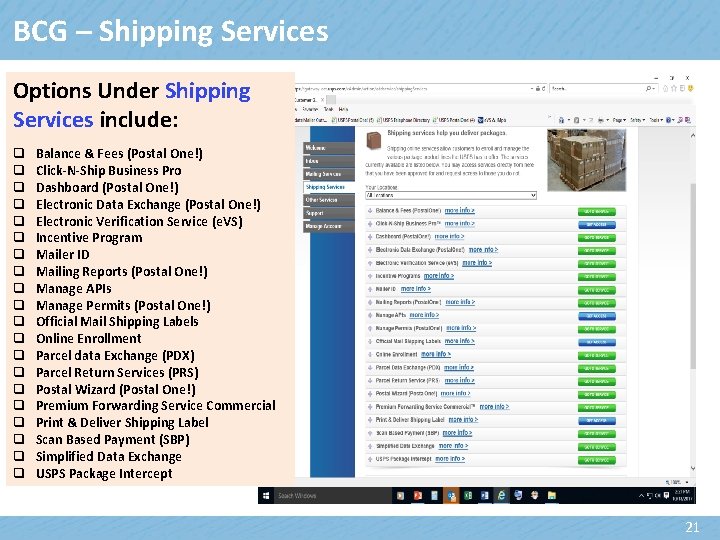
BCG – Shipping Services Options Under Shipping Services include: q q q q q Balance & Fees (Postal One!) Click-N-Ship Business Pro Dashboard (Postal One!) Electronic Data Exchange (Postal One!) Electronic Verification Service (e. VS) Incentive Program Mailer ID Mailing Reports (Postal One!) Manage APIs Manage Permits (Postal One!) Official Mail Shipping Labels Online Enrollment Parcel data Exchange (PDX) Parcel Return Services (PRS) Postal Wizard (Postal One!) Premium Forwarding Service Commercial Print & Deliver Shipping Label Scan Based Payment (SBP) Simplified Data Exchange USPS Package Intercept 21
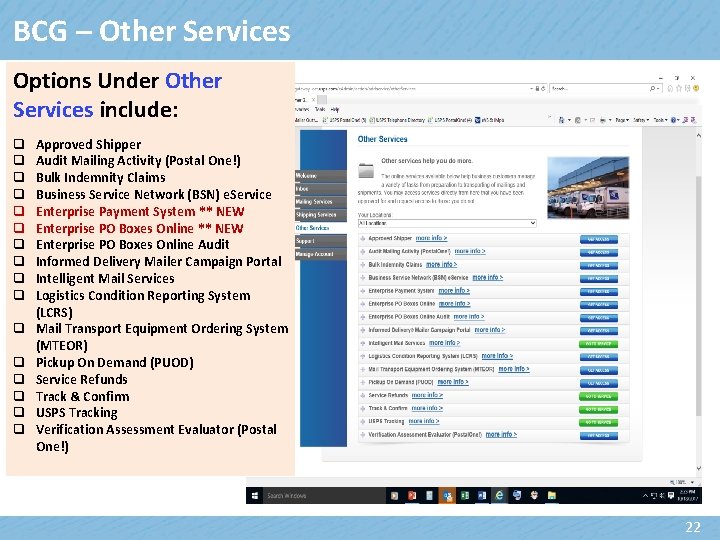
BCG – Other Services Options Under Other Services include: q q q q Approved Shipper Audit Mailing Activity (Postal One!) Bulk Indemnity Claims Business Service Network (BSN) e. Service Enterprise Payment System ** NEW Enterprise PO Boxes Online Audit Informed Delivery Mailer Campaign Portal Intelligent Mail Services Logistics Condition Reporting System (LCRS) Mail Transport Equipment Ordering System (MTEOR) Pickup On Demand (PUOD) Service Refunds Track & Confirm USPS Tracking Verification Assessment Evaluator (Postal One!) 22
Enterprise Payment System (EPS) **NEW q Allows business customers the option to setup and manage a centralized and secure payment account online. q Pay for products and services with a ACH Debit or Trust using a single account. q Minimizes the need for hardcopy forms q Provides an overall view of spending q View account payments, balances, and transaction history q Personalize account notifications and alerts q Customized payment reporting and dashboard capabilities q Through the BCG – call 1 -800 -522 -9085 ü Create an Enterprise Payment Account ü Link EPS Account to Products/Services ü Email: paymentmodernizationmigrationteam@usps. gov q Additional information: https: //postalpro. usps. com 23
BCG – Enterprise PO Boxes Online (EPOBOL) **NEW q Open, close, pay and renew multiple PO Boxes, Caller Services and Reserve Callers online using a single account. q Payment Methods: ACH Debit / Trust Account q View Account payments, balance and transaction history q Receive account notifications and alerts q Customized payment reporting and dashboard capabilities q The USPS Mail Entry & Payment Technology Migration Team will provide support with a one-time migration process. Send an email to: paymentmodernizationmigrationteam@usps. gov q For assistance with BCG setup call 1 -800 -522 -9085 24
BCG – EPS Service for Commercial Mailers **NEW q Commercial Mailers sending letters and flats can make payment for their mailings submitted through Postal One! using the EPS payment system in the BCG. q This eliminates the need to mail in checks or stand on line to pay annual fees and/or deposit funds into your permit account(s). For assistance contact: ü BCG Help Desk: 1 -800 -522 -9085 ü Email: paymentmodernizationmigrationteam@usps. gov 25
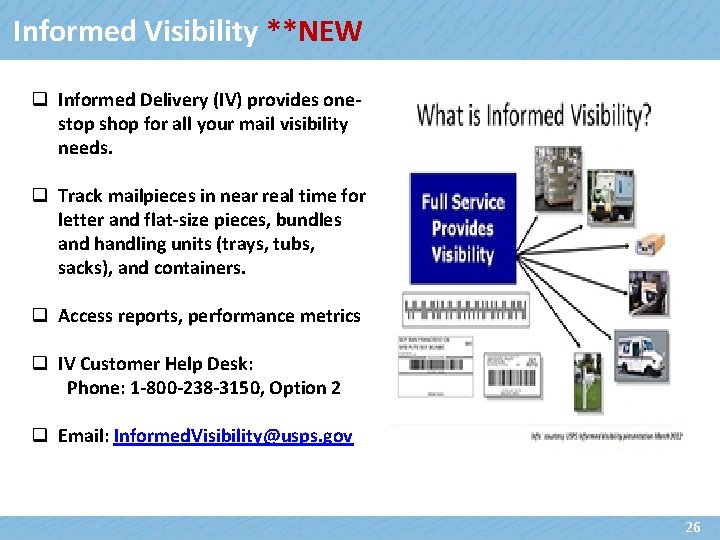
Informed Visibility **NEW q Informed Delivery (IV) provides onestop shop for all your mail visibility needs. q Track mailpieces in near real time for letter and flat-size pieces, bundles and handling units (trays, tubs, sacks), and containers. q Access reports, performance metrics q IV Customer Help Desk: Phone: 1 -800 -238 -3150, Option 2 q Email: Informed. Visibility@usps. gov 26
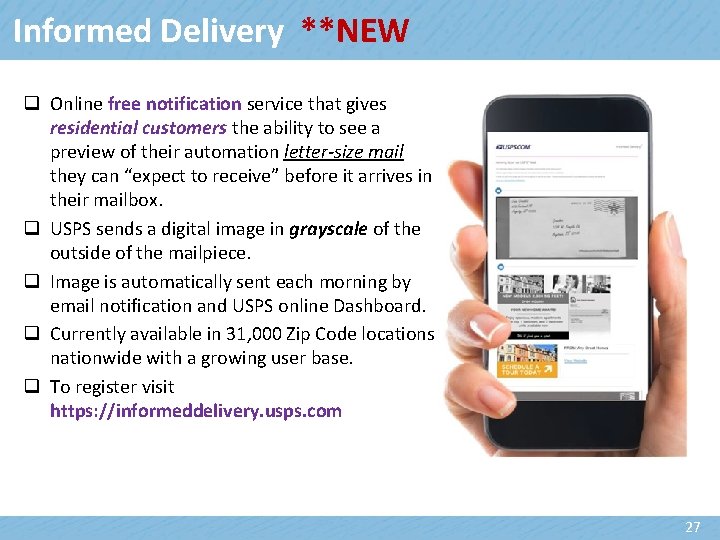
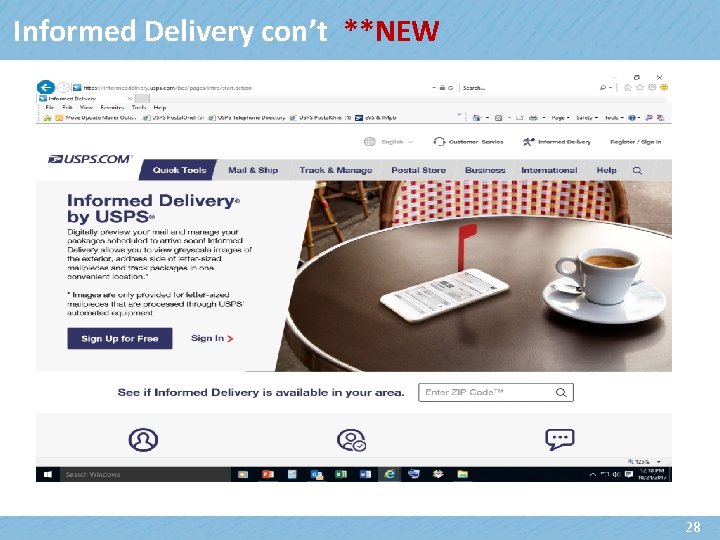
Informed Delivery **NEW q Online free notification service that gives residential customers the ability to see a preview of their automation letter-size mail they can “expect to receive” before it arrives in their mailbox. q USPS sends a digital image in grayscale of the outside of the mailpiece. q Image is automatically sent each morning by email notification and USPS online Dashboard. q Currently available in 31, 000 Zip Code locations nationwide with a growing user base. q To register visit https: //informeddelivery. usps. com 27
Informed Delivery con’t **NEW 28
Passport Update – Domestic Air Travel q Real ID Act – passed by Congress in 2015, the REAL ID ACT was enacted by the 9/11 Commission’s recommendation that the Federal Government set standards for acceptable forms used for identification (eg: driver’s licenses) when flying domestically to inhibit terrorists’ ability to evade detection by using fraudulent ID. q Starting January 22, 2018 adults passengers 18 years of age and older flying domestically within the US must show valid identification at Airport Checkpoints in order to board their flight. ü U. S. Passport Card ü DHS trusted traveler cards (Global Entry, NEXUS, SENTRI, FAST) ü U. S. military ID (active duty or retired military and their dependents, and Do. D civilians) ü Permanent resident card ü Border crossing card 29
Passport Update – Domestic Air Travel con’t ü ü ü ü DHS-designated enhanced driver's license Federally recognized, tribal-issued photo ID HSPD-12 PIV card Foreign government-issued passport Canadian provincial driver's license or Indian and Northern Affairs Canada card Transportation worker identification credential U. S. Citizenship and Immigration Services Employment Authorization Card (I-766) U. S. Merchant Mariner Credential q Starting October 1, 2020 every traveler will need to show a REAL IDcompliant license that is acceptable for domestic air travel in the U. S. q To learn more visit the Transportation Security Administration (TSA) website: https: //tsa. gov/security-screening/identification q To check if a state is compliant or has an extension visit the Department of Homeland Security (DHS) website: https: //www. dhs. gov/current-status-states-territories 30
USPS Retail Customer Appointment Scheduler (RCAS) Tool ***NEW q Millions of passport applications are processed by the USPS through walk-ins and by appointment. q The USPS Retail Customer Appointment Scheduler (RCAS) Tool is available for scheduling first-time passport application appointments online. q Available through USPS. COM ü Select a day and Post Office location ü Provide the number of family members ü Provide the City and State or Zip Code q Schedule, view and cancel appointments q Users receive notifications about their scheduled appointment throughout the appointment process q Website: www. usps. com/scheduler 31
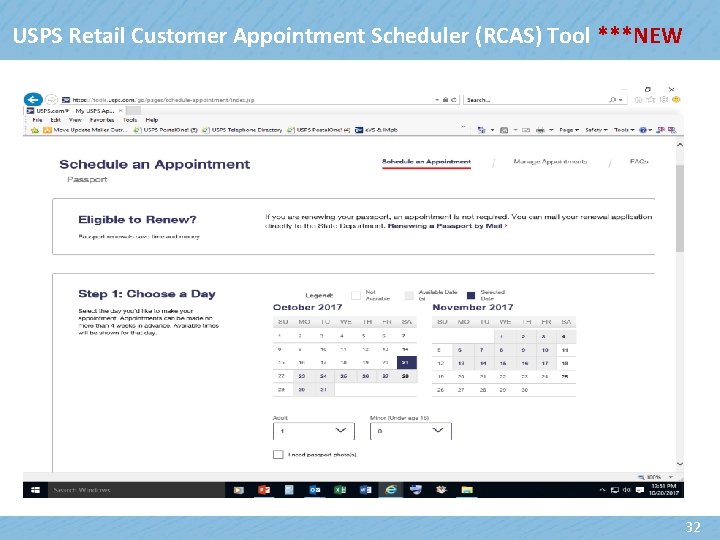
USPS Retail Customer Appointment Scheduler (RCAS) Tool ***NEW 32

Questions 33
- Slides: 33