
Business Continuity Planning Disaster Recovery Lauren Farese Oracle
Business Continuity Planning & Disaster Recovery Lauren Farese – Oracle Corporation Paul Christman – Quest Software

What happened August 14, 2003?
Disasters happen every day. . . its a fact! • Disasters are inevitable and costly so why are so many unprepared? • Effective organizations have: – – management foresight tested procedures processes back-up facilities • Business Continuity Planning (BCP)
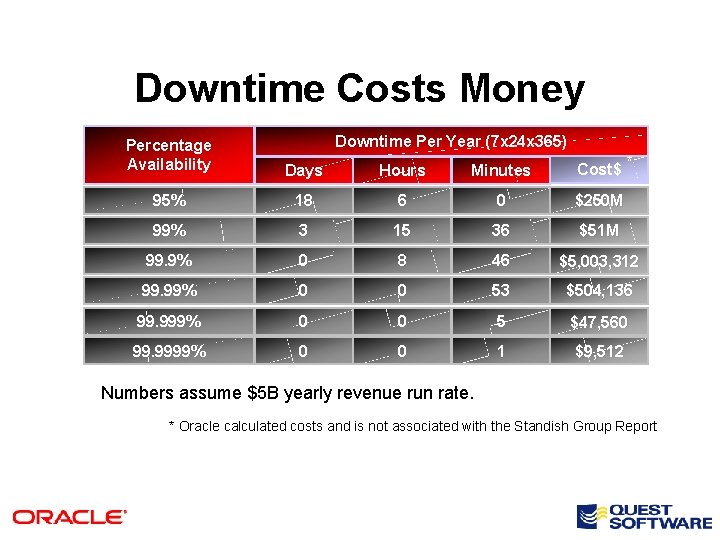
Downtime Costs Money Downtime Per Year (7 x 24 x 365) Percentage Availability Days Hours Minutes 95% 18 6 0 $250 M 99% 3 15 36 $51 M 99. 9% 0 8 46 $5, 003, 312 99. 99% 0 0 53 $504, 136 99. 999% 0 0 5 $47, 560 99. 9999% 0 0 1 $9, 512 Cost$ * Numbers assume $5 B yearly revenue run rate. * Oracle calculated costs and is not associated with the Standish Group Report
Business Continuity Planning vs. Disaster Recovery Planning • Both are directed at recovery of operations • Business Continuity Planning is directed at the recovery and resumption of business activities across the entire enterprise • Disaster Recovery Planning is usually directed at the recovery of information technology systems and business applications, including corporate data • BCP addresses Processes, People and Property
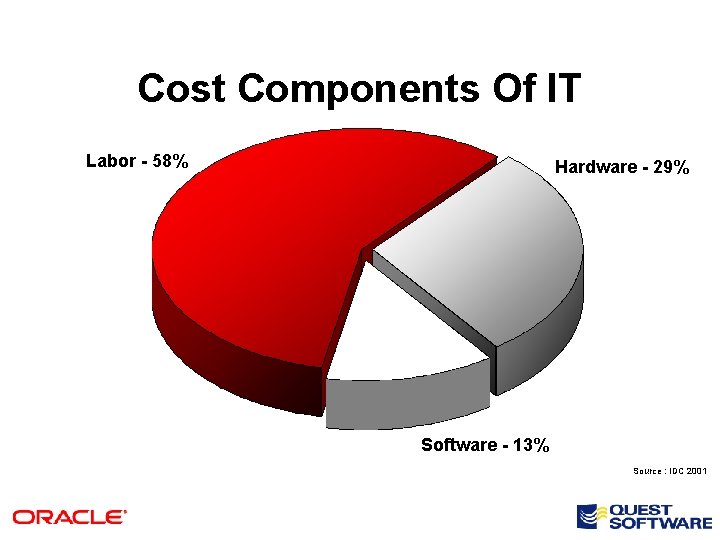
Cost Components Of IT Labor - 58% Hardware - 29% Software - 13% Source : IDC 2001
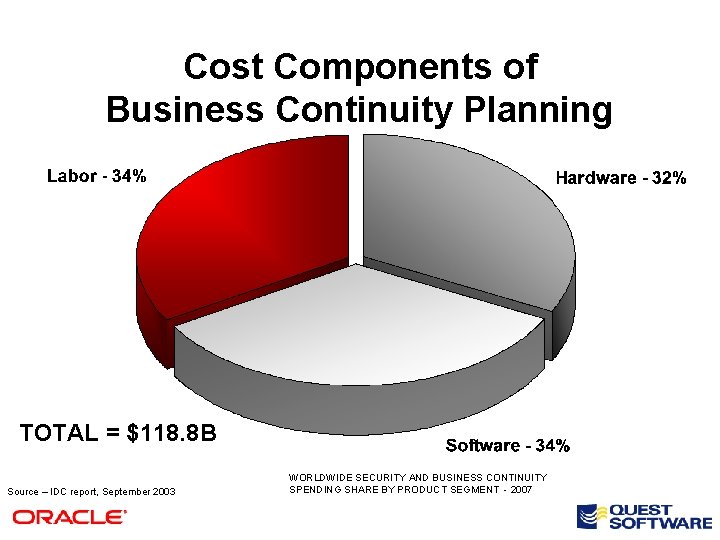
Cost Components of Business Continuity Planning TOTAL = $118. 8 B Source – IDC report, September 2003 WORLDWIDE SECURITY AND BUSINESS CONTINUITY SPENDING SHARE BY PRODUCT SEGMENT - 2007
Business Continuity is Different • Glass is half empty – We are throwing technology at the problem • Glass is half full – We are properly automating in a systematic way • Technology cannot be the complete answer
Business Continuity Themes • Disaster recovery – Plan for site or component outage that affects mission-critical applications • Business recovery & resumption – Address mission-critical business processing in case of site outage – Plan workarounds in case of application outage • Contingency planning – External event forces change to the internal business process • Crisis management – Address the overall management of the event – Build plans to protect employees – Maintain confidence in government
Techniques & Tips for Business Continuity Planning
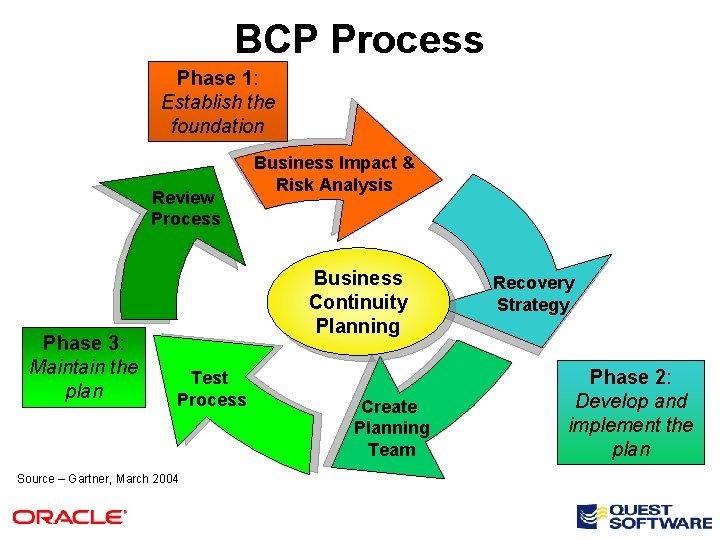
BCP Process Phase 1: Establish the foundation Review Process Phase 3: Maintain the plan Business Impact & Risk Analysis Business Continuity Planning Test Process Source – Gartner, March 2004 Create Planning Team Recovery Strategy Phase 2: Develop and implement the plan
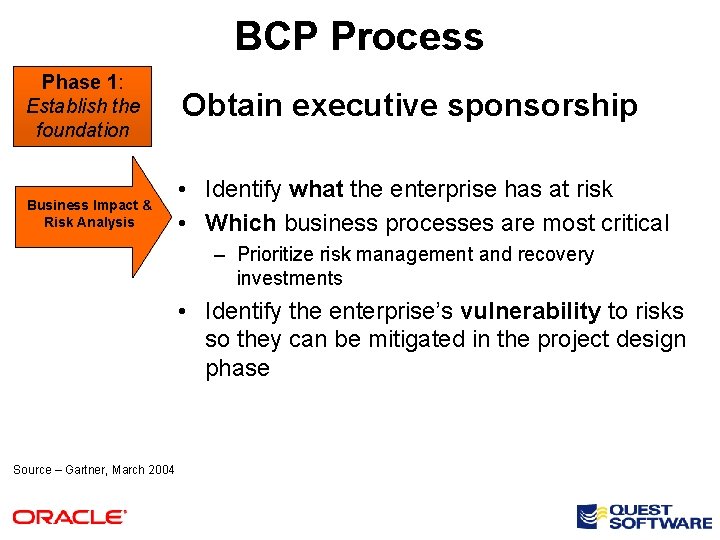
BCP Process Phase 1: Establish the foundation Business Impact & Risk Analysis Obtain executive sponsorship • Identify what the enterprise has at risk • Which business processes are most critical – Prioritize risk management and recovery investments • Identify the enterprise’s vulnerability to risks so they can be mitigated in the project design phase Source – Gartner, March 2004
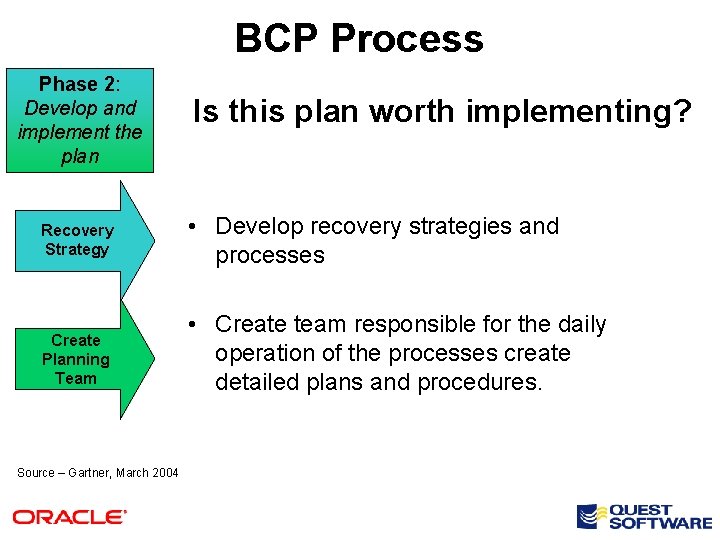
BCP Process Phase 2: Develop and implement the plan Is this plan worth implementing? Recovery Strategy • Develop recovery strategies and processes Create Planning Team • Create team responsible for the daily operation of the processes create detailed plans and procedures. Source – Gartner, March 2004
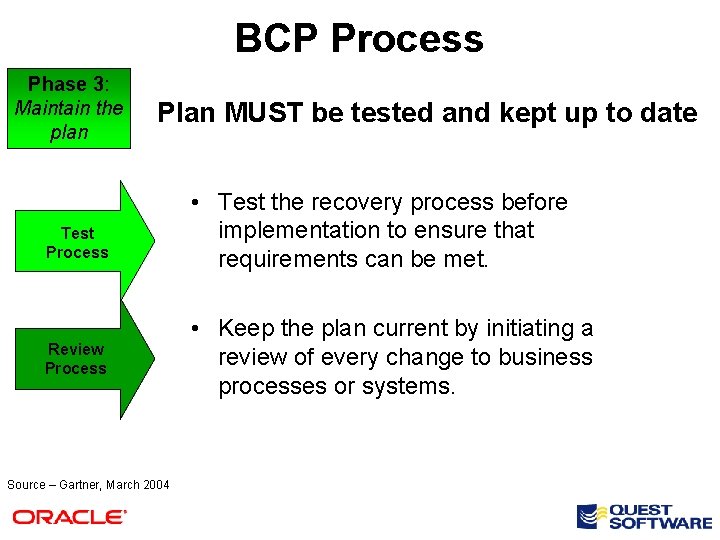
BCP Process Phase 3: Maintain the plan Plan MUST be tested and kept up to date Test Process Review Process Source – Gartner, March 2004 • Test the recovery process before implementation to ensure that requirements can be met. • Keep the plan current by initiating a review of every change to business processes or systems.
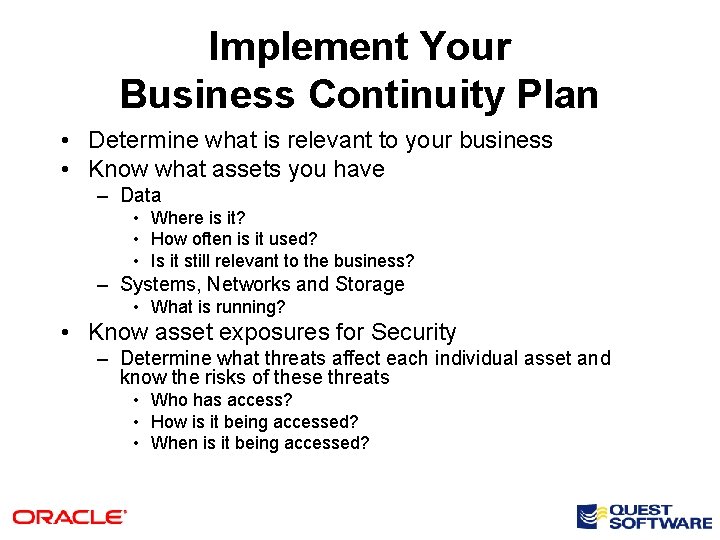
Implement Your Business Continuity Plan • Determine what is relevant to your business • Know what assets you have – Data • Where is it? • How often is it used? • Is it still relevant to the business? – Systems, Networks and Storage • What is running? • Know asset exposures for Security – Determine what threats affect each individual asset and know the risks of these threats • Who has access? • How is it being accessed? • When is it being accessed?
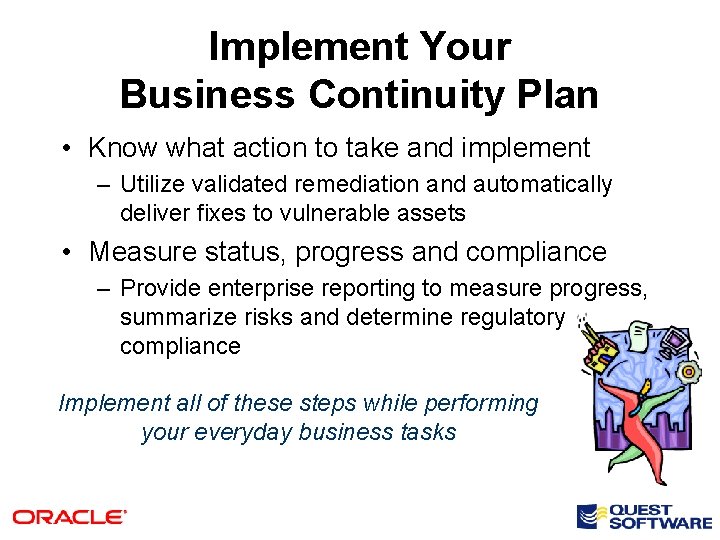
Implement Your Business Continuity Plan • Know what action to take and implement – Utilize validated remediation and automatically deliver fixes to vulnerable assets • Measure status, progress and compliance – Provide enterprise reporting to measure progress, summarize risks and determine regulatory compliance Implement all of these steps while performing your everyday business tasks
What about the technology?
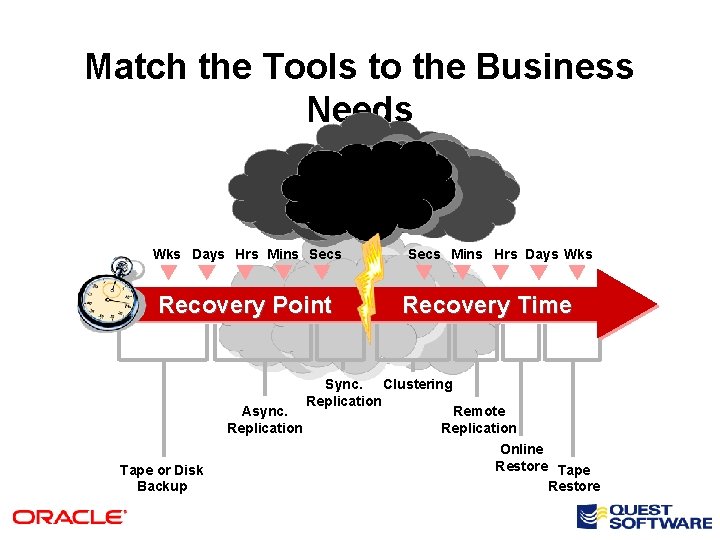
Match the Tools to the Business Needs Wks Days Hrs Mins Secs Recovery Point Async. Replication Tape or Disk Backup Secs Mins Hrs Days Wks Recovery Time Sync. Clustering Replication Remote Replication Online Restore Tape Restore
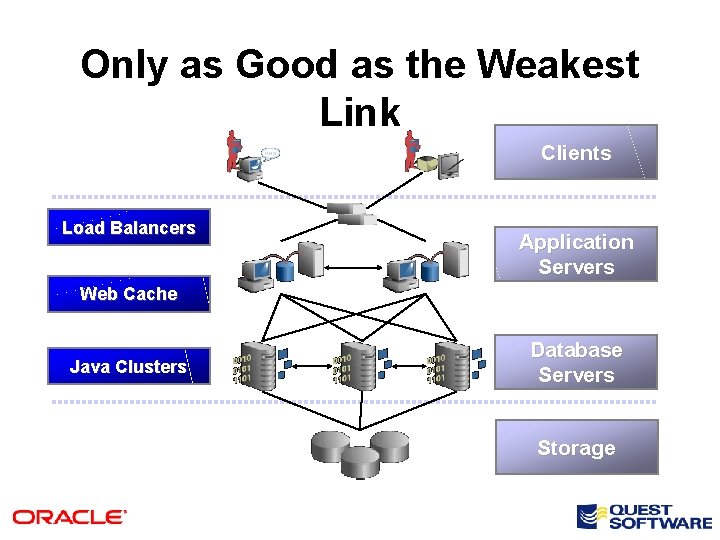
Only as Good as the Weakest Link Clients Load Balancers Application Servers Web Cache Java Clusters Database Servers Storage
BC/DR Must Address Every Component • Network Infrastructure • Data Storage – online, near-line and off-line • Application servers and their offspring Any component down = the entire system is unusable
Network Infrastructure • Wide Area Traffic Manager to direct client traffic to proper site • Network load balancer to distribute incoming requests • Dedicated, fast link between sites – Influences production database performance • Redundant components and paths – Network paths to the site and within the site
BC/DR Techniques for Data Storage • Snapshots – frequent, within an array, FC, temporary • Mirrors – frequent, in a different array, FC, temporary • Replicas – synchronous or async, remote or local, FC or IP, temporary or semi-permanent • Near-Line Disk – infrequent, x-platform, FC or IP, BI copy, DLM, or staging for backup • Tape Backup – infrequent, FC or IP, required best practice for DR
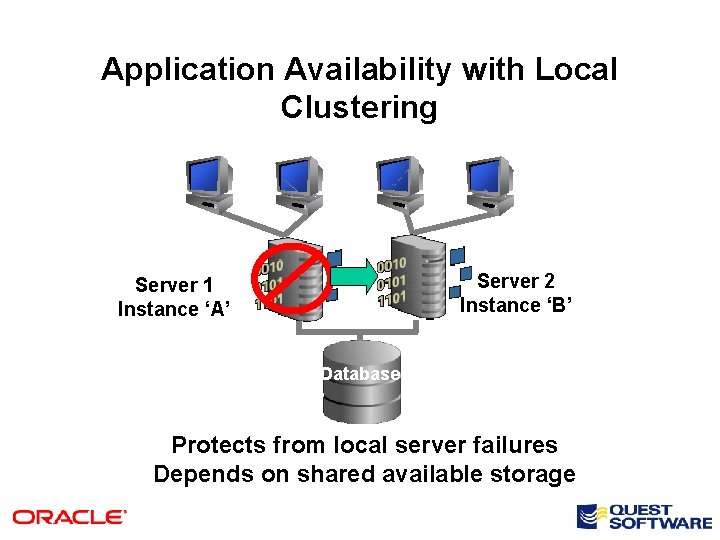
Application Availability with Local Clustering Server 2 Instance ‘B’ Server 1 Instance ‘A’ Database Protects from local server failures Depends on shared available storage
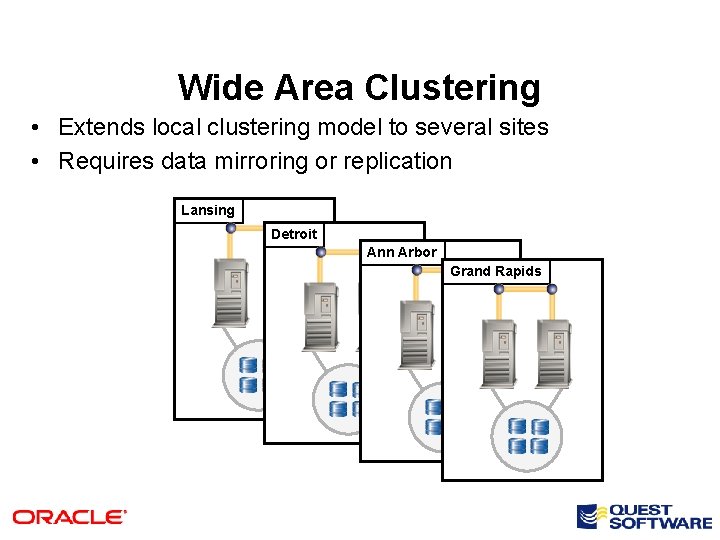
Wide Area Clustering • Extends local clustering model to several sites • Requires data mirroring or replication Lansing Detroit Ann Arbor Grand Rapids
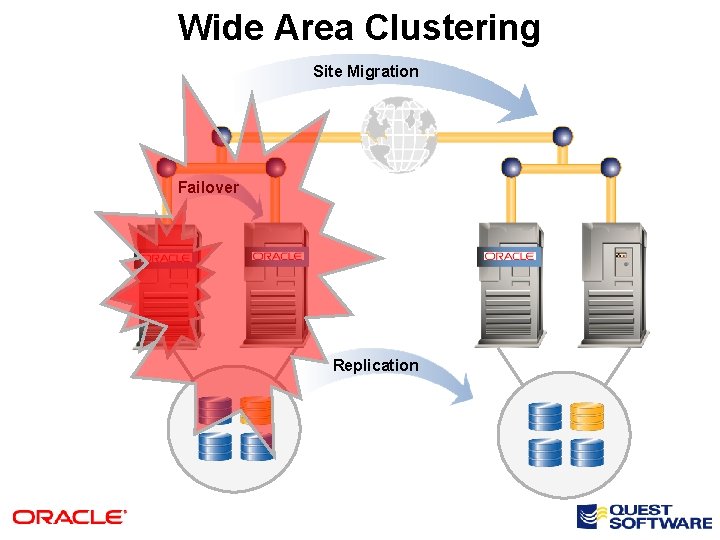
Wide Area Clustering Site Migration Failover Replication
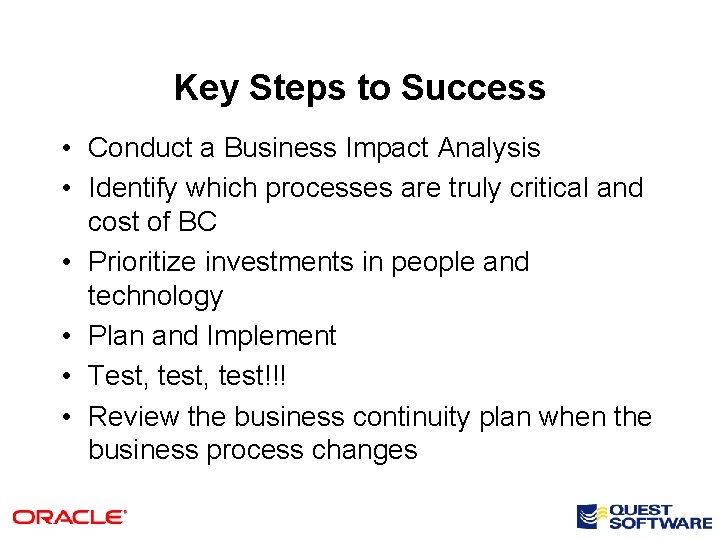
Key Steps to Success • Conduct a Business Impact Analysis • Identify which processes are truly critical and cost of BC • Prioritize investments in people and technology • Plan and Implement • Test, test!!! • Review the business continuity plan when the business process changes
“The pessimist sees difficulty in every opportunity. The optimist sees opportunity in every difficulty” - Winston Churchill
- Slides: 27