
Business Analyzer Overview www nice com Insight from
Business Analyzer Overview www. nice. com Insight from Interactions Analyzer INSIGHT FROMBusiness INTERACTIONS 1
Lesson Objectives § Describe the modules of the Business Analyzer § Describe the Evaluation workflow § Clarify important terminology § Differentiate between a Segment and Complete interaction Insight from Interactions 2 Business Analyzer
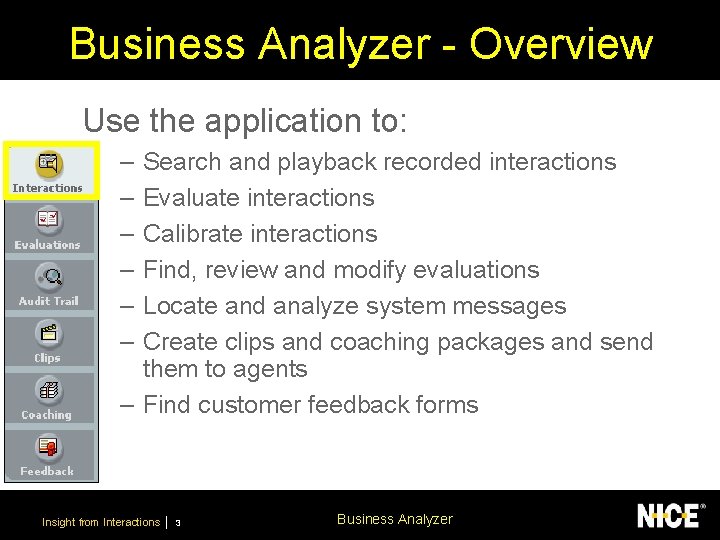
Business Analyzer - Overview Use the application to: – – – Search and playback recorded interactions Evaluate interactions Calibrate interactions Find, review and modify evaluations Locate and analyze system messages Create clips and coaching packages and send them to agents – Find customer feedback forms Insight from Interactions 3 Business Analyzer
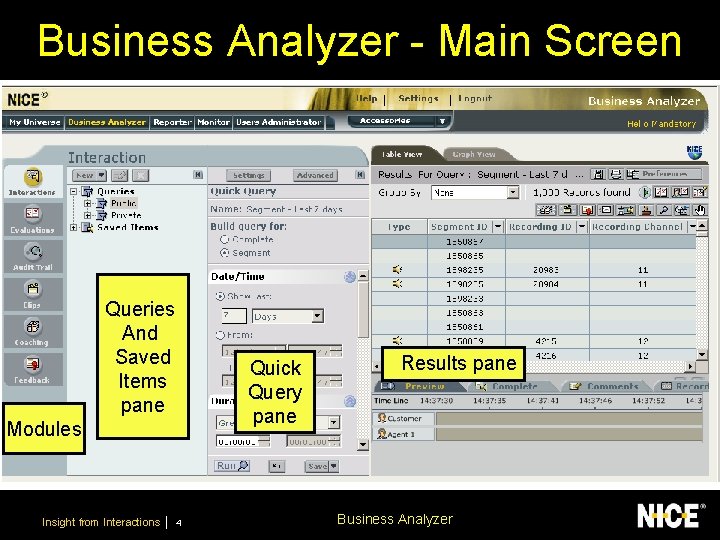
Business Analyzer - Main Screen Queries And Saved Items pane Quick Query pane Modules Insight from Interactions 4 Results pane Business Analyzer
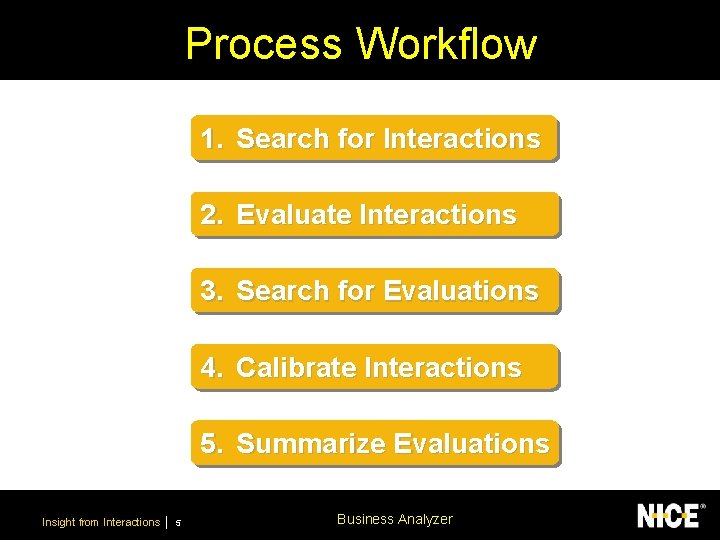
Process Workflow 1. Search for Interactions 2. Evaluate Interactions 3. Search for Evaluations 4. Calibrate Interactions 5. Summarize Evaluations Insight from Interactions 5 Business Analyzer
Terminology Review § Review the meaning of important terms by “matching the columns” Open up the linked file - BA_Graph_View. htm from the CD Insight from Interactions 6 Business Analyzer
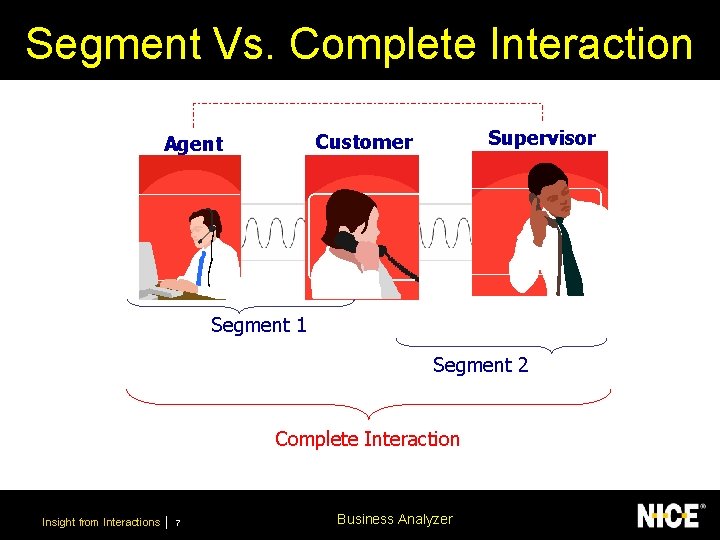
Segment Vs. Complete Interaction Supervisor Customer Agent Segment 1 Segment 2 Complete Interaction Insight from Interactions 7 Business Analyzer
Questions for Discussion § What is the advantage of being able to view an interaction that has both audio and screen? § Will you use calibrations? If so, who will perform calibrations? § Will you allow your agents to evaluate themselves? Insight from Interactions 8 Business Analyzer
What did we do? § Described the modules of the Business Analyzer § Described the Evaluation workflow § Clarified important terminology § Differentiated between a Segment and Complete interaction Insight from Interactions 9 Business Analyzer
Business Analyzer Search for Interactions www. nice. com Analyzer INSIGHT FROMBusiness INTERACTIONS Insight from Interactions 10
Lesson Objectives § Create and execute queries for interactions § Playback interactions § Save interactions Insight from Interactions 11 Business Analyzer
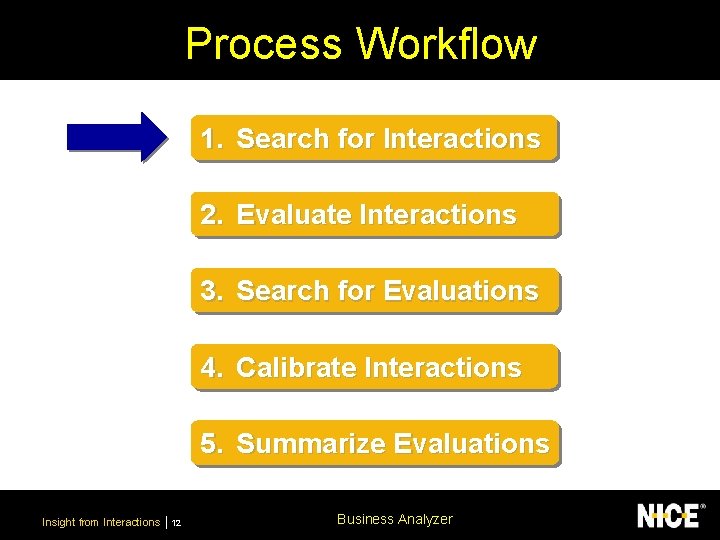
Process Workflow 1. Search for Interactions 2. Evaluate Interactions 3. Search for Evaluations 4. Calibrate Interactions 5. Summarize Evaluations Insight from Interactions 12 Business Analyzer
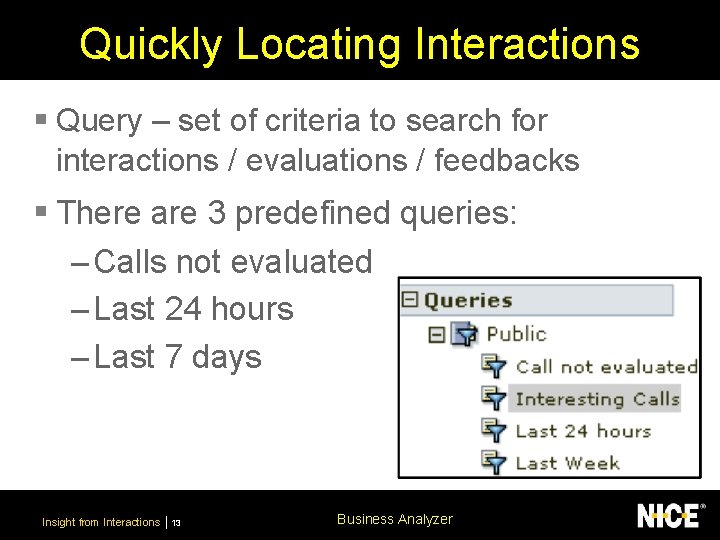
Quickly Locating Interactions § Query – set of criteria to search for interactions / evaluations / feedbacks § There are 3 predefined queries: – Calls not evaluated – Last 24 hours – Last 7 days Insight from Interactions 13 Business Analyzer
Quick Query § The quick query displays the most frequency used search criteria § Users can set their own search criteria and determine how they are displayed in the quick query pane Insight from Interactions 14 Business Analyzer
Create a Quick Query § Create and run a quick query for interactions Open up the file GLD_BA_Interactions_Quick Query. doc from the CD Insight from Interactions 15 Business Analyzer
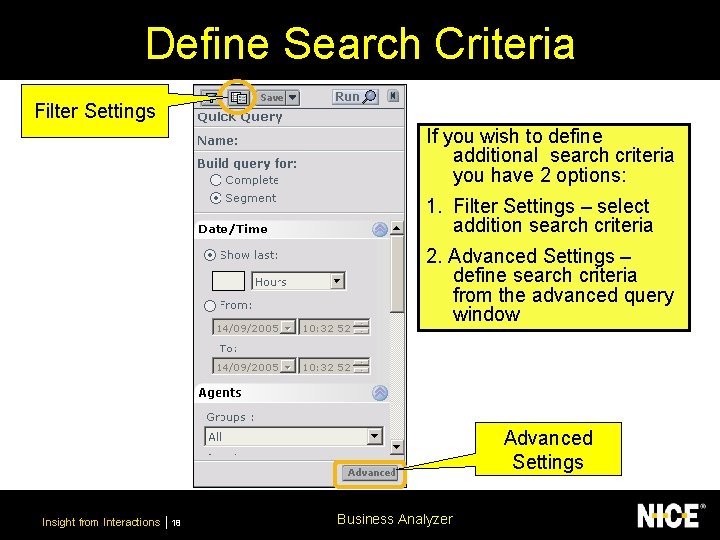
Define Search Criteria Filter Settings If you wish to define additional search criteria you have 2 options: 1. Filter Settings – select addition search criteria 2. Advanced Settings – define search criteria from the advanced query window Advanced Settings Insight from Interactions 18 Business Analyzer
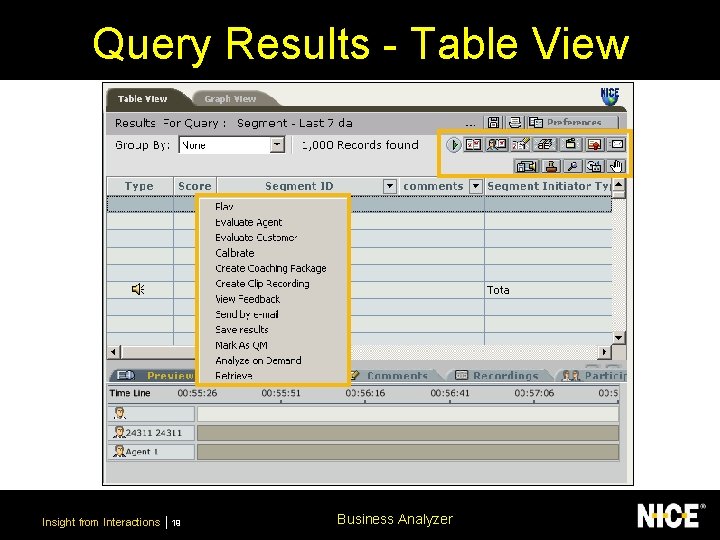
Query Results - Table View Insight from Interactions 19 Business Analyzer
Query Results - Graph View § View a demo of the various features and options in the Graph view Open up the linked file - BA_Graph_View. htm from the CD Insight from Interactions 20 Business Analyzer
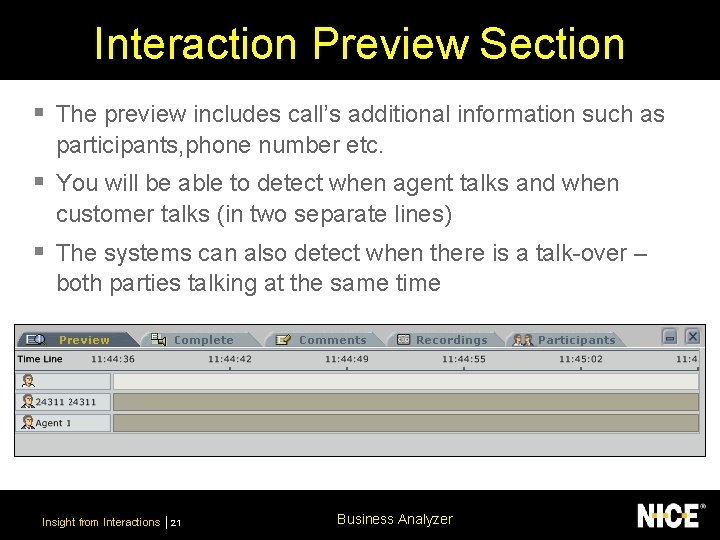
Interaction Preview Section § The preview includes call’s additional information such as participants, phone number etc. § You will be able to detect when agent talks and when customer talks (in two separate lines) § The systems can also detect when there is a talk-over – both parties talking at the same time Insight from Interactions 21 Business Analyzer
Advanced Query for an Interaction § Create an Advanced query for an interaction Open up the file GLD_BA_Interactions_Advanced Query. doc from the CD Insight from Interactions 22 Business Analyzer
Searching for Interactions By Comment § View a demo of how to perform a search for interactions based on a specific comment Open up the file Full Comment Demo. htm from the CD Insight from Interactions 26 Business Analyzer
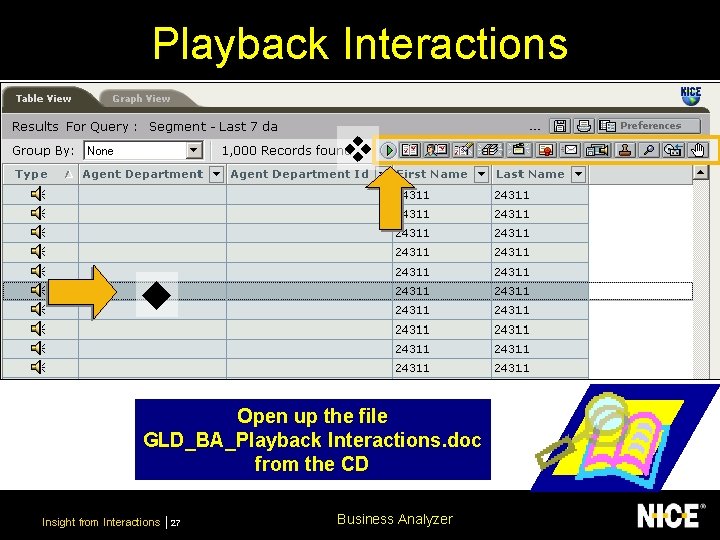
Playback Interactions Open up the file GLD_BA_Playback Interactions. doc from the CD Insight from Interactions 27 Business Analyzer
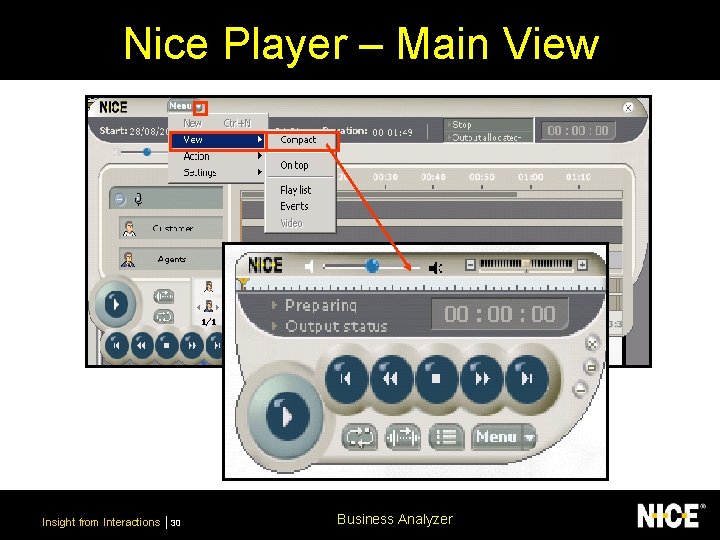
Nice Player – Main View Insight from Interactions 30 Business Analyzer
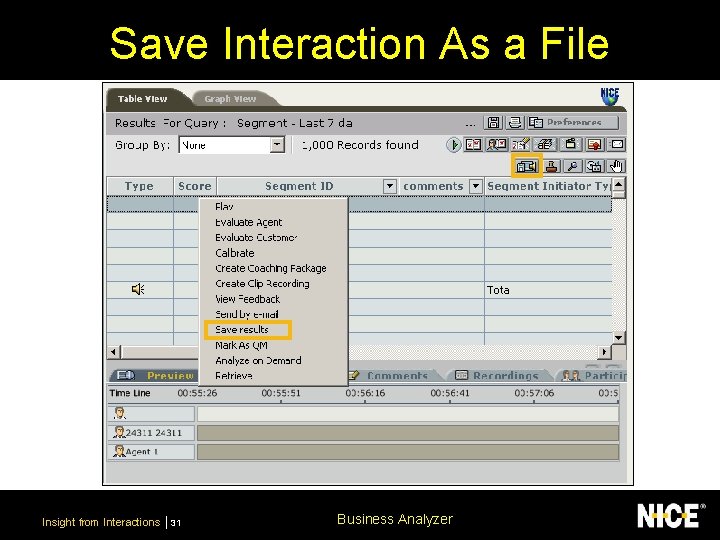
Save Interaction As a File Insight from Interactions 31 Business Analyzer
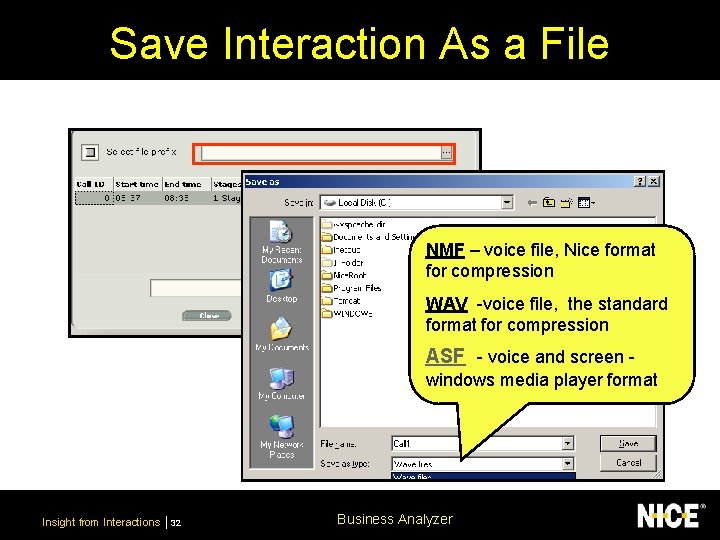
Save Interaction As a File NMF – voice file, Nice format for compression WAV -voice file, the standard format for compression ASF - voice and screen windows media player format Insight from Interactions 32 Business Analyzer
What did we do? § Created and executed queries for interactions § Played back interactions § Saved interactions Insight from Interactions 33 Business Analyzer
Business Analyzer Evaluate Interactions www. nice. com Analyzer INSIGHT FROMBusiness INTERACTIONS Insight from Interactions 34
Lesson Objectives § Understand the purpose an 3 different types of evaluations § Create and execute queries for evaluations § Set a default evaluation form Insight from Interactions 35 Business Analyzer
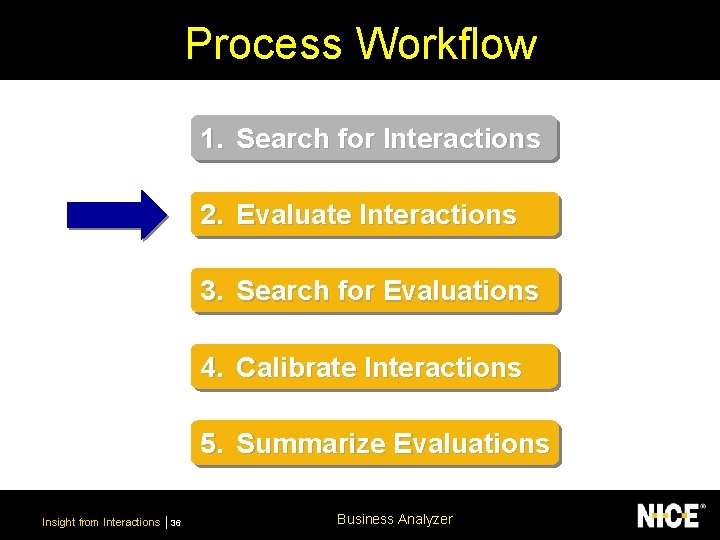
Process Workflow 1. Search for Interactions 2. Evaluate Interactions 3. Search for Evaluations 4. Calibrate Interactions 5. Summarize Evaluations Insight from Interactions 36 Business Analyzer
Evaluations § Analyze the performance of individuals to improve the service quality at your site § Evaluate: – Agents interactions with customers (Agent evaluation) – A Customer’s experience during an interaction (Customer Experience evaluation) – Your own performance (Self evaluation) § Use custom-designed online evaluation forms Insight from Interactions 37 Business Analyzer
Agent Evaluate § Evaluate an agent’s interaction with a customer Open up the file GLD_BA_Interactions_Evaluation. doc from the CD Insight from Interactions 38 Business Analyzer
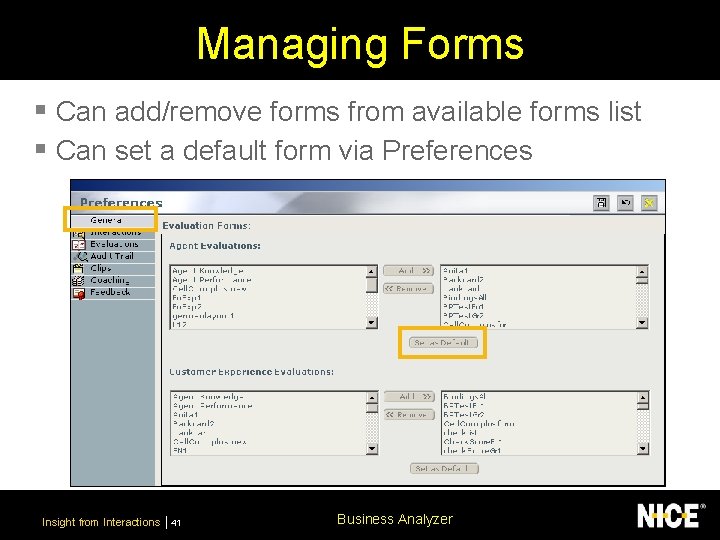
Managing Forms § Can add/remove forms from available forms list § Can set a default form via Preferences Insight from Interactions 41 Business Analyzer
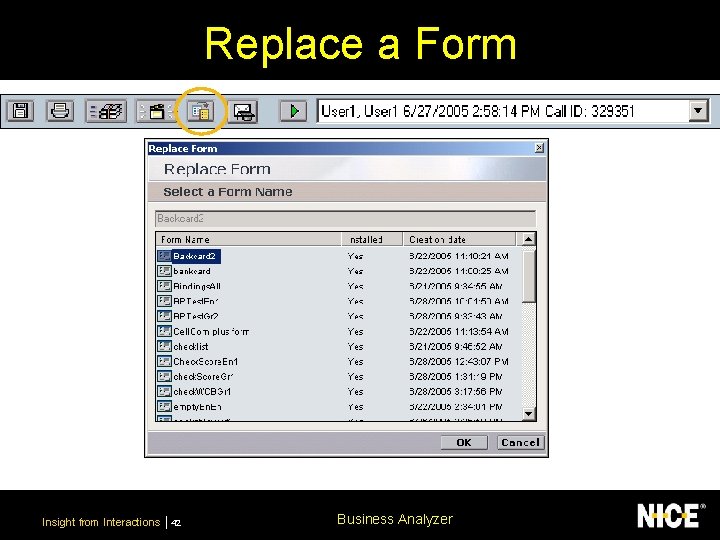
Replace a Form Insight from Interactions 42 Business Analyzer
Customer Experience Evaluations § Evaluate the customer’s experience § Not evaluating an agent § Create and use a specific Customer Evaluation form – From customer’s viewpoint e. g. was the customer’s problem resolved – Different privileges for customer and agent evaluations Insight from Interactions 43 Business Analyzer
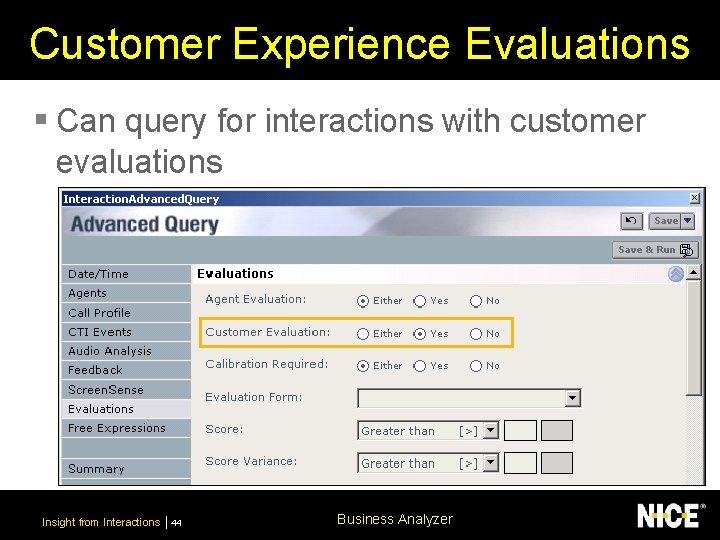
Customer Experience Evaluations § Can query for interactions with customer evaluations Insight from Interactions 44 Business Analyzer
Self-Evaluations § Agents can evaluate their own interactions § No icon on toolbar § Evaluations performed on own interactions are § § saved as self-evaluations Identified by a blue evaluation icon Don’t impact on general evaluations scores Not included in My Evaluations component of My Universe Can run reports for self-evaluations Insight from Interactions 45 Business Analyzer
Questions for Discussion § Do you think your company will utilize selfevaluations? § What is the benefit of self-evaluations? Insight from Interactions 46 Business Analyzer
What did we do? § Identified the general purpose and 3 different types of evaluations § Created and executed queries for evaluations § Learned how to set a default evaluation form Insight from Interactions 47 Business Analyzer
Business Analyzer Search for Evaluations www. nice. com Analyzer INSIGHT FROMBusiness INTERACTIONS Insight from Interactions 48
Lesson Objectives § Create and execute a quick query for evaluations § Create and execute an advanced query for evaluations Insight from Interactions 49 Business Analyzer
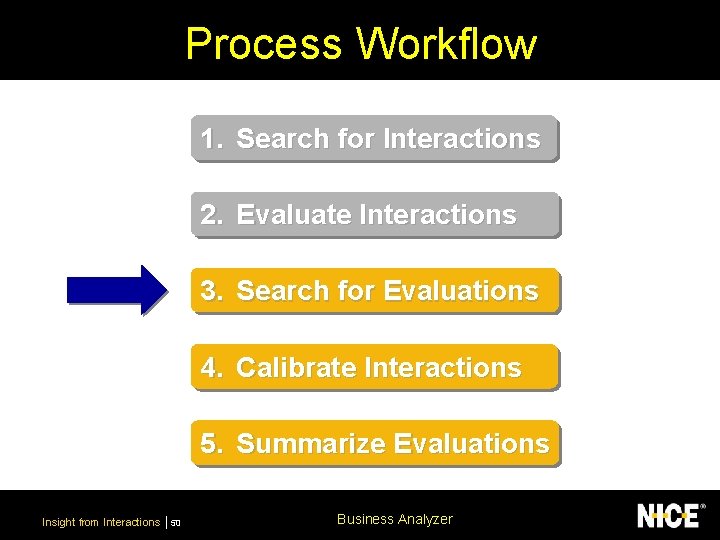
Process Workflow 1. Search for Interactions 2. Evaluate Interactions 3. Search for Evaluations 4. Calibrate Interactions 5. Summarize Evaluations Insight from Interactions 50 Business Analyzer
Running a Quick Query § Create and run a quick query for evaluations Open up the file GLD_BA_Evaluations_Quick Query. doc from the CD Insight from Interactions 51 Business Analyzer
Running an Advanced Query § Create an advanced query for evaluations Open up the file GLD_BA_Evaluations_Advanced Query. doc from the CD Insight from Interactions 54 Business Analyzer
Questions for Discussion § Can evaluations be modified? § Who should be allowed to modify evaluations? Insight from Interactions 57 Business Analyzer
What did we do? § Created and executed a quick query for evaluations § Created and executed an advanced query for evaluations Insight from Interactions 58 Business Analyzer
Business Analyzer Calibrate Interactions www. nice. com Analyzer INSIGHT FROMBusiness INTERACTIONS Insight from Interactions 59
Lesson Objectives § Understand the purpose of a calibration § Mark interactions for calibration § Calibrate evaluations Insight from Interactions 60 Business Analyzer
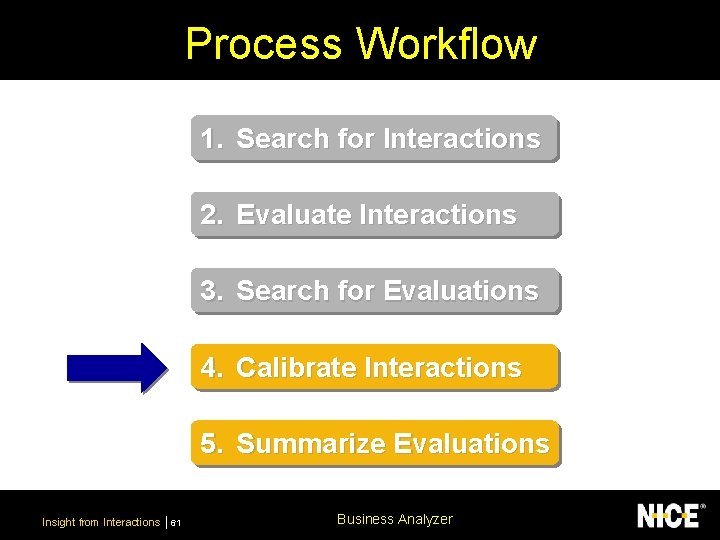
Process Workflow 1. Search for Interactions 2. Evaluate Interactions 3. Search for Evaluations 4. Calibrate Interactions 5. Summarize Evaluations Insight from Interactions 61 Business Analyzer
Calibrating Evaluations § A calibration is a reference evaluation of a recorded interaction § Ensures a fair and consistent evaluation process § An original evaluation can be compared to a calibration, to view variance between scores § Calibrate interactions in Interactions module Insight from Interactions 62 Business Analyzer
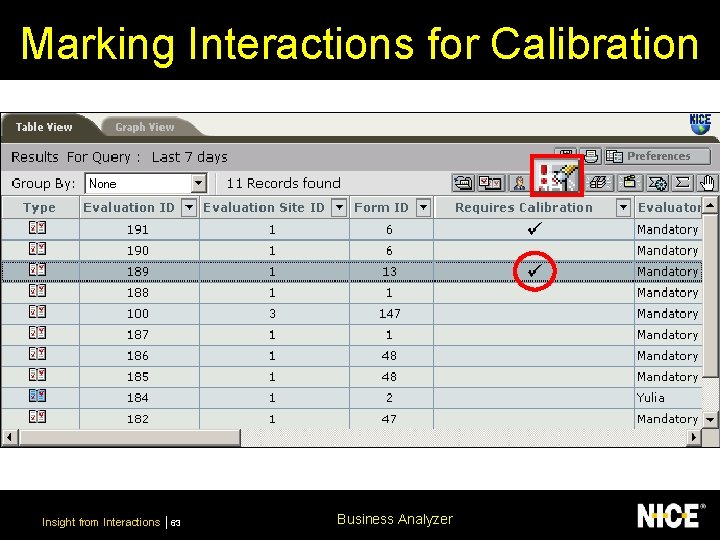
Marking Interactions for Calibration Insight from Interactions 63 Business Analyzer
Calibrate an Evaluated Interaction § Calibrate an evaluated interaction Open up the file GLD_Calibrating an Evaluated Interaction. doc from the CD Insight from Interactions 64 Business Analyzer
What did we do? § Identified the purpose of a calibration § Marked interactions for calibration § Calibrated evaluations Insight from Interactions 67 Business Analyzer
Business Analyzer Summarize Interactions www. nice. com Analyzer INSIGHT FROMBusiness INTERACTIONS Insight from Interactions 68
Lesson Objectives § Understand the benefits of summarizing evaluations/calibrations § Auto-summarize a calibration Insight from Interactions 69 Business Analyzer
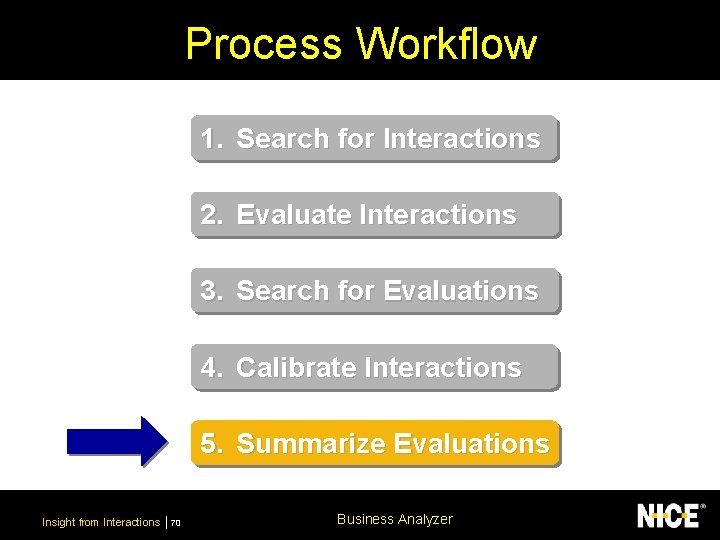
Process Workflow 1. Search for Interactions 2. Evaluate Interactions 3. Search for Evaluations 4. Calibrate Interactions 5. Summarize Evaluations Insight from Interactions 70 Business Analyzer
Questions for Discussion § In what way can summarizing evaluations help us? § How can we use the results from a calibration to identify irregularities in an evaluation? Insight from Interactions 71 Business Analyzer
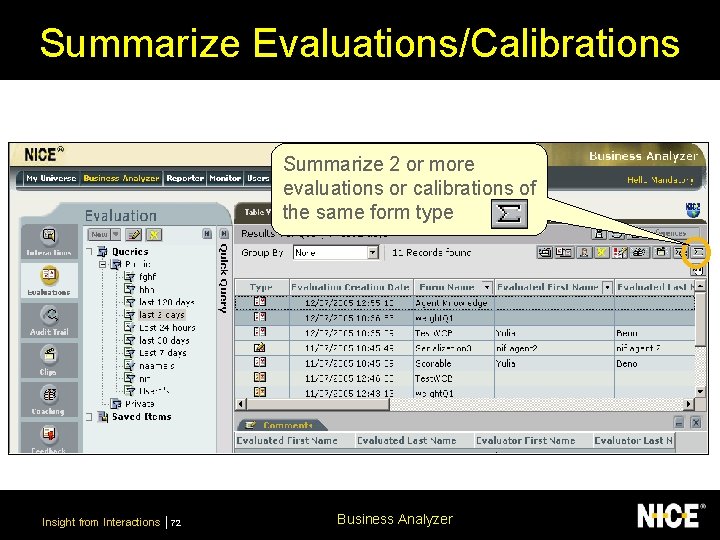
Summarize Evaluations/Calibrations Summarize 2 or more evaluations or calibrations of the same form type Insight from Interactions 72 Business Analyzer
Auto-Summary § Auto-summarize a calibration to view any differences between the original evaluation Open up the file GLD_auto_summarize_evaluations. doc from the CD Insight from Interactions 73 Business Analyzer
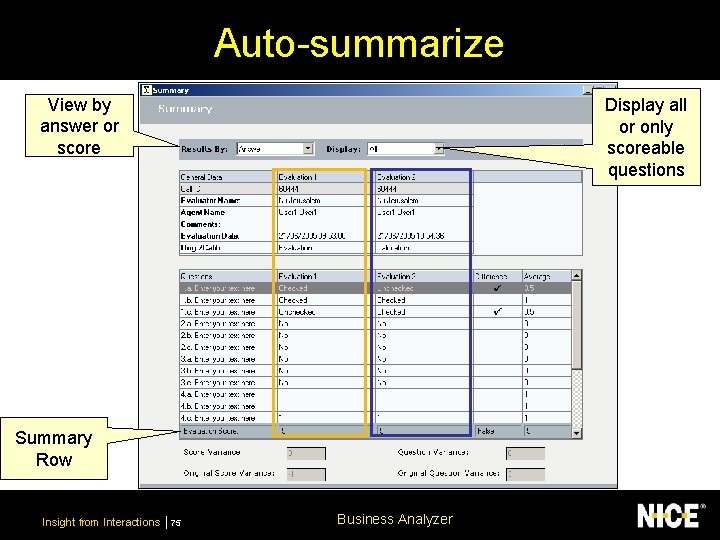
Auto-summarize View by answer or score Display all or only scoreable questions Summary Row Insight from Interactions 75 Business Analyzer
Additional Reference Material § NICE Perform Workbook - Business Analyzer section Insight from Interactions 76 Business Analyzer
What did we do? § Identified the benefits of summarizing evaluations/calibrations § Auto-summarized a calibration Insight from Interactions 77 Business Analyzer
- Slides: 61