
Building the Right Path A look into how
Building the Right Path: A look into how studying your customers journey can improve your overall business Zachary Betack 08/26/2015

Agenda Clickstream Reporting Deep Dive § Overview § Benefits of Clickstream § Creating Clickstreams § Analyzing Clickstream Data § Report Features § KPIs § Use Cases True. Path Reporting Deep Dive § Overview § Benefits of True. Path § Getting Started § Analyzing True. Path Data § KPIs § Report Features § Use Cases Q&A 2 © 2015 IBM 9/12/2021
Clickstream Reporting § Clickstream reports are open ended pathing reports that help analyze popular paths your visitors are taking § These reports can reveal trends in visitor behavior and help you to determine which paths are most successful in leading to conversions. § To locate Clickstream Reporting, log into Digital Analytics<<Reports<<Paths<<Clickstream 3 © 2015 IBM 9/12/2021
Benefits of Clickstream Reporting § Clickstream reports allow you to analyze paths your customers take through your website either before or after they visit a specific page § Clickstream reports allow you to compare up to three different paths § Additionally you are able to view the top five most popular paths § You can further refine your results by using a profile segment/product segmentation § Narrows in on a specific clientele's behavior § Narrow in on customers that have purchased a specific product 4 © 2015 IBM 9/12/2021
Building a New Clickstream Report § Click ‘Create New Report’ in the Clickstream list page § Click ‘Create a Clickstream Report’ in the drop-down menu under Pages 5 © 2015 IBM 9/12/2021
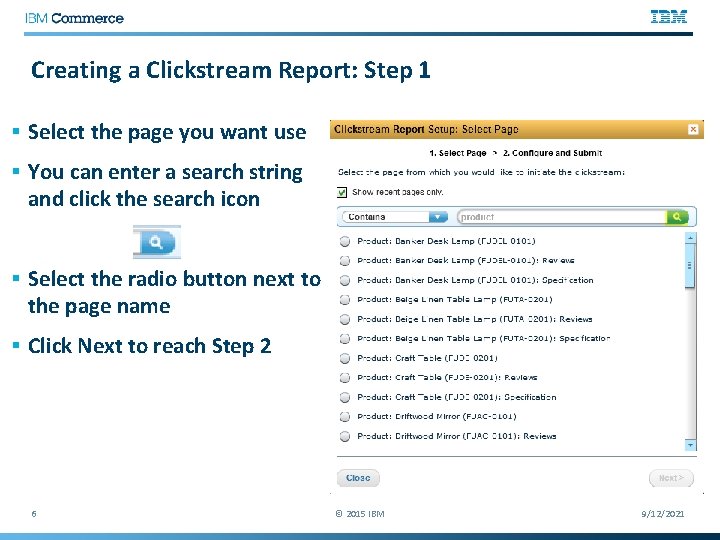
Creating a Clickstream Report: Step 1 § Select the page you want use § You can enter a search string and click the search icon § Select the radio button next to the page name § Click Next to reach Step 2 6 © 2015 IBM 9/12/2021
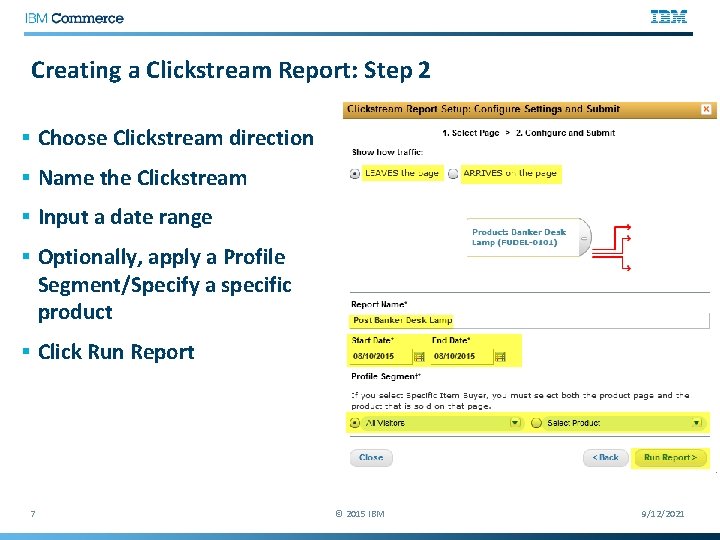
Creating a Clickstream Report: Step 2 § Choose Clickstream direction § Name the Clickstream § Input a date range § Optionally, apply a Profile Segment/Specify a specific product § Click Run Report 7 © 2015 IBM 9/12/2021

Backward vs Forward Clickstreams § When creating a Clickstream report, you can choose to create a Backward or Forward looking report § A backward looking Clickstream report will show you the most popular paths that customers use to arrive on the page. 8 § A forward looking Clickstream report will show you the most popular paths that customers use to depart from the page. © 2015 IBM 9/12/2021
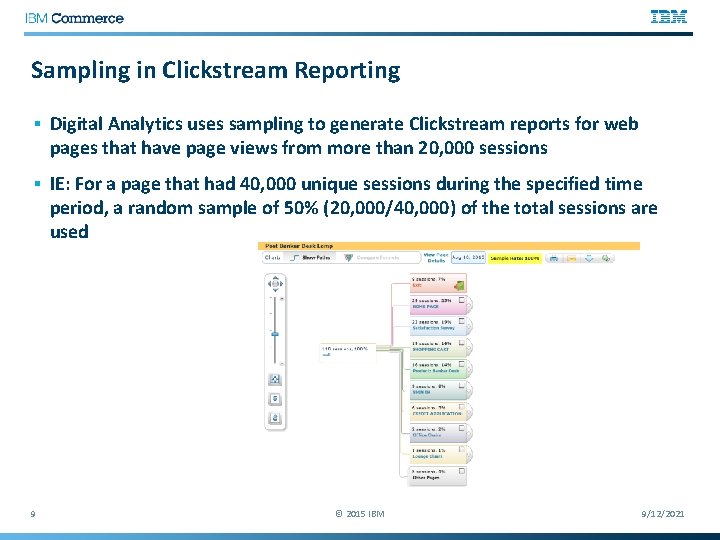
Sampling in Clickstream Reporting § Digital Analytics uses sampling to generate Clickstream reports for web pages that have page views from more than 20, 000 sessions § IE: For a page that had 40, 000 unique sessions during the specified time period, a random sample of 50% (20, 000/40, 000) of the total sessions are used 9 © 2015 IBM 9/12/2021
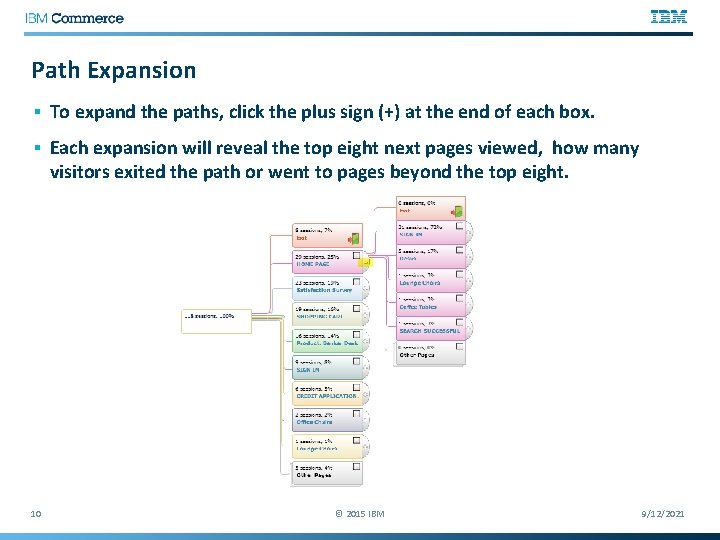
Path Expansion § To expand the paths, click the plus sign (+) at the end of each box. § Each expansion will reveal the top eight next pages viewed, how many visitors exited the path or went to pages beyond the top eight. 10 © 2015 IBM 9/12/2021
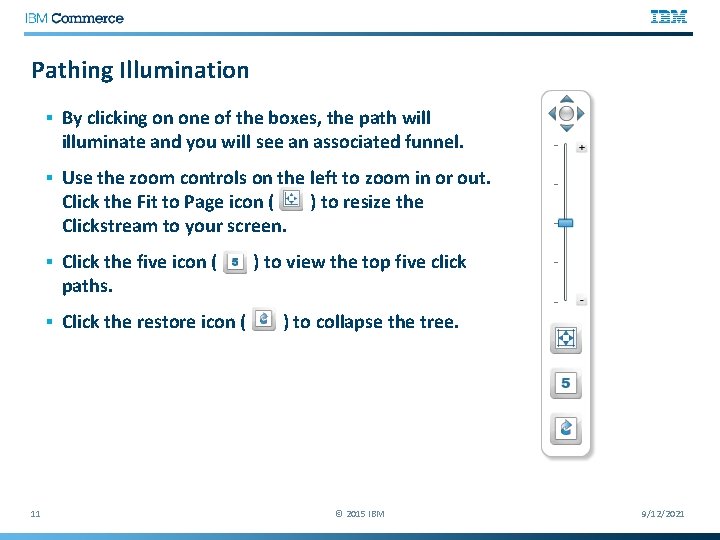
Pathing Illumination § By clicking on one of the boxes, the path will illuminate and you will see an associated funnel. § Use the zoom controls on the left to zoom in or out. Click the Fit to Page icon ( Clickstream to your screen. § Click the five icon ( paths. § Click the restore icon ( 11 ) to resize the ) to view the top five click ) to collapse the tree. © 2015 IBM 9/12/2021
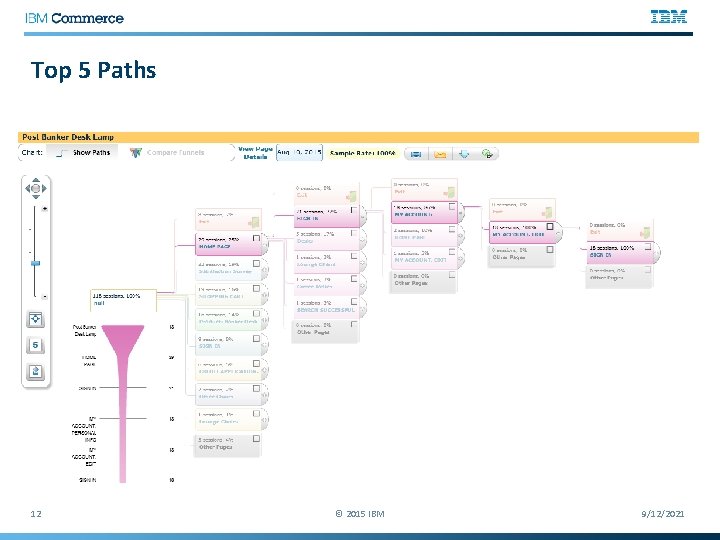
Top 5 Paths 12 © 2015 IBM 9/12/2021
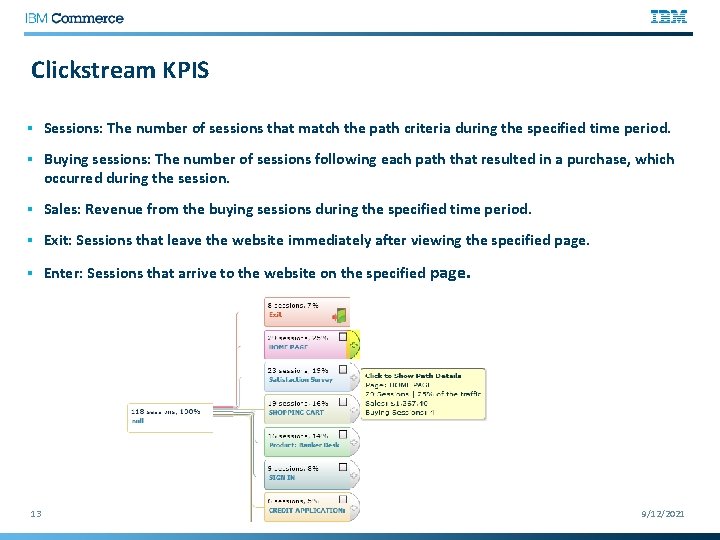
Clickstream KPIS § Sessions: The number of sessions that match the path criteria during the specified time period. § Buying sessions: The number of sessions following each path that resulted in a purchase, which occurred during the session. § Sales: Revenue from the buying sessions during the specified time period. § Exit: Sessions that leave the website immediately after viewing the specified page. § Enter: Sessions that arrive to the website on the specified page. 13 © 2015 IBM 9/12/2021
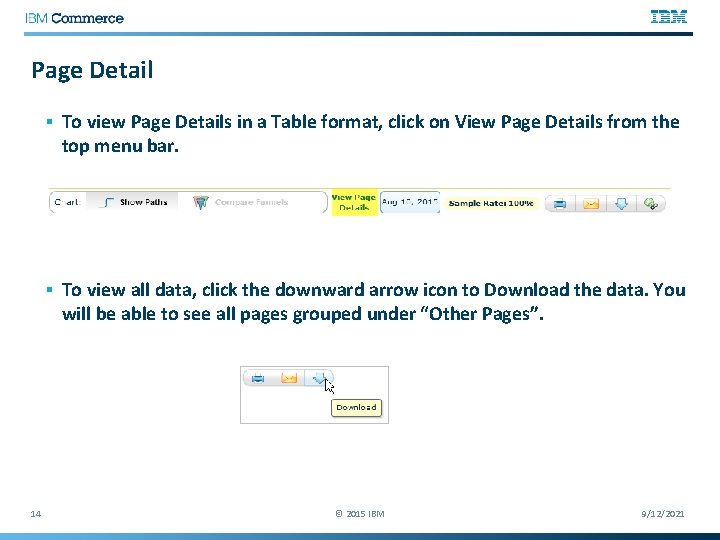
Page Detail § To view Page Details in a Table format, click on View Page Details from the top menu bar. § To view all data, click the downward arrow icon to Download the data. You will be able to see all pages grouped under “Other Pages”. 14 © 2015 IBM 9/12/2021
Clickstream Use Cases § Analyzing top paths for a website § Track landing page performance § Improving onsite search design § Investigate path and site abandonment for specific pages § Tracking activity of visitors to personalize your homepage 15 © 2011 IBM Corporation
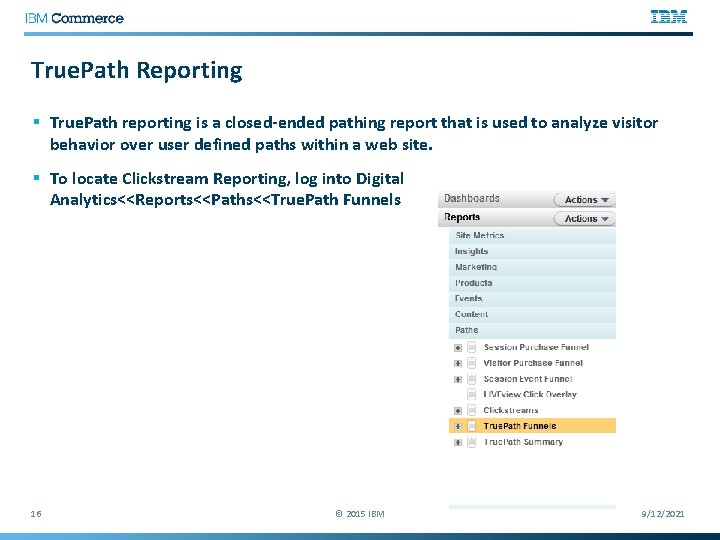
True. Path Reporting § True. Path reporting is a closed-ended pathing report that is used to analyze visitor behavior over user defined paths within a web site. § To locate Clickstream Reporting, log into Digital Analytics<<Reports<<Paths<<True. Path Funnels 16 © 2015 IBM 9/12/2021
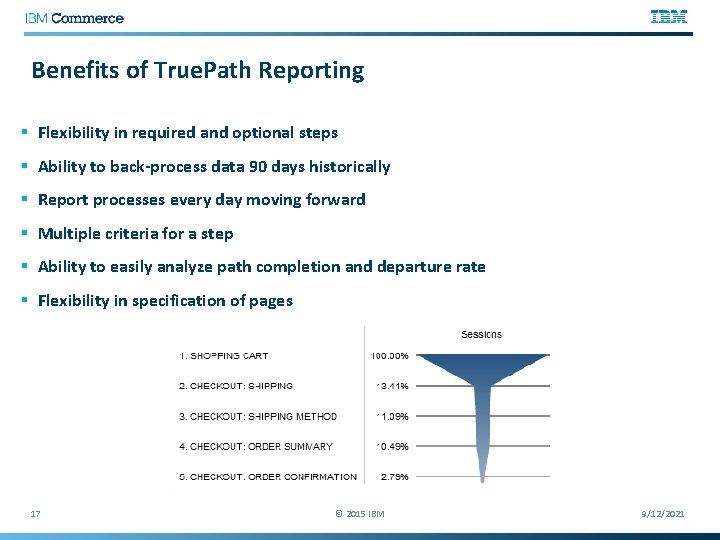
Benefits of True. Path Reporting § Flexibility in required and optional steps § Ability to back-process data 90 days historically § Report processes every day moving forward § Multiple criteria for a step § Ability to easily analyze path completion and departure rate § Flexibility in specification of pages 17 © 2015 IBM 9/12/2021
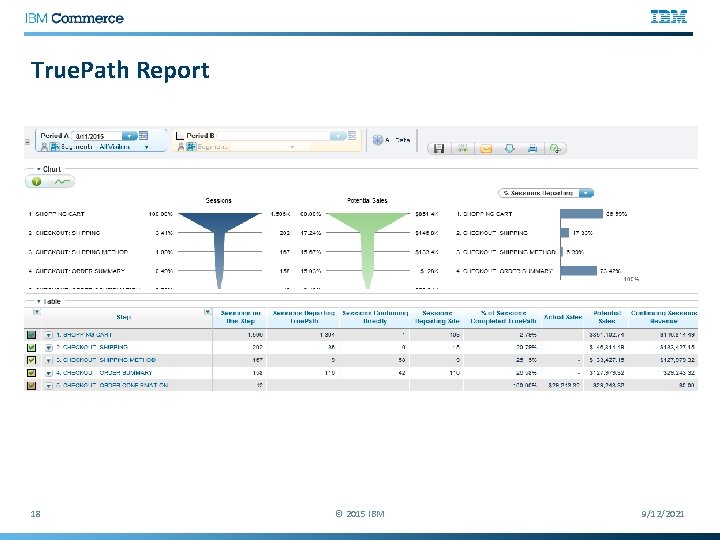
True. Path Report 18 © 2015 IBM 9/12/2021
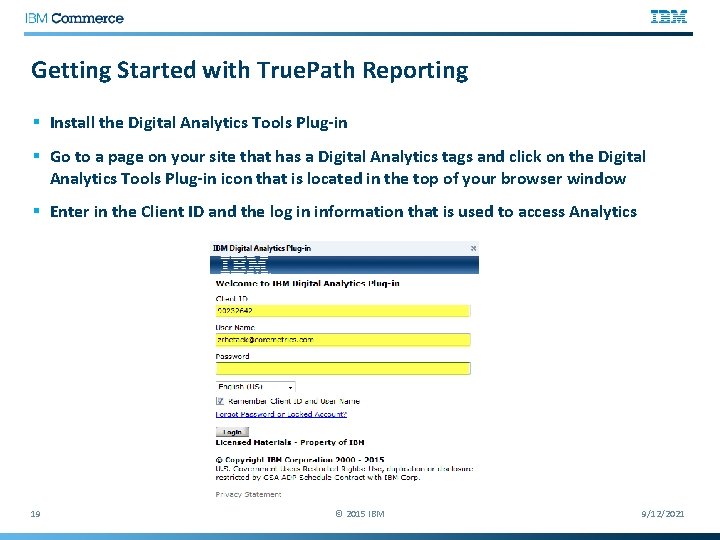
Getting Started with True. Path Reporting § Install the Digital Analytics Tools Plug-in § Go to a page on your site that has a Digital Analytics tags and click on the Digital Analytics Tools Plug-in icon that is located in the top of your browser window § Enter in the Client ID and the log in information that is used to access Analytics 19 © 2015 IBM 9/12/2021
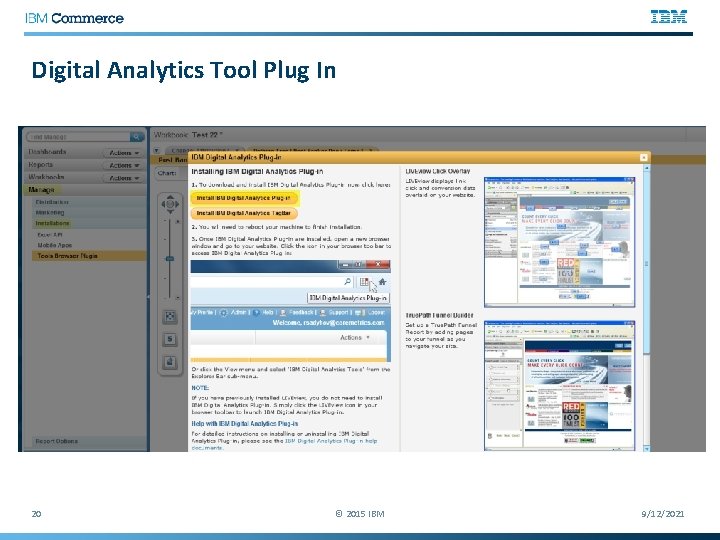
Digital Analytics Tool Plug In 20 © 2015 IBM 9/12/2021
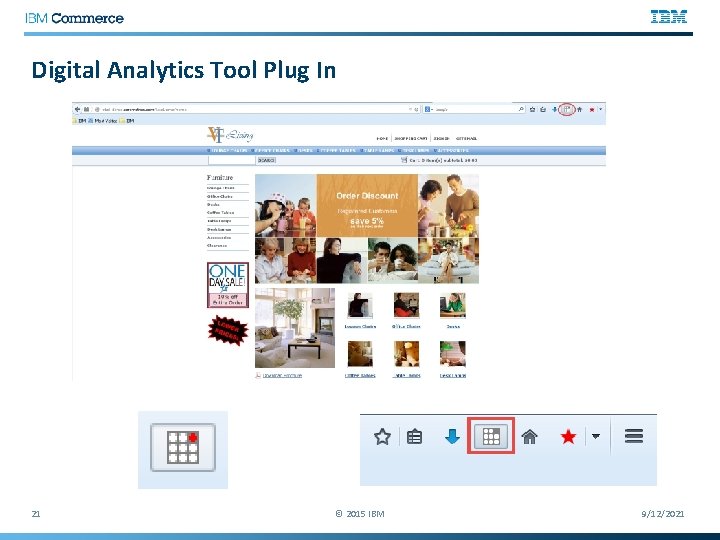
Digital Analytics Tool Plug In 21 © 2015 IBM 9/12/2021
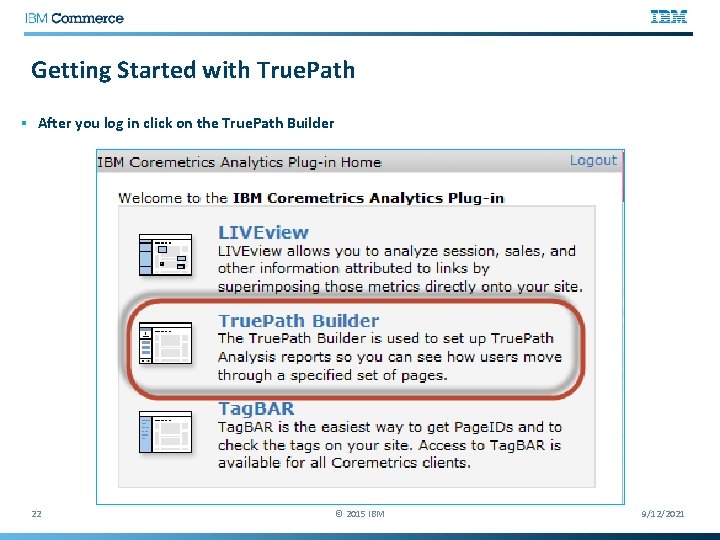
Getting Started with True. Path § After you log in click on the True. Path Builder 22 © 2015 IBM 9/12/2021
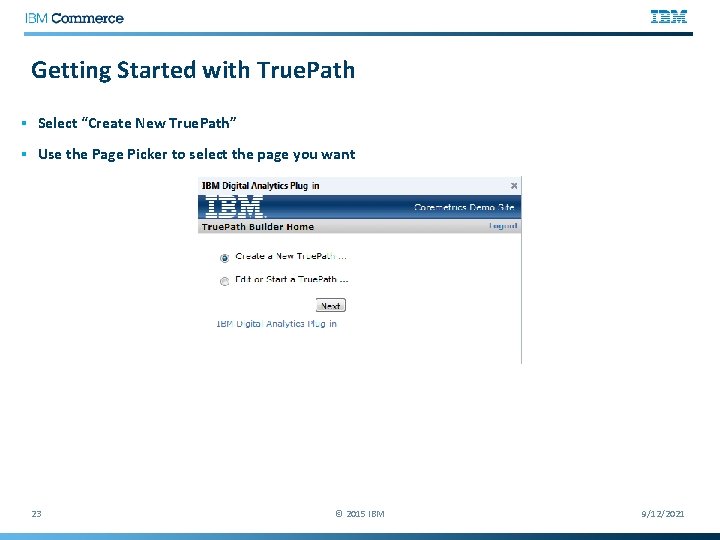
Getting Started with True. Path § Select “Create New True. Path” § Use the Page Picker to select the page you want 23 © 2015 IBM 9/12/2021
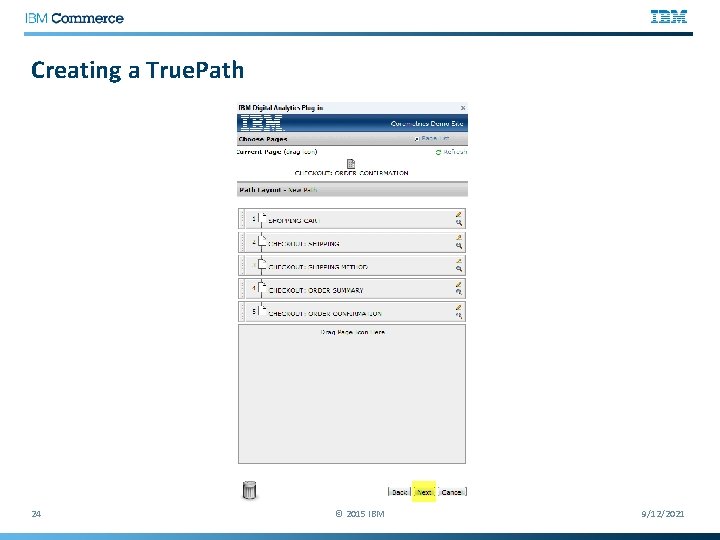
Creating a True. Path 24 © 2015 IBM 9/12/2021
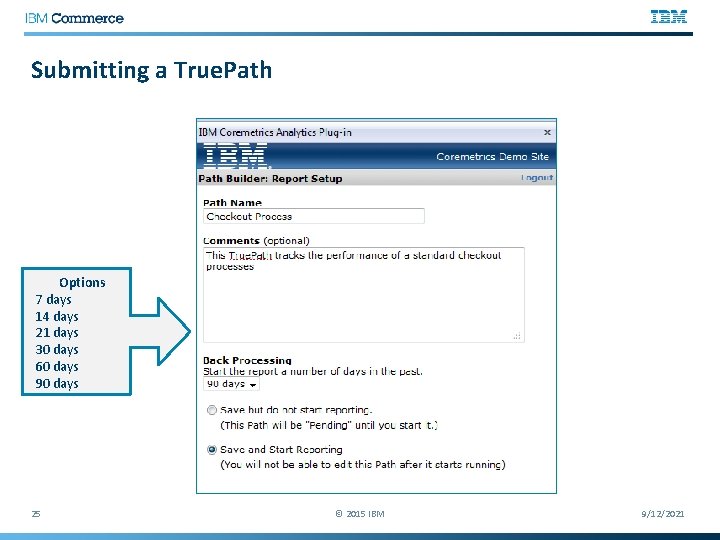
Submitting a True. Path Options 7 days 14 days 21 days 30 days 60 days 90 days 25 © 2015 IBM 9/12/2021
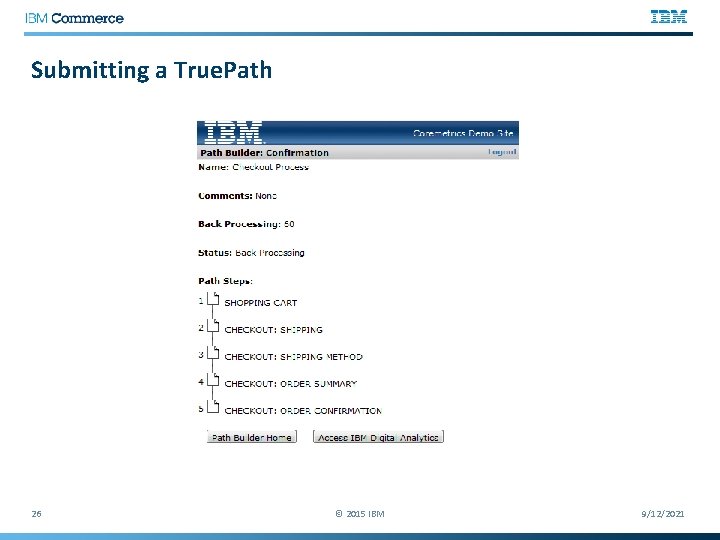
Submitting a True. Path 26 © 2015 IBM 9/12/2021
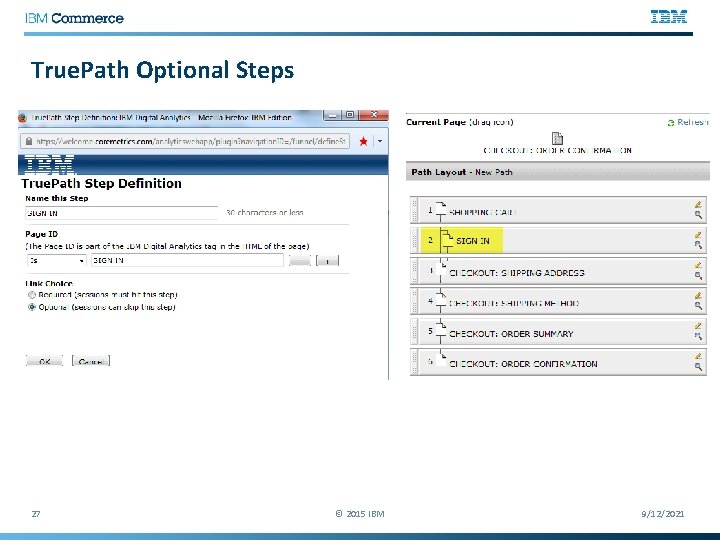
True. Path Optional Steps 27 © 2015 IBM 9/12/2021
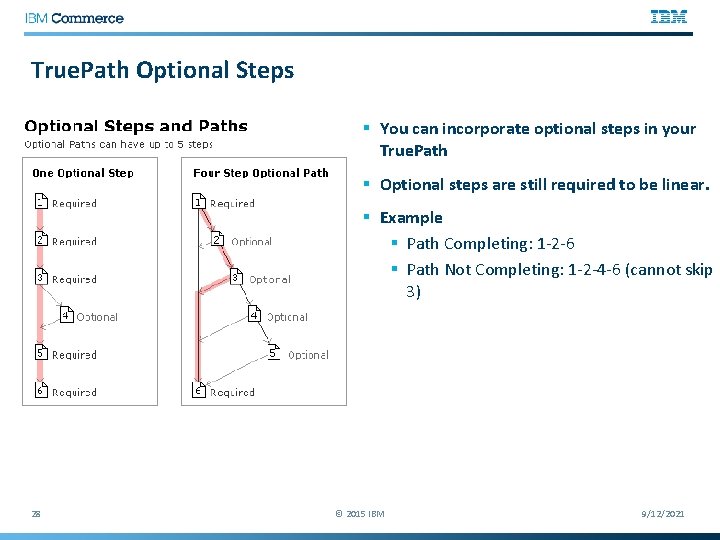
True. Path Optional Steps § You can incorporate optional steps in your True. Path § Optional steps are still required to be linear. § Example § Path Completing: 1 -2 -6 § Path Not Completing: 1 -2 -4 -6 (cannot skip 3) 28 © 2015 IBM 9/12/2021
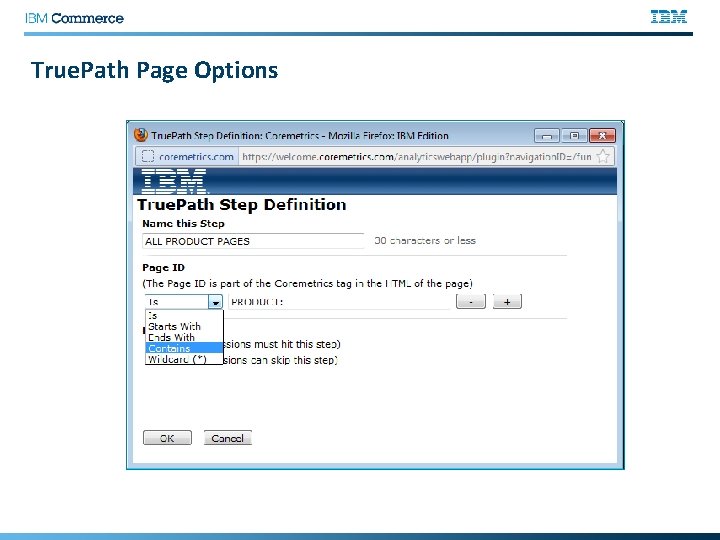
True. Path Page Options
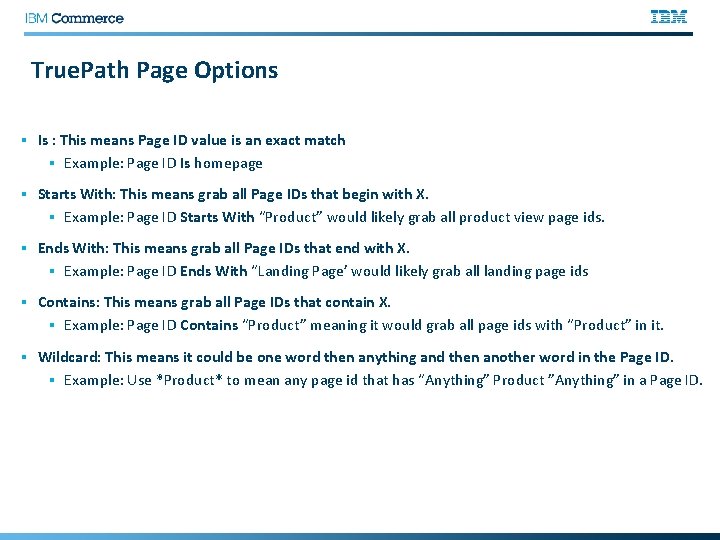
True. Path Page Options § Is : This means Page ID value is an exact match § Example: Page ID Is homepage § Starts With: This means grab all Page IDs that begin with X. § Example: Page ID Starts With “Product” would likely grab all product view page ids. § Ends With: This means grab all Page IDs that end with X. § Example: Page ID Ends With “Landing Page’ would likely grab all landing page ids § Contains: This means grab all Page IDs that contain X. § Example: Page ID Contains “Product” meaning it would grab all page ids with “Product” in it. § Wildcard: This means it could be one word then anything and then another word in the Page ID. § Example: Use *Product* to mean any page id that has “Anything” Product ”Anything” in a Page ID.
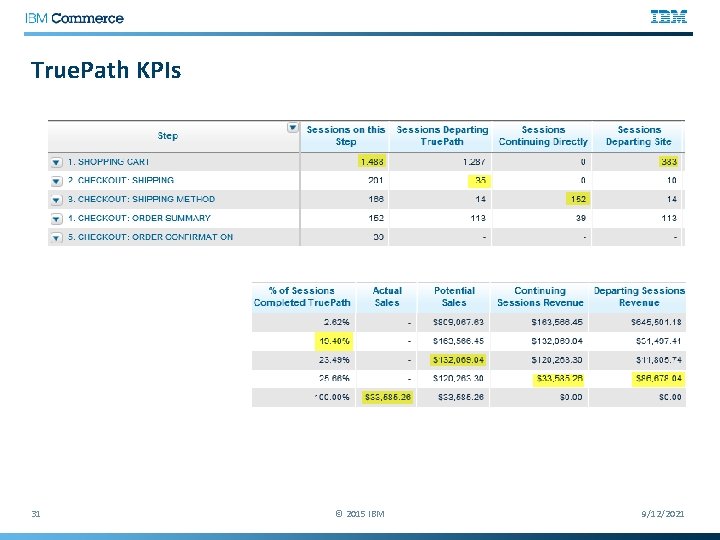
True. Path KPIs 31 © 2015 IBM 9/12/2021
True. Path Actions For steps with a higher percentage of sessions completing the path than comparable steps § Represent the patterns that are likely to convert a customer § Implement methods to funnel visitors to these paths, so you can capitalize on the high conversion rate For steps with a high number of sessions departing the path § Review these pages to identify flaws with page design that deter movement through the process § Use Clickstream reporting to determine where visitors are trafficking and pinpoint opportunities to limit access to these areas or implement a process that leads them back to the path. For steps with a high number of sessions departing the site § Indication of visitor frustration at a certain point of the process § Use Form Analysis to identify the problem fields within the pages that might be contributing to the page abandonment.
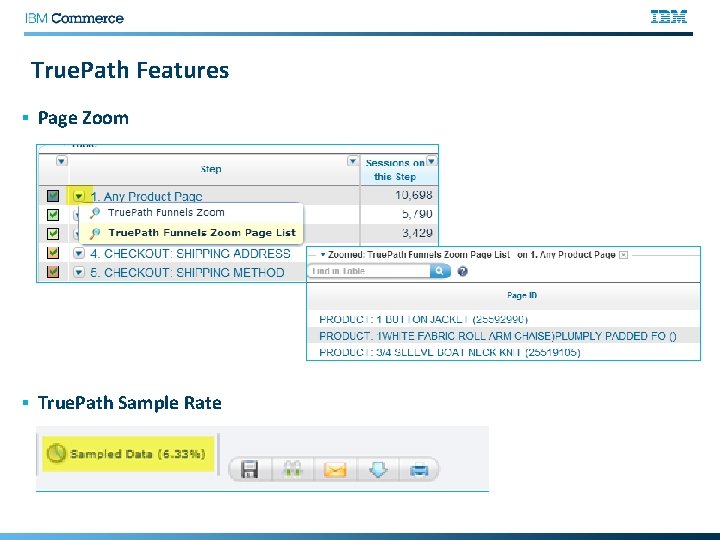
True. Path Features § Page Zoom § True. Path Sample Rate
True. Path Use Cases § Checkout Processes § Application Processes (ex-credit card application) § Booking Process (ex - Travel) § Registration Process (ex-creating account) § Newsletter or Email Sign Up Process § Landing Page to Order Confirmation Path § Onsite Search Results Path § AB Testing Comparisons Path
Q&A § The Customer Support team is available to provide support via the following channels: § E -mail: Sunday 8: 00 pm - Friday, 7: 00 PM U. S. Central § Phone: Sunday 8: 00 pm - Friday, 7: 00 PM U. S. Central § US: 1 -866 -493 -2673 § cm_support@us. ibm. com § Live Chat (for Business Support only): Sunday-Friday, 8: 00 PM – 6: 00 PM U. S. Central § Live Chat is available from the home page of the IBM Client Success Portal § https: //support. coremetrics. com § IBM Client Success Portal: 24 x 7 Next Webinar: September 30 th, 2015 On. Site Search Best Practices Suzanne Azulay 35 © 2012 IBM Corporation
- Slides: 35