
Building of the Training the challenge and path
Building of the Training: the challenge and path to success Ammar Salman
Objectives • Build an application that provides the means to teach se. L 4 concepts. • Trace the steps from the end result to the very beginning. • Build exercises in a successive manner. • Points of focus: • Target architecture. • Drivers. • IPC. 3 rd se. L 4 Summit - November 15 -18, 2020 2
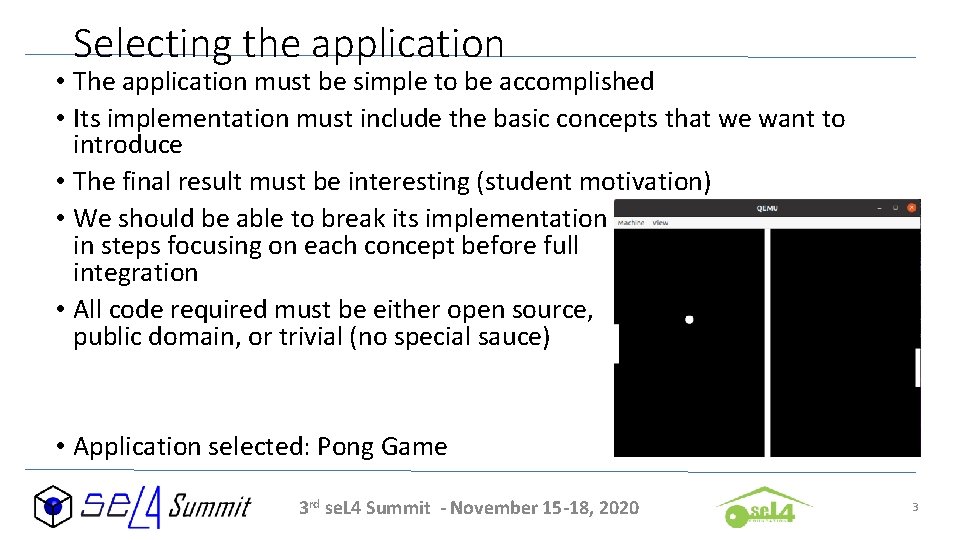
Selecting the application • The application must be simple to be accomplished • Its implementation must include the basic concepts that we want to introduce • The final result must be interesting (student motivation) • We should be able to break its implementation in steps focusing on each concept before full integration • All code required must be either open source, public domain, or trivial (no special sauce) • Application selected: Pong Game 3 rd se. L 4 Summit - November 15 -18, 2020 3
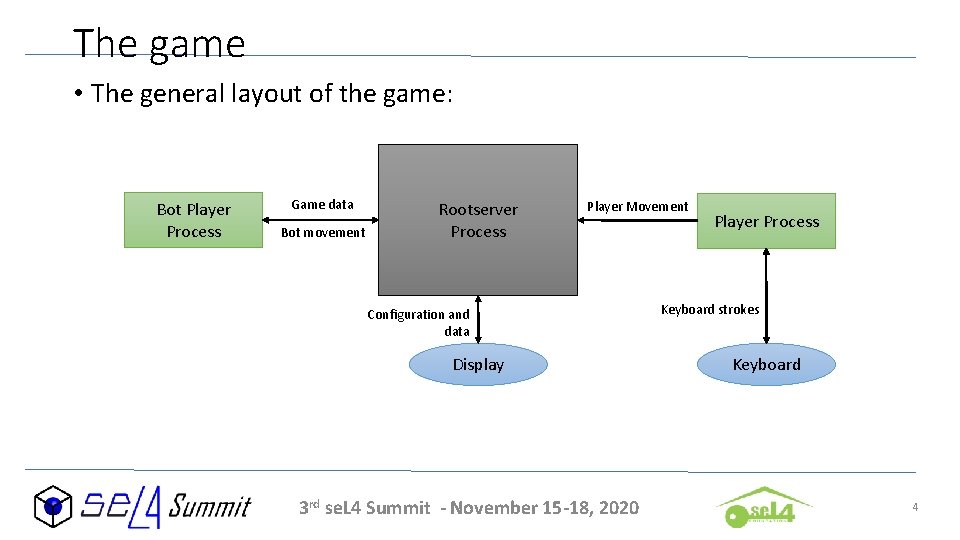
The game • The general layout of the game: Bot Player Process Game data Bot movement Rootserver Process Player Movement Configuration and data Display 3 rd se. L 4 Summit - November 15 -18, 2020 Player Process Keyboard strokes Keyboard 4
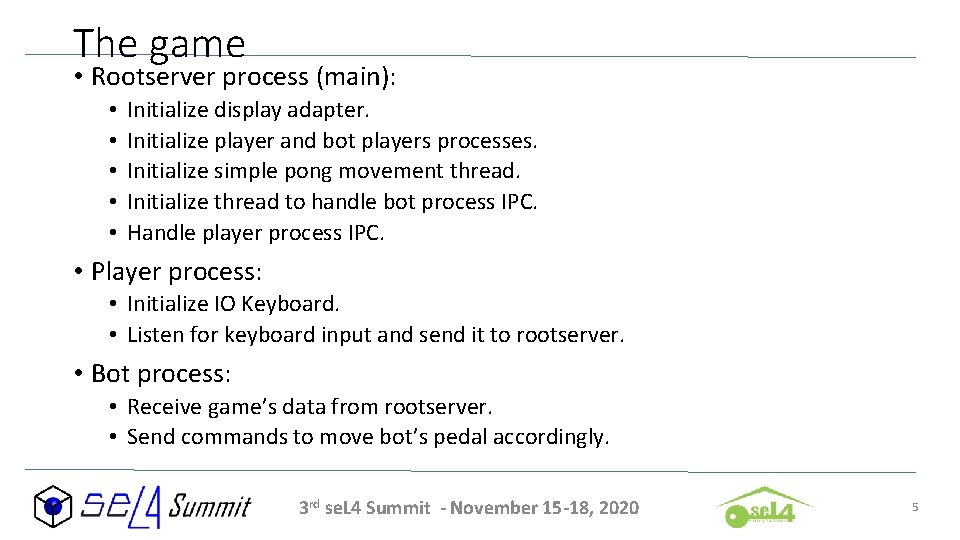
The game • Rootserver process (main): • • • Initialize display adapter. Initialize player and bot players processes. Initialize simple pong movement thread. Initialize thread to handle bot process IPC. Handle player process IPC. • Player process: • Initialize IO Keyboard. • Listen for keyboard input and send it to rootserver. • Bot process: • Receive game’s data from rootserver. • Send commands to move bot’s pedal accordingly. 3 rd se. L 4 Summit - November 15 -18, 2020 5
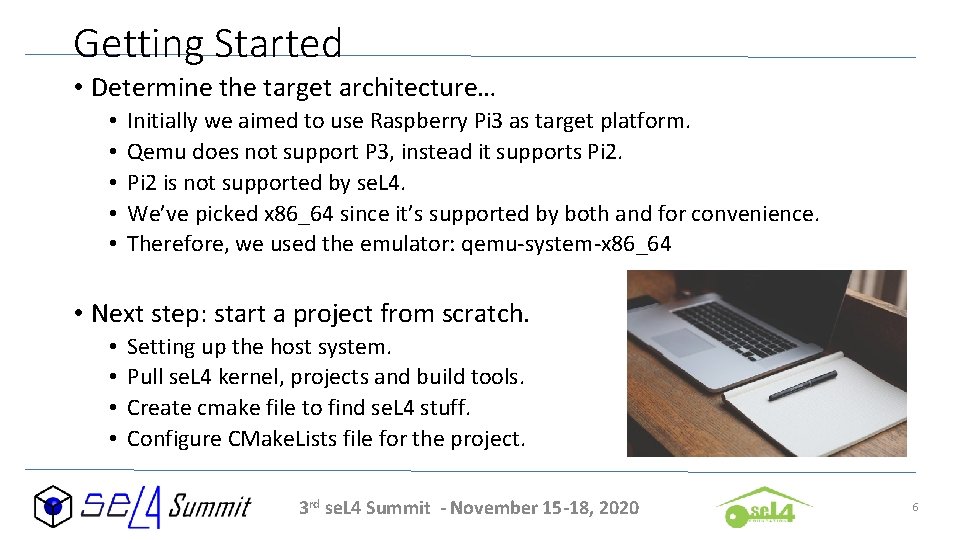
Getting Started • Determine the target architecture… • • • Initially we aimed to use Raspberry Pi 3 as target platform. Qemu does not support P 3, instead it supports Pi 2 is not supported by se. L 4. We’ve picked x 86_64 since it’s supported by both and for convenience. Therefore, we used the emulator: qemu-system-x 86_64 • Next step: start a project from scratch. • • Setting up the host system. Pull se. L 4 kernel, projects and build tools. Create cmake file to find se. L 4 stuff. Configure CMake. Lists file for the project. 3 rd se. L 4 Summit - November 15 -18, 2020 6
Setting up the host system • Dockerfiles for se. L 4, CAmk. ES, and L 4 v dependencies • Preconfigured environment to build and deploy se. L 4 projects. • Docker container has all dependencies ready for use. • Does not directly support GUI emulation… • Alternatively. . . We can directly install build dependencies. • • Host dependencies reference. Not the recommended method, but… Gives a bit more control over the tools you wish to use. Slightly faster. • We decided to use Docker container for all development, and standalone qemu-system-x 86_64 for running the project since we wanted to display things on a GUI. 3 rd se. L 4 Summit - November 15 -18, 2020 7
Where do you start from? • se. L 4 -tutorials can get you started on developing simple applications. • The tutorials have pre-configured environment which already pulls the kernel, support projects and build tools. • But what if you need to do it differently? • The tutorials have their own initialization and configuration scripts. • Some use Cap. DL (threads, IPC, …) which is implemented using specialized python scripts to automatically generate stuff upon initialization. • Great if you want to understand the tutorial itself, but hard if you wish to go through the build basics yourself or if you want to tweak certain things. • Outside the tutorials environments, things are not all ready-to-go. 3 rd se. L 4 Summit - November 15 -18, 2020 8
The Real First Steps • se. L 4 -Buildsystem provides great insight on how to start from scratch and do what fits your project’s needs. • We’ve picked the basic structure as outlined in the referenced page. • To pull se. L 4 stuff from Git. Hub, we wrote custom manifest files and initialized them as part of a local GIT repository. • Google’s repo tool is then initialized from the custom manifest files to pull the kernel, projects and build tools. • Pull the se. L 4 support projects. • For our tutorial, we did not use CAmk. ES or Cap. DL. • We pulled platform support libraries as many others. 3 rd se. L 4 Summit - November 15 -18, 2020 9
Build Tools • CMake and Ninja… • CMake needs to find se. L 4 in order to properly link to it. • Every se. L 4 project (including the kernel) contains ‘Find<project_name>. cmake file which tells CMake how to properly import these projects. • We wrote a custom CMake file (settings. cmake) which sets up the environment to build for x 86_64 architecture. This file does not contain any specifics about our own project aside from the architecture and se. L 4 stuff to import. • Finally, we need CMake. Lists. txt file for the project to set it up and declare the rootserver which the kernel drops into after booting up. • To build it, we just use ninja, then the generated ‘simulate’ python script to run and view the results. 3 rd se. L 4 Summit - November 15 -18, 2020 10
Challenges • Initializing display adapter. • x 86 i 32 architecture already has VBE support which provides display information like physical address, screen dimensions, …, etc. • X 86_64 does have VBE extensions support. However, Qemu does not pass any of the information to se. L 4 on boot. Therefore, VBE bootinfo returned nothing useful for us to use. Tough luck. • Using keyboard from a child process without allocation. • New process starts without the default object allocator (simple) readily available. Therefore, we need it to use IO ports without allocation. • Passing capability through IPC to a child thread to handle IPC with a child process. • Setting IPC Buffer capability receiving point, sending and receiving the cap. 3 rd se. L 4 Summit - November 15 -18, 2020 11
Initializing display adapter - Standard VGA • Since VBE structure taken from multiboot gave us nothing, we had to start from scratch and build up our own adapter. • We picked standard VGA as our display adapter. • 0 x. A 0000 -0 x. BFFFF physical memory region. • IO Ports…. A lot of them… • There are many baremetal VGA adapters out there that use assembly. • Most baremetal VGA adapters use interrupts 0 x 10 and 0 x 13 after dropping into monitor mode in order to configure the adapter and set things up. • Dropping to monitor mode is both unsafe and has a large toll on performance. 3 rd se. L 4 Summit - November 15 -18, 2020 12
Initializing display adapter – DOS to the rescue • Therefore we need to configure VGA mode on runtime and in userspace through IO ports. • Configuring VGA mode is quite a challenging task, a lot of IO port specifications, any port set wrong and the entire configuration may just fail. • Luckily, we were able to find a VGA driver for MS-DOS that had many of the necessary IO port configuration already done. • The task was to modify the code and run it under se. L 4. • First, we need means to write and read from IO ports. • Second, we need to map the physical space into virtual space to allow writing data out to the display. 3 rd se. L 4 Summit - November 15 -18, 2020 13
Initializing display adapter – IO interface • se. L 4 platform support libraries provide great support to write and read from IO ports. • The system uses cookies. • A cookie is a void*… a pointer to anything. • IO operations use a specialized IO cookie. The cookie consists of: • Simple object allocator (simple_t). • Virtual Kernel Allocator (vka_t). • We did not need change the cookie for our display adapter since we ran it directly under our rootserver which already has allocation stuff configured. I. e. we used the same cookie, but we had to explicitly declare it. • Since we’re porting code, we chose not to change much of the code itself, but instead redefine the functions it used to talk to IO ports. • Namely, the function that writes to a port, and the function that reads from it. 3 rd se. L 4 Summit - November 15 -18, 2020 14
Initializing display adapter- Code surfing • Unfortunately, the documentation lacks any information on how to achieve any of the goals we want. • We had to surf through the source code to find out about the cookies and IO port functions. • The C structure ps_io_ops_t, found in the platform support project, provided all functionality needed once it was properly initialized. • projects/util_libs/libplatsupport/include/platsupport/io. h • ps_io_ops_t is initialized with default IO functions that accept the IO cookies we mentioned earlier. • Therefore, we told the ported code to use the explicitly declared cookie and ps_io_ops_t IO functions to talk to IO ports. 3 rd se. L 4 Summit - November 15 -18, 2020 15
Using keyboard from a child process • There are many approaches possible for this problem, we wanted to solve this issue without the use of Cap. DL or CAmk. ES since they are a bit more intermediate for a new learner. • The main issue lies within allocation. Talking to IO requires allocation of IO related stuff, without the simple object allocator, this is not directly possible. • Therefore, a few possible approaches: • Passing bootinfo. • Creating a custom simple allocator. • Passing IO port pre-initialized capabilities. 3 rd se. L 4 Summit - November 15 -18, 2020 16
Using keyboard from a child process – Cookie anyone? • The existing keyboard driver uses the same IO cookie type we used for VGA adapter. But we mentioned the lack of simple and vka for the child process. • Luckily, we can also redefine the functions that talk to keyboard IO ports • In this case, we created a specialized cookie which contains: • Pre-initialized capability to control port. • Pre-initialized capability to data port. • Now, we needed ps_io_ops_t to use our custom IO functions and cookie. • It was not an easy task to determine which functions needed redefinitions and how. We had to go through the source of the platform support libraries extensively to figure out the structure and how things are linked to each other. Once that’s understood, doing the task seems straightforward. 3 rd se. L 4 Summit - November 15 -18, 2020 17
Passing capability through IPC • Since we had two child processes, we needed to communicate with both simultaneously. Normally, if both act similar to one another, this would not be an issue for a single thread to handle. • However, the player’s process would only send data when keyboard input was available, otherwise any “receive” calls just block. • On the other hand, the bot process continuously receives and sends data back and forth. • Therefore, we wanted a separate thread to handle communication with the bot child process. • This requires manually initializing an IPC buffer for the child thread, which is covered by the se. L 4 tutorials. . However, passing a capability through IPC was not. 3 rd se. L 4 Summit - November 15 -18, 2020 18
Passing capability through IPC - Functions • IPC in se. L 4 relies heavily on message information tags… • Tag is the C structure ‘se. L 4_Message. Info_t’ • Tags are used by IPC endpoints to tell each other what they are sending so the other end can understand what to receive. • When sending a tag, some of the important functions are: • • se. L 4_Set. MR se. L 4_Get. MR se. L 4_Set. Cap this is what sets a capability to send through IPC … • When receiving a tag, it can be decoded using: • se. L 4_Message. Info_get_length • se. L 4_Message. Info_get_extra. Caps • … 3 rd se. L 4 Summit - November 15 -18, 2020 19
Working with IPC • The issue is, none of the functions mentioned earlier has any references in the documentation… • Functions that set tag information within the IPC buffer are found in: • kernel/libsel 4/include/sel 4/functions. h • se. L 4_Message. Info_t related functions are actually generated after you build the project (using ninja). • kernel/generated/sel 4/shared_types_gen. h • libsel 4/include/sel 4/shared_types_gen. h • Note that these files reside in the BUILD directory, not the original source. • A bit confusing. 3 rd se. L 4 Summit - November 15 -18, 2020 20
Where are those functions, again? • Since we’re working with Linux, the following tools are your friends: • grep, egrep, ripgrep • Or any other tool that uses regex to search through source code. • What if you do not know what functions you need, at all? • Look through the tutorials, tests, or other codes doing something similar to what you want to achieve… • If you can’t find similar code… look through the source and figure it out on your own. . . Uhm, good luck. 3 rd se. L 4 Summit - November 15 -18, 2020 21
The Final Verdict • se. L 4 can seem a bit limiting in the options you have to work with. However, that’s a GOOD thing. • It enforces a different mindset while doing different things. • The simple way out isn’t necessarily the right way! • Documentation can be a bit hard to work with. • Once you build a comprehensive understanding of how things work in se. L 4, doing things can be relatively easy. • Go the extra mile to understand things properly before jumping into functionality and code! • There is very high potential for se. L 4 when combined with hardwarebased security systems. . • E. g. ARM Trust. Zone. 3 rd se. L 4 Summit - November 15 -18, 2020 22
Some useful resources to learn from • se. L 4 whitepaper provides a good insight on the concepts. • https: //sel 4. systems/About/se. L 4 -whitepaper. pdf • se. L 4 reference manual dives more into the technical aspect. • https: //sel 4. systems/Info/Docs/se. L 4 -manual-latest. pdf • se. L 4 tutorials can provide some hands-on experience. • https: //docs. sel 4. systems/Tutorials/ • se. L 4 -projects provide a set of support libraries needed for development. • https: //docs. sel 4. systems/projects/ 3 rd se. L 4 Summit - November 15 -18, 2020 23
Thank you for listening.
- Slides: 24