
Building Models Ed Angel Professor Emeritus of Computer

Building Models Ed Angel Professor Emeritus of Computer Science University of New Mexico E. Angel and D. Shreiner: Interactive Computer Graphics 6 E © Addison-Wesley 2012 1
Objectives • Introduce simple data structures for building polygonal models Vertex lists Edge lists • Deprecated Open. GL vertex arrays E. Angel and D. Shreiner: Interactive Computer Graphics 6 E © Addison-Wesley 2012 2
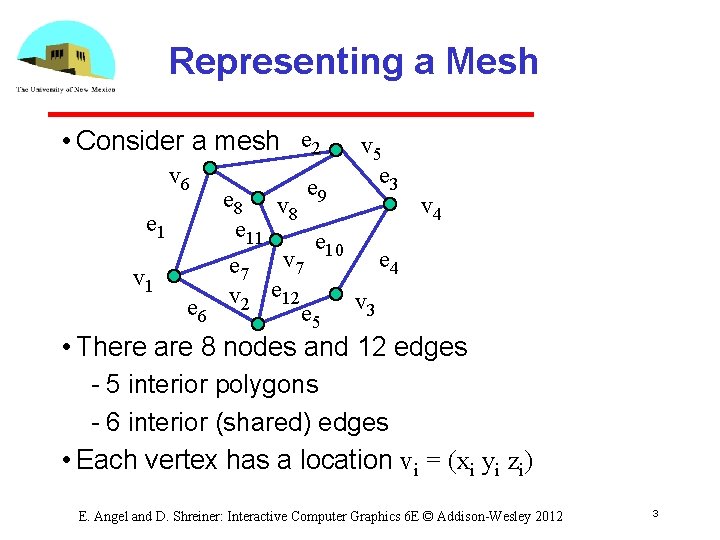
Representing a Mesh • Consider a mesh e 2 v 6 e 1 v 1 e 6 v 5 e 3 e 8 v e 9 v 4 8 e 11 e 10 e 4 e 7 v 2 e 12 e 5 v 3 • There are 8 nodes and 12 edges 5 interior polygons 6 interior (shared) edges • Each vertex has a location vi = (xi yi zi) E. Angel and D. Shreiner: Interactive Computer Graphics 6 E © Addison-Wesley 2012 3
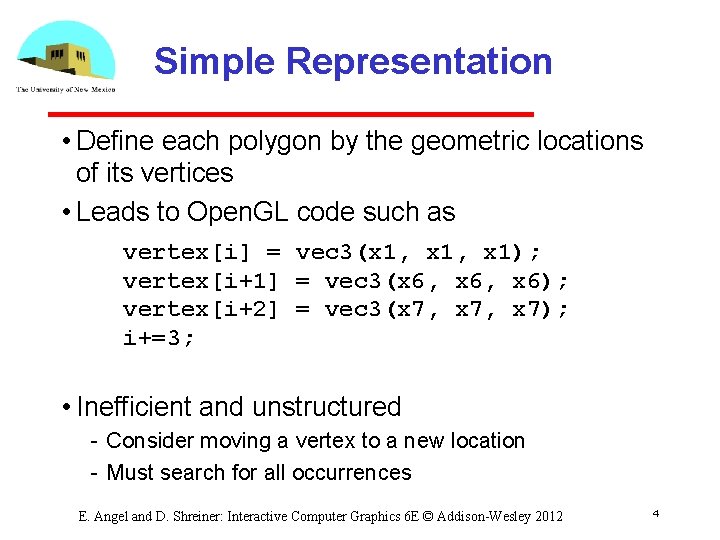
Simple Representation • Define each polygon by the geometric locations of its vertices • Leads to Open. GL code such as vertex[i] = vec 3(x 1, x 1); vertex[i+1] = vec 3(x 6, x 6); vertex[i+2] = vec 3(x 7, x 7); i+=3; • Inefficient and unstructured Consider moving a vertex to a new location Must search for all occurrences E. Angel and D. Shreiner: Interactive Computer Graphics 6 E © Addison-Wesley 2012 4
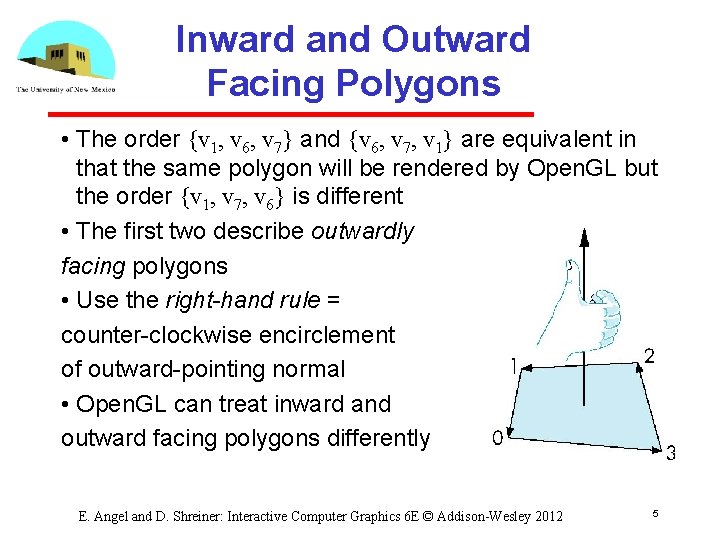
Inward and Outward Facing Polygons • The order {v 1, v 6, v 7} and {v 6, v 7, v 1} are equivalent in that the same polygon will be rendered by Open. GL but the order {v 1, v 7, v 6} is different • The first two describe outwardly facing polygons • Use the right-hand rule = counter clockwise encirclement of outward pointing normal • Open. GL can treat inward and outward facing polygons differently E. Angel and D. Shreiner: Interactive Computer Graphics 6 E © Addison-Wesley 2012 5
Geometry vs Topology • Generally it is a good idea to look for data structures that separate the geometry from the topology Geometry: locations of the vertices Topology: organization of the vertices and edges Example: a polygon is an ordered list of vertices with an edge connecting successive pairs of vertices and the last to the first Topology holds even if geometry changes E. Angel and D. Shreiner: Interactive Computer Graphics 6 E © Addison-Wesley 2012 6
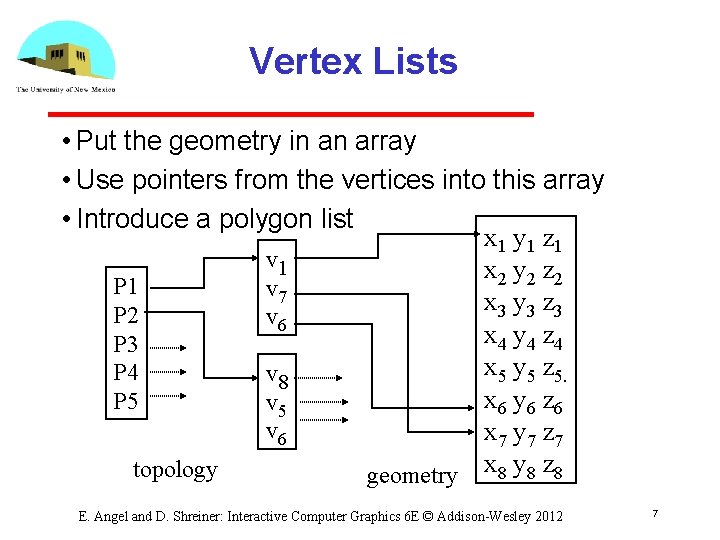
Vertex Lists • Put the geometry in an array • Use pointers from the vertices into this array • Introduce a polygon list x 1 y 1 z 1 v 1 x 2 y 2 z 2 P 1 v 7 x 3 y 3 z 3 P 2 v 6 x 4 y 4 z 4 P 3 x 5 y 5 z 5. P 4 v 8 x 6 y 6 z 6 P 5 v 6 x 7 y 7 z 7 topology geometry x 8 y 8 z 8 E. Angel and D. Shreiner: Interactive Computer Graphics 6 E © Addison-Wesley 2012 7
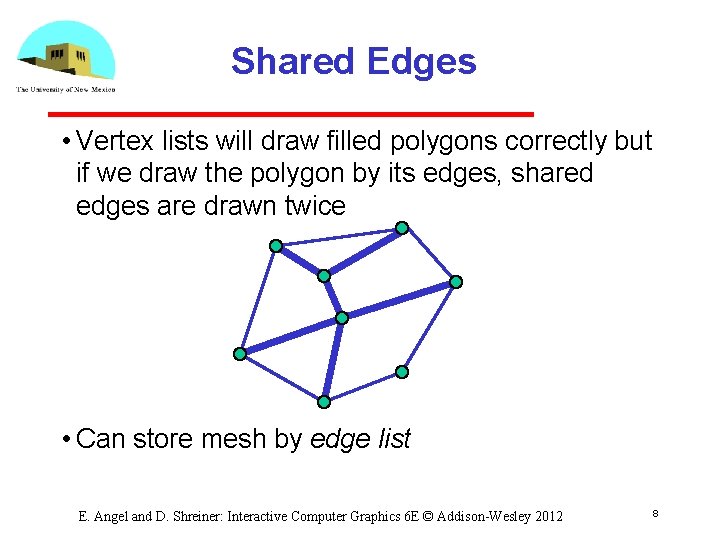
Shared Edges • Vertex lists will draw filled polygons correctly but if we draw the polygon by its edges, shared edges are drawn twice • Can store mesh by edge list E. Angel and D. Shreiner: Interactive Computer Graphics 6 E © Addison-Wesley 2012 8
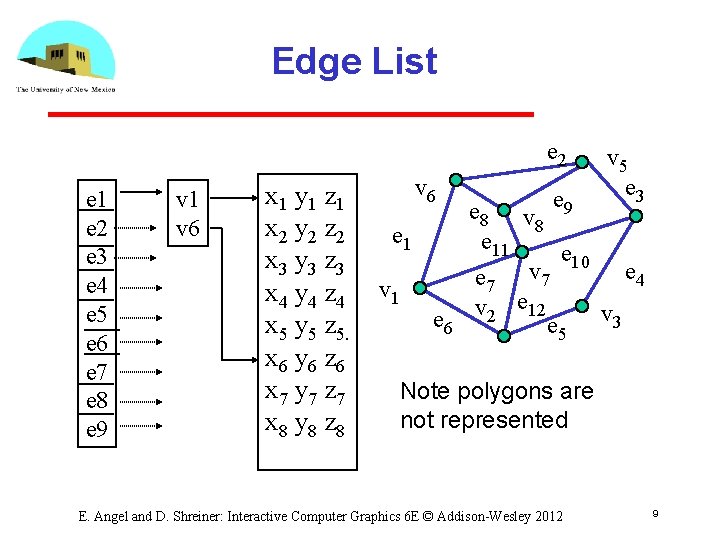
Edge List e 2 e 1 e 2 e 3 e 4 e 5 e 6 e 7 e 8 e 9 v 1 v 6 x 1 y 1 z 1 x 2 y 2 z 2 x 3 y 3 z 3 x 4 y 4 z 4 x 5 y 5 z 5. x 6 y 6 z 6 x 7 y 7 z 7 x 8 y 8 z 8 v 6 e 1 v 1 e 6 v 5 e 3 e 8 v e 9 8 e 11 e 10 e 4 e 7 v 2 e 12 e 5 v 3 Note polygons are not represented E. Angel and D. Shreiner: Interactive Computer Graphics 6 E © Addison-Wesley 2012 9
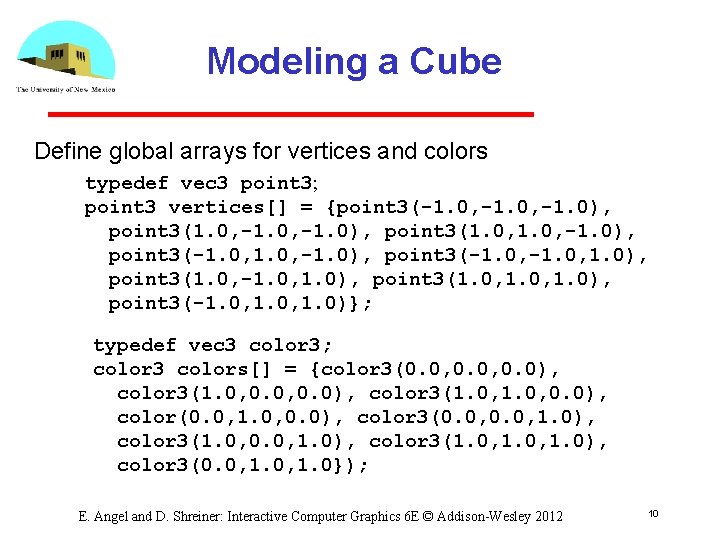
Modeling a Cube Define global arrays for vertices and colors typedef vec 3 point 3; point 3 vertices[] = {point 3(-1. 0, -1. 0), point 3(1. 0, -1. 0), point 3(-1. 0, 1. 0), point 3(1. 0, 1. 0), point 3(-1. 0, 1. 0)}; typedef vec 3 color 3; color 3 colors[] = {color 3(0. 0, 0. 0), color 3(1. 0, 0. 0), color(0. 0, 1. 0, 0. 0), color 3(0. 0, 1. 0), color 3(1. 0, 1. 0), color 3(0. 0, 1. 0}); E. Angel and D. Shreiner: Interactive Computer Graphics 6 E © Addison-Wesley 2012 10
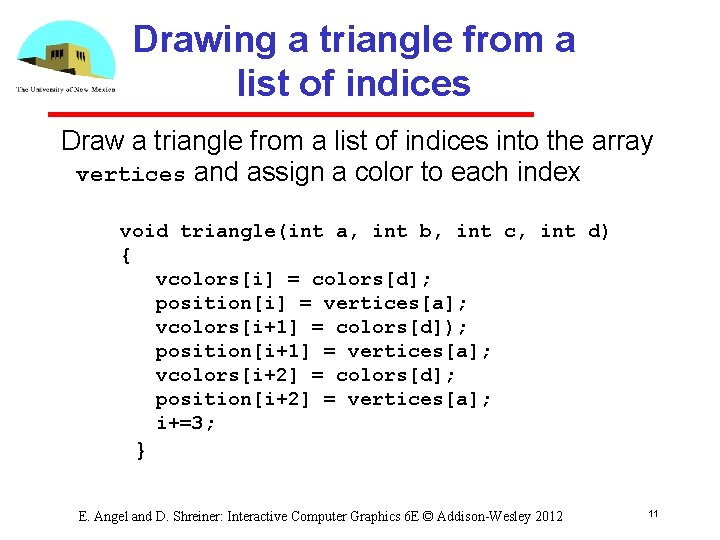
Drawing a triangle from a list of indices Draw a triangle from a list of indices into the array vertices and assign a color to each index void triangle(int a, int b, int c, int d) { vcolors[i] = colors[d]; position[i] = vertices[a]; vcolors[i+1] = colors[d]); position[i+1] = vertices[a]; vcolors[i+2] = colors[d]; position[i+2] = vertices[a]; i+=3; } E. Angel and D. Shreiner: Interactive Computer Graphics 6 E © Addison-Wesley 2012 11
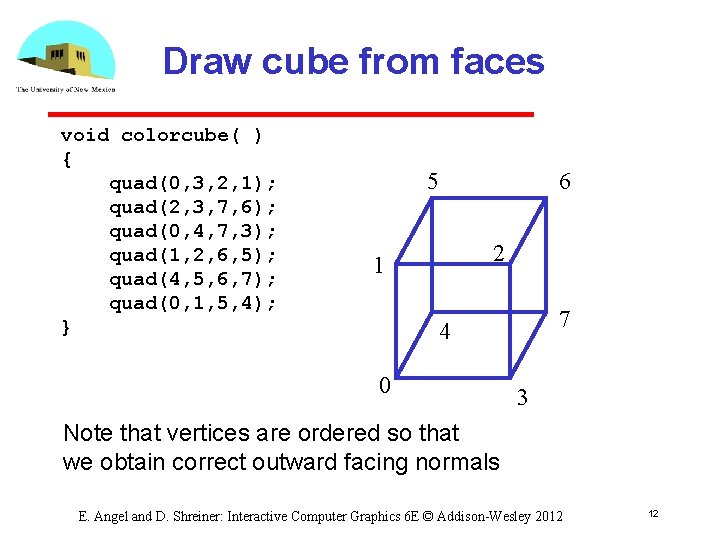
Draw cube from faces void colorcube( ) { quad(0, 3, 2, 1); quad(2, 3, 7, 6); quad(0, 4, 7, 3); quad(1, 2, 6, 5); quad(4, 5, 6, 7); quad(0, 1, 5, 4); } 5 6 2 1 7 4 0 3 Note that vertices are ordered so that we obtain correct outward facing normals E. Angel and D. Shreiner: Interactive Computer Graphics 6 E © Addison-Wesley 2012 12
Efficiency • The weakness of our approach is that we are building the model in the application and must do many function calls to draw the cube • Drawing a cube by its faces in the most straight forward way. Used to require 6 gl. Begin, 6 gl. End 6 gl. Color 24 gl. Vertex More if we use texture and lighting E. Angel and D. Shreiner: Interactive Computer Graphics 6 E © Addison-Wesley 2012 13
Vertex Arrays • Open. GL provided a facility called vertex arrays that allows us to store array data in the implementation • Six types of arrays were supported initially Vertices Color indices Normals Texture coordinates Edge flags • Now vertex arrays can be used for any attributes E. Angel and D. Shreiner: Interactive Computer Graphics 6 E © Addison-Wesley 2012 14
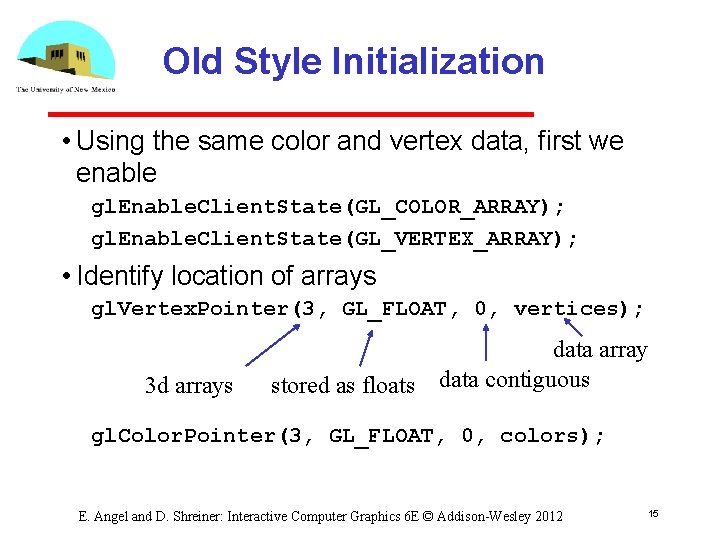
Old Style Initialization • Using the same color and vertex data, first we enable gl. Enable. Client. State(GL_COLOR_ARRAY); gl. Enable. Client. State(GL_VERTEX_ARRAY); • Identify location of arrays gl. Vertex. Pointer(3, GL_FLOAT, 0, vertices); 3 d arrays stored as floats data array data contiguous gl. Color. Pointer(3, GL_FLOAT, 0, colors); E. Angel and D. Shreiner: Interactive Computer Graphics 6 E © Addison-Wesley 2012 15
![Mapping indices to faces • Form an array of face indices GLubyte cube. Indices[24]](http://slidetodoc.com/presentation_image_h/faaebf6fba8e0989ea6daa6ba8f21450/image-16.jpg "Mapping indices to faces • Form an array of face indices GLubyte cube. Indices[24]")
Mapping indices to faces • Form an array of face indices GLubyte cube. Indices[24] = {0, 3, 2, 1, 2, 3, 7, 6 0, 4, 7, 3, 1, 2, 6, 5, 4, 5, 6, 7, 0, 1, 5, 4}; • Each successive four indices describe a face of the cube • Draw through gl. Draw. Elements which replaces all gl. Vertex and gl. Color calls in the display callback E. Angel and D. Shreiner: Interactive Computer Graphics 6 E © Addison-Wesley 2012 16
Drawing the cube • Old Method: gl. Draw. Elements(GL_QUADS, 24, GL_UNSIGNED_BYTE, cube. Indices); Draws cube with 1 function call!! • Problem is that although we avoid many function calls, data are still on client side • Solution: no immediate mode Vertex buffer object Use gl. Draw. Arrays E. Angel and D. Shreiner: Interactive Computer Graphics 6 E © Addison-Wesley 2012 17
Rotating Cube • Full example • Model Colored Cube • Use 3 button mouse to change direction of rotation • Use idle function to increment angle of rotation E. Angel and D. Shreiner: Interactive Computer Graphics 6 E © Addison-Wesley 2012 18
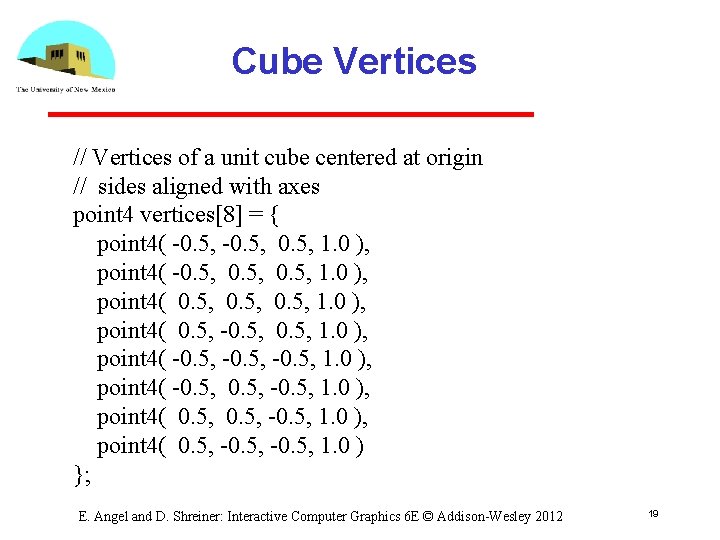
Cube Vertices // Vertices of a unit cube centered at origin // sides aligned with axes point 4 vertices[8] = { point 4( -0. 5, 0. 5, 1. 0 ), point 4( 0. 5, -0. 5, 1. 0 ), point 4( -0. 5, -0. 5, 1. 0 ), point 4( 0. 5, -0. 5, 1. 0 ) }; E. Angel and D. Shreiner: Interactive Computer Graphics 6 E © Addison-Wesley 2012 19
![Colors // RGBA colors color 4 vertex_colors[8] = { color 4( 0. 0, 1.](http://slidetodoc.com/presentation_image_h/faaebf6fba8e0989ea6daa6ba8f21450/image-20.jpg "Colors // RGBA colors color 4 vertex_colors[8] = { color 4( 0. 0, 1.")
Colors // RGBA colors color 4 vertex_colors[8] = { color 4( 0. 0, 1. 0 ), color 4( 1. 0, 0. 0, 1. 0 ), color 4( 0. 0, 1. 0 ), color 4( 1. 0, 0. 0, 1. 0 ), color 4( 1. 0, 1. 0 ), color 4( 0. 0, 1. 0 ) }; // black // red // yellow // green // blue // magenta // white // cyan E. Angel and D. Shreiner: Interactive Computer Graphics 6 E © Addison-Wesley 2012 20
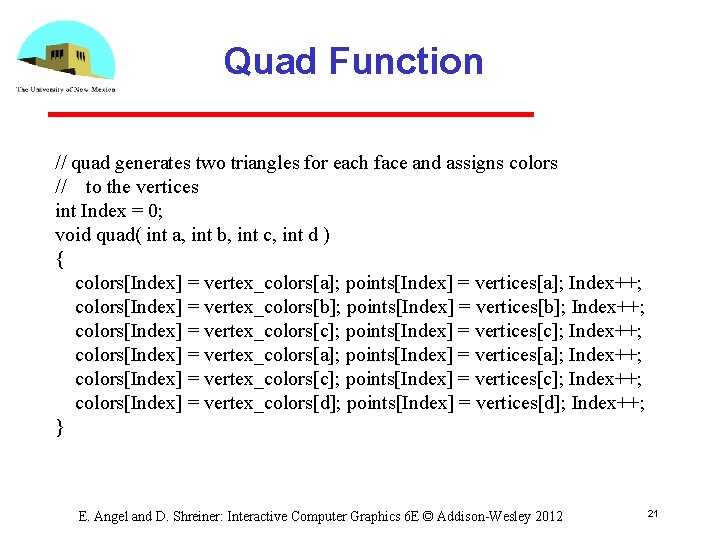
Quad Function // quad generates two triangles for each face and assigns colors // to the vertices int Index = 0; void quad( int a, int b, int c, int d ) { colors[Index] = vertex_colors[a]; points[Index] = vertices[a]; Index++; colors[Index] = vertex_colors[b]; points[Index] = vertices[b]; Index++; colors[Index] = vertex_colors[c]; points[Index] = vertices[c]; Index++; colors[Index] = vertex_colors[a]; points[Index] = vertices[a]; Index++; colors[Index] = vertex_colors[c]; points[Index] = vertices[c]; Index++; colors[Index] = vertex_colors[d]; points[Index] = vertices[d]; Index++; } E. Angel and D. Shreiner: Interactive Computer Graphics 6 E © Addison-Wesley 2012 21
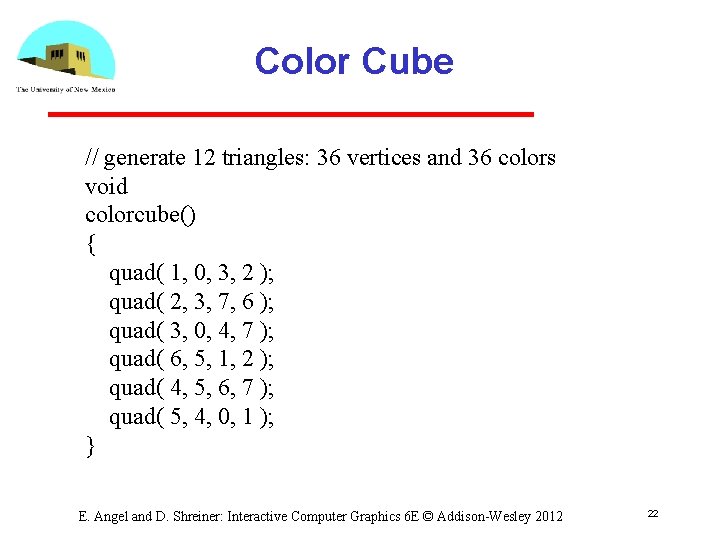
Color Cube // generate 12 triangles: 36 vertices and 36 colors void colorcube() { quad( 1, 0, 3, 2 ); quad( 2, 3, 7, 6 ); quad( 3, 0, 4, 7 ); quad( 6, 5, 1, 2 ); quad( 4, 5, 6, 7 ); quad( 5, 4, 0, 1 ); } E. Angel and D. Shreiner: Interactive Computer Graphics 6 E © Addison-Wesley 2012 22
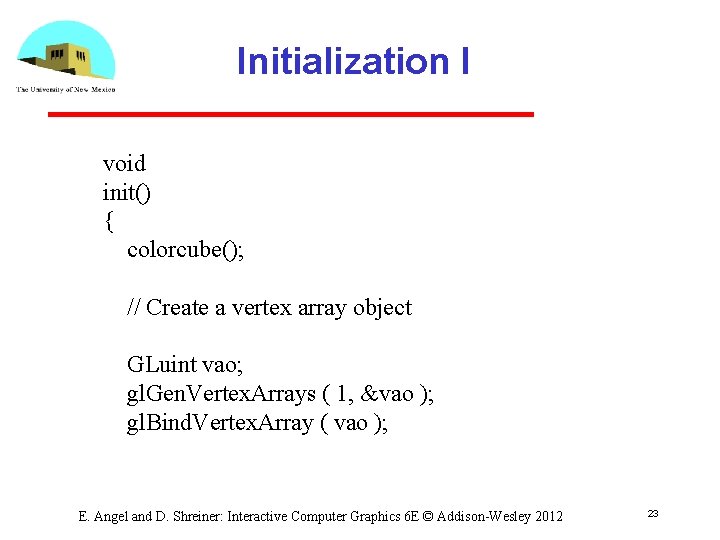
Initialization I void init() { colorcube(); // Create a vertex array object GLuint vao; gl. Gen. Vertex. Arrays ( 1, &vao ); gl. Bind. Vertex. Array ( vao ); E. Angel and D. Shreiner: Interactive Computer Graphics 6 E © Addison-Wesley 2012 23
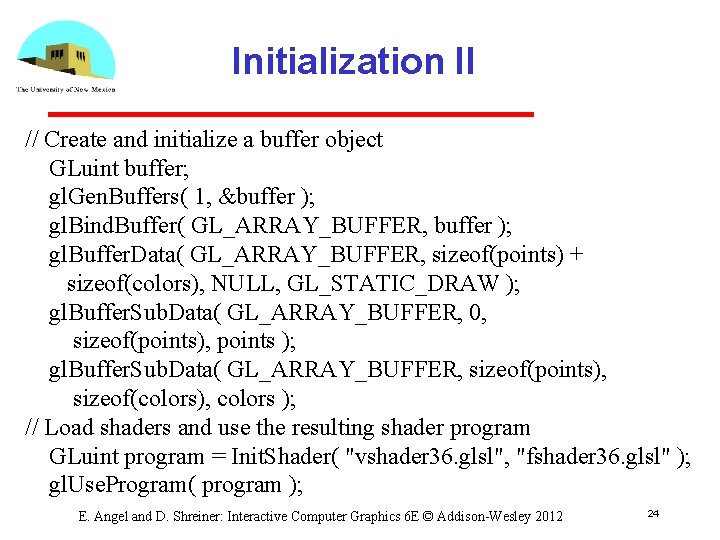
Initialization II // Create and initialize a buffer object GLuint buffer; gl. Gen. Buffers( 1, &buffer ); gl. Bind. Buffer( GL_ARRAY_BUFFER, buffer ); gl. Buffer. Data( GL_ARRAY_BUFFER, sizeof(points) + sizeof(colors), NULL, GL_STATIC_DRAW ); gl. Buffer. Sub. Data( GL_ARRAY_BUFFER, 0, sizeof(points), points ); gl. Buffer. Sub. Data( GL_ARRAY_BUFFER, sizeof(points), sizeof(colors), colors ); // Load shaders and use the resulting shader program GLuint program = Init. Shader( "vshader 36. glsl", "fshader 36. glsl" ); gl. Use. Program( program ); E. Angel and D. Shreiner: Interactive Computer Graphics 6 E © Addison-Wesley 2012 24
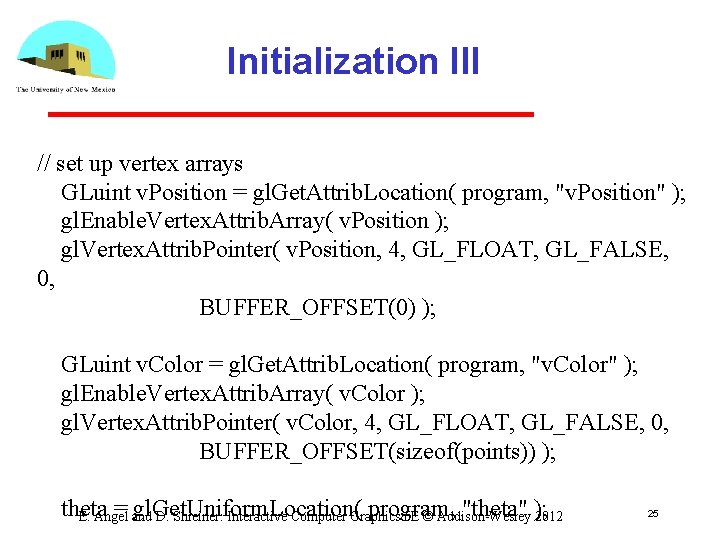
Initialization III // set up vertex arrays GLuint v. Position = gl. Get. Attrib. Location( program, "v. Position" ); gl. Enable. Vertex. Attrib. Array( v. Position ); gl. Vertex. Attrib. Pointer( v. Position, 4, GL_FLOAT, GL_FALSE, 0, BUFFER_OFFSET(0) ); GLuint v. Color = gl. Get. Attrib. Location( program, "v. Color" ); gl. Enable. Vertex. Attrib. Array( v. Color ); gl. Vertex. Attrib. Pointer( v. Color, 4, GL_FLOAT, GL_FALSE, 0, BUFFER_OFFSET(sizeof(points)) ); theta = and gl. Get. Uniform. Location( program, "theta" ); E. Angel D. Shreiner: Interactive Computer Graphics 6 E © Addison-Wesley 2012 25
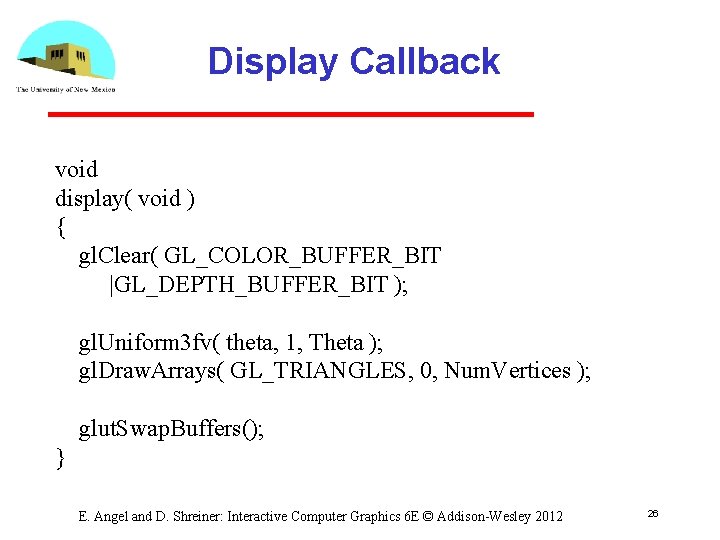
Display Callback void display( void ) { gl. Clear( GL_COLOR_BUFFER_BIT |GL_DEPTH_BUFFER_BIT ); gl. Uniform 3 fv( theta, 1, Theta ); gl. Draw. Arrays( GL_TRIANGLES, 0, Num. Vertices ); glut. Swap. Buffers(); } E. Angel and D. Shreiner: Interactive Computer Graphics 6 E © Addison-Wesley 2012 26

Mouse Callback void mouse( int button, int state, int x, int y ) { if ( state == GLUT_DOWN ) { switch( button ) { case GLUT_LEFT_BUTTON: Axis = Xaxis; break; case GLUT_MIDDLE_BUTTON: Axis = Yaxis; break; case GLUT_RIGHT_BUTTON: Axis = Zaxis; break; } } } E. Angel and D. Shreiner: Interactive Computer Graphics 6 E © Addison-Wesley 2012 27
![Idle Callback void idle( void ) { Theta[Axis] += 0. 01; if ( Theta[Axis]](http://slidetodoc.com/presentation_image_h/faaebf6fba8e0989ea6daa6ba8f21450/image-28.jpg "Idle Callback void idle( void ) { Theta[Axis] += 0. 01; if ( Theta[Axis]")
Idle Callback void idle( void ) { Theta[Axis] += 0. 01; if ( Theta[Axis] > 360. 0 ) { Theta[Axis] -= 360. 0; } glut. Post. Redisplay(); } E. Angel and D. Shreiner: Interactive Computer Graphics 6 E © Addison-Wesley 2012 28
- Slides: 28